
window.navigator All In One
window.navigator All In One

navigator
"use strict";

/**

 *

 * @author xgqfrms

 * @license MIT

 * @copyright xgqfrms

 * @created 2020-11-11

 * @modified

 *

 * @description

 * @difficulty Easy Medium Hard

 * @complexity O(n)

 * @augments

 * @example

 * @link

 * @solutions

 *

 * @best_solutions

 *

 */

const log = console.log;

if(window.navigator) {

  log(`window.navigator =`, navigator)

}

for(const item in navigator) {

  // log(`navigator.${item} =`, item);

  // log(`navigator.${item} =`, item, typeof item);

  log(`navigator.${item} =`, item, navigator[item]);

}

// navigator.vendorSub = vendorSub

// navigator.productSub = productSub

// navigator.vendor = vendor

// navigator.maxTouchPoints = maxTouchPoints

// navigator.userActivation = userActivation

// navigator.doNotTrack = doNotTrack

// navigator.geolocation = geolocation

// navigator.connection = connection

// navigator.plugins = plugins

// navigator.mimeTypes = mimeTypes

// navigator.webkitTemporaryStorage = webkitTemporaryStorage

// navigator.webkitPersistentStorage = webkitPersistentStorage

// navigator.hardwareConcurrency = hardwareConcurrency

// navigator.cookieEnabled = cookieEnabled

// navigator.appCodeName = appCodeName

// navigator.appName = appName

// navigator.appVersion = appVersion

// navigator.platform = platform

// navigator.product = product

// navigator.userAgent = userAgent

// navigator.language = language

// navigator.languages = languages

// navigator.onLine = onLine

// navigator.getBattery = getBattery

// navigator.getGamepads = getGamepads

// navigator.javaEnabled = javaEnabled

// navigator.sendBeacon = sendBeacon

// navigator.vibrate = vibrate

// navigator.scheduling = scheduling

// navigator.xr = xr

// navigator.mediaCapabilities = mediaCapabilities

// navigator.permissions = permissions

// navigator.locks = locks

// navigator.wakeLock = wakeLock

// navigator.usb = usb

// navigator.mediaSession = mediaSession

// navigator.clipboard = clipboard

// navigator.credentials = credentials

// navigator.keyboard = keyboard

// navigator.mediaDevices = mediaDevices

// navigator.storage = storage

// navigator.serviceWorker = serviceWorker

// navigator.deviceMemory = deviceMemory

// navigator.presentation = presentation

// navigator.bluetooth = bluetooth

// navigator.registerProtocolHandler = registerProtocolHandler

// navigator.unregisterProtocolHandler = unregisterProtocolHandler

// navigator.getInstalledRelatedApps = getInstalledRelatedApps

// navigator.clearAppBadge = clearAppBadge

// navigator.setAppBadge = setAppBadge

// navigator.getUserMedia = getUserMedia

// navigator.requestMIDIAccess = requestMIDIAccess

// navigator.requestMediaKeySystemAccess = requestMediaKeySystemAccess

// navigator.webkitGetUserMedia = webkitGetUserMedia
导航器界面表示用户代理的状态和身份。它允许脚本查询并注册自己以进行一些活动。
https://developer.mozilla.org/en-US/docs/Web/API/Navigator
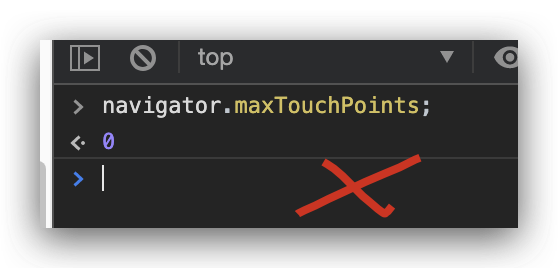
多点触控检测
navigator.maxTouchPoints
const log = console.log;

const touchPoints = navigator.maxTouchPoints;

if (touchPoints > 1) {

  log(` your browser supports multi-touch`)

} else {

 log(`  your  browser not supports multi-touch`)

}
https://www.w3.org/TR/pointerevents2/#extensions-to-the-navigator-interface
https://developer.mozilla.org/en-US/docs/Web/API/Navigator/maxTouchPoints
refs
UA
https://developer.mozilla.org/en-US/docs/Web/HTTP/Browser_detection_using_the_user_agent
xgqfrms 2012-2020
www.cnblogs.com 发布文章使用:只允许注册用户才可以访问!
window.navigator All In One的更多相关文章
- 完美解决window.navigator.geolocation.getCurrentPosition,在IOS10系统中无法定位问题
目前由于许多用户都将电话升级到了iOS系统,苹果的iOS 10已经正式对外推送,相信很多用户已经更新到了最新的系统.然而,如果web站没有及时支持https协议的话,当很多用户在iOS 10下访问很多 ...
- javascript宿主对象之window.navigator
window.navigator用来反映浏览器及其功能信息的对象. // 检测浏览器版本信息 function getBrowserInfo(){ var Sys = {}; var ua = win ...
- 使用window.navigator.userAgent属性判断浏览器类型及版本
使用window.navigator.userAgent属性判断浏览器类型及版本 2011-12-11 22:03:11 window.navigator.userAgent属性包含了浏览器类型.版本 ...
- Window.navigator
定义和用法 userAgent 属性是一个只读的字符串,声明了浏览器用于 HTTP 请求的用户代理头的值. 一般来讲,它是在 navigator.appCodeName 的值之后加上斜线和 navig ...
- 解决window.navigator.geolocation.getCurrentPosition在IOS10系统中无法进行地理定位问题
昨天接到用户通知说在点击"看场地"时无法获取地理位置信息. 在接到通知时,首先想到的是排查机型问题.由于客户多为IOS用户,所以最先看的是在安卓是有没有此问题的发生,调查结果为安卓 ...
- JavaScript Window Navigator
window.navigator 对象包含有关访问者浏览器的信息. Window Navigator window.navigator 对象在编写时可不使用 window 这个前缀. 实例 <d ...
- JavaScript Window Navigator 浏览器本身的信息
window.navigator 对象包含有关访问者浏览器的信息. Window Navigator window.navigator 对象在编写时可不使用 window 这个前缀. Navigato ...
- Window Navigator对象
Window Navigator对象 txt = "<p>浏览器代号: " + navigator.appCodeName + "</p>&quo ...
- window.navigator.userAgent $_SERVER['HTTP_USER_AGENT']
wjs php返回结果一致 <script> !function () { var UA = window.navigator.userAgent, docEl = document.do ...
- window.navigator.standalone 检测iOS WebApp是否运行在全屏模式
iOS上的Safari浏览器可以让Web应用程序全屏显示,以取得类似本地应用的显示效果.但是这需要用户把Web应用程序的图标添加到主屏幕才可以.作为开发者,为了更好的显示效果,我们可能希望自己开发的W ...
随机推荐
- C#高级编程第11版 - 第六章 索引
[1]6.2 运算符 1.&符在C#里是逻辑与运算.管道符号|在C#里则是逻辑或运算.%运算符用来返回除法运算的余数,因此当x=7时,x%5的值将是2. [2]6.2.1 运算符的简写 1.下 ...
- 冷饭新炒:理解JDK中UUID的底层实现
前提 UUID是Universally Unique IDentifier的缩写,翻译为通用唯一标识符或者全局唯一标识符.对于UUID的描述,下面摘录一下规范文件A Universally Uniqu ...
- 1 flume快速入门——十分钟学会flume
flume ## 1.1 Flume定义 Flume是Cloudera提供的一个高可用的,高可靠的,分布式的海量日志采集.聚合和传输的系统.Flume基于流式架构,灵活简单. 大数据框架大致分为3类: ...
- How Interfaces Work in Go
research!rsc: Go Data Structures: Interfaces https://research.swtch.com/interfaces How Interfaces Wo ...
- 一文带你看遍 JDK9~14 的重要新特性!
Java9 发布于 2017 年 9 月 21 日 .作为 Java8 之后 3 年半才发布的新版本,Java 9 带 来了很多重大的变化其中最重要的改动是 Java 平台模块系统的引入,其他还有诸如 ...
- 使用Robo 3T操作MongoDB数据库
安装Robo 3T连接MongoDB数据库教程:https://blog.csdn.net/baidu_39298625/article/details/98845789 在IDEA中用三个jar包链 ...
- LOJ10092半连通子图
Description 一个有向图G=(V,E)称为半连通的(Semi-Connected),如果满足:?u,v∈V,满足u→v或v→u,即对于图中任意两点u,v,存在一条u到v的有向路径或者从v到u ...
- windows.open、 window.location.href
windows.open("URL","窗口名称","窗口外观设定");打开新窗口,window对象的方法 不一定打开新窗口,只要有窗口的名 ...
- SparkStreaming算子操作,Output操作
SparkStreaming练习之StreamingTest,UpdateStateByKey,WindowOperator 一.SparkStreaming算子操作 1.1 foreachRDD 1 ...
- mysql-mysqli_fetch_all(错误)
mysql-mysqli_fetch_all(错误) 问题:使用mysql-mysqli_fetch_all获取返回的数组时失败/报错 原因及解决方法: mysqli_fetch_all函数只存在于m ...