
Android——HelloWorld
今天正式加入实验室做安卓,看上去无从下手,让我想到当年学ACM一样,但是也一直搞过来了,现在又是一个新的起点。
废话不多说~~~
Hello World
安装:
JDK
SDK
Eclipse
参考:http://www.cnblogs.com/rayee/archive/2012/01/31/2332303.html
当然也有比较简单的方案:基于谷歌Android SDK 的简易开发环境搭建方法。
Hello World
哦~~~
和C#的winform一样可以拖动控件。挺方便的。
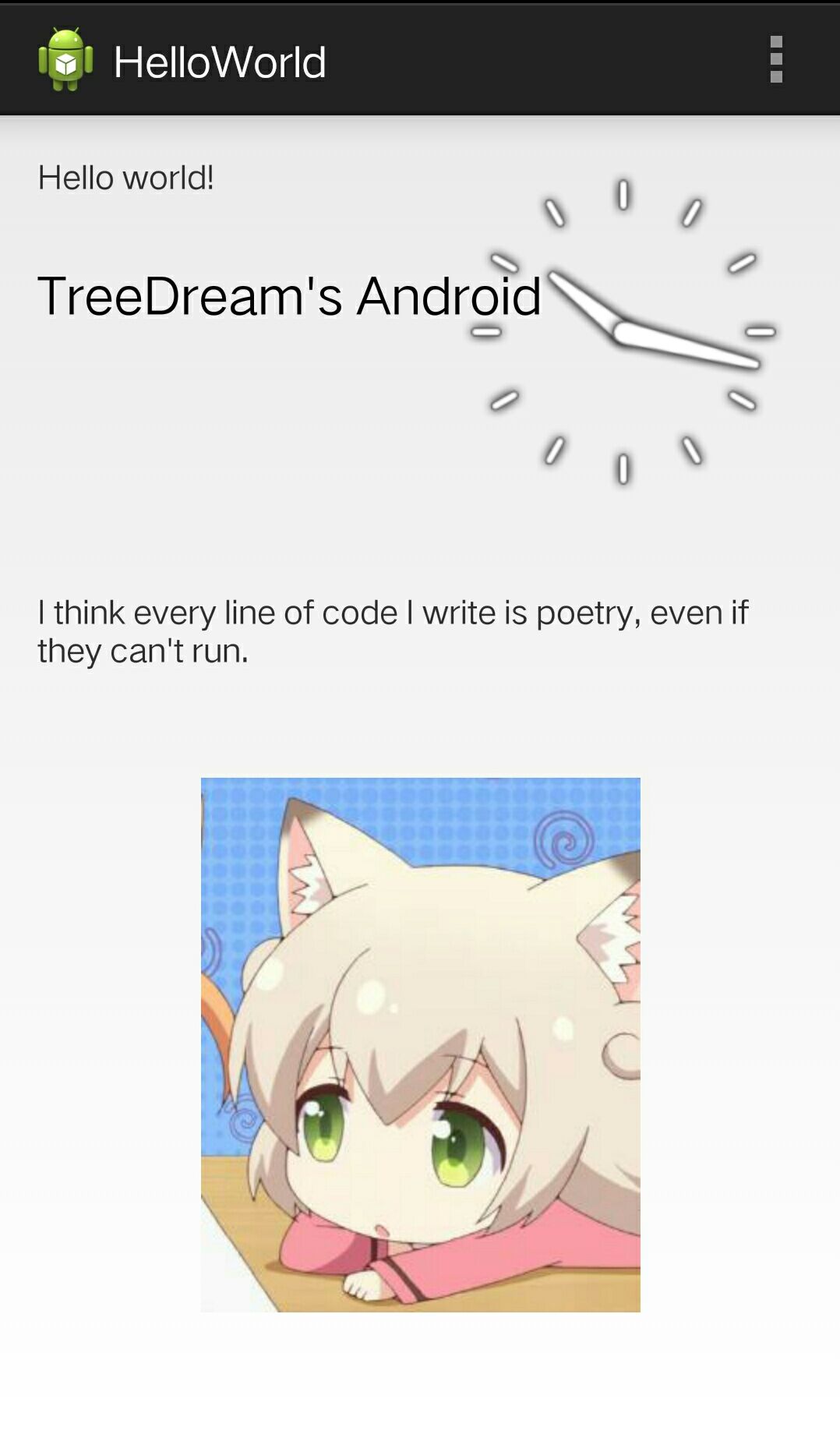
插入一张textView和一张图片。
发布一下。
<RelativeLayout xmlns:tools="http://schemas.android.com/tools"
xmlns:android="http://schemas.android.com/apk/res/android"
android:layout_width="match_parent"
android:layout_height="match_parent"
android:paddingBottom="@dimen/activity_vertical_margin"
android:paddingLeft="@dimen/activity_horizontal_margin"
android:paddingRight="@dimen/activity_horizontal_margin"
android:paddingTop="@dimen/activity_vertical_margin"
tools:context=".MainActivity" > <TextView
android:id="@+id/textView2"
android:layout_width="wrap_content"
android:layout_height="wrap_content"
android:text="@string/hello_world" /> <TextView
android:id="@+id/textView1"
android:layout_width="wrap_content"
android:layout_height="wrap_content"
android:layout_alignLeft="@+id/textView2"
android:layout_below="@+id/textView2"
android:layout_marginTop="26dp"
android:text="TreeDream's Android"
android:textAppearance="?android:attr/textAppearanceLarge" /> <RadioGroup
android:id="@+id/radioGroup1"
android:layout_width="wrap_content"
android:layout_height="wrap_content"
android:layout_alignLeft="@+id/textView4"
android:layout_below="@+id/textView4"
android:layout_marginTop="14dp" >
</RadioGroup> <TextView
android:id="@+id/textView3"
android:layout_width="wrap_content"
android:layout_height="wrap_content"
android:layout_above="@+id/imageView1"
android:layout_alignLeft="@+id/textView1"
android:layout_marginBottom="46dp"
android:text="I think every line of code I write is poetry, even if they can't run."
android:textAppearance="?android:attr/textAppearanceSmall" /> <ImageView
android:id="@+id/imageView1"
android:layout_width="wrap_content"
android:layout_height="wrap_content"
android:layout_alignParentBottom="true"
android:layout_centerHorizontal="true"
android:layout_marginBottom="39dp"
android:src="@drawable/x" /> <AnalogClock
android:id="@+id/analogClock1"
android:layout_width="wrap_content"
android:layout_height="wrap_content"
android:layout_alignParentRight="true"
android:layout_alignTop="@+id/textView2" /> </RelativeLayout>
参考:http://www.cnblogs.com/rayee/archive/2012/01/31/2333832.html#3853831
Android——HelloWorld的更多相关文章
- 最简单的基于FFmpeg的移动端样例附件:SDL Android HelloWorld
===================================================== 最简单的基于FFmpeg的移动端样例系列文章列表: 最简单的基于FFmpeg的移动端样例:A ...
- 最简单的基于FFmpeg的移动端样例:Android HelloWorld
===================================================== 最简单的基于FFmpeg的移动端样例系列文章列表: 最简单的基于FFmpeg的移动端样例:A ...
- Android - HelloWorld的Layout内容
Android - HelloWorld的Layout内容 本文地址: http://blog.csdn.net/caroline_wendy 作为最基础的Android程序, HelloWorld的 ...
- cocos2d-x mac os启动 android helloworld
工具环境: mac os, jdk, Android Studio, cocos2d-x-3.13.1, ant, android-ndk. 解压coco2d-x后,根目录下有 setup.py, 命 ...
- Arcgis Android - HelloWorld
概述 虽然esri官网上最新版本是10.2.4,但是例子中实在是很难运行,总是出现各种各样的bug.又因为初学是Android,所以不想太浪费时间弄些配置了.决定先将v2.0.0的Arcgis for ...
- Android零基础入门第8节:HelloWorld,我的第一趟旅程出发点
原文:Android零基础入门第8节:HelloWorld,我的第一趟旅程出发点 经过前面几期的学习,我们知道了Android的前世今生,也大致了解了Android的系统架构和应用组件,然后花了几期来 ...
- Android的常用adb命令
第一部分:1. ubuntu下配置环境anroid变量:在终端执行 sudo gedit /etc/profile 打开文本编辑器,在最后追加#setandroid environment2. 运行E ...
- 一个优秀的Android应用从建项目开始
1.项目结构 现在的MVP模式越来越流行.就默认采用了.如果项目比较小的话: app——Application Activity Fragment Presenter等的顶级父类 config——AP ...
- android 开发必用的开源库
LogReport: https://github.com/wenmingvs/LogReport, 崩溃日志上传框架 wcl-permission-demo:Android 6.0 - 动态权 ...
随机推荐
- PIE SDK辐射定标
1. 算法功能简介 辐射定标是使用大气纠正技术将影像数据的灰度值转化为表观辐亮度.表观反射率等物理量的过程. PIE支持算法功能的执行,下面对辐射定标算法功能进行介绍. 2. 算法功能实现说明 2.1 ...
- java将文本写入本地硬盘
注意:首先要在E盘创建qaz.txt文本文件.然后执行代码写入. public static void main(String[] args) { SecurityCodeUtils scu = ne ...
- android主线程ActivityThread
ActivityThread在Android中它就代表了Android的主线程,但是并不是一个Thread类. 源码如下: http://androidxref.com/6.0.0_r1/xref/f ...
- qs.parse()、qs.stringify()、JSON.parse()、JSON.stringify()使用方法
一.JSON.parse(用于从一个字符串中解析出json 对象)ps:单引号写在{}外,每个属性都必须双引号,否则会抛出异常 let str = '[{"field":" ...
- C++的一些编程规范
新规范的目标: 让代码排错更加简单 程序员专心于业务逻辑 将一些错误交给编译器处理 提高代码可维护性 逐步实现插件化 编码 使用array(QT下用QVarLengthArray)代替和vector代 ...
- 封装Lua for C#
http://blog.csdn.net/rcfalcon/article/details/5583095
- git读书笔记以及使用技巧
[添加文件] git add 把文件修改添加到暂存区 git commit -m '' 把暂存区的所有内容提交到当前分支 [查看历史] git log 查看提交历史 git log -- ...
- 请以excel管理你的接口测试用例
闲话休扯,上需求:自动读取.执行excel里面的接口测试用例,测试完成后,返回错误结果并发送邮件通知. 分析: 1.设计excel表格2.读取excel表格3.拼接url,发送请求4.汇总错误结果.发 ...
- js 中标签的增删 方法
<!DOCTYPE html><html lang="en"><head> <meta charset="UTF-8" ...
- bootstrap清除数据源
下拉框使用动态数据源,当下拉框触发change事件时,想让下拉框改变数据源,加了个if判断 $('#@idForCostCategory').change(function (event) { if( ...