
lxc 容器基础配置篇
一, 首先配置lxc需要的网卡断

吧eth0复制一份变为br0
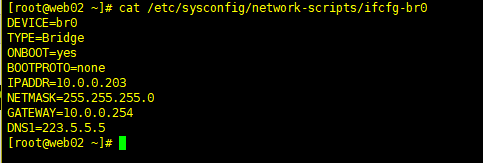
配置br0
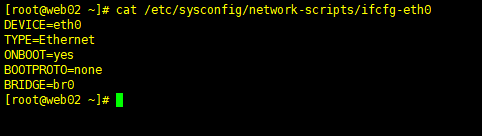
配置eth0
重启网卡
/etc/init.d/network restart
安装lxc软件 需要epel源---
yum install lxc* libcgroup* -y
安装完成过后:

启动lxc

配置lxc源
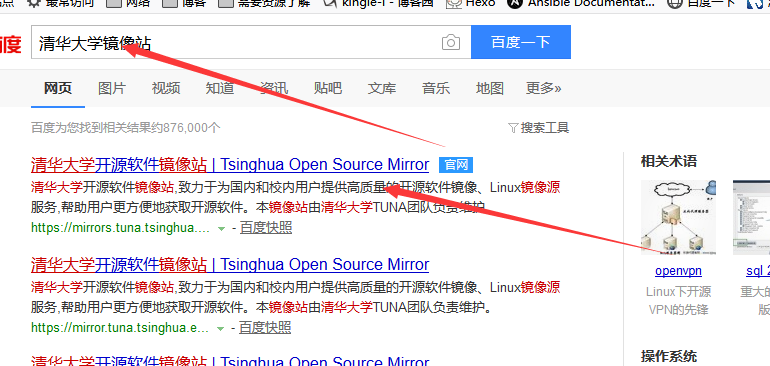
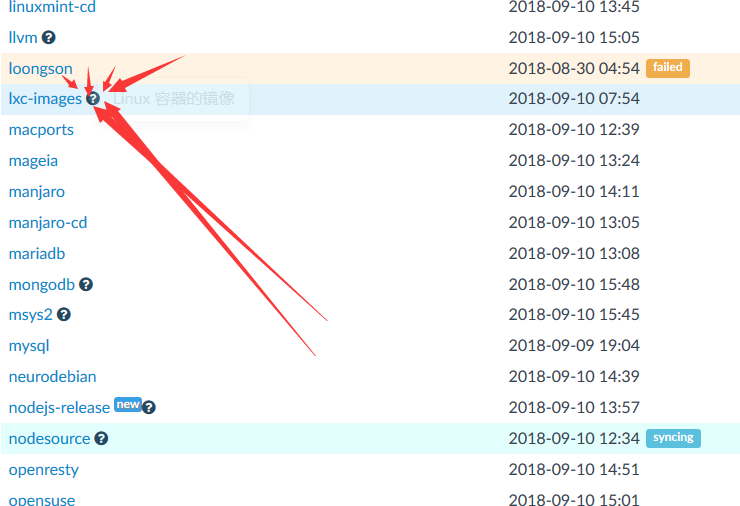
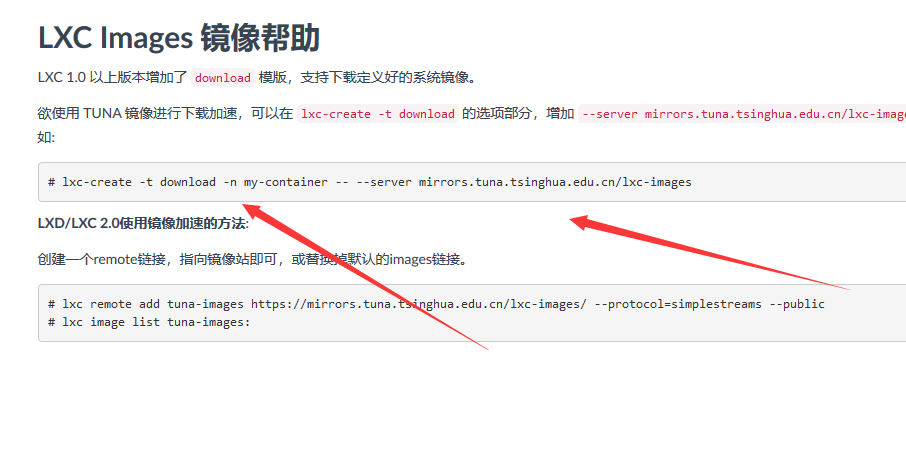
复制内容 到命令行擦做
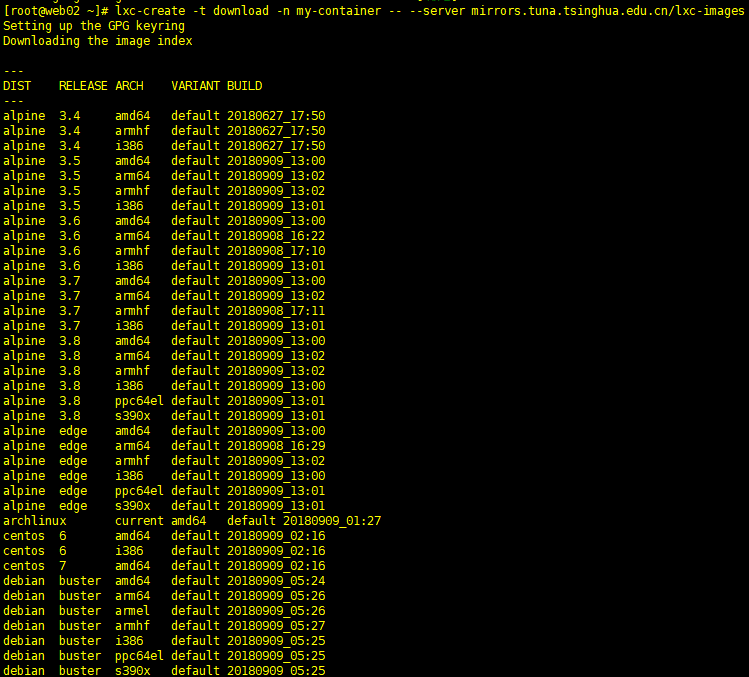

自己选择自己系统的版本信息,
主要
ppc的话事IBM的
arm64手机那种
amd63 X64
i386 X32
查看下载的文件内容

下载一个模板
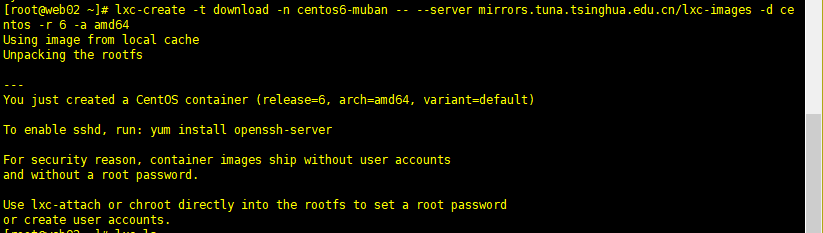
查看模板信息
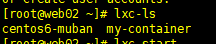
启动lxc
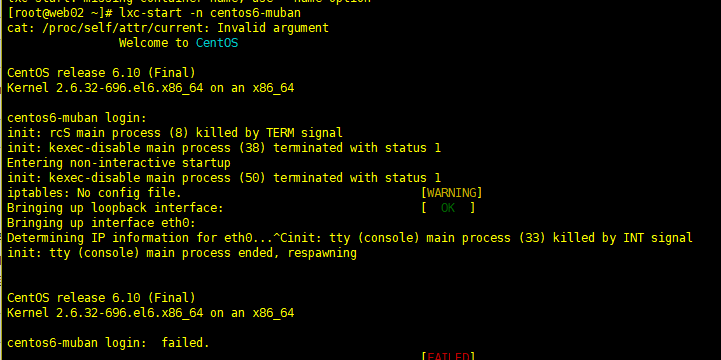
发现需要登入但是并没有密码
新建一个连接
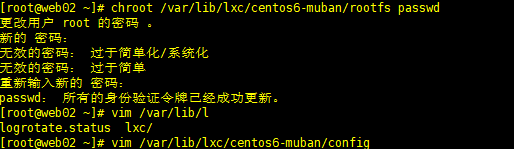
进去啦...

发现没有网
lxc配置网络
新建一个连接配置文件

重启服务:
新开连接

在启动lxc
更改容器的DNS
resolve.conf
新建连接配置容器

容器中查看已经同步

cnetos6 配置地址
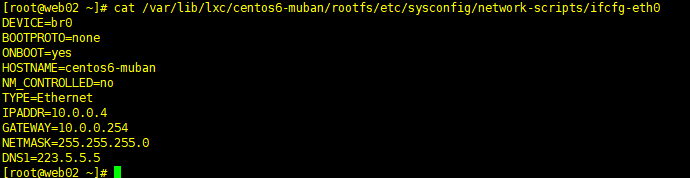

在容器中ping 百度
更改yum源文件
vim /var/lib/lxc/centos6-muban/rootfs/etc/yum.repos.d/CentOS-Base.repo
# CentOS-Base.repo

#

# The mirror system uses the connecting IP address of the client and the

# update status of each mirror to pick mirrors that are updated to and

# geographically close to the client.  You should use this for CentOS updates

# unless you are manually picking other mirrors.

#

# If the mirrorlist= does not work for you, as a fall back you can try the

# remarked out baseurl= line instead.

#

#

[base]

name=CentOS-$releasever - Base

baseurl=https://mirrors.tuna.tsinghua.edu.cn/centos/$releasever/os/$basearch/

#mirrorlist=http://mirrorlist.centos.org/?release=$releasever&arch=$basearch&repo=os

gpgcheck=1

gpgkey=file:///etc/pki/rpm-gpg/RPM-GPG-KEY-CentOS-6

#released updates

[updates]

name=CentOS-$releasever - Updates

baseurl=https://mirrors.tuna.tsinghua.edu.cn/centos/$releasever/updates/$basearch/

#mirrorlist=http://mirrorlist.centos.org/?release=$releasever&arch=$basearch&repo=updates

gpgcheck=1

gpgkey=file:///etc/pki/rpm-gpg/RPM-GPG-KEY-CentOS-6

#additional packages that may be useful

[extras]

name=CentOS-$releasever - Extras

baseurl=https://mirrors.tuna.tsinghua.edu.cn/centos/$releasever/extras/$basearch/

#mirrorlist=http://mirrorlist.centos.org/?release=$releasever&arch=$basearch&repo=extras

gpgcheck=1

gpgkey=file:///etc/pki/rpm-gpg/RPM-GPG-KEY-CentOS-6

#additional packages that extend functionality of existing packages

[centosplus]

name=CentOS-$releasever - Plus

baseurl=https://mirrors.tuna.tsinghua.edu.cn/centos/$releasever/centosplus/$basearch/

#mirrorlist=http://mirrorlist.centos.org/?release=$releasever&arch=$basearch&repo=centosplus

gpgcheck=1

enabled=0

gpgkey=file:///etc/pki/rpm-gpg/RPM-GPG-KEY-CentOS-6

#contrib - packages by Centos Users

[contrib]

name=CentOS-$releasever - Contrib

baseurl=https://mirrors.tuna.tsinghua.edu.cn/centos/$releasever/contrib/$basearch/

#mirrorlist=http://mirrorlist.centos.org/?release=$releasever&arch=$basearch&repo=contrib

gpgcheck=1

enabled=0

gpgkey=file:///etc/pki/rpm-gpg/RPM-GPG-KEY-CentOS-6
安装ssh
安装ssh
yum install openssh-server -y
ssh远程连接lxc
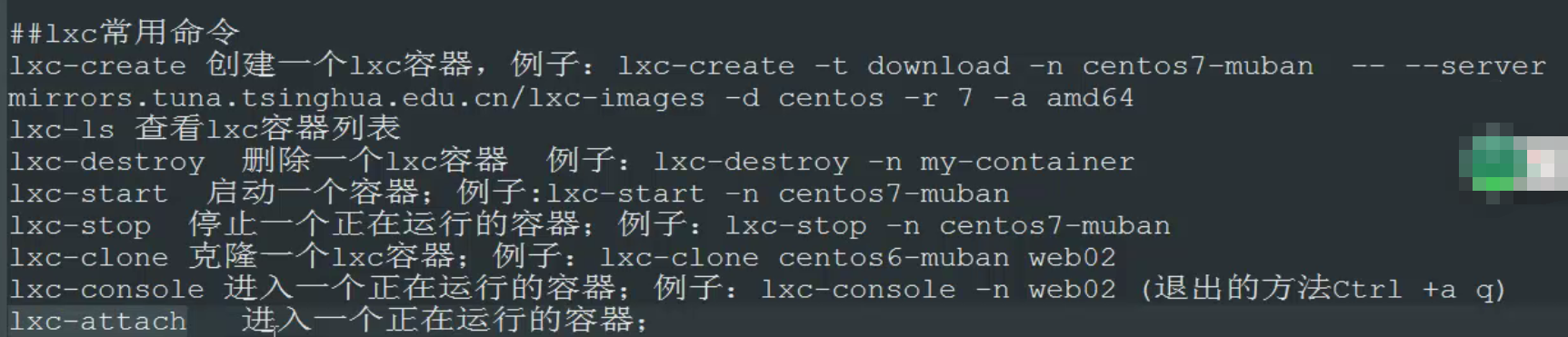
lxc常用命令:
lxc -ls 查看lxc容器列表
lxc-destroy 删除一个容器
lxc-start 启动 lxc-start -n centos6-muban
lxc-stop 停止一个容器 lxc-stop -n centos6-muban
lxc-clone 克隆lxc lxc-clone centos6-muban web
lxc 容器基础配置篇的更多相关文章
- 深入浅出 webpack 之基础配置篇
前言 前端工程化经历过很多优秀的工具,例如 Grunt.Gulp.webpack.rollup 等等,每种工具都有自己适用的场景,而现今应用最为广泛的当属 webpack 打包了,因此学习好 webp ...
- webpack3.x版本实战案例【基础配置篇】(一)
本文旨在通过一个一个实战例子来学习webpack如何配置,更加深入的学习webpack在实战项目中如何配置. 我们学习哪些配置呢? [基础配置] 打包JS 编译ES6 编译typeScript 打包公 ...
- 提高开发效率之VS Code基础配置篇
背景 之前一直是只用WebStorm作为IDE来编写代码,但是由于: 手中的这台Mac接了两个显示器以后,使用WebStorm会有卡顿. WebStorm需要付费(虽然可以通过某方法和谐). 所以需要 ...
- 从零开始用electron整个跨平台桌面应用---基础配置篇
1.安装node.npm node以及npm都需要是最新版本(版本过低有坑) 2.安装淘宝镜像cnpm(建议,下载较快) npm install -g cnpm --registry=https:// ...
- 阿里云ECS服务器Linux环境下配置php服务器(一)--基础配置篇
开始安装软件了,我们需要安装的软件有apache,php和MySQL. ps:如果你购买的是北京的服务器,有个安全组需要设置,我全部用的默认设置,暂时还没发现会有什么影响. 首先关闭SELINUX(S ...
- 【MM系列】SAP MM模块-基础配置第一篇
公众号:SAP Technical 本文作者:matinal 原文出处:http://www.cnblogs.com/SAPmatinal/ 原文链接:[MM系列]SAP MM模块-基础配置第一篇 ...
- 【Cocos2d-Js基础教学(1)JS -Mac配置篇】
一.准备工作 Windows配置篇请见 http://cn.cocos2d-x.org/tutorial/show?id=1396 1.安装python 2.下载Android SDK Android ...
- 【串线篇】spring boot嵌入式Servlet容器自动配置原理
EmbeddedServletContainerAutoConfiguration:嵌入式的Servlet容器自动配置? @AutoConfigureOrder(Ordered.HIGHEST_PREC ...
- SpringMVC基础配置(通过注解配置,非xml配置)
SpringMVC是什么,有多火,我这里就不再啰嗦了,SpringMVC比Struts2好用太多,我在学校的时候私下里两种都接触过,对比之后果断选择了SpringMVC,后来在做Android应用开发 ...
随机推荐
- 20169219 实验三 敏捷开发与XP实践 报告
实验内容 1.求命令行传入整数参数的和. package exp3; public class TestArgs01 { public static void main(String[] args) ...
- poj2299 Ultra-QuickSort(线段树求逆序对)
Description In this problem, you have to analyze a particular sorting algorithm. The algorithm proce ...
- 中介者(Mediator)模式
中介者(Mediator)模式:用一个中介对象来封装一系列的对象交互,中介者使各个对象不需要显示的相互引用,从而使得耦合松散,而且可以独立的改变他们之间的交互 了解<迪米特法则>的朋友就知 ...
- Android Butterknife框架 注解攻略
一.原理. 最近发现一个很好用的开源框架,蛮不错的,可以简化你的代码,是关于注解的.不多说直接进入使用步骤讲解. 二.步骤. 1.准备阶段,先到官网( http://jakewharton.githu ...
- wp8 与wp7.5图标规格说明
wp8 小图标 159*159 中图标 336*336 大图标 691*336 wp7.5 173*173
- SMS106 短信验证码接口测试
SMS106 短信验证码接口测试 一.什么是SMS106: 106短信通道是指仅中国移动.中国联通提供的网关短信平台,实现与客户指定号码进行短信批量发送和自定义发送的目的,即你收到的短信在手机上以1 ...
- kali linux之手动漏洞挖掘二
漏洞挖掘原则/宗旨----所有变量,所有头(cookie中的变量),逐个变量删除 身份认证 常用若口令/基于字典的密码爆破/锁定帐号 信息收集(手机号,身份证,住址信息等等) 密码嗅探 会话sessi ...
- JAVA学习必须掌握的框架,不看后悔
Web应用,最常见的研发语言是Java和PHP. 后端服务,最常见的研发语言是Java和C/C++. 大数据,最常见的研发语言是Java和Python. 可以说,Java是现阶段中国互联网公司中,覆盖 ...
- 《Effective Java》——读后总结
这本书在Java开发的行业里,颇有名气.今天总算是粗略的看完了…后面线程部分和序列化部分由于心浮气躁看的不仔细.这个月还剩下一周,慢慢总结消化. 1.静态工厂方法代替构造器 静态工厂方法有名称,能确切 ...
- 解决eclipse Building workspace(Sleeping)闪烁
出现这个是因为我,把两个有错的项目.从工程里面删除掉之后,再接着运行新的工程,但是Building workspace一直没有执行完毕,导致新的工程无法运行. 这个时候可以关闭自动编译,就可以运行新的 ...