
python0301
1
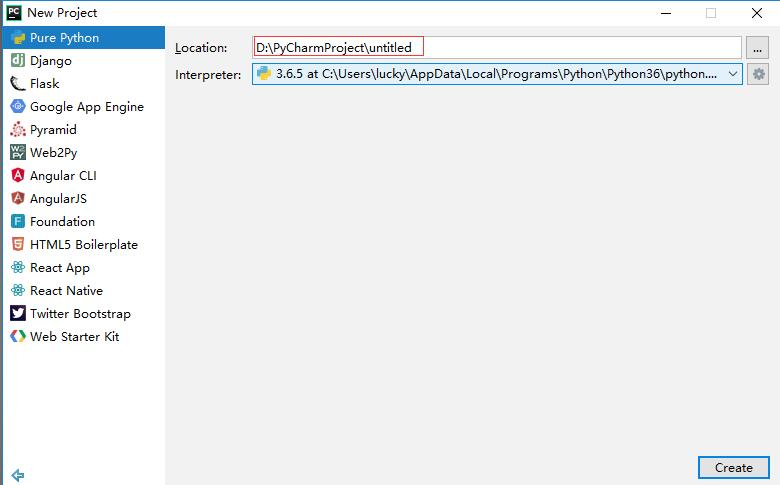
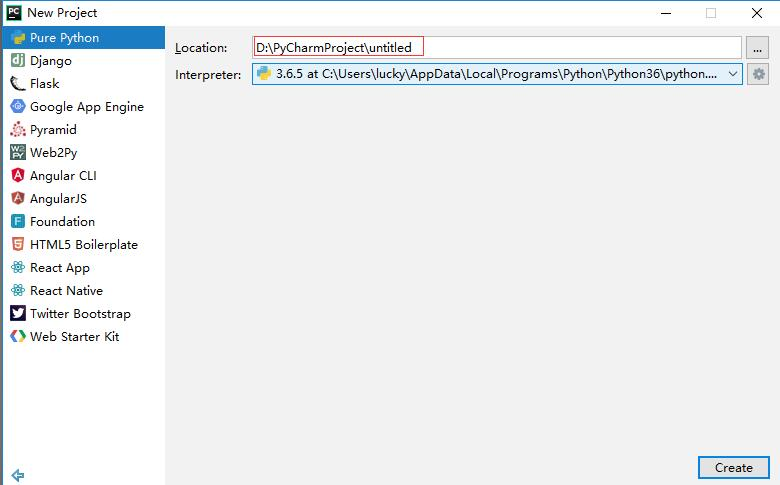
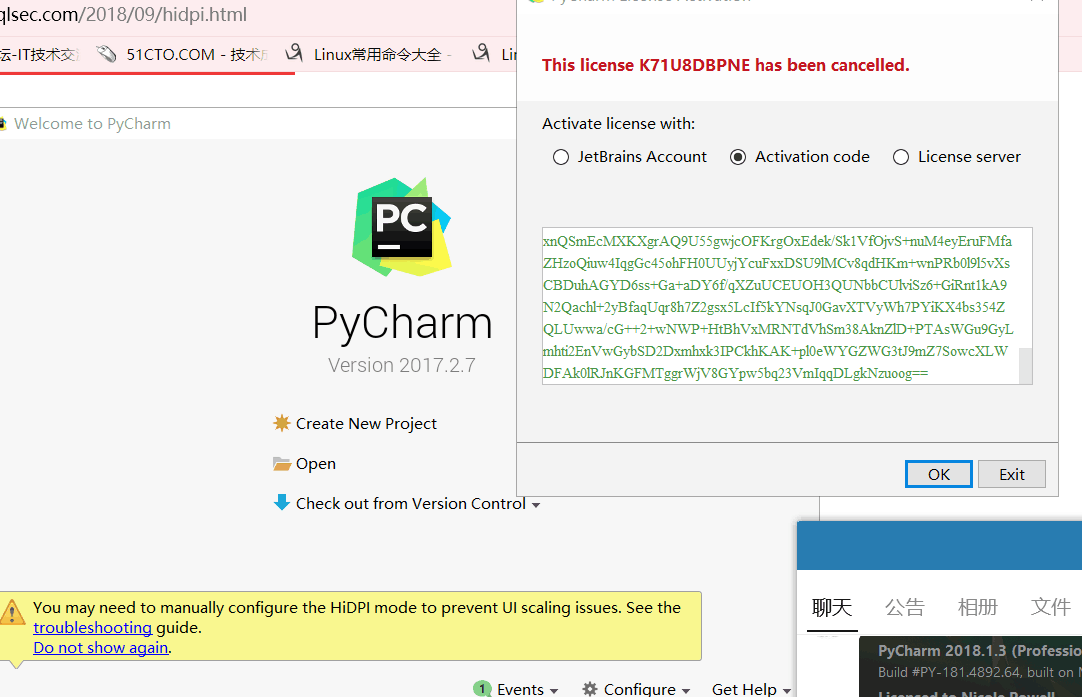
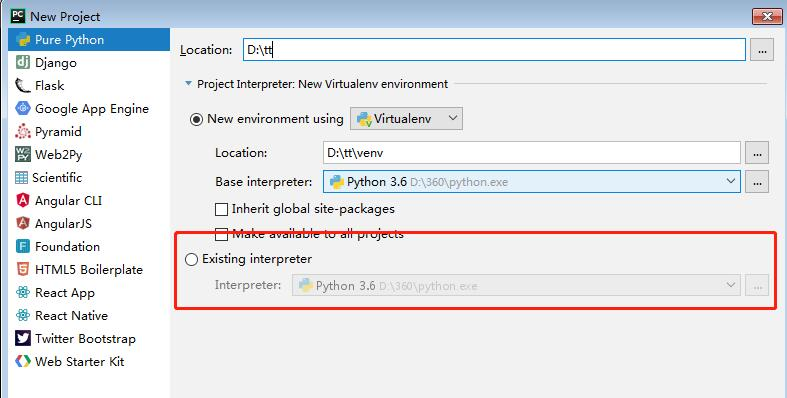
、pycharm的使用


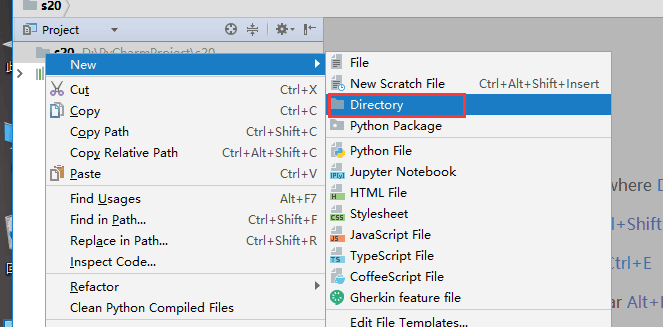
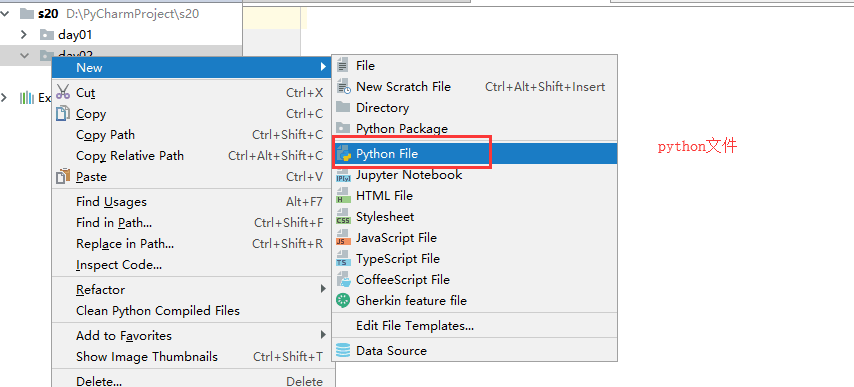
2、格式化输出
# name = input('请输入姓名')# age = input('请输入年龄')# hobby = input('请输入爱好')# msg = '我的姓名是' + name + '我今年' + age + '我的爱好是' + hobby# print(msg)# 字符串的拼接可以制作一个公共字符串模板,让某些位置变成动态的。"""msg = '''------------ info of Alex Li -----------Name  : Alex LiAge   : 73job   : sbbossHobby: laddy_boy------------- end -----------------'''

msg1 = '''------------ info of 杨苏婷 -----------Name  : 杨苏婷Age   : 18job   : student# name = input('请输入姓名:')# age = input('请输入年龄:')# job = input('请输入工作:')# hobby = input('请输入爱好:')# '''# 这样做很麻烦,用格式化输出# s1 = '------------ info of '+ name + ' -----------\n'# s2 = 'Name  : ' + name + '\n'# '''# # % 占位符 s:字符串类型  d:数字 i:数字  # r 原形毕露# msg = '''------------ info of %s -----------# Name  : %s# Age   : %d# job   : %s# Hobbie: %s# ------------- end -----------------''' % (name,name,int(age),job,hobby)# print(msg)

# 格式化输出 如果你只是想要表示百分号%,而不是占位符。# msg = '我叫%s,今年%s岁,学习进度为0.5%%' % ('高航', 40)# print(msg)Hobbie: movie------------- end -----------------'''"""
# 1,初识循环# while True:# print('海草')# print('女儿情')# print('二泉映月')# print('牧马城市')
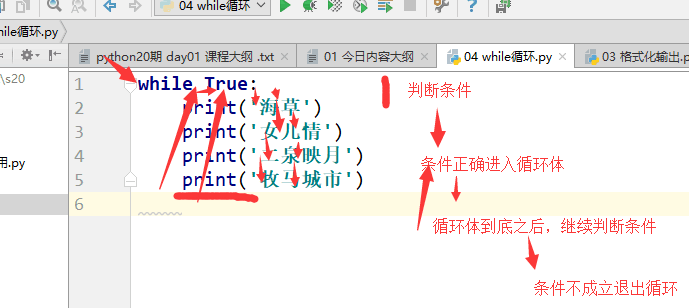
# 如何终止循环'''1,改变条件。2,break3,调用系统命令:quit() exit() (不建议使用)'''

# flag = True# while flag:#     print('海草')#     print('女儿情')#     flag = False#     print(111)# print(222)# 四个都打印
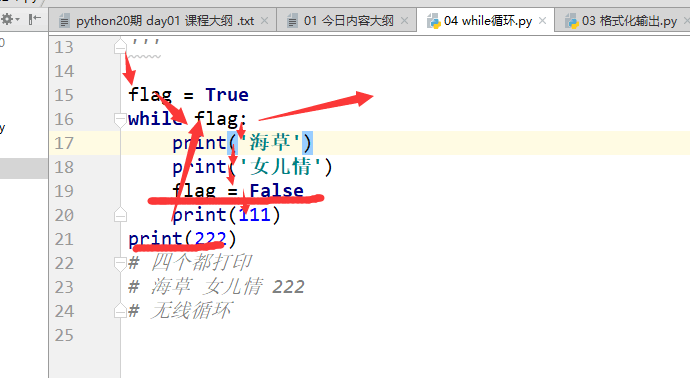
# 从 1 ~ 100 利用while循环
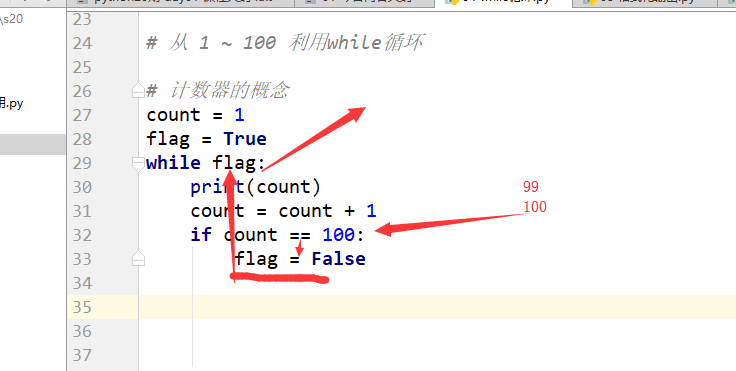
# 计数器的概念# count = 1# flag = True# while flag:# print(count)# count = count + 1# if count == 101:# flag = False
结果:1-100循环
# count = 1# while count < 101:# print(count)# count = count + 1
_____________________________________

# count = 1# count = 2# count = 3# print(count)# count = 1# count = count + 1# count = count + 1# print(count)

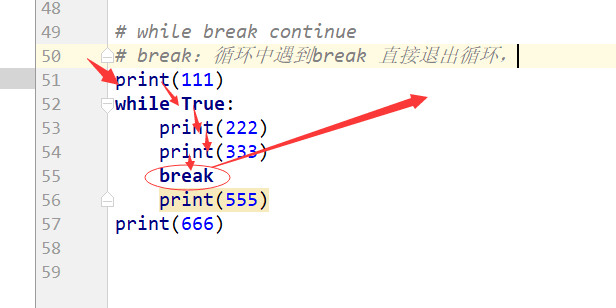
结果3   3# while break continue# break:循环中遇到break 直接退出循环,# print(111)# while True:#     print(222)#     print(333)#     break#     print(555)# print(666)
# 打印 1~100 所有的偶数。# 方法一# count = 2# while count < 101:#     print(count)#     count = count + 2

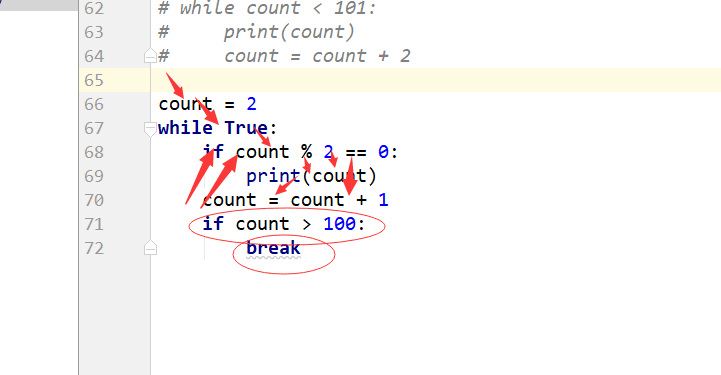
# count = 2# while True:#     if count % 2 == 0:#         print(count)#     count = count + 1#     if count > 100:#         break
# count = 2# while count < 101:#     if count % 2 == 0:#         print(count)#     count = count + 1

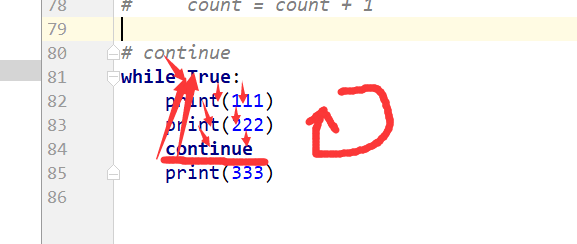
# continue# 结束本次循环,继续下一次循环# while True:#     if#         print(111)#         print(222)#         continue#     print(333)
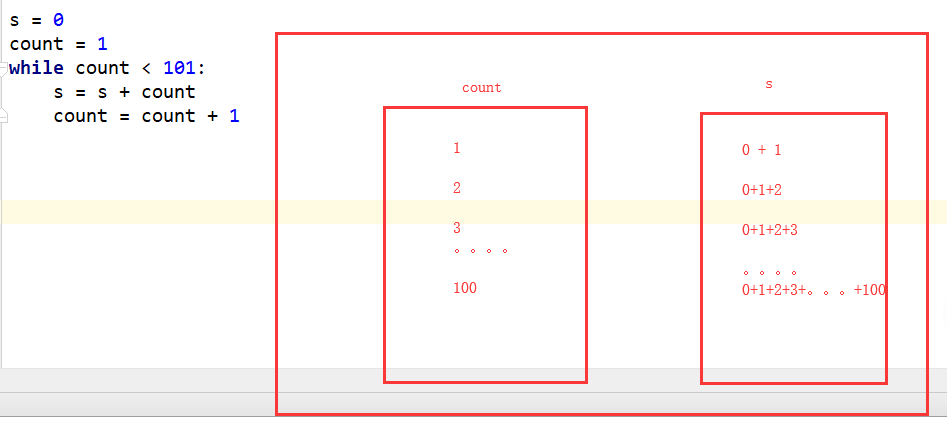
# 计算 1 + 2 + 3 + 4 + 5 + ...100 结果## s = 0# count = 1# while count < 101:# s = s + count# count = count + 1# print(s)
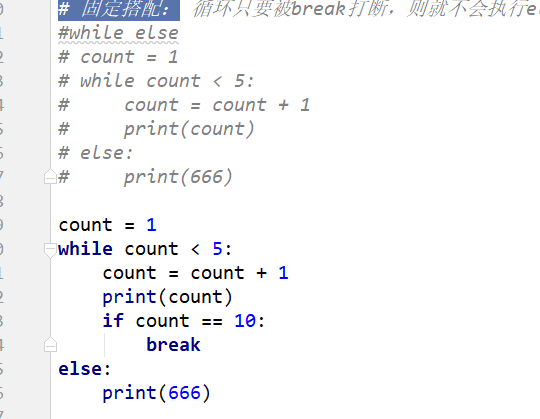
# 固定搭配: 循环只要被break打断,则就不会执行else的程序。#while else# count = 1# while count < 5:# count = count + 1# print(count)# else:# print(666)
count = 1while count < 5:    count = count + 1    print(count)    if count == 10:        breakelse:    print(666)

结果:2345666
# print(2**3)

# 逻辑运算

# 优先级# ()>not>and> or,同一个优先级从左至右一次计算。

# 1,运算符两边全部是比较运算。# print(1 > 2 or 3 < 4 and 1 < 2 or 3 > 7)

# print(1 > 2 or True or 3 > 7)

# print(2 > 1 and 3 < 4 or 4 > 5 and 2 < 1)# print(1 > 2 and 3 < 4 or 4 > 5 and 2 > 1 or 9 <10)

# 2 ,运算符两边全部是数字。'''x or y if x is True, return x,else y'''# print(1 or 3)# print(2 or 3)# print(10 or 3)# print(0 or 3)# print(-3 or 3)# print(1 and 3)# print(-1 and 3)# print(0 and 3)#int bool# int ---> bool  非0即True# print(bool(-2))# print(bool(2))# print(bool(0))# bool ---> int  True   1      Flase    0# print(int(True))

# 面试题:# print(1 and 3 or 4 and 5)

# 第三种,思考题:# print(1 > 2 or 3 and 4 < 5 or 7)

# 成员运算:# s = 'alex 中'# s1 = 'a's = 'alexsb'# print('a' in s)# print('al' in s)# print('ae' in s)  # False# print('alex' in s)  # False# print('alexsb' in s)  # False

# print('a' not in s)# print(2**16)print(2**32)
算数运算符arithmetic operator:
+ - * / %
% : 取余,取模。取的是第一个操作数和第二个操作数除法的余数。整除结果为0.
10 % 3 1
10 % 5 0
10 % -3 -1
10 % -5 ?
-10%3 ?
% 真正操作步骤:
- 用第一个数除以第二个数,得到最相近的两个商。取最小的数。
- 用第一个数减去第二个数和第一步的到的数的乘积。
赋值运算符assignment operator:
基本的赋值运算符:=
扩展的赋值运算符:
+= -= *= /= %=
例如:X += Y -> X = X + Y
比较运算符compare operator:
<= >= == !=
比较运算符的结果始终是布尔类型。
逻辑运算符logic operator:
python中只有三个逻辑运算符:
and or not
逻辑运算符的结果到底是什么类型???
结果取决于两个操作数的类型!!!
针对and操作:第一个操作数如果是可以转成False的话,那么第一个操作数的值,就是整个逻辑表达式的值。
如果第一个操作数可以转成True,第二个操作数的值就是整个表达式的值。
针对or操作:第一个操作数如果是可以转成False的话,第二个操作数的值就是整个表达式的值。
如果第一个操作数可以转成True, 第一个操作数的值,就是整个逻辑表达式的值。
成员运算符:
in not in
while循环:
[初始化部分一般是用来定义循环变量]
while 循环条件:
循环体语句
[循环变量更改部分]
[else :
语句体]
执行顺序:
- 初始化部分:一般是用来定义循环变量或新赋值
- 判断循环条件:
真:
执行循环体语句
是否执行了break语句
执行了:跳过else
没执行:当while正常执行完后,执行else
回到第二步条件判断
假:执行else
break:停止:直接停止当前的循环,不论还剩下多少次循环。
continue:跳过当前循环后面的语句,直接执行下一轮循环。
gbk:简体中文。一个中文编码成两个字节。
utf-8:中文一般是3个字节。
针对英文,始终是一个字节。
ascii –》 gbk
ascii–》 utf8
python0301的更多相关文章
随机推荐
- jquery中的 parseJSON() 源码分析
parseJSON: function( data ) { // Attempt to parse using the native JSON parser first if ( window.JSO ...
- uniapp 标题后面紧跟一个标签的布局
使用uni-app的时候,因为想用flex布局,所以一开始就设置了全部view display为flex. 之后遇到了如下这种样式: 开始想了半天没想出来,后来想到div span有这个效果. 然后就 ...
- liteUploader上传控件的封装使用
//原来的绑定方式 $('#' + frm_name).liteUploader({ script: url, params: { type: "image", size: siz ...
- linux下Vim文本编辑器的常用快捷键
Linux插入命令 a 在光标之后插入字符 A 把光标移动到行首尾进入插入模式 i 在光标之前插入字符 I 把光标移动到行首并进入插入模式 o 在光标下插入新行 O 在光标上插入新行 Linux定位 ...
- Unity中建立文本保存数据
public void CreateYunYD() { GameToolsManager.Instance.effectType = EFFECTTYPE.YunYD; CreateYunOrWu(& ...
- 吐血Eclipse Maven Selenium TestNG的各种坑
刚入坑不久,有些是自己知识储备不够造成的,有些...那就是坑 在eclipse里面新建maven项目,然后添加testgn依赖,不多说,这个简单. 第一个坑: 然后在src/test/java这个文件 ...
- 【笔记】Python基础二:数据类型之集合,字符串格式化,函数
一,新类型:集合 集合出现之前 python_l = ['lcg','szw','zjw'] linux_l = ['lcg','szw','sb'] #循环方法求交集 python_and_linu ...
- UTF-8和GBK有什么区别
UTF-8和GBK有什么区别 2017年06月03日 18:10:43 阅读数:6516 GBK是在国家标准GB2312基础上扩容后兼容GB2312的标准(好像还不是国家标准).GBK编码专门用来解决 ...
- pyautogui 文档(一):简介
PyAutoGUI 可实现控制鼠标.键盘.消息框.截图.定位等功能,最近做了个自动化需要这些,故了解并记录下 自动化需要操作win7上的一个app,用PyAutoGUI做的,定位坐标,点击鼠标等,但是 ...
- mysql学习笔记--数据库视图
一.视图 1. 概念 a. 视图是一张虚拟表,它表示一张表的部分或多张表的综合的结构 b. 视图仅仅是表结构,没有数据.视图的结构和数据建立在表的基础上 2. 创建视图 a. 语法: create [ ...