
html5+springboot+websocket的简单实现
环境
window7,IntelliJ IDEA 2019.2 x64
背景:利用IntelliJ来搭建springboot框架,之后来实现websocket的功能。websocket只是实现了画面上的消息的互相推送的功能,即在不刷新网页的情况下,把必要的消息推送到你的网页上面。
利用IntelliJ来搭建spring的web框架。
1. 下载IntelliJ的安装包,之后正常安装即可
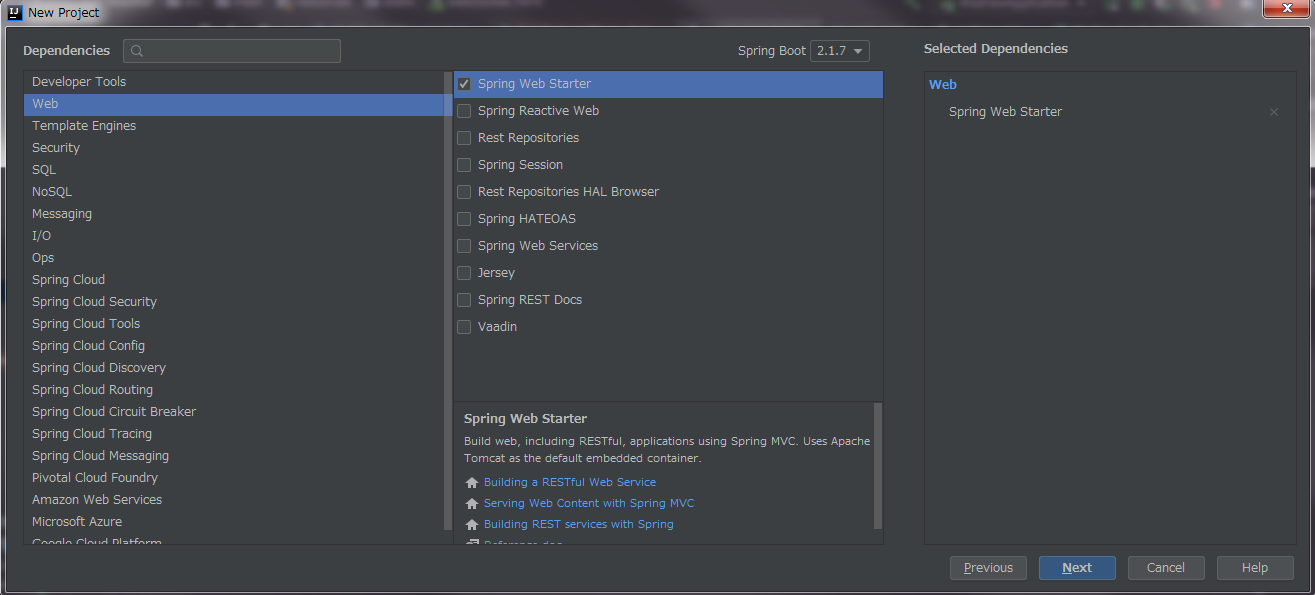
2. 打开IDE,创建一个web功能
具体操作如下
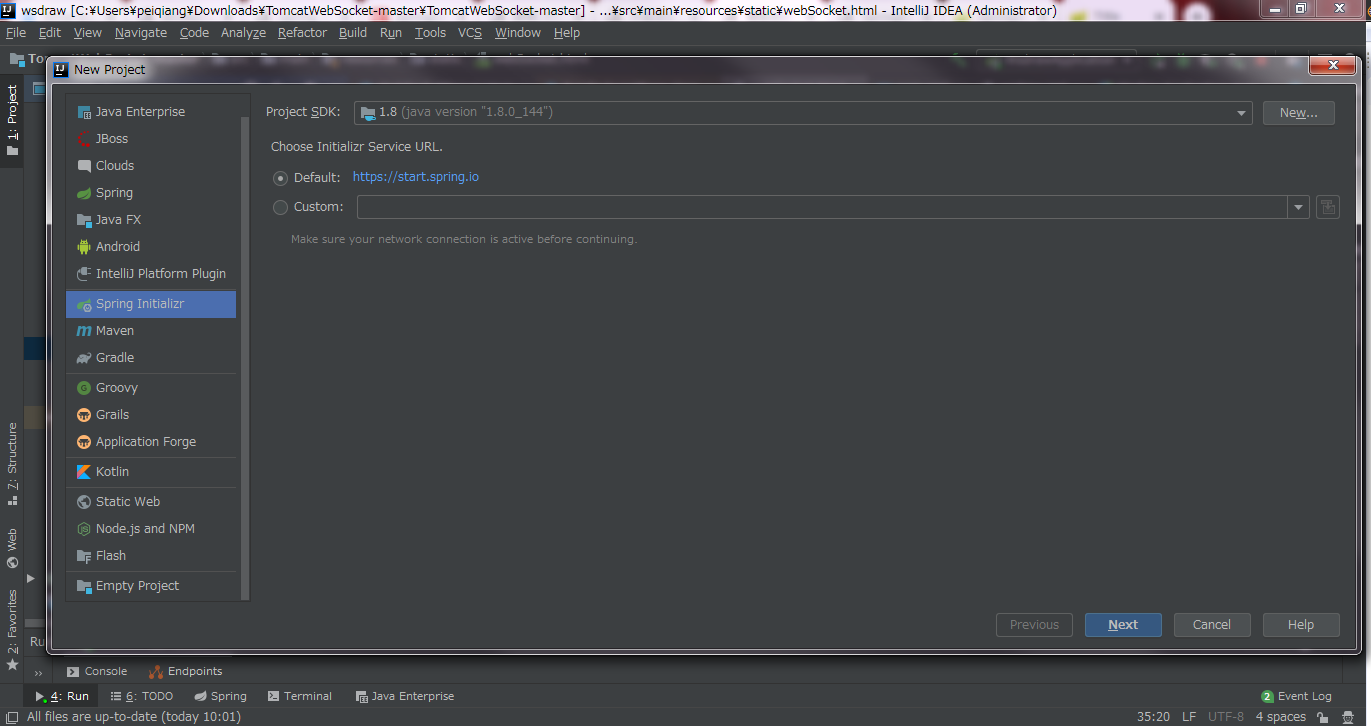
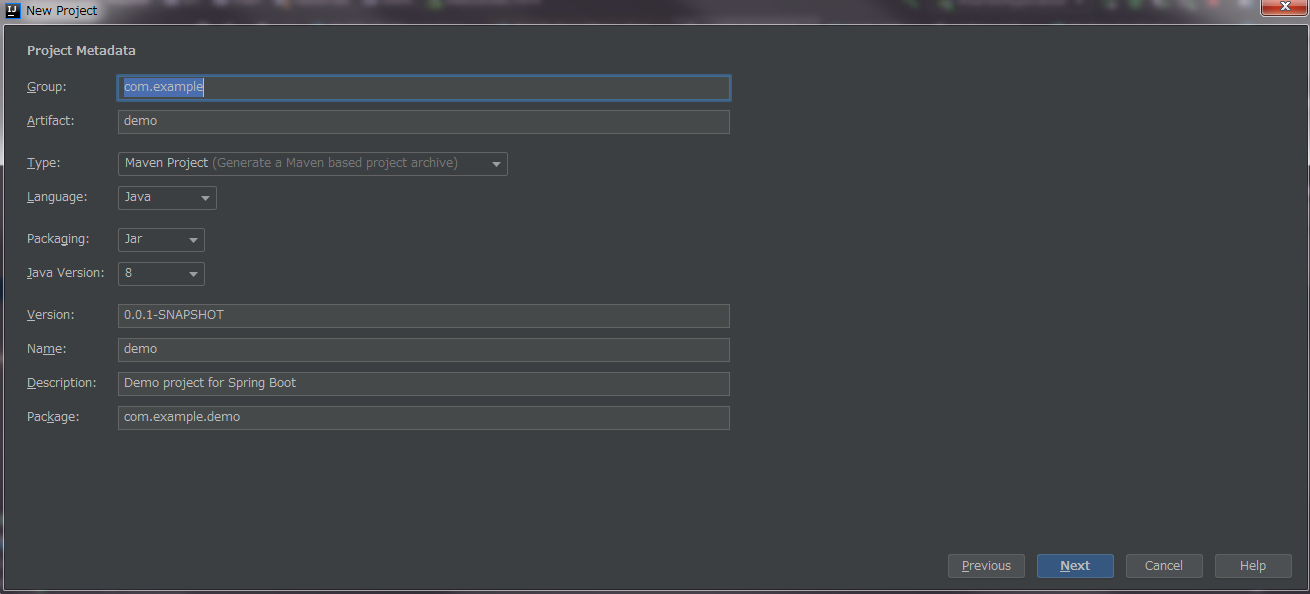
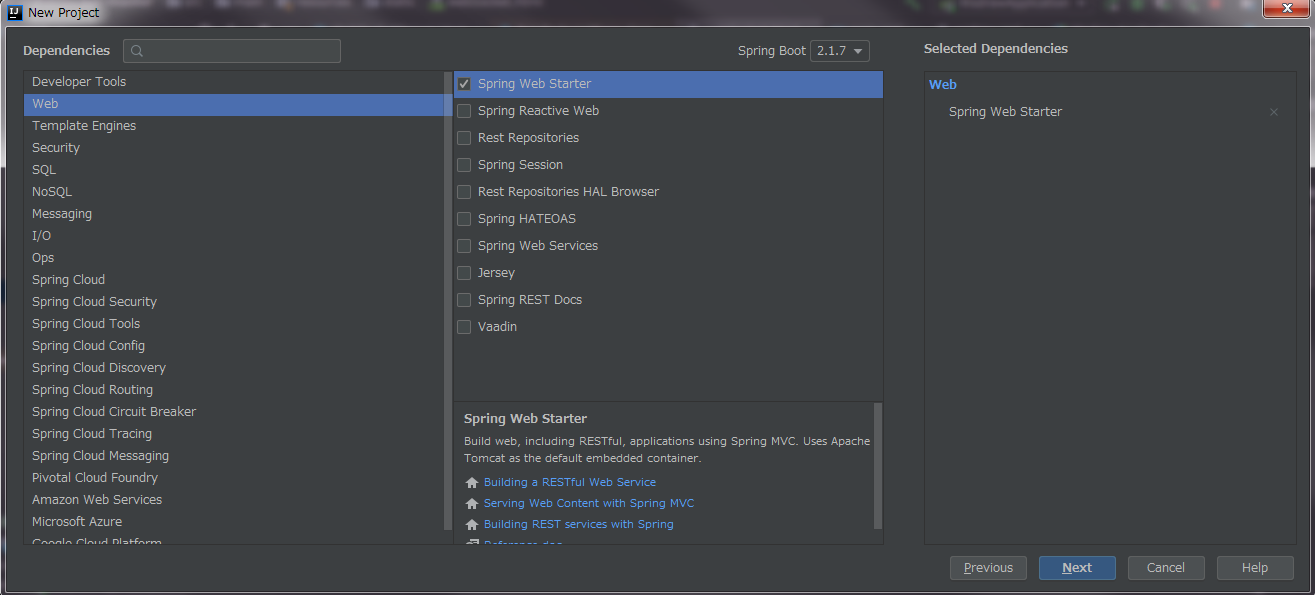
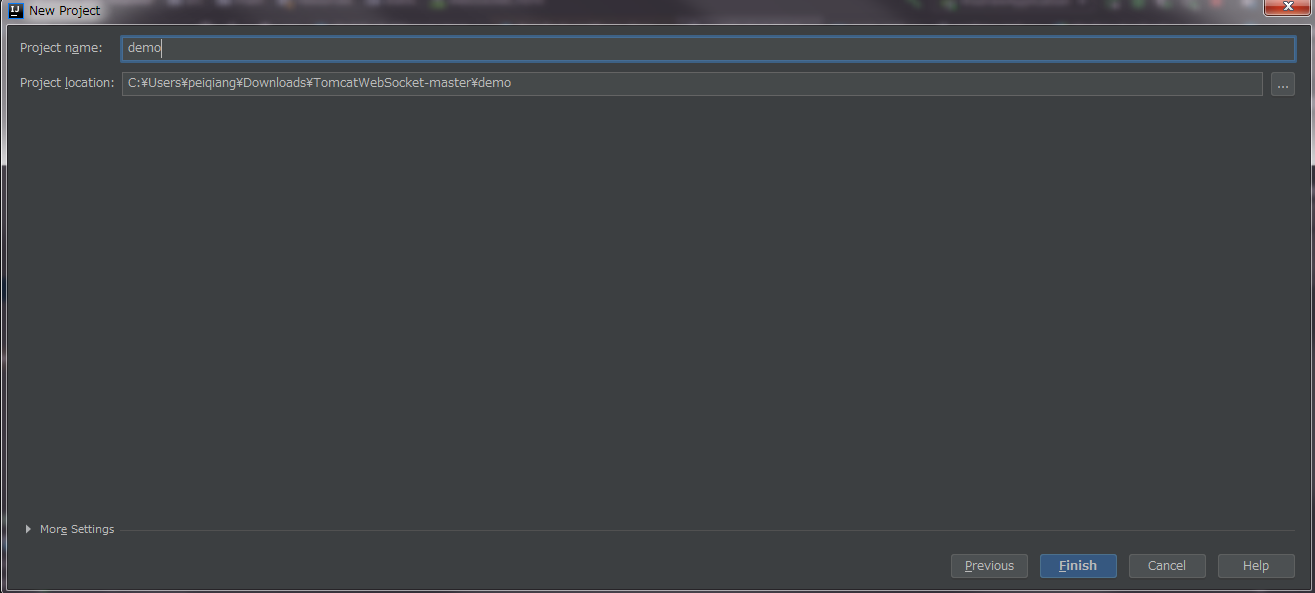
点击finish之后,自己的springweb的工程创建完了。
构建自己的websocket程序
工程的构成如下图

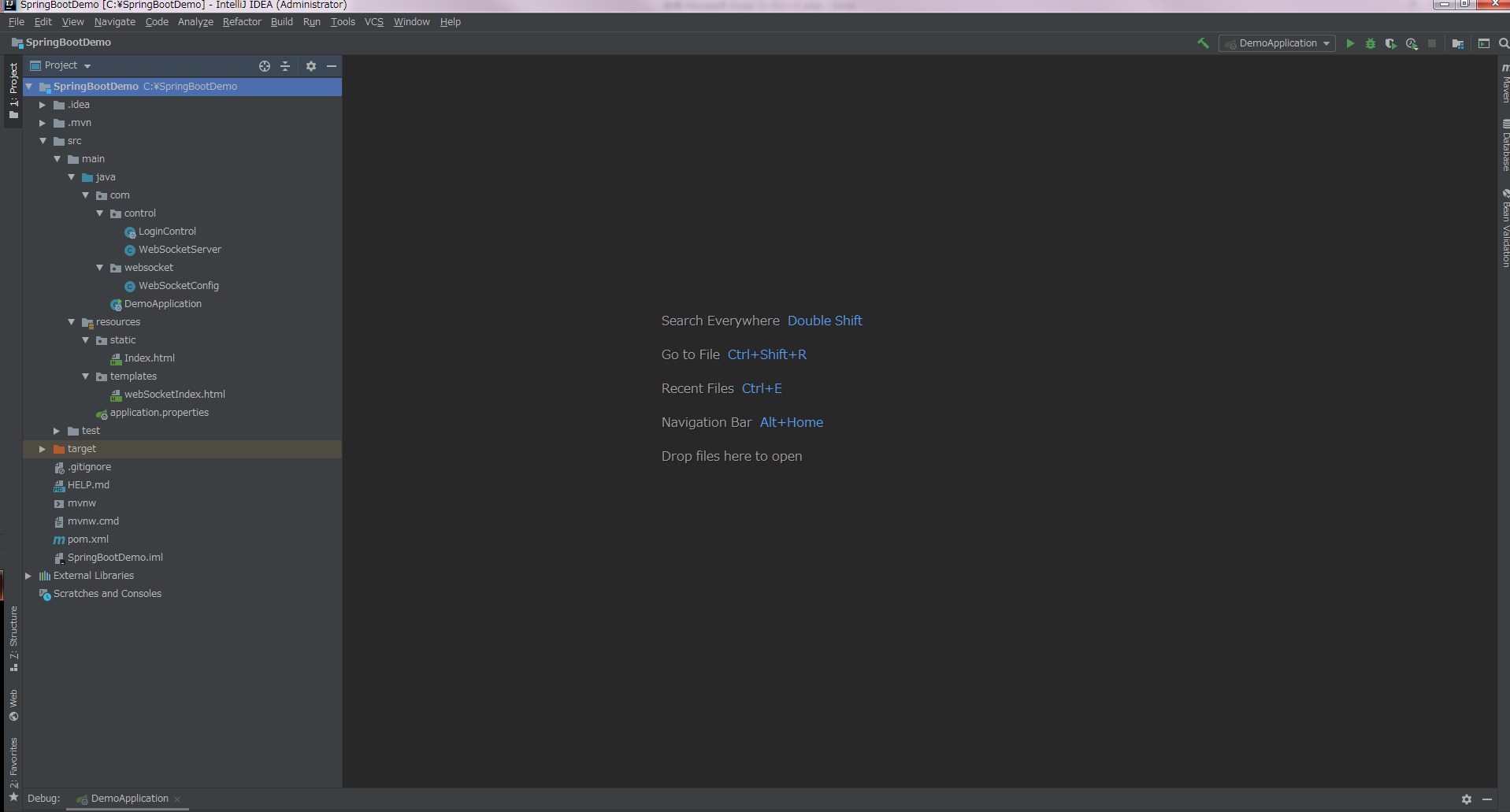
创建自己的control文件
LoginControl类是为了加载首页,找到webSocketIndex.html文件,但此时的application.properties文件里面要引用【spring.thymeleaf.prefix=classpath:/templates/】否则找不到路径
package com.control;

import org.springframework.boot.autoconfigure.EnableAutoConfiguration;

import org.springframework.ui.Model;

import org.springframework.web.bind.annotation.RequestMapping;

import org.springframework.web.bind.annotation.RestController;

import org.springframework.web.servlet.ModelAndView;

import javax.servlet.http.HttpServletRequest;

import javax.servlet.http.HttpServletResponse;

@EnableAutoConfiguration

@RestController

public class LoginControl {

    @RequestMapping("login")

    public ModelAndView home(Model model, HttpServletRequest request, HttpServletResponse response) throws Exception {

        String userName = "Jef";

        int count = 100;
    // 固定的写法

        ModelAndView mv = new ModelAndView("webSocketIndex");

        return mv;

    }

}
application.properties文件
spring.thymeleaf.prefix=classpath:/templates/

server.port=8081
pom文件
<?xml version="1.0" encoding="UTF-8"?>

<project xmlns="http://maven.apache.org/POM/4.0.0" xmlns:xsi="http://www.w3.org/2001/XMLSchema-instance"

         xsi:schemaLocation="http://maven.apache.org/POM/4.0.0 http://maven.apache.org/xsd/maven-4.0.0.xsd">

    <modelVersion>4.0.0</modelVersion>

    <parent>

        <groupId>org.springframework.boot</groupId>

        <artifactId>spring-boot-starter-parent</artifactId>

        <version>2.1.7.RELEASE</version>

        <relativePath/> <!-- lookup parent from repository -->

    </parent>

    <groupId>com.example</groupId>

    <artifactId>demo</artifactId>

    <version>0.0.1-SNAPSHOT</version>

    <name>demo</name>

    <description>Demo project for Spring Boot</description>

    <properties>

        <java.version>1.8</java.version>

    </properties>

    <dependencies>

        <dependency>

            <groupId>org.springframework.boot</groupId>

            <artifactId>spring-boot-starter-web</artifactId>

        </dependency>

        <dependency>

            <groupId>org.springframework.boot</groupId>

            <artifactId>spring-boot-starter-websocket</artifactId>

        </dependency>

        <dependency>

            <groupId>org.springframework.boot</groupId>

            <artifactId>spring-boot-starter-test</artifactId>

            <scope>test</scope>

        </dependency>

        <dependency>

            <groupId>org.springframework.boot</groupId>

            <artifactId>spring-boot-starter-thymeleaf</artifactId>

        </dependency>

    </dependencies>

    <build>

        <plugins>

            <plugin>

                <groupId>org.springframework.boot</groupId>

                <artifactId>spring-boot-maven-plugin</artifactId>

            </plugin>

        </plugins>

    </build>

</project>
WebSocketServer文件
package com.control;

import org.slf4j.Logger;

import org.slf4j.LoggerFactory;

import org.springframework.stereotype.Component;

import javax.websocket.*;

import javax.websocket.server.PathParam;

import javax.websocket.server.ServerEndpoint;

import java.io.IOException;

import java.util.List;

import java.util.concurrent.ConcurrentHashMap;

import java.util.concurrent.CopyOnWriteArraySet;

//@ServerEndpoint(value ="/WebSocket/{id}/{name}")

@ServerEndpoint(value ="/WebSocket")

@Component

public class WebSocketServer {

    //静态变量,用来记录当前在线连接数。应该把它设计成线程安全的。

    private static int onlineCount = 0;

    //concurrent包的线程安全Set,用来存放每个客户端对应的MyWebSocket对象。

    private static CopyOnWriteArraySet<WebSocketServer> webSocketSet = new CopyOnWriteArraySet<WebSocketServer>();

    private static ConcurrentHashMap<String, List<WebSocketServer>> webSocketMap =

            new ConcurrentHashMap<>(3);

    //与某个客户端的连接会话,需要通过它来给客户端发送数据

    private Session session;

    private static final Logger LOGGER = LoggerFactory.getLogger(WebSocketServer.class);

    @OnOpen

    public void onOpen(Session session) throws Exception {

        this.session = session;

        System.out.println(this.session.getId());

        webSocketSet.add(this);     //加入set中

        addOnlineCount();           //在线数加1

        System.out.println("有新连接加入!当前在线人数为" + getOnlineCount());

        LOGGER.info("Open a websocket. id={}", "12");

//        try {

//            sendMessage(CommonConstant.CURRENT_WANGING_NUMBER.toString());

//        } catch (IOException e) {

//            System.out.println("IO异常");

//        }

    }

    /**

     * 连接关闭调用的方法

     */

    @OnClose

    public void onClose() {

        webSocketSet.remove(this);  //从set中删除

        subOnlineCount();           //在线数减1

        System.out.println("有一连接关闭!当前在线人数为" + getOnlineCount());

        LOGGER.info("Close a websocket. ");

    }

    /**

     * 收到客户端消息后调用的方法

     *

     * @param message 客户端发送过来的消息*/

    @OnMessage

    public void onMessage(String message, Session session) {

        System.out.println("来自客户端的消息:" + message);

        LOGGER.info("Receive a message from client: " + message);

        //群发消息

        for (WebSocketServer item : webSocketSet) {

            try {

                item.sendMessage(message);

            } catch (IOException e) {

                e.printStackTrace();

            }

        }

    }

    /**

     * 发生错误时调用

     */

     @OnError

     public void onError(Session session, Throwable error) {

        System.out.println("发生错误");

        LOGGER.error("Error while websocket. ", error);

        error.printStackTrace();

     }

     public void sendMessage(String message) throws IOException {

     this.session.getBasicRemote().sendText(message);

     //this.session.getAsyncRemote().sendText(message);

     }

     /**

      * 群发自定义消息

      * */

    public static void sendInfo(String message) throws IOException {

        for (WebSocketServer item : webSocketSet) {

            try {

                item.sendMessage(message);

            } catch (IOException e) {

                continue;

            }

        }

    }

    public static synchronized int getOnlineCount() {

        return onlineCount;

    }

    public static synchronized void addOnlineCount() {

        WebSocketServer.onlineCount++;

    }

    public static synchronized void subOnlineCount() {

        WebSocketServer.onlineCount--;

    }

}
html5文件
<!DOCTYPE html>

<html lang="en">

<head>

    <meta charset="UTF-8">

    <title>Title</title>

</head>

<body>

Welcome<br/>

<input id="text" type="text" />

<button onclick="connect()">Connect</button>

<button onclick="send()">Send</button>

<button onclick="closeWebSocket()">Close</button>

<div id="message">

</div>

</body>

<script type="text/javascript">

    var websocket = null;

    //判断当前浏览器是否支持WebSocket

    if('WebSocket' in window){

        debugger

        websocket = new WebSocket("ws://localhost:8081/WebSocket");

    }

    else{

        alert('Not support websocket')

    }

    //连接发生错误的回调方法

    websocket.onerror = function(){

    debugger

        setMessageInnerHTML("error");

    };

    //连接成功建立的回调方法

    websocket.onopen = function(event){

    debugger

        setMessageInnerHTML("open");

    }

    //接收到消息的回调方法

    websocket.onmessage = function(event){

    debugger

        setMessageInnerHTML(event.data);

    }

    //连接关闭的回调方法

    websocket.onclose = function(){

        setMessageInnerHTML("close");

    }

    //监听窗口关闭事件,当窗口关闭时,主动去关闭websocket连接,防止连接还没断开就关闭窗口,server端会抛异常。

    window.onbeforeunload = function(){

        websocket.close();

    }

    //将消息显示在网页上

    function setMessageInnerHTML(innerHTML){

        document.getElementById('message').innerHTML += innerHTML + '<br/>';

    }

    //关闭连接

    function closeWebSocket(){

        websocket.close();

    }

    //发送消息

    function send(){

        var message = document.getElementById('text').value;

        websocket.send(message);

    }

</script>

</html>
在做的过程中遇到的问题是【websocket = new WebSocket("ws://localhost:8081/WebSocket");】总是访问不到,这时你要确认你的【ws://localhost:8081/WebSocket】是否写错
自己检查一下即可。
运行
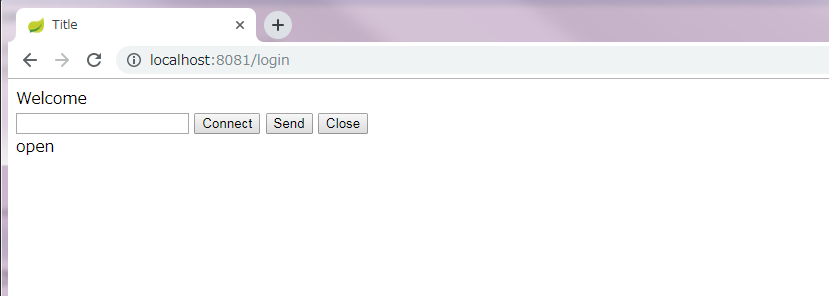
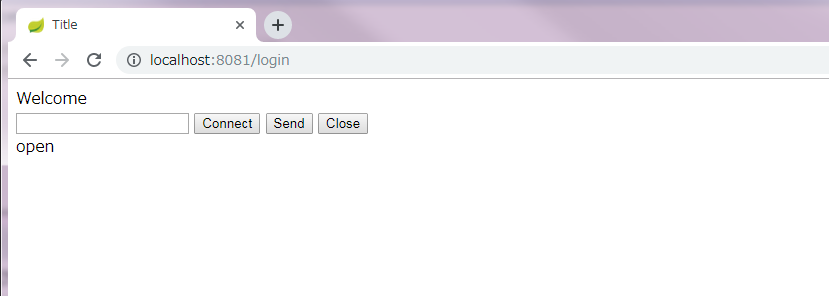
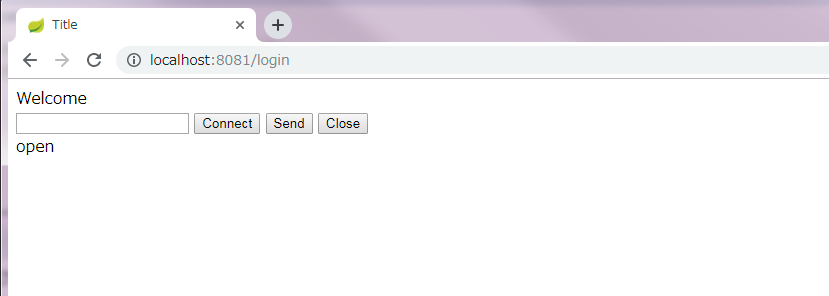
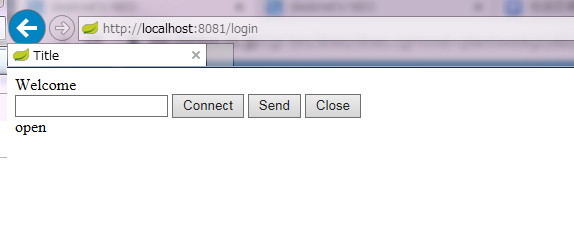
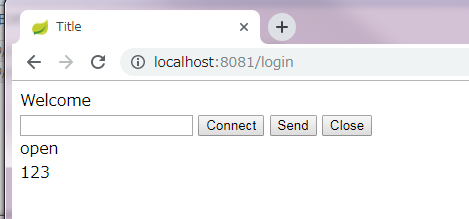
利用Google浏览器和IE浏览器打开网页http://localhost:8081/login,效果如下
Google浏览器
IE浏览器
Google浏览器
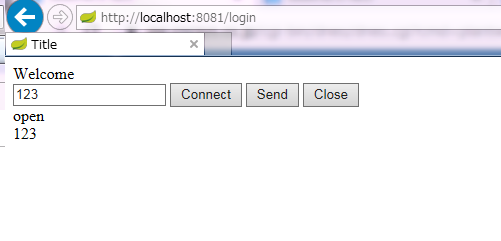
IE浏览器

html5+springboot+websocket的简单实现的更多相关文章
- springboot+websocket实现简单的在线聊天功能
效果如下: java实现逻辑: 1.引入maven依赖 <dependency> <groupId>org.springframework.boot</groupId&g ...
- 使用Html5下WebSocket搭建简易聊天室
一.Html5WebSocket介绍 WebSocket protocol 是HTML5一种新的协议(protocol).它是实现了浏览器与服务器全双工通信(full-duplex). 现在,很多网站 ...
- springboot搭建一个简单的websocket的实时推送应用
说一下实用springboot搭建一个简单的websocket 的实时推送应用 websocket是什么 WebSocket是一种在单个TCP连接上进行全双工通信的协议 我们以前用的http协议只能单 ...
- Java Springboot webSocket简单实现,调接口推送消息到客户端socket
Java Springboot webSocket简单实现,调接口推送消息到客户端socket 后台一般作为webSocket服务器,前台作为client.真实场景可能是后台程序在运行时(满足一定条件 ...
- springboot+websocket+sockjs进行消息推送【基于STOMP协议】
springboot+websocket+sockjs进行消息推送[基于STOMP协议] WebSocket是在HTML5基础上单个TCP连接上进行全双工通讯的协议,只要浏览器和服务器进行一次握手,就 ...
- 认识HTML5的WebSocket
在HTML5规范中,我最喜欢的Web技术就是正迅速变得流行的WebSocket API.WebSocket提供了一个受欢迎的技术,以替代我们过去几年一直在用的Ajax技术.这个新的API提供了一个方法 ...
- HTML5之WebSocket
在HTML5规范中,我最喜欢的Web技术就是正迅速变得流行的WebSocket API.WebSocket提供了一个受欢迎的技术,以替代我们过去几年一直在用的Ajax技术.这个新的API提供了一个方法 ...
- HTML5的Websocket(理论篇 I)
HTML5的Websocket(理论篇 I) ** 先请来TA的邻居:** http:无状态.基于tcp请求/响应模式的应用层协议 (A:哎呀,上次你请我吃饭了么? B:我想想, 上次请你吃了么) t ...
- html5利用websocket完成的推送功能(tomcat)
html5利用websocket完成的推送功能(tomcat) 利用websocket和java完成的消息推送功能,服务器用的是tomcat7.0.42,一些东西是自己琢磨的,也不知道恰不恰当,不恰当 ...
随机推荐
- 深入详解JVM内存模型
JVM内存结构 由上图可以清楚的看到JVM的内存空间分为3大部分: 堆内存 方法区 栈内存 其中栈内存可以再细分为java虚拟机栈和本地方法栈,堆内存可以划分为新生代和老年代,新生代中还可以再次划分为 ...
- Mybatis框架-联表查询显示问题解决
需求:查询结果要求显示用户名,用户密码,用户的角色 因为在用户表中只有用户角色码值,没有对应的名称,角色名称是在码表smbms_role表中,这时我们就需要联表查询了. 这里需要在User实体类中添加 ...
- 使用vue-cli3搭建项目过程
一.搭建前准备 node.js版本为8.9+: 安装模块:npm install -g n // 安装模块 这个模块是专门用来管理node.js版本的: 若原先已经安装,则更细模块:n stable ...
- c++ 将float 类型转换成string 类型
string Convert(float Num) { ostringstream oss; oss<<Num; string str(oss.str()); return str; }
- 如何防范web前端安全攻击
一.对于XSS防御: 1.不要信任任何外部传入的数据,针对用户输入作相关的格式检查.过滤等操作,以及转义字符处理.最普遍的做法就是转义输入输出的内容,对于括号,尖括号,斜杠进行转义 function ...
- c++ 题解
43题 #include <random> #include <iostream> int main() { ][] = { {,,,}, {,,,}, {,,,}}; ; n ...
- 安卓入门教程(十四)-菜单,ActionBar,对话框
已经发表个人公众号 菜单类型 选项菜单(OptionMenu) 子菜单(SubMenu) 上下文菜单(ContextMenu) 方法: public boolean onCreateOptionsMe ...
- debian10使用国内源安装docker以及一些使用方法
首先, 我的环境是debian, 容器是centos debian 安装添加新存储库所需的依赖项 1 sudo apt install ca-certificates curl software-pr ...
- Flume(一) —— 启动与基本使用
基础架构 Flume is a distributed, reliable(可靠地), and available service for efficiently(高效地) collecting, a ...
- Java8新特性 (一)Lambda
目录 一.Lambda介绍 二.Lambda用法实例 三.Lambda变量作用域 前言: 这两天彻底的复习了一遍Java8的各种新特性,趁着热乎劲,把知识点整理成博客的形式保存一下. 一.Lambda ...