
GUI编程实例
 function varargout = GUI013(varargin)

 % GUI013 MATLAB code for GUI013.fig

 %      GUI013, by itself, creates a new GUI013 or raises the existing

 %      singleton*.

 %

 %      H = GUI013 returns the handle to a new GUI013 or the handle to

 %      the existing singleton*.

 %

 %      GUI013('CALLBACK',hObject,eventData,handles,...) calls the local

 %      function named CALLBACK in GUI013.M with the given input arguments.

 %

 %      GUI013('Property','Value',...) creates a new GUI013 or raises the

 %      existing singleton*.  Starting from the left, property value pairs are

 %      applied to the GUI before GUI013_OpeningFcn gets called.  An

 %      unrecognized property name or invalid value makes property application

 %      stop.  All inputs are passed to GUI013_OpeningFcn via varargin.

 %

 %      *See GUI Options on GUIDE's Tools menu.  Choose "GUI allows only one

 %      instance to run (singleton)".

 %

 % See also: GUIDE, GUIDATA, GUIHANDLES

 % Edit the above text to modify the response to help GUI013

 % Last Modified by GUIDE v2. -Jan- ::

 % Begin initialization code - DO NOT EDIT

 gui_Singleton = ;

 gui_State = struct('gui_Name',       mfilename, ...

                    'gui_Singleton',  gui_Singleton, ...

                    'gui_OpeningFcn', @GUI013_OpeningFcn, ...

                    'gui_OutputFcn',  @GUI013_OutputFcn, ...

                    'gui_LayoutFcn',  [] , ...

                    'gui_Callback',   []);

 if nargin && ischar(varargin{})

     gui_State.gui_Callback = str2func(varargin{});

 end

 if nargout

     [varargout{:nargout}] = gui_mainfcn(gui_State, varargin{:});

 else

     gui_mainfcn(gui_State, varargin{:});

 end

 % End initialization code - DO NOT EDIT

 % --- Executes just before GUI013 is made visible.

 function GUI013_OpeningFcn(hObject, eventdata, handles, varargin)

 % This function has no output args, see OutputFcn.

 % hObject    handle to figure

 % eventdata  reserved - to be defined in a future version of MATLAB

 % handles    structure with handles and user data (see GUIDATA)

 % varargin   command line arguments to GUI013 (see VARARGIN)

 % Choose default command line output for GUI013

 handles.output = hObject;

 handles.x = -pi:0.01:pi;

 % Update handles structure

 guidata(hObject, handles);

 % UIWAIT makes GUI013 wait for user response (see UIRESUME)

 % uiwait(handles.figure1);

 % --- Outputs from this function are returned to the command line.

 function varargout = GUI013_OutputFcn(hObject, eventdata, handles)

 % varargout  cell array for returning output args (see VARARGOUT);

 % hObject    handle to figure

 % eventdata  reserved - to be defined in a future version of MATLAB

 % handles    structure with handles and user data (see GUIDATA)

 % Get default command line output from handles structure

 varargout{} = handles.output;

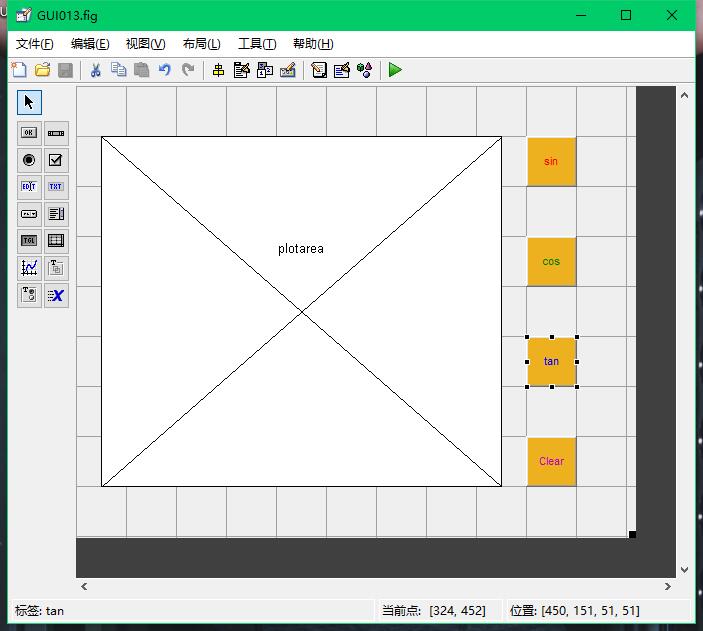
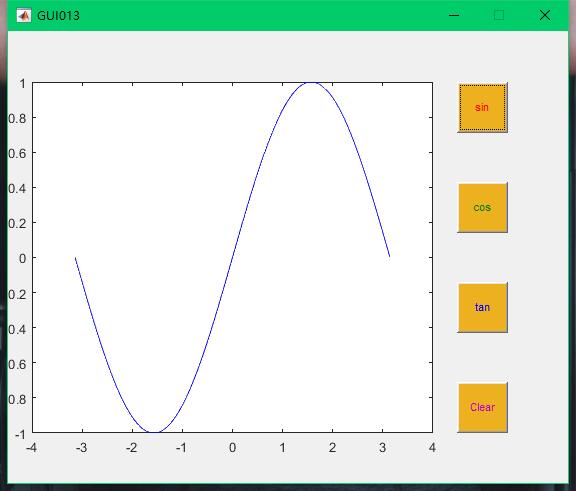
 % --- Executes on button press in sin.

 function sin_Callback(hObject, eventdata, handles)

 % hObject    handle to sin (see GCBO)

 % eventdata  reserved - to be defined in a future version of MATLAB

 % handles    structure with handles and user data (see GUIDATA)

 x = handles.x;

 y = sin(x);

 plot(handles.plotarea,x,y,'b')

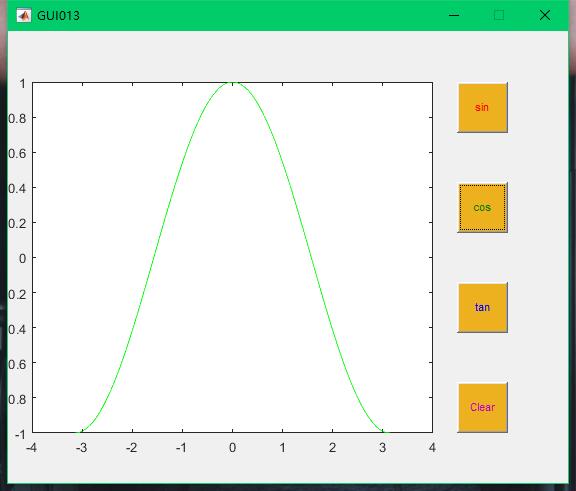
 % --- Executes on button press in cos.

 function cos_Callback(hObject, eventdata, handles)

 % hObject    handle to cos (see GCBO)

 % eventdata  reserved - to be defined in a future version of MATLAB

 % handles    structure with handles and user data (see GUIDATA)

 x = handles.x;

 y = cos(x);

 plot(handles.plotarea,x,y,'g')

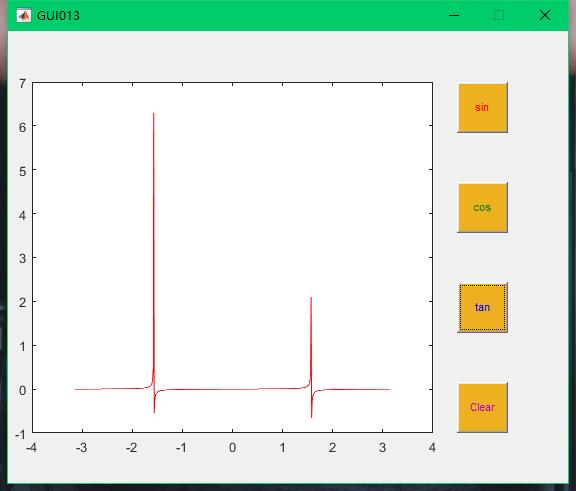
 % --- Executes on button press in tan.

 function tan_Callback(hObject, eventdata, handles)

 % hObject    handle to tan (see GCBO)

 % eventdata  reserved - to be defined in a future version of MATLAB

 % handles    structure with handles and user data (see GUIDATA)

 x = handles.x;

 y =/*tan(x);

 plot(handles.plotarea,x,y,'r')

 % --- Executes on button press in clear.

 function clear_Callback(hObject, eventdata, handles)

 % hObject    handle to clear (see GCBO)

 % eventdata  reserved - to be defined in a future version of MATLAB

 % handles    structure with handles and user data (see GUIDATA)

 try

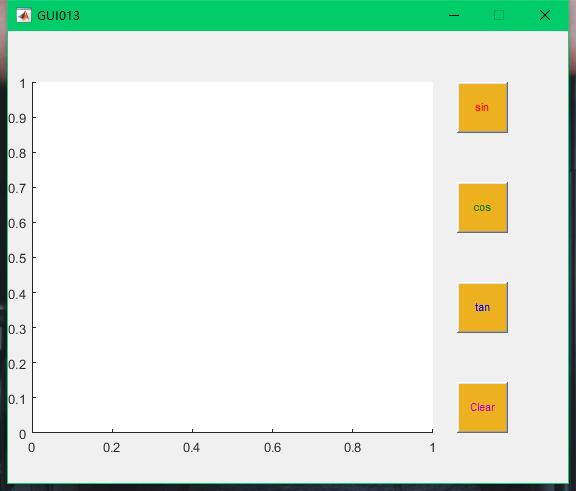
     delete(allchild(handles.plotarea));

 end
GUI编程实例的更多相关文章
- Python GUI编程实例
import os from time import sleep from tkinter import * from tkinter.messagebox import showinfo class ...
- 3.JAVA之GUI编程Frame窗口
创建图形化界面思路: 1.创建frame窗体: 2.对窗体进行基本设置: 比如大小.位置.布局 3.定义组件: 4.将组件通过add方法添加到窗体中: 5.让窗体显示,通过setVisible(tur ...
- 5.JAVA之GUI编程窗体事件
我们回顾下第三篇时的内容: 在3.JAVA之GUI编程Frame窗口中窗体是无法直接关闭的,想要关闭须进程管理器结束进程方式关掉. 现在我们就来解决下这个问题. ******************* ...
- 初次踏上GUI编程之路(有点意思,详细介绍了菜鸟的学习之路)
初次踏上GUI编程之路 —— 我的Qt学习方法及对Qt认识的不断转变 -> 开始接触GUI与开始接触Qt: 话说,我第一次看见“Qt”这一个名词,好像是在CSDN网站的主页上吧,因为CSDN好像 ...
- Python进阶--GUI编程
一.图形用户图面(GUI编程) 1. wxpython下载和安装: 下载url: http://wxpython.org/download.php 2.创建示例GUI应用程序 : ①开始需要导入wx ...
- Java之GUI编程(一)
GUI全称Graphical User Interfaces,意为图形用户户界面,又称为图形用户接口.GUI指的就是採用图形方式显示的计算机操作用户界面,打个例如吧.我们点击QQ图标,就会弹出一个QQ ...
- java Gui编程 事件监听机制
1. GUI编程引言 以前的学习当中,我们都使用的是命令交互方式: 例如:在DOS命令行中通过javac java命令启动程序. 软件的交互的方式: 1. 命令交互方式 图书管理系统 ...
- Java GUI编程中AWT/swing/SWT的优缺点
http://www.cnblogs.com/dugang/archive/2010/10/22/1858478.html AWT AWT是Abstract Window Toolkit(抽象窗口工具 ...
- Shell编程实例
一.简介 从程序员的角度来看, Shell本身是一种用C语言编写的程序,从用户的角度来看,Shell是用户与Linux操作系统沟通的桥梁.用户既可以输入命令执行,又可以利用 Shell脚本编程,完成更 ...
随机推荐
- 并发编程---IO模型
IO模型 任务的提交方式有两种: 同步:应用程序提交完任务,等待结果结果,之后在执行下一个任务 异步:应用程序提交完任务,继续执行不等待结果,任务执行完,会自动出发异步中的会带哦函数 同步不等于阻塞: ...
- abap 从屏幕输入数据
1: 从屏幕输入数据: 直接定义parameters类型(该类型的变量名不能超过8个字符. REPORT ZHANSEN34. *SELECTION-SCREEN BEGIN OF LINE. * S ...
- Linux-pkill命令
pkill命令可以按照进程名杀死进程.pkill和killall应用方法差不多,也是直接杀死运行中的程序:如果您想杀掉单个进程,请用kill来杀掉. 语法:pkill(选项)(参数) 选项 -o:仅向 ...
- js模拟栈
栈:先入后出,后入先出 链表:先入先出,后入后出 下面使用js实现栈 var Stack = (function(){ var items = new WeakMap(); //先入后出,后入先出 c ...
- selenium + python 测试环境搭建 (WINDOWS)
1. 下载Python , 运行.exe -> http://python.org/getit/ 2. 下载Python Setuptools 基础包管理工具安装,官方文档参考 https:// ...
- numpy.meshgrid()
numpy提供的numpy.meshgrid()函数可以让我们快速生成坐标矩阵X,Y 语法:X,Y = numpy.meshgrid(x, y)输入:x,y,就是网格点的横纵坐标列向量(非矩阵)输出: ...
- python demjson
这个是第三方的json库 首先安装 http://deron.meranda.us/python/demjson/ demjson-2.2.4.tar.gz #tar -xzf demjson-2.2 ...
- url请求老是有 之前的部分url
url请求的时候老是会有之前的部分url <form action="shiro/register" method="POST"> 解决方法,加上本 ...
- 部署一个不依赖tomcat容器的应用
一个task项目,应用里边都是一些定时任务.我和新入职的高开商定程序部署不依赖于tomcat. 计划赶不上变化,任务开发完成还没等上线呢,哥们要离职了.工作交接时大概说了一下上线怎么部署. 结果呢,当 ...
- PyQT5速成教程-4 Qt Designer实战[上]
本文由 沈庆阳 所有,转载请与作者取得联系! 前言 在前面几节的学习中,我们对PyQt的基本使用.Qt Designer与Python编码的工作流程有了基本的学习.同时也掌握了Qt Designer中 ...