
myeclipse创建hibernate工程
1.创建数据库:
from blog http://www.cnblogs.com/zhaocundang/p/9061959.html
使用navicat mysql IDE:
创建数据库 bookshop
创建表
CREATE TABLE books(id INT PRIMARY KEY auto_increment,Bookname VARCHAR(50),Bookprice VARCHAR(40));
ok 数据库部分整完。
打开myeclipse创建web工程:
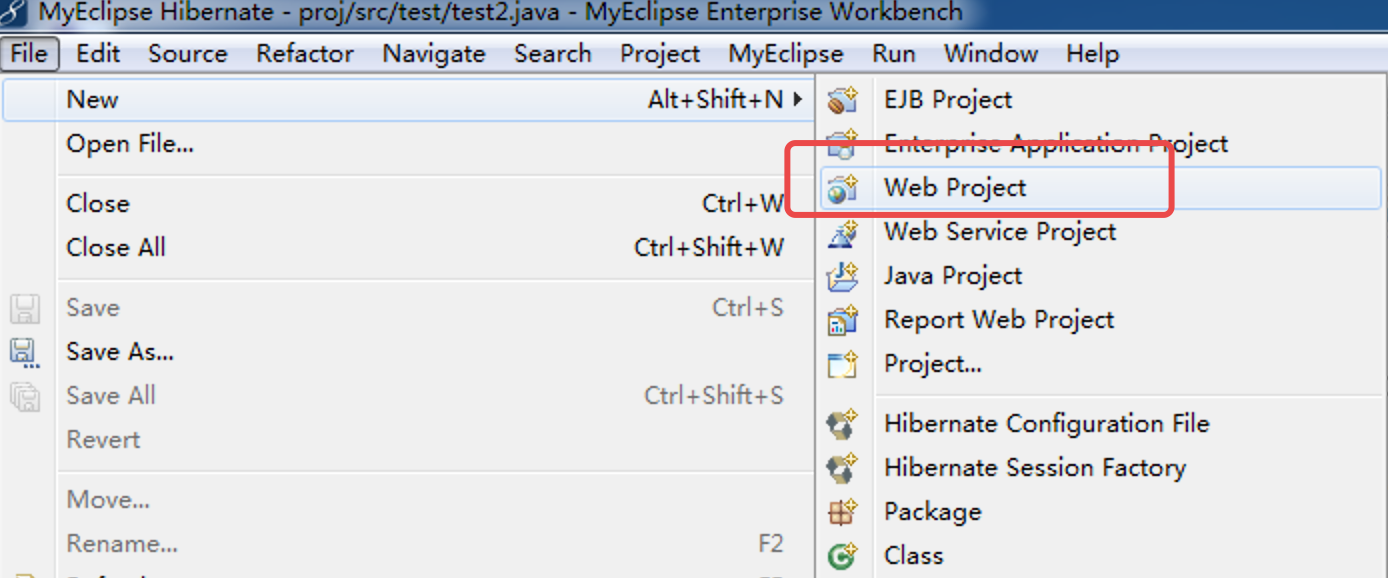
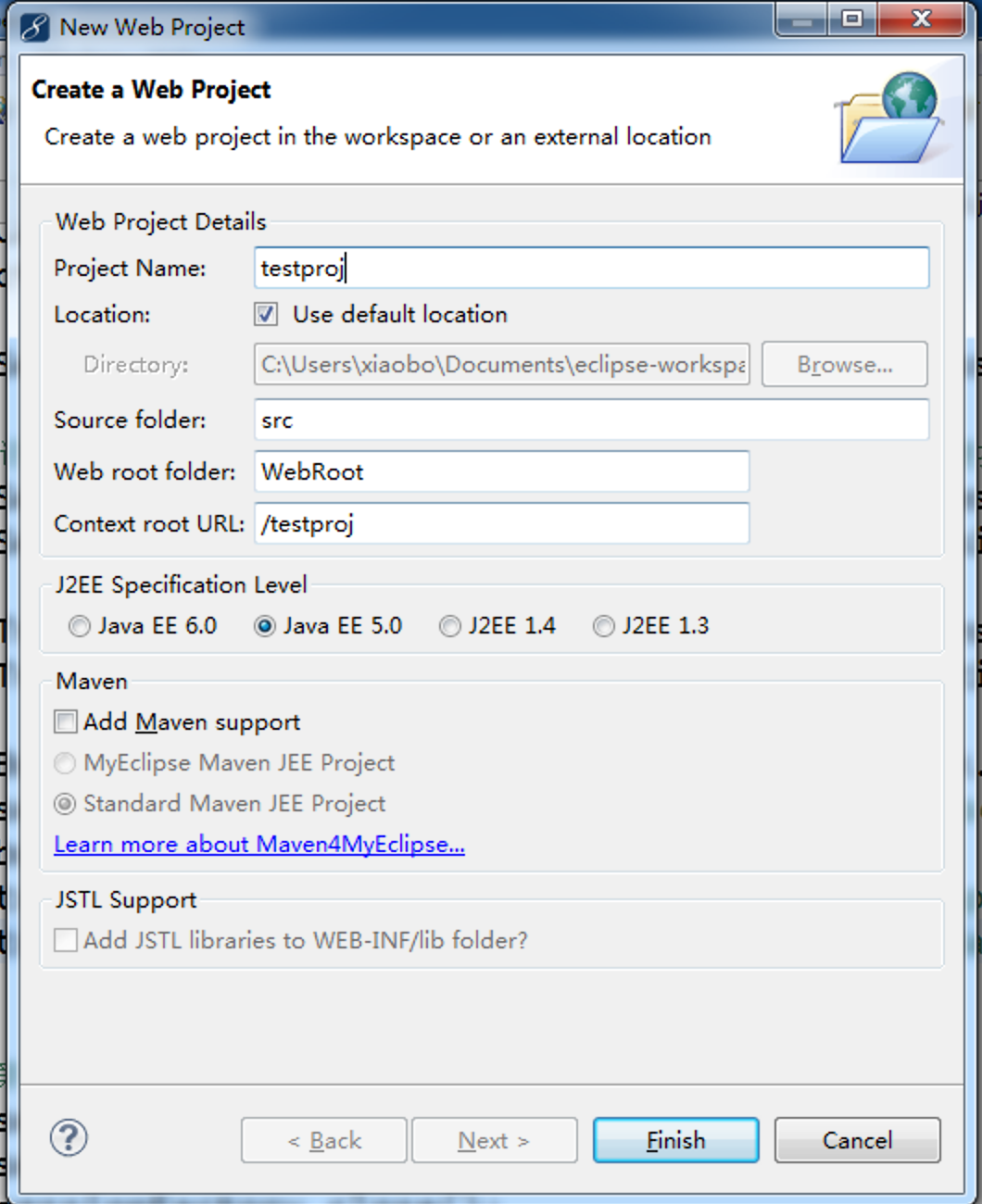
finish
创建数据库连接db browser
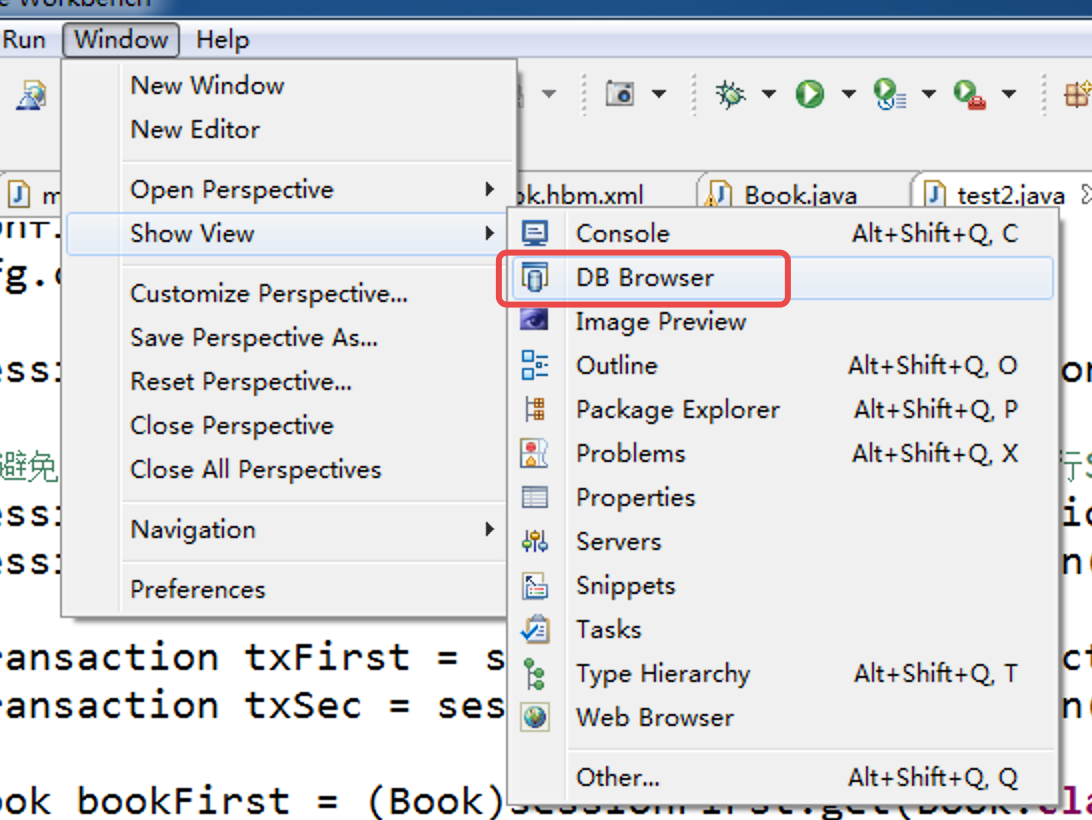
如果没有的话,在other查找db browser
右键new

填信息
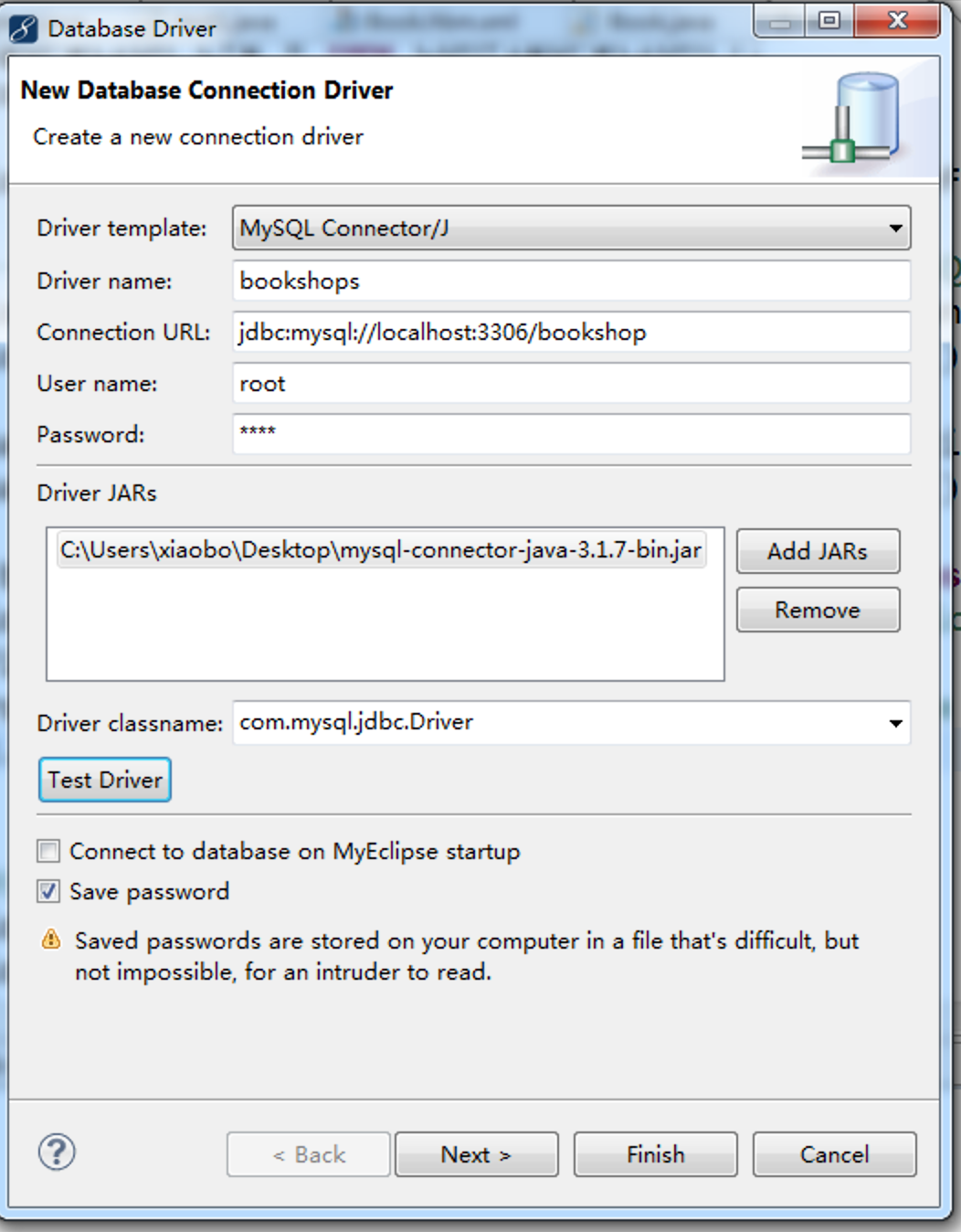
测试连接
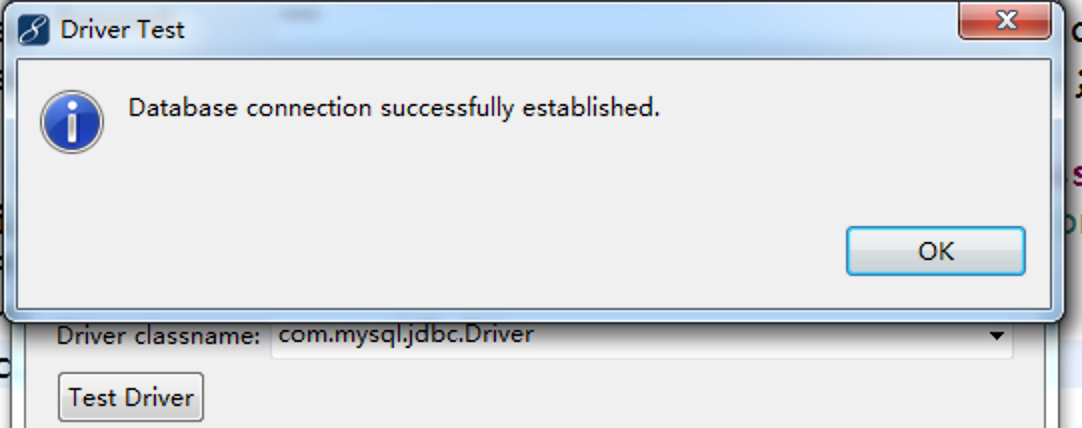
finish
展开数据库,右键数据库表book,反向工程
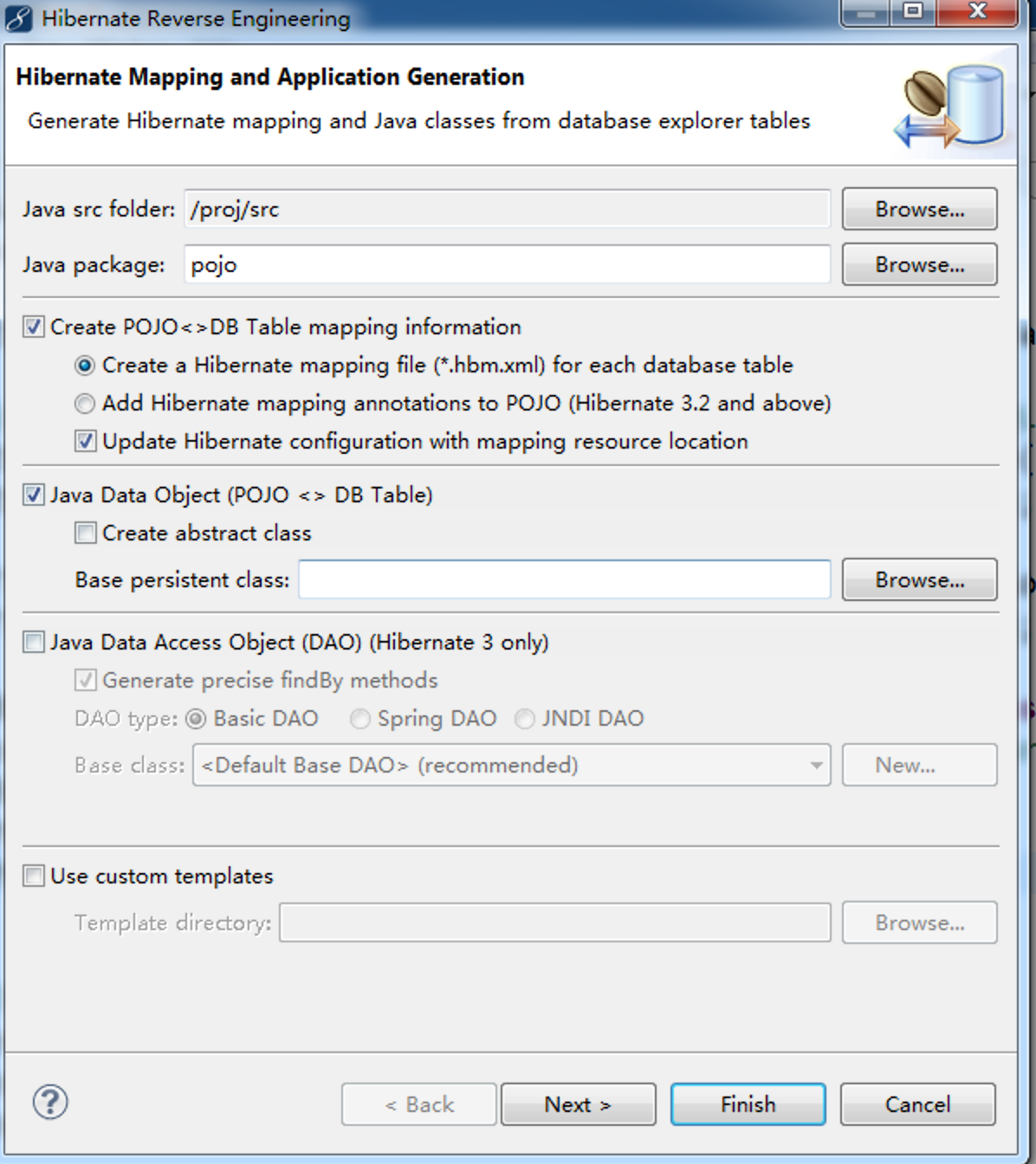


finish

右键工程导入hibernate库

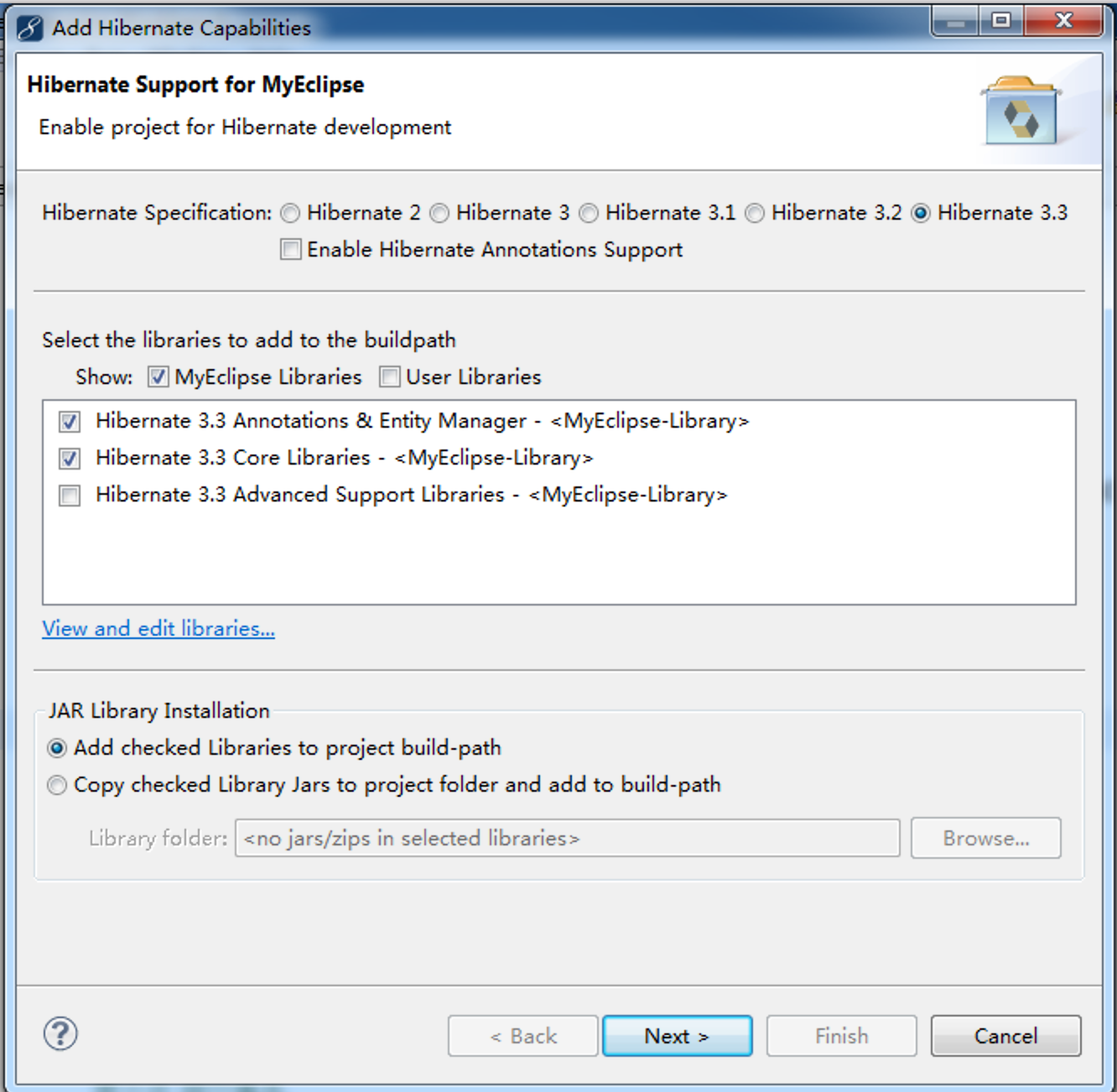

取消勾
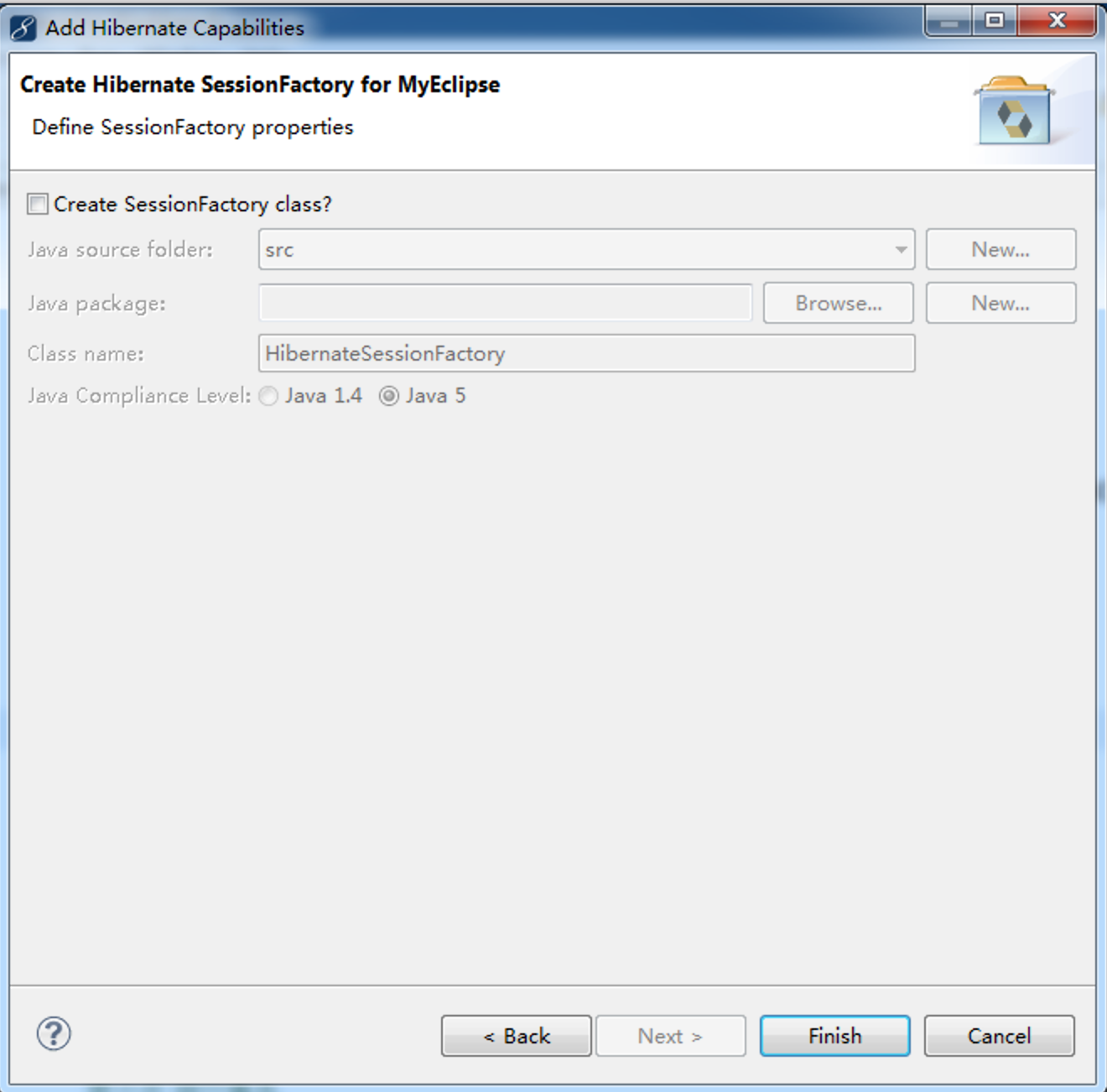
整个工程:
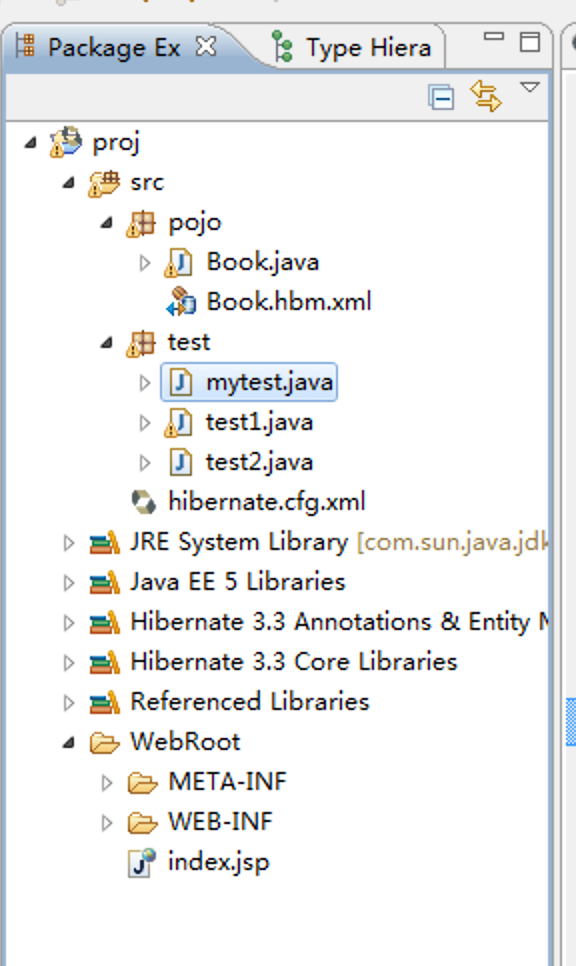

创建个测试类:
插入数据
package test;

import org.hibernate.Session;

import org.hibernate.SessionFactory;

import org.hibernate.Transaction;

import org.hibernate.cfg.Configuration;

import pojo.Book;

public class mytest {

	 static Configuration cfg = null;

	 static SessionFactory sessionFactory = null;

	public static void insert(){

		cfg = new Configuration();

		cfg.configure();

		sessionFactory = cfg.buildSessionFactory();

		Configuration cfg = new Configuration();

		cfg.configure();

		SessionFactory sessionFactory = cfg.buildSessionFactory();

		Session session = sessionFactory.openSession();

		Transaction tx = session.beginTransaction();

		 Book book = new Book();

		 book.setBookname("语文");

		 book.setBookprice("18元");

		//调用session的方法实现添加

		session.save(book);

//		第六步 提交事务

		tx.commit();

//		第七步 关闭资源

		session.close();

		sessionFactory.close();

	}

	public static void main(String[] args){

		insert();

	}

}
更新数据
package test;

import org.hibernate.Session;

import org.hibernate.SessionFactory;

import org.hibernate.Transaction;

import org.hibernate.cfg.Configuration;

import pojo.Book;

public class update {

	 static Configuration cfg = null;

	 static SessionFactory sessionFactory = null;

	public static void update(){

		cfg = new Configuration();

		cfg.configure();

		sessionFactory = cfg.buildSessionFactory();

		Configuration cfg = new Configuration();

		cfg.configure();

		SessionFactory sessionFactory = cfg.buildSessionFactory();

		Session session = sessionFactory.openSession();

		Transaction tx= session.beginTransaction();

		//修改第一条数据

		 Book book =(Book)session.get(Book.class, new Integer(1));

		 book.setBookname("语文");

		 book.setBookprice("20元");

		//保存一下

		session.save(book);

//		第六步 提交事务

		tx.commit();

//		第七步 关闭资源

		session.close();

		sessionFactory.close();

	}

	public static void main(String[] args){

		update();

	}

}
删除数据
package test;

import org.hibernate.Session;

import org.hibernate.SessionFactory;

import org.hibernate.Transaction;

import org.hibernate.cfg.Configuration;

import pojo.Book;

public class delete {

	 static Configuration cfg = null;

	 static SessionFactory sessionFactory = null;

	public static void delete(){

		cfg = new Configuration();

		cfg.configure();

		sessionFactory = cfg.buildSessionFactory();

		Configuration cfg = new Configuration();

		cfg.configure();

		SessionFactory sessionFactory = cfg.buildSessionFactory();

		Session session = sessionFactory.openSession();

		Transaction tx = session.beginTransaction();

		//删除第三条数据

		 Book book =(Book)session.get(Book.class, new Integer(3));

		 session.delete(book);

//		第六步 提交事务

		tx.commit();

//		第七步 关闭资源

		session.close();

		sessionFactory.close();

	}

	public static void main(String[] args){

		delete();

	}

}
查询数据
package test;

import org.hibernate.Session;

import org.hibernate.SessionFactory;

import org.hibernate.Transaction;

import org.hibernate.cfg.Configuration;

import pojo.Book;

public class select {

	 static Configuration cfg = null;

	 static SessionFactory sessionFactory = null;

	public static void select(){

		cfg = new Configuration();

		cfg.configure();

		sessionFactory = cfg.buildSessionFactory();

		Configuration cfg = new Configuration();

		cfg.configure();

		SessionFactory sessionFactory = cfg.buildSessionFactory();

		Session session = sessionFactory.openSession();

		Transaction tx = session.beginTransaction();

		 Book book =(Book)session.get(Book.class, new Integer(1));

		System.out.println("书的ID是:"+book.getId()+"\n"+"书名是:"+book.getBookname()+"\n"+"价格是:"+book.getBookprice());

//		第六步 提交事务

		tx.commit();

//		第七步 关闭资源

		session.close();

		sessionFactory.close();

	}

	public static void main(String[] args){

		select();

	}

}
myeclipse创建hibernate工程的更多相关文章
- MyEclipse创建Maven工程
先要在MyEclipse中对Maven进行设置:
- java使用Myeclipse创建Hibernate项目碰到的诸多问题总结
这两天一直在搞Myeclipse创建Hibernate的1对多映射. 由于缺乏经验,可算是把我坑惨了.控制台是不停地报错啊~~~~我差点就崩溃了. 1.看的是慕课网的Hibernate一对多映射教程, ...
- 通过myEclipse创建hibernate的实体类
今天有个新项目中需要使用到hibernate,刚好数据库表已经创建完毕,就顺便来总结一下通过myEclipse创建hibernate的实体类. 1..在myEclipse中选择MyEclipse Da ...
- 使用Eclipse创建Hibernate工程
创建一个java project项目,加入hibernate的jar包和数据库驱动包,并引入到项目.
- MyEclipse中创建maven工程
转载:http://blog.sina.com.cn/s/blog_4f925fc30102epdv.html 先要在MyEclipse中对Maven进行设置: 到此Maven对MyEclip ...
- 【转载】Myeclipse如何自动创建hibernate
Myeclipse如何自动创建hibernate:http://jingyan.baidu.com/article/456c463b99f4370a583144a8.html An internal ...
- 使用Myeclipse为数据表创建hibernate实体对象
hibernate是orm框架的一种,orm即Object Relational Mapping,对象映射关系,其主要作用是将数据库(mysql,mssql,oracle)的对象转换为具体编程语言(如 ...
- Hibernate工程的手动创建
1.打开MyEclipse软件,新建Java项目,如HibernateReview: 2.导入Hibernate所需的jar包: 右键build path选择configurate build pat ...
- Myeclipse中创建Maven工程的时候没有 webapp-javaee6
1. http://mvnrepository.com/artifact/org.codehaus.mojo.archetypes/webapp-javaee6/1.5 中有描述
随机推荐
- Git问题Everything up-to-date解决
Git问题Everything up-to-date解决 [自己的亲身错误体验] 我的上一篇博客,说了怎么上传一个项目到git远程上面.今天我写好一个小栗子,准备再次上传的时候.我依旧是放在我的F:\ ...
- 喵哈哈村的魔法考试 Round #9 (Div.2) 题解
A题 喵哈哈村的数据筛选游戏 题解:这道题签到题,拿个数组记录一下这个数是否出现过即可. #include<bits/stdc++.h> using namespace std; cons ...
- oracle 变量
插入 日期时间 循环插入 declare total date:) ; begin .. LOOP insert into DQ_DATE(date_time) values ( total ); t ...
- 【转】两道面试题,带你解析Java类加载机制(类初始化方法 和 对象初始化方法)
本文转自 https://www.cnblogs.com/chanshuyi/p/the_java_class_load_mechamism.html 关键语句 我们只知道有一个构造方法,但实际上Ja ...
- 广州移动宽带DNS
目前还搞不明白这些DNS服务器是怎么得出来的,现在只停留在网上收集. 下面是收集比较靠谱的DNS广州移动宽带的: ns3.gd.cnmobile.net 221.179.38.7 ns4.gd.cnm ...
- orm Lite的使用
1.什么是ORM Lite orm Lite(Object Relationanl Mapping Lite)是一种用于持久化保存java对象的框架,相对于标准的ORM包来说. 2. Demo ●声明 ...
- Delphi 开发ActiveX控件(非ActiveForm)
Delphi 开发ActiveX控件(非ActiveForm) Q:为什么不采用ActiveForm工程?通过它可以快速开发带窗体控件,创建过程也非常简单(都不用考虑安全接口问题),很省事! A:如果 ...
- Mui 下拉刷新,刷新完成功能实现
Mui中,正在刷新后,就直接回弹了,没有刷新完成这个过程,然后我就在中间添加了一个过程. 代码如下: //-----------日期格式化------------- function form ...
- C# ConcurrentDictionary实现
ConcurrentDictionary的源码看了很多遍,今天抽点时间整理一下,它的实现比Dictionary要复杂很多,至于线程安全我觉得比较简单,用的是lock的思想.首先我们来看看它的源码. p ...
- [How To] TrueCrypt使用教學 - 重要資訊的加密保險箱(转)
我在2013年八月的時候寫了這篇關於TrueCrypt的使用教學,但從去年(2014)五月下旬開始,TrueCrypt的首頁出現了"Using TrueCrypt is not secure ...