
myeclipse创建hibernate工程
1.创建数据库:
from blog http://www.cnblogs.com/zhaocundang/p/9061959.html
使用navicat mysql IDE:
创建数据库 bookshop
创建表
CREATE TABLE books(id INT PRIMARY KEY auto_increment,Bookname VARCHAR(50),Bookprice VARCHAR(40));
ok 数据库部分整完。
打开myeclipse创建web工程:
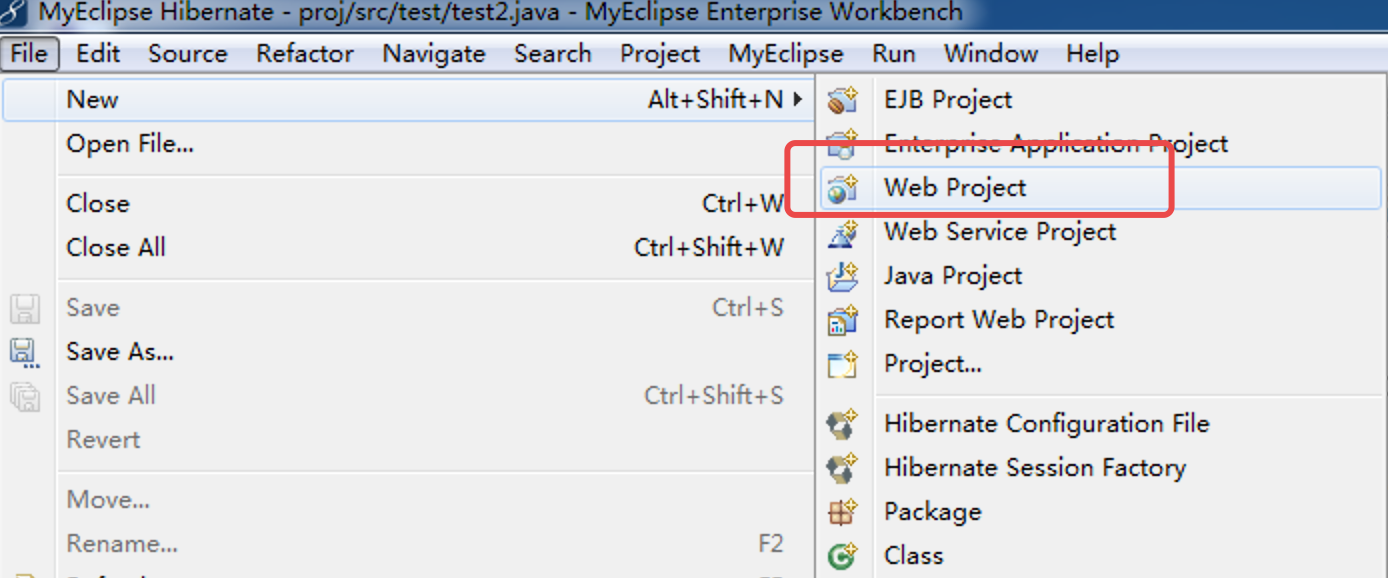
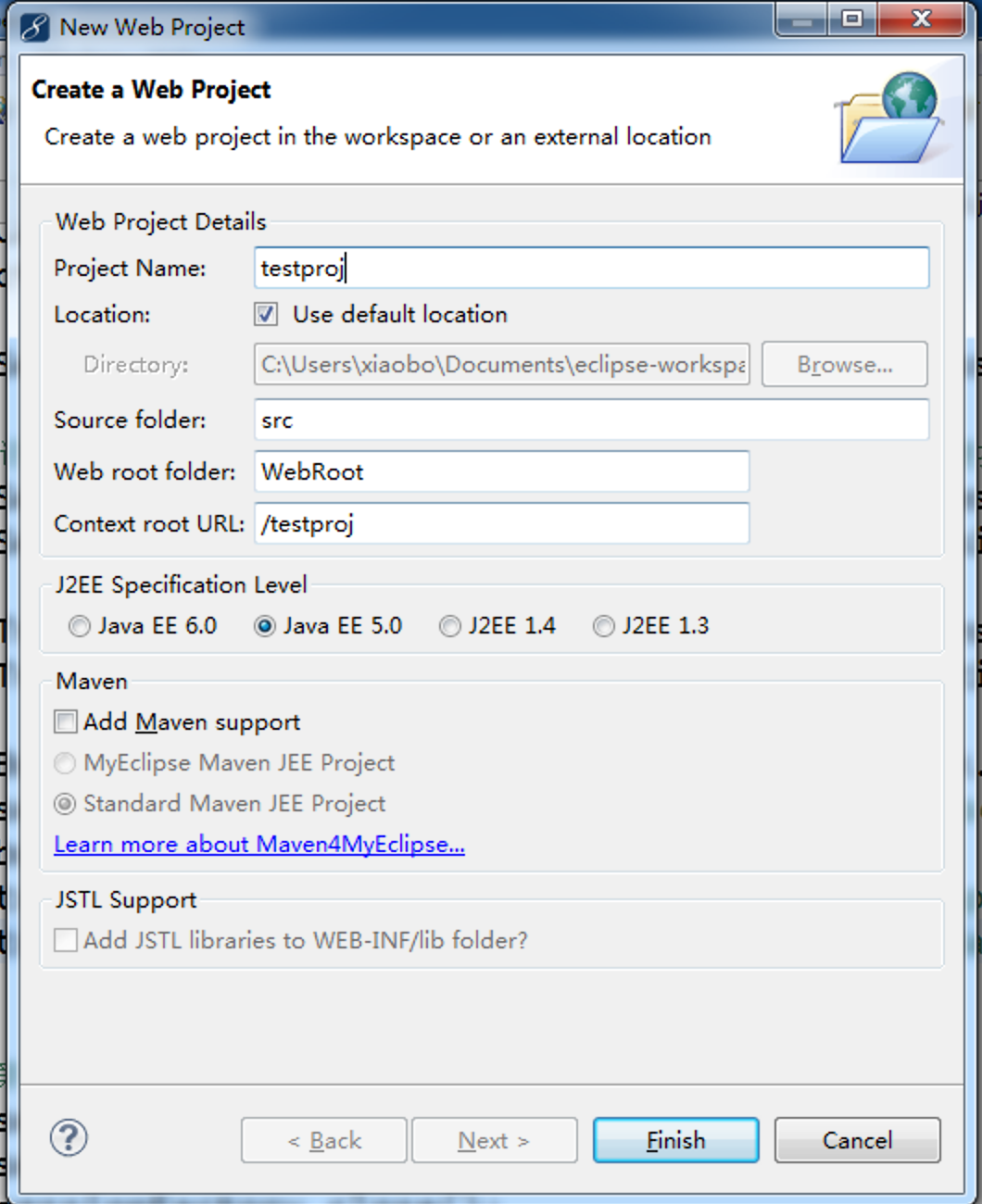
finish
创建数据库连接db browser
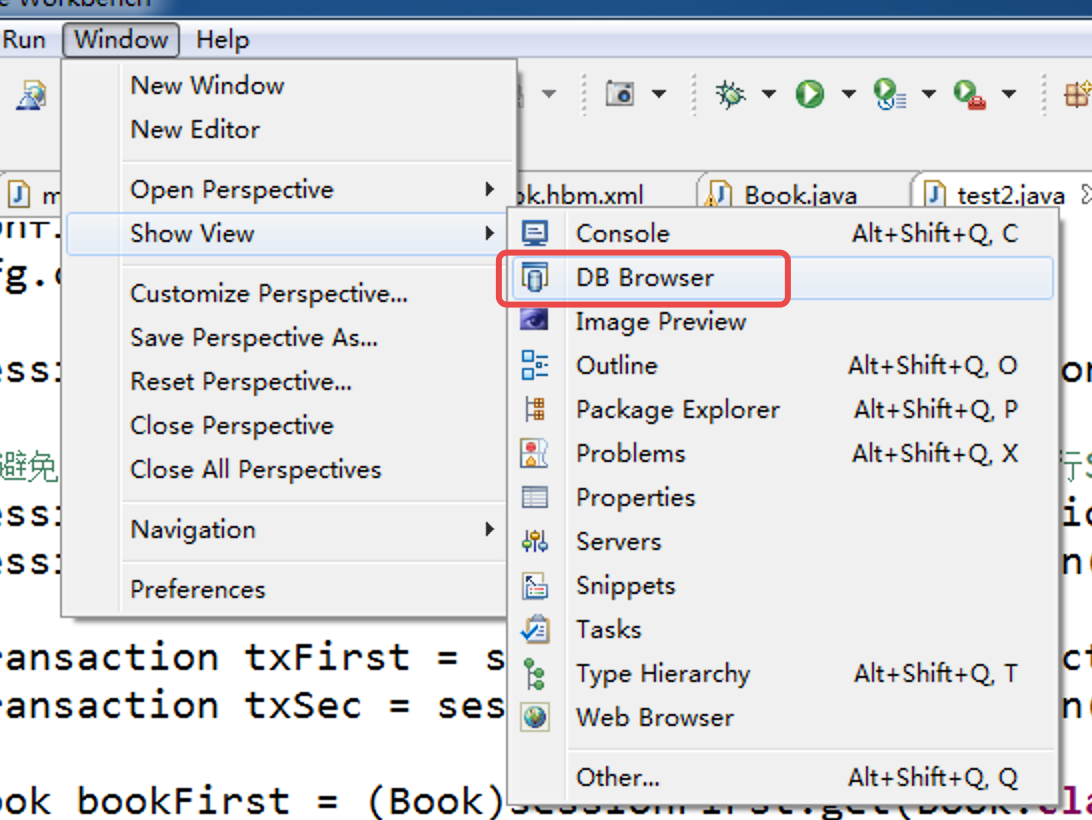
如果没有的话,在other查找db browser
右键new

填信息
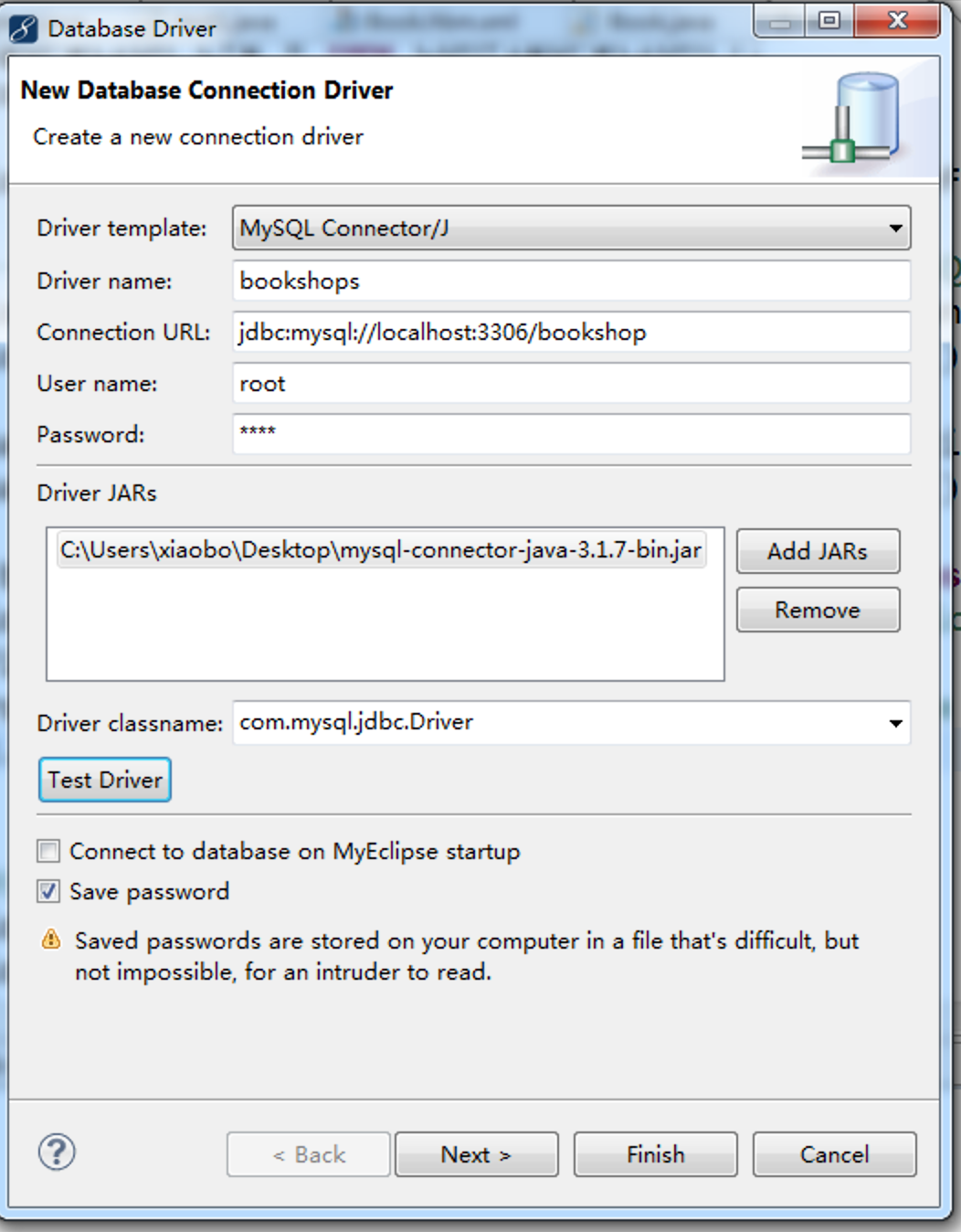
测试连接
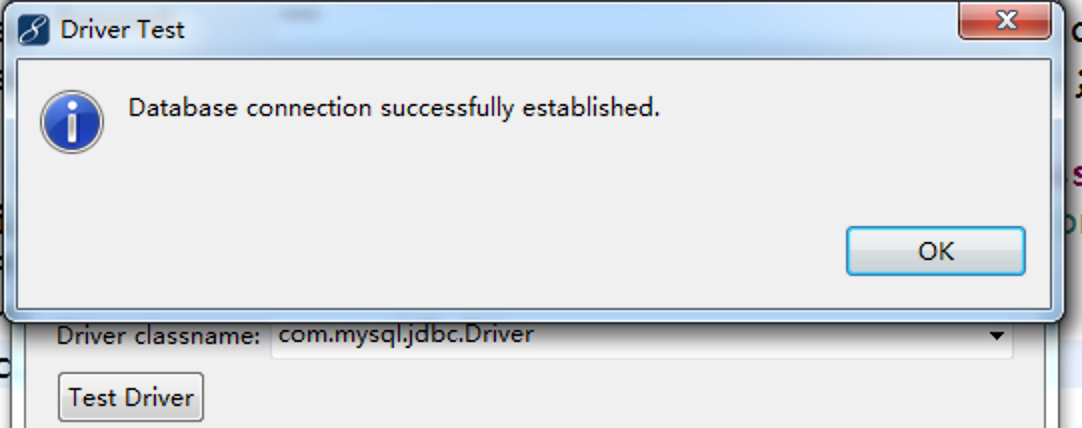
finish
展开数据库,右键数据库表book,反向工程
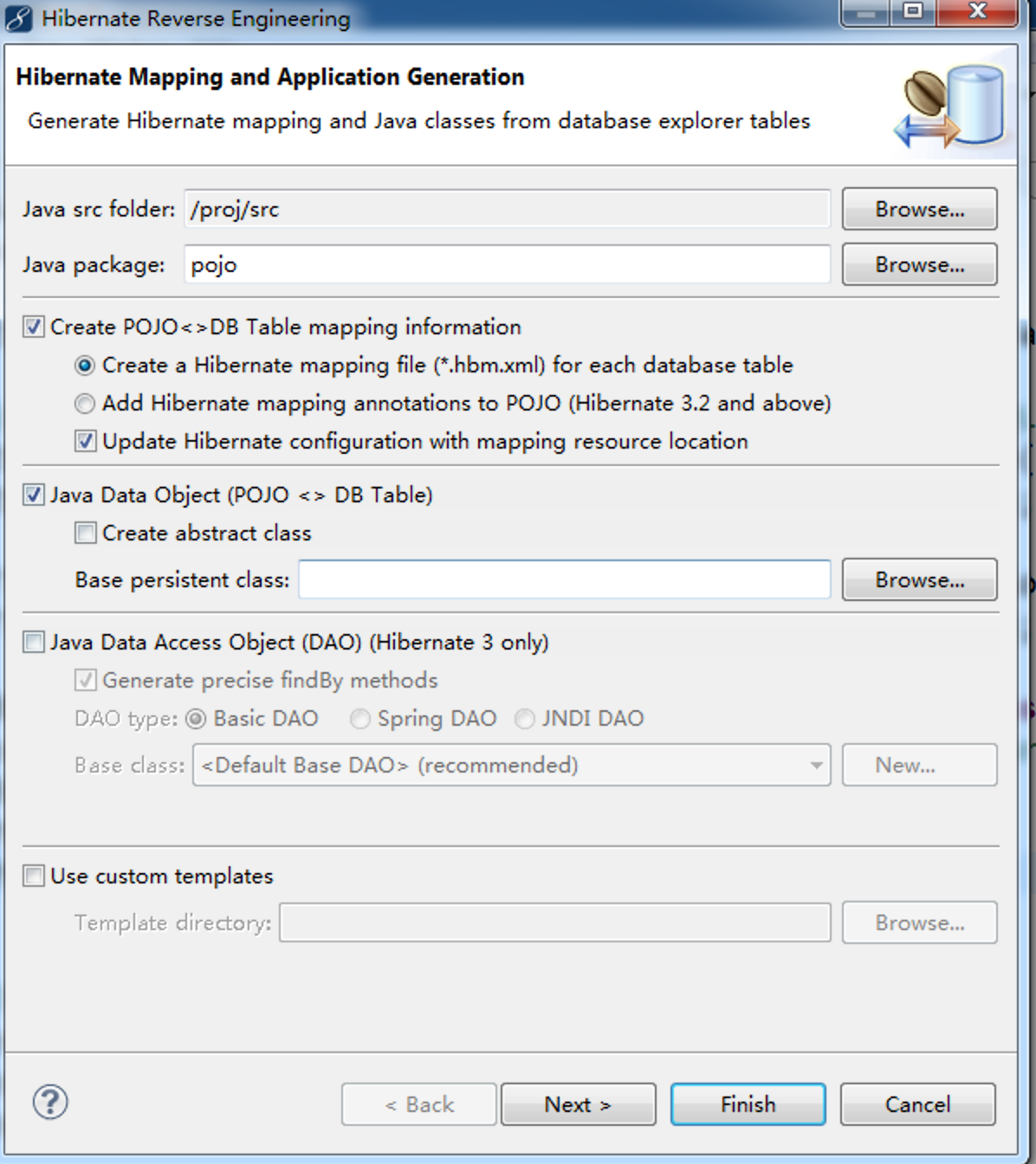


finish

右键工程导入hibernate库

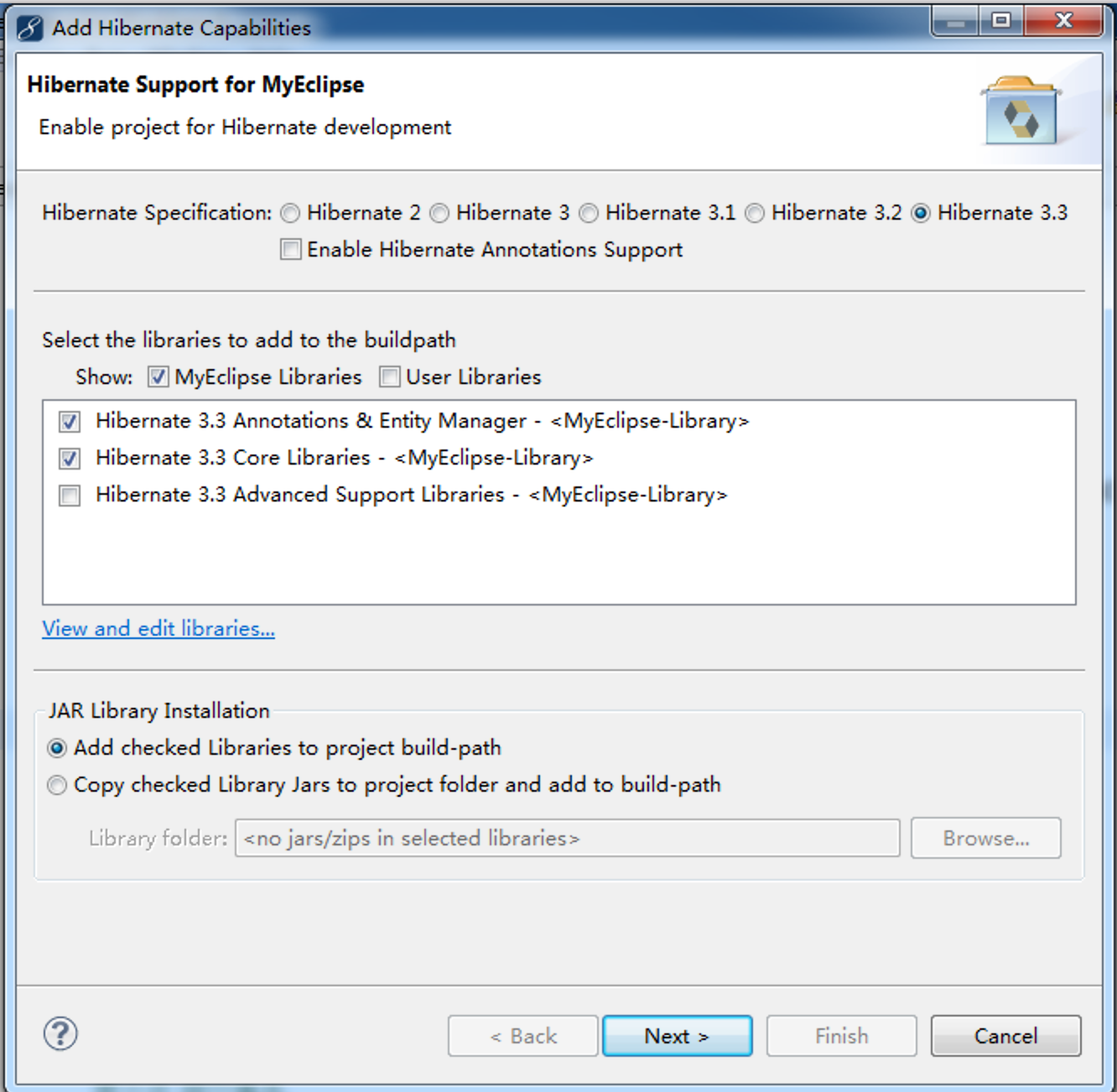

取消勾
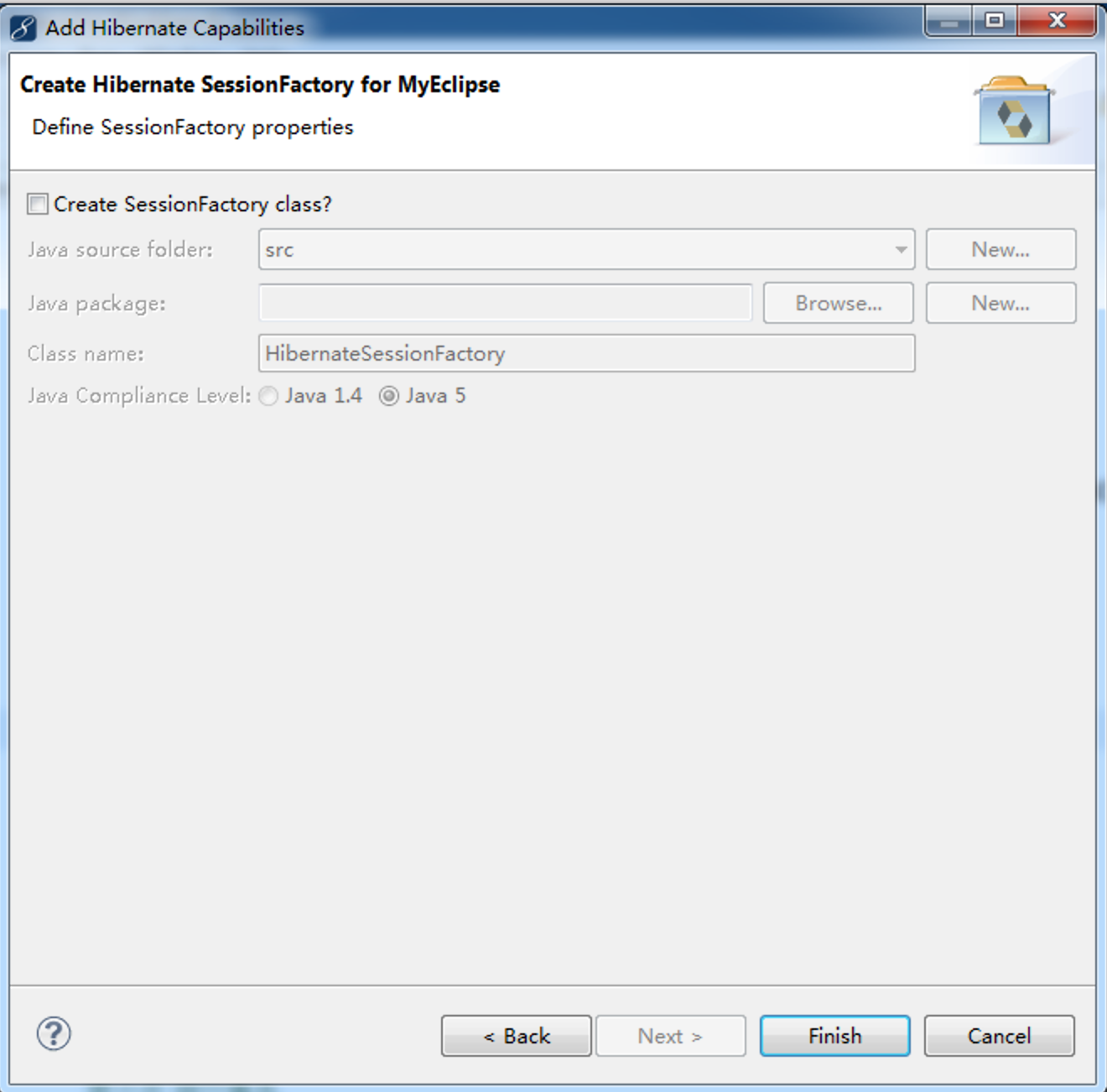
整个工程:
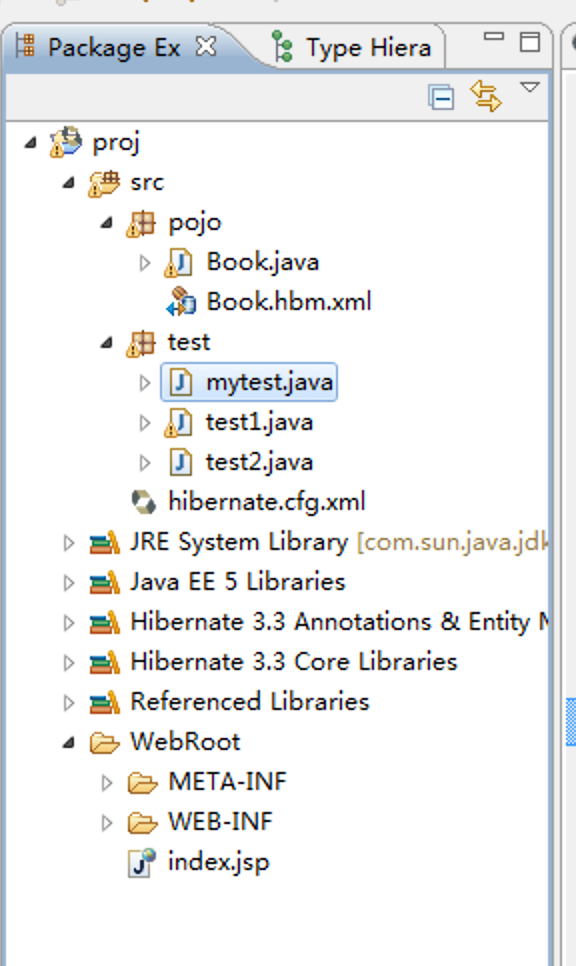

创建个测试类:
插入数据
package test;

import org.hibernate.Session;

import org.hibernate.SessionFactory;

import org.hibernate.Transaction;

import org.hibernate.cfg.Configuration;

import pojo.Book;

public class mytest {

	 static Configuration cfg = null;

	 static SessionFactory sessionFactory = null;

	public static void insert(){

		cfg = new Configuration();

		cfg.configure();

		sessionFactory = cfg.buildSessionFactory();

		Configuration cfg = new Configuration();

		cfg.configure();

		SessionFactory sessionFactory = cfg.buildSessionFactory();

		Session session = sessionFactory.openSession();

		Transaction tx = session.beginTransaction();

		 Book book = new Book();

		 book.setBookname("语文");

		 book.setBookprice("18元");

		//调用session的方法实现添加

		session.save(book);

//		第六步 提交事务

		tx.commit();

//		第七步 关闭资源

		session.close();

		sessionFactory.close();

	}

	public static void main(String[] args){

		insert();

	}

}
更新数据
package test;

import org.hibernate.Session;

import org.hibernate.SessionFactory;

import org.hibernate.Transaction;

import org.hibernate.cfg.Configuration;

import pojo.Book;

public class update {

	 static Configuration cfg = null;

	 static SessionFactory sessionFactory = null;

	public static void update(){

		cfg = new Configuration();

		cfg.configure();

		sessionFactory = cfg.buildSessionFactory();

		Configuration cfg = new Configuration();

		cfg.configure();

		SessionFactory sessionFactory = cfg.buildSessionFactory();

		Session session = sessionFactory.openSession();

		Transaction tx= session.beginTransaction();

		//修改第一条数据

		 Book book =(Book)session.get(Book.class, new Integer(1));

		 book.setBookname("语文");

		 book.setBookprice("20元");

		//保存一下

		session.save(book);

//		第六步 提交事务

		tx.commit();

//		第七步 关闭资源

		session.close();

		sessionFactory.close();

	}

	public static void main(String[] args){

		update();

	}

}
删除数据
package test;

import org.hibernate.Session;

import org.hibernate.SessionFactory;

import org.hibernate.Transaction;

import org.hibernate.cfg.Configuration;

import pojo.Book;

public class delete {

	 static Configuration cfg = null;

	 static SessionFactory sessionFactory = null;

	public static void delete(){

		cfg = new Configuration();

		cfg.configure();

		sessionFactory = cfg.buildSessionFactory();

		Configuration cfg = new Configuration();

		cfg.configure();

		SessionFactory sessionFactory = cfg.buildSessionFactory();

		Session session = sessionFactory.openSession();

		Transaction tx = session.beginTransaction();

		//删除第三条数据

		 Book book =(Book)session.get(Book.class, new Integer(3));

		 session.delete(book);

//		第六步 提交事务

		tx.commit();

//		第七步 关闭资源

		session.close();

		sessionFactory.close();

	}

	public static void main(String[] args){

		delete();

	}

}
查询数据
package test;

import org.hibernate.Session;

import org.hibernate.SessionFactory;

import org.hibernate.Transaction;

import org.hibernate.cfg.Configuration;

import pojo.Book;

public class select {

	 static Configuration cfg = null;

	 static SessionFactory sessionFactory = null;

	public static void select(){

		cfg = new Configuration();

		cfg.configure();

		sessionFactory = cfg.buildSessionFactory();

		Configuration cfg = new Configuration();

		cfg.configure();

		SessionFactory sessionFactory = cfg.buildSessionFactory();

		Session session = sessionFactory.openSession();

		Transaction tx = session.beginTransaction();

		 Book book =(Book)session.get(Book.class, new Integer(1));

		System.out.println("书的ID是:"+book.getId()+"\n"+"书名是:"+book.getBookname()+"\n"+"价格是:"+book.getBookprice());

//		第六步 提交事务

		tx.commit();

//		第七步 关闭资源

		session.close();

		sessionFactory.close();

	}

	public static void main(String[] args){

		select();

	}

}
myeclipse创建hibernate工程的更多相关文章
- MyEclipse创建Maven工程
先要在MyEclipse中对Maven进行设置:
- java使用Myeclipse创建Hibernate项目碰到的诸多问题总结
这两天一直在搞Myeclipse创建Hibernate的1对多映射. 由于缺乏经验,可算是把我坑惨了.控制台是不停地报错啊~~~~我差点就崩溃了. 1.看的是慕课网的Hibernate一对多映射教程, ...
- 通过myEclipse创建hibernate的实体类
今天有个新项目中需要使用到hibernate,刚好数据库表已经创建完毕,就顺便来总结一下通过myEclipse创建hibernate的实体类. 1..在myEclipse中选择MyEclipse Da ...
- 使用Eclipse创建Hibernate工程
创建一个java project项目,加入hibernate的jar包和数据库驱动包,并引入到项目.
- MyEclipse中创建maven工程
转载:http://blog.sina.com.cn/s/blog_4f925fc30102epdv.html 先要在MyEclipse中对Maven进行设置: 到此Maven对MyEclip ...
- 【转载】Myeclipse如何自动创建hibernate
Myeclipse如何自动创建hibernate:http://jingyan.baidu.com/article/456c463b99f4370a583144a8.html An internal ...
- 使用Myeclipse为数据表创建hibernate实体对象
hibernate是orm框架的一种,orm即Object Relational Mapping,对象映射关系,其主要作用是将数据库(mysql,mssql,oracle)的对象转换为具体编程语言(如 ...
- Hibernate工程的手动创建
1.打开MyEclipse软件,新建Java项目,如HibernateReview: 2.导入Hibernate所需的jar包: 右键build path选择configurate build pat ...
- Myeclipse中创建Maven工程的时候没有 webapp-javaee6
1. http://mvnrepository.com/artifact/org.codehaus.mojo.archetypes/webapp-javaee6/1.5 中有描述
随机推荐
- 2005 ACM 第几天 闰年
题目:http://acm.hdu.edu.cn/showproblem.php?pid=2005 注意:闰年 查表法 #include<stdio.h> int main() { int ...
- db2执行计划具体操作
explain 1.如果第一次执行,请先(在dbinst用户下) connect to dbname,执行db2 -tvf $HOME/sqllib/misc/EXPLAIN.DDL建立执行计划表 2 ...
- 使用 IntraWeb (32) - Url 映射与 THandlers
最简单的 Url 映射是使用 TIWAppForm 的 class 方法: SetURL; THandlers 是 IntraWeb XIV 新增的内容处理器, 它能完成的不仅仅是 Url 映射(转发 ...
- fastcgi协议分析与实例
http://blog.csdn.net/tanswer_/article/details/78879905
- Shell Step by Step (4) —— Cron & Echo
6.脚本定时任务 # Example of job definition: # .------------------------- minute (0 - 59) # | .------------ ...
- 奇怪吸引子---LorenzStenflo
奇怪吸引子是混沌学的重要组成理论,用于演化过程的终极状态,具有如下特征:终极性.稳定性.吸引性.吸引子是一个数学概念,描写运动的收敛类型.它是指这样的一个集合,当时间趋于无穷大时,在任何一个有界集上出 ...
- 开源框架完美组合之Spring.NET + NHibernate + ASP.NET MVC + jQuery + easyUI 中英文双语言小型企业网站Demo(转)
热衷于开源框架探索的我发现ASP.NET MVC与jQuery easyUI的组合很给力.由于原先一直受Ext JS框架的licence所苦恼,于是痛下决心寻找一个完全免费的js框架——easyUI. ...
- 版本控制git(三)-git分支
通过本系列的上两篇文章(查看系列文章:http://www.cnblogs.com/jerehedu/p/4607599.html#bbkz),我们已经知道了如何使用Git完成对文件的版本控制.本次我 ...
- 如何去掉Autodesk教育版印戳
在打开一些CAD图形文件的时候,有时会遇到这样的提示: 当我们打印图形的时候,就会在标题栏显示"由Autodesk教育版产品生成",这个标题据说是用盗版CAD文件造成的,虽然我们用 ...
- Online
上线前的准备: 1.是在本地测试的时候,以为页面上没有php的warning代码就是正确的,没有查看apache的error_log中相关的记录,然后就直接上线了.