
The dplyr package has been updated with new data manipulation commands for filters, joins and set operations.(转)
dplyr 0.4.0
January 9, 2015 in Uncategorized
I’m very pleased to announce that dplyr 0.4.0 is now available from CRAN. Get the latest version by running:
install.packages("dplyr")dplyr 0.4.0 includes over 80 minor improvements and bug fixes, which are described in detail in the release notes. Here I wanted to draw your attention to two areas that have particularly improved since dplyr 0.3, two-table verbs and data frame support.
Two table verbs
dplyr now has full support for all two-table verbs provided by SQL:
- Mutating joins, which add new variables to one table from matching rows in another:
inner_join(),left_join(),right_join(),full_join(). (Support for non-equi joins is planned for dplyr 0.5.0.) - Filtering joins, which filter observations from one table based on whether or not they match an observation in the other table:
semi_join(),anti_join(). - Set operations, which combine the observations in two data sets as if they were set elements:
intersect(),union(),setdiff().
Together, these verbs should allow you to solve 95% of data manipulation problems that involve multiple tables. If any of the concepts are unfamiliar to you, I highly recommend reading the two-table vignette (and if you still don’t understand, please let me know so I can make it better.)
Data frames
dplyr wraps data frames in a tbl_df class. These objects are structured in exactly the same way as regular data frames, but their behaviour has been tweaked a little to make them easier to work with. The new data_frames vignette describes how dplyr works with data frames in general, and below I highlight some of the features new in 0.4.0.
PRINTING
The biggest difference is printing: print.tbl_df() doesn’t try and print 10,000 rows! Printing got a lot of love in dplyr 0.4 and now:
- All
print()method methods invisibly return their input so you can interleaveprint()statements into a pipeline to see interim results. - If you’ve managed to produce a 0-row data frame, dplyr won’t try to print the data, but will tell you the column names and types:
data_frame(x = numeric(), y = character())

#> Source: local data frame [0 x 2]

#>

#> Variables not shown: x (dbl), y (chr) - dplyr never prints row names since no dplyr method is guaranteed to preserve them:
df <- data.frame(x = c(a = 1, b = 2, c = 3))

df

#>   x

#> a 1

#> b 2

#> c 3

df %>% tbl_df()

#> Source: local data frame [3 x 1]

#>

#>   x

#> 1 1

#> 2 2

#> 3 3
I don’t think using row names is a good idea because it violates one of the principles of tidy data: every variable should be stored in the same way.
To make life a bit easier if you do have row names, you can use the new
add_rownames()to turn your row names into a proper variable:df %>%
add_rownames()
#> rowname x
#> 1 a 1
#> 2 b 2
#> 3 c 3(But you’re better off never creating them in the first place.)
options(dplyr.print_max)is now 20, so dplyr will never print more than 20 rows of data (previously it was 100). The best way to see more rows of data is to useView().
COERCING LISTS TO DATA FRAMES
When you have a list of vectors of equal length that you want to turn into a data frame, dplyr provides as_data_frame() as a simple alternative to as.data.frame().as_data_frame() is considerably faster than as.data.frame() because it does much less:
l <- replicate(26, sample(100), simplify = FALSE)

names(l) <- letters

microbenchmark::microbenchmark(

  as_data_frame(l),

  as.data.frame(l)

)

#> Unit: microseconds

#>              expr      min        lq   median        uq      max neval

#>  as_data_frame(l)  101.856  112.0615  124.855  143.0965  254.193   100

#>  as.data.frame(l) 1402.075 1466.6365 1511.644 1635.1205 3007.299   100
It’s difficult to precisely describe what as.data.frame(x) does, but it’s similar todo.call(cbind, lapply(x, data.frame)) – it coerces each component to a data frame and then cbind()s them all together.
The speed of as.data.frame() is not usually a bottleneck in interactive use, but can be a problem when combining thousands of lists into one tidy data frame (this is common when working with data stored in json or xml).
BINDING ROWS AND COLUMNS
dplyr now provides bind_rows() and bind_cols() for binding data frames together. Compared to rbind() and cbind(), the functions:
- Accept either individual data frames, or a list of data frames:
a <- data_frame(x = 1:5)

b <- data_frame(x = 6:10)

bind_rows(a, b)

#> Source: local data frame [10 x 1]

#>

#>    x

#> 1  1

#> 2  2

#> 3  3

#> 4  4

#> 5  5

#> .. .

bind_rows(list(a, b))

#> Source: local data frame [10 x 1]

#>

#>    x

#> 1  1

#> 2  2

#> 3  3

#> 4  4

#> 5  5

#> .. .
If
xis a list of data frames,bind_rows(x)is equivalent todo.call(rbind, x). - Are much faster:
dfs <- replicate(100, data_frame(x = runif(100)), simplify = FALSE)

microbenchmark::microbenchmark(

  do.call("rbind", dfs),

  bind_rows(dfs)

)

#> Unit: microseconds

#>                   expr      min        lq   median        uq       max

#>  do.call("rbind", dfs) 5344.660 6605.3805 6964.236 7693.8465 43457.061

#>         bind_rows(dfs)  240.342  262.0845  317.582  346.6465  2345.832

#>  neval

#>    100

#>    100
(Generally you should avoid bind_cols() in favour of a join; otherwise check carefully that the rows are in a compatible order).
LIST-VARIABLES
Data frames are usually made up of a list of atomic vectors that all have the same length. However, it’s also possible to have a variable that’s a list, which I call a list-variable. Because of data.frame()s complex coercion rules, the easiest way to create a data frame containing a list-column is with data_frame():
data_frame(x = 1, y = list(1), z = list(list(1:5, "a", "b")))

#> Source: local data frame [1 x 3]

#>

#>   x        y         z

#> 1 1 <dbl[1]> <list[3]>
Note how list-variables are printed: a list-variable could contain a lot of data, so dplyr only shows a brief summary of the contents. List-variables are useful for:
- Working with summary functions that return more than one value:
qs <- mtcars %>%

  group_by(cyl) %>%

  summarise(y = list(quantile(mpg)))

# Unnest input to collpase into rows

qs %>% tidyr::unnest(y)

#> Source: local data frame [15 x 2]

#>

#>    cyl    y

#> 1    4 21.4

#> 2    4 22.8

#> 3    4 26.0

#> 4    4 30.4

#> 5    4 33.9

#> .. ...  ...

# To extract individual elements into columns, wrap the result in rowwise()

# then use summarise()

qs %>%

  rowwise() %>%

  summarise(q25 = y[2], q75 = y[4])

#> Source: local data frame [3 x 2]

#>

#>     q25   q75

#> 1 22.80 30.40

#> 2 18.65 21.00

#> 3 14.40 16.25 - Keeping associated data frames and models together:
by_cyl <- split(mtcars, mtcars$cyl)

models <- lapply(by_cyl, lm, formula = mpg ~ wt)

data_frame(cyl = c(4, 6, 8), data = by_cyl, model = models)

#> Source: local data frame [3 x 3]

#>

#>   cyl            data   model

#> 1   4 <S3:data.frame> <S3:lm>

#> 2   6 <S3:data.frame> <S3:lm>

#> 3   8 <S3:data.frame> <S3:lm>
dplyr’s support for list-variables continues to mature. In 0.4.0, you can join and row bind list-variables and you can create them in summarise and mutate.
My vision of list-variables is still partial and incomplete, but I’m convinced that they will make pipeable APIs for modelling much eaiser. See the draft lowliner package for more explorations in this direction.
Bonus
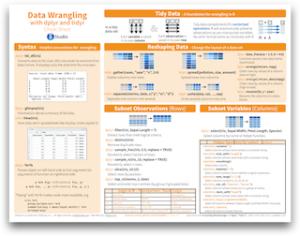
My colleague, Garrett, helped me make a cheat sheet that summarizes the data wrangling features of dplyr 0.4.0. You can download it from RStudio’s new gallery of R cheat sheets.
The dplyr package has been updated with new data manipulation commands for filters, joins and set operations.(转)的更多相关文章
- Data Manipulation with dplyr in R
目录 select The filter and arrange verbs arrange filter Filtering and arranging Mutate The count verb ...
- Accessing data in Hadoop using dplyr and SQL
If your primary objective is to query your data in Hadoop to browse, manipulate, and extract it into ...
- HBase:Shell
HBase shell commands As told in HBase introduction, HBase provides Extensible jruby-based (JIRB) she ...
- OCP—051试题
FROM: http://blog.itpub.net/26736162/viewspace-1252569/?page=2 http://blog.csdn.net/elearnings/artic ...
- OCP考试062题库出现大量新题-19
choose three Which three statements are true about Oracle Data Pump? A) Oracle Data Pump export and ...
- 数据处理包plyr和dplyr包的整理
以下内容主要参照 Introducing dplyr 和 dplyr 包自带的简介 (Introduction to dplyr), 复制了原文对应代码, 并夹杂了个人理解和观点 (多附于括号内). ...
- R语言扩展包dplyr笔记
引言 2014年刚到, 就在 Feedly 订阅里看到 RStudio Blog 介绍 dplyr 包已发布 (Introducing dplyr), 此包将原本 plyr 包中的 ddply() 等 ...
- R Tidyverse dplyr包学习笔记2
Tidyverse 学习笔记 1.gapminder 我理解的gapminder应该是一个内置的数据集 加载之后使用 > # Load the gapminder package > li ...
- SSISDB7:查看当前正在运行的Package
在项目组中做ETL开发时,经常会被问到:“现在ETL跑到哪一个Package了?” 为了缩短ETL运行的时间,在ETL的设计上,经常会使用并发执行模式:Task 并发执行,Package并发执行.对于 ...
随机推荐
- opencv构建高斯卷积核
关于高斯核函数可以参见阮一峰老师的日志:高斯模糊的算法 如何使用高斯核进行高斯模糊可以参见我的另一篇日志:opencv构建自定义卷积 Mat Gaussian_kernal(int kernel_si ...
- 每天一个linux命令(62):sh命令 /Linux中执行shell脚本的4种方法总结
bash shell 脚本的方法有多种,现在作个小结.假设我们编写好的shell脚本的文件名为hello.sh,文件位置在/data/shell目录中并已有执行权限. 方法一:切换到shell脚本所在 ...
- Robotframe work学习之初(二)
一.F5帮助 Robot Framework 并没有像其它框架一样提供一份完整的 API 文档,所以,我们没办法通过官方 API文档进行习.RIDE 提供了 F5 快捷键来打开帮助文档. search ...
- Python 装饰器装饰类中的方法
title: Python 装饰器装饰类中的方法 comments: true date: 2017-04-17 20:44:31 tags: ['Python', 'Decorate'] categ ...
- 3.QT5.8支持中文输入法(附带老版本的解决+不理想的情况解决)
安装过程:http://www.cnblogs.com/dotnetcrazy/p/6725945.html 用了QT发现,中文输入法不能输入...一开始以为是输入法问题,后来发现,其他地方都可以中文 ...
- C字符串处理函数
部分参考百科. C常用字符串函数:字符串输入函数,字符串输出函数,字符串处理函数,标准输入输出流 字符串处理函数: 1.字符串长度:strlen(str),返回字符串实际长度,不包括'\0',返回值类 ...
- docker.service启动失败:Unit not found
docker.service启动失败:Unit not found 版权声明:本文为博主原创文章,未经博主允许不得转载. 背景 因为最近一直在折腾Kubernetes集群版本升级.Docker版本升级 ...
- javaWeb项目(SSH框架+AJAX+百度地图API+Oracle数据库+MyEclipse+Tomcat)之一 基础Struts框架搭建篇
即将开始着手写这个项目,所以希望通过这篇博客来记录自己学习的过程 今天开学第一天,就上了软件工程实践课,自己也开始着手做这个大作业了.首先我的项目名称叫做智能班车管理系统. 项目的概况: 该软件产品是 ...
- Vue 自定义图片懒加载指令v-lazyload
Vue是可以自定义指令的,最近学习过程中遇见了一个需要图片懒加载的功能,最后参考了别人的代码和思路自己重新写了一遍.以下将详细介绍如何实现自定义指令v-lazyload. 先看如何使用这个指令: &l ...
- linux操作系统中对大小端的判断
static union { char c[4]; unsigned long l; } endian_test = { { 'l', '?', '?', 'b' } }; #define ENDIA ...