
Influxdb1.2.2安装
一、文件准备
1.1 文件名称
influxdb-1.2.2.x86_64.rpm
1.2 下载地址
https://portal.influxdata.com/downloads
【注意、注意、注意】下载时可能需要FanQiang
二、工具准备
2.1 Xshell
一个强大的安全终端模拟软件,它支持SSH1, SSH2, 以及Microsoft Windows 平台的TELNET 协议。
Xshell 通过互联网到远程主机的安全连接以及它创新性的设计和特色帮助用户在复杂的网络环境中享受他们的工作。
三、部署图
由于InfluxDb集群版是收费的,而单机版是开源的,所以我们目前只部署单机版

四、InfluxDb安装
以下操作,均使用root用户
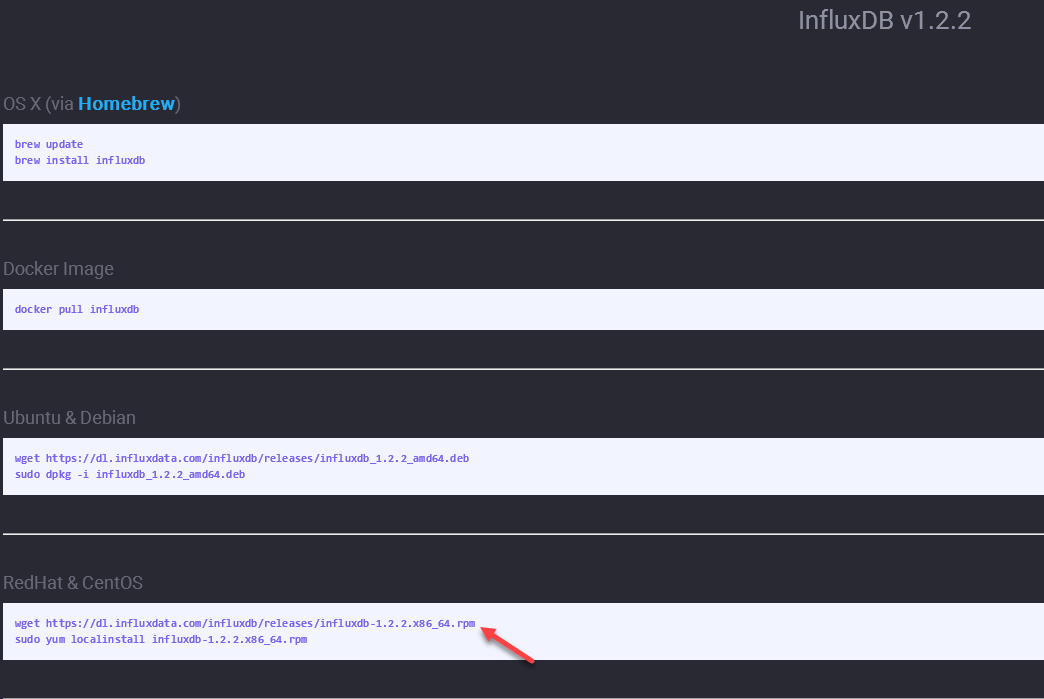
4.1 通过Xshell连接到虚拟机,执行如下命令:
wget https://dl.influxdata.com/influxdb/releases/influxdb-1.2.2.x86_64.rpm
sudo yum localinstall influxdb-1.2.2.x86_64.rpm
五、InfluxDb配置文件
InfluxDb配置文件,存放在/etc/influxdb/influxdb.conf
详细配置参考:https://docs.influxdata.com/influxdb/v1.2/administration/config/
主要修改点如下所示:
5.1 端口设置
InfluxDb默认使用如下网络端口:
TCP port  is used for client-server communication over InfluxDB’s HTTP API

TCP port 8088 is used for the RPC service for backup and restore
【注意、注意、注意】 如果你也安装了Hadoop并且启动了,yarn的Web端口也是8088,会导致influxdb启动不起来!!!
在influxdb.conf中的全局部分,增加如下红字所示部分:
# Once every  hours InfluxDB will report usage data to usage.influxdata.com

# The data includes a random ID, os, arch, version, the number of series and other

# usage data. No data from user databases is ever transmitted.

# Change this option to true to disable reporting.

 reporting-disabled =true

 bind-address = ":8087"
【注意、注意、注意】如上所示,influxdb每隔24小时,会收集你机器上的一些信息,然后上报到usage.influxdata.com,果断关闭!
8083是Influxdb的Web界面管理端口,这个在1.1+版本是默认关闭的,需要手动打开:
[admin]

  # Determines whether the admin service is enabled.

   enabled = true

  # The default bind address used by the admin service.

   bind-address = ":8083"
六、InfluxDb操作
6.1 启动InfluxDb
执行命令:systemctl start influxdb
或者:influxd
6.2 查看InfluxDb状态
执行命令:systemctl status influxdb
6.2 停止InfluxDb
执行命令:systemctl stop influxdb
七、浏览器访问InfluxDb
浏览器中输入:http://10.10.0.1:8083

Influxdb1.2.2安装的更多相关文章
- influxDB1.6版安装与配置(windows环境)、Jmeter+influxDB+Grafana性能监控
influxDB1.6版安装与配置(windows环境).Jmeter+influxDB+Grafana性能监控 来源:https://blog.csdn.net/SwTesting/article/ ...
- Influxdb1.2.2安装_Windows
一.文件准备 1.1 文件名称 influxdb-1.2.2_windows_amd64.zip 1.2 下载地址 https://portal.influxdata.com/downloads [注 ...
- Nagios+InfluxDB+Grafana
1. 概述 Nagios负责收集数据,是一款开源的免费网络监视工具. influxDB负责存储数据,是一个开源的时间序列数据库.比较适合存储监控或者部署记录这些时序数据. Grafana负责数据的图形 ...
- Centos7安装InfluxDB1.7
Centos7安装InfluxDB1.7 本操作参照InfluxDB官网:InfuxDB 使用的Red Hat和CentOS用户可以安装InfluxDB最新的稳定版本 yum包管理器: cat < ...
- influxdb-1.7.2.x86_64安装 install influxdb-1.7.2.x86_64 on RedHat & CentOS
1.下载安装 wget http://dl.influxdata.com/influxdb/releases/influxdb-1.7.2.x86_64.rpm https://portal.infl ...
- Docker下安装Influxdb-1.6.1和Grafana5.2.2
第一步.安装Influxdb 首先启动docker systemctl start docker 然后安装Influxdb(这里解释一下为啥用docker,因为官网下载的话需要FQ[fan-qiang ...
- 关于Influxdb1.4.2在windows下的安装过程的一些问题的记录
一.安装与配置: 1. Influxdb在1.3以后版本已经关闭了内置 的8086的web管理功能,需要单独的工具来管理 2.其配置文件默认路径是linux格式,需要修改为本机windows格式 我的 ...
- InfluxDB安装及配置
这是我之前整理的InfluxDB安装及配置的笔记,这里记录下,也方便我以后查阅. 环境: CentOS6.5_x64 InfluxDB版本:1.1.0 一.安装 1.二进制安装 这里以centos6. ...
- 时序数据库InfluxDB安装及使用
时序数据库InfluxDB安装及使用 1 安装配置 安装 wget https://dl.influxdata.com/influxdb/releases/influxdb-1.3.1.x86_64. ...
随机推荐
- JavaScript学习笔记(八)——变量的作用域与解构赋值
在学习廖雪峰前辈的JavaScript教程中,遇到了一些需要注意的点,因此作为学习笔记列出来,提醒自己注意! 如果大家有需要,欢迎访问前辈的博客https://www.liaoxuefeng.com/ ...
- 《Metasploit魔鬼训练营》第三章
p85 使用nmap探测目标主机的操作系统版本那里有问题,我探测不了NAT服务器的! msf > nmap -sT 10.10.10.254 [*] exec: nmap -sT 10.10.1 ...
- vsftpd 安装
vsftpd 安装 这里有最简洁的安装步骤 理想流程 [root@itdragon ~]# useradd ftpuser [root@itdragon ~]# passwd ftpuser Chan ...
- 正则化方法:L1和L2 regularization、数据集扩增、dropout(转)
ps:转的.当时主要是看到一个问题是L1 L2之间有何区别,当时对l1与l2的概念有些忘了,就百度了一下.看完这篇文章,看到那个对W减小,网络结构变得不那么复杂的解释之后,满脑子的6666------ ...
- ccf 火车购票
import java.util.ArrayList; import java.util.List; import java.util.Scanner; public class Main2 { pu ...
- dingo/API 最新版 V2.0 之安装讲解
我发现关于dingo/API V2.0的资料少之又少,应该也是发布时间不久的原因.下面,我就来给大家讲解(翻译)下官方的英文文档,如果有说的不对的地方,请指正.先附上,官网wiki地址https:// ...
- Win10 之最新最简单有效安装配置adb
今天在新买的笔记本上安装配置adb,开始觉得挺简单的事,公司win7电脑上有现成的,但实际过程中--没想的那么简单了!好了,废话少说,直接正题. 研究了好一会下,总算搞定,总结如下: 1.下载Andr ...
- 关于ftp的学习:ftp很多人都会用。但会用,不代表我们真正了解它。
ftp.sftp.ftps,您是否是也跟我一样搞不清楚他们的真正意义.它们之间有关联吗(究竟是何种关联),有区别吗(区别倒地在哪里). 亦或是以为自己知道它们,可我们真的了解并认识它们了吗? 如果您被 ...
- 51Nod 1267 4个数和为0 二分
给出N个整数,你来判断一下是否能够选出4个数,他们的和为0,可以则输出"Yes",否则输出"No".Input第1行,1个数N,N为数组的长度(4 <= ...
- MySQL安装(yum、二进制、源码)
MySQL安装(yum.二进制.源码) 目录 1.1 yum安装... 2 1.2 二进制安装-mysql-5.7.17. 3 1.2.1 准备工作... 3 1.2.2 解压.移动.授权... 3 ...