
input 原生上传文件(type = file)
1.表单上传文件的步骤:
- 1)设置enctype
默认为:enctype="application/x-www-form-urlencoded"(一般不设置)

若要表单中有需要上传文件的表单项时,则必须设置enctype:enctype="multipart/form-data"
- 2)设置method:提交方式
默认:get

需要上传文件时,必须设置为post
因为get方式携带的信息量太小,而且传输的数据都会显示在地址栏,对于图片等文件无法处理
2.上传文件
一次只能选择一个文件上传
伪代码
<form action="UploadOneServlet" method="post" name="f_upload" enctype="multipart/form-data">

    <input type="text" name="username" /><br>

    <input type="file" name="filename" /><br>

    <input type="submit" value="上传" />

</form>
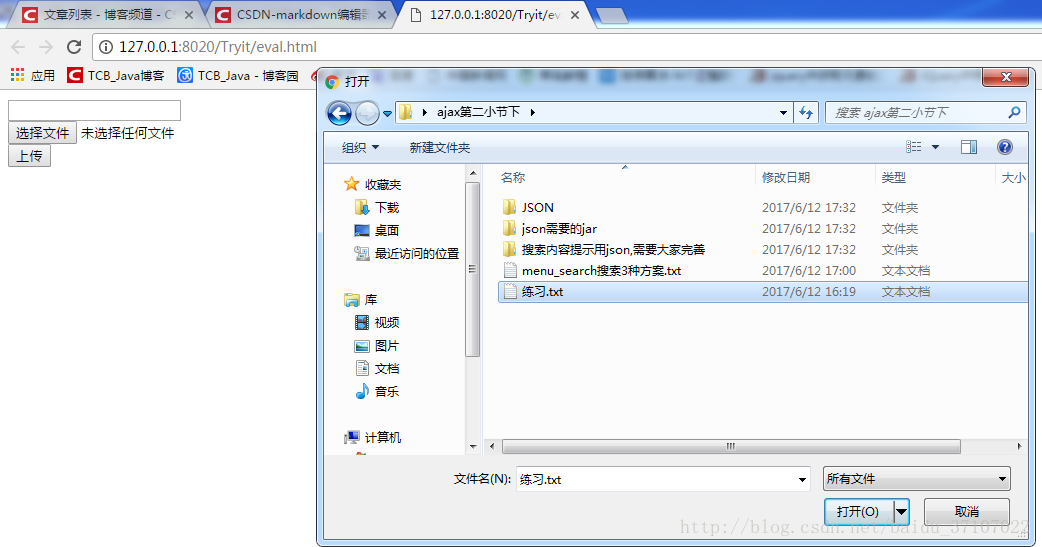
运行结果
此时我们可以看到一次只能选择一个文件,进行上传。
一次能同时选中多个文件同时上传
很多时候我们需要同时选择多个文件实现多个文件的上传,那么只选择一个文件的情况就不适用,如何设置呢?
在input中设置属性multiple即可 - - multiple=”multiple”
伪代码
<form action="UploadOneServlet" method="post" name="f_upload" enctype="multipart/form-data">

    <input type="text" name="username" /><br>

    <input type="file" name="filename" multiple="multiple" /><br>

    <input type="submit" value="上传" />

</form>
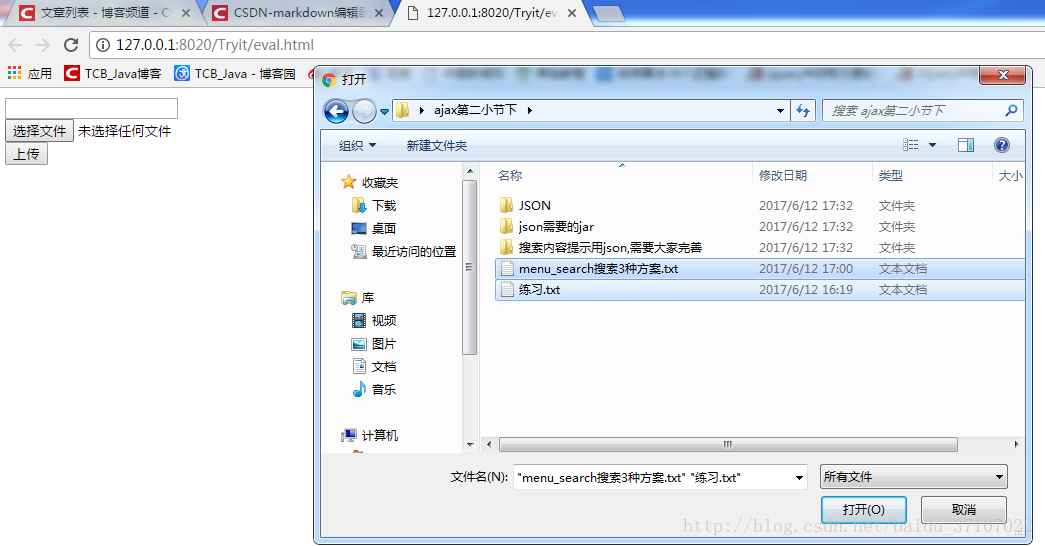
运行结果
此时我们可以看到一次可以选择多个文件,进行上传。
css input[type=file] 样式美化(input上传文件样式 )
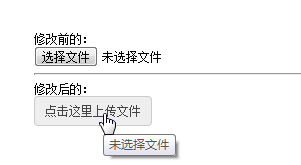
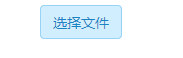
效果:
<!doctype html>

<html>

<head>

<meta charset="utf-8">

<title>无标题文档</title>

    <style>

        /*样式1*/

        .a-upload {

            padding: 4px 10px;

            height: 20px;

            line-height: 20px;

            position: relative;

            cursor: pointer;

            color: #888;

            background: #fafafa;

            border: 1px solid #ddd;

            border-radius: 4px;

            overflow: hidden;

            display: inline-block;

            *display: inline;

            *zoom: 1

        }

        .a-upload  input {

            position: absolute;

            font-size: 100px;

            right: 0;

            top: 0;

            opacity: 0;

            filter: alpha(opacity=0);

            cursor: pointer

        }

        .a-upload:hover {

            color: #444;

            background: #eee;

            border-color: #ccc;

            text-decoration: none

        }

        /*样式2*/

        .file {

            position: relative;

            display: inline-block;

            background: #D0EEFF;

            border: 1px solid #99D3F5;

            border-radius: 4px;

            padding: 4px 12px;

            overflow: hidden;

            color: #1E88C7;

            text-decoration: none;

            text-indent: 0;

            line-height: 20px;

        }

        .file input {

            position: absolute;

            font-size: 100px;

            right: 0;

            top: 0;

            opacity: 0;

        }

        .file:hover {

            background: #AADFFD;

            border-color: #78C3F3;

            color: #004974;

            text-decoration: none;

        }

    </style>

</head>

<body style="padding: 10px">

<a href="javascript:;" class="a-upload">

    <input type="file" name="" id="">点击这里上传文件

</a>

<a href="javascript:;" class="file">选择文件

    <input type="file" name="" id="">

</a>

</body>

</html>
带有图片预览功能的上传表单
http://blog.csdn.net/haibo0668/article/details/77262452
引用:http://blog.163.com/yibei_kukafei/blog/static/300210212015519114718389/
input 原生上传文件(type = file)的更多相关文章
- input 限制 上传文件类型
参考:input file控件限制上传文件类型 HTML <input> 标签的 accept 属性 网页上添加一个input file HTML控件: <input id=&quo ...
- ASP.NET MVC使用input标签上传文件
有些时间学习了,温习一下ASP.NET MVC了.上传文档是在开发过程中,必须撑握的一个功能.以前上传均是使用第三方控件uploadify来实现,今天使使用VS标准标签input 的type=&quo ...
- JS分段上传文件(File)并使用MD5.js加密文件段用来后台校验
HTML <form method="POST" name="form1" action="/mupload/upload/" enc ...
- input如何上传文件
1)绑定input[type='file']的change事件 <input @change="uploadPhoto($event)" type="file&qu ...
- android 模拟器上传文件 Read-only file system
在cmd窗口一条命令就可以了:adb shellmount -o remount rw /
- Html标签,file方式,上传文件
恩,如果不记下来,记忆就会模糊掉. 希望自己下次看见这篇博客的时候,会解决掉疑问 ----------------------------------------------------------- ...
- SpringMVC上传文件的三种方式(转)
直接上代码吧,大伙一看便知 这时:commonsmultipartresolver 的源码,可以研究一下 http://www.verysource.com/code/2337329_1/common ...
- SpringMVC上传文件的三种方式
直接上代码吧,大伙一看便知 这时:commonsmultipartresolver 的源码,可以研究一下 http://www.verysource.com/code/2337329_1/common ...
- springmvc+ajaxFileUpload上传文件(前后台彻底分离的情况下)
首先是导入jar包: web.xml: <servlet> <servlet-name>mvc-dispatcher</servlet-name> <serv ...
随机推荐
- LeetCode OJ 80. Remove Duplicates from Sorted Array II
题目 Follow up for "Remove Duplicates": What if duplicates are allowed at most twice? For ex ...
- [PHP]基于角色的访问控制RBAC
---------------------------------------------------------------------------------------------------- ...
- zTree插件 角色、部门、人员分类选择
// 传参数调用 function test(){roleOrOrgSelect(3,function(data){console.log(data);});} /** * * @param type ...
- Java Script 基础总结
1学习ajax需要一点CSS的基础和JavaScipt基础 今天重温一下Javascrpt基础 1.<script type="text/javascript">< ...
- (转)C#如何加载程序运行目录外的程序集
https://www.cnblogs.com/guanglin/p/3200989.html 我们的应用程序部署的时候,目录结构一般不会只有运行程序的目录这一个,我们可能在运行目录下建子目录,也可能 ...
- hbase高可用集群部署(cdh)
一.概要 本文记录hbase高可用集群部署过程,在部署hbase之前需要事先部署好hadoop集群,因为hbase的数据需要存放在hdfs上,hadoop集群的部署后续会有一篇文章记录,本文假设had ...
- 根据获取的窗口句柄遍历窗口Edit控件
网上说遍历窗口控件有两种方法: 1),使用EnumChildWindows,没有深究, 学习网址如下:http://blog.sina.com.cn/s/blog_60ac1c4b010116 ...
- work单进程群发通知 后面会增加Channel组件的分组推送以及集群推送篇章
<?phpuse Workerman\Worker;use Workerman\Lib\Timer; require_once '../../web/Workerman/Autoloader.p ...
- Object.keys(obj)--获取对象属性,该方法返回一个数组
find: function(id){ var self = this; var _id = parseInt(id, 10), id = ''; Object.keys(self.data).for ...
- frame嵌套页面元素的定位
这里当出现页面嵌套的时候怎么定位?frame就是对于嵌套页面的定位,今天具体说一下 前期准备工作:先编写一个HTML网页,带有嵌套的,方便我们在案例中使用按照如下截图的代码编写就好了,然后保存为HTM ...