
c#编程基础之字符串函数
c#常用的字符串函数
例一:
获取字符串的大小写函数
ToLower():得到字符串的小写形式
ToUpper():得到字符串的大写形式
注意:
字符串时不可变的,所以这些函数都不会直接改变字符串的内容,而是把修改后的字符串通过函数返回值的形式返回。
源码如下:
using System;

using System.Collections.Generic;

using System.Text;

namespace 字符串函数学习

{

    class Program

    {

        static void Main(string[] args)

        {

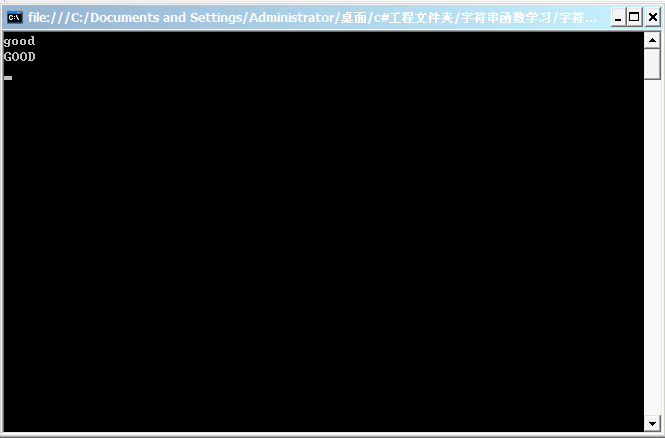
            string s = "GOOD";

            s=s.ToLower();//s.ToLower():返回值为字符串的小写

            Console.WriteLine(s);/* 不是改变了字符串的内容,而是生成一个新的全部变为小写的字符串,然后用s指向这个新的字符串。*/

            Console.WriteLine(s.ToUpper());//s.ToUpper()返回值为字符串的大写。

            Console.ReadKey();

        }

    }

}
运行截图:
例二:
字符串去两边的空白函数
Trim();
源码如下:
using System;

using System.Collections.Generic;

using System.Text;

namespace 字符串函数学习

{

    class Program

    {

        static void Main(string[] args)

        {

            string s = "    GOOD   ";

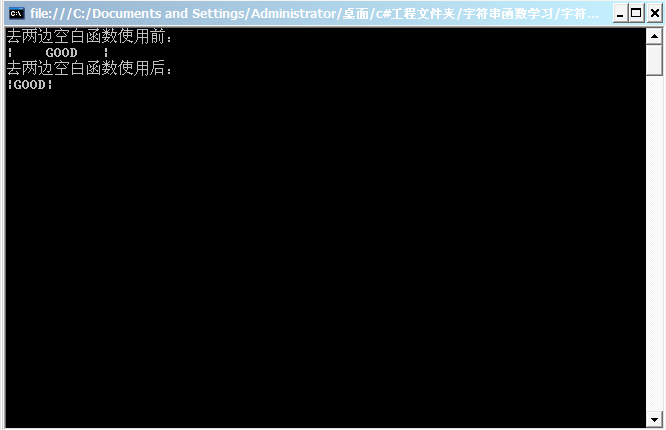
            Console.WriteLine("去两边空白函数使用前:\n|{0}|",s);//调用函数前字符串两边有空白

            s=s.Trim();

            Console.WriteLine("去两边空白函数使用后:\n|{0}|", s);//调用函数后字符串两边无空白

            Console.ReadKey();

        }

    }

}
程序截图:
例三:
字符串忽略大小写比较的函数
"abc"=="ABC"
bool string.Equals(string value,StringComparsion comparisonType)(+2重载)
确定此字符串是否与指定的System.String对象具有相同的值。
参数指定区域性,大小写以及比较所用的排序规则。
异常:
system.NULLReferenceException
system.ArgumentException
源码如下:
using System;

using System.Collections.Generic;

using System.Text;

namespace 字符串函数学习

{

    class Program

    {

        static void Main(string[] args)

        {

            /* *********************************************

             * bool string.Equals(string value,StringComparsion comparisonType)(+2重载)

             * 确定此字符串是否与指定的System.String对象具有相同的值。

             * 参数指定区域性,大小写以及比较所用的排序规则。

             * 异常:

             *       system.NULLReferenceException

             *       system.ArgumentException

             ************************************************

             * StringComparsion枚举类型

             * bool b="abc"=="ABC";

             * Ignore:区分,Case:大小写

             *==是区分大小写的比较,Equals("ABC", StringComparison.OrdinalIgnoreCase)是忽略大小写的比较.

             */

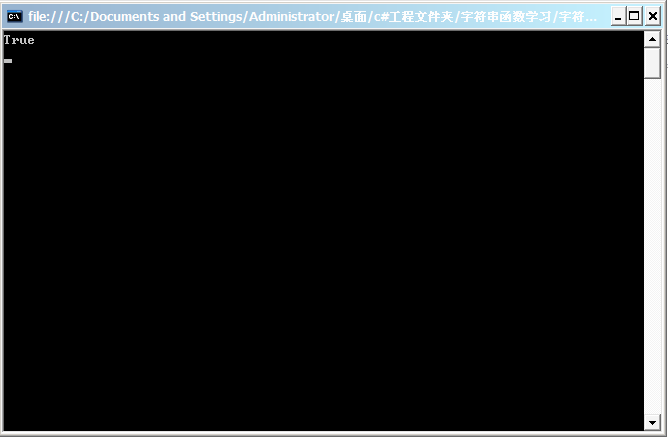
            //判断"abc"=="ABC"返回值bool型为false,忽略大小函数调用后此bool型为true

            bool b = "abc".Equals("ABC", StringComparison.OrdinalIgnoreCase);

            Console.WriteLine(b);//由于调用了忽略大小写函数,所以bool型返回值结果为true

            Console.ReadKey();

        }

    }

}
运行结果:
例四:
字符串的分割函数:
string[] Split(params char[] separator):
将字符串按照指定的分隔符分割为字符串数组
将字符串按照指定的分隔符分割为字符串数组函数:
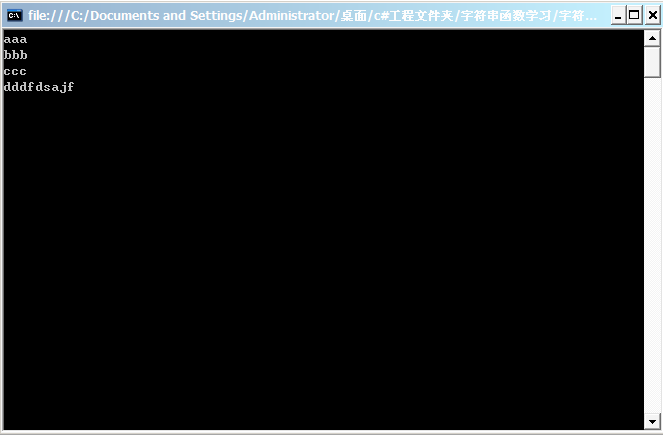
1.将aaa,bbb,ccc,dddfdsajf按照‘,’进行分隔
源码如下:
using System;

using System.Collections.Generic;

using System.Text;

namespace 字符串函数学习

{

    class Program

    {

        static void Main(string[] args)

        {

            string s = "aaa,bbb,ccc,dddfdsajf";

            /* string[] Split(params char[] separator):

             * 将字符串按照指定的分隔符分割为字符串数组

             */

            string[] strs = s.Split(',');//将字符串s按照','进行分割成字符串数组。

            //循环打印字符串数组strs中的内容

            foreach(string item in strs)

            {

                Console.WriteLine(item);

            }

            Console.ReadKey();

        }

    }

}
程序截图:

2.移除结果中的空白字符的分隔函数
string[] Split(charp[] separator,StringSplitOptions options)
将字符串按照指定的char分隔为字符串数组(option取 RemoveEmptyEntrles的时候移除结果中的空白字符)
将aaa,bbb,,ccc,dddfdsajf进行分隔,如果用上面那个方法进行分隔则会出现空白字符:
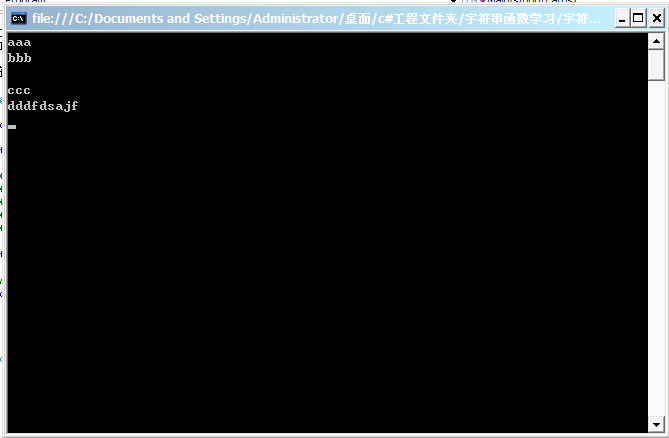
为了避免以上情况,可以使用这个函数解决。
using System;

using System.Collections.Generic;

using System.Text;

namespace 字符串函数学习

{

    class Program

    {

        static void Main(string[] args)

        {

            string s = "aaa,bbb,,ccc,dddfdsajf";

            /* string[] Split(charp[] separator,StringSplitOptions options)

             * 将字符串按照指定的char分隔为字符串数组

             *

             * (option取 RemoveEmptyEntrles的时候移除结果中的空白字符)

             */

            string[] strs = s.Split(new char[] {','},StringSplitOptions.RemoveEmptyEntries);

            //循环打印字符串数组strs中的内容

            foreach(string item in strs)

            {

                Console.WriteLine(item);

            }

            Console.ReadKey();

        }

    }

}
程序运行结果:
3.字符串作为分隔符进行分隔字符串函数:
string[] Split(string[] separator,StringSplitOptions options)
将字符串按照指定的string分隔符分割为字符串数组。
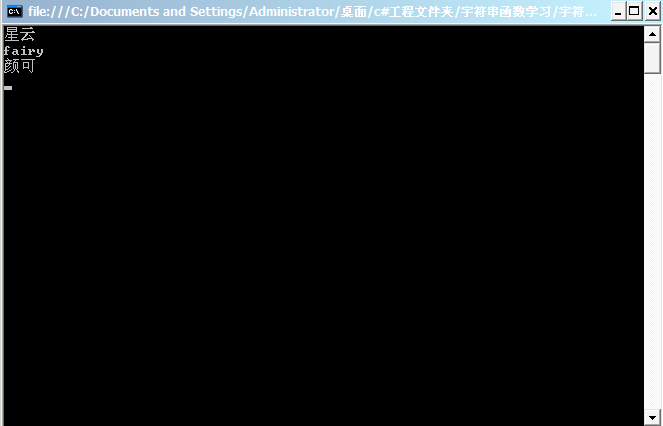
如:将"我是星云我是fairy我是颜可"分隔成"星云fairy颜可"
源码如下:
using System;

using System.Collections.Generic;

using System.Text;

namespace 字符串函数学习

{

    class Program

    {

        static void Main(string[] args)

        {

            string s = "我是星云我是fairy我是颜可";

            /* string[] Split(new string[] separator,StringSplitOptions options)

             * 将字符串按照指定的char分隔为字符串数组

             *

             * (option取 RemoveEmptyEntrles的时候移除结果中的空白字符)

             */

            string[] strs = s.Split(new string[] {"我是"},StringSplitOptions.RemoveEmptyEntries);

            //循环打印字符串数组strs中的内容

            foreach(string item in strs)

            {

                Console.WriteLine(item);

            }

            Console.ReadKey();

        }

    }

}
程序运行截图:
练习一:
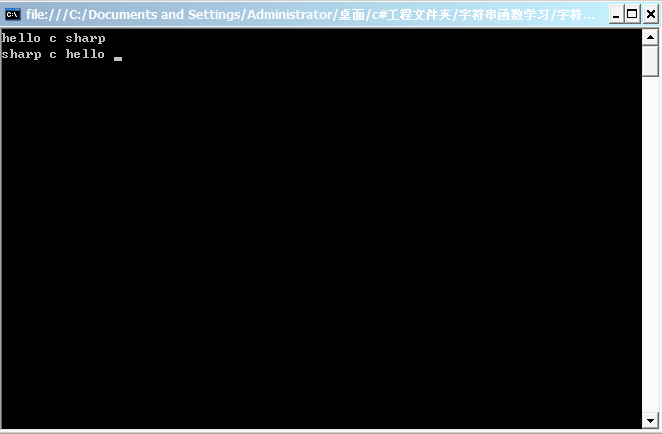
接受用户输入的一句英文,将其中的单词反序输出。
"hello c sharp"——>"sharp c hello"
源码如下:
using System;

using System.Collections.Generic;

using System.Text;

namespace 字符串函数学习

{

    class Program

    {

        static void Main(string[] args)

        {

            string s = Console.ReadLine();//接受一个字符串

            string[] words = s.Split(' ');//将字符串进行分隔

            for (int i = words.Length - ; i >= ; i--)//反序输出

            {

                Console.Write(words[i] + " ");

            }

                Console.ReadKey();

        }

    }

}
程序运行截图:
练习二:
所用函数:
int string.IndexOf(char value)(+8重载)
报告指定Unicode字符在此字符串中的第一个匹配项的索引。string string.Substring(int startIndex,int length)(+1重载)
从此实例检索字符串中子字符串从指定的字符位置开始,且指有指定的长度.异常:
System.ArgumentOutofRangException
目标:将xingyun2684@gmail.com进行分隔,分隔出xingyun2684和gmail.com
源码如下:
using System;

using System.Collections.Generic;

using System.Text;

namespace 字符串函数学习

{

    class Program

    {

        static void Main(string[] args)

        {

            string email= Console.ReadLine();//接受一个Email字符串,如xingyun2684@gmail.com

            /* *********************************************

             * int string.IndexOf(char value)(+8重载)

             * 报告指定Unicode字符在此字符串中的第一个匹配项的索引。

             *************************************************

             */

            int atIndex = email.IndexOf('@');//取@所在的位置

            /************************************************

             * string string.Substring(int startIndex,int length)(+1重载)

             * 从此实例检索字符串中子字符串从指定的字符位置开始,且指有指定的长度.

             * 异常:

             *       System.ArgumentOutOfRangeException

             ***********************************************

             */

            string username = email.Substring(,atIndex);//获取从开始位置到@所在位置的前一个位置的字符串,即xingyun2684

            string 域名 = email.Substring(atIndex + );//获取@所在位置+1的字符串,即gmail.com

            Console.WriteLine(username);//打印xignyun2684

            Console.WriteLine(域名);//打印gmail.com

                Console.ReadKey();

        }

    }

}
程序截图:

练习三:
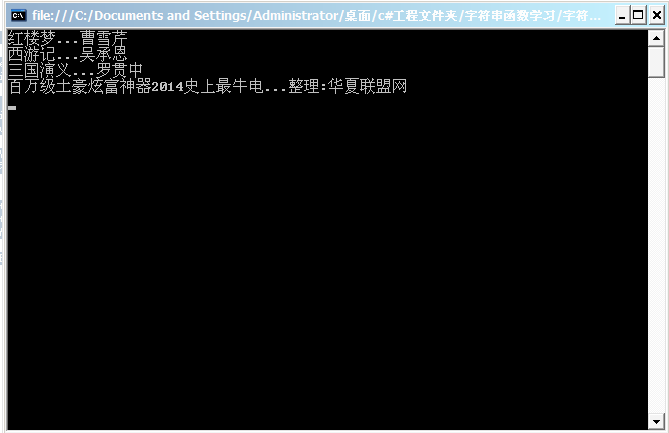
标题作者显示,直间。。。分隔

源码如下:
using System;

using System.Collections.Generic;

using System.Text;

namespace 字符串函数学习

{

    class Program

    {

        static void Main(string[] args)

        {

            string[] lines = System.IO.File.ReadAllLines(@"d:\2.txt", Encoding.Default);

            foreach (string line in lines)

            {

                string[] strs=line.Split(new char[] {' '},StringSplitOptions.RemoveEmptyEntries);

                string title = strs[];//标题

                string author = strs[];//作者

                /* Math.Min(a, title.b);

                 * 返回a和b两个数的最小值。

                 */

                title = title.Substring(, Math.Min(, title.Length));

                title = title + "...";

                Console.WriteLine("{0}{1}", title, author);

            }

                Console.ReadKey();

        }

    }

}
运行截图:
练习四:
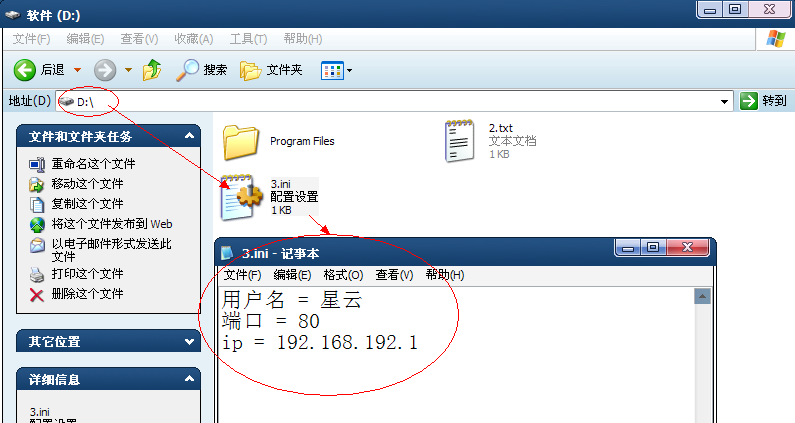
读取ini配置文件内容,函数传参数实现查询项目名对象的值。
源码如下:
using System;

using System.Collections.Generic;

using System.Text;

namespace 字符串函数学习

{

    class Program

    {

        static void Main(string[] args)

        {

            string value = GetConfigValue(@"d:\3.ini", "ip");//函数调用传参数,文件路径和项目名

            Console.WriteLine(value);

            Console.ReadKey();

        }

        static string GetConfigValue(string filename, string itemName)

        {

            string[] lines = System.IO.File.ReadAllLines(filename, Encoding.Default);//读取一个文件

            foreach (string line in lines) //一行一行读

            {

                string[] strs = line.Split('=');//将字符串按照=进行分隔

                string name = strs[];//ip

                string value = strs[];//192.168.1

                if (name.Trim() == itemName)//判断查询是否相同

                {

                    return value.Trim();

                }

            }

            return "没找到或文件路径不正确!";

        }

    }

}
程序截图:

c#编程基础之字符串函数的更多相关文章
- c#编程基础之字符串基础
1.C#中单个的字符串用单引号包含就是char类型,('a'),单引号中放且只能放一个字符 2.单个字符也可以表示为字符串,还可以有长度为0的字符串. 3.使用s.Length属性来获得字符串中的字符 ...
- noi题库(noi.openjudge.cn) 1.7编程基础之字符串T21——T30
T21:单词替换 描述 输入一个字符串,以回车结束(字符串长度<=100).该字符串由若干个单词组成,单词之间用一个空格隔开,所有单词区分大小写.现需要将其中的某个单词替换成另一个单词,并输出替 ...
- noi题库(noi.openjudge.cn) 1.7编程基础之字符串T31——T35
T31 字符串P型编码 描述 给定一个完全由数字字符('0','1','2',-,'9')构成的字符串str,请写出str的p型编码串.例如:字符串122344111可被描述为"1个1.2个 ...
- Shell编程基础教程6--shell函数
6.shell函数 6.1.定义函数 简介: shell允许将一组命令集或语句形成一个可用块,这些块成为shell函数 定义函数的格式 ...
- NOI 1.7编程基础之字符串(35题)
01:统计数字字符个数 查看 提交 统计 提问 总时间限制: 1000ms 内存限制: 65536kB 描述 输入一行字符,统计出其中数字字符的个数. 输入 一行字符串,总长度不超过255. 输出 ...
- shell脚本编程基础之自定义函数库
脚本编程知识点 ${#VAR_NAME}:引用变量中字符的长度 A="25 90 100 120": echo ${A#* }:针对A变量,#表示从左往右,*空格表示以空格为分隔符 ...
- C#编程基础之字符串操作
本文来源于复习基础知识的学习笔记.自用的同时希望也能帮到其他童鞋. 什么是编程语言? 计算机可以执行的指令.这些指令成为源代码或者代码 有什么用? 以人们可读可理解的方式编写指令.人们希望计算机执行指 ...
- Mysql学习笔记(七)mysql编程基础之自定义函数。
delimiter $$ create function fn_liangzifunction() returns int no sql begin ; return @row_no; end; $$ ...
- 大数据技术之_16_Scala学习_04_函数式编程-基础+面向对象编程-基础
第五章 函数式编程-基础5.1 函数式编程内容说明5.1.1 函数式编程内容5.1.2 函数式编程授课顺序5.2 函数式编程介绍5.2.1 几个概念的说明5.2.2 方法.函数.函数式编程和面向对象编 ...
随机推荐
- Js new到底发生了什么
在Js中,我们使用了new关键字来进行实例化 那么在这个new的过程中到底发生了什么? 关于构造函数的return 正常来讲构造函数中是不用写return语句的,因为它会默认返回新创建的对象. 但是, ...
- 使用webstorm+webpack构建简单入门级“HelloWorld”的应用&&引用jquery来实现alert
使用webstorm+webpack构建简单入门级"HelloWorld"的应用&&构建使用jquery来实现 1.首先你自己把webstorm安装完成. 请参考这 ...
- HTML5 介绍
本篇主要介绍HTML5规范的内容和页面上的架构变动. 目录 1. HTML5介绍 1.1 介绍 1.2 内容 1.3 浏览器支持情况 2. 创建HTML5页面 2.1 <!DOCTYPE> ...
- css实现单行,多行文本溢出显示省略号……
1.单行文本溢出显示省略号我们可以直接用text-overflow: ellipsis 实现方法: <style> .div_text{width: 300px; padding:10px ...
- scrapy爬虫docker部署
spider_docker 接我上篇博客,为爬虫引用创建container,包括的模块:scrapy, mongo, celery, rabbitmq,连接https://github.com/Liu ...
- 多线程爬坑之路-Thread和Runable源码解析
多线程:(百度百科借一波定义) 多线程(英语:multithreading),是指从软件或者硬件上实现多个线程并发执行的技术.具有多线程能力的计算机因有硬件支持而能够在同一时间执行多于一个线程,进而提 ...
- Kafka副本管理—— 为何去掉replica.lag.max.messages参数
今天查看Kafka 0.10.0的官方文档,发现了这样一句话:Configuration parameter replica.lag.max.messages was removed. Partiti ...
- Springboot搭建web项目
最近因为项目需要接触了springboot,然后被其快速零配置的特点惊呆了.关于springboot相关的介绍我就不赘述了,大家自行百度google. 一.pom配置 首先,建立一个maven项目,修 ...
- 每天一个设计模式-7 生成器模式(Builder)
每天一个设计模式-7 生成器模式(Builder) 一.实际问题 在讨论工厂方法模式的时候,提到了一个导出数据的应用框架,但是并没有涉及到导出数据的具体实现,这次通过生成器模式来简单实现导出成文本,X ...
- 【夯实PHP基础】UML序列图总结
原文地址 序列图主要用于展示对象之间交互的顺序. 序列图将交互关系表示为一个二维图.纵向是时间轴,时间沿竖线向下延伸.横向轴代表了在协作中各独立对象的类元角色.类元角色用生命线表示.当对象存在时,角色 ...