
jsp-1 简单的应用servlet,并用其跳转页面
jspweb里面用到的servlet跳转页面的方法
使用的jar包只有
commons-lang3-3.5.jar
运行时,tomcat会先根据web.xml里面的信息,查找servlet
<?xml version="1.0" encoding="UTF-8"?>

<web-app xmlns:xsi="http://www.w3.org/2001/XMLSchema-instance" xmlns="http://java.sun.com/xml/ns/javaee" xsi:schemaLocation="http://java.sun.com/xml/ns/javaee http://java.sun.com/xml/ns/javaee/web-app_3_0.xsd" id="WebApp_ID" version="3.0">

  <display-name>servlet</display-name>

  <welcome-file-list>

    <welcome-file>index.jsp</welcome-file>

  </welcome-file-list>

  <servlet>

      <servlet-name>servlet</servlet-name>

      <servlet-class>com.javaweb.action.Servlet</servlet-class>

  </servlet>

  <servlet-mapping>

      <servlet-name>servlet</servlet-name>

      <url-pattern>*.do</url-pattern>

  </servlet-mapping>

  </web-app>
<servlet> 就是你注册的servlet和他的物理地址
<servlet-mapping>servlet的相对地址,就是在.jsp中怎么用

然后就是根据欢迎页面index.jsp等待用户操作
<%@ page language="java" contentType="text/html; charset=UTF-8"

    pageEncoding="UTF-8"%>

<%

    String path = request.getContextPath();// 获得当前的项目根目录路径

    String basePath = request.getScheme()+"://"+request.getServerName()+":"+request.getServerPort()+path;

    //完整路径

%>

<!DOCTYPE html PUBLIC "-//W3C//DTD HTML 4.01 Transitional//EN" "http://www.w3.org/TR/html4/loose.dtd">

<html>

<head>

<meta http-equiv="Content-Type" content="text/html; charset=UTF-8">

<title>这是首页</title>

</head>

<body>

<table border=0 cellpadding=0 cellspacing=0  style="margin:auto;border-collapse:separate; border-spacing:10px;">

<tr>

    <td>

        servlet根目录路径:<%out.print(path);%>

    </td>

</tr>

<tr>

    <td>

        servlet完整路径:<%out.print(basePath);%>

    </td>

</tr>

<tr>

    <td>

        <!--后缀名是.do的直接根据目录找到first方法-->

    <a href="<%=basePath%>/first.do">第一的英文</a>

    </td>

</tr>

<tr>

    <td>

        <!--?的是-->

    <a href="<%=basePath%>/.do?op=second">第二的英文</a>

    </td>

</tr>

<tr>

    <td>

    <!--触发?的else选项,常用来放错误信息-->

    <a href="<%=basePath%>/.do?op=WOSUIBIANDADE">第三的英文</a>

    </td>

</tr>

</table>

</body>

</html>
servlet的具体响应
package com.javaweb.action;

import java.io.IOException;

import java.lang.reflect.InvocationTargetException;

import java.lang.reflect.Method;

import javax.servlet.ServletException;

import javax.servlet.http.HttpServlet;

import javax.servlet.http.HttpServletRequest;

import javax.servlet.http.HttpServletResponse;

import org.apache.commons.lang3.StringUtils;

public class Servlet extends HttpServlet{

    /**

     * 用于版本控制

     */

    private static final long serialVersionUID = -2357925750878300415L;

    @Override

    protected void doGet(HttpServletRequest req, HttpServletResponse resp) throws ServletException, IOException {

        // TODO Auto-generated method stub

        doPost(req, resp);

    }

    @Override

    protected void doPost(HttpServletRequest req, HttpServletResponse resp) throws ServletException, IOException {

        // TODO Auto-generated method stub

        //纯碎是用来判断有没有错误

        String url=req.getServletPath();

        String method=url.substring(1,url.lastIndexOf("."));

        try {

            Method met=getClass().getDeclaredMethod(method, HttpServletRequest.class,HttpServletResponse.class);

            try {

                met.invoke(this, req,resp);

            } catch (IllegalAccessException | IllegalArgumentException | InvocationTargetException e) {

                e.printStackTrace();

            }

        } catch (NoSuchMethodException e) {

            e.printStackTrace();

        } catch (SecurityException e) {

            e.printStackTrace();

        }

        //使用?跳转页面

        req.setCharacterEncoding("UTF-8");

        String op=req.getParameter("op");

        if(StringUtils.isNotBlank(op)){

            if("second".equalsIgnoreCase(op)){

                second(req, resp);

            }else{

               PrintWriter out=resp.getWriter();//调用窗口
                out.println("THIRD");

            }

        }

    }

    public void first(HttpServletRequest req, HttpServletResponse resp) throws ServletException, IOException {

        resp.sendRedirect("first.jsp");

    }

    public void second(HttpServletRequest req, HttpServletResponse resp) throws ServletException, IOException {

        resp.sendRedirect("second.jsp");

    }

}
显然用?的方法和用.do的方法都能实现同样的功能
但是在大量方法同时存在的时候?方法可以用于区分不同方面的方法
req.getParameter("login");
req.getParameter("logout");....
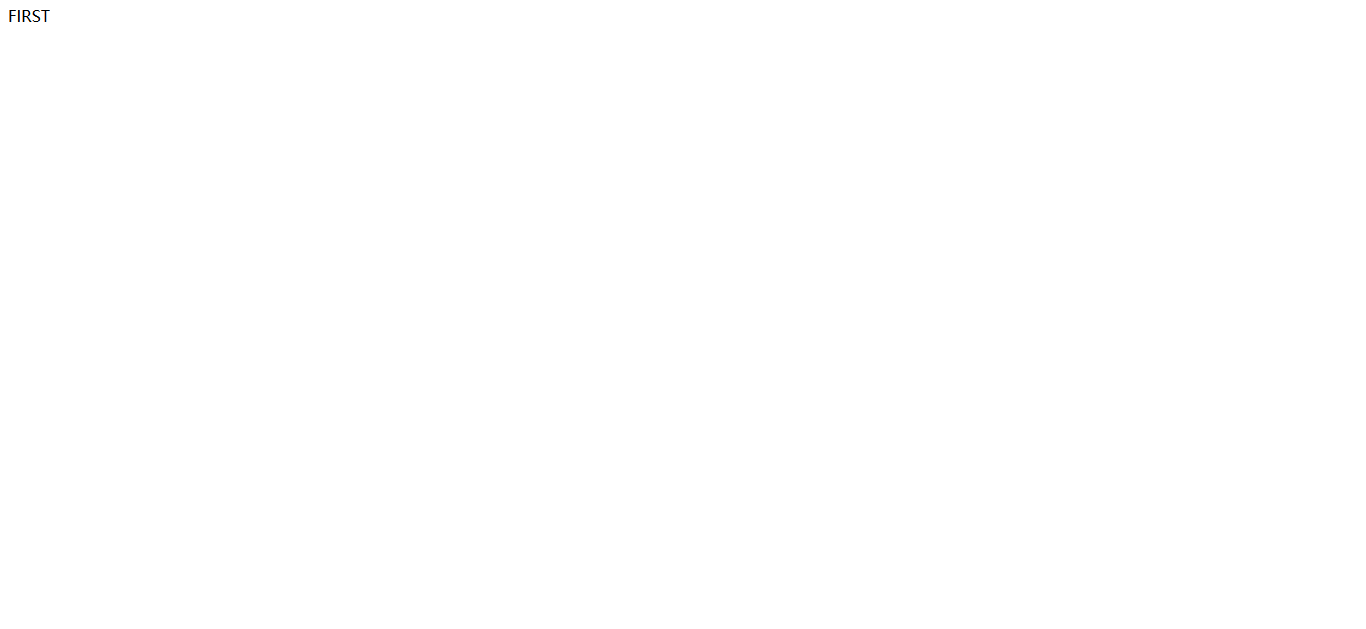
结果



jsp-1 简单的应用servlet,并用其跳转页面的更多相关文章
- 使用Eclipse开发Web项目(JSP)——简单登录、无sql
1.使用Eclipse开发Web项目(JSP) tomcat 2.在Eclipse中创建的Web项目: 浏览器可以直接访问webContent中的文件 例如http://localhost:8080/ ...
- JSP简单练习-用Servlet获取表单数据
// javaBean代码 package servlet; import java.io.*; import javax.servlet.*; import javax.servlet.http.* ...
- JSP制作简单登陆
JSP制作简单登陆界面 运行环境 eclipse+tomcat+MySQL 不知道的可以参考Jsp运行环境--Tomcat 项目列表 这里我先把jsp文件先放在Web-INF外面访问 需要建立的几个文 ...
- JSP的简单介绍
什么是JSP? JSP全称是Java Server Pages,它和servle技术一样,都是SUN公司定义的一种用于开发动态web资源的技术. JSP这门技术的最大的特点在于,写jsp就像在写htm ...
- jsp中获取不到servlet的cookie
今天做登陆,发现jsp中使用document.cookie获取不到servlet生成的cookie,我们可以在浏览器的cookie文件夹中发现,servlet中生成的cookie和jsp中的生成的路径 ...
- 新手详解JAVA+数据库+JSP完成简单页面
本篇以数据库添加为例(本例中数据库名为“xinxi”表单名字为“stud”) 准备---实体层: package entity; public class Student { private Stri ...
- JSP源码、改写Servlet为JSP、查看转译成为Servlet的文件、JSP字符编码设置
概述 在Servlet中编写HTML太麻烦了,应该使用JSP.JSP中可以直接编写HTML,使用指示.声明.脚本(scriptlet)等元素来堆砌各种功能,但JSP最后还是会被容器转译为Servlet ...
- 在jsp中接收并处理servlet传过来的含有bean的List
在jsp中接收并处理servlet传过来的含有bean的List 例如有以下bean package com.test.domain; class Student{ private Stirng na ...
- JSP内置对象与servlet对应关系
隐式对象 说明 out 转译后对应JspWriter对象,其内部关联一个PringWriter对象 request 转译后对应HttpServletRequest/ServletRequest对象 r ...
随机推荐
- 创业路(VC Pipeline),创业需要融资的阅读
企业家们经常问我,您的投资渠道(投资流程)到底是怎么样的? 看看有多少项目,有多少人遇到,频度,终于选择哪些公司进行了投资. 这让我认为有必要提高VC投资通道的可见度.同一时候也有助于介绍到底哪些方面 ...
- SQL Server 后续去除功能汇总
原文:SQL Server 后续去除功能汇总 功能更新去除汇总 字段类型 在 Microsoft SQL Server 的未来版本中将删除 ntext.text 和 image 数据类型. 请避免在新 ...
- web浏览器中javascript
1.异步载入一个js代码function loadasync(url) { var head = document.getElementsByTagName("head")[0]; ...
- extern用法汇总
extern 在源文件A里定义的函数,在其他源文件中是看不见的(即不能訪问).为了在源文件B里能调用这个函数,应该在B的头部加上一个外部声明: extern 函数原型: 这样,在源文件B里也能够调 ...
- Solr多核心及分词器(IK)配置
Solr多核心及分词器(IK)配置 多核心的概念 多核心说白了就是多索引库.也可以理解为多个"数据库表" 说一下使用multicore的真实场景,比若说,产品搜索和会员信息搜索 ...
- 查询职责分离(CQRS)模式
查询职责分离(CQRS)模式 在常用的三层架构中,通常都是通过数据访问层来修改或者查询数据,一般修改和查询使用的是相同的实体.在一些业务逻辑简单的系统中可能没有什么问题,但是随着系统逻辑变得复杂,用户 ...
- 使用ServletContext读取properties配置文件
创建配置文件: 1.在项目的任意地方,右键->New->File->FileName->输入->名称.properties(比如:config.properties) 2 ...
- MVC5入门学习系列④
添加Model且简单的使用EF 对于EF(EntityFramework)不了解的朋友可以去百度文科或者在园子里搜一些简资源看下,假如和我一样知道EF的概念,那么就知道EF有一个code first的 ...
- 在Visual Studio中Git的基本使用
什么是Git Github : https://github.com/git Pro Git: http://git-scm.com/book Git 是一款免费的.开源的.分布式的版本控制系统.旨在 ...
- 闲话Android 之 屏幕大小、pixel、分辨率、dpi、dip
之前都是在自研的产品上做开发,而且我们的屏幕是1dip=1px的,所以在写App布局的时候,随便写单位,也没觉得什么不妥.可是近期我把以前的App里面的一些自定义控件在emulator上跑的时候,才发 ...