
iOS:集合视图UICollectionView、集合视图控制器UICollectionViewController、集合视图单元格UICollectionViewCell(创建表格的另一种控件)
集合视图:UICollectionView(位于storyboard中,通过UIViewController控制器实现协议设置数据源和代理来操作)
1.//纯代码在storyboard创建UICollectionViewControllerCell时,使用该方法
[self.collectionView registerClass:[UICollectionViewCell class] forCellWithReuseIdentifier:reuseIdentifier];
2.//在拖拽UICollectionView到storyboard中时,视图中子带着一个UICollectionViewCell,此时不需要注册
3.//xib中创建UICollectionViewControllerCell时,使用该方法
[self.collectionView registerNib:[UINib nibWithNibName:@“<#name#>" bundle:nil] forCellWithReuseIdentifier:reuseIdentifier];
前面已经介绍过第一种创建表格的方式 ,以下主要介绍第二种方式
《1》在storyboard中创建集合表格视图UICollectionView,它自带一个集合视图单元格UICollectionViewCell,在视图中设置集合视图单元格的布局,视图单元格中的控件需要通过它们的tag获取后,才能使用。
显示结果为:
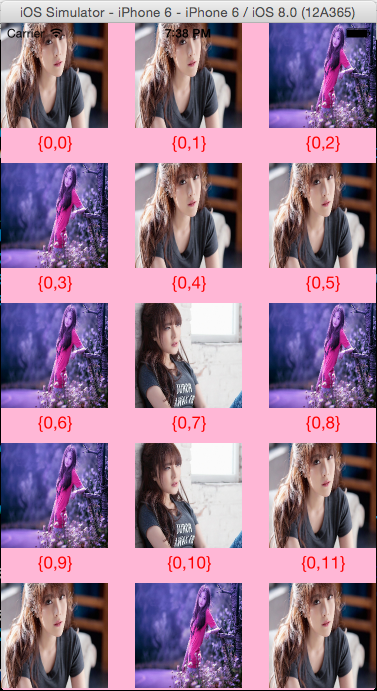
故事板中集合视图和自带的集合视图单元格,单元格内有图像控件和标签控件:
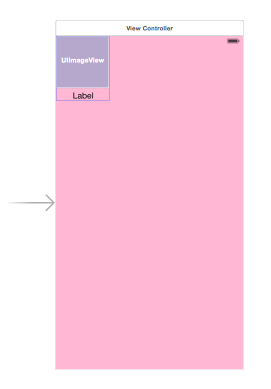

storyboard中的集合视图,自带集合视图单元格
设置集合视图单元格的重用标示符ruseIdentifier
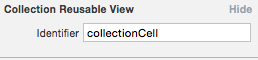
实现代码为:
 #import "ViewController.h"

 @interface ViewController ()<UICollectionViewDataSource>

 @property (weak, nonatomic) IBOutlet UICollectionView *collectionView;

 @end

 @implementation ViewController

 - (void)viewDidLoad {

     [super viewDidLoad];

     //设置数据源

     self.collectionView.dataSource = self;

 }

 #pragma mark -collectionView的方法

 //有多少个区

 -(NSInteger)numberOfSectionsInCollectionView:(UICollectionView *)collectionView

 {

     return ;

 }

 //有多少个单元格项

 -(NSInteger)collectionView:(UICollectionView *)collectionView numberOfItemsInSection:(NSInteger)section

 {

     return ;

 }

 //显示conllectionView的单元格

 -(UICollectionViewCell*)collectionView:(UICollectionView *)collectionView cellForItemAtIndexPath:(NSIndexPath *)indexPath

 {

     //设置重用单元格

     static NSString *reuseIndentifier = @"collectionCell";

     UICollectionViewCell *cell = [collectionView dequeueReusableCellWithReuseIdentifier:reuseIndentifier forIndexPath:indexPath];

     if(!cell)

     {

         cell = [[UICollectionViewCell alloc]init];

     }

     //设置图像

     UIImageView *imageView = (UIImageView*)[cell viewWithTag:];

     [imageView setImage:[UIImage imageNamed:[NSString stringWithFormat:@"美女%d.png",arc4random_uniform()]]];

     //设置标题

     UILabel *label = (UILabel*)[cell viewWithTag:];

     label.text = [NSString stringWithFormat:@"{%ld,%ld}",indexPath.section,indexPath.item];

     label.textColor = [UIColor redColor];

     return cell;

 }

 @end
《2》在storyboard中创建表格视图并设置视图单元格的布局,同时为视图单元格关联自定义的类,将单元格中控件链接到这个类中直接self.使用,不在用tag获取这些控件.
显示结果为:
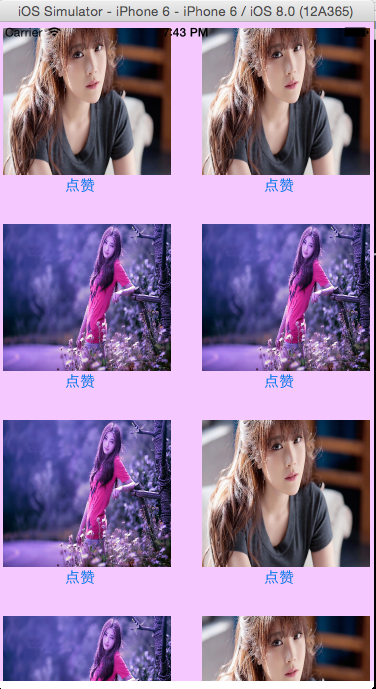
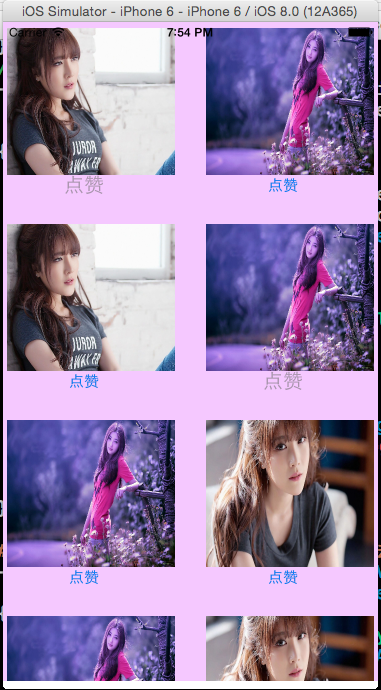
试图控制器中的集合视图,自带集合视图单元格,单元格内包含一个图像控件和按钮控件:
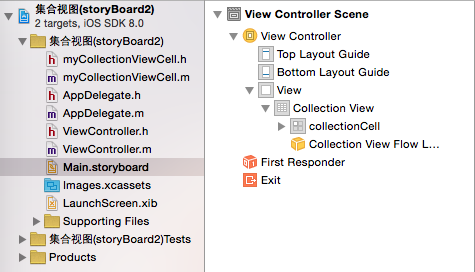
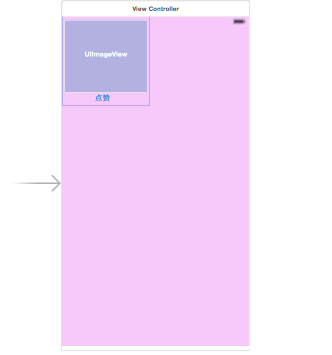
所有文件 故事板中的集合视图
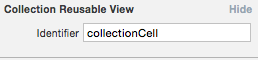
设置集合视图单元格的重用标示符ruseIdentifier,并将集合视图单元格关联自定义的类
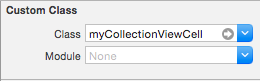
实现代码为:
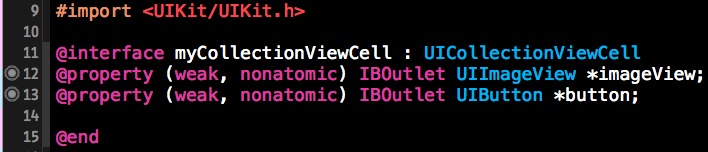
 #import "ViewController.h"

 #import "myCollectionViewCell.h"

 @interface ViewController ()<UICollectionViewDataSource,UICollectionViewDelegate>

 @property (weak, nonatomic) IBOutlet UICollectionView *collectionView;

 @end

 @implementation ViewController

 //按钮点击事件

 - (IBAction)buttonClicked:(UIButton *)sender

 {

     sender.enabled = NO;

     sender.titleLabel.textColor = [UIColor blackColor];

     sender.titleLabel.font = [UIFont systemFontOfSize:];

 }

 - (void)viewDidLoad {

     [super viewDidLoad];

     //设置数据源和代理

     self.collectionView.dataSource = self;

     self.collectionView.delegate = self;

 }

 #pragma mark -collectionView的数据源方法

 //有多少视图单元格项

 -(NSInteger)collectionView:(UICollectionView *)collectionView numberOfItemsInSection:(NSInteger)section

 {

     return ;

 }

 //显示conllectionView的单元格

 -(UICollectionViewCell*)collectionView:(UICollectionView *)collectionView cellForItemAtIndexPath:(NSIndexPath *)indexPath

 {

     //设置重用单元格

     static NSString *reuseIndentifier = @"collectionCell";

     myCollectionViewCell *cell = [collectionView dequeueReusableCellWithReuseIdentifier:reuseIndentifier forIndexPath:indexPath];

     if(!cell)

     {

         cell = [[myCollectionViewCell alloc]init];

     }

     //设置cell的内容

     //设置图像

     [cell.imageView setImage:[UIImage imageNamed:[NSString stringWithFormat:@"美女%d.jpg",arc4random_uniform()]]];

     return cell;

 }

 #pragma mark -collectionView的代理方法

 -(void)collectionView:(UICollectionView *)collectionView didSelectItemAtIndexPath:(NSIndexPath *)indexPath

 {

     myCollectionViewCell *cell = (myCollectionViewCell*)[collectionView cellForItemAtIndexPath:indexPath];

     cell.button.titleLabel.textColor = [UIColor blueColor];

     cell.button.titleLabel.font = [UIFont systemFontOfSize:];

     [cell.button setEnabled:YES];

 }

 @end
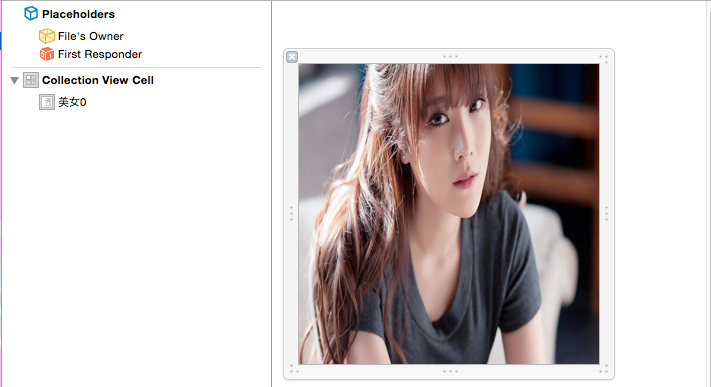
《3》在xib中创建设置视图单元格UICollectionViewCell,在故事板中只存放一个集合视图UICollectionview,集合视图单元格中的控件通过tag获取,此时最重要的是要对单元格进行注册,不然程序会报错。
显示结果为
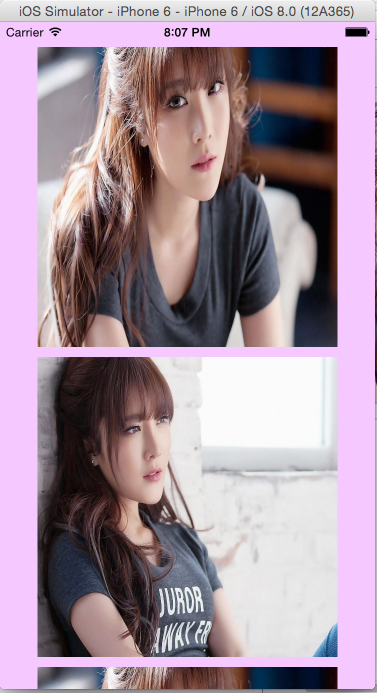
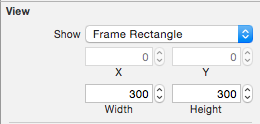
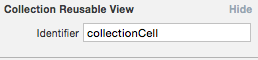
在xib中创建的集合视图单元格即布局以及设置重用标示符ruseIdentifier
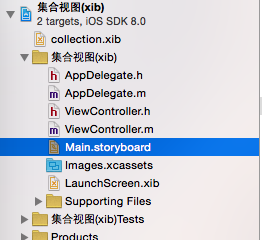

主要代码为:
 #import "ViewController.h"

 //UICollectionViewDelegateFlowLayout是UICollectionViewDelegate的子类

 @interface ViewController ()<UICollectionViewDataSource,UICollectionViewDelegateFlowLayout>

 @property (weak, nonatomic) IBOutlet UICollectionView *collectionView;

 @end

 @implementation ViewController

 - (void)viewDidLoad {

     [super viewDidLoad];

     //设置数据源和代理

     self.collectionView.dataSource = self;

     self.collectionView.delegate = self;

     //注册cell,非常重要

     [self.collectionView registerNib:[UINib nibWithNibName:@"collection" bundle:nil] forCellWithReuseIdentifier:@"collectionCell"];

 }

 #pragma mark -collection的数据院方法

 //有多少个集合视图单元格

 -(NSInteger)collectionView:(UICollectionView *)collectionView numberOfItemsInSection:(NSInteger)section

 {

     return ;

 }

 //显示conllectionView的单元格

 -(UICollectionViewCell*)collectionView:(UICollectionView *)collectionView cellForItemAtIndexPath:(NSIndexPath *)indexPath

 {

     //设置重用单元格

     static NSString *reuseIndentifier = @"collectionCell";

     UICollectionViewCell *cell = [collectionView dequeueReusableCellWithReuseIdentifier:reuseIndentifier forIndexPath:indexPath];

     if(!cell)

     {

         cell = [[UICollectionViewCell alloc]init];

     }

     //设置cell的内容

     //设置图像

     UIImageView *imageView = (UIImageView*)[cell viewWithTag:];

     [imageView setImage:[UIImage imageNamed:[NSString stringWithFormat:@"美女%d.jpg",arc4random_uniform()]]];

     return cell;

 }

 #pragma mark -collectionView的代理方法

 //设置每一个item的size和xib中自定义的一样大

 -(CGSize)collectionView:(UICollectionView *)collectionView layout:(UICollectionViewLayout *)collectionViewLayout sizeForItemAtIndexPath:(NSIndexPath *)indexPath

 {

     return CGSizeMake(, );

 }

 //设置每一个section的表头的size

 -(CGSize)collectionView:(UICollectionView *)collectionView layout:(UICollectionViewLayout *)collectionViewLayout referenceSizeForHeaderInSection:(NSInteger)section

 {

     return CGSizeMake(, );

 }

 //设置每一个section的表尾的size

 -(CGSize)collectionView:(UICollectionView *)collectionView layout:(UICollectionViewLayout *)collectionViewLayout referenceSizeForFooterInSection:(NSInteger)section

 {

     return CGSizeMake(, );

 }

 //设置每一个collection的边距

 -(UIEdgeInsets)collectionView:(UICollectionView *)collectionView layout:(UICollectionViewLayout *)collectionViewLayout insetForSectionAtIndex:(NSInteger)section

 {

     return UIEdgeInsetsMake(, , , );

 }

 @end
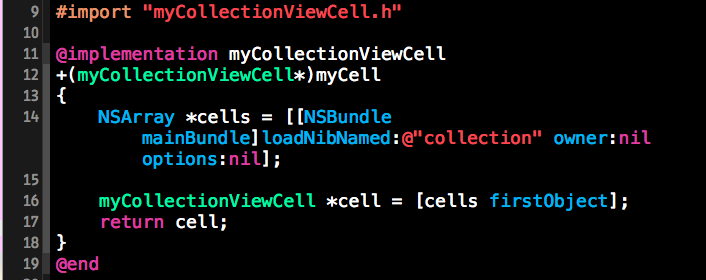
《4》在xib中创建设置视图单元格UICollectionViewCell并关联自定义的类,在故事板中删除UIViewController控制器,创建集合视图控制器UICollectionViewController,集合视图单元格中的控件通过tag获取,将加载获取视图单元格的过程封装到自定义的单元格类中,此时重要的是也要对单元格进行注册,不然程序会报错。
显示结果如下:
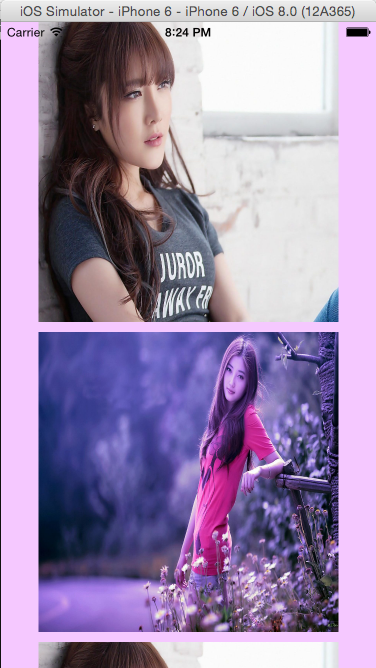
在xib中创建的集合视图单元格即布局、以及设置重用标示符ruseIdentifier、删除故事板中的视图控制器,创建集合视图控制器,最后将集合视图单元格和集合视图控制器分别关联自己的类
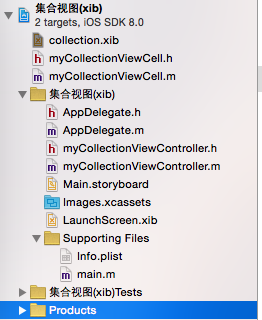
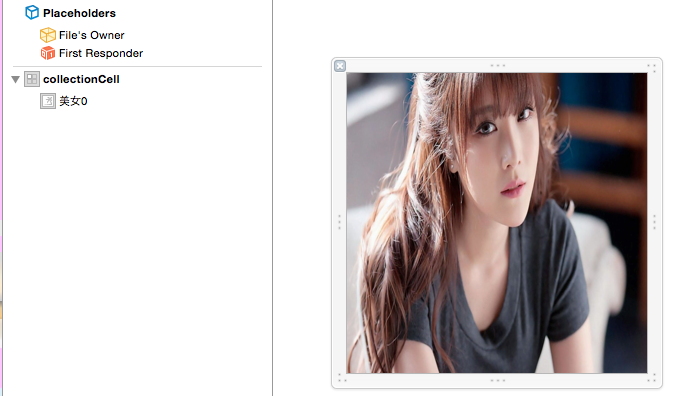
所有的文件 xib中的集合视图单元格
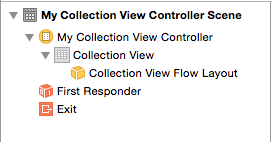
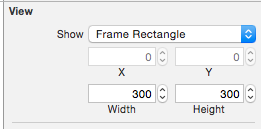
故事板中的集合视图控制器 但集合视图单元格设置宽度和高度
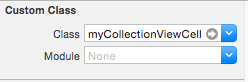
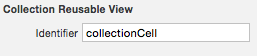
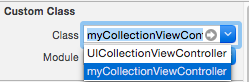
将集合视图单元格与类关联 设置重用单元格标示符 将集合视图控制器与类关联
主要代码为:

 #import "myCollectionViewController.h"

 #import "myCollectionViewCell.h"

 @interface myCollectionViewController ()

 @end

 @implementation myCollectionViewController

 static NSString * const reuseIdentifier = @"collectionCell";

 - (void)viewDidLoad {

     [super viewDidLoad];

     //注册cell,很重要

     [self.collectionView registerNib:[UINib nibWithNibName:@"collection" bundle:nil] forCellWithReuseIdentifier:reuseIdentifier];

 }

 #pragma mark <UICollectionViewDataSource>

 //多少个section分区

 - (NSInteger)numberOfSectionsInCollectionView:(UICollectionView *)collectionView

 {

     return ;

 }

 //每一个section分区有多少单元格项

 - (NSInteger)collectionView:(UICollectionView *)collectionView numberOfItemsInSection:(NSInteger)section

 {

     return ;

 }

 //显示集合视图的单元格

 - (UICollectionViewCell *)collectionView:(UICollectionView *)collectionView cellForItemAtIndexPath:(NSIndexPath *)indexPath

 {

     //设置重用单元格

     myCollectionViewCell *cell = [collectionView dequeueReusableCellWithReuseIdentifier:reuseIdentifier forIndexPath:indexPath];

     if(!cell)

     {

         cell = [myCollectionViewCell myCell];

     }

     //设置cell的内容

     //设置图像

     [cell.imagView setImage:[UIImage imageNamed:[NSString stringWithFormat:@"美女%d.jpg",arc4random_uniform()]]];

     return cell;

 }

 #pragma mark <UICollectionViewDelegate>

 //设置每一个item的size和xib中自定义的一样大

 -(CGSize)collectionView:(UICollectionView *)collectionView layout:(UICollectionViewLayout *)collectionViewLayout sizeForItemAtIndexPath:(NSIndexPath *)indexPath

 {

     return CGSizeMake(, );

 }

 //选中单元格高亮

 - (BOOL)collectionView:(UICollectionView *)collectionView shouldHighlightItemAtIndexPath:(NSIndexPath *)indexPath

 {

     return YES;

 }

 @end
《5》纯代码创建集合视图和集合视图单元格。建立一个自定义的类继承UICollectionViewCell,对cell进行初始化和设置frame;在视图控制器UIViewController的类中代码创建集合视图UICollectionView,进行布局管理,最后添加到self.view中。
结果显示为:

主要代码为:
在单元格自定义类中:

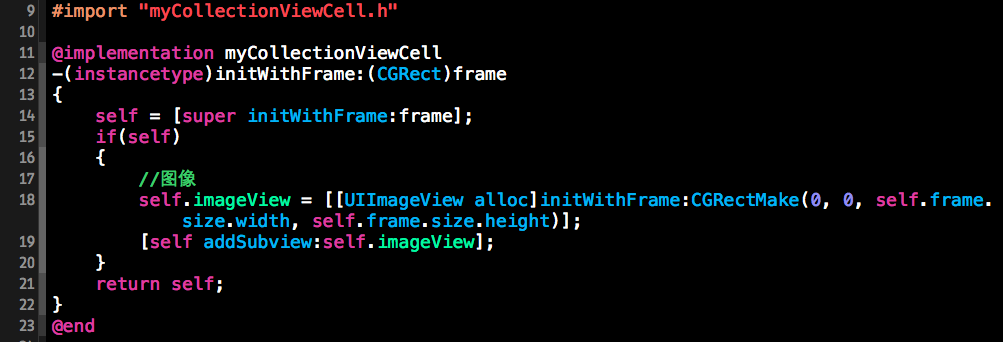
在视图控制器UIController类中:
 #import "ViewController.h"

 #import "myCollectionViewCell.h"

 @interface ViewController ()<UICollectionViewDataSource,UICollectionViewDelegateFlowLayout>

 @end

 @implementation ViewController

 - (void)viewDidLoad {

     [super viewDidLoad];

     //创建集合视图控件并布局

     CGRect rect=  self.view.frame;

     UICollectionViewFlowLayout *flowlyout = [[UICollectionViewFlowLayout alloc]init];

     UICollectionView *collectionView = [[UICollectionView alloc]initWithFrame:rect collectionViewLayout:flowlyout];

     [collectionView setBackgroundColor:[UIColor orangeColor]];

     //注册cell,很重要

     [collectionView registerClass:[myCollectionViewCell class] forCellWithReuseIdentifier:@"collectionCell"];

     //设置数据源和代理

     collectionView.dataSource = self;

     collectionView.delegate = self;

     //将集合视图添加到视图中

     [self.view addSubview:collectionView];

 }

 #pragma mark -collectionView的数据源方法

 //有多少个section分区

 -(NSInteger)numberOfSectionsInCollectionView:(UICollectionView *)collectionView

 {

     return ;

 }

 //一个section有多少个单元格项item

 -(NSInteger)collectionView:(UICollectionView *)collectionView numberOfItemsInSection:(NSInteger)section

 {

     return ;

 }

 //显示conllectionView的单元格

 -(UICollectionViewCell*)collectionView:(UICollectionView *)collectionView cellForItemAtIndexPath:(NSIndexPath *)indexPath

 {

     //设置重用单元格

     static NSString *reuseIndentifier = @"collectionCell";

     myCollectionViewCell *cell = [collectionView dequeueReusableCellWithReuseIdentifier:reuseIndentifier forIndexPath:indexPath];

     if(!cell)

     {

         cell = [[myCollectionViewCell alloc]init];

     }

     //设置cell的内容

     //设置图像

     [cell.imageView setImage:[UIImage imageNamed:[NSString stringWithFormat:@"美女%d.jpg",arc4random_uniform()]]];

     return cell;

 }

 #pragma mark -tableView的代理方法

 //设置每一个集合视图单元格的size

 -(CGSize)collectionView:(UICollectionView *)collectionView layout:(UICollectionViewLayout *)collectionViewLayout sizeForItemAtIndexPath:(NSIndexPath *)indexPath

 {

     return CGSizeMake(, );

 }

 //设置集合视图的表头的size

 -(CGSize)collectionView:(UICollectionView *)collectionView layout:(UICollectionViewLayout *)collectionViewLayout referenceSizeForHeaderInSection:(NSInteger)section

 {

     return CGSizeMake(, );

 }

 @end
iOS:集合视图UICollectionView、集合视图控制器UICollectionViewController、集合视图单元格UICollectionViewCell(创建表格的另一种控件)的更多相关文章
- [Xcode 实际操作]三、视图控制器-(11)在Storyboard中使用表格控件
目录:[Swift]Xcode实际操作 本文将演示表格控件在故事板中的使用. 点击[显示或隐藏检查器按钮],再界面右侧打开检查器面板. 在控制器根视图上点击鼠标,以选择该根视图. 现在往根视图中添加一 ...
- iOS开发~视图(UIView)与控件(UIControl)
1.UIView类 1.什么是视图 看得见的都是视图 2.什么是控件 一种特殊的视图,都是UIControl的子类,不仅具有一定的显示外观,还能响应高级事件,与用户交互.严格意义上UILabel不是控 ...
- iOS 9应用开发教程之使用开关滑块控件以及滚动部署视图
iOS 9应用开发教程之使用开关滑块控件以及滚动部署视图 使用ios9中的开关.滑块控件 开关和滑块也是用于和用户进行交互的控件.本节将主要讲解这两种控件. ios9开关 开关控件常用来控制某个功能的 ...
- iOS:UITableView表格视图控件
UITableView:表格视图控件,继承滚动视图控件UIScrollView,(类似于UIPickerView选择器,它主要通过设置数据源代理和行为代理实现协议来设置单元格) 对表格的操作主要 ...
- iOS:UIPageViewController翻页控制器控件详细介绍
翻页控制器控件:UIPageViewController 介绍: 1.它是为我们提供了一种类似翻书效果的一种控件.我们可以通过使用UIPageViewController控件,来完成类似图书一样的翻页 ...
- Winform 后台将指定的控件集合添加到制定容器中
/// <summary> /// 把按钮按照行数分割排列 /// </summary> /// <param name="ControlArry"& ...
- 【万里征程——Windows App开发】控件大集合1
加入控件的方式有多种.大家更喜欢哪一种呢? 1)使用诸如 Blend for Visual Studio 或 Microsoft Visual Studio XAML 设计器的设计工具. 2)在 Vi ...
- [iOS基础控件 - 6.12.1] QQ菜单管理 UITabBarController 控制器管理
A.需求 1.类似QQ.微信顶部或者底部的窗口转换导航条 2.给每个页面添加相应内容 B.UITabBarController 1.基本概念: (1)内容高度 iOS7之前内容高度为:屏幕高度 - ...
- iOS - Target-Action机制创建自己的UI控件需要了解的知识
我们在开发应用的时候,经常会用到各种各样的控件,诸如按钮(UIButton).滑块(UISlider).分页控件(UIPageControl)等.这些控件用来与用户进行交互,响应用户的操作.我们查看这 ...
随机推荐
- Apache配置实现日志按天分割并删除指定几天前的日志
Apache日志默认情况下是一周切割一次,由于访问量大的时候日志的文件还是比较大的,同时也不利于管理员对日志的分析处理.于是尝试对Apache日志设置按天分割,并通过计划任务执行删除几天的日志. 配置 ...
- 【LOJ】#6289. 花朵
题解 我当时连\(n^2\)的树背包都搞不明白,这道题稳稳的爆零啊= = 然后听说这道题需要FFT--我当时FFT的板子都敲不对,然后这道题就扔了 然后,我去考了thusc--好吧,令人不愉快的经历, ...
- POJ 2019 Cornfields [二维RMQ]
题目传送门 Cornfields Time Limit: 1000MS Memory Limit: 30000K Total Submissions: 7963 Accepted: 3822 ...
- Python类总结-析构函数和__call__方法
class Foo: def __init__(self): pass #析构函数 def __del__(self): print('解释器要销毁我了,我要做最后一次呐喊') def __call_ ...
- 最大流 [USACO4.2]草地排水Drainage Ditches
Background 在农夫约翰的农场上,每逢下雨,贝茜最喜欢的三叶草地就积聚了一潭水.这意味着草地被水淹没了,并且小草要继续生长还要花相当长一段时间.因此,农夫约翰修建了一套排水系统来使贝茜的草地免 ...
- Qt Installer Framework实战
Qt Installer Framework是Qt发布的安装程序支持框架,只需要简单的配置就可以生成安装文件,同时可以通过javascript脚本来定制安装过程. 目录结构 config packag ...
- oracle charset
select userenv('language') from dual; USERENV('LANGUAGE') ------------------------------------------ ...
- FastReport.Net使用:[29]调用存储过程1
1.创建存储过程sp_querycourse,用于查询学生成绩. 2.在FastReport.Net报表设计器中,通过 数据-->添加数据源 来打开数据向导. 选择数据源,添加数据连接. 3.在 ...
- AtCoder Regular Contest 80
链接 C. 4-adjacent 给定序列$a_i$,询问是否存在一个排列,满足$a_{p[i]}* a_{p[i + 1]}$是4的倍数 贪心构造 首先把只是2的倍数的数拿出来,放在最右边 前面把是 ...
- JSP -- include指令与include动作的区别
JSP -- include指令与include动作的区别 (1)格式的区别: include指令:<%@include file = "文件名"%> include动 ...