
gpg --verify之"Can't check signature: No public key"
自从XcodeGhost之后下载软件之后也会先验证一下md5sum,现在发现后面还有gpg签名,于是也开始学习一下。
- gpg的文件在centos6.4上是默认安装的,其安装使用可以参照ruanyifeng的文章。
这里主要讲一下怎么对下载的文件进行验证。
首先当然是下载安装文件,这次下载的使用wso2的data service server 3.2.1,下载地址。
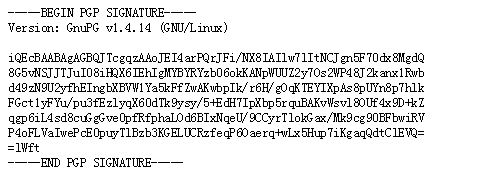
然后是打开gpg文件,如下图1所示,将这个文件也下载下来
- 在term下面执行
gpg --verify wso2dss-3.2.1.zip.asc,可以得到如下的提示
    gpg: Signature made Tue 13 May 2014 05:06:11 AM PDT using RSA key ID 2B2458BF

    gpg: Can't check signature: No public key
- 原因是没有2B2458BF这个KEY ID的公钥,于是可以使用以下语句下载公钥
    $ gpg --search-keys 2B2458BF

    gpg: searching for "2B2458BF" from hkp server keys.gnupg.net

    gpg: keyserver timed out

    gpg: keyserver search failed: Keyserver error
- 发现错误,可能是端口的问题,参照此文的解答,使用以下命令下载公钥。
    $ sudo gpg --keyserver hkp://keyserver.ubuntu.com:80 --recv-keys 2B2458BF

    gpg: directory `/root/.gnupg' created

    gpg: new configuration file `/root/.gnupg/gpg.conf' created

    gpg: WARNING: options in `/root/.gnupg/gpg.conf' are not yet active during this run

    gpg: keyring `/root/.gnupg/secring.gpg' created

    gpg: keyring `/root/.gnupg/pubring.gpg' created

    gpg: requesting key 2B2458BF from hkp server keyserver.ubuntu.com

    gpg: /root/.gnupg/trustdb.gpg: trustdb created

    gpg: key 2B2458BF: public key "Anjana Fernando (LA_F) " imported

    gpg: no ultimately trusted keys found

    gpg: Total number processed: 1

    gpg:               imported: 1  (RSA: 1)
- 再进行校验,就可以得到成功的信息。
    $ sudo gpg --verify wso2dss-3.2.1.zip.asc

    gpg: Signature made Tue 13 May 2014 05:06:11 AM PDT using RSA key ID 2B2458BF

    gpg: Good signature from "Anjana Fernando (LA_F) "

    gpg: WARNING: This key is not certified with a trusted signature!

    gpg:          There is no indication that the signature belongs to the owner.

    Primary key fingerprint: 56EA 3B61 4CC4 7875 A865  0858 8E1A ACF4 2B24 58BF
gpg --verify之"Can't check signature: No public key"的更多相关文章
- GPG error: the public key is not available
GPG error: The following signatures couldn't be verified because the public key is not available I h ...
- GPG error: http://extras.ubuntu.com trusty Release: The following signatures couldn't be verified because the public key is not available: NO_PUBKEY F60F4B3D7FA2AF80
今天在更新运行apt-get update的时候出现了如下的错误: W: GPG error: http://extras.ubuntu.com trusty Release: The followi ...
- W: GPG error: http://ppa.launchpad.net trusty InRelease: The following signatures couldn't be verified because the public key is not available: NO_PUBKEY 8CF63AD3F06FC659
报错信息: W: GPG error: http://ppa.launchpad.net trusty InRelease: The following signatures couldn't be ...
- nginx 安全配置文档
1.配置文档中有多处明确写出了nginx的配置文件路径,该路径是测试环境中的路径,线上系统的nginx配置文件与文档中所写的路径可能不一样,在进行相关配置时,应以线上配置文件的实际路径为准. 线上系统 ...
- (转)nginx 安全配置文档
原文:https://www.cnblogs.com/heaven-xi/p/9961357.html#top 1.配置文档中有多处明确写出了nginx的配置文件路径,该路径是测试环境中的路径,线上系 ...
- How to compile and install Linux Kernel 5.1.2 from source code
How to compile and install Linux Kernel 5.1.2 from source code Compiling a custom kernel has its adv ...
- Redis——redis使用redis-dump,redis-load导出导入数据——【三】
来源 https://www.cnblogs.com/dadonggg/p/8662455.html https://blog.csdn.net/chenxinchongcn/article/deta ...
- Redis redis-trib集群配置
redis文档:http://doc.redisfans.com/ 参考:https://www.cnblogs.com/wuxl360/p/5920330.html http://www.cnblo ...
- OpenSSL Command-Line HOWTO
OpenSSL Command-Line HOWTO The openssl application that ships with the OpenSSL libraries can perform ...
随机推荐
- php的两个符号@和&---php总会要知道的系列
在写代码的时候,碰到了在函数和变量前家 @和$的的问题,于是就借这个机会,学习下php的传值和传引用这两种方式 首先 @ 运算符只对表达式有效.对新手来说一个简单的规则就是:如果能从某处得到值,就能在 ...
- 161018--NOIP模拟
老实说,感觉自己好菜啊..(安慰自己省选做多了 T1:看似1e6很大,实际上常数52都能草过去...不知为何RE.. T2:记忆化搜索.看错题目条件QAQ,其实把自己暴力搜的程序改改就好了.. T3: ...
- True bar
真彩bar /***========================================================================= ==== ==== ==== D ...
- hdu 4609 3-idiots
http://acm.hdu.edu.cn/showproblem.php?pid=4609 FFT 不会 找了个模板 代码: #include <iostream> #include ...
- 有关嵌入式linux的注意点总结
知识收集和个人学习过程遇到的问题. 仅供参考. 1.sudo apt-get update 一直无法更新 一,查看网络是否连接上 有几种网络连接方式.常用的两种有网桥网络(Bridged)和网络地址翻 ...
- 蓝桥杯 BASIC_17 矩阵乘法 (矩阵快速幂)
问题描述 给定一个N阶矩阵A,输出A的M次幂(M是非负整数) 例如: A = 1 2 3 4 A的2次幂 7 10 15 22 输入格式 第一行是一个正整数N.M(1<=N<=30, 0& ...
- iOS 下如果存在UIScrollerView 使用UIScreenEdgePanGestureRecognizer实现侧滑效果失效的问题
当你在使用UIScreenEdgePanGestureRecognizer手势实现侧滑的时候,如果后期你导航控制器push出的界面中包含UIScrollerView,这个时候你会发现,侧滑效果无法实现 ...
- JVM-class文件完全解析-字段表集合
字段表集合 这个class文件的解析,分析得有点太久了.前面介绍类魔数,次版本号,主板本号,常量池入口,常量池,访问标志,类索引,父类索引和接口索引集合.下面就应该到字段表集合了. 紧接着接口索引 ...
- 编译mahout0.9
一.编译的必要性 由于hadoop的生态系统中的各个组建之间的兼容性的问题,因此导致将各个组件组合在一起的时候,会存在一个兼容性的问题,这也是apache hadoop生态系统给开发者带来的一个问题, ...
- lightoj1085 线段树+dp
//Accepted 7552 KB 844 ms //dp[i]=sum(dp[j])+1 j<i && a[j]<a[i] //可以用线段树求所用小于a[i]的dp[j ...