
UINavigationController便于pop的category
UINavigationController便于pop的category

效果图:

这个category是为了方便UINavigationController用于跳转到指定的控制器当中,用于跳级,如果pop的控制器不存在,会直接提示:

category源码:
UINavigationController+POP.h 与 UINavigationController+POP.m
//

//  UINavigationController+POP.h

//  YouXianMing

//

//  Created by YouXianMing on 14-9-20.

//  Copyright (c) 2014年 YouXianMing. All rights reserved.

//

#import <UIKit/UIKit.h>

@interface UINavigationController (POP)

- (NSArray *)popToViewControllerClass:(Class)viewControllerClass animated:(BOOL)animated;

@end
//

//  UINavigationController+POP.m

//  YouXianMing

//

//  Created by YouXianMing on 14-9-20.

//  Copyright (c) 2014年 YouXianMing. All rights reserved.

//

#import "UINavigationController+POP.h"

@implementation UINavigationController (POP)

- (NSArray *)popToViewControllerClass:(Class)viewControllerClass animated:(BOOL)animated

{

    UIViewController *controller = nil;
for (UIViewController *oneController in self.viewControllers) {
if ([oneController isMemberOfClass:viewControllerClass]) {
controller = oneController;
break;
}
}
if (controller == nil) {

        NSLog(@"%s:%s:%d 要pop的控制器指针为空", __FILE__, __func__, __LINE__);

        return nil;

    }

    return [self popToViewController:controller

                            animated:animated];

}

@end
源码:
RootViewController.m
//

//  RootViewController.m

//  YouXianMing

//

//  Created by YouXianMing on 14-9-20.

//  Copyright (c) 2014年 YouXianMing. All rights reserved.

//

#import "RootViewController.h"

#import "SecondViewController.h"

@interface RootViewController ()

@end

@implementation RootViewController

- (void)viewDidLoad

{

    [super viewDidLoad];

    // 设置导航栏样式以及标题以及view的背景色

    [self titleTextAttributes:[self createTitleTextAttributes:[UIColor redColor]]];

    self.title = @"First ViewController";

    self.view.backgroundColor = [UIColor whiteColor];

    // 添加手势

    UITapGestureRecognizer *tap = [[UITapGestureRecognizer alloc] initWithTarget:self

                                                                          action:@selector(tapEvent)];

    [self.view addGestureRecognizer:tap];

}

- (void)tapEvent

{

    [self.navigationController pushViewController:[SecondViewController new]

                                         animated:YES];

}

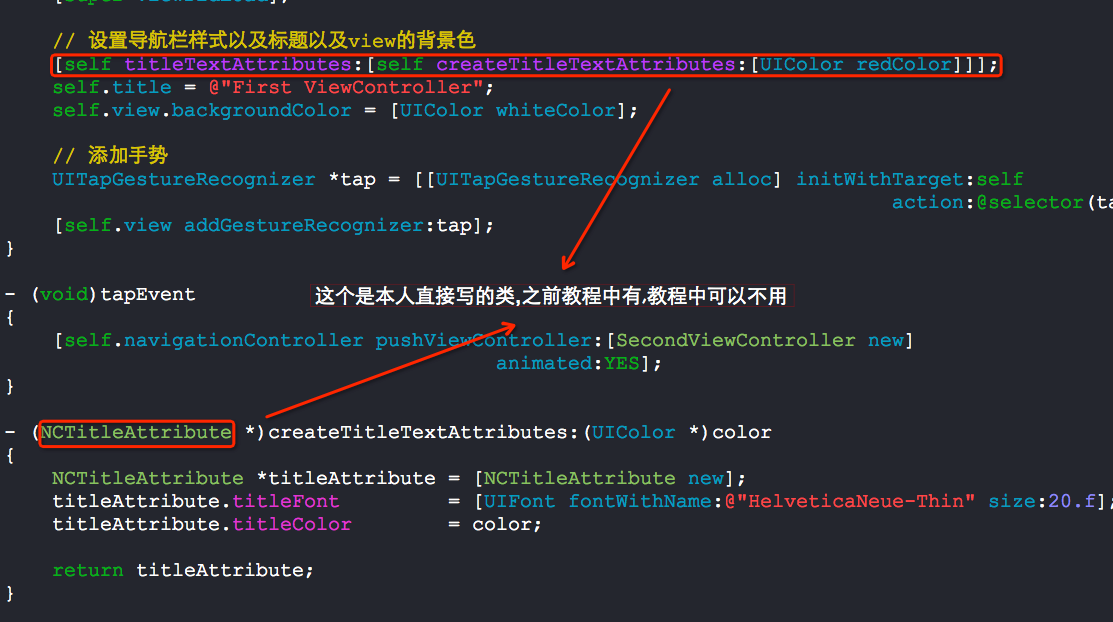
- (NCTitleAttribute *)createTitleTextAttributes:(UIColor *)color

{

    NCTitleAttribute *titleAttribute = [NCTitleAttribute new];

    titleAttribute.titleFont         = [UIFont fontWithName:@"HelveticaNeue-Thin" size:.f];

    titleAttribute.titleColor        = color;

    return titleAttribute;

}

@end
SecondViewController.m
//

//  SecondViewController.m

//  YouXianMing

//

//  Created by YouXianMing on 14-9-20.

//  Copyright (c) 2014年 YouXianMing. All rights reserved.

//

#import "SecondViewController.h"

#import "ThirdViewController.h"

@interface SecondViewController ()

@end

@implementation SecondViewController

- (void)viewDidLoad

{

    [super viewDidLoad];

    // 设置导航栏样式以及标题

    [self titleTextAttributes:[self createTitleTextAttributes:[UIColor redColor]]];

    self.title = @"Second ViewController";

    self.view.backgroundColor = [UIColor redColor];

    // 添加手势

    UITapGestureRecognizer *tap = [[UITapGestureRecognizer alloc] initWithTarget:self

                                                                          action:@selector(tapEvent)];

    [self.view addGestureRecognizer:tap];

}

- (void)tapEvent

{

    [self.navigationController pushViewController:[ThirdViewController new]

                                         animated:YES];

}

- (NCTitleAttribute *)createTitleTextAttributes:(UIColor *)color

{

    NCTitleAttribute *titleAttribute = [NCTitleAttribute new];

    titleAttribute.titleFont         = [UIFont fontWithName:@"HelveticaNeue-Thin" size:.f];

    titleAttribute.titleColor        = color;

    return titleAttribute;

}

@end
ThirdViewController.m
//

//  ThirdViewController.m

//  YouXianMing

//

//  Created by YouXianMing on 14-9-20.

//  Copyright (c) 2014年 YouXianMing. All rights reserved.

//

#import "ThirdViewController.h"

#import "RootViewController.h"

@interface ThirdViewController ()

@end

@implementation ThirdViewController

- (void)viewDidLoad

{

    [super viewDidLoad];

    // 设置导航栏样式以及标题

    [self titleTextAttributes:[self createTitleTextAttributes:[UIColor redColor]]];

    self.title = @"Third ViewController";

    self.view.backgroundColor = [UIColor cyanColor];

    // 添加手势

    UITapGestureRecognizer *tap = [[UITapGestureRecognizer alloc] initWithTarget:self

                                                                          action:@selector(tapEvent)];

    [self.view addGestureRecognizer:tap];

}

- (void)tapEvent

{

    [self.navigationController popToViewControllerClass:[RootViewController class]

                                               animated:YES];

}

- (NCTitleAttribute *)createTitleTextAttributes:(UIColor *)color

{

    NCTitleAttribute *titleAttribute = [NCTitleAttribute new];

    titleAttribute.titleFont         = [UIFont fontWithName:@"HelveticaNeue-Thin" size:.f];

    titleAttribute.titleColor        = color;

    return titleAttribute;

}

@end
需要注意的一些地方:

UINavigationController便于pop的category的更多相关文章
- iOS 7中使用UINavigationController进行pop崩溃
最近在一个项目中遇到一种情况,push到一个界面,如果那个界面未请求到数据,则直接pop回去,然而使用 [self.navigationController popViewControllerAnim ...
- iOS 开发中遇到的问题
1. 关于纠结很久的KVO崩溃问题,其真正原因是,在删除roomItem的KVO之前,将这个对象已经赋值为nil,所以实际上并没有删除他的observer,因此而崩溃:长时间纠结的原因是受.cxx_d ...
- [New learn] 设计模式
本文翻译自:http://www.raywenderlich.com/46988/ios-design-patterns iOS设计模式 - 你可能听到过这个术语,但是你知道是什么意思吗?虽然大多数的 ...
- Log4cpp介绍及使用
Log4cpp是一个开源的C++类库,它提供了在C++程序中使用日志和跟踪调试的功能.使用log4cpp,可以很便利地将日志或者跟踪调试信息写入字符流.内存字符串队列.文件.回滚文件.调试器.Wind ...
- log4cpp基础测试
// log4cplus.cpp : 定义控制台应用程序的入口点.// #include "stdafx.h" #include <iostream>#include ...
- JVM Specification 9th Edition (4) Chapter 4. The class File Format
Chapter 4. The class File Format Table of Contents 4.1. The ClassFile Structure 4.2. Names 4.2.1. Bi ...
- 精准 iOS 内存泄露检测工具
MLeaksFinder:精准 iOS 内存泄露检测工具 发表于 2016-02-22 | zepo | 23 Comments 背景 平常我们都会用 Instrument 的 Lea ...
- iOS页面右滑返回的实现方法总结
1.边缘触发的系统方法 ①系统返回按钮 self.navigationController.interactivePopGestureRecognizer.enabled = YES; ②自定义返回 ...
- UINavigationController导航控制器初始化 导航控制器栈的push和pop跳转理解
(1)导航控制器初始化的时候一般都有一个根视图控制器,导航控制器相当于一个栈,里面装的是视图控制器,最先进去的在最下面,最后进去的在最上面.在最上面的那个视图控制器的视图就是这个导航控制器对外展示的界 ...
随机推荐
- 7-nginx-keepalived配置主从双击热备
nginx的高可用解决方案 keepalive 是 VRRP 协议的完美实现, 通过vip(虚拟ip)来实现主从双击热备, 自动切换的高可用方案, nginx的主从是通过keepalived实现的 通 ...
- seajs源码分析(一)---整体结构以及module.js
1,seajs的主要内容在module.js内部,最开始包含这么几个东西 var cachedMods = seajs.cache = {} var anonymousMeta var fetchin ...
- 任务三十九:UI组件之冻结行列表格
任务三十九:UI组件之冻结行列表格 面向人群: 有一定JavaScript基础 难度: 中 重要说明 百度前端技术学院的课程任务是由百度前端工程师专为对前端不同掌握程度的同学设计.我们尽力保证课程内容 ...
- IOS第三方之SVProgressHUD
这个第三方和MBProgressHUD差不多,也挺简单的. // // ViewController.m // ProgressHUD // // Created by City--Online on ...
- mysql中Access denied for user 'root'@'localhost' (using password:YES)错误
此错误主要是由于你的系统曾经装过MYSQL,在重装就会要求输入原来设定的密码 由于输入错误导致 解决办法见 上一篇博客 MYSQL安装时解决要输入current root passwo ...
- 线程2--多线程NSThread
NSThread三种方式创建子线程 /** * NSThread创建线程方式1 * 1> 先创建初始化线程 * 2> start开启线程 */ -(void)creatNSThread { ...
- 【转】Java线程详解
Java线程:概念与原理 一.操作系统中线程和进程的概念 现在的操作系统是多任务操作系统.多线程是实现多任务的一种方式. 进程是指一个内存中运行的应用程序,每个进程都有自己独立的一块内存空间,一个进程 ...
- gRPC 的route_guide例子
本文的例子代码在: https://github.com/grpc/grpc-go/tree/master/examples/route_guide 功能就类似目前LBS一样,在每个位置上报一些文 ...
- linq中如何实现多个条件的联合查询
目前接触处理数据这一块比较多,在处理内存中的数据源的时候我一般使用的是linq,linq使用起来像sql语句一样,用法简单,功能强大. 最近需要实现一个从两个不同的文件读取不同的数据,然后根据这两个数 ...
- JavaScript--浅谈DOM操作
JavaScript之浅谈DOM操作 1.理解DOM: DOM(Document Object Model ,文档对象模型)一种独立于语言,用于操作xml,html文档的应用编程接口. 怎么说,我从两 ...