
Spring Dataflow批处理框架在OCP上的部署
详细参考
https://donovanmuller.blog/spring-cloud-dataflow-server-openshift/docs/1.2.1.RELEASE/reference/htmlsingle/
注意事项:
- Openshift上需要部署service catalog
部署步骤
1.建立项目
#oc login -u admin

#oc new-project scdf --description="Spring Cloud Data Flow"
2.部署模板
官方材料一般都有问题
curl https://raw.githubusercontent.com/donovanmuller/spring-cloud-dataflow-server-openshift/v1.2.1.RELEASE/src/etc/openshift/install-templates.sh | bash
我的做法是,把install-templates.sh下载下来,然后按照sh脚本步骤一步一步部署
#!/usr/bin/env bash

# This script downloads the Data Flow Server for OpenShift templates and uploads them into

# a specified project. The default project is `scdf` as per the Getting Started guide from the reference

# documentation. However, the project can be specified as the first argument to this script.

#

# Usage:

#

# $ ./install-templates.sh [project name]

#

# or alternatively:

#

# $ curl -sL https://github.com/donovanmuller/spring-cloud-dataflow-server-openshift/releases/download/${version}/scdf-openshift-templates.zip \

#   | bash -s [project name] [tag/branch]

#

project=${:-scdf}

version=${:-v1.1.0.RELEASE}

echo "Installing OpenShift templates (${version}) into project '${project}'..."

curl -o /tmp/scdf-openshift-templates.zip -sL https://github.com/donovanmuller/spring-cloud-dataflow-server-openshift/releases/download/${version}/scdf-openshift-templates.zip

unzip -o /tmp/scdf-openshift-templates.zip -d /tmp/scdf-openshift-templates

shopt -s nullglob

for template in /tmp/scdf-openshift-templates/*.yaml

do

    echo "Installing template '$template'"

    oc replace --force=true -f $template

done

echo "Adding 'edit' role to 'scdf' Service Account..."

oc policy add-role-to-user edit system:serviceaccount:${project}:scdf

echo "Adding 'scdf' Service Account to the 'anyuid' SCC..."

oc adm policy add-scc-to-user anyuid system:serviceaccount:${project}:scdf

echo "Templates installed."
一看,说白了也就部署一堆templates,因为涉及到好几个镜像,可以按照pullimage.sh文件提供的镜像预先下载
#!/usr/bin/env bash

echo "Pulling images..."

declare -a images=(

  "mysql:5.6"

  "redis:3-alpine"

  "donovanmuller/spring-cloud-dataflow-server-openshift:1.2.0.RELEASE"

  "rabbitmq:3-management"

  "digitalwonderland/zookeeper"

  "wurstmeister/kafka:0.10.2.1"

  )

for((i=;i<${#images[@]};i++))

do

   echo "Pulling '${images[$i]}' - `expr $i + 1` of ${#images[@]}"

   docker pull ${images[$i]}

done
因为我的OCP是个离线环境,因此下载完后push到本地的 registry
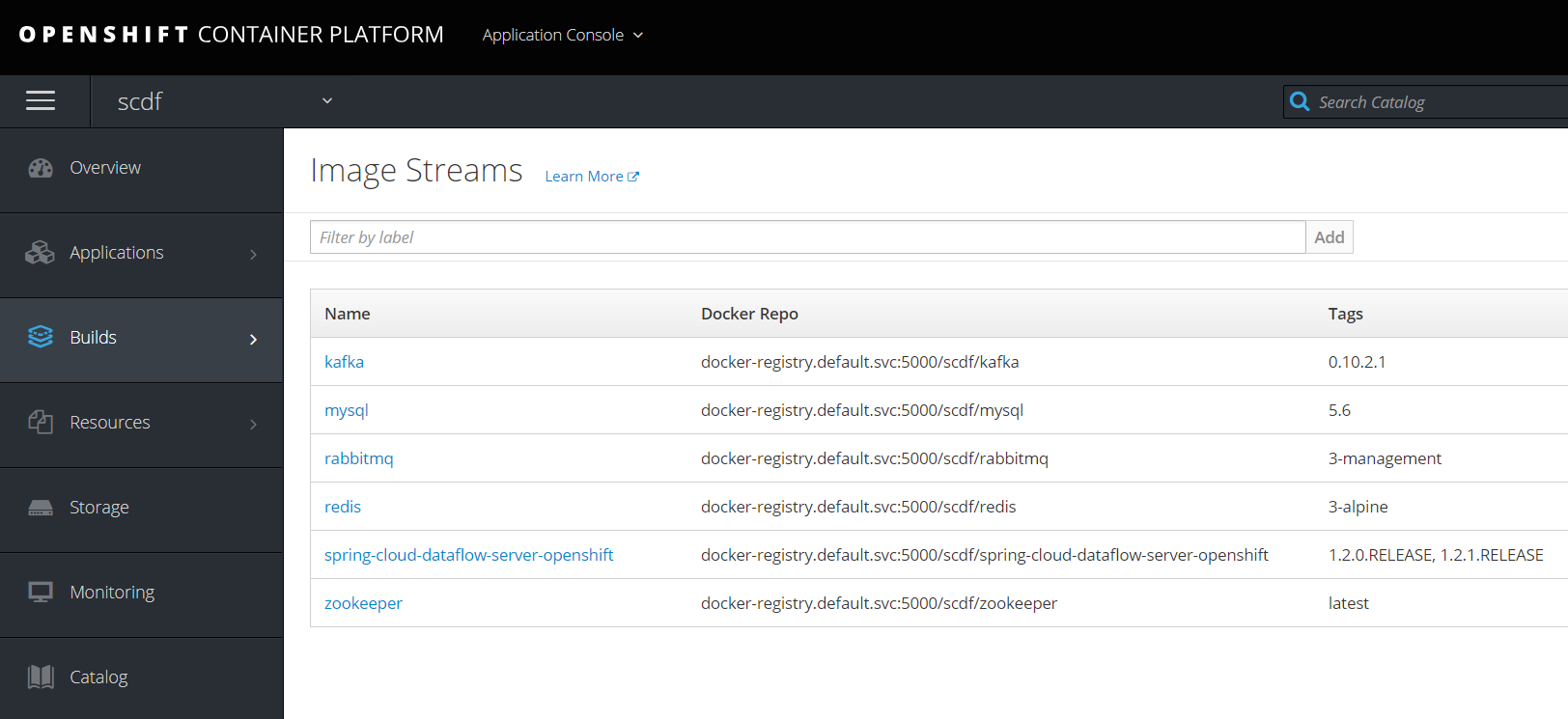
修改我们要用到的scdf-ephemeral-datasources-kafka-template.yaml,然后oc create -f,可以在catalog中看到
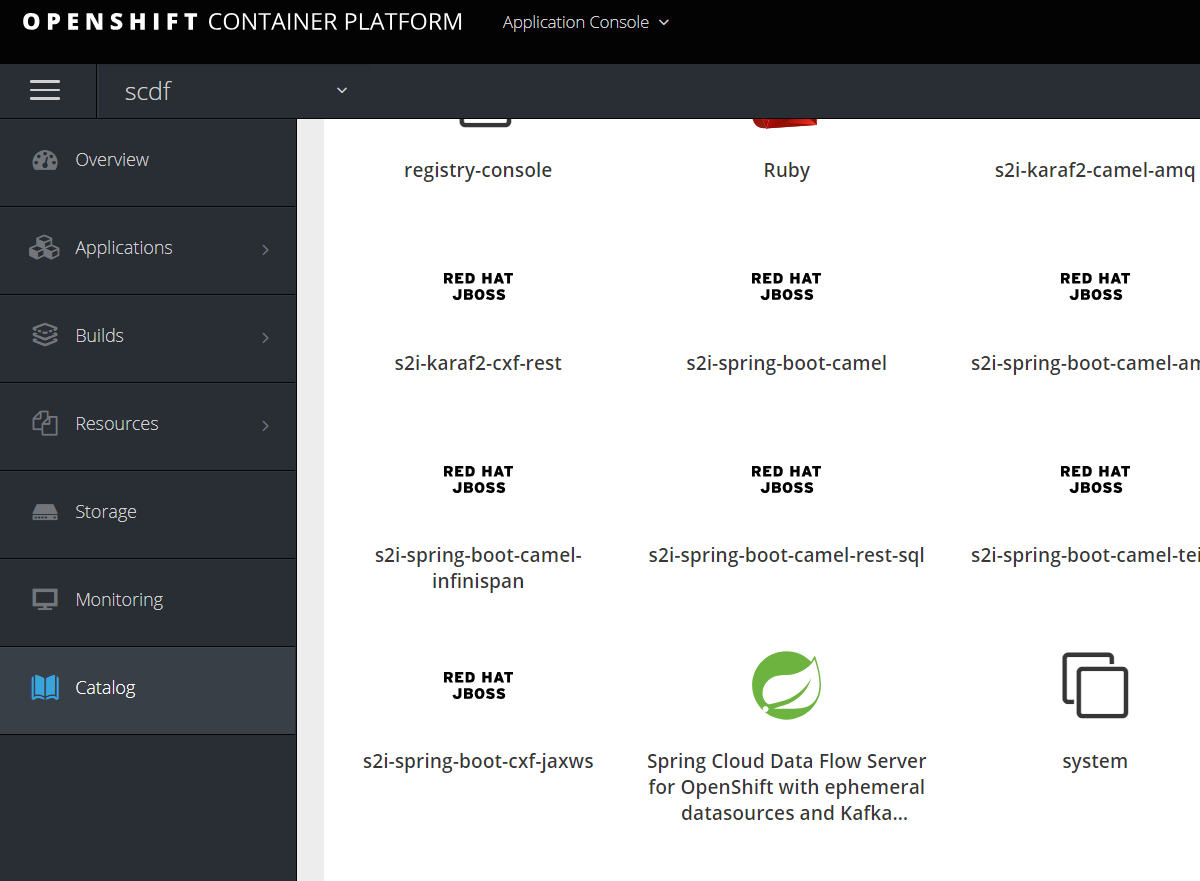
3.创建实例
保证pod启动
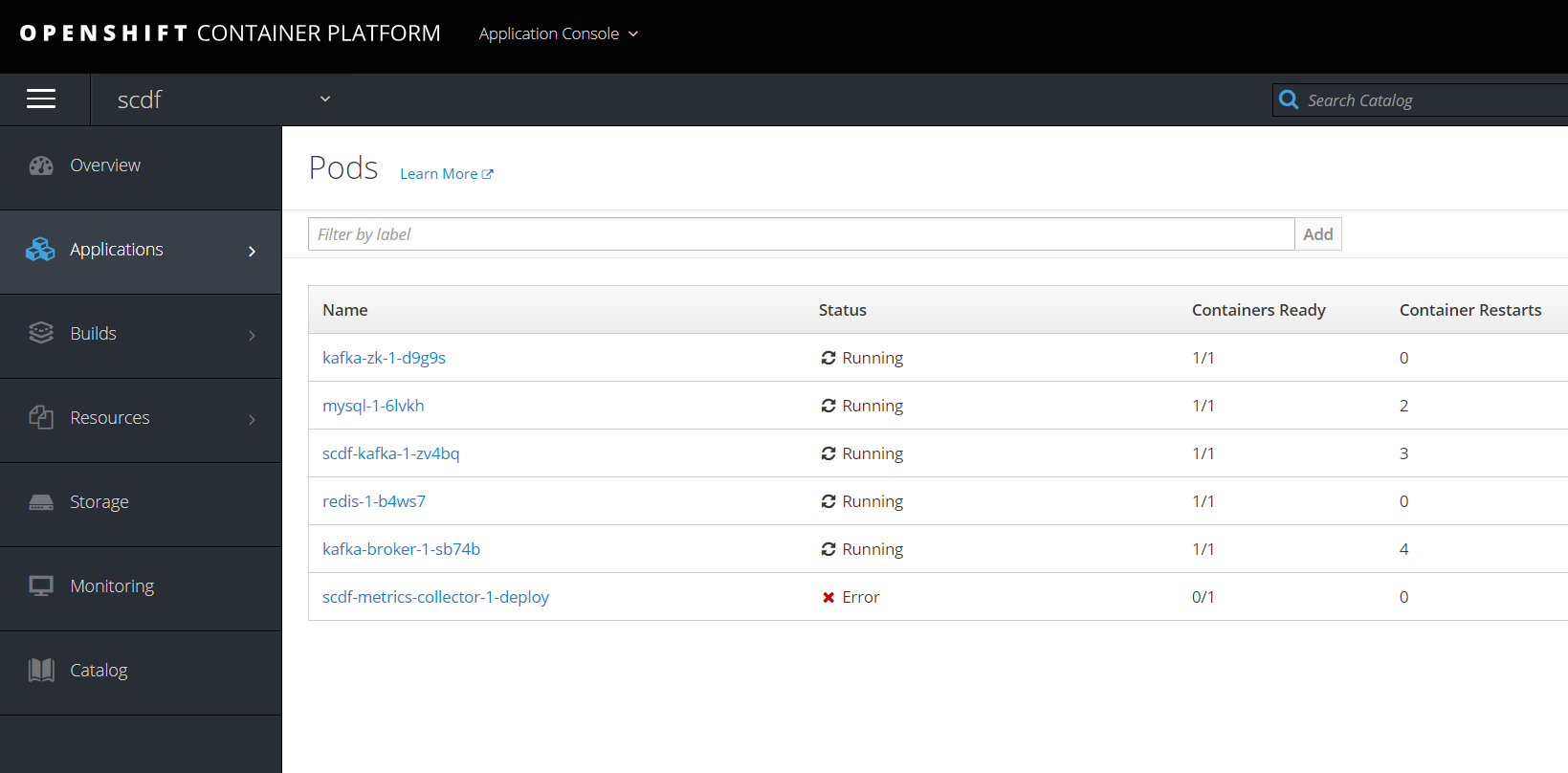
那个metrics因为没有下载镜像,所以无法启动,暂时不理。
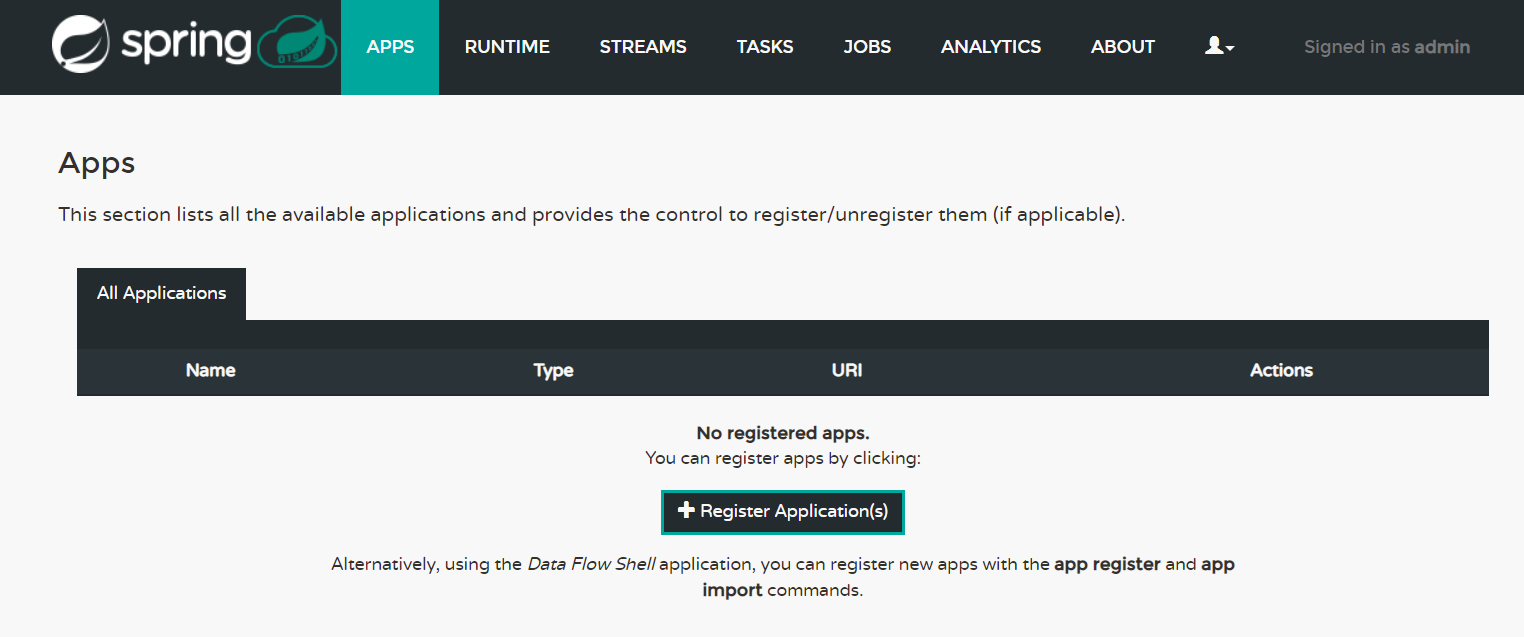
访问
http://scdf-kafka-scdf.apps.example.com/dashboard/index.html#/apps/apps 出现主界面
授权
oc create -f scdf-sa.yaml

oc policy add-role-to-user edit system:serviceaccount:scdf:scdf

oc adm policy add-scc-to-user anyuid system:serviceaccount:scdf:scdf
4.创建任务
- 启动客户端
[root@master ~]# java -jar spring-cloud-dataflow-shell-1.2..RELEASE.jar

  ____                              ____ _                __

 / ___| _ __  _ __(_)_ __   __ _   / ___| | ___  _   _  __| |

 \___ \| '_ \| '__| | '_ \ / _` | | |   | |/ _ \| | | |/ _` |

  ___) | |_) | |  | | | | | (_| | | |___| | (_) | |_| | (_| |

 |____/| .__/|_|  |_|_| |_|\__, |  \____|_|\___/ \__,_|\__,_|

  ____ |_|    _          __|___/                 __________

 |  _ \  __ _| |_ __ _  |  ___| | _____      __  \ \ \ \ \ \

 | | | |/ _` | __/ _` | | |_  | |/ _ \ \ /\ / /   \ \ \ \ \ \

 | |_| | (_| | || (_| | |  _| | | (_) \ V  V /    / / / / / /

 |____/ \__,_|\__\__,_| |_|   |_|\___/ \_/\_/    /_/_/_/_/_/

1.2..RELEASE

Welcome to the Spring Cloud Data Flow shell. For assistance hit TAB or type "help".

server-unknown:>
server-unknown:>dataflow config server --uri http://scdf-kafka-scdf.apps.example.com --username user  --password password

Successfully targeted http://scdf-kafka-scdf.apps.example.com
这里注意要用user/password连上,用admin/welcome1是有问题的。
- 注册任务
按照官方文档,又是有问题的,后来自己下载下来然后用文件方式导入
dataflow:>app import --uri http://bit.ly/1-0-1-GA-task-applications-maven
因为只用到一个任务,所以先修改
[root@master ~]# cat timestamp1.task

task.timestamp=docker:docker-registry.default.svc:/scdf/timestamp-task:latest
导入
dataflow:>app import --uri file:////root/timestamp1.task

Successfully registered applications: [task.timestamp]
- 创建任务并运行
dataflow:>task create task1 --definition "timestamp"

Created new task 'task1'

dataflow:>task launch task1

Launched task 'task1'
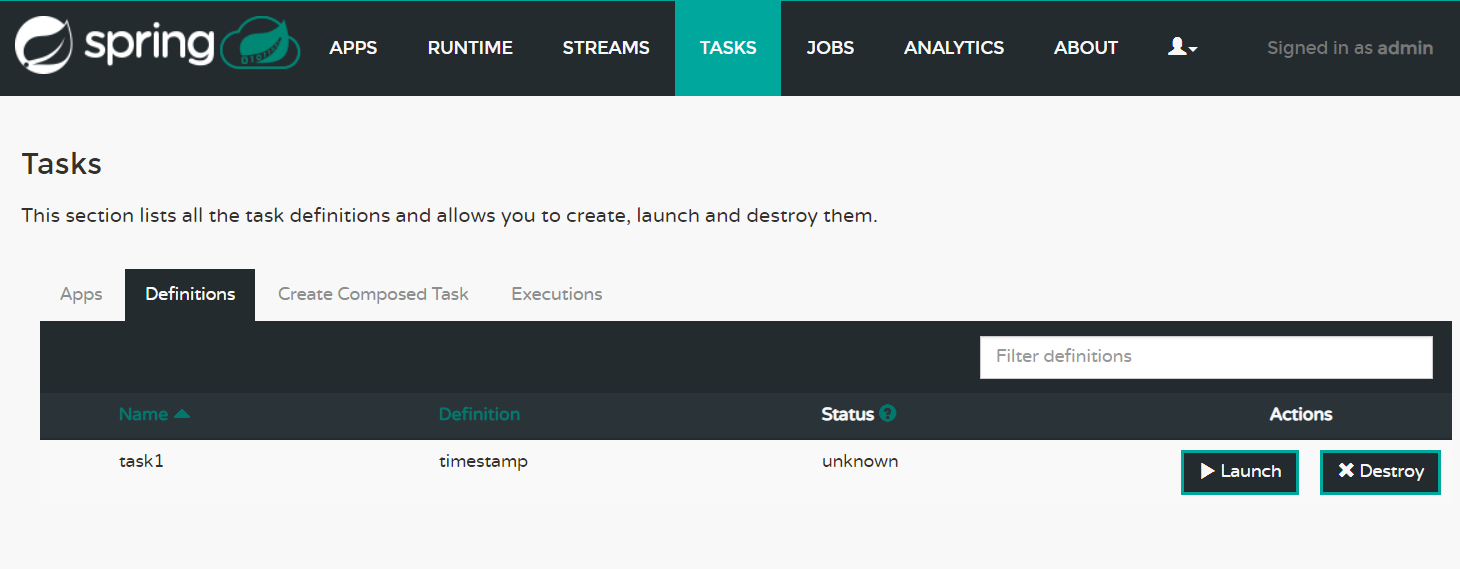
在界面上看到一个task
在ocp console上也看到这些task1的pod

Spring Dataflow批处理框架在OCP上的部署的更多相关文章
- Spring Batch 批处理框架介绍
前言 在大型的企业应用中,或多或少都会存在大量的任务需要处理,如邮件批量通知所有将要过期的会员,日终更新订单信息等.而在批量处理任务的过程中,又需要注意很多细节,如任务异常.性能瓶颈等等.那么,使用一 ...
- Spring Batch 批处理框架
<Spring Batch 批处理框架>基本信息作者: 刘相 出版社:电子工业出版社ISBN:9787121252419上架时间:2015-1-24出版日期:2015 年2月开本:16开页 ...
- 图书简介:Spring Batch批处理框架
大数据时代批处理利器,国内首度原创解析Spring Batch框架. 内容简介: <Spring Batch 批处理框架>全面.系统地介绍了批处理框架Spring Batch,通过详尽的实 ...
- spring batch批处理框架学习
内如主要来自以下链接: http://www.importnew.com/26177.html http://www.infoq.com/cn/articles/analysis-of-large-d ...
- 基于spring 3.0mvc 框架的文件上传实现
Spring 框架提供了构建 Web 应用程序的全功能 MVC 模块.使用 Spring 可插入的 MVC 架构,可以选择是使用内置的 Spring Web 框架还是 Struts 这样的 Web 框 ...
- 【转】大数据批处理框架 Spring Batch全面解析
如今微服务架构讨论的如火如荼.但在企业架构里除了大量的OLTP交易外,还存在海量的批处理交易.在诸如银行的金融机构中,每天有3-4万笔的批处理作业需要处理.针对OLTP,业界有大量的开源框架.优秀的架 ...
- spring-batch批处理框架
转自 http://www.cnblogs.com/gulvzhe/archive/2011/10/21/2220260.html 这个框架没有实际操作,只是从同事处学习到,先转个好文章,以后有机会再 ...
- 通过例子讲解Spring Batch入门,优秀的批处理框架
1 前言 欢迎访问南瓜慢说 www.pkslow.com获取更多精彩文章! Spring相关文章:Springboot-Cloud相关 Spring Batch是一个轻量级的.完善的批处理框架,作为S ...
- (文件)图片上传,Spring或SpringMVC框架
spring或springMVC框架图片(文件)上传 页面部分,用一个简单的form表单提交文件,将图片或文件提交到服务端.一个输入框,用于输入图片的最终名称,一个file文件选择,用于选择图片. 页 ...
随机推荐
- windows下使用github
1.首先到github.com注册用户: 2.下载git,地址:http://pan.baidu.com/s/1skPpWlB(64位下载):http://pan.baidu.com/s/1skOAa ...
- Spring + MyBatis 多数据源实现
近期,在项目中需要做分库,但是因为某些原因,没有采用开源的分库插件,而是采用了同事之前弄得多数据源形式实现的分库.对于多数据源,本人在实际项目也中遇到的不多,之前的项目大多是服务化,以RPC的形式获得 ...
- jmap 查看 map 内存占用
cmd jps查看进程id jmap -dump:format=b,file=/tmp/dump.dat 进程id eclipse安装mat http://blog.csdn.net/bohu83 ...
- python语言的模块化
在实际工程中使用的编程语言,都有(也应该有)自己的模块化方式,这是由于:一个文件不可能写的无限长,把不同性质和功能的代码放入不同的文件,再由文件组成不同的文件夹,这种方式符合人们思考和理解的习惯,不过 ...
- srcache_nginx+redis构建缓存系统
http://www.ttlsa.com/nginx/construction-of-srcache_nginx_redis-caching-system/ http://blog.csdn.net/ ...
- 【原创】IIS7.5优化,支持同时10万个请求
背景 IIS7.5是微软推出的最新平台IIS,性能也较以前有很大的提升,但是默认的设置配不适合很大的请求.但是我们可以根据实际的需要进行IIS调整,使其性能更佳,支持同时10万个请求. 以下方案,通过 ...
- WebDriver自动化测试工具(1)---环境搭建
Webdriver是一个前端自动化测试工具,可以模拟用户点击链接,填写表单,点击按钮等操作,下面介绍其使用 一.下载WebdriverC#类库以及对应浏览器驱动 http://www.selenium ...
- vue2.0项目结构和打包发布
先来一张项目结构图: 本地开发测试运行的命令是npm run dev 打包发布的命令是 npm run build生成的dist文件夹里的文件就是我们可以布置到服务上的文件 但是呢,这打包好的文件的文 ...
- 洛谷——P2009 跑步
P2009 跑步 题目背景 跑步是一项有意思的运动,尤其是可以开发人的脑筋.常神牛很喜欢跑步. 题目描述 常神牛跑步的场地是一个多边形(边数≤20,每个顶点用英文大写字母表示),并且在这个多边形内部, ...
- Codeforces Round #116 (Div. 2, ACM-ICPC Rules) Letter(DP 枚举)
Letter time limit per test 1 second memory limit per test 256 megabytes input standard input output ...