
布局共享(列如所有activity拥有相同的布局部分,比如actionbar,在BaseActivity中写入布局)
有时候界面上会用到统一的布局,比如toolbar,你可能会想到在用到的地方都去加上toobar这样对于程序的开发与维护来说都显得特别麻烦,我们可以将他写在父类中。
首先创建一个BaseActivity,MainActivity继承BaseActivity。通过重写setContentView和将子布局和父布局add到同一布局中的方式来实现。代码如下:
1.BaseActivity布局->layout_baseactivity
<LinearLayout xmlns:android="http://schemas.android.com/apk/res/android"

    xmlns:tools="http://schemas.android.com/tools"

    android:layout_width="match_parent"

    android:layout_height="wrap_content"

    tools:context="chan.joker.sharecontentview.BaseActivity"

    android:orientation="vertical"

    android:gravity="center"

    android:background="#0000c6"

    android:padding="10dp"

    >

    <TextView

        android:layout_width="wrap_content"

        android:layout_height="wrap_content"

        android:text="ShareContentView"

        android:textColor="#00ff00"

        />

</LinearLayout>
2.BaseActivity---- 红色部分为实现代码
/**

 * 父类activity

 *

 * @author joker.chan

 * @version 1.0

 * @since 2015年5月14日 09:04:42

 */

public class BaseActivity extends Activity {

    private LinearLayout parentLinearLayout;//把父类activity和子类activity的view都add到这里

    @Override

    protected void onCreate(Bundle savedInstanceState) {

        super.onCreate(savedInstanceState);

        initContentView(R.layout.layout_baseactivity);

    }

    /**

     * 初始化contentview

     */

    private void initContentView(int layoutResID) {

        ViewGroup viewGroup = (ViewGroup) findViewById(android.R.id.content);

        viewGroup.removeAllViews();

        parentLinearLayout = new LinearLayout(this);

        parentLinearLayout.setOrientation(LinearLayout.VERTICAL);

        viewGroup.addView(parentLinearLayout);

        LayoutInflater.from(this).inflate(layoutResID, parentLinearLayout, true);

    }

    @Override

    public void setContentView(int layoutResID) {

        LayoutInflater.from(this).inflate(layoutResID, parentLinearLayout, true);

    }

    @Override

    public void setContentView(View view) {

        parentLinearLayout.addView(view);

    }

    @Override

    public void setContentView(View view, ViewGroup.LayoutParams params) {

        parentLinearLayout.addView(view, params);

    }

}
3.MainActivity布局->activity_main
<FrameLayout xmlns:android="http://schemas.android.com/apk/res/android"

    xmlns:tools="http://schemas.android.com/tools"

    android:layout_width="match_parent"

    android:layout_height="match_parent"

    android:background="#ff0000"

    tools:context=".MainActivity">

    <TextView

        android:layout_width="wrap_content"

        android:layout_height="wrap_content"

        android:layout_gravity="center"

        android:text="@string/hello_world"

        android:textSize="16sp"

        android:textColor="#ffffff" />

</FrameLayout>
4.MainActivity
public class MainActivity extends BaseActivity {

    @Override

    protected void onCreate(Bundle savedInstanceState) {

        super.onCreate(savedInstanceState);

        setContentView(R.layout.activity_main);

    }

}
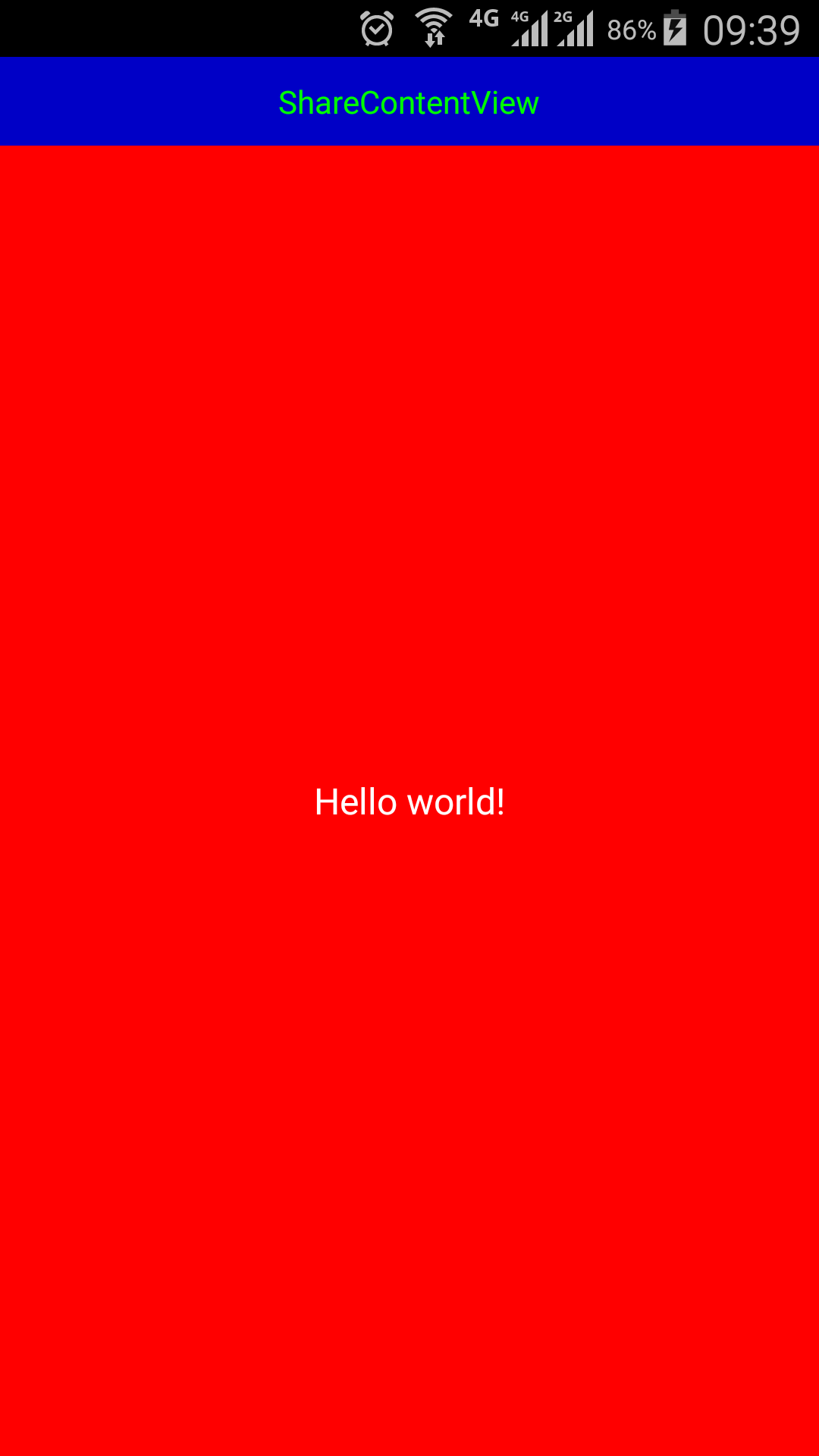
界面效果图如下:其中蓝色部分为统一界面
布局共享(列如所有activity拥有相同的布局部分,比如actionbar,在BaseActivity中写入布局)的更多相关文章
- android 非activity如何得到布局文件 (java文件中获取布局文件)
Android中得到布局文件对象有两种方式第一种,在Activity所在类中this.getLayoutInflater().inflater(R.layout.布局文件名,null);第二种,在非A ...
- CSS布局 两列布局之单列定宽,单列自适应布局思路
前言 说起自适应布局方式,单列定宽单列自适应布局是最基本的布局形式.比如斗鱼的直播间,后台管理系统都是常用的 我们将从 float, inline-block, table, absolute, fl ...
- 【详细】Android入门到放弃篇-YES OR NO-》各种UI组件,布局管理器,单元Activity
问:达叔,你放弃了吗? 答:不,放弃是不可能的,丢了Android,你会心疼吗?如果别人把你丢掉,你是痛苦呢?还是痛苦呢?~ 引导语 有人说,爱上一个人是痛苦的,有人说,喜欢一个人是幸福的. 人与人之 ...
- Android布局文件的载入过程分析:Activity.setContentView()源代码分析
大家都知道在Activity的onCreate()中调用Activity.setContent()方法能够载入布局文件以设置该Activity的显示界面.本文将从setContentView()的源代 ...
- 无废话Android之常见adb指令、电话拨号器、点击事件的4种写法、短信发送器、Android 中各种布局(1)
1.Android是什么 手机设备的软件栈,包括一个完整的操作系统.中间件.关键的应用程序,底层是linux内核,安全管理.内存管理.进程管理.电源管理.硬件驱动 2.Dalvik VM 和 JVM ...
- 【HTML5&CSS3进阶学习02】Header的实现·CSS中的布局
前言 我们在手机上布局一般是这个样子的: 其中头部对整个mobile的设计至关重要,而且坑也很多: ① 一般来说整个header是以fixed布局,fixed这个产物在移动端来说本身坑就非常多 ② 在 ...
- JVM中,对象在内存中的布局
在hotSpot虚拟机中,对象在内存中的布局可以分成对象头.实例数据.对齐填充三部分. 对象头:主要包括: 1.对象自身的运行行元数据,比如哈希码.GC分代年龄.锁状态标志等,这部分长度在32位虚拟机 ...
- WPF中Grid布局
WPF中Grid布局XMAl与后台更改,最普通的登录界面为例. <Grid Width="200" Height="100" > <!--定义 ...
- Android中帧布局-FrameLayout和网格布局-GridLayout
帧布局-FrameLayout 一.概念 帧布局中,容器为每个加入其中的空间创建一个空白的区域(成为一帧).每个空间占据一帧,这些帧会按gravity属性自动对齐. 帧布局的效果是将其中的所有空间叠加 ...
随机推荐
- Cisco C2900XL
http://docstore.mik.ua/univercd/cc/td/doc/product/lan/c2900xl/c2900sa4/sa4cr/macintr.htm#xtocid10160 ...
- Linux下配置QT环境
一.下载Qt源码包到本机,然后解压缩 #tar zxvf qt-x11-opensource-src-4.3.2.tar.gz -C /usr/local //将qt-x11-opensource-s ...
- HDOJ 1390 Binary Numbers(进制问题)
Problem Description Given a positive integer n, find the positions of all 1's in its binary represen ...
- HDOJ 1334 Perfect Cubes(暴力)
Problem Description For hundreds of years Fermat's Last Theorem, which stated simply that for n > ...
- 关于我的FGC的OAuth2.0认证。
这个名字估计很冷门,估计不会有人看到吧,我猜测的. (阅读以下全文之前请先搞定翻^#$%@#墙这件事.昨天看了一个笑话说墙之父方校长说自己有六个VPN账号,只是为了测试自己的墙好用还是VPN好用.哈哈 ...
- Raid1源代码分析--Barrier机制
本想就此结束Raid1的专题博客,但是觉得Raid1中自己构建的一套barrier机制的设计非常巧妙,值得单独拿出来分析.它保证了同步流程和正常读写流程的并发性,也为设备冻结/解冻(freeze/un ...
- 使用MapReduce将HDFS数据导入到HBase(一)
package com.bank.service; import java.io.IOException; import org.apache.hadoop.conf.Configuration;im ...
- git命令使用方法
git安装包 http://c35.yunpan.360.cn/my/?sid=#%2F%E5%AE%89%E8%A3%85%E5%8C%85%2FGit%E5%AE%89%E8%A3%85%2F g ...
- 分布式内存对象缓存 memcached
分布式内存对象缓存 许多Web 应用程序都将数据保存到RDBMS中,应用服务器从中读取数据并在浏览器中显示.但随着数据量的增大,访问的集中,就会出现REBMS的负担加重,数据库响应恶化,网站显示延迟等 ...
- zeptoJS:如何像jQuery一样,让滚动变得优雅?
利用jQuery的animate() 方法,我们很容易实现滚动条的平滑滚动效果: $(function() { $('#top').click( function (e) { $('html, bod ...