
SuperSocket框架中BinaryRequestInfo协议的使用
一、开发环境
1.Windows 10 企业版 64位
2.Microsoft Visual Studio 2017 企业版
二、项目开始
1.新建控制台程序,项目名称“BinarySuperSocket”,.net框架“4.7.1”

2.安装SuperSocket的包,点击 “工具->NuGet包管理器->程序包管理器控制台”
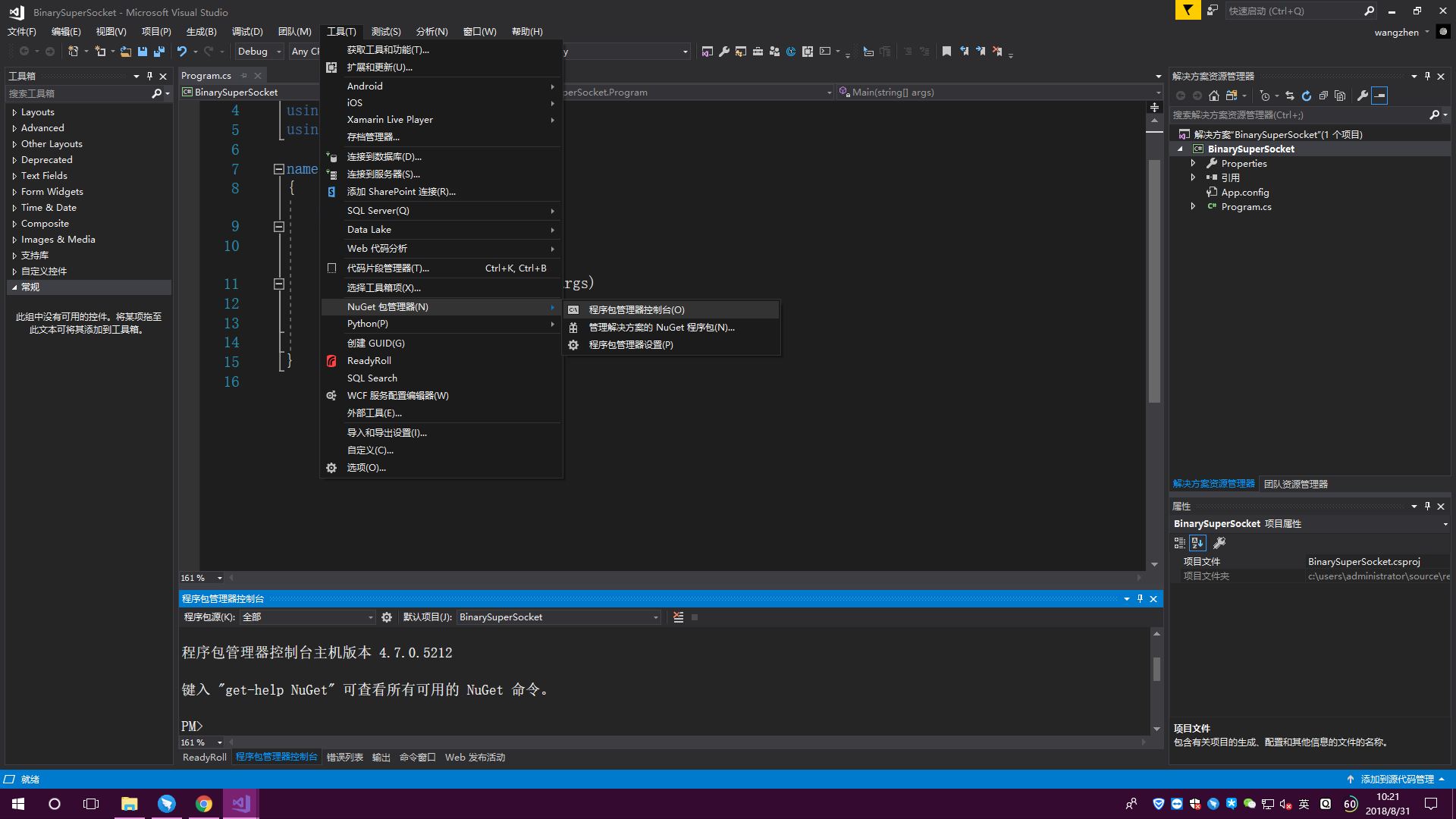
输入“install-package supersocket”,然后回车,提示安装成功,见下图


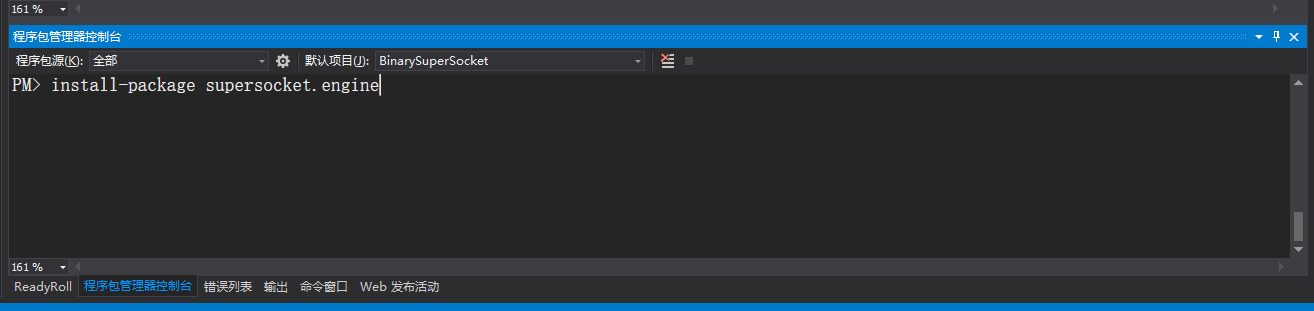
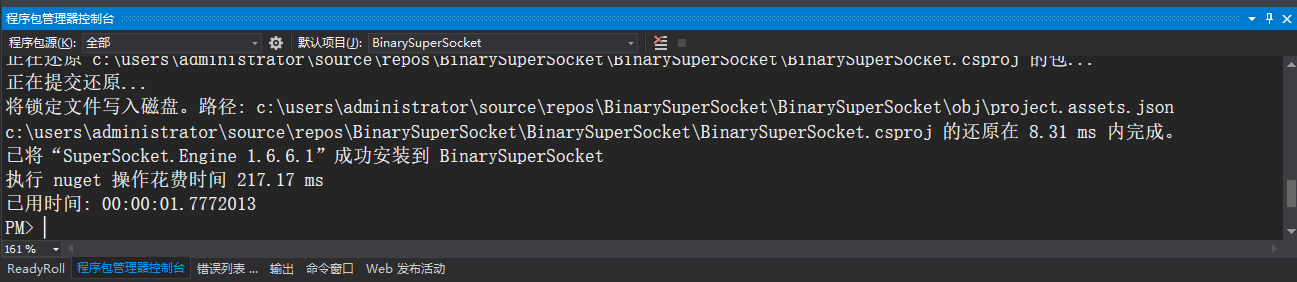
输入“install-package supersocket.engine”,然后回车,提示安装成功,见下图
3.新建BinarySession类
using SuperSocket.SocketBase;

using SuperSocket.SocketBase.Protocol;

namespace BinarySuperSocket

{

    public class BinarySession : AppSession<BinarySession, BinaryRequestInfo>

    {

    }

}
BinarySession类
4.新建BinaryServer类
using SuperSocket.SocketBase;

using SuperSocket.SocketBase.Protocol;

namespace BinarySuperSocket

{

    public class BinaryServer : AppServer<BinarySession, BinaryRequestInfo>

    {

        public BinaryServer(IReceiveFilterFactory<BinaryRequestInfo> protocol) : base(protocol)

        {

        }

    }

}
BinaryServer类
5.新建BinaryReceiveFilter类
using System;

using SuperSocket.SocketBase.Protocol;

namespace BinarySuperSocket

{

    public class BinaryReceiveFilter : IReceiveFilter<BinaryRequestInfo>

    {

        public int LeftBufferSize { get; set; }

        public IReceiveFilter<BinaryRequestInfo> NextReceiveFilter { get; set; }

        public FilterState State { get; set; }

        public BinaryRequestInfo Filter(byte[] readBuffer, int offset, int length, bool toBeCopied, out int rest)

        {

            byte[] value = new byte[length];

            Array.Copy(readBuffer, offset, value, , length);

            BinaryRequestInfo binaryRequestInfo = new BinaryRequestInfo("key", value);

            rest = length - value.Length;

            return binaryRequestInfo;

        }

        public void Reset()

        {

        }

    }

}
BinaryReceiveFilter类
6.新建BinaryReceiveFilterFactory类
using System.Net;

using SuperSocket.SocketBase;

using SuperSocket.SocketBase.Protocol;

namespace BinarySuperSocket

{

    public class BinaryReceiveFilterFactory : IReceiveFilterFactory<BinaryRequestInfo>

    {

        public IReceiveFilter<BinaryRequestInfo> CreateFilter(IAppServer appServer, IAppSession appSession, IPEndPoint remoteEndPoint)

        {

            BinaryReceiveFilter binaryReceiveFilter = new BinaryReceiveFilter();

            return binaryReceiveFilter;

        }

    }

}
BinaryReceiveFilterFactory类
7.Main函数调用
using System;

using System.Text;

namespace BinarySuperSocket

{

    class Program

    {

        static void Main(string[] args)

        {

            BinaryReceiveFilterFactory filterFactory = new BinaryReceiveFilterFactory();

            BinaryServer server = new BinaryServer(filterFactory);

            server.NewSessionConnected += Server_NewSessionConnected;

            server.SessionClosed += Server_SessionClosed;

            server.NewRequestReceived += Server_NewRequestReceived;

            bool b = server.Setup();//设置端口号

            Console.WriteLine($"设置端口号结果:{b}");

            if (b)

            {

                bool s = server.Start();//开始服务

                Console.WriteLine($"服务开启结果:{s}");

            }

            Console.ReadKey();

        }

        private static void Server_NewRequestReceived(BinarySession session, SuperSocket.SocketBase.Protocol.BinaryRequestInfo requestInfo)

        {

            StringBuilder sb = new StringBuilder();

            Array.ForEach(requestInfo.Body, b => sb.Append($"{b} "));

            Console.WriteLine($"接收到客户端 {session.Config.Ip}:{session.Config.Port} 的数据:");

            Console.WriteLine($"字节数组形式:{sb.ToString()}");

            Console.WriteLine($" ASCII码转换:{Encoding.ASCII.GetString(requestInfo.Body)}");

        }

        private static void Server_SessionClosed(BinarySession session, SuperSocket.SocketBase.CloseReason value)

        {

            Console.WriteLine($"客户端 {session.Config.Ip}:{session.Config.Port} 断开,原因:{value.ToString()}");

        }

        private static void Server_NewSessionConnected(BinarySession session)

        {

            Console.WriteLine($"客户端 {session.Config.Ip}:{session.Config.Port} 已连接");

        }

    }

}
Main函数调用
8.运行

SuperSocket框架中BinaryRequestInfo协议的使用的更多相关文章
- Web API应用架构在Winform混合框架中的应用(1)
在<Web API应用架构设计分析(1)>和<Web API应用架构设计分析(2)>中对WebAPI的架构进行了一定的剖析,在当今移动优先的口号下,传统平台都纷纷开发了属于自己 ...
- IOS(SystemConfiguration)框架中关于测试连接网络状态相关方法
1. 在SystemConfiguration.famework中提供和联网相关的function, 可用来检查网络连接状态. 2. SC(SystemConfiguration)框架中关于测试连接网 ...
- 浅析Thinkphp框架中运用phprpc扩展模式
浅析Thinkphp框架中应用phprpc扩展模式 这次的项目舍弃了原来使用Axis2做web服务端的 方案,改用phprpc实现,其一是服务端的thinkphp已集成有该模式接口,其二是phprpc ...
- iOS开发概述UIkit动力学,讲述UIKit的Dynamic特性,UIkit动力学是UIkit框架中模拟真实世界的一些特性。
转发:http://my.oschina.net/u/1378445/blog/335014 iOS UIKit动力学 Dynamics UIAttachmentBehavior 实现iMessage ...
- Loadrunner11中webservice协议脚本总结
Loadrunner11中webservice协议脚本总结 简介 webservices协议是建立可交互操作的分布式应用程序的新平台,它通过一系列的标准和协议来保证程序之间的动态连接,其中最基 ...
- 关于HttpSession 和 Hibernate框架中 session异同点的简单解析
快速理解: HttpSession中的session是一个容器用来盛基于会话机制的信息. 比喻:我把钱放进银行的保险柜里. 解析:我的钱就是我的信息,ID等 银行的保险柜就是session容器. Hi ...
- SSM框架中的前后端分离
认识前后端分离 在传统的web应用开发中,大多数的程序员会将浏览器作为前后端的分界线.将浏览器中为用户进行页面展示的部分称之为前端,而将运行在服务器,为前端提供业务逻辑和数据准备的所有代码统称为后端. ...
- maven springMVC SSM框架中 出现的406 (Not Acceptable)
首先,需要清楚,http state 406代表什么意思: 406是HTTP协议状态码的一种,表示无法使用请求的特性来响应请求的网页.一般指客户端浏览器不接受所请求页面的MIME类型. 出现这样的错误 ...
- 无线局域网中RADIUS协议原理与实现
转载自:http://blog.csdn.net/jinhill/article/details/5901042 摘要 RADIUS协议是一个被广泛应用于网络认证.授权和计费的协议.本文在介绍了RA ...
随机推荐
- MYSQL函数 Cast和convert的用法详解
MYSQL Cast函数是非常重要的MYSQL函数,下面就将为您详细介绍MYSQL Cast函数的语法及其使用,希望能让您对MYSQL Cast函数有更多的认识. BINARY BINARY操 ...
- 算法(Algorithms)第4版 练习 1.3.3
(a) 4 3 2 1 0 9 8 7 6 5 (b) 4 6 8 7 5 3 2 9 0 1 (c) 2 5 6 7 4 8 9 3 1 0 (d) 4 3 2 1 0 5 6 7 8 9 (e) ...
- Linux课程---3、Linux远程登录和传输(操作Linux服务器软件)
Linux课程---3.Linux远程登录和传输(操作Linux服务器软件) 一.总结 一句话总结: xshell:Xshell是一个强大的安全终端模拟软件 Xshell是一个强大的安全终端模拟软件, ...
- java: jsp:param中文乱码
java: jsp:param中文乱码 假如a.jsp/b.jsp文件中 a.jsp代码: 需要加入:request.setCharacterEncoding("UTF-8") ...
- 计算地球上两个坐标点(经度,纬度)之间距离sql函数
go --计算地球上两个坐标点(经度,纬度)之间距离sql函数 --作者:lordbaby --整理:www.aspbc.com CREATE FUNCTION [dbo].[fnGetDistanc ...
- Java企业微信开发_05_消息推送之被动回复消息
一.本节要点 1.消息的加解密 微信加解密包 下载地址:http://qydev.weixin.qq.com/java.zip ,此包中封装好了AES加解密方法,直接调用方法即可. 其中,解 ...
- BEC listen and translation exercise 45
So the Counselling Services we offer deal with any problems arising from your studies or in your lif ...
- javascript按位操作符操作以及用途
所有的按位操作符的操作数都会被转成补码(two's complement)形式的有符号32位整数.正数的补码是自己本身,负数的补码是取反后加一,所以经过操作运算后的值是补码形式. 描述 按位与( AN ...
- 基于Ubuntu交叉编译FFmpeg Windows SDK
写在前面 FFmpeg是一个开源且跨平台的音视频解决方案,集采集.转码.流式化为一身,项目的libavcodec编解码模块和libavformat媒体格式模块,支持非常非常丰富的编解码格式和容器封装格 ...
- 关于对H264码流的TS的封装的相关代码实现
1 写在开始之前 在前段时间有分享一个H264封装ps流到相关文章的,这次和大家分享下将H264封装成TS流到相关实现,其实也是工作工作需要.依照上篇一样,分段说明每个数据头的封装情况,当然,一样也会 ...