
SuperSocket框架中BinaryRequestInfo协议的使用
一、开发环境
1.Windows 10 企业版 64位
2.Microsoft Visual Studio 2017 企业版
二、项目开始
1.新建控制台程序,项目名称“BinarySuperSocket”,.net框架“4.7.1”

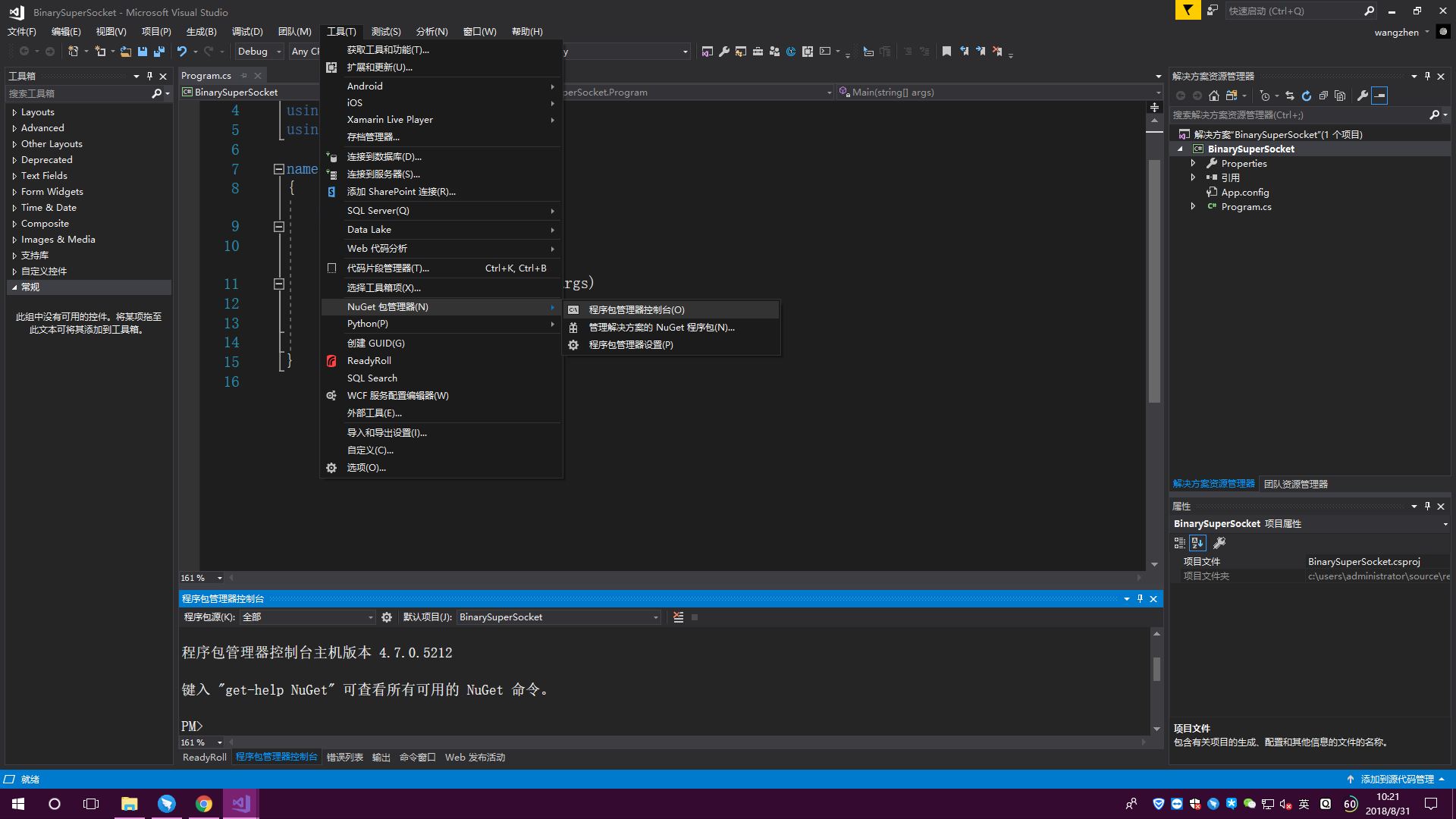
2.安装SuperSocket的包,点击 “工具->NuGet包管理器->程序包管理器控制台”
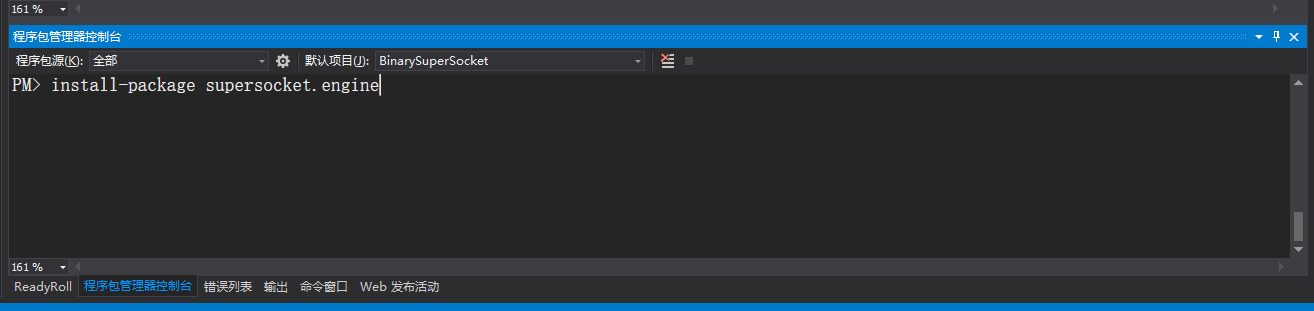
输入“install-package supersocket”,然后回车,提示安装成功,见下图


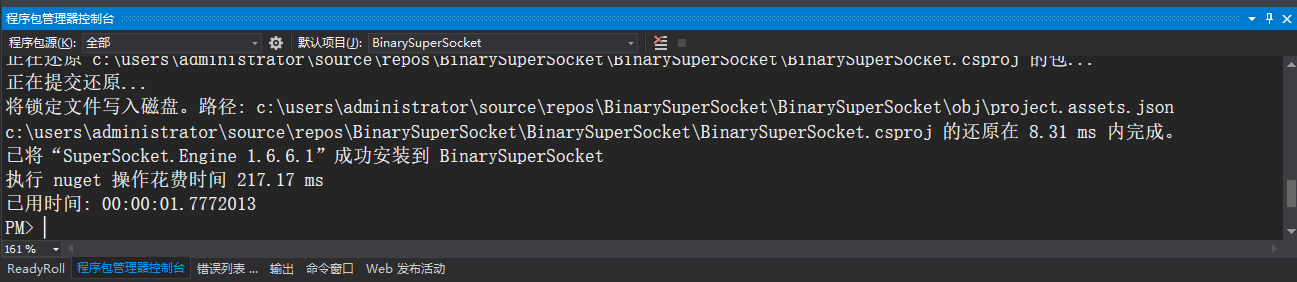
输入“install-package supersocket.engine”,然后回车,提示安装成功,见下图
3.新建BinarySession类
using SuperSocket.SocketBase;

using SuperSocket.SocketBase.Protocol;

namespace BinarySuperSocket

{

    public class BinarySession : AppSession<BinarySession, BinaryRequestInfo>

    {

    }

}
BinarySession类
4.新建BinaryServer类
using SuperSocket.SocketBase;

using SuperSocket.SocketBase.Protocol;

namespace BinarySuperSocket

{

    public class BinaryServer : AppServer<BinarySession, BinaryRequestInfo>

    {

        public BinaryServer(IReceiveFilterFactory<BinaryRequestInfo> protocol) : base(protocol)

        {

        }

    }

}
BinaryServer类
5.新建BinaryReceiveFilter类
using System;

using SuperSocket.SocketBase.Protocol;

namespace BinarySuperSocket

{

    public class BinaryReceiveFilter : IReceiveFilter<BinaryRequestInfo>

    {

        public int LeftBufferSize { get; set; }

        public IReceiveFilter<BinaryRequestInfo> NextReceiveFilter { get; set; }

        public FilterState State { get; set; }

        public BinaryRequestInfo Filter(byte[] readBuffer, int offset, int length, bool toBeCopied, out int rest)

        {

            byte[] value = new byte[length];

            Array.Copy(readBuffer, offset, value, , length);

            BinaryRequestInfo binaryRequestInfo = new BinaryRequestInfo("key", value);

            rest = length - value.Length;

            return binaryRequestInfo;

        }

        public void Reset()

        {

        }

    }

}
BinaryReceiveFilter类
6.新建BinaryReceiveFilterFactory类
using System.Net;

using SuperSocket.SocketBase;

using SuperSocket.SocketBase.Protocol;

namespace BinarySuperSocket

{

    public class BinaryReceiveFilterFactory : IReceiveFilterFactory<BinaryRequestInfo>

    {

        public IReceiveFilter<BinaryRequestInfo> CreateFilter(IAppServer appServer, IAppSession appSession, IPEndPoint remoteEndPoint)

        {

            BinaryReceiveFilter binaryReceiveFilter = new BinaryReceiveFilter();

            return binaryReceiveFilter;

        }

    }

}
BinaryReceiveFilterFactory类
7.Main函数调用
using System;

using System.Text;

namespace BinarySuperSocket

{

    class Program

    {

        static void Main(string[] args)

        {

            BinaryReceiveFilterFactory filterFactory = new BinaryReceiveFilterFactory();

            BinaryServer server = new BinaryServer(filterFactory);

            server.NewSessionConnected += Server_NewSessionConnected;

            server.SessionClosed += Server_SessionClosed;

            server.NewRequestReceived += Server_NewRequestReceived;

            bool b = server.Setup();//设置端口号

            Console.WriteLine($"设置端口号结果:{b}");

            if (b)

            {

                bool s = server.Start();//开始服务

                Console.WriteLine($"服务开启结果:{s}");

            }

            Console.ReadKey();

        }

        private static void Server_NewRequestReceived(BinarySession session, SuperSocket.SocketBase.Protocol.BinaryRequestInfo requestInfo)

        {

            StringBuilder sb = new StringBuilder();

            Array.ForEach(requestInfo.Body, b => sb.Append($"{b} "));

            Console.WriteLine($"接收到客户端 {session.Config.Ip}:{session.Config.Port} 的数据:");

            Console.WriteLine($"字节数组形式:{sb.ToString()}");

            Console.WriteLine($" ASCII码转换:{Encoding.ASCII.GetString(requestInfo.Body)}");

        }

        private static void Server_SessionClosed(BinarySession session, SuperSocket.SocketBase.CloseReason value)

        {

            Console.WriteLine($"客户端 {session.Config.Ip}:{session.Config.Port} 断开,原因:{value.ToString()}");

        }

        private static void Server_NewSessionConnected(BinarySession session)

        {

            Console.WriteLine($"客户端 {session.Config.Ip}:{session.Config.Port} 已连接");

        }

    }

}
Main函数调用
8.运行

SuperSocket框架中BinaryRequestInfo协议的使用的更多相关文章
- Web API应用架构在Winform混合框架中的应用(1)
在<Web API应用架构设计分析(1)>和<Web API应用架构设计分析(2)>中对WebAPI的架构进行了一定的剖析,在当今移动优先的口号下,传统平台都纷纷开发了属于自己 ...
- IOS(SystemConfiguration)框架中关于测试连接网络状态相关方法
1. 在SystemConfiguration.famework中提供和联网相关的function, 可用来检查网络连接状态. 2. SC(SystemConfiguration)框架中关于测试连接网 ...
- 浅析Thinkphp框架中运用phprpc扩展模式
浅析Thinkphp框架中应用phprpc扩展模式 这次的项目舍弃了原来使用Axis2做web服务端的 方案,改用phprpc实现,其一是服务端的thinkphp已集成有该模式接口,其二是phprpc ...
- iOS开发概述UIkit动力学,讲述UIKit的Dynamic特性,UIkit动力学是UIkit框架中模拟真实世界的一些特性。
转发:http://my.oschina.net/u/1378445/blog/335014 iOS UIKit动力学 Dynamics UIAttachmentBehavior 实现iMessage ...
- Loadrunner11中webservice协议脚本总结
Loadrunner11中webservice协议脚本总结 简介 webservices协议是建立可交互操作的分布式应用程序的新平台,它通过一系列的标准和协议来保证程序之间的动态连接,其中最基 ...
- 关于HttpSession 和 Hibernate框架中 session异同点的简单解析
快速理解: HttpSession中的session是一个容器用来盛基于会话机制的信息. 比喻:我把钱放进银行的保险柜里. 解析:我的钱就是我的信息,ID等 银行的保险柜就是session容器. Hi ...
- SSM框架中的前后端分离
认识前后端分离 在传统的web应用开发中,大多数的程序员会将浏览器作为前后端的分界线.将浏览器中为用户进行页面展示的部分称之为前端,而将运行在服务器,为前端提供业务逻辑和数据准备的所有代码统称为后端. ...
- maven springMVC SSM框架中 出现的406 (Not Acceptable)
首先,需要清楚,http state 406代表什么意思: 406是HTTP协议状态码的一种,表示无法使用请求的特性来响应请求的网页.一般指客户端浏览器不接受所请求页面的MIME类型. 出现这样的错误 ...
- 无线局域网中RADIUS协议原理与实现
转载自:http://blog.csdn.net/jinhill/article/details/5901042 摘要 RADIUS协议是一个被广泛应用于网络认证.授权和计费的协议.本文在介绍了RA ...
随机推荐
- springmvc对象映射个数超过256个
/** 由于Spring在接受前台传入的List时,就会出现256的IndexOutOfBoundsException异常 设置setAutoGrowCollectionLimit为1024 @par ...
- assembly打包插件引发的自定义spring标签找不到声明的错误
异常信息:通配符的匹配很全面, 但无法找到元素 的声明. 报的异常信息是关于我们使用的一个自定义的spring标签,这个异常通常的原因可能是读取不到自定义标签的映射. 到META-INF目录下找一下是 ...
- ZSetOperations
有序集合,默认按照score升序排列,存储格式K(1)==V(n),V(1)=S(1)(K=key,V=value,S=score) 1.add(K,V,S):添加 2.count(K,Smin,Sm ...
- GridView行中按钮的使用
转载自:http://blog.csdn.net/hongdi/article/details/6455947 GridView行中按钮的使用 在web项目的过程中,特别是开发ASP.NET应用程序, ...
- Spring源码分析_01_ idea搭建spring源码阅读环境
二.参考资料 1.Intellij Idea如何导入spring源码
- Mule ESB学习【转-结合了网络上的一些资源】
1.SOA标准之一:SCA架构思想 SOA在Java领域有两套标准:一个是SUN推出的JBI(没有得到BEA和IBM的承认),另外一个是:IBM和BEA等公司推出的SCA和SDO标准. JBI之关注J ...
- dubbo monitor simple 监控原理分析
监控机制: 服务消费者和提供者,在内存中累计调用次数和调用时间,定时每分钟发送一次统计数据到监控中心.监控中心负责统计各服务调用次数,调用时间等. 监控元数据存储目录结构: --dubbo.jetty ...
- 服务端返回可执行js格式要求
服务端返回的数据,如果有直接执行的代码,那返回的头部格式中的"Content-Type",不能为"text/plain",不然,浏览器是不会执行返回数据的. 返 ...
- bzoj 1001 狼抓兔子 —— 平面图最小割(最短路)
题目:https://www.lydsy.com/JudgeOnline/problem.php?id=1001 平面图最小割可以转化成最短路问题: 建图时看清楚题目的 input ... 代码如下: ...
- Design:目录
ylbtech-Design:目录 1.返回顶部 1. http://idesign.qq.com/#!index/feed 2. https://www.behance.net/ 3. 2.返回顶部 ...