
Linux中apache服务
生成共享文件
vim var/www/html/cq/index.html
编辑配置文件
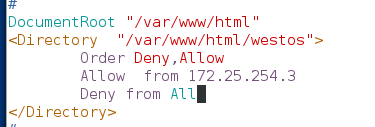
<Directory "/var/www/html/cq">
Order Deny,ALLOW ##读取顺序
Allow from 172.25.254.4 ##设置允许172。25.254.3登入
Deny from All ##设置拒绝所有人
</Directory>
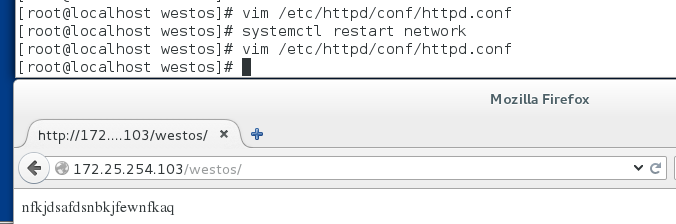
systemctl restart httpd
cd /etc/httpd/conf
ls
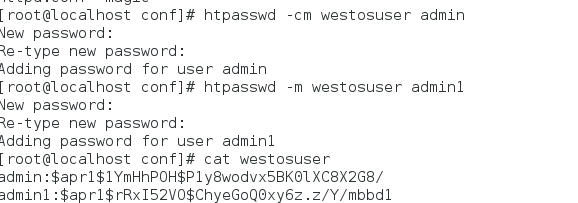
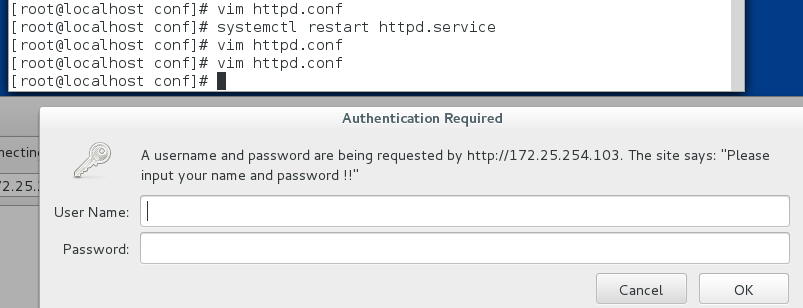
htpasswd -cm cquser admin 创建访问用户
htpasswd -m cquser admin1 再次创建
vim /etc/httpd/conf/httpd.conf
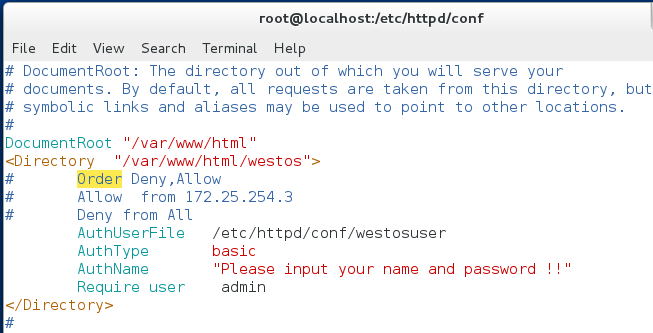
<Directory "/var/www/html/cq">
AuthUserFile /etc/httpd/conf/cquser
AuthType basic
AuthName "please input your name and password!"
Require user admin
</Directory>
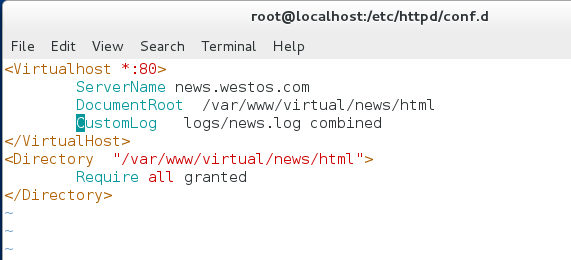
##apach的虚拟主机功能
注释掉之前的配置
创建文件
mkdir /var/www/virtual/news/html
mkdir /var/www/virtual/music/html
vim /var/www/virtual/news/html/index.html
vim /var/www/virtual/music/html/index.html



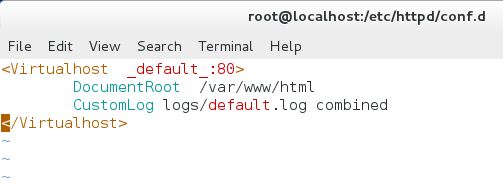
cd /etc/httpd/conf.d/
vim a_default.conf

vim news.conf
vim music.conf
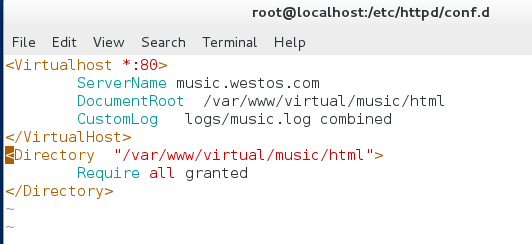

当这些配置完成之后,需要在浏览器一端设置本地域名解析。
vim /etc/hosts
172.25.254.103 www.westos.com av.westos.com cctv.default.com
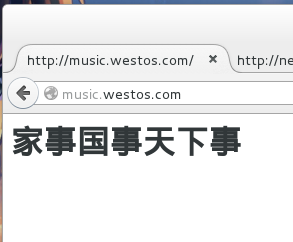
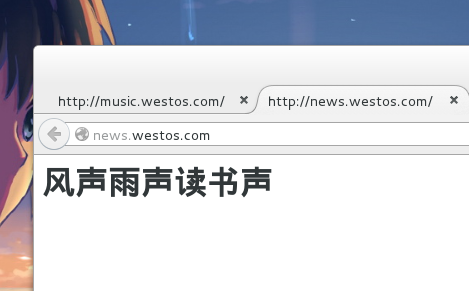
##php cgi 的安装
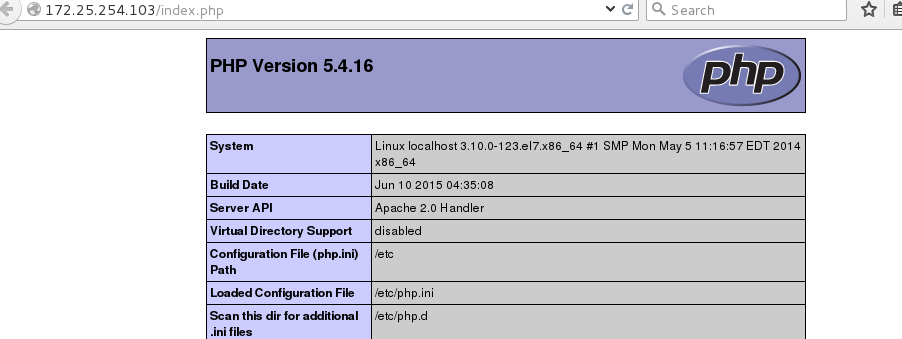
yum install php -y
vim /var/www/html/index.php
<?php
phpinfo(); php的测试页
?>

测试:172.25.254.103/index.php
cgi
yum install httpd-manual -y
vim /var/www/html/cgi/index.cgi
#!/usr/bin/perl
print "Content-type: text/html\n\n";
print 'date';
chmod 755 index.cgi
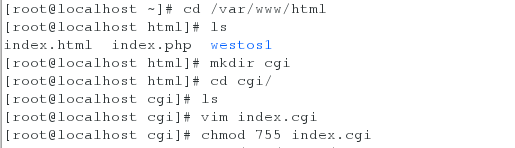
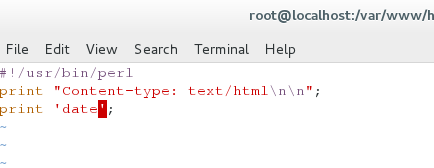
然而此时访问却只能访问裸露的代码
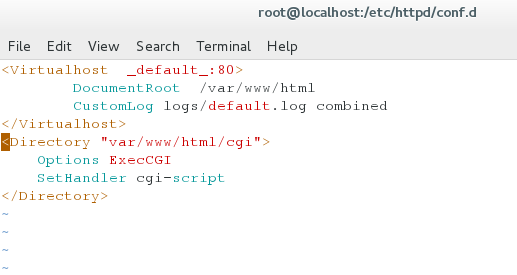
此时需要配置 vim /etc/httpd/conf.d/a_default.conf
<Directory "/var/www/html/cgi">
Options +ExecCGI
AddHandler cgi-script .cgi
</Directory>
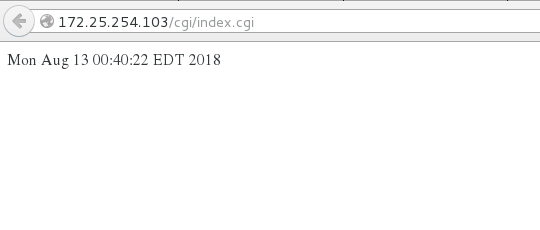
systemctl restart httpd
###########################################################
https
yum install mod_ssl -y
yum install crypto-utils -y


crtl+z fg 1 复制锁和钥匙存的目录到这个配置文件里
systemctl restart httpd

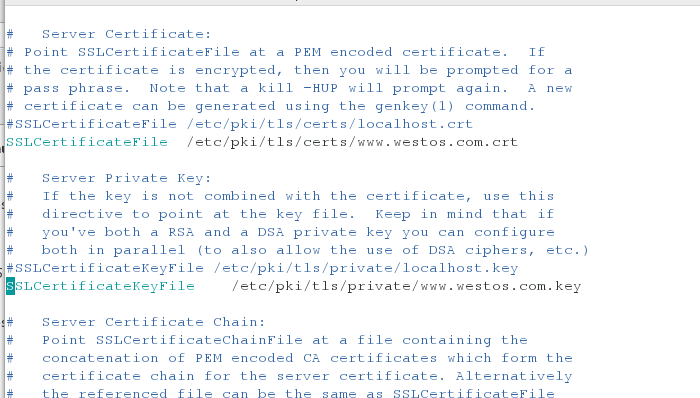
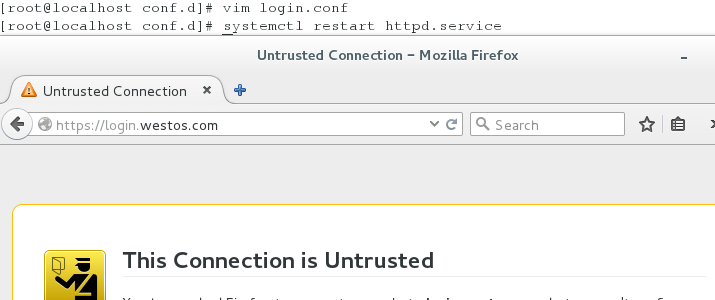
此时访问 https://www.westos.com
#################################################################
实现自动加锁
cd /etc/httpd/conf.d/
cp news.conf login.conf
vim login.conf
:%s/news/login 将所有的news换成login
mkdir -p /var/www/virtual/login/html 创建目录
vim /var/www/virtual/login/html/index.html 编写文件
vim /etc/httpd.conf/login.conf
vim /etc//httpd/conf.d/ssl.conf
复制钥匙复制锁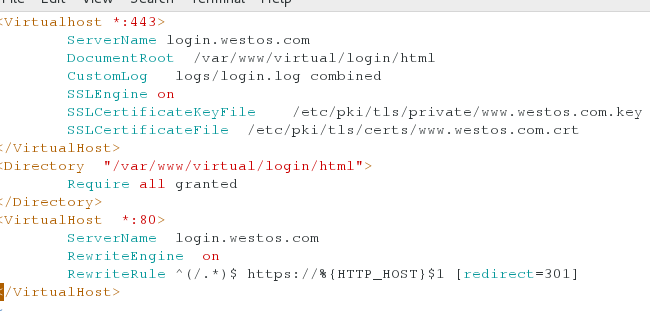
systemctl restart httpd
测试;
访问 login.westos.com 注:测试机若没有解析请添加解析 vim/etc/hosts :login.westos.com
结果自动切换到https
##################################################################3
squid
首先在虚拟机上安装squid
yum install squid -y
配置好虚拟机的网关和dns
开启squid
systemctl start squid
netstat -antlupe | grep squid 查看端口
vim /etc/squid/squid.conf
56 http_access allow all
62 取消注释
systemctl restart squid
之后可以通过虚拟机让真机上网
squid的缓存
设备
reset的desktop
安装 squid
vim /etc/squid/squid.conf
http_access allow all
# Squid normally listens to port 3128
http_port 80 vhost vport
cache_peer 172.25.254.104 parent 80 0 proxy-only round-robin originserver name=web1
cache_peer 172.25.254.103 parent 80 0 proxy-only round-robin originserver name=web2
cache_peer_domain web1 web2 www.westos.com
# Uncomment and adjust the following to add a disk cache directory.
cache_dir ufs /var/spool/squid 100 16 256
systemctl restart squid
vim /etc/hosts
www.westos.com 172.25.254.204
测试:在虚拟机上firefox
www.westos.com
Linux中apache服务的更多相关文章
- Linux系统Apache服务 - 配置 HTTP 的虚拟机主机
接Linux系统Apache服务 - 配置HTTP的默认主页 1.创建/srv目录,作为httpd的文件目录,并创建/srv/default/www和/srv/www1.example.com/www ...
- Linux下Apache服务部署静态网站------网站服务程序
文章链接(我的CSDN博客): Linux下Apache服务部署静态网站------网站服务程序
- Linux中Sshd服务配置文件优化版本(/etc/ssh/sshd_config)
Linux中Sshd服务配置文件优化版本(/etc/ssh/sshd_config) # $OpenBSD: sshd_config,v 1.93 2014/01/10 05:59:19 djm Ex ...
- linux搭建apache服务并修改默认路径
该篇文章主要讲解如何在linux服务器上搭建apache服务器,并修改指定的apache路径到自定义路径下 一:检查服务器上是否已安装apache,停止并卸载系统自带apache服务 命令为:rpm ...
- Linux中Apache服务器的简单配置
配置Apache服务器: 1.安装Apache,可以参考Linux 中yum的配置来安装: yum install http* -y 2.修改SELinux: setenforce 0 查看: 3.防 ...
- Linux中Apache+Tomcat+JK实现负载均衡和群集的完整过程
人原创,一个字一个字地码的,尊重版权,转载请注明出处! http://blog.csdn.net/chaijunkun/article/details/6987443 最近在开发的项目需要承受很高的并 ...
- Linux下Apache服务的部署和配置
目录 Apache服务的安装 yum源安装: 目录文件 源码包安装: 目录文件: Apache中添加对php的支持 Apache中添加php对mysql数据库的支持 Apache服务的高级配置 1:配 ...
- Linux安装apache服务
1.通过yum包下载安装httpd yum -y install httpd*(等待安装) 到下面就安装完毕 2.启动apache服务 service httpd restart 3.现在就可以查看a ...
- Spring Boot 如何部署到 Linux 中的服务
打包完成后的 Spring Boot 程序如何部署到 Linux 上的服务? 你可以参考官方的有关部署 Spring Boot 为 Linux 服务的文档. 文档链接如下: https://docs. ...
随机推荐
- Swing框架的继承关系
---------------siwuxie095 Java SE 8 (截止 2017/4/1 最新)在线 API 文档: http://docs.oracle.com/javase/8/docs/ ...
- JS Number类型数字位数及IEEE754标准
JS的基础类型Number,遵循 IEEE 754 规范,采用双精度存储(double precision),占用 64 bit.如图 意义 1位用来表示符号位 11位用来表示指数 52位表示尾数 浮 ...
- C++指针作为函数的参数进行传递时注意的问题
应注意问题: 当指针作为函数的参数进行传递的时候,本质上还是进行的"值传递",也就是复制了一个新的指向该地址的指针变量. 只有在被调函数中,对指针进行引用操作,才可以达到不需要返回 ...
- Python 网络爬虫 005 (编程) 如何编写一个可以 下载(或叫:爬取)一个网页 的网络爬虫
如何编写一个可以 下载(或叫:爬取)一个网页 的网络爬虫 使用的系统:Windows 10 64位 Python 语言版本:Python 2.7.10 V 使用的编程 Python 的集成开发环境:P ...
- Luogu 2151 [SDOI2009]HH去散步
BZOJ 1875 矩阵乘法加速递推. 如果不要求不能走同一条边,那么直接构造出矩阵快速幂即可,但是不走相同的道路,怎么办? 发现边数$m$也很小,我们直接把$2 * m$开成一个矩阵,相当于记录上一 ...
- 理解JSON的语法
JSON语法可以分为三种类型: 简单值 对象 数组 简单值: 5 "Hello World" JavaScript字符串与JSON字符串的最大区别在于,JSON字符串必须使用双引号 ...
- kaggle Titanic
# coding: utf-8 # In[19]: # 0.78468 # In[20]: import numpy as np import pandas as pd import warnings ...
- About English Web Site Font
Which font will you choose when develop one website! Actually , I have no idea about this! If you ha ...
- 在WindowsXP+IIS5.1下运行ASP.NET MVC3
1. 安装ASP.NET MVC3 http://download.microsoft.com/download/1/4/C/14C0533D-2299-42CD-898C-10AA5156E243/ ...
- [译]在Javascript中将string转化成numbers
本文翻译youtube上的up主kudvenkat的javascript tutorial播放单 源地址在此: https://www.youtube.com/watch?v=PMsVM7rjupU& ...