
python打飞机pro版
# -*- coding: utf-8 -*-

import pygame

from sys import exit

import random

pygame.init()

screen = pygame.display.set_mode((450, 600), 0, 32)

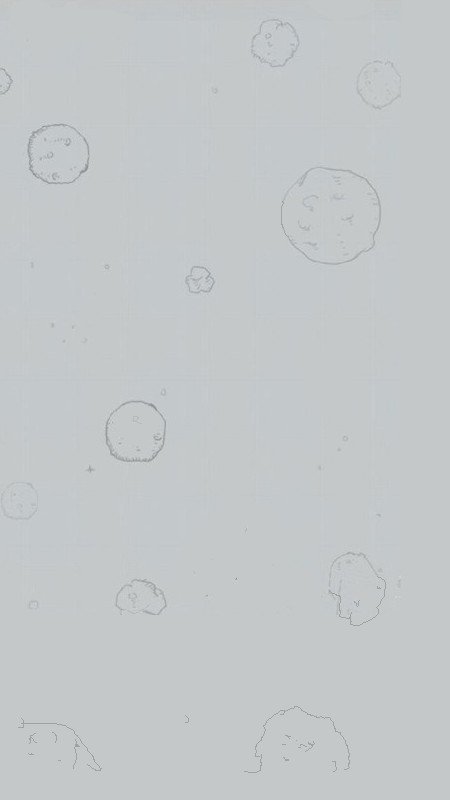
background = pygame.image.load("back.jpg").convert()

plane = pygame.image.load("plane.png").convert_alpha()

pygame.display.set_icon(plane)

pygame.display.set_caption("打飞机")

#pygame.mouse.set_visible(False)

class Enemy:

        def restart(self):

                #重置敌机位置和速度

                self.x = random.randint(50, 400)

                self.y = random.randint(-200, -50)

                self.speed = random.random() + 0.1

        def __init__(self):

                        #初始化

                self.restart()

                self.image = pygame.image.load('enemy.png').convert_alpha()

        def move(self):

                if self.y < 600:

                        #向下移动

                    self.y += 0.3

                else:

                        #重置

                    self.restart()

#enemy = Enemy()

enemies = []

for i in range(3):

    enemies.append(Enemy())

class Bullet:

        def __init__(self):

                #初始化成员变量,x,y,image

                self.x = 0

                self.y = -1

                self.image = pygame.image.load('bullet.png').convert_alpha()

                self.active = False

        def restart(self):

                mouseX, mouseY = pygame.mouse.get_pos()

                self.x = mouseX - self.image.get_width() / 2

                self.y = mouseY - self.image.get_height() /2

                self.active = True

        def move(self):

                #处理子弹的运动

                if self.y < 0:

                        self.active = False

                if self.active:

                        self.y -= 3

#创建子弹的list

bullets = []

#向list中添加5发子弹

for i in range(5):

    bullets.append(Bullet())

#子弹总数

count_b = len(bullets)

#即将激活的子弹序号

index_b = 0

#发射子弹的间隔

interval_b = 0

class Plane:

    def restart(self):

        self.x = 200

        self.y = 600

    def __init__(self):

        self.restart()

        self.image = pygame.image.load('plane.png').convert_alpha()

    def move(self):

        x, y = pygame.mouse.get_pos()

        x-= self.image.get_width() / 2

        y-= self.image.get_height() / 2

        self.x = x

        self.y = y

plane = Plane()

bullet = Bullet()

enemy = Enemy()

def checkHit(enemy, bullet):

        if (bullet.x > enemy.x and bullet.x < enemy.x + enemy.image.get_width()) and (bullet.y > enemy.y and bullet.y < enemy.y + enemy.image.get_height()):

            enemy.restart()

            bullet.active = False

            return True

        return False

def checkCrash(enemy, plane):

    if (plane.x + 0.7*plane.image.get_width() > enemy.x) and (plane.x + 0.3*plane.image.get_width() < enemy.x + enemy.image.get_width()) and (plane.y + 0.7*plane.image.get_height() > enemy.y) and (plane.y + 0.3*plane.image.get_height() < enemy.y + enemy.image.get_height()):

        return True

    return False

gameover = False

score = 0

Hscore = [0]

font = pygame.font.SysFont('楷体', 16)

text1 = font.render(u"点击鼠标左键重新开始", 1, (0, 0, 0))

text2 = font.render(u"HScore:0", 1, (0, 0, 0))

while True:

        for event in pygame.event.get():

                if event.type == pygame.QUIT:

                    pygame.quit()

                    exit()

                #判断在gameover状态下点击了鼠标

                if gameover and event.type == pygame.MOUSEBUTTONUP:

                    #重置游戏

                    plane.restart()

                    for e in enemies:

                        e.restart()

                    for b in bullets:

                        b.active = False

                    score = 0

                    gameover = False

        screen.blit(background, (0,0))

        if not gameover:

                interval_b -= 1

                if interval_b < 0:

                        bullets[index_b].restart()

                        interval_b = 100

                        index_b = (index_b+1) % count_b

                for b in bullets:

                        if b.active:

                                for e in enemies:

                                        if checkHit(e, b):

                                                score += 100

                                        if checkCrash(e, plane):

                                                gameover = True

                                b.move()

                                screen.blit(b.image, (b.x-23, b.y))

                                screen.blit(b.image, (b.x+25, b.y))

                                screen.blit(b.image, (b.x, b.y))

                for e in enemies:

                        e.move()

                        screen.blit(e.image, (e.x, e.y))

                plane.move()

                screen.blit(plane.image, (plane.x, plane.y))

                text = font.render("Socre:%d" % score, 1, (0, 0, 0))

        else:

                #screen.blit(text, (0, 0))

                screen.blit(text1,(110,40))

                Hscore.append(score)

                text2 = font.render(u"HScore:%d" % sorted(Hscore)[-1], 1, (0, 0, 0))

                pass

        screen.blit(text, (0, 0))

        screen.blit(text2, (0, 20))

        pygame.display.update()


python打飞机pro版的更多相关文章
- tushare使用教程:初始化调用PRO版数据示例
下面介绍两种常用的数据调取方式: 通过tushare python包 使用http协议直接获取 注:pro版数据接口采用语言无关的http协议实现,但也提供了多种语言的SDK数据获取. 前提条件 1. ...
- 张小龙在2017微信公开课PRO版讲了什么(附演讲实录和2016微信数据报告)
今天2017微信公开课PRO版在广州亚运城综合体育馆举行,这次2017微信公开课大会以“下一站”为主题,而此次的微信公开课的看点大家可能就集中在腾讯公司高级副总裁.微信之父——张小龙的演讲上了!今天中 ...
- 笨办法学 Python (第三版)(转载)
笨办法学 Python (第三版) 原文地址:http://blog.sina.com.cn/s/blog_72b8298001019xg8.html 摘自https://learn-python ...
- Python之路,Day4 - Python基础4 (new版)
Python之路,Day4 - Python基础4 (new版) 本节内容 迭代器&生成器 装饰器 Json & pickle 数据序列化 软件目录结构规范 作业:ATM项目开发 ...
- python核心编程第二版笔记
python核心编程第二版笔记由网友提供:open168 python核心编程--笔记(很详细,建议收藏) 解释器options:1.1 –d 提供调试输出1.2 –O 生成优化的字节码(生成 ...
- [Python 学习]2.5版yield之学习心得 - limodou的学习记录 - limodou是一个程序员,他关心的焦点是Python, DocBook, Open Source …
[Python 学习]2.5版yield之学习心得 - limodou的学习记录 - limodou是一个程序员,他关心的焦点是Python, DocBook, Open Source - [Pyth ...
- 目前比较流行的Python科学计算发行版
经常有身边的学友问到用什么Python发行版比较好? 其实目前比较流行的Python科学计算发行版,主要有这么几个: Python(x,y) GUI基于PyQt,曾经是功能最全也是最强大的,而且是Wi ...
- 《OpenCV3 计算机视觉--Python语言实现 第二版》源代码及纠错
1.源代码下载地址 <OpenCV3 计算机视觉--Python语言实现 第二版>由我们翻译,英文书名<Learning OpenCV3 Computer Vision with P ...
- 【视频教程】一步步将AppBox升级到Pro版
本系列教程分为上中下三部分,通过视频的形式讲解如何将基于FineUI(开源版)的AppBox v6.0一步一步升级FineUIPro(基础版). [视频教程]一步步将AppBox升级到Pro版(上)主 ...
随机推荐
- HDFS源码分析一-概述
HDFS 主要包含 NameNode, SecondaryNameNode, DataNode 以及 HDFS Client . 我们从以下这几部分讲: 1. HDFS概述 2. NameNode 实 ...
- c++重载输入输出运算符
1 最好打断点看看哦 2例子 #include <iostream> using namespace std; class Complex2 { public: Complex2(, ) ...
- TypeScript完全解读(26课时)_20.声明文件
首先学习识别已有的js库的类型 识别已有的js库的类型 UMD既可以作为全局库使用,也可以作为模块使用 先在着手来编写一个全局的库 新建文件 接收一个title,改变页面title的值 这里用到 &a ...
- 3-3if-else条件结构 & 3-4 & 3-5
新建类: ConditionDemo2 package com.imooc.operator; public class ConditionDemo2 { public static void mai ...
- html和xml的区别
一.HTML HTML(HyperTextMark-upLanguage)即超文本标记语言,是WWW的描述语言. 二.XML XML即ExtentsibleMarkup Language(可扩展标记语 ...
- caller和callee的解析与使用-型参与实参的访问
caller:是一个函数引用(当前执行函数”被调用的地方”{即这个”被调用的地方”函数引用},如果这个”被调用的地方”是window,则返回[null]),是函数名的属性: var a = funct ...
- Android开发实践:掌握Camera的预览方向和拍照方向
http://ticktick.blog.51cto.com/823160/1592267?utm_source=tuicool&utm_medium=referral Android的Cam ...
- shader实例(八)渲染路径RenderingPath
Unity的摄像机上支持3种RenderingPath,分别是VertexLit,Forward和Dferred Lighting,而shader中的LightMode标签Vertex,Forward ...
- perl C/C++ 扩展(二)
第二讲perl 加载c/c++的库 先通过h2xs 创建一个新的工程 h2xs -A -n two_test 进入目录 cd two_test 创建一个mylib文件夹,存放静态库 mkdir myl ...
- PJzhang:百度网盘是如何泄露公司机密的?
猫宁!!! 参考链接:https://mp.weixin.qq.com/s/PLELMu8cVleOLlwRAAYPVg 百度网盘在中国一家独大,百度超级会员具有很多特权,尤其是在下载速度上,是普通会 ...