
Linux bpytop工具介绍
一、工具简介:

- Easy to use, with a game inspired menu system.
- Full mouse support, all buttons with a highlighted key is clickable and mouse scroll works in process list and menu boxes.
- Fast and responsive UI with UP, DOWN keys process selection.
- Function for showing detailed stats for selected process.
- Ability to filter processes, multiple filters can be entered.
- Easy switching between sorting options.
- Send SIGTERM, SIGKILL, SIGINT to selected process.
- UI menu for changing all config file options.
- Auto scaling graph for network usage.
- Shows message in menu if new version is available
- Shows current read and write speeds for disks
二、界面:
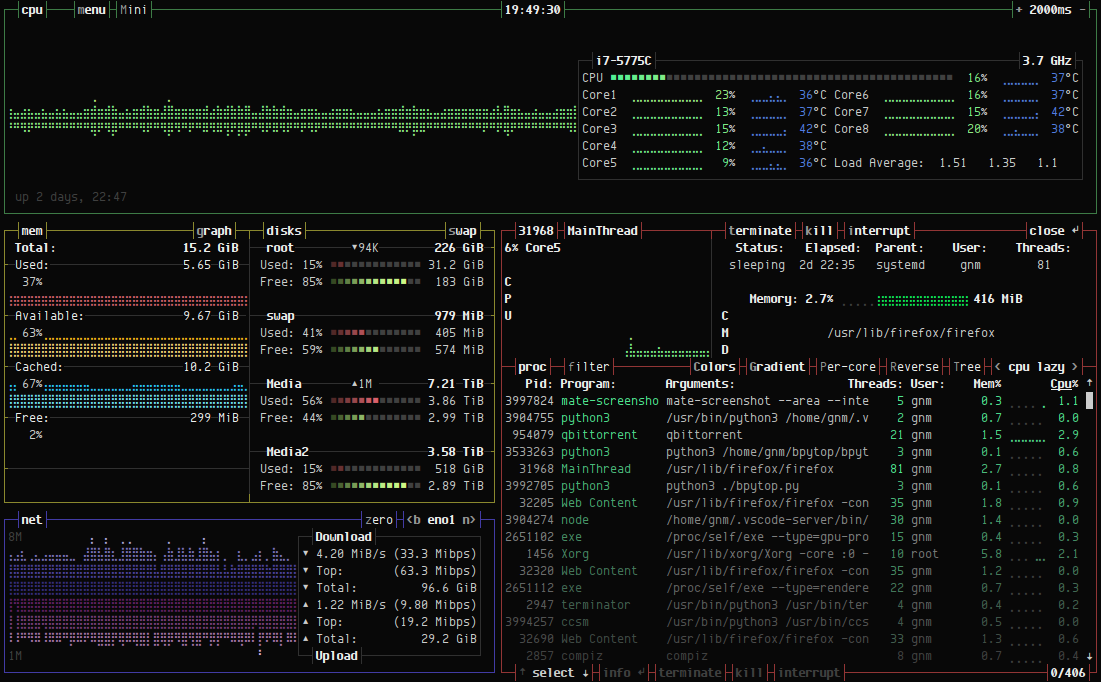
● bpytop主界面
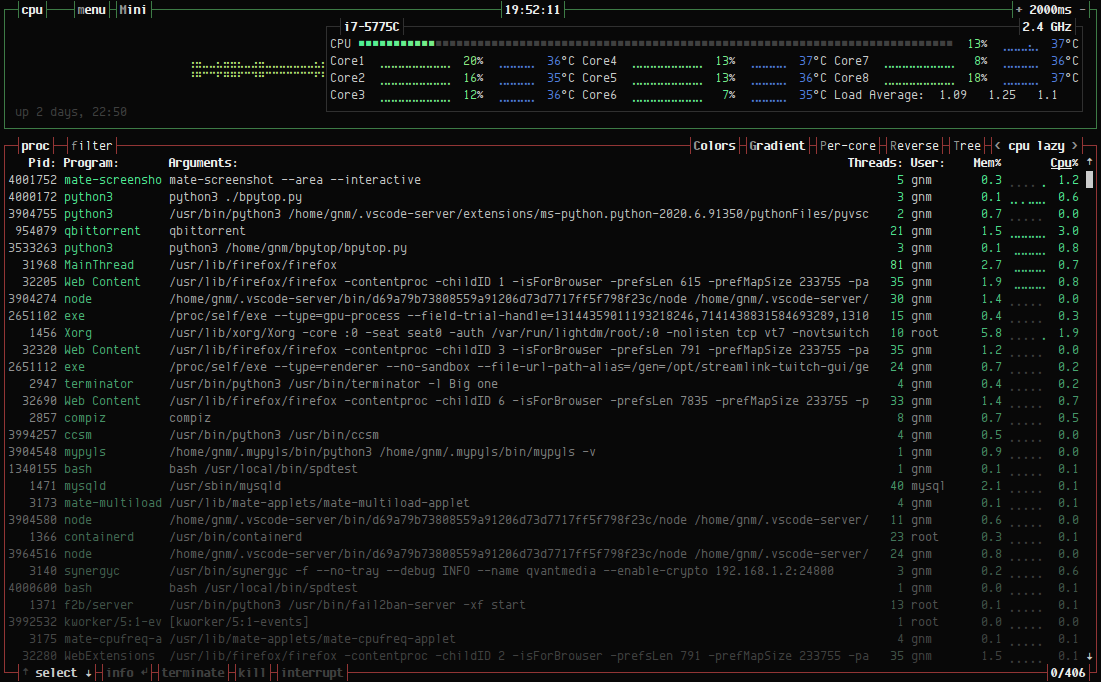
● 迷你界面
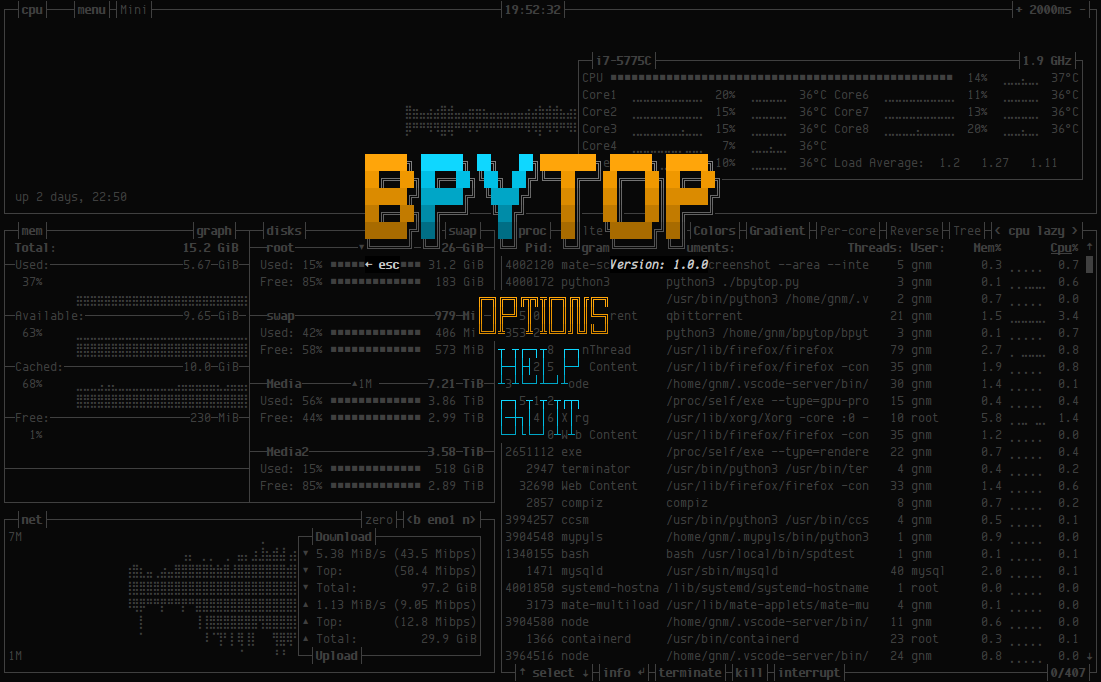
● 主菜单
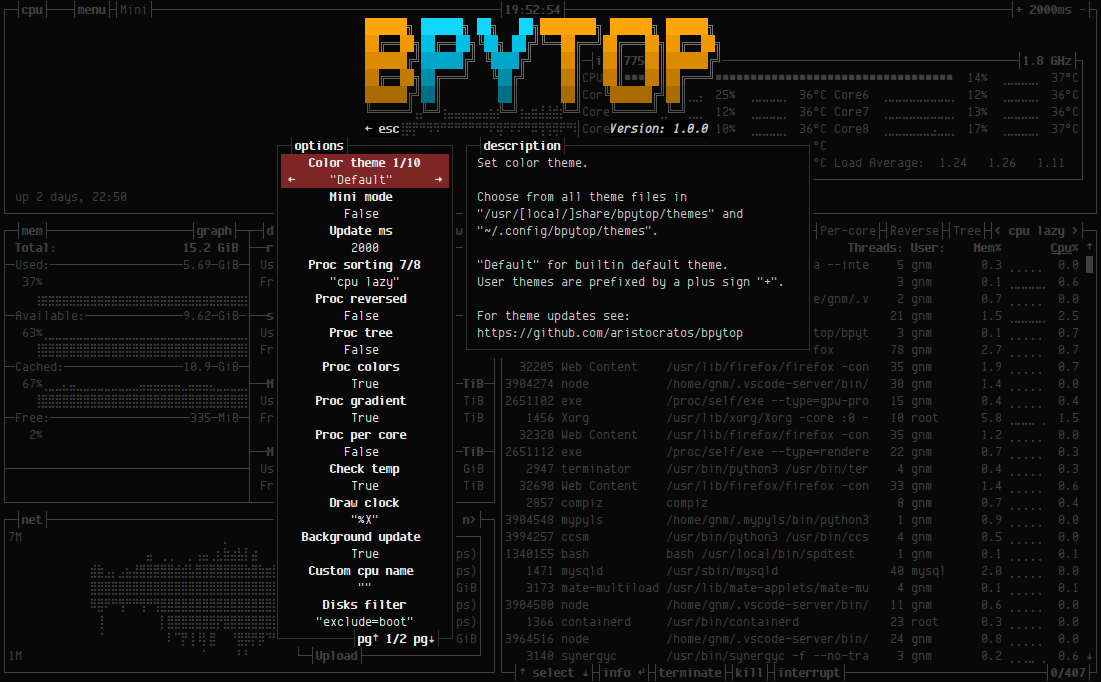
● 参数选项页
三、工具环境及安装
● python (v3.6 or later)
● psutil (v5.7.0 or later)
● 安装方式
git clone https://github.com/aristocratos/bpytop.git

cd bpytop

sudo make install
四、使用方法
USAGE: bpytop [argument]

Arguments:

    -m, --mini            Start in minimal mode without memory and net boxes

    -v, --version         Show version info and exit

    -h, --help            Show this help message and exit

    --debug               Start with loglevel set to DEBUG overriding value set in config
五、快捷键
o                        进入选项页面

m                        切换mini模式和一般模式

h                        查看帮助文档

q , ctrl+c               退出程序

ESC , shift+m            进入主菜单

+ / -                    快速修改页面刷新时间间隔

n                        切换网卡

f                        过滤进程名称

e                        进程树状展示
六、默认参数修改
● 修改/etc/bpytop.conf
#? Config file for bpytop v. 1.0.

#* Color theme, looks for a .theme file in "/usr/[local/]share/bpytop/themes" and "~/.config/bpytop/themes", "Default" for builtin default theme.

#* Prefix name by a plus sign (+) for a theme located in user themes folder, i.e. color_theme="+monokai"

color_theme="Default"

#* If the theme set background should be shown, set to False if you want terminal background transparency

theme_background=True

#* Update time in milliseconds, increases automatically if set below internal loops processing time, recommended  ms or above for better sample times for graphs.

update_ms=

#* Processes sorting, "pid" "program" "arguments" "threads" "user" "memory" "cpu lazy" "cpu responsive",

#* "cpu lazy" updates top process over time, "cpu responsive" updates top process directly.

proc_sorting="cpu lazy"

#* Reverse sorting order, True or False.

proc_reversed=False

#* Show processes as a tree

proc_tree=False

#* Use the cpu graph colors in the process list.

proc_colors=True

#* Use a darkening gradient in the process list.

proc_gradient=True

#* If process cpu usage should be of the core it's running on or usage of the total available cpu power.

proc_per_core=True

#* Show process memory as bytes instead of percent

proc_mem_bytes=True

#* Check cpu temperature, needs "osx-cpu-temp" on MacOS X.

check_temp=True

#* Draw a clock at top of screen, formatting according to strftime, empty string to disable.

draw_clock="%X"

#* Update main ui in background when menus are showing, set this to false if the menus is flickering too much for comfort.

background_update=True

#* Custom cpu model name, empty string to disable.

custom_cpu_name=""

#* Optional filter for shown disks, should be last folder in path of a mountpoint, "root" replaces "/", separate multiple values with comma.

#* Begin line with "exclude=" to change to exclude filter, oterwise defaults to "most include" filter. Example: disks_filter="exclude=boot, home"

disks_filter=""

#* Show graphs instead of meters for memory values.

mem_graphs=True

#* If swap memory should be shown in memory box.

show_swap=True

#* Show swap as a disk, ignores show_swap value above, inserts itself after first disk.

swap_disk=True

#* If mem box should be split to also show disks info.

show_disks=True

#* Set fixed values for network graphs, default "10M" =  Mibibytes, possible units "K", "M", "G", append with "bit" for bits instead of bytes, i.e "100mbit"

net_download="100Mbit"

net_upload="100Mbit"

#* Start in network graphs auto rescaling mode, ignores any values set above and rescales down to  Kibibytes at the lowest.

net_auto=True

#* If the network graphs color gradient should scale to bandwith usage or auto scale, bandwith usage is based on "net_download" and "net_upload" values

net_color_fixed=False

#* Show init screen at startup, the init screen is purely cosmetical

show_init=True

#* Enable check for new version from github.com/aristocratos/bpytop at start.

update_check=True

#* Enable start in mini mode, can be toggled with shift+m at any time.

mini_mode=False

#* Set loglevel for "~/.config/bpytop/error.log" levels are: "ERROR" "WARNING" "INFO" "DEBUG".

#* The level set includes all lower levels, i.e. "DEBUG" will show all logging info.

log_level=WARNING
七、源码地址
https://github.com/aristocratos/bpytop
Linux bpytop工具介绍的更多相关文章
- Linux性能工具介绍
l Linux性能工具介绍 p CPU高 p 磁盘I/O p 网络 p 内存 p 应用程序跟踪 l 操作系统与应用程序的关系比喻为“唇亡齿寒”一点不为过 l 应用程序的性能问题/功能问 ...
- Linux lsof工具介绍
引言 在<Linux fuser工具介绍>一文中,与大家一起学习了fuser工具的使用方法."lsof"——list open files,lsof也是Linux下用于 ...
- 常用linux小工具介绍
1.ctags(Generate tag files for source code)是vim下方便代码阅读的工具.尽管ctags也可以支持其它编辑器,但是它正式支持的只有VIM. ctags 最先是 ...
- 用户管理 之 Linux 用户管理工具介绍
Linux是一个多用户的操作系统,她有完美的用户管理工具,这些工具包括用户的查询.添加.修改,以及用户之间相互切换的工具等:通过这些工具,我们能安全.轻松的完成用户管理: 在这里我们要引入用户控制工具 ...
- Rsync,Linux日志及Screen工具介绍
第十六次课 Rsync,Linux日志及Screen工具介绍 目录 一.rsync工具介绍 二.rsync常用选项 三.rsync通过ssh同步 四. rsync通过服务同步 五.linux系统日志 ...
- [原创]Linux下网络性能测试Netperf工具介绍及安装
[原创]Linux下网络性能测试Netperf工具介绍及安装 1 官方网站 http://www.netperf.org/netperf/ 2 Netperf介绍 Netperf是一种网络性能的测试工 ...
- Linux 文件内容查看工具介绍-cat,less,more,tail,head
Linux 文件内容查看工具介绍 作者:北南南北来自:LinuxSir.Org摘要: 本文讲述几种常用文件内容的查看工具,比如cat.more.less.head.tail等,把这些工具最常用的参数. ...
- Linux操作系统的打包/归档工具介绍
Linux操作系统的打包/归档工具介绍 作者:尹正杰 版权声明:原创作品,谢绝转载!否则将追究法律责任.
- Linux操作系统的压缩、解压缩工具介绍
Linux操作系统的压缩.解压缩工具介绍 作者:尹正杰 版权声明:原创作品,谢绝转载!否则将追究法律责任. 一.compress/uncompress命令常用参数 Linux compress命令: ...
随机推荐
- ES6标准入门 2/26
第一章 ECMAScript6 简介 1.首先经典开头,ECMAScript跟JavaScript的关系,前者是后者的规格,后者是前者的一种实现.在日常场合中,这两个词是可以互换的. 2.ES6可以泛 ...
- 3-Pandas之Series和DataFrame区别
一.Pandas pandas的数据元素包括以下几种类型: 类型 说明 object 字符串或混合类型 int 整型 float 浮点型 datetime 时间类型 bool 布尔型 二.Series ...
- PHP floatval()、doubleval () 函数
floatval 函数用于获取变量的浮点值. floatval 不能用于数组或对象.高佣联盟 www.cgewang.com 版本要求:PHP 4 >= 4.2.0, PHP 5, PHP 7. ...
- PHP ord() 函数
实例 返回 "h" 的 ASCII值: <?php高佣联盟 www.cgewang.comecho ord("h")."<br>&q ...
- Blob分析之board _components.hdev
*用立体方法分割板子组件的示例程序*Application program to illustrate the segmentation* of board _components.hdev wit ...
- 面试必问的volatile关键字
原文: 卡巴拉的树 https://juejin.im/post/5a2b53b7f265da432a7b821c 在Java相关的岗位面试中,很多面试官都喜欢考察面试者对Java并发的了解程度, ...
- xadmin 安装
xadmin 安装 环境(一定要一样) Python 3.6.2 Django 2.0 安装 pip install django==2.0, 指定特定的版本 pip install https:// ...
- Javascript 函数成员导出
同级目录下 文件1 // exportByModule.js const hello_1 = () => { console.info('hello_1') } const hello_2 = ...
- zabbix-4.4.4安装教程(亲测可用)
1.首先添加yum源zabbix.repo [zabbix]name=zabbixbaseurl=https://mirrors.tuna.tsinghua.edu.cn/zabbix/zabbix/ ...
- SpringMVC常见问题Error configuring application listener of class org.springframework.web.context.ContextLoaderListenejava.lang.ClassNotFoundException: org.springframework.web.context.ContextLoaderListener
六月 20, 2018 9:43:34 下午 org.apache.catalina.core.StandardContext listenerStart 严重: Error configuring ...