
react中使用Ajax请求(axios,Fetch)
React本身只关注于界面, 并不包含发送ajax请求的代码,前端应用需要通过ajax请求与后台进行交互(json数据),可以使用集成第三方ajax库(或自己封装)
常用的ajax请求库
jQuery: 比较重, 如果需要另外引入不建议使用
axios: 轻量级, 建议使用,封装XmlHttpRequest对象的ajax,promise风格,可以用在浏览器端和node服务器端
fetch: 原生函数, 但老版本浏览器不支持,不再使用XmlHttpRequest对象提交ajax请求,为了兼容低版本的浏览器, 可以引入兼容库fetch.js
常用的ajax请求库—axios
文档地址:https://github.com/axios/axios
相关API—get请求
axios.get('/user?ID=12345').then(function (response) {
    console.log(response);
  }) .catch(function (error) {
    console.log(error);
  });
axios.get('/user', {
    params: {
      ID: 12345
    }
}).then(function (response) {
    console.log(response);
  }).catch(function (error) {
    console.log(error);
});
相关API—post请求
axios.post('/user', {
    firstName: 'Fred',
    lastName: 'Flintstone'
}).then(function (response) {
  console.log(response);
}).catch(function (error) {
  console.log(error);
});
常用的ajax请求库—fetch
文档地址:https://github.github.io/fetch/,https://segmentfault.com/a/1190000003810652
由于 Fetch API 是基于 Promise 设计,有必要先学习一下 Promise,推荐阅读 MDN Promise 教程。旧浏览器不支持 Promise,需要使用 polyfill es6-promise
Fetch API 很简单,看文档很快就学会了。推荐 MDN Fetch 教程 和 万能的WHATWG Fetch 规范
相关API-get请求
fetch(url).then(function(response) {
  return response.json()
}).then(function(data) {
  console.log(data)
}).catch(function(e) {
  console.log(e)
});
相关API-post请求
fetch(url, {
  method: "POST",
  body: JSON.stringify(data),
}).then(function(data) {
  console.log(data)
}).catch(function(e) {
  console.log(e)
})
分别使用axios和fetch实现一个搜索案例
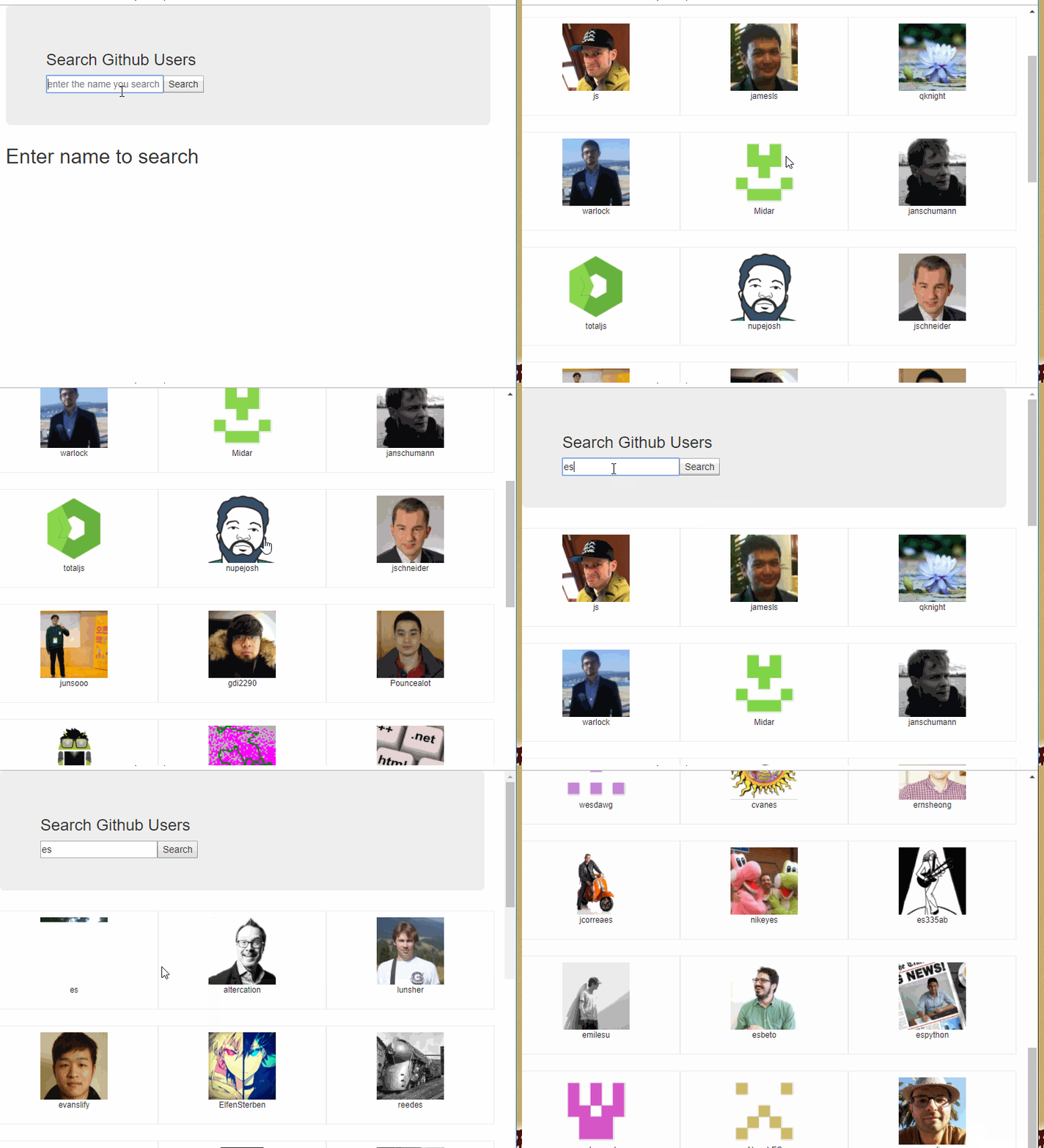
效果大致如下
使用脚手架创建项目并且创建目录结构并且编写静态的组件
将这个功能抽出来一整个模块(search),将主组件在App.js中引入
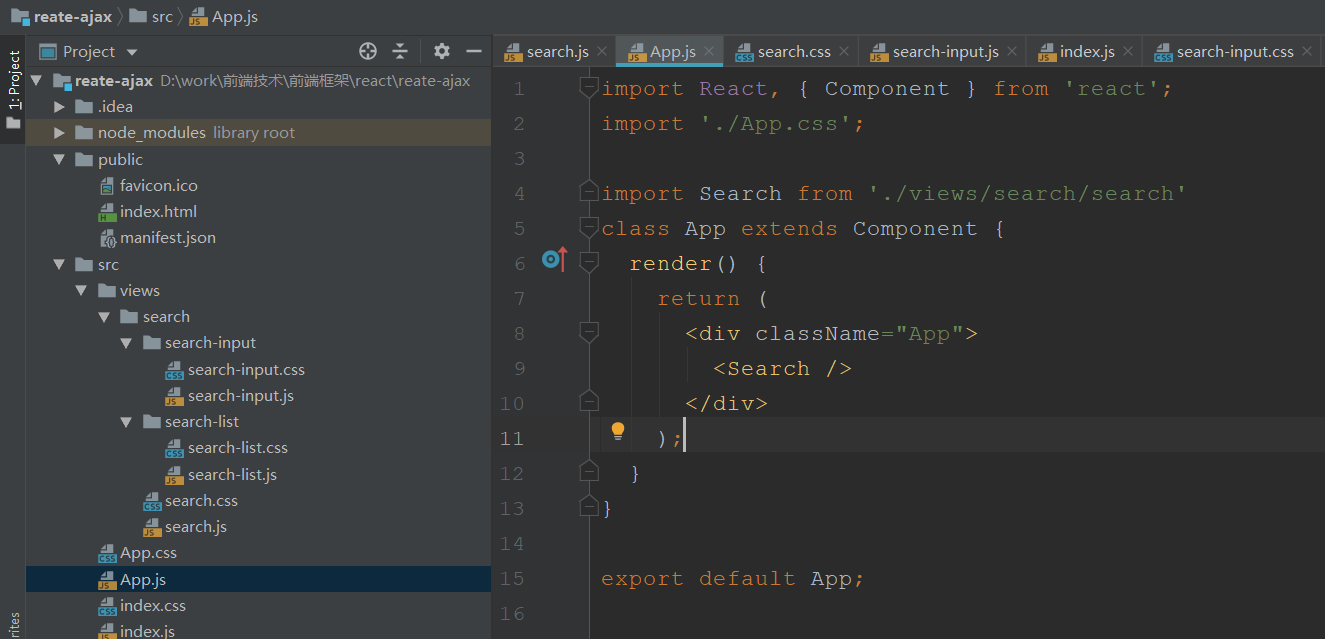
search.js(主组件)
组件中需要接收子组件search-input.js传过来的一个searchName数据,search组件拿到这个数据进行请求后台,将返回的数据传递给子组件search-list
search-list有四个状态,初始(initView),查询中(loading),查询的数据(users),查询失败信息(errorMsg),在父组件中传递给子组件search-list并且根据查询结果进行更新这四个状态,更新状态后子组件会接收到最新的状态
先来看看使用axios
import React, {Component} from 'react'
import axios from 'axios'
import './search.css';

import SearchInput from './search-input/search-input'
import SearchList from './search-list/search-list'
class Search extends Component {

  // search-list有四个状态,初始(initView),查询中(loading),查询的数据(users),查询失败信息(errorMsg)
  state = {
    initView: true,
    loading: false,
    users: [],
    errorMsg: ''
  }
  search = (searchName) => {
    const url = `https://api.github.com/search/users?q=${searchName}`
    this.setState({ initView: false, loading: true })
    axios.get(url)
      .then((response) => {
        this.setState({ loading: false, users: response.data.items })
      })
      .catch((error) => {
        console.log('error', error.response.data.message, error.message)
        this.setState({ loading: false, errorMsg: error.message })
      })
  }
  render() {
    const {initView, loading, users, errorMsg} = this.state
    return (
      <div className='search-axios'>
        <div className='search-input-cantain'>
          <SearchInput search={this.search}/>
        </div>
        <div className='search-list-cantain'>
          <SearchList initView={initView} loading={loading} users={users} errorMsg={errorMsg}/>
        </div>
      </div>
    )
  }
}
export default Search
.search-axios{
  width: 900px;
  height: 600px;
  margin: 40px auto 0;
  border: 1px solid #cccccc;
  box-sizing: border-box;
}
.search-input-cantain{
  width: 100%;
  height: 100px;
  padding: 20px;
  box-sizing: border-box;
  border-bottom: 1px solid #cccccc;
}
.search-list-cantain{
  width: 100%;
  height: 500px;
  padding: 20px;
  box-sizing: border-box;
}
子组件search-input
将输入框的数据使用自定义事件传个父组件search
import React, {Component} from 'react'
import './search-input.css';
import propTypes from 'prop-types'

class SearchInput extends Component {
  static propTypes = {
    search: propTypes.func.isRequired
  }

  handleSearch = () => {
    // 获取输入框中的数据
    const searchName = this.searchName.value

    // 更新状态
    this.props.search(searchName)

    // 清空输入框中的数据
    this.searchName.value = ''
  }

  render() {
    return (
      <div className='search-input'>
        <input type='text' ref={input => this.searchName = input} placeholder='enter the name you search'/>
        <button onClick={this.handleSearch}>Search</button>
      </div>
    )
  }
}
export default SearchInput
.search-input input{
  width: 80%;
  height: 35px;
  border-bottom-left-radius: 4px;
  border-top-left-radius: 4px;
  outline: none;
  border: 1px solid #cccccc;
  padding: 0 8px;
  box-sizing: border-box;
}
.search-input button{
  width: 20%;
  text-align: center;
  height: 35px;
  line-height: 35px;
  outline: none;
  border: 1px solid #cccccc;
  box-sizing: border-box;
  cursor: pointer;
  vertical-align: -2px;
  border-bottom-right-radius: 4px;
  border-top-right-radius: 4px;
}
子组件search-list根据父组件search传过来的四个状态进行判断显示
import React, {Component} from 'react'
import './search-list.css';
import propTypes from "prop-types";

class SearchList extends Component {
  static propTypes = {
    initView: propTypes.bool.isRequired,
    loading: propTypes.bool.isRequired,
    users: propTypes.array.isRequired,
    errorMsg: propTypes.string.isRequired
  }
  render() {
    const {initView, loading, users, errorMsg} = this.props

    if (initView) {
      return <div className='search-hide-enter'>enter the name you search</div>
    } else if (loading) {
      return <div className='search-ing'>搜索中,请稍后.....</div>
    } else if (errorMsg) {
      return <div className='search-error'>{errorMsg}</div>
    } else {
      return (
        <div className='search-list'>
          {users.map((user, index) => (
            <div className='search-item' key={index}>
              <div className='search-item-img'><img src={user.avatar_url} alt='user'/></div>
              <p className='search-item-name'>{user.login}</p>
            </div>
          ))}
        </div>
      )
    }
  }
}
export default SearchList
.search-list{
  width: 100%;
  height: 460px;
  overflow-y: auto;
}
.search-item{
  width: 25%;
  height: 150px;
  display: inline-block;
  padding: 10px;
  box-sizing: border-box;
}
.search-item-img{
  width: 70%;
  margin: 0 auto;
  text-align: center;
}
.search-item-img img{
  max-width: 100%;
}
.search-item p{
  width: 100%;
  text-align: center;
  margin:;
  padding:;
}
.search-hide-enter,.search-ing,.search-error{
  font-size: 20px;
}
另外一种方式是子组件search-input将输入框的数据使用自定义事件传个父组件search,父组件search在将这个数据传个子组件search-list,子组件search-list接收到新的属性时自动调用componentWillReceiveProps这个方法继续ajax请求
search组件
import React, {Component} from 'react'
import './search.css';

import SearchInput from './search-input/search-input'
import SearchList from './search-list/search-list'
class Search extends Component {

  state = {
    searchName: ''
  }
  search = (searchName) => {
    this.setState({searchName})
  }
  render() {
    const {searchName} = this.state
    return (
      <div className='search-axios'>
        <div className='search-input-cantain'>
          <SearchInput search={this.search}/>
        </div>
        <div className='search-list-cantain'>
          <SearchList searchName={searchName} />
        </div>
      </div>
    )
  }
}
export default Search
search-list组件
import React, {Component} from 'react'
import './search-list.css';
import propTypes from "prop-types";
import axios from 'axios'

class SearchList extends Component {
  static propTypes = {
    searchName: propTypes.string.isRequired
  }

  state = {
    initView: true,
    loading: false,
    users: [],
    errorMsg: null
  }
  // 当组件接收到新的属性时回调(生命周期的函数)
  async componentWillReceiveProps(newProps)  {
    const {searchName} = newProps
    const url = `https://api.github.com/search/users?q=${searchName}`
    this.setState({ initView: false, loading: true })
    try {
      let data = await axios.get(url);
      this.setState({ loading: false, users: data.data.items })
    } catch(e) {
      this.setState({ loading: false, errorMsg: e.message })
      console.log("Oops, error", e);
    }
  }

  render() {
    const {initView, loading, users, errorMsg} = this.state

    if (initView) {
      return <div className='search-hide-enter'>enter the name you search</div>
    } else if (loading) {
      return <div className='search-ing'>搜索中,请稍后.....</div>
    } else if (errorMsg) {
      return <div className='search-error'>{errorMsg}</div>
    } else {
      return (
        <div className='search-list'>
          {users.map((user, index) => (
            <div className='search-item' key={index}>
              <div className='search-item-img'><img src={user.avatar_url} alt='user'/></div>
              <p className='search-item-name'>{user.login}</p>
            </div>
          ))}
        </div>
      )
    }
  }
}
export default SearchList
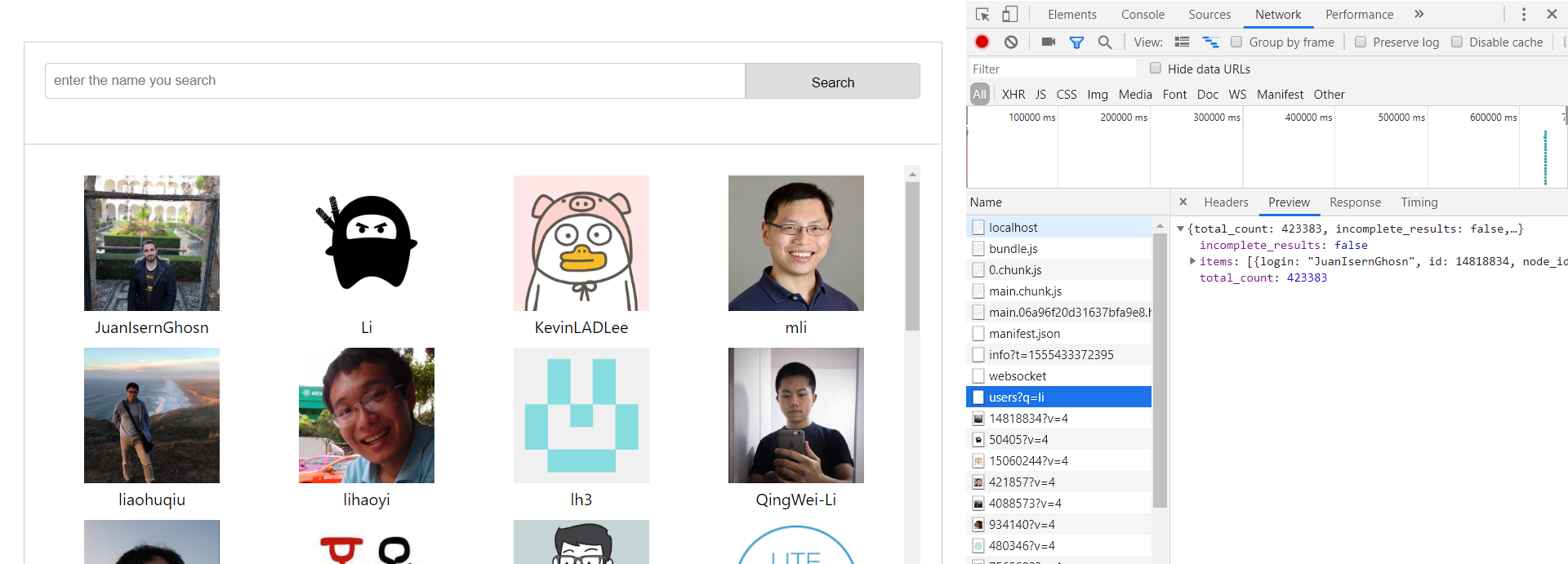
最终效果
react中使用Ajax请求(axios,Fetch)的更多相关文章
- [Web 前端] 如何在React中做Ajax 请求?
cp from : https://segmentfault.com/a/1190000007564792 如何在React中做Ajax 请求? 首先:React本身没有独有的获取数据的方式.实际上, ...
- React 中的 AJAX 请求:获取数据的方法
React 中的 AJAX 请求:获取数据的方法 React 只是使用 props 和 state 两处的数据进行组件渲染. 因此,想要使用来自服务端的数据,必须将数据放入组件的 props 或 st ...
- Vue中发送ajax请求——axios使用详解
axios 基于 Promise 的 HTTP 请求客户端,可同时在浏览器和 node.js 中使用 功能特性 在浏览器中发送 XMLHttpRequests 请求 在 node.js 中发送 htt ...
- React中的Ajax
React中的Ajax 组件的数据来源,通常是通过Ajax请求从服务器获取,可以使用componentDidMount方法设置Ajax请求,等到请求成功,再用this.setState方法重新渲染UI ...
- PHP--------TP中的ajax请求
PHP--------TP中的ajax请求 以jQuery中的ajax为例: (1)引入jQuery 通过模板替换表示路径,我们可以自定义模板替换变量(在config中定义) /*自定义模板替换标签* ...
- javascrpt 中的Ajax请求
回顾下javascript中的Ajax请求,写一个小例子: <!DOCTYPE html PUBLIC "-//W3C//DTD XHTML 1.0 Transitional//EN& ...
- ASP.NET Core Razor中处理Ajax请求
如何ASP.NET Core Razor中处理Ajax请求 在ASP.NET Core Razor(以下简称Razor)刚出来的时候,看了一下官方的文档,一直没怎么用过.今天闲来无事,准备用Rozor ...
- HighCharts中的Ajax请求的2D折线图
HighCharts中的Ajax请求的2D折线图 设计源码: <!DOCTYPE html> <html> <head> <meta charset=&quo ...
- 关于JQuery中的ajax请求或者post请求的回调方法中的操作执行或者变量修改没反映的问题
前段时间做一个项目,而项目中所有的请求都要用jquery 中的ajax请求或者post请求,但是开始处理一些简单操作还好,但是自己写了一些验证就出现问题了,比如表单提交的时候,要验证帐号的唯一性,所以 ...
随机推荐
- 【转】ADO.Net对Oracle数据库的操作
一 ADO.Net简介 [转自网络,收藏学习] 访问数据库的技术有许多,常见的有一下几种:开放数据库互联(ODBC). 数据访问对象(DAO).远程数据对象(RDO). ActiveX数据对象(ADO ...
- mysql中general_log查询日志
作为mysql的通用查询日志,记录增删改查操作的,都有日志文件记录的. 经上网查资料,得知,通用查询日志--可以关闭 show global variables like '%general%'; 同 ...
- Java_冒泡排序_原理及优化
冒泡排序及其优化 一.原理及优化原理 1.原理讲解 冒泡排序即:第一个数与第二个数进行比较,如果满足条件位置不变,再把第二个数与第三个数进行比较.不满足条件则替换位置,再把第二个数与第三个数进行比较, ...
- undefined 与 xx is not defined 的区别
undefined 与 xx is not defined 的区别 1. undefined 表示是javascript中的一种数据类型,当被定义的变量没有被赋值或者某个被调用的函数没有定义返回值时候 ...
- vue从入门到进阶:渲染函数 & JSX(八)
Vue 推荐在绝大多数情况下使用 template 来创建你的 HTML.然而在一些场景中,你真的需要 JavaScript 的完全编程的能力,这就是 render 函数,它比 template 更接 ...
- sublime text2 中标签高亮效果BracketHighlighter插件
1.打开package Control,选择install Package 2.输入BracketHighlighter,回车 3.这样该插件会自动安装,安装后所有的提示高亮都是白色或没有提示.按 p ...
- clipboard.js -- js实现将文本复制到剪贴板的方法
资源 推荐使用:clipboard.js 官方教程地址:https://clipboardjs.com/#example-text 官方github地址:https://github.com/zeno ...
- 信息检索中的TF/IDF概念与算法的解释
https://blog.csdn.net/class_brick/article/details/79135909 概念 TF-IDF(term frequency–inverse document ...
- [ORACLE]ORA-28002 The password will expire within 7 days.将不能登录系统
错误“ORA-28002 The password will expire within 7 days. Cannot logon to the database“当在进程调度器上运行AE程序可能遇 ...
- 如何用ABP框架快速完成项目(9) - 用ABP一个人快速完成项目(5) - 不要执着于设计模式和DDD理论,避免原教旨主义
为什么要写这节文章呢? 首先主动看我这系列文章和参加活动课程的同学, 肯定是积极好学的. 所以很大概率是学过设计模式和DDD理论的. 很大概率不是走一点都不懂设计模式和DDD理论这个极端, 而是走 ...