
Frenetic HelloSDNWorld
Follow
HelloSDNWorld
实验环境:
Frenetic虚拟机:

实验步骤:
1.Start up a terminal window - – two are provided in the VM under Accessories: Byobu Terminal (which integrates nicely with tmux) and LXTerminal (which has graphical tabs). Either one will do.
打开一个终端。
注意,这里打开的终端,需要是Byobu Terminal或者是LXTerminal,不能是其他类型的Terminal。
2.Start up a Mininet sample network with a switch and 2 hosts:
$ sudo mn --topo=single,2 --controller=remote
使用Mininet创建有两个交换机的网络拓扑。

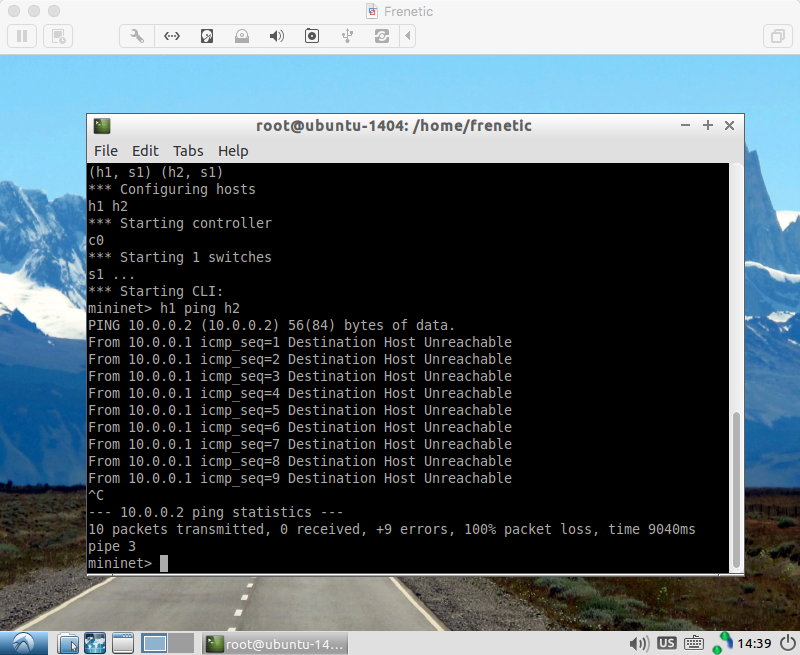
3.Try pinging the host h2 from the host h1:
$ h1 ping h2
Unfortunately, the ping won't work because you don't have an SDN network program in place! Press CTRL-C to stop the pinging.
交换机互ping。
注意:ping是不成功的!当看到ping失败的时候惊出冷汗,才发现是黑色幽默,ctrl+c终止ping。
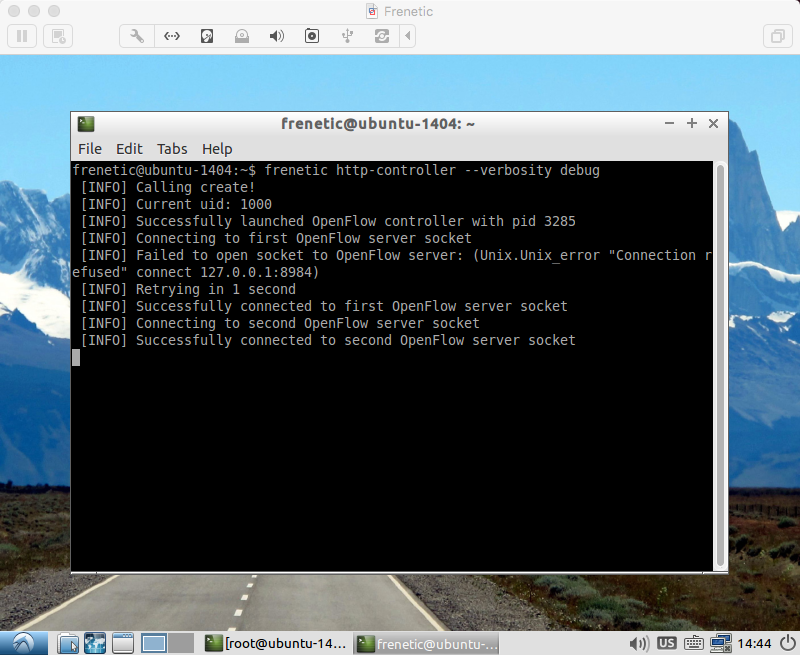
4.Start up another terminal window and start up Frenetic:
$ frenetic http-controller --verbosity debug
在新的终端中打开一个controller。
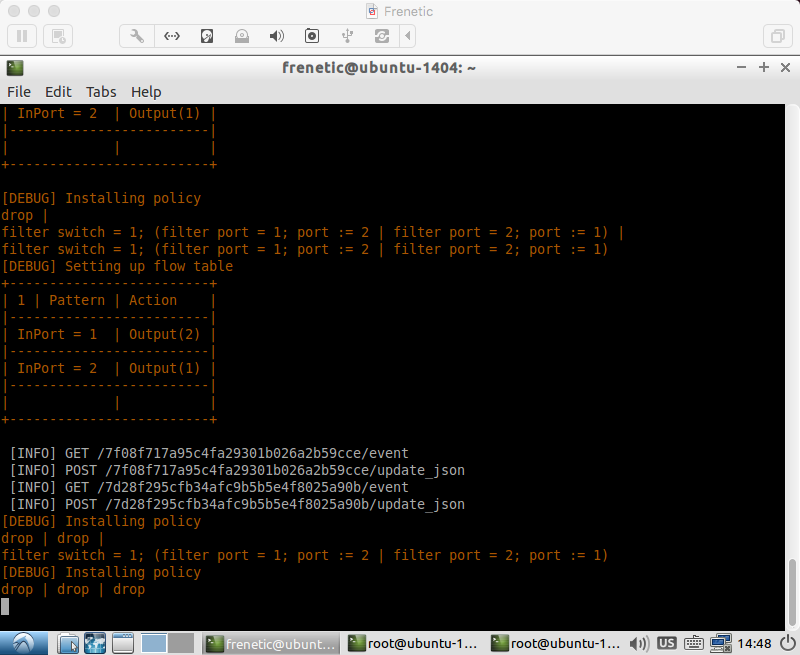
我的操作是,先打开controller再创建Mininet拓扑。
未创建Mininet网络拓扑时:
创建网络拓扑,结束实验时:
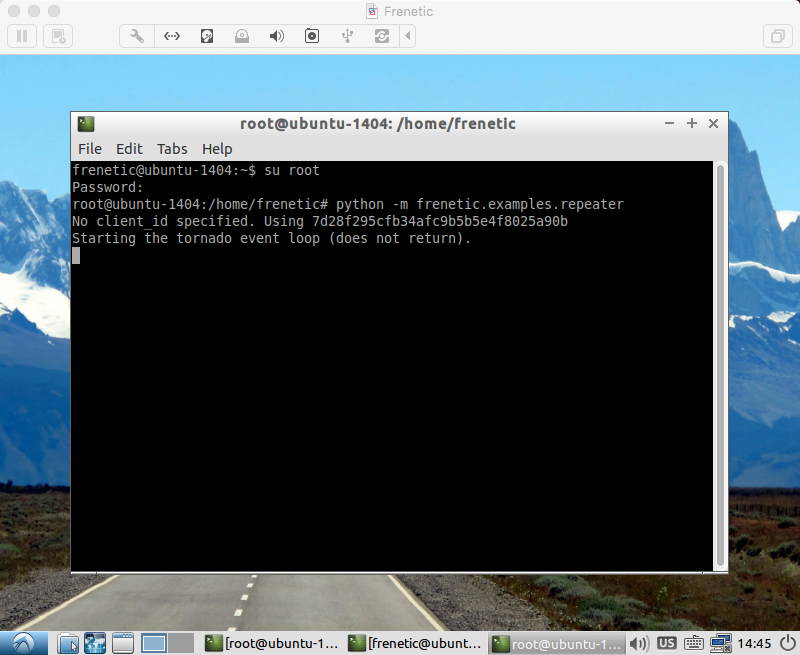
5.In a third terminal window, start up the example program for the Python repeater:
$ python -m frenetic.examples.repeater
注意,请先创建Mininet拓扑。
在第三个终端,运行程序,执行Python repeater。
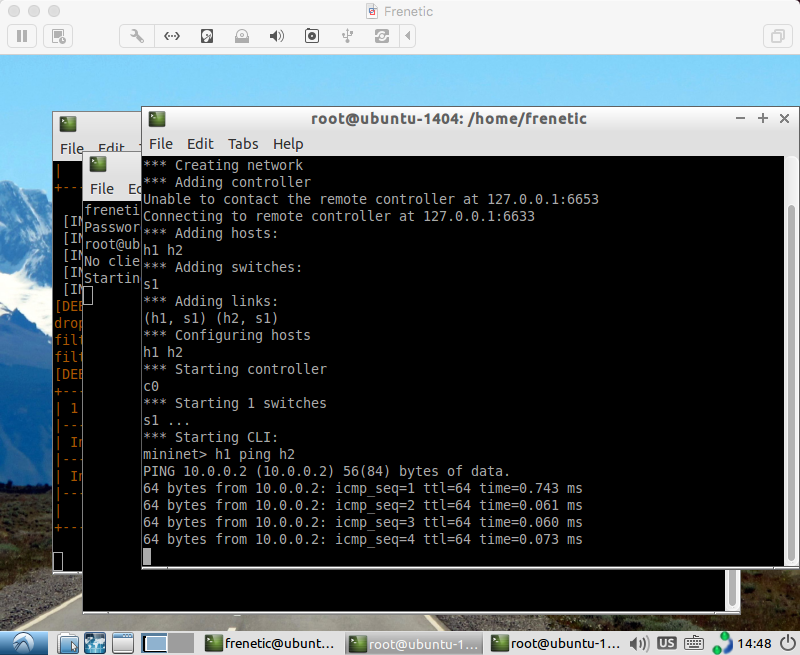
6.Now, back in the window running Mininet, the ping should now succeed:
mininet> h1 ping h2
Congratulations! You now have a working Software Defined Network.
再次互ping,恭喜您,在Frenetic的虚拟机中打开了SDN的大门。
2016/11/29
Frenetic HelloSDNWorld的更多相关文章
- Frenetic Python实验(三)
实验5 repeater 这个实验在HelloSDNWorld里面做的实验是一样的.HelloSDNWorld 目的:模拟一个有多个端口的中继器. This application implement ...
- Frenetic Python实验(二)
实验3 packet_in_out 目的:模拟一个普通的双端口中继器. This application implements a very simple 2 port repeater where ...
- Frenetic Python实验(一)
Follow: Github-Frenetic 准备: 所有的实验,第一步都需要开启控制器,命令: $ frenetic http-controller --verbosity debug 每一个实验 ...
- Frenetic QuickInstall
Frenetic a family of network programming languages 官方网站:Frenetic Github:Frenetic QuickInstall 第一步,先安 ...
- Python框架、库以及软件资源汇总
转自:http://developer.51cto.com/art/201507/483510.htm 很多来自世界各地的程序员不求回报的写代码为别人造轮子.贡献代码.开发框架.开放源代码使得分散在世 ...
- Awesome Python
Awesome Python A curated list of awesome Python frameworks, libraries, software and resources. Insp ...
- Machine and Deep Learning with Python
Machine and Deep Learning with Python Education Tutorials and courses Supervised learning superstiti ...
- js 节流函数 throttle
/* * 频率控制 返回函数连续调用时,fn 执行频率限定为每多少时间执行一次 * @param fn {function} 需要调用的函数 * @param delay {number} 延迟时间, ...
- A Game of Thrones(18) - Catelyn
“We will make King’s Landing within the hour.” Catelyn turned away from the rail and forced herself ...
随机推荐
- python基础——使用list和tuple
python基础——使用list和tuple list Python内置的一种数据类型是列表:list.list是一种有序的集合,可以随时添加和删除其中的元素. 比如,列出班里所有同学的名字,就可以用 ...
- Android之Tab类总结
本文主要包括以下Tab类实现方式 FragmentTabHost+Fragment实现 传统的ViewPager实现 FragmentManager+Fragment实现 ViewPager+Frag ...
- Android之查看网络图片和网页HTML
网络编程是Android应用中很重要的一部分,本文主要讲述了利用HttpURLConnection获取网络图片和HTML的方法. 获取网络图片 public class MainActivity ex ...
- Zabbix discoverer processes more than 75% busy
[root@86 ~]# grep -n "StartDiscoverers" /usr/local/zabbix/etc/zabbix_server.conf 176:### O ...
- js call apply caller callee bind
call apply bind作用类似.即调用一个对象的一个方法,以另一个对象替换当前对象. call 语法:call([thisObj[,arg1[, arg2[, [,.argN]]]]]) ...
- MySQL常用简单小命令
1. 登录数据库: mysql -h localhost -u root -p
- 怎么判定一个mac地址是multicast还是unicast.
MAC地址是以太网二层使用的一个48bit(6字节十六进制数)的地址,用来标识设备位置.MAC地址分成两部分,前24位是组织唯一标识符(OUI, Organizationally unique ide ...
- Storm工程创建
1.创建maven项目: pom.xml: <project xmlns="http://maven.apache.org/POM/4.0.0" xmlns:xsi=&quo ...
- Java Hour 30 Weather ( 3 )
有句名言,叫做10000小时成为某一个领域的专家.姑且不辩论这句话是否正确,让我们到达10000小时的时候再回头来看吧. Hour 30 上回终点 Model 这里有一些java bean 的 风格约 ...
- poj 1753
翻转棋,注意是翻转周围四个的,不是整行列的 汗-_-! 哥的代码风还是不错的 二进制储存状态 Sample Input bwwb bbwb bwwb bwww Sample Output 4 #in ...