
Frenetic HelloSDNWorld
Follow
HelloSDNWorld
实验环境:
Frenetic虚拟机:

实验步骤:
1.Start up a terminal window - – two are provided in the VM under Accessories: Byobu Terminal (which integrates nicely with tmux) and LXTerminal (which has graphical tabs). Either one will do.
打开一个终端。
注意,这里打开的终端,需要是Byobu Terminal或者是LXTerminal,不能是其他类型的Terminal。
2.Start up a Mininet sample network with a switch and 2 hosts:
$ sudo mn --topo=single,2 --controller=remote
使用Mininet创建有两个交换机的网络拓扑。

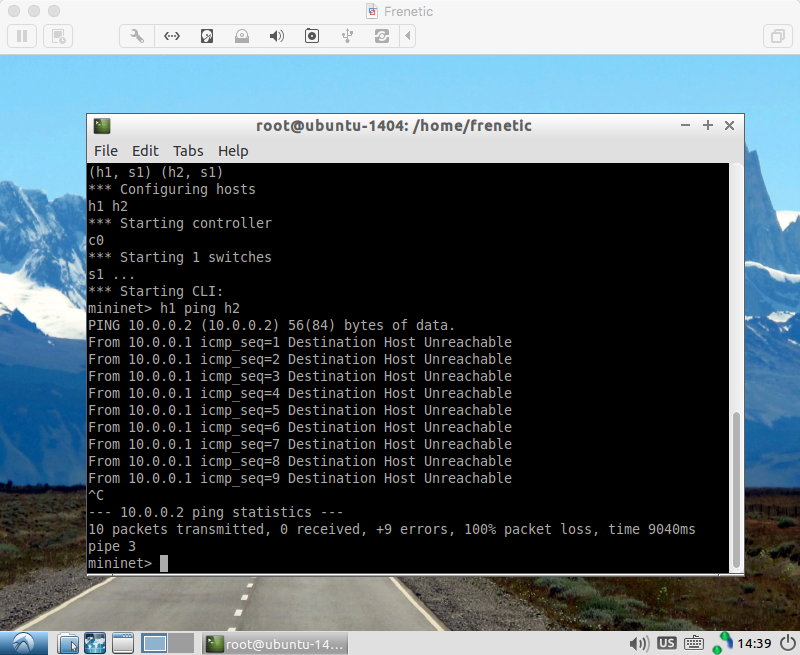
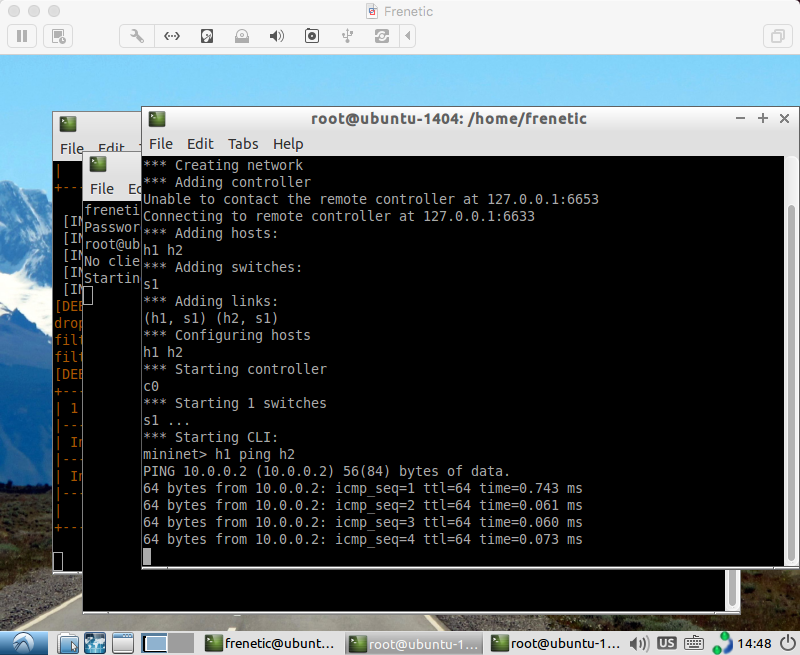
3.Try pinging the host h2 from the host h1:
$ h1 ping h2
Unfortunately, the ping won't work because you don't have an SDN network program in place! Press CTRL-C to stop the pinging.
交换机互ping。
注意:ping是不成功的!当看到ping失败的时候惊出冷汗,才发现是黑色幽默,ctrl+c终止ping。
4.Start up another terminal window and start up Frenetic:
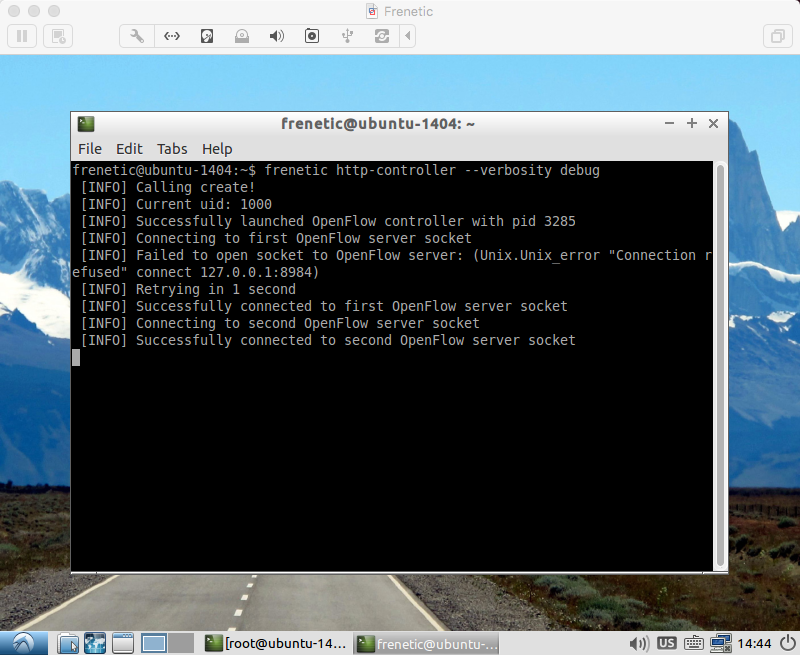
$ frenetic http-controller --verbosity debug
在新的终端中打开一个controller。
我的操作是,先打开controller再创建Mininet拓扑。
未创建Mininet网络拓扑时:
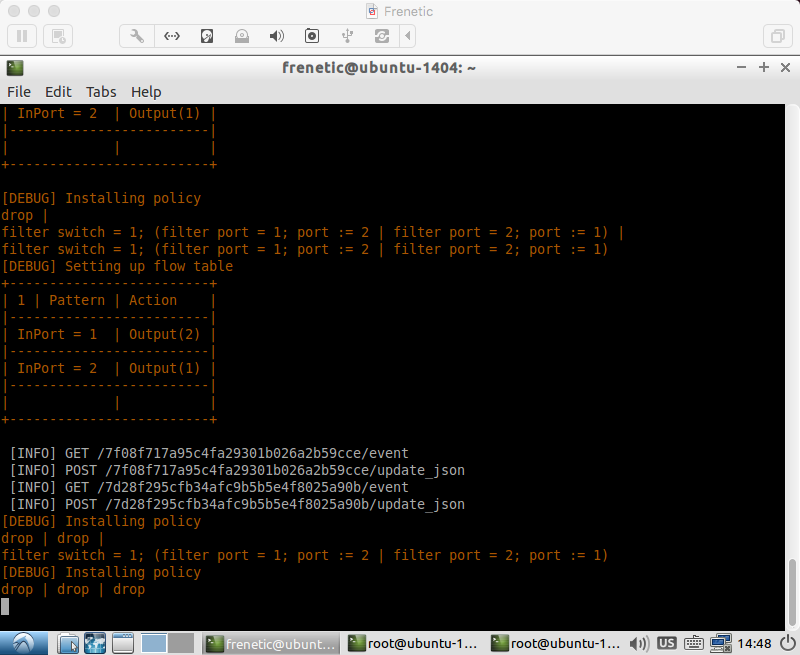
创建网络拓扑,结束实验时:
5.In a third terminal window, start up the example program for the Python repeater:
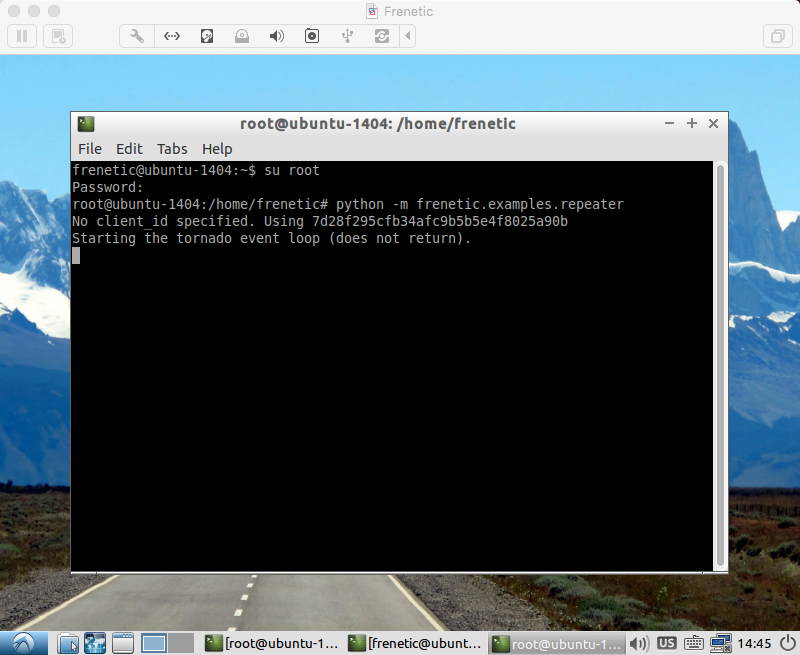
$ python -m frenetic.examples.repeater
注意,请先创建Mininet拓扑。
在第三个终端,运行程序,执行Python repeater。
6.Now, back in the window running Mininet, the ping should now succeed:
mininet> h1 ping h2
Congratulations! You now have a working Software Defined Network.
再次互ping,恭喜您,在Frenetic的虚拟机中打开了SDN的大门。
2016/11/29
Frenetic HelloSDNWorld的更多相关文章
- Frenetic Python实验(三)
实验5 repeater 这个实验在HelloSDNWorld里面做的实验是一样的.HelloSDNWorld 目的:模拟一个有多个端口的中继器. This application implement ...
- Frenetic Python实验(二)
实验3 packet_in_out 目的:模拟一个普通的双端口中继器. This application implements a very simple 2 port repeater where ...
- Frenetic Python实验(一)
Follow: Github-Frenetic 准备: 所有的实验,第一步都需要开启控制器,命令: $ frenetic http-controller --verbosity debug 每一个实验 ...
- Frenetic QuickInstall
Frenetic a family of network programming languages 官方网站:Frenetic Github:Frenetic QuickInstall 第一步,先安 ...
- Python框架、库以及软件资源汇总
转自:http://developer.51cto.com/art/201507/483510.htm 很多来自世界各地的程序员不求回报的写代码为别人造轮子.贡献代码.开发框架.开放源代码使得分散在世 ...
- Awesome Python
Awesome Python A curated list of awesome Python frameworks, libraries, software and resources. Insp ...
- Machine and Deep Learning with Python
Machine and Deep Learning with Python Education Tutorials and courses Supervised learning superstiti ...
- js 节流函数 throttle
/* * 频率控制 返回函数连续调用时,fn 执行频率限定为每多少时间执行一次 * @param fn {function} 需要调用的函数 * @param delay {number} 延迟时间, ...
- A Game of Thrones(18) - Catelyn
“We will make King’s Landing within the hour.” Catelyn turned away from the rail and forced herself ...
随机推荐
- operator new与new operator的区别
原文地址:http://www.cnblogs.com/jamesmile/archive/2010/04/17/1714311.html,在此感谢 C++中的operator new与new ope ...
- Zabbix利用msmtp+mutt发送邮件报警(公告:这文章有问题,还没有修改,2016-08-25)
[root@86 ~]# wget http://jaist.dl.sourceforge.net/project/msmtp/msmtp/1.4.32/msmtp-1.4.32.tar.bz2 百度 ...
- hdu 2108:Shape of HDU(计算几何,判断多边形是否是凸多边形,水题)
Shape of HDU Time Limit: 3000/1000 MS (Java/Others) Memory Limit: 32768/32768 K (Java/Others)Tota ...
- Java Hour 30 Weather ( 3 )
有句名言,叫做10000小时成为某一个领域的专家.姑且不辩论这句话是否正确,让我们到达10000小时的时候再回头来看吧. Hour 30 上回终点 Model 这里有一些java bean 的 风格约 ...
- hdu 4005 双联通 2011大连赛区网络赛E *****
题意: 有一幅图,现在要加一条边,加边之后要你删除一条边,使图不连通,费用为边的费用,要你求的是删除的边的最小值的最大值(每次都可以删除一条边,选最小的删除,这些最小中的最大就为答案) 首先要进行缩点 ...
- poj 3252 组合数
主要考察组合数知识,初始化的时候参考公式 首先先推个公式,就是长度为len的Round Numbers的个数. 长度为len,第一位肯定是1了. 那么后面剩下 len-1位 ...
- Sonar+Hudson+Maven构建系列之三:安装Hudson
摘要:其实前面介绍过Sonar,后面Hudson安装就方便了.安装Hudson之前说说Hudson相关的事,现在世面上的有两种与Hudson相关的CI工具,一个是Hudson,一个是Jenkins,这 ...
- loj 1154(最大流+枚举汇点)
题目链接:http://acm.hust.edu.cn/vjudge/problem/viewProblem.action?id=26868 思路:拆点,容量为最多能跳的步数,然后设立一个超级源点,源 ...
- poj 1463(树形dp)
题目链接:http://poj.org/problem?id=1463 思路:简单树形dp,如果不选父亲节点,则他的所有的儿子节点都必须选,如果选择了父亲节点,则儿子节点可选,可不选,取较小者. #i ...
- safari的坑
当将图片src设置为空字符的时候,图片仍然还在: