
【推荐】iOS带有加载网络图片进度的UIImageView
UCZProgressView 是一个带有通用的圆形图片进度下载控件。动画效果不错
特性
- Customizable indicator (line width, radius, and color)
- Display a label with the current progress.
- Customizable progress text label (color, size and font)
- Customizable background view (blur style)
- Fully support interface builder (
IB_DESIGNABLEandIBInspectable) - Fully support
UI_APPEARANCE_SELECTOR
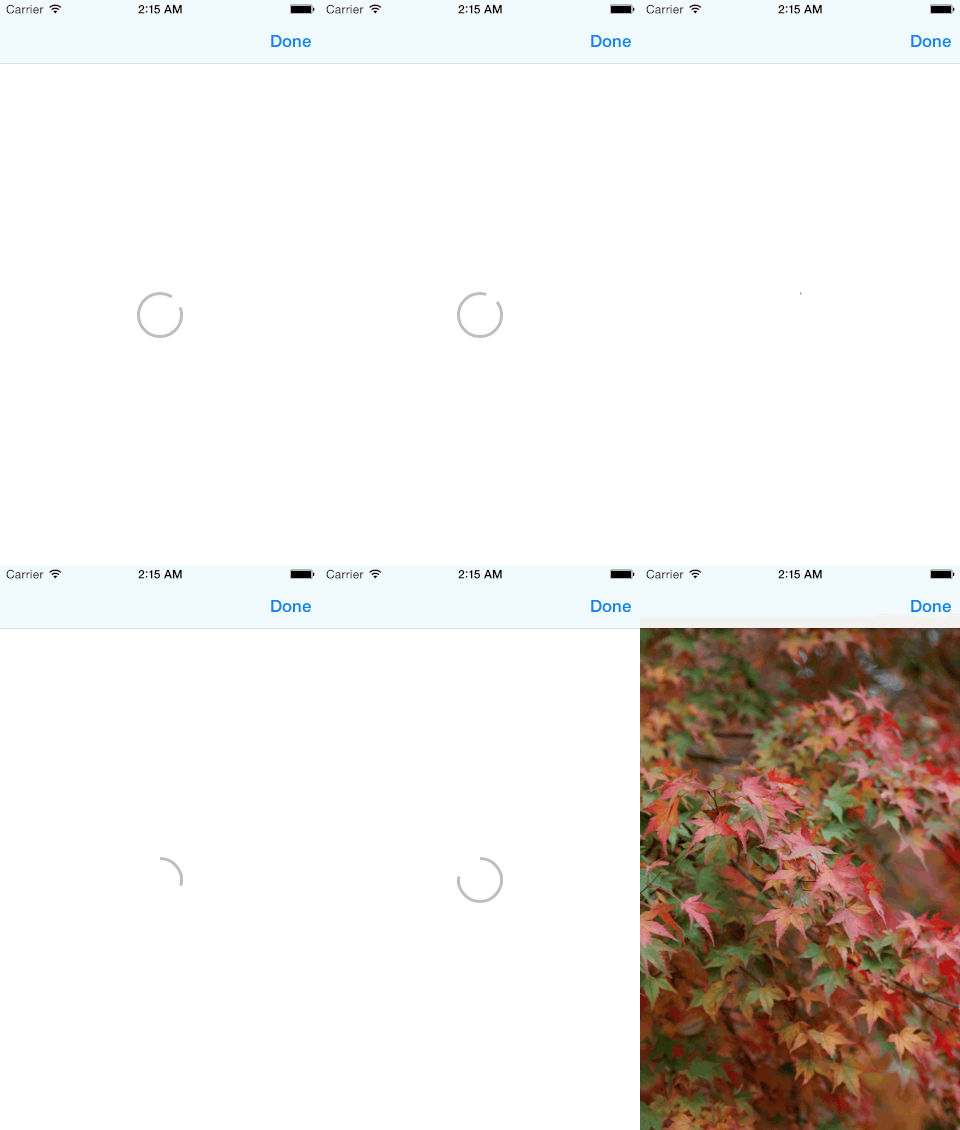


用法
self.progressView = [[UCZProgressView alloc] initWithFrame:self.view.bounds];

self.progressView.translatesAutoresizingMaskIntoConstraints = NO;

[self.view addSubview:self.progressView];

NSDictionary *views = NSDictionaryOfVariableBindings(_progressView);

[self.view addConstraints:[NSLayoutConstraint constraintsWithVisualFormat:@"V:|-0-[_progressView]-0-|" options: metrics:nil views:views]];

[self.view addConstraints:[NSLayoutConstraint constraintsWithVisualFormat:@"H:|-0-[_progressView]-0-|" options: metrics:nil views:views]];
Show indeterminate state (default value is YES)
self.progressView.indeterminate = YES;

Show progress
self.progressView.progress = 0.7;

Show indicator text label
self.progressView.showsText = YES;

Indicator and indicator text color
self.progressView.showsText = YES;

self.progressView.tintColor = [UIColor blueColor];

Text color
self.progressView.showsText = YES;

self.progressView.tintColor = [UIColor blueColor];

self.progressView.textColor = [UIColor redColor];
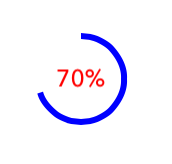
Radius
self.progressView.radius = 40.0;

Line width
self.progressView.lineWidth = 6.0;

Blur background view
self.progressView.blurEffect = [UIBlurEffect effectWithStyle:UIBlurEffectStyleExtraLight];

Animation did stop block
 progressView.animationDidStopBlock = ^{

    [self presentViewController:_photoGallery animated:YES completion:nil];

};
【推荐】iOS带有加载网络图片进度的UIImageView的更多相关文章
- iOS带动画的环形进度条(进度条和数字同步)
本篇写的是实现环形进度条,并带动画效果,要实现这些,仅能通过自己画一个 方法直接看代码 为了方便多次调用,用继承UIView的方式 .m文件 #import <UIKit/UIKit.h> ...
- IOS UIwebView 加载网络图片 使用相对地址
方法一: 在html文件内直接使用file:///user//xx//image.png的绝对路径 注:这样可以显示图片,但是如果在程序目录修改,图片就不能显示 方法二: 在html使用占位符,如:在 ...
- IOS延时加载网络图片
重网上下载图片是很慢的,为了不影响体验,选择延时加载图片是很好的办法. 一个tableView 列表,左边暂时没有图 - (UITableViewCell *)tableView:(UITab ...
- 基于Bootstrap的遮罩层,带有加载提示
1.body中的html <div class="modal fade" id="loadingModal"> <div style=&quo ...
- 前端页面给指定的div添加遮罩层,并且带有加载中的小旋转图片
话不多说,先上代码,其实还是比较简单的 $("<div id='shade' style='opacity:0.85;background:white'></div> ...
- ios UIImageView异步加载网络图片
方法1:在UI线程中同步加载网络图片 UIImageView *headview = [[UIImageView alloc] initWithFrame:CGRectMake(0, 0, 40, 4 ...
- iOS网络加载图片缓存与SDWebImage
加载网络图片可以说是网络应用中必备的.如果单纯的去下载图片,而不去做多线程.缓存等技术去优化,加载图片时的效果与用户体验就会很差. 一.自己实现加载图片的方法 tips: *iOS中所有网络访问都是异 ...
- iOS图片加载框架-SDWebImage解读
在iOS的图片加载框架中,SDWebImage可谓是占据大半壁江山.它支持从网络中下载且缓存图片,并设置图片到对应的UIImageView控件或者UIButton控件.在项目中使用SDWebImage ...
- iOS 图片加载框架- SDWebImage 解读
在iOS的图片加载框架中,SDWebImage可谓是占据大半壁江山.它支持从网络中下载且缓存图片,并设置图片到对应的UIImageView控件或者UIButton控件.在项目中使用SDWebImage ...
随机推荐
- 在github上写博客
在github上混了几个月,收获颇多.作为一个开源的坚定信仰者,深深觉得每一个码农都应该参与到开源社区中,github提供了一个平台,让你为开源项目提交代码变得异常简单和直接.以前由于工作异常繁忙和繁 ...
- 流媒体选择Nginx是福还是祸?
CDN,视频云,已经“僧多粥少” 视频直播的持续升温,无意间也让带宽生意的争夺变得异常残酷.一时间,各种云计算.CDN.视频云提供商都在视频尤其是直播上投入重兵,揭竿而起的新生起义军们也正马不停蹄的赶 ...
- Scala 深入浅出实战经典 第41讲:List继承体系实现内幕和方法操作源码揭秘
Scala 深入浅出实战经典 第41讲:List继承体系实现内幕和方法操作源码揭秘 package com.parllay.scala.dataset /** * Created by richard ...
- ASP.NET弹出显示ex.Message异常信息 存在换行符和回车符处理办法。
1.把ex.Message换成任意字符串,检验在catch语句块中可以用Response.Write方法显示对话框.结果显示成功,说明问题就出在ex.Message上. 2.在程序中下断点,可以看到e ...
- Python从内存中使用编译后的模块
在Windows编程的时候,有些时候,我们经常会要使用一些非常规的方法,比如说从内存中加载DLL,然后使用DLL中的函数.于是就思索在用Python的时候是否能够将几个编译好的Pyc合并成一个,然后使 ...
- Windows调试学习笔记:(一)WinDBG中加载SOS和CLR
最近产品环境出现了部分服务器当机情况,虽然重启之后问题就不出现了.但本着彻底解决问题的态度,想要找到root cause.多次尝试Visual Studio失败(可能是代码惊醒了优化和签名)之后,决定 ...
- Android多国语言文件夹命名方式
多國語言: 在res目錄下建立不同名稱的values文件來調用不同的語言包Values文件匯總如下:中文(中國):values-zh-rCN中文(台灣):values-zh-rTW中文(香港):val ...
- Kafka - SQL 代码实现
1.概述 上次给大家分享了关于 Kafka SQL 的实现思路,这次给大家分享如何实现 Kafka SQL.要实现 Kafka SQL,在上一篇<Kafka - SQL 引擎分享>中分享了 ...
- Xcode7.x中安装Alcatraz
将Xcode升级了,发现Alcatraz失效了: xcode7.x安装插件命令:curl -fsSL https://raw.github.com/supermarin/Alcatraz/master ...
- Spring源码追踪3——AOP机制
研究代码: spring配置文件 <cache:annotation-driven /> Java代码 @Cacheable(value = "test", key = ...