
Windows环境搭建 face_recognition,dlib
文章参考:https://blog.csdn.net/hongbin_xu/article/details/76284134
文章参考:https://blog.csdn.net/weixin_40450867/article/details/81734815
文章参考:https://blog.csdn.net/esting_tang/article/details/80974330
该库可以通过python或者命令行即可实现人脸识别的功能。使用dlib深度学习人脸识别技术构建,在户外脸部检测数据库基准(Labeled Faces in the Wild)上的准确率为99.38%。 在github上有相关的链接和API文档。
配置环境
安装dlib
方法一
首先配置dlib
我这里有一个dlib包,链接:https://pan.baidu.com/s/1drnxz251fvVVc9qoh61TTg 提取码:9pcl
下载好后运行cmd或者 pycharm的terminal 进入dlib 包所在的路径下,运行
pip install 【所下载的包】
import dlib

方法二
https://pypi.org/project/dlib/18.17.100/#downloads 找到需要的dlib版本
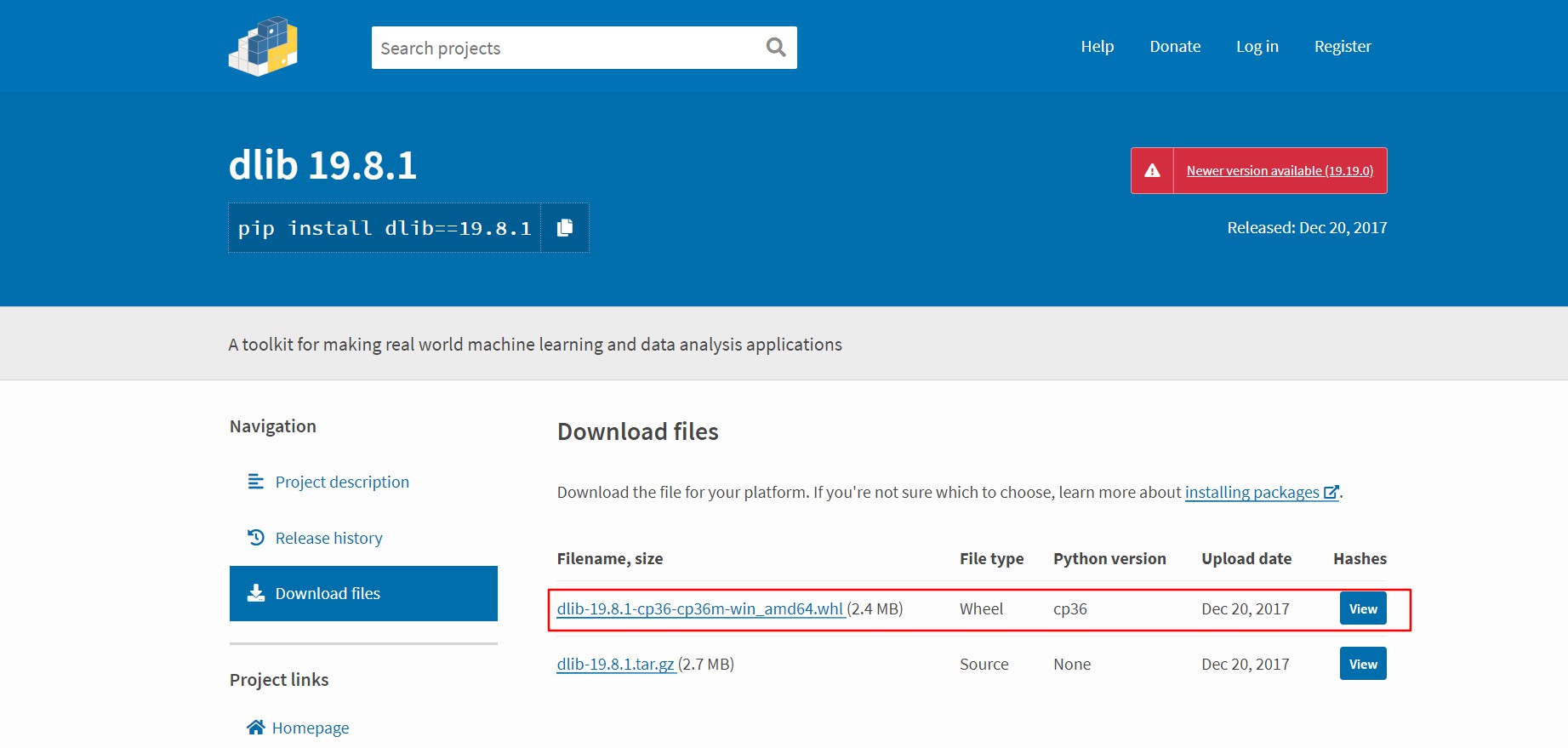
新版本需要自行编译
下载好后pip install 【文件路径】安装
安装face_recognition
直接使用 pip install 即可 我使用了 清华园的镜像
注意:下载速度过慢会报错
pip install -i https://pypi.tuna.tsinghua.edu.cn/simple face_recognition
import face_recognition

写一小段代码进行验证,我准备了四张图片
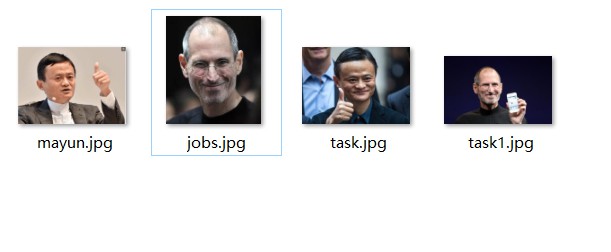
 import face_recognition

 mayun_image = face_recognition.load_image_file("mayun.jpg");

 jobs_image = face_recognition.load_image_file("jobs.jpg");

 task1_image = face_recognition.load_image_file("task1.jpg");

 mayun_encoding = face_recognition.face_encodings(mayun_image)[0]

 jobs_encoding = face_recognition.face_encodings(jobs_image)[0]

 task1_encoding = face_recognition.face_encodings(task1_image)[0]

 results = face_recognition.compare_faces([mayun_encoding, jobs_encoding], task1_encoding)

 labels = ['mayun', 'jobs']

 print('results:'+str(results))

 for i in range(0, len(results)):

     if results[i] == True:

         print('The person is:'+labels[i])
运行结果

Windows环境搭建 face_recognition,dlib的更多相关文章
- Windows环境搭建Red5流媒体服务器指南
Windows环境搭建Red5流媒体服务器指南 测试环境:Windows 7 一. 下载安装程序 red5-server 下载地址 https://github.com/Red5/red5-ser ...
- Battery Historian for windows环境搭建
Battery Historian for windows环境搭建 简介:Battery historian是一款通过上传bugreport文件分析用户手机中App的电池耗电情况的工具. Batter ...
- Android NDK r8 windows环境搭建
Android NDK r8 windows环境搭建 一.默认基础环境为已经完成Android开发环境的搭建 需要的软件及插件 1. JDK-7u25 2. Eclipse 3. Android SD ...
- Windows环境搭建Red5流媒体服务器指南(转)
Windows环境搭建Red5流媒体服务器指南 Windows环境搭建Red5流媒体服务器指南 测试环境:Windows 7 一. 下载安装程序 red5-server 下载地址 https:// ...
- Windows环境搭建与第一个C# Sample
Redis入门 - Windows环境搭建与第一个C# Sample 什么是Redis? Redis是一个开源.支持网络.基于内存.键值对存储数据库,使用ANSI C编写.从2013年5月开始,R ...
- Windows环境搭建Web自动化测试框架Watir
Windows环境搭建Web自动化测试框架Watir 一.前言 Web自动化测试一直是一个比较迫切的问题,对于现在web开发的敏捷开发,却没有相对应的敏捷测试,故开此主题,一边研究,一边将We ...
- Windows环境搭建mysql服务器
Windows环境搭建mysql服务器: 1.下载mysql-installer-community-5.7.3.0-m13.2063434697并安装 安装详细步骤>> 2.安装mys ...
- Go(02)windows环境搭建和vscode配置
之前讲述过linux环境下Go语言开发环境搭建,这次简述下windows的搭建以及vscode配置 windows环境搭建 同样去https://studygolang.com/dl下载windows ...
- Windows 环境搭建Redis集群(win 64位)
转: http://blog.csdn.net/zsg88/article/details/73715947 参考:https://www.cnblogs.com/tommy-huang/p/6240 ...
随机推荐
- Try setting a different JdbcType for this parameter or a different configuration property. Cause: org.postgresql.util.PSQLException: 栏位索引超过许可范围:2,栏位数:1
执行mybaits sql <delete id="delete4BatchesByLineCi" parameterType="java.util.List&qu ...
- 使用py-faster-rcnn训练自己的数据集
https://www.jianshu.com/p/a672f702e596 本文记录了在ubuntu16.04下使用py-faster-rcnn来训练自己的数据集的大致过程. 在此之前,已经成功配置 ...
- eclipse环境配置,字体大小,代码智能提示,JSP页面默认字符集修改
安装好JDK后,下载Java EE解压版eclipse 1.字体大小 Windows——>Preferences——>General——>Appearance——>Colors ...
- EL表达式和JSTL(三)——EL表达式
在JSP的开发中,为了获取Servlet中存储的数据,通常需要很多的Java代码,这样的做法使的JSP页面非常混乱,为此,JSP2.0中提供了一种EL规范,是一种简单的数据访问语言. 1.初识EL E ...
- Android巩固之事件分发机制
https://www.cnblogs.com/liaojie970/p/5869152.html onTouchEvent是真正用来进行业务逻辑处理的地方,返回true表示已经将该事件消费,返回fa ...
- 查看jks文件中的签名
1. 打开CMD命令行进入本机安装的jdk或jre下的bin目录. 2. 下来看图 keytool -list -v -keystore C:\Users\Administrator\Desktop\ ...
- 负载均衡配置篇(Nginx)
负载均衡 == 分身的能力. 既然要有分身的能力嘛,这好办,多弄几台服务器就搞定了.今天我们讲的实例嘛…..我们还是先看图比较好: 还是图比较清晰,以下我都用别名称呼: PA : 负载均衡服务器/WE ...
- 基于redis实现锁控制
多数据源 数据源1为锁控制,数据源2自定义,可用于存储. 锁:当出现并发的时候为了保证数据的一致性,不会出现并发问题,假设,用户1修改一条信息,用户2也同时修改,会按照顺序覆盖自修改的值,为了避免这种
- Fractal Dimension|Relative Complexity|CG含量|重复序列|
生物信息学-序列拼接方法 物理学方法 Fractal Dimension of Exon and Intron Sequences --------------CGCGGCGTGTGTTATA --- ...
- keras字符编码
https://www.jianshu.com/p/258a21ae0390https://blog.csdn.net/apengpengpeng/article/details/80866034#- ...