
require(): open_basedir restriction in effect. File(/www/wwwroot/xcx/zerg/thinkphp/start.php) is not within the allowed path(s): (/www/wwwroot/xcx/zerg/public/:/tmp/:/proc/) in /www/wwwroot/xcx/zerg/p

解决方法:
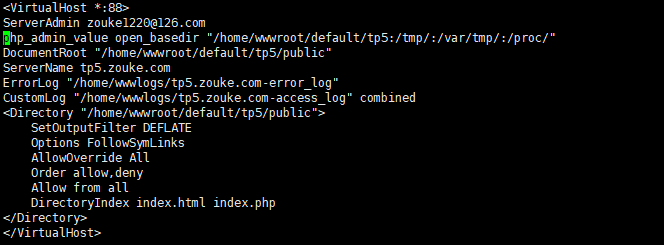
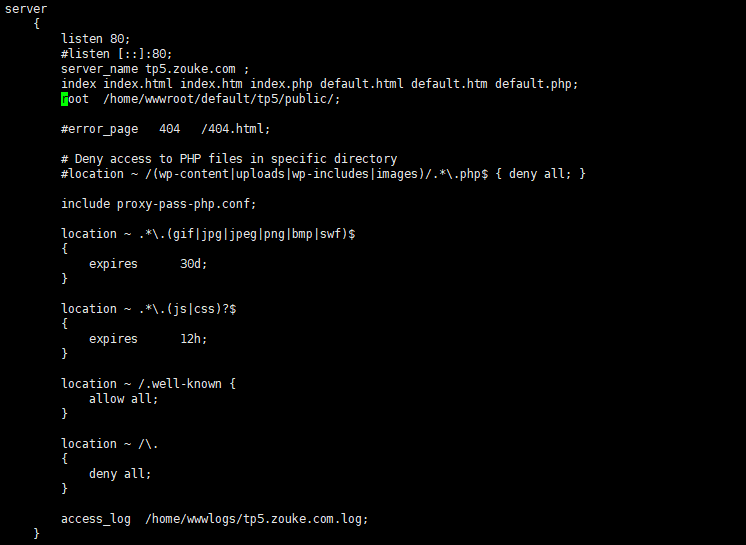
在如下文件增加一项(如图所示)
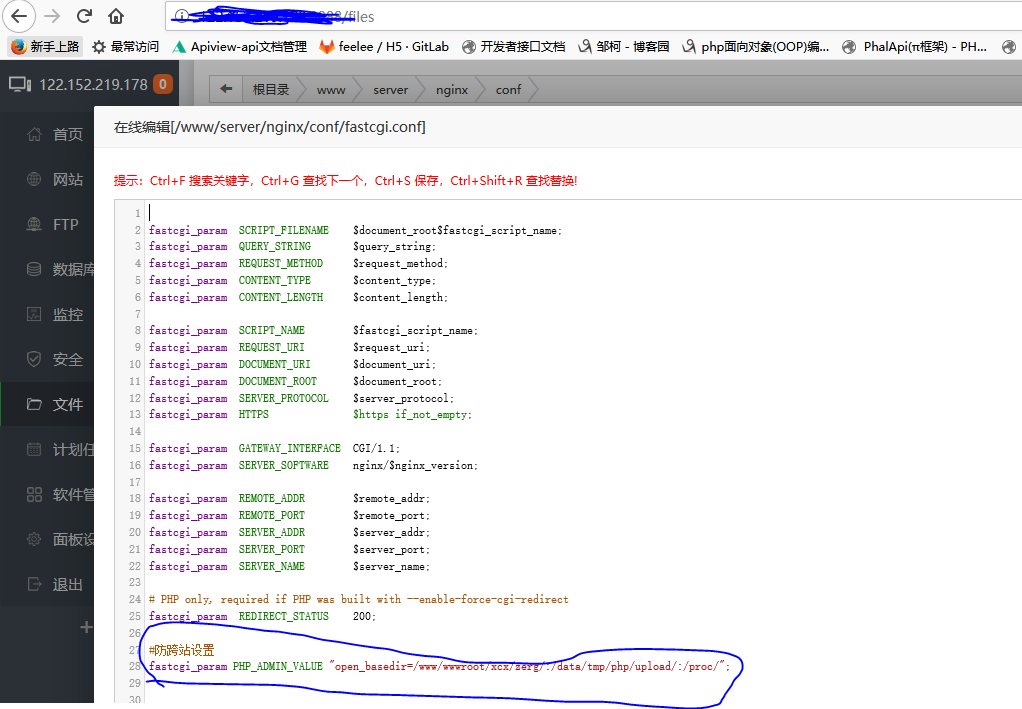
在如下文件增加一项(如图所示):
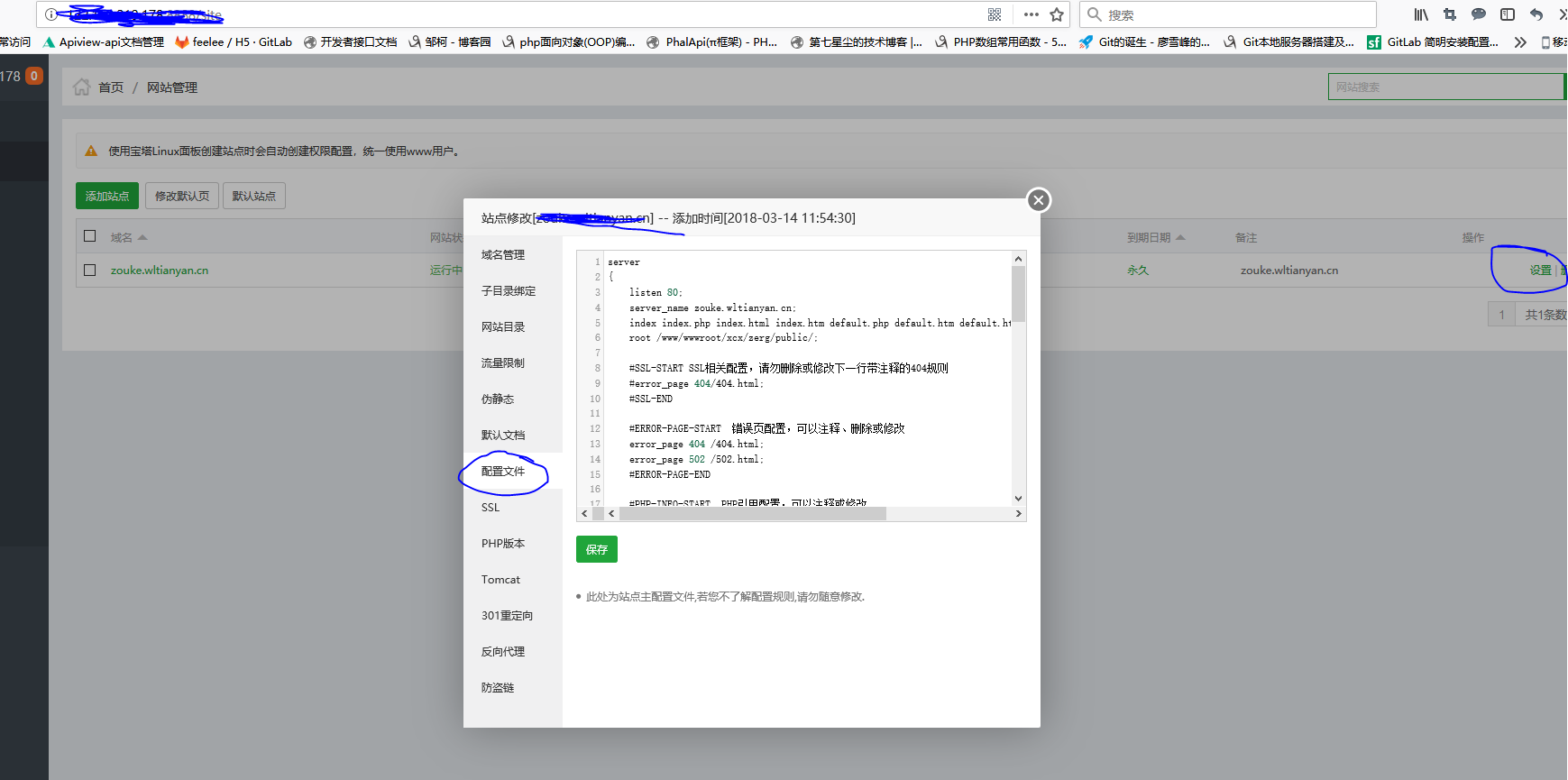
#php文件采用fastcgi解析并设置参数
    location ~ \.php {
        try_files $uri = 404;

        fastcgi_index  /index.php;
        fastcgi_pass ********;

        #加载fastcgi.conf文件中的参数
        include fastcgi.conf;

        #设置有权限目录,fastcgi.conf中默认设置就是站点目录$document_root,如果要改变就需要重新赋值
        #phalcon举例
        #fastcgi_param PHP_ADMIN_VALUE "open_basedir=/www/wwwroot/xcx/zerg/:/data/tmp/php/upload/:/proc/";
    }
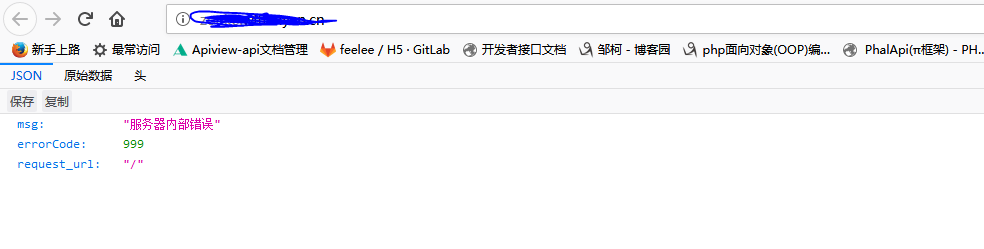
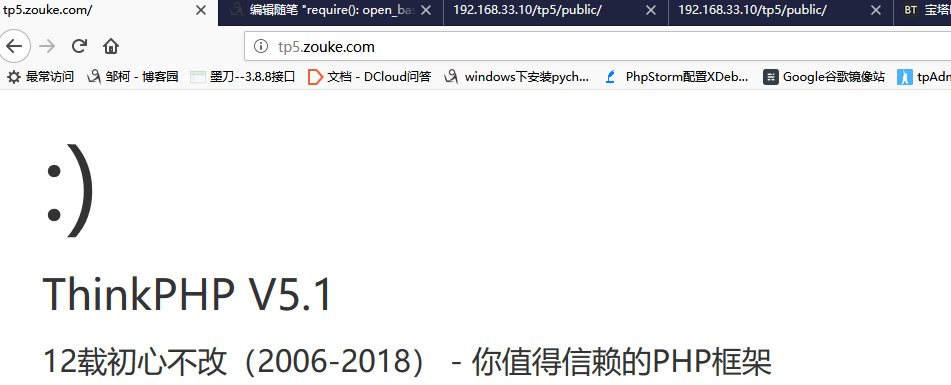
访问项目:
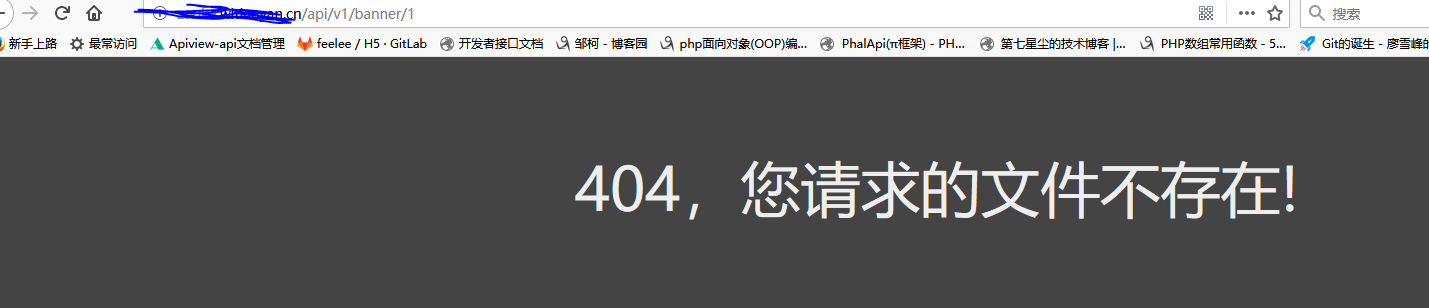
继续配置

location / {

          if (!-e $request_filename) {

                rewrite ^(.*)$ /index.php?s=$ last;

                break;

          }

}


圆满解决!!!!!!!!!!!!!!
参考文件:
http://blog.csdn.net/leiflyy/article/details/68063423
https://www.iamle.com/archives/1609.html
http://blog.csdn.net/slqgenius/article/details/52949191(主要解决参看的文件)
require(): open_basedir restriction in effect. File(/www/wwwroot/xcx/zerg/thinkphp/start.php) is not within the allowed path(s): (/www/wwwroot/xcx/zerg/public/:/tmp/:/proc/) in /www/wwwroot/xcx/zerg/p的更多相关文章
- thinkPHP5配置nginx环境无法打开(require(): open_basedir restriction in effect. File(/mnt/hgfs/root/tp5/thinkphp/start.php) is not within the allowed path(s)
今天想把玩一下tp5,结果怎么都无法访问,每次都是报500错误,我把错误提示都打开看到下面的错误 require(): open_basedir restriction in effect. File ...
- Warning: require(): open_basedir restriction in effect. File(/www/wwwroot/../thinkphp/start.php) is not within the allowed path(s):
Warning: require(): open_basedir restriction in effect. File(/www/wwwroot//../thinkphp/start.php) is ...
- require(): open_basedir restriction in effect. File
新安装的 lnmp 环境,将项目放上报 require(): open_basedir restriction in effect. File 的错误! 错误日志显示,访问脚本不在 open_base ...
- php Warning: require(): open_basedir restriction in effect File(/www/wwwroot/default/
解决方案如下: 一.找到修改fastcgi的配置文件 (/usr/local/nginx/conf/fastcgi.conf) 二.vi进行编辑(保存退出) 三.对虚拟主机配置进行重写在Nginx低版 ...
- require(): open_basedir restriction in effect. 解决方法
在linux服务器部署thinkphp5的时候PHP报了这个错误, 如下: Warning: require(): open_basedir restriction in effect. File(/ ...
- LNMP - Warning: require(): open_basedir restriction in effect错误解决方法
LNMP 1.4或更高版本如果不想用防跨目录或者修改.user.ini的防跨目录的目录还需要将 /usr/local/nginx/conf/fastcgi.conf 里面的fastcgi_param ...
- open_basedir restriction in effect. File() is not within the allowed path(s)
目前发现eaccelerator安装之后如果php.ini中设置open_basedir将导致open_basedir的一些报错(open_basedir restriction in effect. ...
- php 环境require(): open_basedir restriction in effect 错误
php 环境require(): open_basedir restriction in effect 错误 错误日志显示,访问脚本不在 open_basedir的限定目录里面 解决方法打开fastc ...
- lnmp 环境require(): open_basedir restriction in effect 错误
最近配置开发用的lnmp环境,环境配置完成后,爆500错误,查看nginx错误日志 open_basedir 将 PHP 所能打开的文件限制在指定的目录树,包括文件本身 错误日志显示,访问脚本不在 o ...
随机推荐
- Java学习第一周心得体会
一周的学习很快就过去了,说说我个人的总结吧! 下面几个是我觉得需要牢牢记住的 1.Java的执行机制:先编译.再解释 2.变量以及基本数据类型 3.强类型编程语言:要求变量的类型与值的类型要一致 4. ...
- linux环境下查看tomcat日志
1.先切换到:cd usr/local/tomcat5/logs 2.tail -f catalina.out 3.这样运行时就可以实时查看运行日志 Ctrl+c 是退出tail命令. alt+E+R ...
- struts2--action请求与Action类
1.action:代表一个sturts2的请求: 2.Action类:能够处理Struts2请求的类: --属性名必须遵守与JavaBean属性名相同的命名规则: --属性的类型可以使任意类型.从字符 ...
- formatTime() 时间戳,返回数据是计算距离现在的时间
const formatTime=function(tiem) {//时间转换 const timestamp = Date.now(); return function (tiem) { ...
- C# 篇基础知识2——运算符、类型转换、流程控制、枚举、结构体和数组、函数
1.运算符.类型转换 计算某年y某月m某日d是周几的基姆拉尔森公式公式:int week = (d + 2*m + 3*(m + 1)/5 + y + y/4 - y/100 + y/400 + 1) ...
- 一种新的python局部调试手法
我们都知道,python里面可以用pdb来调试代码.但是pdb往往不大好用.有时候调试代码往往在多重条件里面,直接用pdb需要下条件断点,设定复杂的条件. 一个简单的办法就是这么干. __import ...
- 开发自己的 chart【转】
Kubernetes 给我们提供了大量官方 chart,不过要部署微服务应用,还是需要开发自己的 chart,下面就来实践这个主题. 创建 chart 执行 helm create mychart 的 ...
- windows系统下使用mycat实现mysql数据库的主从复制,从而实现负载均衡
在之前有记录过在一台系统中安装多台数据库,同时实现主从复制,但是那个主从复制只是一个基于dosc命令的,再实际的开发中我们不会去直接连接数据库,一般情况下我们也是通过间接的采用一些中间件去连接,本来是 ...
- prepareRefresh方法源码跟踪
看这篇文章之前可以先了解之前的跟踪流程,https://www.jianshu.com/p/4934233f0ead 代码过宽,可以shift + 鼠标滚轮 左右滑动查看 AbstractApplic ...
- hello程序的运行过程-从计算机系统角度
hello程序的运行过程-从计算机系统角度 1.gcc编译器驱动程序读取源程序文件hello.c,并将它翻译成一个可执行目标文件hello.翻译过程分为四个阶段:预处理阶段,编译阶段,汇编阶段,链接阶 ...