
SQLite支持的并发访问数
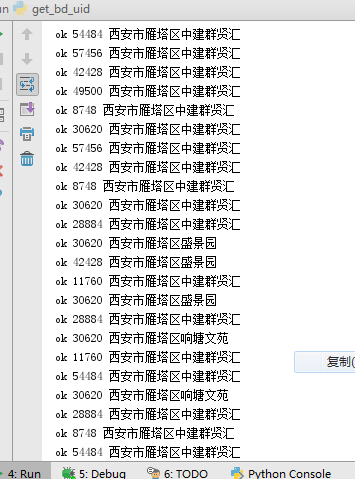
SQLite objects created in a thread can only be used in that same thread.The object was created in thread id 62332 and this is thread id 53032
sqlite支持的并发访问数??
import xlrd
import time
import sys
import os
import requests
import sqlite3
import threading curPath = os.path.abspath(os.path.dirname(__file__))
rootPath = os.path.split(curPath)[0]
sys.path.append(rootPath) MAX_USED_TIMES, overrun_str, DB_KEY_EXHAUST = 1980, '天配额超限,限制访问', 'DB_KEY_EXHAUST' db = 'py_bdspider_status.db' def db_init_key_table():
conn = sqlite3.connect(db)
c = conn.cursor()
sql = 'DELETE FROM baidu_map_key_used'
c.execute(sql)
conn.commit()
pcity_file = '%s\\%s' % (curPath, 'bdmap_key.txt')
with open(pcity_file, 'r', encoding='utf-8') as pf:
c_ = 0
for i in pf:
if len(i) < 4:
continue
author, key = i.replace('\n', '').split('\t')
localtime_ = time.strftime("%y%m%d%H%M%S", time.localtime())
sql = 'INSERT INTO baidu_map_key_used (author,key,update_time,today_used) VALUES ("%s","%s","%s",%s) ' % (
author, key, localtime_, 0)
c.execute(sql)
conn.commit()
conn.close() # db_init_key_table() def db_get_one_effective():
conn = sqlite3.connect(db)
c = conn.cursor()
sql = 'SELECT key FROM baidu_map_key_used WHERE today_used<=%s ' % (MAX_USED_TIMES)
res = c.execute(sql).fetchone()
if res is None:
return DB_KEY_EXHAUST
else:
return res[0]
conn.close def db_update_one_today_used(key):
conn = sqlite3.connect(db)
c = conn.cursor()
localtime_ = time.strftime("%y%m%d%H%M%S", time.localtime())
sql = 'UPDATE baidu_map_key_used SET today_used = today_used+1 ,update_time=%s WHERE key="%s" ' % (
localtime_, key)
c.execute(sql)
conn.commit()
conn.close() dir_, dir_exception = 'baidu_map_uid', 'baidu_map_uid_exception'
requested_file_list = []
requested_file_dir_str, requested_file_dir_exception_str = '%s\\%s\\' % (curPath, dir_), '%s\\%s\\' % (
curPath, dir_exception)
requested_file_dir = os.listdir(requested_file_dir_str) def chk_if_requested_file():
for f in requested_file_dir:
to_in = f.split('.txt')[0]
if to_in not in requested_file_list:
requested_file_list.append(to_in) def write_requested_res(request_name, str_, type_='.txt'):
fname = '%s%s%s' % (requested_file_dir_str, request_name, type_)
with open(fname, 'w', encoding='utf-8') as ft:
ft.write(str_)
print('ok', threading.get_ident(), request_name) def write_requested_exception_res(request_name, str_, type_='.txt'):
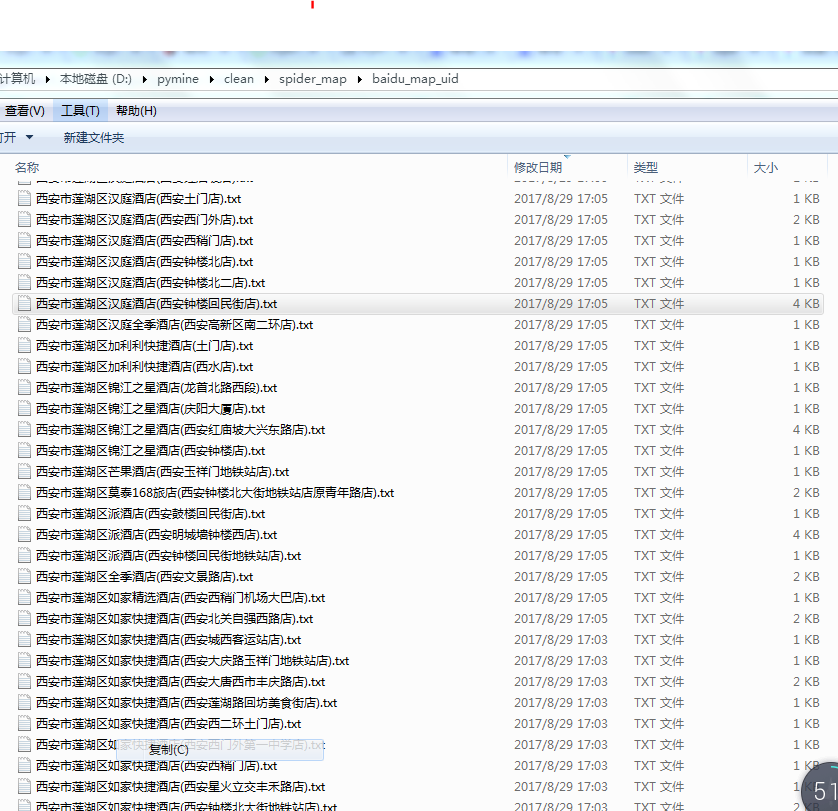
fname = '%s%s%s' % (requested_file_dir_exception_str, request_name, type_)
with open(fname, 'w', encoding='utf-8') as ft:
ft.write(str_) fname_source = '官方上传任务.csv_py170829093808-BD_request_name-REDUCTION170829142821' def fun_():
fname_open = '%s\\%s' % (curPath, fname_source)
FEXCEL = '%s%s' % (fname_open, '.xlsx')
data = xlrd.open_workbook(FEXCEL)
table = data.sheets()[0]
nrows, ncols = table.nrows, table.ncols
# http://api.map.baidu.com/place/v2/suggestion?query=瀛嘉天下®ion=重庆市&city_limit=true&output=json&ak=oy2Q7IluhhwTGlz6l8pXYv6a0m6hXxr1
base_url = 'http://api.map.baidu.com/place/v2/suggestion?query=R-QUERY®ion=R-CITY&city_limit=true&output=json&ak=R-AK'
for i in range(1, nrows):
l = table.row_values(i)
dbid, area_code, name_, request_name, type_, city, district, addr, street = l
request_name_chk = '%s%s%s' % (city, district, request_name)
chk_if_requested_file()
if request_name_chk in requested_file_list:
continue
ak = db_get_one_effective()
if ak == DB_KEY_EXHAUST:
print(DB_KEY_EXHAUST)
break
else:
url_ = base_url.replace('R-QUERY', request_name).replace('R-CITY', city).replace('R-AK', ak)
try:
bd_res_json_str = requests.get(url_).text
db_update_one_today_used(ak)
write_requested_res(request_name_chk, bd_res_json_str)
except Exception:
bd_res_json_str = '请求百度-异常'
write_requested_exception_res(request_name_chk, bd_res_json_str)
print(bd_res_json_str) class MyThread(threading.Thread):
def __init__(self, func):
threading.Thread.__init__(self)
self.func = func def run(self):
self.func() thread_sum = 16 def main():
threads_list = []
for nloop in range(0, thread_sum, 1):
thread_instance = MyThread(fun_)
threads_list.append(thread_instance)
for t in threads_list:
t.setDaemon = False
t.start()
for t in threads_list:
t.join() if __name__ == '__main__':
main()


import xlrd
import time
import sys
import os
import requests
import sqlite3
import threading curPath = os.path.abspath(os.path.dirname(__file__))
rootPath = os.path.split(curPath)[0]
sys.path.append(rootPath) MAX_USED_TIMES, overrun_str, DB_KEY_EXHAUST = 1980, '天配额超限,限制访问', 'DB_KEY_EXHAUST' db = 'py_bdspider_status.db' def db_init_key_table():
conn = sqlite3.connect(db)
c = conn.cursor()
sql = 'DELETE FROM baidu_map_key_used'
c.execute(sql)
conn.commit()
pcity_file = '%s\\%s' % (curPath, 'bdmap_key.txt')
with open(pcity_file, 'r', encoding='utf-8') as pf:
c_ = 0
for i in pf:
if len(i) < 4:
continue
author, key = i.replace('\n', '').split('\t')
localtime_ = time.strftime("%y%m%d%H%M%S", time.localtime())
sql = 'INSERT INTO baidu_map_key_used (author,key,update_time,today_used) VALUES ("%s","%s","%s",%s) ' % (
author, key, localtime_, 0)
c.execute(sql)
conn.commit()
conn.close() # db_init_key_table() def db_get_one_effective():
conn = sqlite3.connect(db)
c = conn.cursor()
sql = 'SELECT key FROM baidu_map_key_used WHERE today_used<=%s ' % (MAX_USED_TIMES)
res = c.execute(sql).fetchone()
if res is None:
return DB_KEY_EXHAUST
else:
return res[0]
conn.close def db_update_one_today_used(key):
conn = sqlite3.connect(db)
c = conn.cursor()
localtime_ = time.strftime("%y%m%d%H%M%S", time.localtime())
sql = 'UPDATE baidu_map_key_used SET today_used = today_used+1 ,update_time=%s WHERE key="%s" ' % (
localtime_, key)
c.execute(sql)
conn.commit()
conn.close() dir_, dir_exception = 'baidu_map_uid', 'baidu_map_uid_exception'
requested_file_list = []
requested_file_dir_str, requested_file_dir_exception_str = '%s\\%s\\' % (curPath, dir_), '%s\\%s\\' % (
curPath, dir_exception)
requested_file_dir = os.listdir(requested_file_dir_str) def chk_if_requested_file():
for f in requested_file_dir:
to_in = f.split('.txt')[0]
if to_in not in requested_file_list:
requested_file_list.append(to_in) def write_requested_res(request_name, str_, type_='.txt'):
fname = '%s%s%s' % (requested_file_dir_str, request_name, type_)
with open(fname, 'w', encoding='utf-8') as ft:
ft.write(str_)
print('ok', threading.get_ident(), request_name) def write_requested_exception_res(request_name, str_, type_='.txt'):
fname = '%s%s%s' % (requested_file_dir_exception_str, request_name, type_)
with open(fname, 'w', encoding='utf-8') as ft:
ft.write(str_) fname_source = '官方上传任务.csv_py170829093808-BD_request_name-REDUCTION170829142821' def fun_():
fname_open = '%s\\%s' % (curPath, fname_source)
FEXCEL = '%s%s' % (fname_open, '.xlsx')
data = xlrd.open_workbook(FEXCEL)
table = data.sheets()[0]
nrows, ncols = table.nrows, table.ncols
# http://api.map.baidu.com/place/v2/suggestion?query=瀛嘉天下®ion=重庆市&city_limit=true&output=json&ak=oy2Q7IluhhwTGlz6l8pXYv6a0m6hXxr1
base_url = 'http://api.map.baidu.com/place/v2/suggestion?query=R-QUERY®ion=R-CITY&city_limit=true&output=json&ak=R-AK'
i_counter = 0
for i in range(1, nrows):
l = table.row_values(i)
i_counter += 1
dbid, area_code, name_, request_name, type_, city, district, addr, street = l
request_name_chk = '%s%s%s' % (city, district, request_name)
chk_if_requested_file()
if request_name_chk in requested_file_list:
continue
ak = db_get_one_effective()
if ak == DB_KEY_EXHAUST:
print(DB_KEY_EXHAUST)
break
else:
url_ = base_url.replace('R-QUERY', request_name).replace('R-CITY', city).replace('R-AK', ak)
try:
bd_res_json_str = requests.get(url_).text
db_update_one_today_used(ak)
write_requested_res(request_name_chk, bd_res_json_str)
except Exception:
bd_res_json_str = '请求百度-异常'
write_requested_exception_res(request_name_chk, bd_res_json_str)
print(bd_res_json_str) class MyThread(threading.Thread):
def __init__(self, func):
threading.Thread.__init__(self)
self.func = func def run(self):
self.func() thread_sum = 100 def main():
threads_list = []
for nloop in range(0, thread_sum, 1):
thread_instance = MyThread(fun_)
threads_list.append(thread_instance)
for t in threads_list:
t.setDaemon = False
t.start()
for t in threads_list:
t.join() if __name__ == '__main__':
main()
import xlrd
import time
import sys
import os
import requests
import sqlite3
import threading curPath = os.path.abspath(os.path.dirname(__file__))
rootPath = os.path.split(curPath)[0]
sys.path.append(rootPath) db = 'py_bdspider_status.db'
conn = sqlite3.connect(db)
c = conn.cursor()
MAX_USED_TIMES, overrun_str, DB_KEY_EXHAUST = 1980, '天配额超限,限制访问', 'DB_KEY_EXHAUST' def db_init_key_table():
sql = 'DELETE FROM baidu_map_key_used'
c.execute(sql)
conn.commit()
pcity_file = '%s\\%s' % (curPath, 'bdmap_key.txt')
with open(pcity_file, 'r', encoding='utf-8') as pf:
c_ = 0
for i in pf:
if len(i) < 4:
continue
author, key = i.replace('\n', '').split('\t')
localtime_ = time.strftime("%y%m%d%H%M%S", time.localtime())
sql = 'INSERT INTO baidu_map_key_used (author,key,update_time,today_used) VALUES ("%s","%s","%s",%s) ' % (
author, key, localtime_, 0)
c.execute(sql)
conn.commit() # db_init_key_table() def db_get_one_effective():
sql = 'SELECT key FROM baidu_map_key_used WHERE today_used<=%s ' % (MAX_USED_TIMES)
res = c.execute(sql).fetchone()
if res is None:
return DB_KEY_EXHAUST
else:
return res[0] def db_update_one_today_used(key):
localtime_ = time.strftime("%y%m%d%H%M%S", time.localtime())
sql = 'UPDATE baidu_map_key_used SET today_used = today_used+1 ,update_time=%s WHERE key="%s" ' % (
localtime_, key)
c.execute(sql)
conn.commit() dir_, dir_exception = 'baidu_map_uid', 'baidu_map_uid_exception'
requested_file_list = []
requested_file_dir_str, requested_file_dir_exception_str = '%s\\%s\\' % (curPath, dir_), '%s\\%s\\' % (
curPath, dir_exception)
requested_file_dir = os.listdir(requested_file_dir_str) def chk_if_requested_file():
for f in requested_file_dir:
to_in = f.split('.txt')[0]
if to_in not in requested_file_list:
requested_file_list.append(to_in) def write_requested_res(request_name, str_, type_='.txt'):
fname = '%s%s%s' % (requested_file_dir_str, request_name, type_)
with open(fname, 'w', encoding='utf-8') as ft:
ft.write(str_)
print('ok', threading.get_ident(), request_name) def write_requested_exception_res(request_name, str_, type_='.txt'):
fname = '%s%s%s' % (requested_file_dir_exception_str, request_name, type_)
with open(fname, 'w', encoding='utf-8') as ft:
ft.write(str_) fname_source = '官方上传任务.csv_py170829093808-BD_request_name-REDUCTION170829142821' def fun_():
fname_open = '%s\\%s' % (curPath, fname_source)
FEXCEL = '%s%s' % (fname_open, '.xlsx')
data = xlrd.open_workbook(FEXCEL)
table = data.sheets()[0]
nrows, ncols = table.nrows, table.ncols
# http://api.map.baidu.com/place/v2/suggestion?query=瀛嘉天下®ion=重庆市&city_limit=true&output=json&ak=oy2Q7IluhhwTGlz6l8pXYv6a0m6hXxr1
base_url = 'http://api.map.baidu.com/place/v2/suggestion?query=R-QUERY®ion=R-CITY&city_limit=true&output=json&ak=R-AK'
i_counter = 0
for i in range(1, nrows):
l = table.row_values(i)
i_counter += 1
print(i_counter)
if i_counter > 60:
break
dbid, area_code, name_, request_name, type_, city, district, addr, street = l
request_name_chk = '%s%s%s' % (city, district, request_name)
chk_if_requested_file()
if request_name_chk in requested_file_list:
continue
ak = db_get_one_effective()
if ak == DB_KEY_EXHAUST:
print(DB_KEY_EXHAUST)
break
else:
url_ = base_url.replace('R-QUERY', request_name).replace('R-CITY', city).replace('R-AK', ak)
print(url_)
try:
bd_res_json_str = requests.get(url_).text
db_update_one_today_used(ak)
write_requested_res(request_name_chk, bd_res_json_str)
except Exception:
bd_res_json_str = '请求百度-异常'
write_requested_exception_res(request_name_chk, bd_res_json_str)
print(bd_res_json_str) class MyThread(threading.Thread):
def __init__(self, func):
threading.Thread.__init__(self)
self.func = func def run(self):
self.func() thread_sum = 4 def main():
threads_list = []
for nloop in range(0, thread_sum, 1):
thread_instance = MyThread(fun_)
threads_list.append(thread_instance)
for t in threads_list:
t.setDaemon = False
t.start()
for t in threads_list:
t.join() conn.close() if __name__ == '__main__':
main()
SQLite支持的并发访问数的更多相关文章
- 查看apache当前并发访问数和进程数
1.查看apache当前并发访问数: netstat -an | grep ESTABLISHED | wc -l 对比httpd.conf中MaxClients的数字差距多少. 2.查看有多少个进程 ...
- 高效解决「SQLite」数据库并发访问安全问题,只这一篇就够了
Concurrent database access 本文译自:https://dmytrodanylyk.com/articles/concurrent-database/ 对于 Android D ...
- Socket支持多用户并发访问的解决办法
//创建线程池,池中具有(cpu个数*50)条线程 ExecutorService executorService = Executors.newFixedThreadPool(Runtime.get ...
- 查看 Apache并发请求数及其TCP连接状态
查看 Apache并发请求数及其TCP连接状态 (2011-06-27 15:08:36) 服务器上的一些统计数据: 1)统计80端口连接数 netstat -nat|grep -i "80 ...
- 查看 并发请求数及其TCP连接状态【转】
服务器上的一些统计数据: 1)统计80端口连接数netstat -nat|grep -i "80"|wc -l 2)统计httpd协议连接数ps -ef|grep httpd|wc ...
- 查看 并发请求数及其TCP连接状态
服务器上的一些统计数据: 1)统计80端口连接数netstat -nat|grep -i "80"|wc -l 2)统计httpd协议连接数ps -ef|grep httpd|wc ...
- 查看 Apache并发请求数及其TCP连接状态【转】
查看 Apache并发请求数及其TCP连接状态 (2011-06-27 15:08:36) 服务器上的一些统计数据: 1)统计80端口连接数netstat -nat|grep -i "80& ...
- Java并发工具类(三):控制并发线程数的Semaphore
作用 Semaphore(信号量)是用来控制同时访问特定资源的线程数量,它通过协调各个线程,以保证合理的使用公共资源. 简介 Semaphore也是一个线程同步的辅助类,可以维护当前访问自身的线程个数 ...
- 查看http的并发请求数及其TCP连接状态
统计80端口的连接数据 netstat -nat | grep -i "80" | wc -l 统计httpd协议连接数 ps -ef | grep httpd | wc -l 统 ...
随机推荐
- elasticsearch 聚合时 类型转换错误
有一个域 inp_type本来为Interger类型,但有的存储了string类型; 执行这个域的聚合时, "aggs":{ "level2":{ " ...
- 关于Docker&kubernetes的一些问题
本文是我自己在学习docker以及kubernetes的过程中遇到的一些问题,以及同事在听过培训之后一些问题,事后我自己去网上找些资料以及问一些资深大牛,我在此做一个归纳总结,将这些问题的解答做一个分 ...
- Picasso自定义缓存目录
项目做完终于有点自己的时间了,就想看点源码涨涨姿势,那就看看Picasso这个牛逼哄哄的图片加载框架吧,当然这个也是自己最喜欢的图片加载框架. 实际项目中可能有需求自己定制图片的缓存目录,那么就需要自 ...
- Laravel之任务调度
一.基本简介 任务调度定义在app/Console/Kernel.php 文件的schedule 方法中,该方法中已经包含了一个示例.你可以自由地添加你需要的调度任务到Schedule 对象. 二.开 ...
- Linux非阻塞IO(四)非阻塞IO中connect的实现
我们为客户端的编写再做一些工作. 这次我们使用非阻塞IO实现connect函数. int connect(int sockfd, const struct sockaddr *addr, sockle ...
- 怎样彻底清除UniAccess Agent
怎样彻底清除UniAccess Agent 作者:chszs.转载需注明. 博客主页:http://blog.csdn.net/chszsUniAccess Agent是联软科技公司推出的一款企业网络 ...
- Jeewx 捷微管家操作配置文档(开源版本号)
1.1.1. 公众帐号管理 (1)捷微是第三方微信公众帐号管理平台,使用本平台前,请自行注冊申请微信公众帐号,操作流程请參照百度经验[怎样注冊微信公众帐号]: http://jingyan.baid ...
- 每天一个JavaScript实例-展示设置和获取CSS样式设置
<!DOCTYPE html> <html> <head> <meta http-equiv="Content-Type" content ...
- sqlserver 中EXEC和sp_executesql使用介绍
sqlserver 中EXEC和sp_executesql使用介绍 MSSQL为我们提供了两种动态运行SQL语句的命令,各自是EXEC和sp_executesql;通常,sp_executesql则更 ...
- 娓娓道来c指针 (2)内存分配
(2)内存分配 c语言中描写叙述变量的时候经常使用的两个用语 1.作用域:也叫可见域,指的是变量的作用范围. 在哪个范围内.该变量是可见的.能够使用的. 2.生存期:也叫存储期.指的是变量从创建到销毁 ...