
ViewPager(视图滑动切换工具)
<?xml version="1.0" encoding="utf-8"?>

<android.support.constraint.ConstraintLayout xmlns:android="http://schemas.android.com/apk/res/android"

    xmlns:app="http://schemas.android.com/apk/res-auto"

    xmlns:tools="http://schemas.android.com/tools"

    android:layout_width="match_parent"

    android:layout_height="match_parent"

    tools:context="com.example2.viewpager.MainActivity">

    <TextView

        android:layout_width="wrap_content"

        android:layout_height="wrap_content"

        app:layout_constraintBottom_toBottomOf="parent"

        app:layout_constraintLeft_toLeftOf="parent"

        app:layout_constraintRight_toRightOf="parent"

        app:layout_constraintTop_toTopOf="parent" />

    <android.support.v4.view.ViewPager

        android:id="@+id/viewpage1"

        android:layout_height="wrap_content"

        android:layout_width="wrap_content" />

</android.support.constraint.ConstraintLayout>
<?xml version="1.0" encoding="utf-8"?>

<android.support.constraint.ConstraintLayout xmlns:android="http://schemas.android.com/apk/res/android"

    xmlns:app="http://schemas.android.com/apk/res-auto"

    xmlns:tools="http://schemas.android.com/tools"

    android:layout_width="match_parent"

    android:layout_height="match_parent"

    android:id="@+id/layout_id1"

    android:background="@color/colorAccent"

    tools:context="com.example2.viewpager.MainActivity">

    <TextView

        android:layout_width="wrap_content"

        android:layout_height="wrap_content"

        android:text="layout111111"

        app:layout_constraintBottom_toBottomOf="parent"

        app:layout_constraintLeft_toLeftOf="parent"

        app:layout_constraintRight_toRightOf="parent"

        app:layout_constraintTop_toTopOf="parent" />

</android.support.constraint.ConstraintLayout>
<?xml version="1.0" encoding="utf-8"?>

<android.support.constraint.ConstraintLayout xmlns:android="http://schemas.android.com/apk/res/android"

    xmlns:app="http://schemas.android.com/apk/res-auto"

    xmlns:tools="http://schemas.android.com/tools"

    android:layout_width="match_parent"

    android:layout_height="match_parent"

    android:id="@+id/layout_id2"

    android:background="@color/colorPrimary"

    tools:context="com.example2.viewpager.MainActivity">

    <TextView

        android:layout_width="wrap_content"

        android:layout_height="wrap_content"

        android:text="layout22222222"

        app:layout_constraintBottom_toBottomOf="parent"

        app:layout_constraintLeft_toLeftOf="parent"

        app:layout_constraintRight_toRightOf="parent"

        app:layout_constraintTop_toTopOf="parent" />

</android.support.constraint.ConstraintLayout>
package com.example2.viewpager;

import android.support.v4.view.PagerAdapter;

import android.support.v4.view.ViewPager;

import android.support.v7.app.AppCompatActivity;

import android.os.Bundle;

import android.util.Log;

import android.view.LayoutInflater;

import android.view.View;

import android.view.ViewGroup;

import java.util.ArrayList;

import java.util.List;

public class MainActivity extends AppCompatActivity {

    private ArrayList<View> listView;

    View view1,view2, view3;

    @Override

    protected void onCreate(Bundle savedInstanceState) {

        super.onCreate(savedInstanceState);

        setContentView(R.layout.activity_main);

        LayoutInflater LI = LayoutInflater.from(this);

        view1 = LI.inflate(R.layout.layout1, null);

        view2 = LI.inflate(R.layout.layout2, null);

        view3 = LI.inflate(R.layout.layout3, null);

        listView = new ArrayList<View>();

        listView.add(view1);

        listView.add(view2);

        listView.add(view3);

        PagerAdapter pageradapter = new PagerAdapter() {

            @Override

            public int getCount() {

                return listView.size();

            }

            @Override

            public boolean isViewFromObject(View view, Object object) {

                return view == object;

            }

            public Object instantiateItem(ViewGroup container, int position){

                container.addView(listView.get(position));

                return listView.get(position);

            }

        };

        Log.e("hj...", "4444444");

        ViewPager viewPager = (ViewPager)findViewById(R.id.viewpage1);

        viewPager.setAdapter(pageradapter);

    }

}
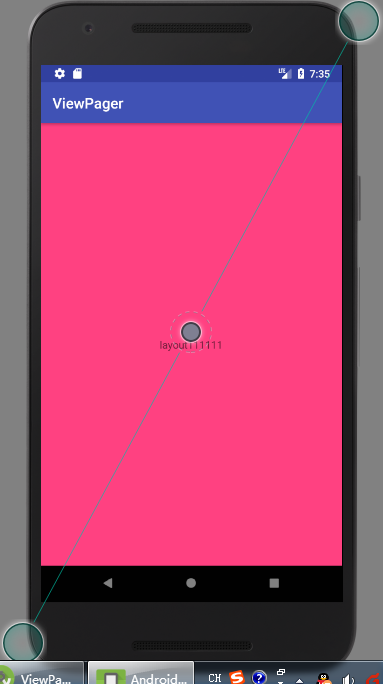
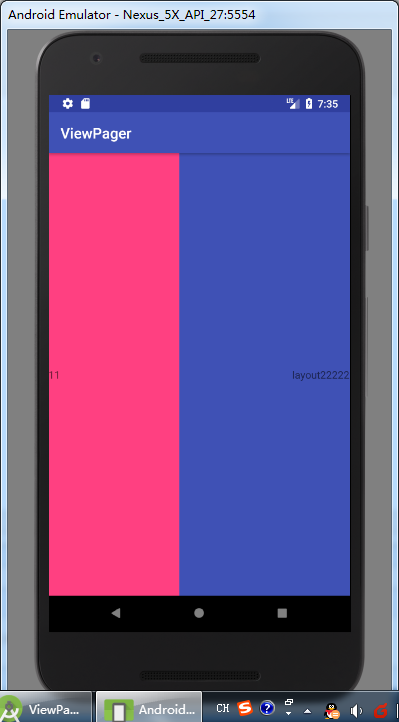
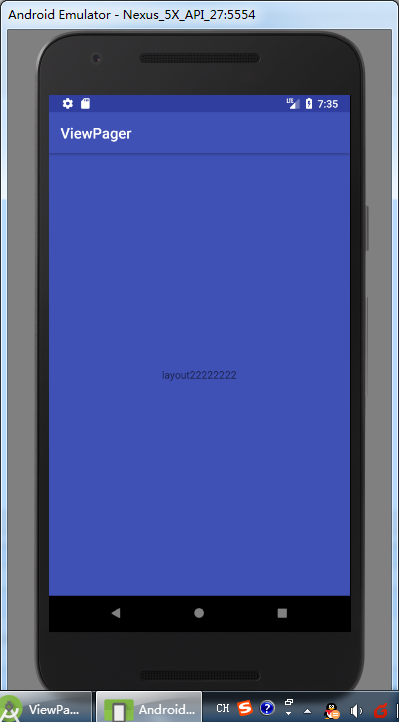
ViewPager(视图滑动切换工具)的更多相关文章
- iOS开发之多表视图滑动切换示例(仿"头条"客户端)---优化篇
前几天发布了一篇iOS开发之多表视图滑动切换示例(仿"头条"客户端)的博客,之所以写这篇博客,是因为一位iOS初学者提了一个问题,简单的写了个demo做了个示范,让其在基础上做扩展 ...
- viewpager+fragment滑动切换卡顿问题
最近在做项目的时候遇到个问题,viewpager中的fragment添加使用listview添加数据后出现滑动卡顿,造成用户体验感极差.找了很久的资料,也试了很多大方法,在这里给大家分享下: 1.添加 ...
- 【Android UI】案例03滑动切换效果的实现(ViewPager)
本例使用ViewPager实现滑动切换的效果.本例涉及的ViewPager.为android.support.v4.view.ViewPager.所以须要在android项目中导入android-su ...
- ViewPager源码分析——滑动切换页面处理过程
上周客户反馈Contacts快速滑动界面切换tab有明显卡顿,让优化. 自己验证又没发现卡顿现象,但总得给客户一个技术性的回复,于是看了一下ViewPager源码中处理滑动切换tab的过程. View ...
- Android:使用ViewPager实现左右滑动切换图片 (简单版)
ViewPager,它是google SDk中自带的一个附加包的一个类, 可以使视图滑动. 步骤: 1.引入android-support-v4.jar包,在主布局里加入 <android.su ...
- ViewPager取消左右滑动切换功能
ViewPager取消左右滑动切换功能 最近做项目要求某种情况下ViewPager不能滑动,那么我们只需要重写这个方法就可以禁止ViewPager滑动 IndexViewPager.java: imp ...
- ViewPager撤消左右滑动切换功能
ViewPager取消左右滑动切换功能 最近做项目要求某种情况下ViewPager不能滑动,那么我们只需要重写这个方法就可以禁止ViewPager滑动 IndexViewPager.java: imp ...
- Android:简单实现ViewPager+TabHost+TabWidget实现导航栏导航和滑动切换
viewPager是v4包里的一个组件,可以实现滑动显示多个界面. android也为viewPager提供了一个adapter,此adapter最少要重写4个方法: public int getCo ...
- Android随笔--使用ViewPager实现简单地图片的左右滑动切换
Android中图片的左右切换随处可见,今天我也试着查阅资料试着做了一下,挺简单的一个小Demo,却也发现了一些问题,话不多说,上代码~: 使用了3个xml文件作为ViewPager的滑动page,布 ...
随机推荐
- bootstrap-table简单使用
开发项目时总想着能不能有一款插件包含分页,查询等常用功能,后来发现了bootstrap-table 直接看代码和效果图 <!DOCTYPE html> <html lang=&quo ...
- 手动安装httpd服务器
首先安装apr(Apache Portable Runtime) apr-util apr-iconv 安装之前需要 前置知识: 自己手动编译安装的软件的安装位置: /usr/local bin, s ...
- js自执行函数、调用递归函数、圆括号运算符、函数声明的提升
前言 起因是我要在jquery的ajax中需要根据返回值来决定是否继续发起ajax请求,这是一个有条件的循环,符合条件就跳出.可以使用while循环的,但是想了想还是递归调用好用. 调用递归函数 递归 ...
- 为什么JavaScript要有null?(翻译)
原文地址 JavaScript有不少怪癖和难以理解的地方.其中null& undefined就比较有意思.既然有了为什么JavaScript还要弄一个null? 相等比较 让我们开始由具有看看 ...
- WIN7 64位配置X86 MySQL 数据源
在运行中输入“c:\windows\syswow64\odbcad32.exe”,在调出来的ODBC管理器中配置数据源.
- shell、cmd、dos和脚本语言区别和联系
问题一:DOS与windows中cmd区别 在windows系统中,“开始-运行-cmd”可以打开“cmd.exe”,进行命令行操作. 操作系统可以分成核心(kernel)和Shell(外壳)两部 ...
- 栈实现 C语言
最近上来写了一下栈,理解数据结构的栈. 头文件:stack.h 初始化栈结构与函数定义: #include<stdlib.h> #include <stdio.h> #incl ...
- php—Smarty-2
一.注释 *注释内容* Html注释显示客户端源文件中 Smarty注释不会发给客户端 Smarty的注释主要给模板设计者来看的 二.模板中的变量 l 由php文件分配 1) 普通变量 2) 数 ...
- 小白学Linux
Linux的文件关系: / 根最大的文件夹,存储此台计算机的所有数据 /etc 存放计算机的配置文件 /var/log 存放电脑的日志文件 /home 家的位置 路径:相对路径.绝对路径(从根下开始 ...
- 磁盘IO的概念
转载自:http://blog.csdn.net/letterwuyu/article/details/53542291 在数据库优化和存储规划过程中,总会提到IO的一些重要概念,在这里就详细记录一下 ...