
【dart学习】-- Dart之网络请求操作
Flutter的请求网络有多种方式,一种是使用dart io中的HttpClient发起的请求,一种是使用dio库,另一种是使用http库,先学一下get和post,put、delete就等后面用到在学。下面就实践:
1.dart io发起的请求
1.1.get请求
import 'dart:io';//导IO包

import 'dart:convert';//解码和编码JSON

void main() {

  _get();

}

_get() async{

  var responseBody;

  //1.创建HttpClient

  var httpClient = new HttpClient();

  //2.构造Uri

  var requset = await httpClient.getUrl(Uri.parse("http://gank.io/api/data/%E7%A6%8F%E5%88%A9/10/1"));

  //3.关闭请求,等待响应

  var response = await requset.close();

  //4.进行解码,获取数据

  if(response.statusCode == 200){

      //拿到请求的数据

      responseBody = await response.transform(utf8.decoder).join();

      //先不解析打印数据

      print(responseBody);

  }else{

    print("error");

  }

}
结果如下:
{"error":false,
  "results":[
  {"_id":"5ccdbc219d212239df927a93","createdAt":"2019-05-04T16:21:53.523Z","desc":"2019-05-05","publishedAt":"2019-05-04T16:21:59.733Z","source":"web","type":"\u798f\u5229","url":"http://ww1.sinaimg.cn/large/0065oQSqly1g2pquqlp0nj30n00yiq8u.jpg","used":true,"who":"lijinshanmx"},
  {"_id":"5cc43919fc3326376038d233","createdAt":"2019-04-27T19:12:25.536Z","desc":"2019-04-27","publishedAt":"2019-04-27T19:12:51.865Z","source":"web","type":"\u798f\u5229","url":"https://ww1.sinaimg.cn/large/0065oQSqly1g2hekfwnd7j30sg0x4djy.jpg","used":true,"who":"lijinshanmx"},
  {"_id":"5c6a4ae99d212226776d3256","createdAt":"2019-02-18T06:04:25.571Z","desc":"2019-02-18","publishedAt":"2019-04-10T00:00:00.0Z","source":"web","type":"\u798f\u5229","url":"https://ws1.sinaimg.cn/large/0065oQSqly1g0ajj4h6ndj30sg11xdmj.jpg","used":true,"who":"lijinshanmx"},
  {"_id":"5c2dabdb9d21226e068debf9","createdAt":"2019-01-03T06:29:47.895Z","desc":"2019-01-03","publishedAt":"2019-01-03T00:00:00.0Z","source":"web","type":"\u798f\u5229","url":"https://ws1.sinaimg.cn/large/0065oQSqly1fytdr77urlj30sg10najf.jpg","used":true,"who":"lijinshanmx"},
  {"_id":"5c25db189d21221e8ada8664","createdAt":"2018-12-28T08:13:12.688Z","desc":"2018-12-28","publishedAt":"2018-12-28T00:00:00.0Z","source":"web","type":"\u798f\u5229","url":"https://ws1.sinaimg.cn/large/0065oQSqly1fymj13tnjmj30r60zf79k.jpg","used":true,"who":"lijinshanmx"},
  {"_id":"5c12216d9d21223f5a2baea2","createdAt":"2018-12-13T09:07:57.2Z","desc":"2018-12-13","publishedAt":"2018-12-13T00:00:00.0Z","source":"web","type":"\u798f\u5229","url":"https://ws1.sinaimg.cn/large/0065oQSqgy1fy58bi1wlgj30sg10hguu.jpg","used":true,"who":"lijinshanmx"},
  {"_id":"5bfe1a5b9d2122309624cbb7","createdAt":"2018-11-28T04:32:27.338Z","desc":"2018-11-28","publishedAt":"2018-11-28T00:00:00.0Z","source":"web","type":"\u798f\u5229","url":"https://ws1.sinaimg.cn/large/0065oQSqgy1fxno2dvxusj30sf10nqcm.jpg","used":true,"who":"lijinshanmx"},
  {"_id":"5bf22fd69d21223ddba8ca25","createdAt":"2018-11-19T03:36:54.950Z","desc":"2018-11-19","publishedAt":"2018-11-19T00:00:00.0Z","source":"web","type":"\u798f\u5229","url":"https://ws1.sinaimg.cn/large/0065oQSqgy1fxd7vcz86nj30qo0ybqc1.jpg","used":true,"who":"lijinshanmx"},
  {"_id":"5be14edb9d21223dd50660f8","createdAt":"2018-11-06T08:20:43.656Z","desc":"2018-11-06","publishedAt":"2018-11-06T00:00:00.0Z","source":"web","type":"\u798f\u5229","url":"https://ws1.sinaimg.cn/large/0065oQSqgy1fwyf0wr8hhj30ie0nhq6p.jpg","used":true,"who":"lijinshanmx"},
  {"_id":"5bcd71979d21220315c663fc","createdAt":"2018-10-22T06:43:35.440Z","desc":"2018-10-22","publishedAt":"2018-10-22T00:00:00.0Z","source":"web","type":"\u798f\u5229","url":"https://ws1.sinaimg.cn/large/0065oQSqgy1fwgzx8n1syj30sg15h7ew.jpg","used":true,"who":"lijinshanmx"}
    ]
}
1.2.post请求
_post() async{

  var responseBody;

  //1.创建HttpClient

  var httpClient = new HttpClient();

  //2.构造Uri

  var requset = await httpClient.postUrl(Uri.parse("http://www.wanandroid.com/user/login?username=1&password=123456"));

  //3.关闭请求,等待响应

  var response = await requset.close();

  //4.进行解码,获取数据

  if(response.statusCode == 200){

  //拿到请求的数据

  responseBody = await response.transform(utf8.decoder).join();

  //先不解析打印数据

    print(responseBody);

  }else{

    print("error");

  }

}
返回结果如下:
{

    ‘data’:null, ‘errorCode’: -1, ‘errorMsg’:’账号密码不匹配!’

}
2.dio请求
dio是一个强大的Dart Http请求库,支持Restful API、FormData、拦截器、错误处理、转换器、设置Http代理、请求取消、Cookie管理、文件上传和下载、超时等。在pub.flutter-io.cn/packages搜最新的依赖包,这个网址太好用,你想搜一些三方库里面都有:
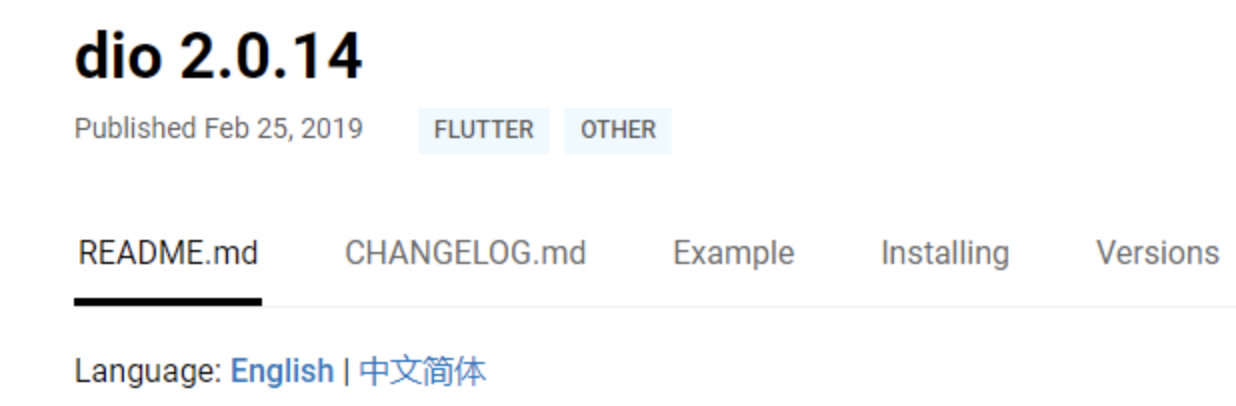
在pubspec.yaml添加依赖:
dio: ^2.0.14
导入依赖:
import 'package:dio/dio.dart';
2.1.get请求
//dio get请求

dio_get() async{

  try{

      Response response;

      //等待返回response

      response = await Dio().get("http://gank.io/api/data/%E7%A6%8F%E5%88%A9/10/1");

      if(response.statusCode == 200){

        print(response);

      }else{

        print("error");

      }

  }catch(e){

     print(e);

  }

}
2.2.post请求
dio_post() async{

  try{

    Response response;

    response = await Dio().post("http://www.wanandroid.com/user/login?username=1&password=123456");

    if(response.statusCode == 200){

      print(response);

    }else{

      print("error");

    }

  }catch(e){

    print(e);

  }

}
效果同样是ok的。
3.http库
继续去上面链接搜最新的包,是http 0.12.0+1,在pubspec.yaml下添加依赖,在文件导入包:
import 'package:http/http.dart' as my_http;
上面这次导入库的方式有一点点区别,多了as这个关键字,这是什么意思呢?通过as是为了解决变量名冲突的方法,因为导入不同的库有可能遇到不同库之间因为导入变量名冲突的问题。
3.1.get请求
//http库的get请求方式

http_get() async{

  try{

    //因为导入http 用了as xxx方式,所以对象请求都用xxx.get方式

    var response = await my_http.get("http://gank.io/api/data/%E7%A6%8F%E5%88%A9/10/1");

    if(response.statusCode == 200){

      //打印返回的数据

      print(response.body);

    }else{

      print("error");

    }

  }catch(e){

    print(e);

  }

}
3.2.post请求
//http库的post请求方式

http_post() async{

  try{

    //因为导入http 用了as xxx方式,所以对象请求都用xxx.get方式

    var response = await my_http.post("http://www.wanandroid.com/user/login?username=1&password=123456");

    if(response.statusCode == 200){

      //打印返回的数据

      print(response.body);

    }else{

      print("error");

    }

  }catch(e){

    print(e);

  }

}
以上三种库的get和psot方式都实践了一遍,在平时开发中最好用dio库和http库,因为dart io中是使用HttpClient发起的请求,HttpClient本身功能较弱,很多常用功能不支持。
【dart学习】-- Dart之网络请求操作的更多相关文章
- 【转】python3 urllib.request 网络请求操作
python3 urllib.request 网络请求操作 基本的网络请求示例 ''' Created on 2014年4月22日 @author: dev.keke@gmail.com ''' im ...
- python3 urllib.request 网络请求操作
python3 urllib.request 网络请求操作 基本的网络请求示例 ''' Created on 2014年4月22日 @author: dev.keke@gmail.com ''' im ...
- Flutter学习五之网络请求和轮播图的实现
上期讲到了,怎样实现一个下拉刷新和加载更多的列表,数据更新,需要使用到网络请求,在flutter中,怎样实现一个网络请求呢?官方使用的是dart io中的HttpClient发起的请求,但HttpCl ...
- Hbuilder MUI里面使用java.net.URL发送网络请求,操作cookie
1. 引入所需网络请求类: var URL = plus.android.importClass("java.net.URL"); var URLConnection = plus ...
- python学习笔记:网络请求——urllib模块
python操作网络,也就是打开一个网站,或者请求一个http接口,可以使用urllib模块.urllib模块是一个标准模块,直接import urllib即可,在python3里面只有urllib模 ...
- python3.5.3rc1学习十:网络请求
#sys模块import sys sys.stderr.write('This is stderr text\n')# 因为从定向有缓冲区,所以需要以下这行代码sys.stderr.flush()sy ...
- python学习笔记:网络请求——requests模块
上面讲过的urllib模块太麻烦了,还有一个比较方便的模块,就是requests模块,好用到你怀疑人生·^_^,一定要会哦 需要安装,pip install requests即可,下面是request ...
- 【安卓网络请求开源框架Volley源码解析系列】定制自己的Request请求及Volley框架源码剖析
通过前面的学习我们已经掌握了Volley的基本用法,没看过的建议大家先去阅读我的博文[安卓网络请求开源框架Volley源码解析系列]初识Volley及其基本用法.如StringRequest用来请求一 ...
- Python 网络请求模块 urllib 、requests
Python 给人的印象是抓取网页非常方便,提供这种生产力的,主要依靠的就是 urllib.requests这两个模块. urlib 介绍 urllib.request 提供了一个 urlopen 函 ...
随机推荐
- (转)docker-compose安装
转:https://blog.csdn.net/pushiqiang/article/details/78682323 https://blog.csdn.net/ericnany/article/d ...
- Codeforces 510C (拓扑排序)
原题:http://codeforces.com/problemset/problem/510/C C. Fox And Names time limit per test:2 seconds mem ...
- linux显示文本文件指定行数的数据
sed -n '2,4p' /core/home_info.txt 显示这个txt的2-4行,此外还有 cat /core/home_info.txt | tail -n 1000:显示最后100 ...
- 记录MNIST采用卷积方式实现与理解
从时间上来说,这篇文章写的完了,因为这个实验早就做完了:但从能力上来说,这篇文章出现的早了,因为很多地方我都还没有理解.如果不现在写,不知道什么时候会有时间是其一,另外一个原因是怕自己过段时间忘记. ...
- Elasticsearch后台运行步骤
Elasticsearch后台运行步骤 1.cmd 到elasticsearch 中bin目录下 2.elasticsearch-service 出现 3.安装服务 elasticsearch-se ...
- Html5 学习笔记 --》html基础 css 基础
HTML5 功能 HTML5特点 <!DOCTYPE html> <html lang="zh-cn"> <head> <meta cha ...
- node_exporter + grafana
监控服务器CPU.内存.磁盘.I/O等信息,首先需要安装node_exporter.node_exporter的作用是用于机器系统数据收集. 下载安装: https://github.com/prom ...
- [题解]Magic Line-计算几何(2019牛客多校第三场H题)
题目链接:https://ac.nowcoder.com/acm/contest/883/H 题意: 给你偶数个点的坐标,找出一条直线将这n个点分成数量相等的两部分 并在这条直线上取不同的两个点,表示 ...
- upc组队赛14 Floating-Point Hazard【求导】
Floating-Point Hazard 题目描述 Given the value of low, high you will have to find the value of the follo ...
- shell zip和unzip压缩和解压,压缩效率
1.把/home目录下面的mydata目录压缩为mydata.zip zip -r mydata.zip mydata #压缩mydata目录zip -r mydata.zip ./*txt #压缩当 ...