
SpringBoot实现上传下载(二)
这篇写下载。
**1.实现思路**
上一篇的数据库设计中,我们有一个字段始终没有用到fileName,这是用来给Layer对象存储文件名的,以此来完成文件与对象的对应,

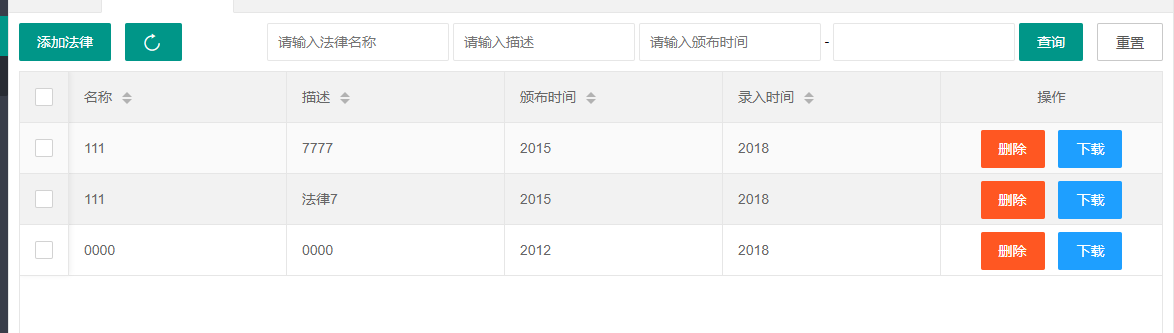
预览:
**2.Code**
View层:
首先是加载数据表格异步的时候 我们就获取到了fileName,然后通过获取当前行,来获取当前的fileName文件名。
```
table.on('tool(test)', function(obj) {
var data = obj.data; //获得当前行数据
var layEvent = obj.event; //获得 lay-event 对应的值(也可以是表头的 event 参数对应的值)
var tr = obj.tr; //获得当前行 tr 的DOM对象
$ = layui.jquery;
if (layEvent === 'download') { //删除
var fileName = data.fileName;
window.location="layer/download?fileName="+fileName;
}
});
```
然后不论是上传下载使用ajax都不推荐(上传下载都属于获取资源请求,a标签等即可实现,而ajax是js异步的封装请求,两者实现目标不一样)
这里使用window.location来实现对文件的请求。
然后是Controller层:
```
//下载
@RequestMapping(value = "Index/layer/download")
@ResponseBody
public Map downloadOne(HttpServletRequest req,HttpServletResponse response) throws IOException{
String fileName = req.getParameter("fileName");// 设置文件名,根据业务需要替换成要下载的文件名
// String layerId = req.getParameter("layerId");
String downloadDir = req.getSession().getServletContext().getRealPath("/") +"upload/";
// String savePath = req.getSession().getServletContext().getRealPath("/") +"download/";
downloadDir=downloadDir.substring(0,downloadDir.length()-1);
downloadDir=downloadDir+"\\";//下载目录
String realPath=downloadDir+fileName;//
File file = new File(realPath);//下载目录加文件名拼接成realpath
if(file.exists()){ //判断文件父目录是否存在
// response.setContentType("application/force-download");
response.setHeader("Content-Disposition", "attachment;fileName=" + fileName);
byte[] buffer = new byte[1024];
FileInputStream fis = null; //文件输入流
BufferedInputStream bis = null;
OutputStream os = null; //输出流
try {
os = response.getOutputStream();
fis = new FileInputStream(file);
bis = new BufferedInputStream(fis);
int i = bis.read(buffer);
while(i != -1){
os.write(buffer);
i = bis.read(buffer);
}
} catch (Exception e) {
// TODO Auto-generated catch block
e.printStackTrace();
}
System.out.println("----------file download" + fileName);
try {
bis.close();
fis.close();
} catch (IOException e) {
// TODO Auto-generated catch block
e.printStackTrace();
}
}
return api.returnJson(2,"fail"+realPath+fileName);
}
```
主要就是调IO流,然后下载罢了,拼一下路径和文件名即可
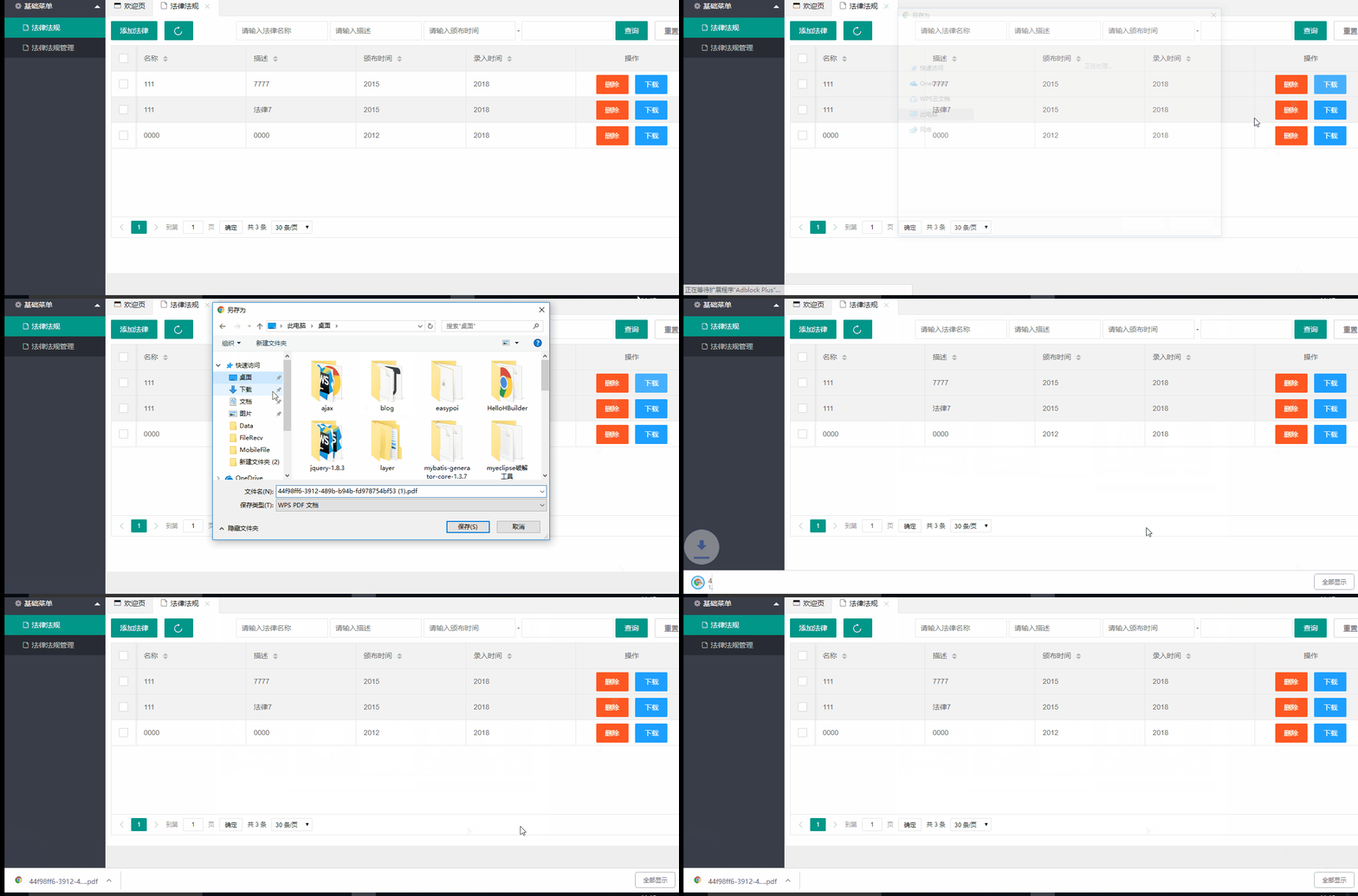
**3.效果一览**
觉得有用就给颗小
SpringBoot实现上传下载(二)的更多相关文章
- springboot简易上传下载
1.导入上传下载依赖: <dependency> <groupId>commons-fileupload</groupId> <artifactId>c ...
- springboot文件上传下载简单使用
springboot的文件上传比较简单 一.使用默认的Resolver:StandardServletMultipartResolver controller package com.mydemo.w ...
- SpringBoot文件上传下载
项目中经常会有上传和下载的需求,这篇文章简述一下springboot项目中实现简单的上传和下载. 新建springboot项目,前台页面使用的thymeleaf模板,其余的没有特别的配置,pom代码如 ...
- FastDFS的安装及上传下载(二)
百度云:所有附件的地址 一 安装前的检查 检查Linux上是否安装了 gcc.libevent.libevent-devel,执行如下yum命令检查: [root@node02 ~]# yum lis ...
- springboot 文件上传下载
关键点: 1,使用 POST 请求2,consumes=MediaType.MULTIPART_FROM_DATA_VALUE3,@RequestParm 里面的字符串和前端 input 控件的 na ...
- springboot文件上传下载,转载的
Spring Boot入门——文件上传与下载 原文来自:https://www.cnblogs.com/studyDetail/articles/7003253.html 1.在pom.xml文件中添 ...
- SpringBoot入门一:基础知识(环境搭建、注解说明、创建对象方法、注入方式、集成jsp/Thymeleaf、logback日志、全局热部署、文件上传/下载、拦截器、自动配置原理等)
SpringBoot设计目的是用来简化Spring应用的初始搭建以及开发过程.该框架使用了特定的方式来进行配置,从而使开发人员不再需要定义样板化的配置.通过这种方式,SpringBoot致力于在蓬勃发 ...
- salesforce 零基础学习(四十二)简单文件上传下载
项目中,常常需要用到文件的上传和下载,上传和下载功能实际上是对Document对象进行insert和查询操作.本篇演示简单的文件上传和下载,理论上文件上传后应该将ID作为操作表的字段存储,这里只演示文 ...
- JAVA Web 之 struts2文件上传下载演示(二)(转)
JAVA Web 之 struts2文件上传下载演示(二) 一.文件上传演示 详细查看本人的另一篇博客 http://titanseason.iteye.com/blog/1489397 二.文件下载 ...
随机推荐
- Linux压缩、解压
gzip压缩: 归档,压缩,yourFloder文件夹生成yourName.tar.gz: - tar -zcvf yourName.tar.gz yourFloder 解压yourName.tar. ...
- 用jquery制作的简单轮播图
我也是进入H5前端的小菜鸟一枚,最近才进入jquery的学习,所以打算对自己的学习进行记录. 今天分享的是一个简单的轮播图,这个轮播图的特效很简单,能够进行图片的轮播以及点击相应图片,图片能够跳转到相 ...
- SQLServer死锁查询
--查询死锁 select request_session_id spid, OBJECT_NAME(resource_associated_entity_id) tableName from sys ...
- 2018-9-21-dot-net-core-使用-usb
title author date CreateTime categories dot net core 使用 usb lindexi 2018-09-21 19:53:34 +0800 2018-0 ...
- linux开启 Sersync 守护进程进行数据同步
a.配置 Sersync 环境变量 [root@SERSYNC sersync]# echo 'export PATH=$PATH:/usr/local/sersync/bin'>>/et ...
- [CQOI2015]网络吞吐量(网络流+SPFA)
[CQOI2015]网络吞吐量 题目描述 路由是指通过计算机网络把信息从源地址传输到目的地址的活动,也是计算机网络设计中的重点和难点.网络中实现路由转发的硬件设备称为路由器.为了使数据包最快的到达目的 ...
- [Luogu2600]合并神犇(dp,贪心)
[Luogu2600]合并神犇 题目背景 loidc来到了NOI的赛场上,他在那里看到了好多神犇. 题目描述 神犇们现在正排成一排在刷题.每个神犇都有一个能力值p[i].loidc认为坐在附近的金牌爷 ...
- ForkJoinPool详解
本文的主要目的是介绍 ForkJoinPool 的适用场景,实现原理,以及示例代码. 说在前面可以说是说明,也可以说下面是结论: ForkJoinPool 不是为了替代 ExecutorService ...
- Kconfig的简单例子
https://cloud.tencent.com/developer/article/1431908 使用Kconfig时,需要注意的地方 1.在Kconfig中定义的配置宏,前缀都没有" ...
- 2018-09-10-weekly
Algorithm 删除链表的倒数第N个节点 What:给定一个链表,删除链表的倒数第 n 个节点,并且返回链表的头结点. How:这是一道典型的利用双指针法解题.首先让指针first指向头节点,然后 ...