
IrregularGridCollectionView处理不定宽度的标签cell
IrregularGridCollectionView处理不定宽度的标签cell
效果
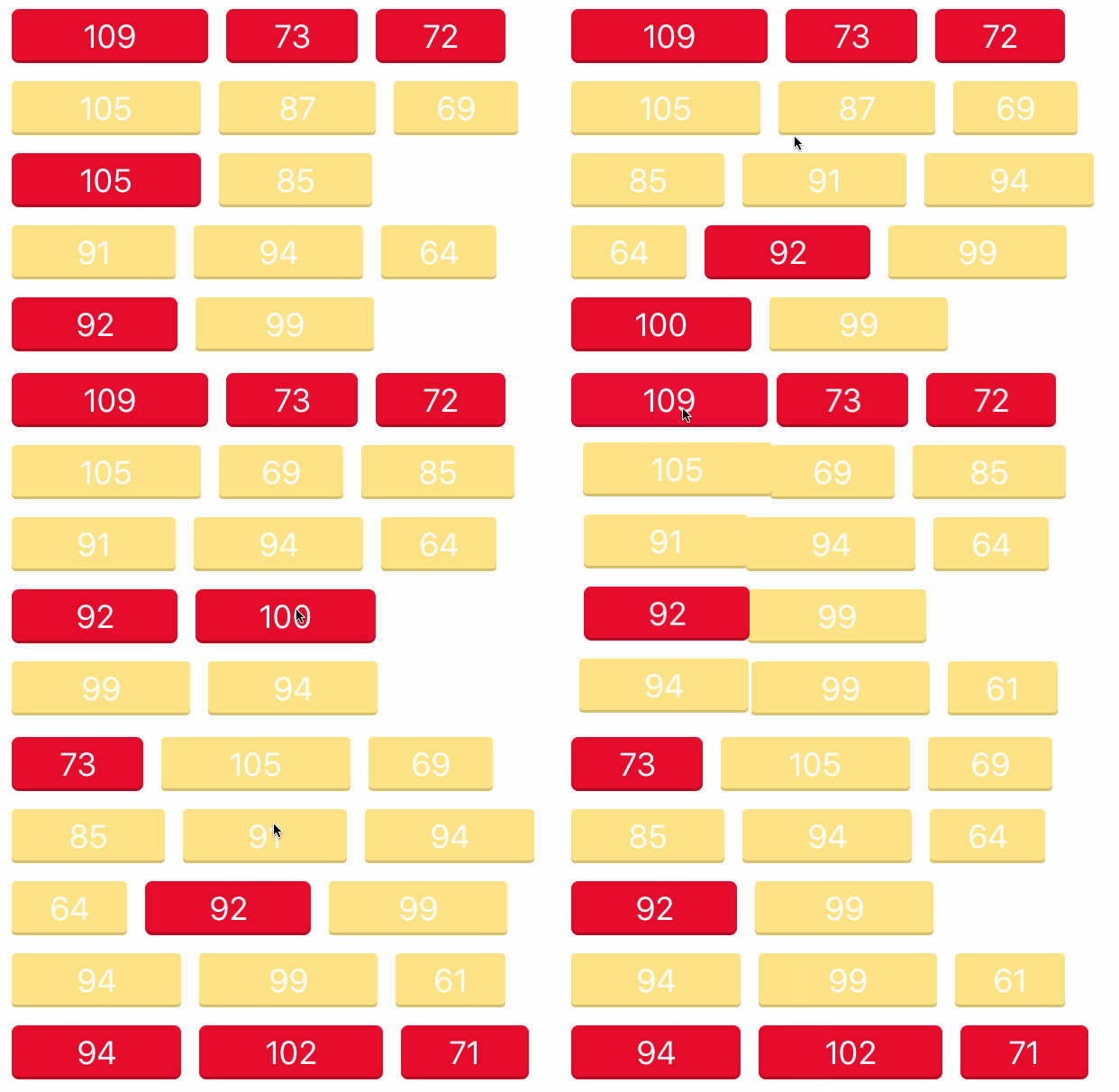
源码
https://github.com/YouXianMing/UI-Component-Collection 中的 IrregularGridCollectionView
//

//  IrregularGridCollectionView.h

//  IrregularGridCollectionView

//

//  Created by YouXianMing on 16/8/30.

//  Copyright © 2016年 YouXianMing. All rights reserved.

//

#import <UIKit/UIKit.h>

#import "IrregularGridCellDataAdapter.h"

#import "MaximumSpacingFlowLayout.h"

#import "CustomIrregularGridViewCell.h"

@class IrregularGridViewCellClassType;

@class IrregularGridCollectionView;

@protocol IrregularGridCollectionViewDelegate <NSObject>

@optional

/**

 *  IrregularGridCollectionView did selected event.

 *

 *  @param collectionGridView CollectionGridView's object.

 *  @param cell               CustomCollectionGridViewCell type's cell.

 *  @param event              CustomCollectionGridViewCell's event.

 */

- (void)irregularGridCollectionView:(IrregularGridCollectionView *)irregularGridCollectionView didSelectedCell:(CustomIrregularGridViewCell *)cell event:(id)event;

@end

@interface IrregularGridCollectionView : UIView

/**

 *  CollectionGridView's delegate.

 */

@property (nonatomic, weak) id <IrregularGridCollectionViewDelegate> delegate;

/**

 *  CollectionView.

 */

@property (nonatomic, strong, readonly) UICollectionView *collectionView;

/**

 *  Content edgeInsets, default is UIEdgeInsetsMake(5, 5, 5, 5).

 */

@property (nonatomic) UIEdgeInsets contentEdgeInsets;

/**

 *  Horizontal item's gap, default is 5.f.

 */

@property (nonatomic) CGFloat horizontalGap;

/**

 *  Vertical item's gap, default is 5.f.

 */

@property (nonatomic) CGFloat verticalGap;

/**

 *  Item's height, default is 20.f.

 */

@property (nonatomic) CGFloat gridHeight;

/**

 *  Register the cells.

 */

@property (nonatomic, strong) NSArray <IrregularGridViewCellClassType *> *registerCells;

/**

 *  The cells data adapter.

 */

@property (nonatomic, strong) NSMutableArray <IrregularGridCellDataAdapter *> *adapters;

/**

 *  To make the config effective.

 */

- (void)makeTheConfigEffective;

/**

 *  Get the CollectionView's content size.

 */

@property (nonatomic, readonly) CGSize contentSize;

/**

 *  Reset the view's size.

 */

- (void)resetSize;

#pragma mark - Constructor.

+ (instancetype)irregularGridCollectionViewWithFrame:(CGRect)frame

                                            delegate:(id <IrregularGridCollectionViewDelegate>)delegate

                                       registerCells:(NSArray <IrregularGridViewCellClassType *> *)registerCells

                                   contentEdgeInsets:(UIEdgeInsets)edgeInsets

                                         verticalGap:(CGFloat)verticalGap

                                       horizontalGap:(CGFloat)horizontalGap

                                          gridHeight:(CGFloat)gridHeight;

@end

#pragma mark - CollectionGridViewCellClassType Class

@interface IrregularGridViewCellClassType : NSObject

@property (nonatomic)         Class      className;

@property (nonatomic, strong) NSString  *reuseIdentifier;

@end

NS_INLINE IrregularGridViewCellClassType *gridViewCellClassType(Class className, NSString  *reuseIdentifier) {

    IrregularGridViewCellClassType *type = [IrregularGridViewCellClassType new];

    type.className                        = className;

    type.reuseIdentifier                  = reuseIdentifier;

    return type;

}
//

//  IrregularGridCollectionView.m

//  IrregularGridCollectionView

//

//  Created by YouXianMing on 16/8/30.

//  Copyright © 2016年 YouXianMing. All rights reserved.

//

#import "IrregularGridCollectionView.h"

#pragma mark - IrregularGridCollectionView Class

@interface IrregularGridCollectionView () <UICollectionViewDelegate, UICollectionViewDataSource, CustomIrregularGridViewCellDelegate>

@property (nonatomic, strong) UICollectionView            *collectionView;

@property (nonatomic, strong) UICollectionViewFlowLayout  *flowLayout;

@end

@implementation IrregularGridCollectionView

#pragma mark - Init

- (void)layoutSubviews {

    [super layoutSubviews];

    _collectionView.frame = CGRectMake(, , self.frame.size.width, self.frame.size.height);

}

- (instancetype)initWithFrame:(CGRect)frame {

    if (self = [super initWithFrame:frame]) {

        self.contentEdgeInsets   = UIEdgeInsetsMake(, , , );

        self.horizontalGap       = .f;

        self.verticalGap         = .f;

        self.gridHeight          = .f;

        // Init UICollectionViewFlowLayout.

        self.flowLayout = [[MaximumSpacingFlowLayout alloc] init];

        // Init UICollectionView.

        self.collectionView = [[UICollectionView alloc] initWithFrame:self.bounds collectionViewLayout:self.flowLayout];

        self.collectionView.showsHorizontalScrollIndicator = NO;

        self.collectionView.showsVerticalScrollIndicator   = NO;

        self.collectionView.backgroundColor                = [UIColor clearColor];

        self.collectionView.delegate                       = self;

        self.collectionView.dataSource                     = self;

        [self addSubview:self.collectionView];

    }

    return self;

}

- (void)makeTheConfigEffective {

    self.collectionView.contentInset        = self.contentEdgeInsets;

    self.flowLayout.minimumLineSpacing      = self.verticalGap;

    self.flowLayout.minimumInteritemSpacing = self.horizontalGap;

}

#pragma mark - UICollectionView's delegate & data source.

- (NSInteger)collectionView:(UICollectionView *)collectionView numberOfItemsInSection:(NSInteger)section {

    return _adapters.count;

}

- (UICollectionViewCell *)collectionView:(UICollectionView *)collectionView cellForItemAtIndexPath:(NSIndexPath *)indexPath {

    IrregularGridCellDataAdapter *adapter = _adapters[indexPath.row];

    adapter.indexPath                     = indexPath;

    CustomIrregularGridViewCell  *cell    = [collectionView dequeueReusableCellWithReuseIdentifier:adapter.cellReuseIdentifier forIndexPath:indexPath];

    cell.delegate                         = self;

    cell.dataAdapter                      = adapter;

    cell.data                             = adapter.data;

    cell.indexPath                        = indexPath;

    cell.collectionView                   = collectionView;

    cell.collectionGridView = self;

    [cell loadContent];

    return cell;

}

- (CGSize)collectionView:(UICollectionView *)collectionView layout:(UICollectionViewLayout*)collectionViewLayout sizeForItemAtIndexPath:(NSIndexPath *)indexPath {

    IrregularGridCellDataAdapter *adapter = _adapters[indexPath.row];

    return CGSizeMake(adapter.itemWidth, self.gridHeight);

}

+ (instancetype)irregularGridCollectionViewWithFrame:(CGRect)frame

                                            delegate:(id <IrregularGridCollectionViewDelegate>)delegate

                                       registerCells:(NSArray <IrregularGridViewCellClassType *> *)registerCells

                                   contentEdgeInsets:(UIEdgeInsets)edgeInsets

                                         verticalGap:(CGFloat)verticalGap

                                       horizontalGap:(CGFloat)horizontalGap

                                          gridHeight:(CGFloat)gridHeight {

    IrregularGridCollectionView *irregularGridView = [[[self class] alloc] initWithFrame:frame];

    irregularGridView.delegate                     = delegate;

    irregularGridView.contentEdgeInsets            = edgeInsets;

    irregularGridView.verticalGap                  = verticalGap;

    irregularGridView.horizontalGap                = horizontalGap;

    irregularGridView.gridHeight                   = gridHeight;

    irregularGridView.registerCells                = registerCells;

    [irregularGridView makeTheConfigEffective];

    return irregularGridView;

}

#pragma mark - CustomIrregularGridViewCellDelegate

- (void)customIrregularGridViewCell:(CustomIrregularGridViewCell *)cell event:(id)event {

    if (self.delegate && [self.delegate respondsToSelector:@selector(irregularGridCollectionView:didSelectedCell:event:)]) {

        [self.delegate irregularGridCollectionView:self didSelectedCell:cell event:event];

    }

}

#pragma mark - Setter & Getter

- (void)setRegisterCells:(NSArray <IrregularGridViewCellClassType *> *)registerCells {

    _registerCells = registerCells;

    for (IrregularGridViewCellClassType *type in registerCells) {

        [self.collectionView registerClass:type.className forCellWithReuseIdentifier:type.reuseIdentifier];

    }

}

- (CGSize)contentSize {

    CGSize size = [_flowLayout collectionViewContentSize];

    size.width  += self.contentEdgeInsets.left + self.contentEdgeInsets.right;

    size.height += self.contentEdgeInsets.top  + self.contentEdgeInsets.bottom;

    return size;

}

- (void)resetSize {

    CGRect newFrame = self.frame;

    newFrame.size   = [self contentSize];

    self.frame      = newFrame;

}

@end

#pragma mark - IrregularGridViewCellClassType Class

@implementation IrregularGridViewCellClassType

@end
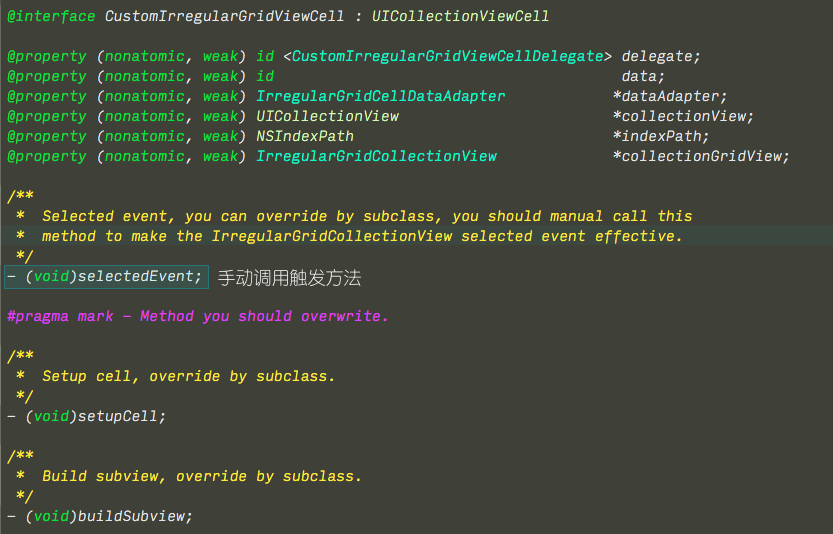
细节
IrregularGridCollectionView处理不定宽度的标签cell的更多相关文章
- iOS tableView移除某一行的分割线 让分割线宽度为整个cell的宽度
移除tableViewCell中某一行的分割线 有2种方法 1. 移除系统的分割线,自己定义每行的分割线 self.tableView.separatorStyle = UITableViewCell ...
- pc端常见布局---水平居中布局 单元素不定宽度
<!DOCTYPE html> <html> <head> <meta charset="utf-8"> <title> ...
- html+css--水平居中总结(不定宽块状元素方法)(一)
来源:http://www.imooc.com/code/6363 在实际工作中我们会遇到需要为“不定宽度的块状元素”设置居中,比如网页上的分页导航,因为分页的数量是不确定的,所以我们不能通过设置宽度 ...
- CSS 技巧一则 -- 不定宽溢出文本适配滚动
在日常布局当中,肯定经常会遇到文本内容超过容器的情况.非常常见的一种解决方案是超出省略. 但是,有的时候,由于场景的限制,可能会出现在一些无法使用超出打点省略的方法的场景,譬如在导航栏中: 这种情况下 ...
- 使用Autolayout实现UITableView的Cell动态布局和高度动态改变
本文翻译自:stackoverflow 有人在stackoverflow上问了一个问题: 1 如何在UITableViewCell中使用Autolayout来实现Cell的内容和子视图自动计算行高,并 ...
- JS实现自适应宽度的Tag切换
效果体验:http://hovertree.com/texiao/js/3.htm 该效果使用纯JavaScript代码,实现TAB页切换效果,TAB标签根据内容自适应宽度,点击TAB标签切换内容页. ...
- 自定义Cell的方法
Cell属于UITableView中的组件,有多种定义方式,有系统自带的方法,有自定义的方法. 可以使用系统的方法setSeparatorColor(设置分割线颜色) 设置setSeparatorSt ...
- 仿网易漂亮的TAB选项卡(标签)
<!DOCTYPE html PUBLIC "-//W3C//DTD XHTML 1.0 Transitional//EN" "http://www.w3.org/ ...
- HTML标签大全
HTML标签解释大全 一.HTML标记 标签:!DOCTYPE 说明:指定了 HTML 文档遵循的文档类型定义(DTD). 标签:a 说明:标明超链接的起始或目的位置. 标签:acronym 说明:标 ...
随机推荐
- SpringMVC与ajax相关知识练习与存档
参考文章(亲测有效): SpringMVC+ajax返回JSON串 jquery ajax例子返回值详解 AJAX $.ajax({url:路径,date:数据,}) //get请求(指定回调函数,参 ...
- 【jQuery】: 定时刷新页面
<%@page import="qflag.ucstar.seatmonitor.manager.SeatMonitorManager"%><%@ page la ...
- 菜鸟学自动化测试(八)----selenium 2.0环境搭建(基于maven)
菜鸟学自动化测试(八)----selenium 2.0环境搭建(基于maven) 2012-02-04 13:11 by 虫师, 11419 阅读, 5 评论, 收藏, 编辑 之前我就讲过一种方试来搭 ...
- Oracle 游标使用
今天看到一篇很帮的游标,所以强烈转一下 http://www.cnblogs.com/sc-xx/archive/2011/12/03/2275084.html -- 声明游标:CURSOR curs ...
- 四色定理+dfs(poj 1129)
题目:Channel Allocation 题意:要求A:BCD,A与B,C,D都不相同,求不同的值,典型的四色定理: #include <iostream> #include <a ...
- Hadoop MapReduce编程创建maven项目时所用到的pom依赖
<dependency> <groupId>junit</groupId> <artifactId>junit</artifactId> & ...
- CSS3中的Transition属性详解(贝赛尔曲线)
transition语法: transition : [<'transition-property'> || <'transition-duration'> || <'t ...
- [SmartFoxServer概述]使用文档
如何使用文档和例子 这份文档提供了一份关于如何通过SmartFoxServer 2X(缩写SFS2X)文档掌握要点的快速教程.在使用例子和技术文档之前,我们建议先参考以下主题内容. 不管你是Smart ...
- java基础知识分析: final , finally,finalize
final final-修饰符(关键字)如果一个类被声明为final,意味着它不能再派生出新的子类,不能作为父类被继承.因此一个类不能既被声明为 abstract的,又被声明为final的.将变量或方 ...
- Dynamic CRM 2013学习笔记(四十二)流程5 - 实时/同步工作流(Workflow)用法图解
实时工作流跟插件一样,也是用事件执行管道来执行,能在pre,post或核心操作中执行.跟插件一样,不能在创建之前和删除之后执行.如果执行过程中有异常发生,会取消并回滚整个操作.实时工作流里所有的活动和 ...