
HTML5 Audio and JavaScript Control
IE8 以下无效
<!DOCTYPE html>

<html>

<head>

<meta content="text/html; charset=utf-8" http-equiv="Content-Type">

<title>Playing Sound from JavaScript</title>

<script src="mootools-1.2.4-core.js"></script>

	<script src="sif_discussion.js"></script>

	<script language="JavaScript">

		var topic = 'audio';

		var comment_teaser = 'Please leave a comment...';

		window.onload = reload_comments;

	</script>

</head>

<body>

<h2><a name="simpleaudio"></a>Simple JavaScript Control</h2>

				<div class="audiocontainer">

					<audio id="audiotag1" preload="auto"><source src="flute_c_long_01.wav" type="audio/wav"></audio>

					<p>

						<a href="javascript:play_single_sound();">Play 5-sec sound on single channel</a>

					</p>

				</div>

				<script type="text/javascript">

					function play_single_sound() {

						document.getElementById('audiotag1').play();

					}

				</script>

<h2><a name="rotatingaudio"></a>Rotating Audio Channels</h2>

				<div class="audiocontainer">

					<audio id="multiaudio1" src="flute_c_long_01.wav" preload="auto"></audio>

					<audio id="multiaudio2" src="piano_chord.wav" preload="auto"></audio>

					<audio id="multiaudio3" src="synth_vox.wav" preload="auto"></audio>

					<audio id="multiaudio4" src="shimmer.wav" preload="auto"></audio>

					<audio id="multiaudio5" src="sweep.wav" preload="auto"></audio>

					<p>

						<a href="javascript:play_multi_sound('multiaudio1');">Flute</a><br />

						<a href="javascript:play_multi_sound('multiaudio2');">Piano Chord</a><br />

						<a href="javascript:play_multi_sound('multiaudio3');">Synth Vox</a><br />

						<a href="javascript:play_multi_sound('multiaudio4');">Shimmer</a><br />

						<a href="javascript:play_multi_sound('multiaudio5');">Sweep</a><br />

					</p>

				</div>

				<script type="text/javascript">

					var channel_max = 10;

					audiochannels = new Array();

					for (a=0;a<channel_max;a++) {

						audiochannels[a] = new Array();

						audiochannels[a]['channel'] = new Audio();

						audiochannels[a]['finished'] = -1;

					}

					function play_multi_sound(s) {

						for (a=0;a<audiochannels.length;a++) {

							thistime = new Date();

							if (audiochannels[a]['finished'] < thistime.getTime()) {

								audiochannels[a]['finished'] = thistime.getTime() + document.getElementById(s).duration*1000;

								audiochannels[a]['channel'].src = document.getElementById(s).src;

								audiochannels[a]['channel'].load();

								audiochannels[a]['channel'].play();

								break;

							}

						}

					}

				</script>

</body>

</html>
IE8 有效:
<!DOCTYPE html>

<html>

<head>

<meta content="text/html; charset=utf-8" http-equiv="Content-Type">

<title>Playing Sound from JavaScript</title>

</head>

<body>

<script type="text/javascript" language="JavaScript">

<!--

function playSound(audioURL) {

 if (document.all) document.all['BGSOUND_ID'].src=audioURL;

 else self.iplayer.location.replace('jsplayer.html?'+audioURL);

}

function stopSound() {

 if (document.all) document.all['BGSOUND_ID'].src='jsilence.mid';

 else self.iplayer.location.replace('jsplayer.html?stop');

}

//-->

</script>

<BGSOUND id="BGSOUND_ID" LOOP=1 SRC="jsilence.mid">

<!EMBED NAME="Bach" SRC="Bach.mid" LOOP=FALSE AUTOSTART=FALSE HIDDEN=TRUE MASTERSOUND!>

<form name=myform>

<input type=button value="Play Sound" onClick="playSound('Bach.mid')">

<input type=button value="Stop Sound" onClick="stopSound()">

</form>

</body>

</html>
IE 8以下无效:
<!DOCTYPE html>

<html>

<head>

<meta name="viewport" content="width=device-width,initial-scale=1,user-scalable=no">

<meta charset="utf-8" />

<title>Demo : jPlayer as a text based audio player</title>

<meta http-equiv="Content-Type" content="text/html; charset=utf-8" >

<meta content="audio player" name="keywords">

<meta content="audio player" name="description">

<script type="text/javascript" src="js/jquery-1.9.1.min.js"></script>

<script type="text/javascript" src="jplayer/jquery.jplayer.min.js"></script>

<script type="text/javascript">

//<![CDATA[

$(document).ready(function(){

	// Local copy of jQuery selectors, for performance.

	var	my_jPlayer = $("#jquery_jplayer"),

		my_trackName = $("#jp_container .track-name"),

		my_playState = $("#jp_container .play-state"),

		my_extraPlayInfo = $("#jp_container .extra-play-info");

	// Some options

	var	opt_play_first = false, // If true, will attempt to auto-play the default track on page loads. No effect on mobile devices, like iOS.

		opt_auto_play = true, // If true, when a track is selected, it will auto-play.

		opt_text_playing = "Now playing", // Text when playing

		opt_text_selected = "Track selected"; // Text when not playing

	// A flag to capture the first track

	var first_track = true;

	// Change the time format

	$.jPlayer.timeFormat.padMin = false;

	$.jPlayer.timeFormat.padSec = false;

	$.jPlayer.timeFormat.sepMin = " min ";

	$.jPlayer.timeFormat.sepSec = " sec";

	// Initialize the play state text

	my_playState.text(opt_text_selected);

	// Instance jPlayer

	my_jPlayer.jPlayer({

		ready: function () {

			$("#jp_container .track-default").click();

		},

		timeupdate: function(event) {

			my_extraPlayInfo.text(parseInt(event.jPlayer.status.currentPercentAbsolute, 10) + "%");

		},

		play: function(event) {

			my_playState.text(opt_text_playing);

		},

		pause: function(event) {

			my_playState.text(opt_text_selected);

		},

		ended: function(event) {

			my_playState.text(opt_text_selected);

		},

		swfPath: "../../dist/jplayer",

		cssSelectorAncestor: "#jp_container",

		supplied: "mp3",

		wmode: "window"

	});

	// Create click handlers for the different tracks

	$("#jp_container .track").click(function(e) {

		my_trackName.text($(this).text());

		my_jPlayer.jPlayer("setMedia", {

			mp3: $(this).attr("href")

		});

		if((opt_play_first && first_track) || (opt_auto_play && !first_track)) {

			my_jPlayer.jPlayer("play");

		}

		first_track = false;

		$(this).blur();

		return false;

	});

});

//]]>

</script>

<style>

<!--

.demo-container {

	border: 1px solid #009BE3;

	padding:0 20px;

	font-family: "Myriad Pro Regular","Trebuchet MS";

}

.demo-container a, .demo-container a:link, .demo-container a:visited, .demo-container a:hover, .demo-container a:focus, .demo-container a:active {

	color: #009BE3;

}

.demo-container ul {

	list-style-type:none;

	padding:0;

	margin:1em 0;

	width:100%;

	overflow:hidden;

}

.demo-container ul span {

	color: #A0A600;

}

.demo-container li {

	float:left;

	margin-right:1em;

}

.demo-container p span.track-name {

	color: #CC0090;

}

-->

</style>

</head>

<body>

	<div id="jquery_jplayer"></div>

		<!-- Using the cssSelectorAncestor option with the default cssSelector class names to enable control association of standard functions using built in features -->

		<div id="jp_container" class="demo-container">

			<ul>

				<li><span>Select a track : </span></li>

				<li><a href="http://www.jplayer.org/audio/mp3/TSP-01-Cro_magnon_man.mp3" class="track track-default">

				Cro Magnon Man</a></li>

				<li> | </li>

				<li><a href="http://www.jplayer.org/audio/mp3/Miaow-05-The-separation.mp3" class="track">

				The Separation</a></li>

				<li> | </li>

				<li><a href="http://www.jplayer.org/audio/mp3/Miaow-04-Lismore.mp3" class="track">

				Lismore</a></li>

				<li> | </li>

				<li><a href="http://www.jplayer.org/audio/mp3/Miaow-10-Thin-ice.mp3" class="track">

				Thin Ice</a></li>

			</ul>

			<p>

				<span class="play-state"></span> :

				<span class="track-name">nothing</span>

				at <span class="extra-play-info"></span>

				of <span class="jp-duration"></span>, which is

				<span class="jp-current-time"></span>

			</p>

			<ul>

				<li><a class="jp-play" href="#">Play</a></li>

				<li><a class="jp-pause" href="#">Pause</a></li>

				<li><a class="jp-stop" href="#">Stop</a></li>

			</ul>

			<ul>

				<li>volume :</li>

				<li><a class="jp-mute" href="#">Mute</a></li>

				<li><a class="jp-unmute" href="#">Unmute</a></li>

				<li> <a class="jp-volume-bar" href="#">|<---------->|</a></li>

				<li><a class="jp-volume-max" href="#">Max</a></li>

			</ul>

		</div>

</body>

</html>
参考资源:
/// https://github.com/CreateJS/SoundJS
/// http://madrobby.github.io/scriptaculous/sound/
/// https://css-tricks.com/examples/SoundOnHover/
/// https://github.com/scottschiller/SoundManager2/
/// http://www.schillmania.com/projects/soundmanager2/
http://www.sitepoint.com/10-jquery-audio/
http://devreactor.com/projects/drplayer.aspx
1. jMP3 (javaScript MP3 player)
This is an easy way make any MP3 playable directly on most any web site (to those with Flash & JavaScript enabled), using the sleek Flash Single MP3 Player & the fantabulous jQuery.
Source
2. jQuery Multimedia Portfolio
This plugin for jQuery will automatically detect the extension of each media and apply the adapted player.
Source
3. jMedia
A jQuery plugin for unobtrusive, accessible and flexible multi-media embedding.
Source
4. drPlayer
A simple and free jQuery plugin for creating MP3 playlists.
Source
5. Simple Player – A very simple HTML5 audio player plugin for jQuery
A jQuery plugin that allows web developers to control audio files on their webpage. Supports style up via CSS. All browsers that supports HTML5 audio tag that allow mp3 or ogg format supported by this plugin.
Source
6. jme
An HTML5 audio / video development kit with Flash Fallback, which focuses on flexibility, intuitive DOM-API and semantic code.
Source
7. Night coding a JQuery plugin for StreamPlug
An advanced media player for the web: It decodes MPEG4 video streams such as h264, and vorbis audio from a remote file using a simple http server. This JQuery plugin will help you add a streamplug player on your website/blog, a single line is sufficient to display the player to the right size, and play the media on the fly, without any buffering time!
Source
8. jlEmbed For jQuery
A plugin for jQuery, which makes it easier to add embedded media players to your webpage. With support for Adobe Flash, Quicktime, Real Player, Silverlight, Windows Media Player, and YouTube, you will no longer need to hard-code lengthy, cumbersome, and invalid HTML for your music or videos.
Source
9. jPlayer – The jQuery HTML5 Audio / Video Library
Is the completely free and open source (GPL/MIT) media library. A jQuery plugin, jPlayer allows you to rapidly weave cross platform audio and video into your web pages. jPlayer’s comprehensive API allows you to create innovative media solutions while support and encouragement is provided by jPlayer’s active and growing community.
Source
10. The Cloud Player- Web-based iTunes Clone using jQuery
The Cloud Player is a web-based music player that lets you.
> Find and play all tracks from SoundCloud
> Save playlist to your Google Account
> Make smart playlists based on genre, BPM, etc.
> Share your ready-made playlists with your friends and
> Collaborate in making the best playlists ever.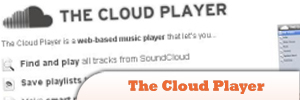
Source
HTML5 Audio and JavaScript Control的更多相关文章
- 5款帮助简化的HTML5 Audio开发的Javascript类库
HTML5的audio标签提供了我们方便控制声音的功能,可是使用原生的HTML5来开发声音或者音乐相关的项目仍旧很的麻烦.在今天这篇文章中,我们将介绍5款帮助你简化开发的javascript audi ...
- Using HTML5 audio and video
From:https://developer.mozilla.org/en-US/docs/Web/Guide/HTML/Using_HTML5_audio_and_video Using HTML5 ...
- html5 audio总结
前言 html5中对音频,视频播放原生支持.最近做了一个音乐播放器,得益于快过年了,才能抽出一点时间来总结一下.总的来说,html5对audio的支持非常强大, 难怪flash要死.浏览器上装播放插件 ...
- 开大你的音响,感受HTML5 Audio API带来的视听盛宴
话说HTML5的炫酷真的是让我爱不释手,即使在这个提到IE就伤心不完的年代.但话又说回来,追求卓越Web创造更美世界这样高的追求什么时候又与IE沾过边儿呢?所以当你在看本文并且我们开始讨论HTML5等 ...
- [jPlayer] HTML5 Audio & Video for jQuery
---------------------------------------------------------------------------------------------------- ...
- html5 audio音频播放全解析
序 html5开启了一个新时代,因为它让浏览器本身变得不那么被动,audio api就是一个典型的列子,在html5还没确定之前,如果想要在网页上听音乐看视频唯一的办法就是用flash意思是当你没有给 ...
- HTML5 Audio时代的MIDI音乐文件播放
大家都知道,HTML5 Audio标签能够支持wav, webm, mp3, ogg, acc等格式,但是有个很重要的音乐文件格式midi(扩展名mid)却在各大浏览器中都没有内置的支持,因为mid文 ...
- HTML5 <Audio>标签API整理(三)
一.浏览器支持 Internet Explorer 9+, Firefox, Opera, Chrome, 和 Safari 都支持 <audio> 元素. 注意: Internet Ex ...
- MUI音乐播放html5+audio模块
html5+ audio 模块MUI播放音频 Audio模块用于提供音频的录制和播放功能,可调用系统的麦克风设备进行录音操作,也可调用系统的扬声器设备播放音频文件.通过plus.audio获取音频管理 ...
随机推荐
- HTML Hyperlink between and within pages
In HTML, we can use tag <a href=""> to create hyperlinks between and within pages. T ...
- MX5 ADB 链接error: device not found
这个问题郁闷了好久,因为事情比较忙也没时间解决.每次是开启360 一键 root 勉强调试.今天狠下心把它解决了.解决办法有以下几个步骤: 1.连接方式改成 “内置光盘”,这样手机第一次连接会安装驱动 ...
- Spring3系列10- Spring AOP——Pointcut,Advisor拦截指定方法
Spring3系列10- Spring AOP——Pointcut,Advisor 上一篇的Spring AOP Advice例子中,Class(CustomerService)中的全部method都 ...
- SAP顾问发展
关于SAP顾问发展的话题也不仅仅是一次的谈起,但是我想对于自己的规划很多人是否有没有深刻的考虑过.这对于你我来说都非常的重要,那么作为我来说,我仅仅把自己的观点阐述以供大家思考,希望对大家能有所帮助. ...
- GitHub 操作流程示例
最新文章:Virson's Blog 参考文章: 博客园-Web前端开发,博客园-喻头快跑,GotGitHub 首先.通过github网站新建一个仓库,得到仓库地址 https://github.co ...
- 十家国内知名的EDM服务提供商
国内的EDM服务商多若繁星.下面博主为大家介绍十家国内知名的EDM服务提供商. 一.Webpower 威勃庞尔. 官方网站是:www.webpower.asia.作为全球领先的邮件营销解决方案提供商, ...
- 云极知客开放平台接口调用方法(C#)
云极知客为企业提供基于SAAS的智能问答服务.支持企业个性化知识库的快速导入,借助语义模型的理解和分析,使企业客户立即就拥有本行业的24小时客服小专家.其SAAS模式实现零成本投入下的实时客服数据的可 ...
- 暴力清除Android中的短信
有些短信程序有bug,当短信(特别是彩信)没有接收完整,或者是一些异常情况下,你会收到一条短信但是看不到或者看不了. 此时郁闷的事情就来了,系统会提醒你还有1条未读短信,但是你满世界都找不到这条短信. ...
- mark:如何使用FileZilla连接虚拟机上的Fedora
1. 下载FileZilla 2. 在虚拟机上安装SSH,http://linuxconfig.org/how-to-install-start-and-connect-to-ssh-server-o ...
- cocos2d-x开发: 整合apache http,用于自己检索多项目svn文件
本来我的项目都是放在自己的虚拟机svn仓库中,随着仓库越来越多,有的时候需要去查看项目文件.check out到本地之后,挨个查看也是可以的,可是check out也是需要时间的,就想起了apache ...