
ASP.NET API Helper Page 创建并生成相关帮助文档
- 创建API项目
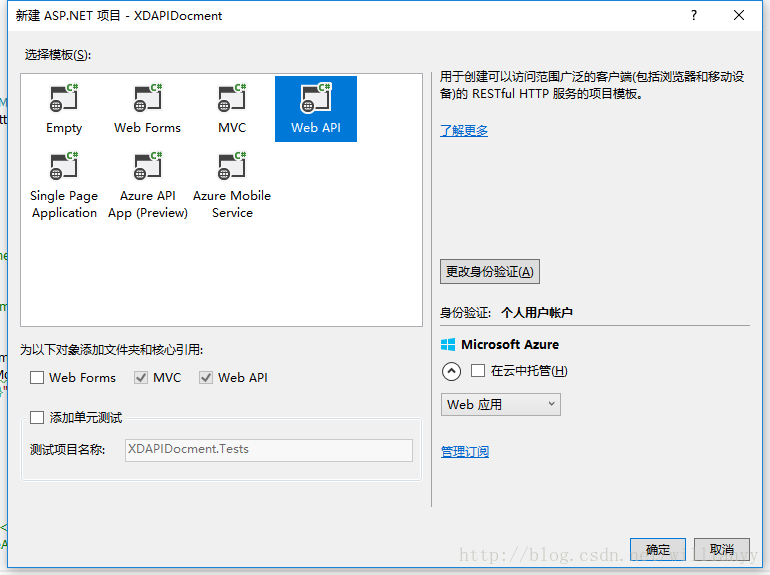
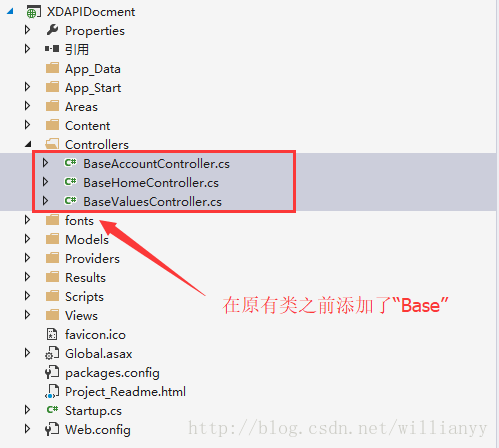
- 修改原工程文件,该行为是为了避免和引入第三方API工程文件冲突
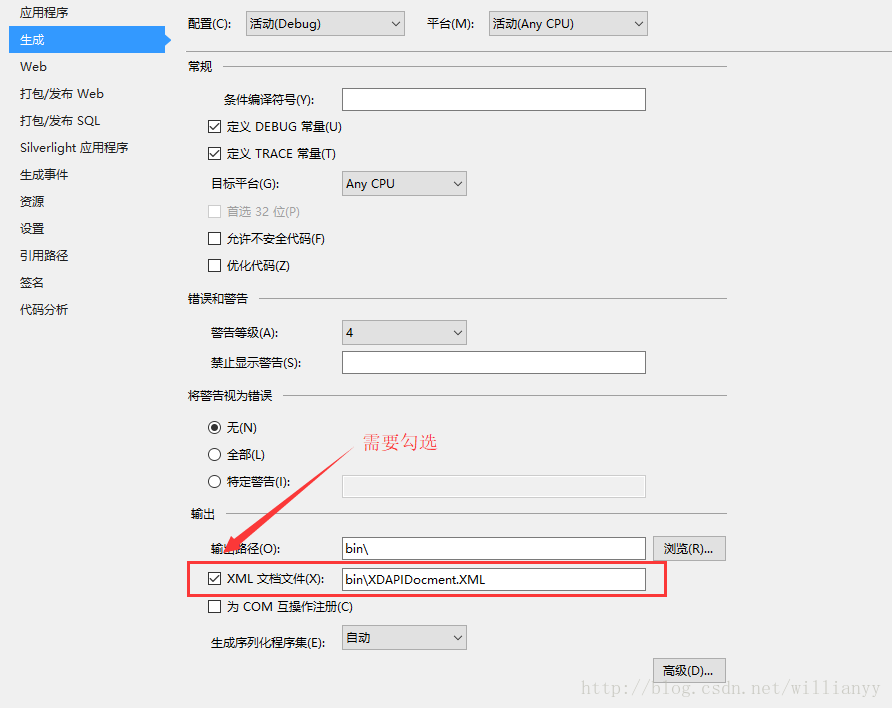
- 修改发布设置
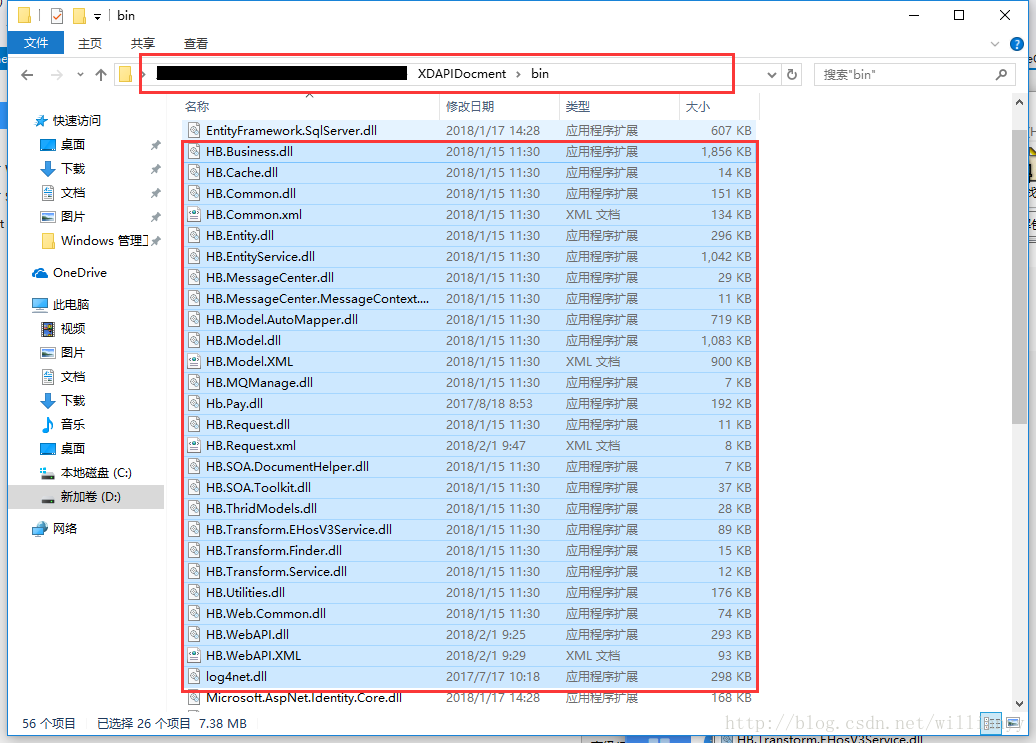
- 引入需要生成文档的相关文件,将第三方API依赖的相关文件(XML文件非常重要,是注释显示的关键),复制到文档工程的bin目录下,为避免引用依赖出错,尽可能全拷贝,宁多勿少
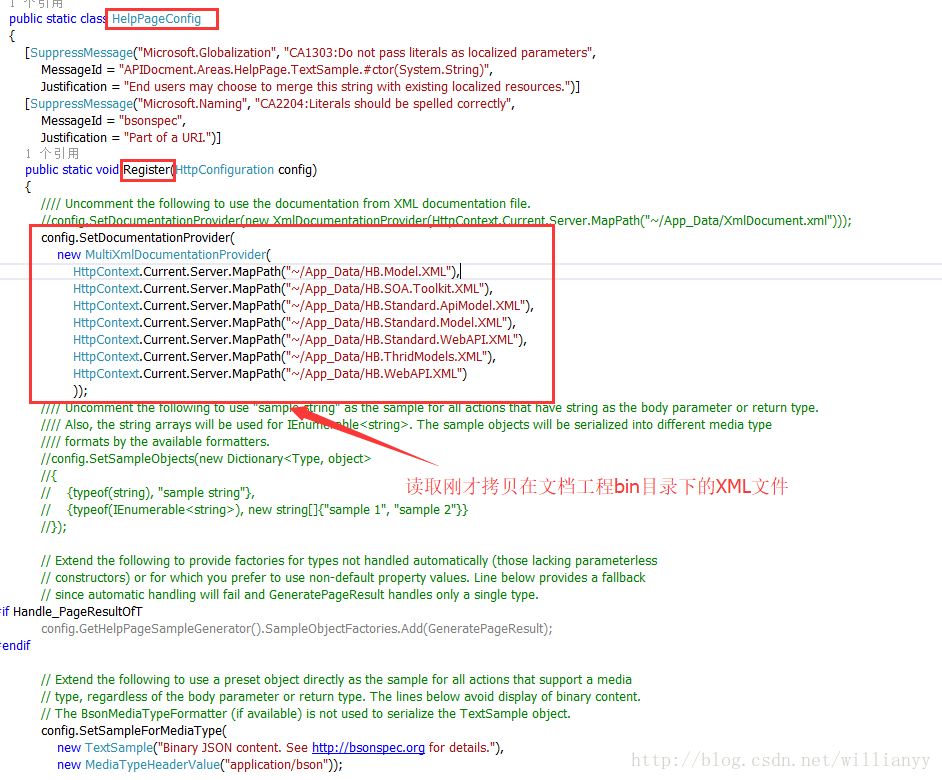
- 修改XML文件读取逻辑,可读取多个XML文件(原有工程中只能读取单个XML文件),添加类MultiXmlDocumentationProvider,代码如下:
public class MultiXmlDocumentationProvider : IDocumentationProvider, IModelDocumentationProvider
** Properties
*********/
/// <summary>The internal documentation providers for specific files.</summary>
private readonly XmlDocumentationProvider[] Providers;
/*********
** Public methods
*********/
/// <summary>Construct an instance.</summary>
/// <param name="paths">The physical paths to the XML documents.</param>
public MultiXmlDocumentationProvider(params string[] paths)
{
this.Providers = paths.Select(p => new XmlDocumentationProvider(p)).ToArray();
}
/// <summary>Gets the documentation for a subject.</summary>
/// <param name="subject">The subject to document.</param>
public string GetDocumentation(MemberInfo subject)
{
return this.GetFirstMatch(p => p.GetDocumentation(subject));
}
/// <summary>Gets the documentation for a subject.</summary>
/// <param name="subject">The subject to document.</param>
public string GetDocumentation(Type subject)
{
return this.GetFirstMatch(p => p.GetDocumentation(subject));
}
/// <summary>Gets the documentation for a subject.</summary>
/// <param name="subject">The subject to document.</param>
public string GetDocumentation(HttpControllerDescriptor subject)
{
return this.GetFirstMatch(p => p.GetDocumentation(subject));
}
/// <summary>Gets the documentation for a subject.</summary>
/// <param name="subject">The subject to document.</param>
public string GetDocumentation(HttpActionDescriptor subject)
{
return this.GetFirstMatch(p => p.GetDocumentation(subject));
}
/// <summary>Gets the documentation for a subject.</summary>
/// <param name="subject">The subject to document.</param>
public string GetDocumentation(HttpParameterDescriptor subject)
{
return this.GetFirstMatch(p => p.GetDocumentation(subject));
}
/// <summary>Gets the documentation for a subject.</summary>
/// <param name="subject">The subject to document.</param>
public string GetResponseDocumentation(HttpActionDescriptor subject)
{
return this.GetFirstMatch(p => p.GetDocumentation(subject));
}
/*********
** Private methods
*********/
/// <summary>Get the first valid result from the collection of XML documentation providers.</summary>
/// <param name="expr">The method to invoke.</param>
private string GetFirstMatch(Func<XmlDocumentationProvider, string> expr)
{
return this.Providers
.Select(expr)
.FirstOrDefault(p => !String.IsNullOrWhiteSpace(p));
}
}
修改HelpPageConfig.cs文件中的调用:
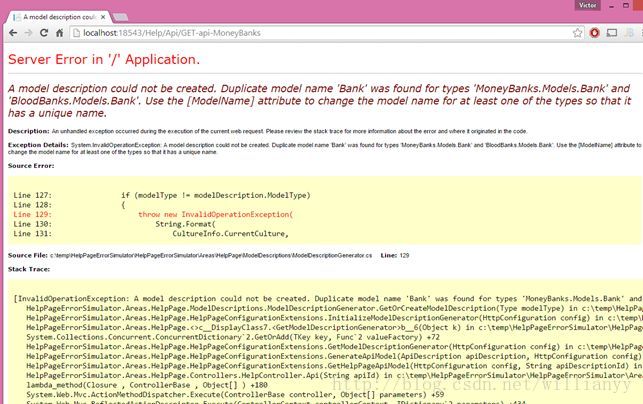
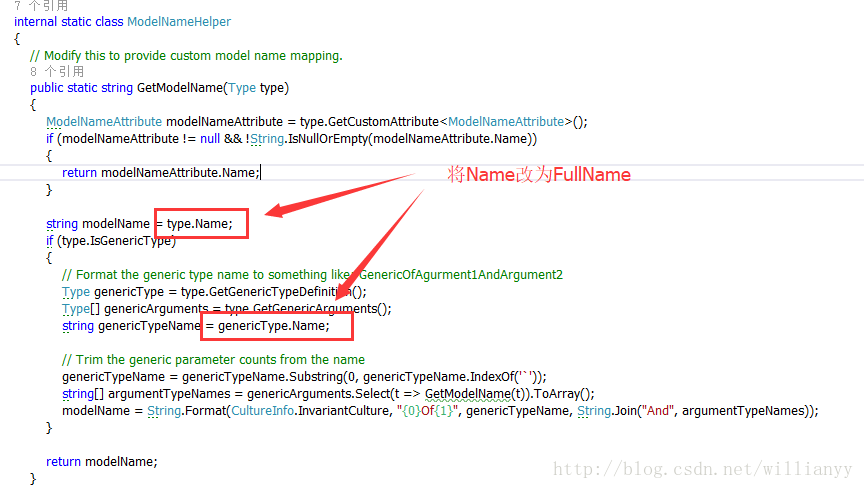
- 错误:【A model description could not be created. Duplicate model name '{0}' was found for types '{1}' and '{2}'. Use the [ModelName] attribute to change the model name for at least one of the types so that it has a unique name.】处理
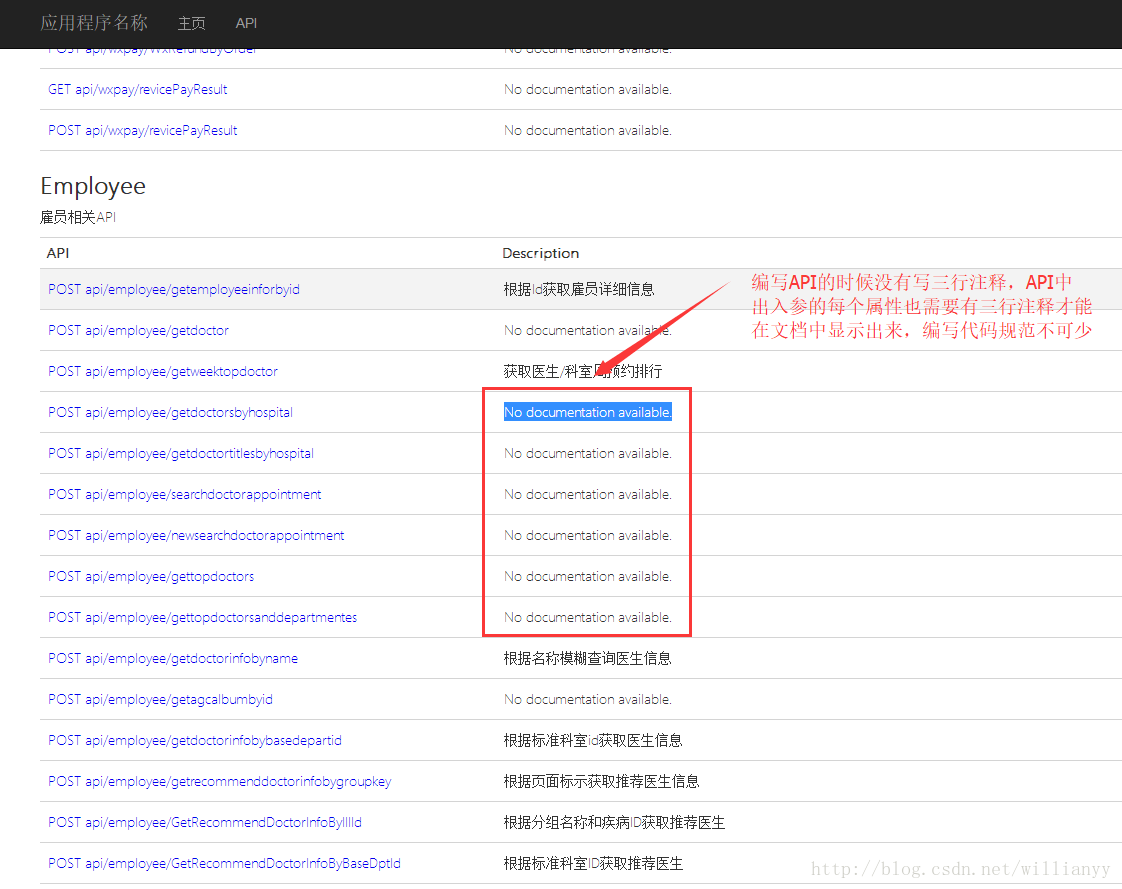
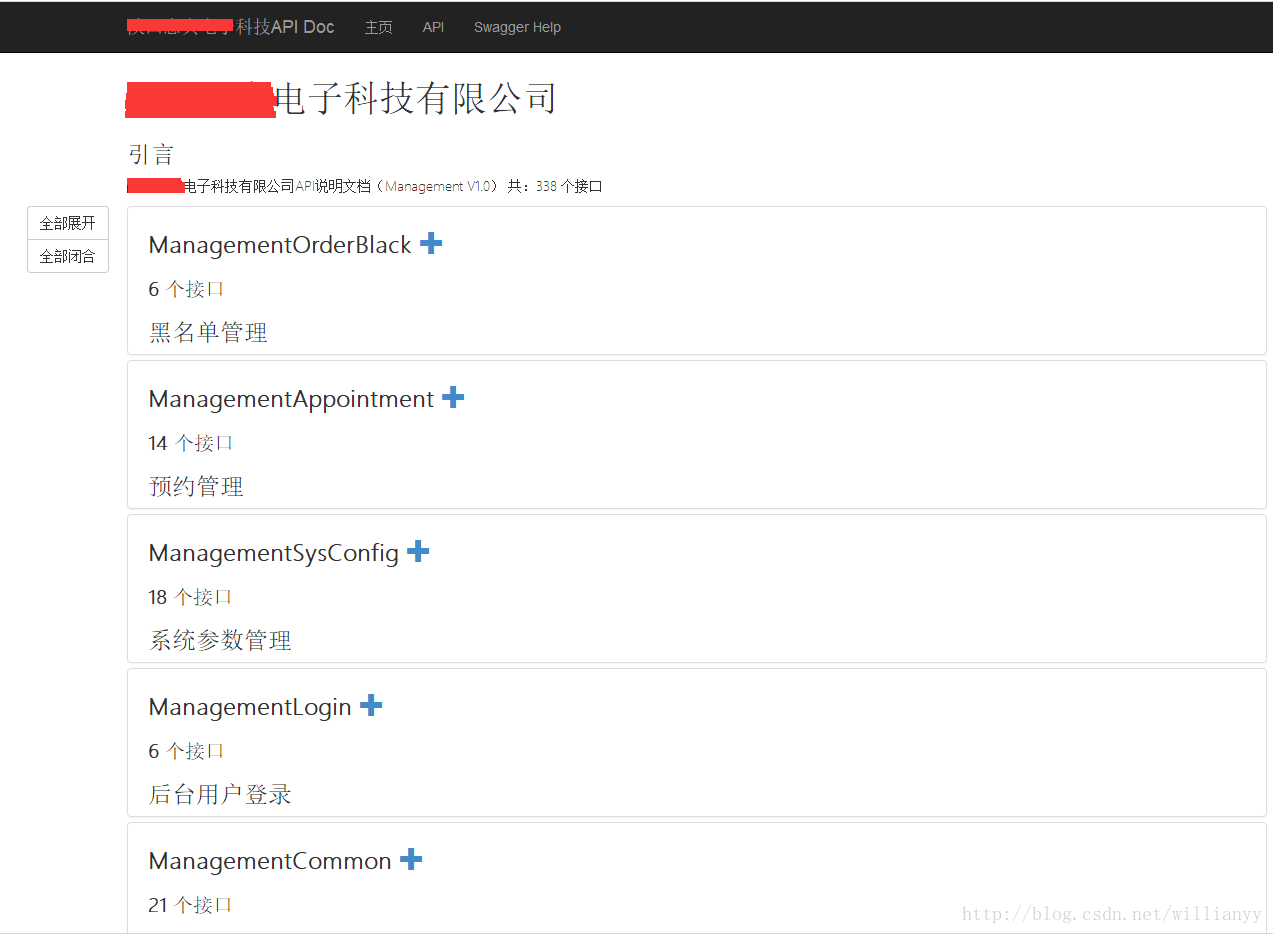
- 生成后的API文档,Description中的No documentation available.是因为API在编写的时候没有添加三行注释造成的,编写代码的时候规范必不可少
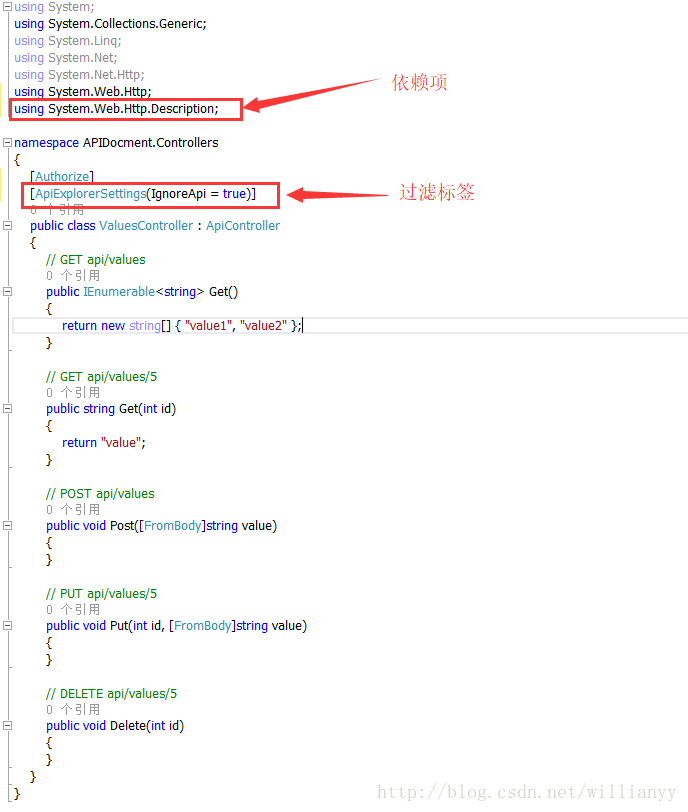
- 过滤不需要生成文档的控制器,需要在控制器上添加过滤标签[ApiExplorerSettings(IgnoreApi = true)]
ASP.NET API Helper Page 创建并生成相关帮助文档的更多相关文章
- elasticsearch _create api创建一个不存在的文档
https://www.elastic.co/guide/cn/elasticsearch/guide/current/create-doc.html当我们索引一个文档, 怎么确认我们正在创建一个完全 ...
- 使用FastReport报表工具生成报表PDF文档
在我们开发某个系统的时候,客户总会提出一些特定的报表需求,固定的报表格式符合他们的业务处理需要,也贴合他们的工作场景,因此我们尽可能做出符合他们实际需要的报表,这样我们的系统会得到更好的认同感.本篇随 ...
- 基于springboot的freemarker创建指定格式的word文档
在web或其他应用中,经常我们需要导出或者预览word文档,比较实际的例子有招聘网站上预览或者导出个人简历,使用POI导出excel会非常的方便,但是如果想导出word,由于其格式控制非常复杂,故而使 ...
- 使用docx4j编程式地创建复杂的Word(.docx)文档
原文链接:Create complex Word (.docx) documents programatically with docx4j 原文作者:jos.dirksen 发表日期:2012年2月 ...
- 创建 VuePress + GithubPages + TravisCI 在线文档
目录 最终效果 思路 总体 过程 用到的东西 相关 创建Github仓库 创建Github仓库 SSH密钥链接Github 生成SSH密钥 Github添加SSH密钥 测试SSH密钥 配置VuePre ...
- 使用 Sandcastle 生成代码帮助文档
使用 Sandcastle可以生成MSDN风格的帮助文档,生成的帮助文档既可以是chm文档,也可以是MS Help 2.x帮助文档. 1 下载并安装Sandcastle Sandcastle下载地址为 ...
- Swagger+Spring mvc生成Restful接口文档
简介 Swagger 是一个规范和完整的框架,用于生成.描述.调用和可视化 RESTful 风格的 Web 服务.总体目标是使客户端和文件系统作为服务器以同样的速度来更新.文件的方法,参数和模型紧密集 ...
- 使用FastReport报表工具生成标签打印文档
在我们实际开发报表的时候,我们需要按一定的业务规则组织好报表的模板设计,让报表尽可能的贴近实际的需求,在之前的随笔中<使用FastReport报表工具生成报表PDF文档>介绍了FastRe ...
- 生成iOS-Xcode技术文档
从源码中抽取注释生成文档的专用工具: [doxygen](http://www.stack.nl/~dimitri/doxygen/index.html):适于生成html文档与pdf文档. 支持的语 ...
随机推荐
- SQL 读取XML到Datatable
DECLARE @hdoc INT --XML 数据格式 --------------------------------------------------------- ) SET @doc = ...
- C#DataTable复制、C#DataTable列复制、C#DataTable字段复制
try { //获取满足条件的数据 DataTable Mdr = datable.Select().ToString("yyyy-MM-dd HH:mm:ss") + " ...
- angular 动态取到的html片段 在页面的展示
写个过滤器 xxx.filter( 'to_trusted', ['$sce', function ($sce) { return function (text) { return $sce.trus ...
- [新特性]PeopleTools8.54+:PeopleSoft Application Engine新特性
PeopleTools 8.54 的Application Engine 已经被更新,特别是在AE跟踪设置中有了更多的选项,本文将帮助您了解8.54的新AE特性以及如何使用这些特性. AE trace ...
- WPF:Hyperlink如何绑定数据
<TextBlock> <Hyperlink> <Run Text="{Binding PCFolderPath, Mode=OneWay}"/> ...
- PyCharm 如何新建Django工程项目
声明:本文使用的IDE是PyCharm 2018.1.2版. 一.File-New Project 二.选择工程类型 强烈建议选项"Pure Python",因为如果选择" ...
- 新闻思考-阿里进军游戏产业,苹果发力ARM芯片
2018.04.03 大家好,这是我开通博客的第一篇文章,我希望在这里分享我的知识,也学习更多的知识,希望大家学习愉快. 阿里进军游戏产业,拿下旅行青蛙的代理权.腾讯一直在进攻阿里的核心业务:电商和支 ...
- openstack Ocata版本 python
from keystoneauth1.identity import v3 from keystoneauth1 import session from novaclient import clien ...
- Nginx 出现 403 Forbidden 最终解决
Nginx 出现 403 Forbidden 最终解决 步骤一: 检查目录权限.权限不足的就加个权限吧. 例子:chmod -R 755 / var/www 步骤二: 打开nginx.conf 例子: ...
- asp.net 调用 WNetAddConnection2 window api 访问被拒绝
通过Asp.net 程序调用局域网另外一台机器文件,显示拒绝访问,单独编写控制台程序正常. 修改iis 应用程序池标识,为管理员用户即可!!