
OpenShift 3.11离线环境的jenkins演示
离线安装完成后,一般情况下只装了个基础环境,catalog镜像没有导入,本文主要侧重在jenkins的一些环境设置和演示。
1.导入镜像
首先follow下面链接下载镜像
https://docs.openshift.com/container-platform/3.11/install/disconnected_install.html
我们这里下载的主要是
$ docker pull registry.redhat.io/openshift3/jenkins-2-rhel7:<tag>
$ docker pull registry.redhat.io/openshift3/jenkins-slave-maven-rhel7:<tag>
$ docker pull registry.redhat.io/openshift3/jenkins-slave-nodejs-rhel7:<tag>
导入到本地镜像仓库
[root@node2 images]# docker images

REPOSITORY                                                   TAG                 IMAGE ID            CREATED             SIZE

registry.example.com/openshift3/jenkins--rhel7              latest              0f36706e2c53         months ago       1.13 GB

registry.example.com/openshift3/jenkins-slave-maven-rhel7    latest              5ce887d9bf31         months ago       1.02 GB

registry.example.com/openshift3/jenkins-slave-nodejs-rhel7   latest              a32c719893f2         months ago        MB
但现在进入查看jenkins image stream, 发现仍然是不可用状态。
[root@master ~]# oc describe is jenkins -n openshift

Name:            jenkins

Namespace:        openshift

Created:         months ago

Labels:            <none>

Annotations:        openshift.io/display-name=Jenkins

            openshift.io/image.dockerRepositoryCheck=--30T14::54Z

Docker Pull Spec:    docker-registry.default.svc:/openshift/jenkins

Image Lookup:        local=false

Unique Images:

Tags:

  tagged from registry.example.com/openshift3/jenkins--rhel7:latest

    prefer registry pullthrough when referencing this tag

  Provides a Jenkins .X server on RHEL . For more information about using this container image, including OpenShift considerations, see https://github.com/openshift/jenkins/blob/master/README.md.

  Tags: hidden, jenkins

  ! error: Import failed (InternalError): Internal error occurred: Get https://registry.example.com/v2/: dial tcp 192.168.56.105:443: connect: connection refused

       months ago
执行导入
oc import-image jenkins --from=registry.example.com/openshift3/jenkins--rhel7:latest --confirm --insecure=true
确认导入成功后,在项目中选择Jenkins(Ephemeral),然后等待创建完成。

注意这只是生成一个jenkins master环境。
同样导入用到的其他镜像
oc import-image mongodb:3.2  --from=registry.example.com/rhscl/mongodb--rhel7:latest  --confirm --insecure=true

oc import-image tomcat:-slim  --from=registry.example.com/tomcat:-slim  --confirm --insecure=true
2. 简单演示Pipeline部署
创建一个samplepiple.yaml文件,文件里面创建了一个pipeline,mongodb svc, mongodb 数据库。
因为是拿别人的修改的,所以里面的很多parameter没有用到。
apiVersion: v1

kind: Template

labels:

  template: application-template-sample-pipeline

message: |-

  A Jenkins server must be instantiated in this project to manage

  the Pipeline BuildConfig created by this template.  You will be able to log in to

  it using your OpenShift user credentials.

metadata:

  annotations:

    openshift.io/display-name: Pipeline Build Example

    description: |-

      This example showcases the new Jenkins Pipeline integration in OpenShift,

      which performs continuous integration and deployment right on the platform.

      The template contains a Jenkinsfile - a definition of a multi-stage CI/CD process - that

      leverages the underlying OpenShift platform for dynamic and scalable

      builds. OpenShift integrates the status of your pipeline builds into the web

      console allowing you to see your entire application lifecycle in a single view.

    iconClass: icon-jenkins

    tags: instant-app,jenkins

  name: jenkins-pipeline-example

parameters:

- description: The name assigned to all of the frontend objects defined in this template.

  displayName: Name

  name: NAME

  required: true

  value: nodejs-mongodb-example

- description: The exposed hostname that will route to the Node.js service, if left

    blank a value will be defaulted.

  displayName: Application Hostname

  name: APPLICATION_DOMAIN

- description: The URL of the repository with your application source code.

  displayName: Git Repository URL

  name: SOURCE_REPOSITORY_URL

  required: true

  value: https://github.com/openshift/nodejs-ex.git

- displayName: Database Name

  name: DATABASE_NAME

  required: true

  value: sampledb

- description: Username for MongoDB user that will be used for accessing the database.

  displayName: MongoDB Username

  from: user[A-Z0-]{}

  generate: expression

  name: DATABASE_USER

- description: Password for the MongoDB user.

  displayName: MongoDB Password

  from: '[a-zA-Z0-9]{16}'

  generate: expression

  name: DATABASE_PASSWORD

- description: Maximum amount of memory the Node.js container can use.

  displayName: Memory Limit

  name: MEMORY_LIMIT

  required: true

  value: 512Mi

- description: Maximum amount of memory the MongoDB container can use.

  displayName: Memory Limit (MongoDB)

  name: MEMORY_MONGODB_LIMIT

  required: true

  value: 512Mi

- displayName: Database Service Name

  name: DATABASE_SERVICE_NAME

  required: true

  value: mongodb

- description: Password for the database admin user.

  displayName: Database Administrator Password

  from: '[a-zA-Z0-9]{16}'

  generate: expression

  name: DATABASE_ADMIN_PASSWORD

- description: Set this to a branch name, tag or other ref of your repository if you

    are not using the default branch.

  displayName: Git Reference

  name: SOURCE_REPOSITORY_REF

- description: Set this to the relative path to your project if it is not in the root

    of your repository.

  displayName: Context Directory

  name: CONTEXT_DIR

- description: Github trigger secret.  A difficult to guess string encoded as part of the webhook URL.  Not encrypted.

  displayName: GitHub Webhook Secret

  from: '[a-zA-Z0-9]{40}'

  generate: expression

  name: GITHUB_WEBHOOK_SECRET

- description: A secret string used to configure the Generic webhook.

  displayName: Generic Webhook Secret

  from: '[a-zA-Z0-9]{40}'

  generate: expression

  name: GENERIC_WEBHOOK_SECRET

- description: The custom NPM mirror URL

  displayName: Custom NPM Mirror URL

  name: NPM_MIRROR

- description: The OpenShift Namespace where the NodeJS and MongoDB ImageStreams reside.

  displayName: Namespace

  name: NAMESPACE

  required: true

  value: openshift

objects:

- apiVersion: v1

  kind: BuildConfig

  metadata:

    annotations:

      pipeline.alpha.openshift.io/uses: '[{"name": "${NAME}", "namespace": "", "kind": "DeploymentConfig"}]'

    labels:

      name: sample-pipeline

    name: sample-pipeline

  spec:

    strategy:

      jenkinsPipelineStrategy:

        jenkinsfile: |-

          try {

             timeout(time: , unit: 'MINUTES') {

                node('nodejs') {

                    stage('deploy') {

                      openshift.withCluster() {

                        openshift.withProject() {

                          openshift.newApp("tomcat:8-slim", "--name=mytomcat").narrow('svc').expose()

                        }

                      }

                    }

                  }

             }

          } catch (err) {

             echo "in catch block"

             echo "Caught: ${err}"

             currentBuild.result = 'FAILURE'

             throw err

          }

      type: JenkinsPipeline

    triggers:

    - github:

        secret: secret101

      type: GitHub

    - generic:

        secret: secret101

      type: Generic

- apiVersion: v1

  kind: Service

  metadata:

    annotations:

      description: Exposes the database server

    name: ${DATABASE_SERVICE_NAME}

  spec:

    ports:

    - name: mongodb

      port:

      targetPort:

    selector:

      name: ${DATABASE_SERVICE_NAME}

- apiVersion: v1

  kind: DeploymentConfig

  metadata:

    annotations:

      description: Defines how to deploy the database

    name: ${DATABASE_SERVICE_NAME}

  spec:

    replicas:

    selector:

      name: ${DATABASE_SERVICE_NAME}

    strategy:

      type: Recreate

    template:

      metadata:

        labels:

          name: ${DATABASE_SERVICE_NAME}

        name: ${DATABASE_SERVICE_NAME}

      spec:

        containers:

        - env:

          - name: MONGODB_USER

            value: ${DATABASE_USER}

          - name: MONGODB_PASSWORD

            value: ${DATABASE_PASSWORD}

          - name: MONGODB_DATABASE

            value: ${DATABASE_NAME}

          - name: MONGODB_ADMIN_PASSWORD

            value: ${DATABASE_ADMIN_PASSWORD}

          image: ' '

          livenessProbe:

            initialDelaySeconds:

            tcpSocket:

              port:

            timeoutSeconds:

          name: mongodb

          ports:

          - containerPort:

          readinessProbe:

            exec:

              command:

              - /bin/sh

              - -i

              - -c

              - mongo 127.0.0.1:/$MONGODB_DATABASE -u $MONGODB_USER -p $MONGODB_PASSWORD

                --eval="quit()"

            initialDelaySeconds:

            timeoutSeconds:

          resources:

            limits:

              memory: ${MEMORY_MONGODB_LIMIT}

          volumeMounts:

          - mountPath: /var/lib/mongodb/data

            name: ${DATABASE_SERVICE_NAME}-data

        volumes:

        - emptyDir:

            medium: ""

          name: ${DATABASE_SERVICE_NAME}-data

    triggers:

    - imageChangeParams:

        automatic: true

        containerNames:

        - mongodb

        from:

          kind: ImageStreamTag

          name: mongodb:3.2

          namespace: ${NAMESPACE}

      type: ImageChange

    - type: ConfigChange
oc new-project pipelineproject

oc new-app -f  samplepipeline.yaml

--> Deploying template "pipelineproject/jenkins-pipeline-example" for "samplepipeline.yaml" to project pipelineproject

     Pipeline Build Example

     ---------

     This example showcases the new Jenkins Pipeline integration in OpenShift,

     which performs continuous integration and deployment right on the platform.

     The template contains a Jenkinsfile - a definition of a multi-stage CI/CD process - that

     leverages the underlying OpenShift platform for dynamic and scalable

     builds. OpenShift integrates the status of your pipeline builds into the web

     console allowing you to see your entire application lifecycle in a single view.

     A Jenkins server must be instantiated in this project to manage

     the Pipeline BuildConfig created by this template.  You will be able to log in to

     it using your OpenShift user credentials.

     * With parameters:

        * Name=nodejs-mongodb-example

        * Application Hostname=

        * Git Repository URL=https://github.com/openshift/nodejs-ex.git

        * Database Name=sampledb

        * MongoDB Username=userYOB # generated

        * MongoDB Password=k3XGgVjtUljSY8Tm # generated

        * Memory Limit=512Mi

        * Memory Limit (MongoDB)=512Mi

        * Database Service Name=mongodb

        * Database Administrator Password=1R4HJpe3kYHYpYb3 # generated

        * Git Reference=

        * Context Directory=

        * GitHub Webhook Secret=H23NSFhL2aiYBUX7YQJHOfSktEgFEdf2Oofi5hr8 # generated

        * Generic Webhook Secret=PUsLojY1wddyQNTg3w2JfDi5LNa8LfOdpSGP8bPO # generated

        * Custom NPM Mirror URL=

        * Namespace=openshift

--> Creating resources ...

    buildconfig.build.openshift.io "sample-pipeline" created

    service "mongodb" created

    deploymentconfig.apps.openshift.io "mongodb" created

--> Success

    Use 'oc start-build sample-pipeline' to start a build.

    Application is not exposed. You can expose services to the outside world by executing one or more of the commands below:

     'oc expose svc/mongodb'

    Run 'oc status' to view your app.
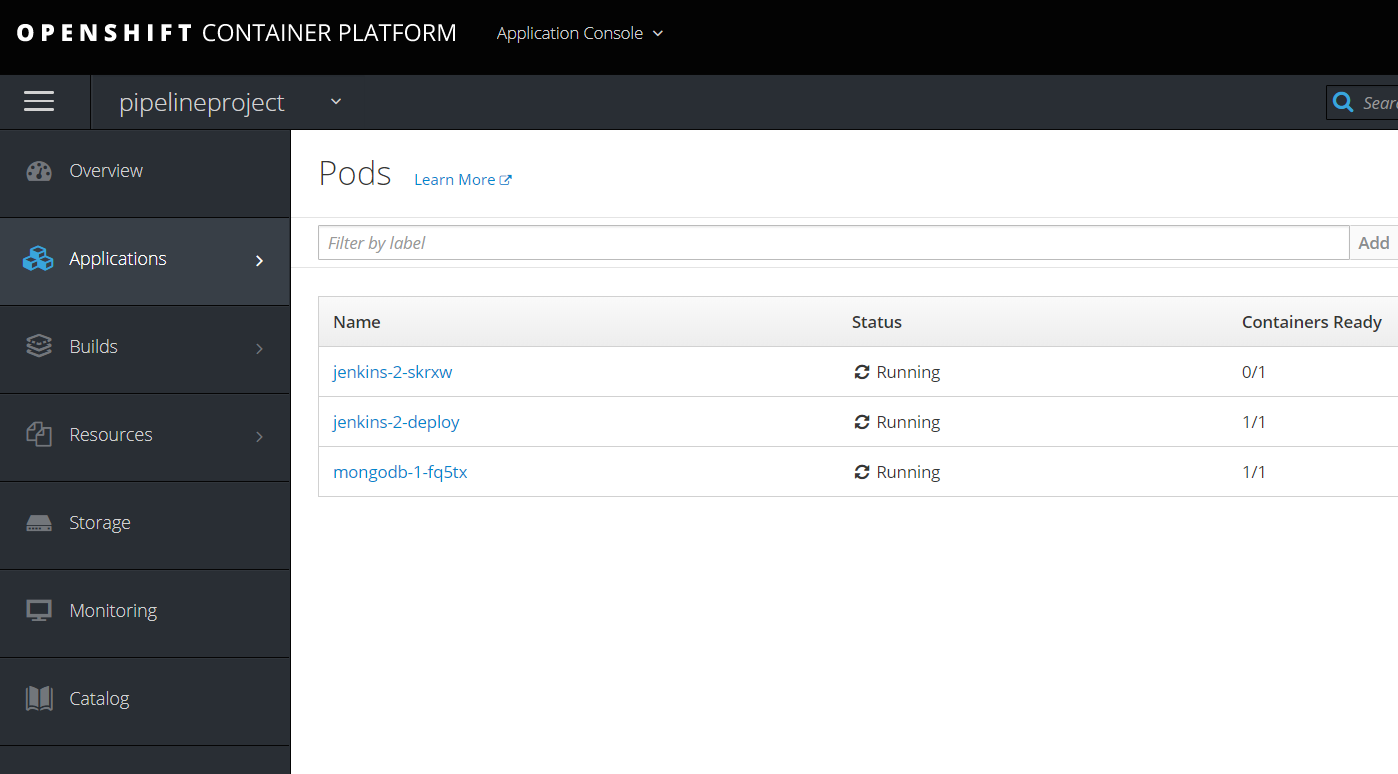
查看一下console,同时等待ready.
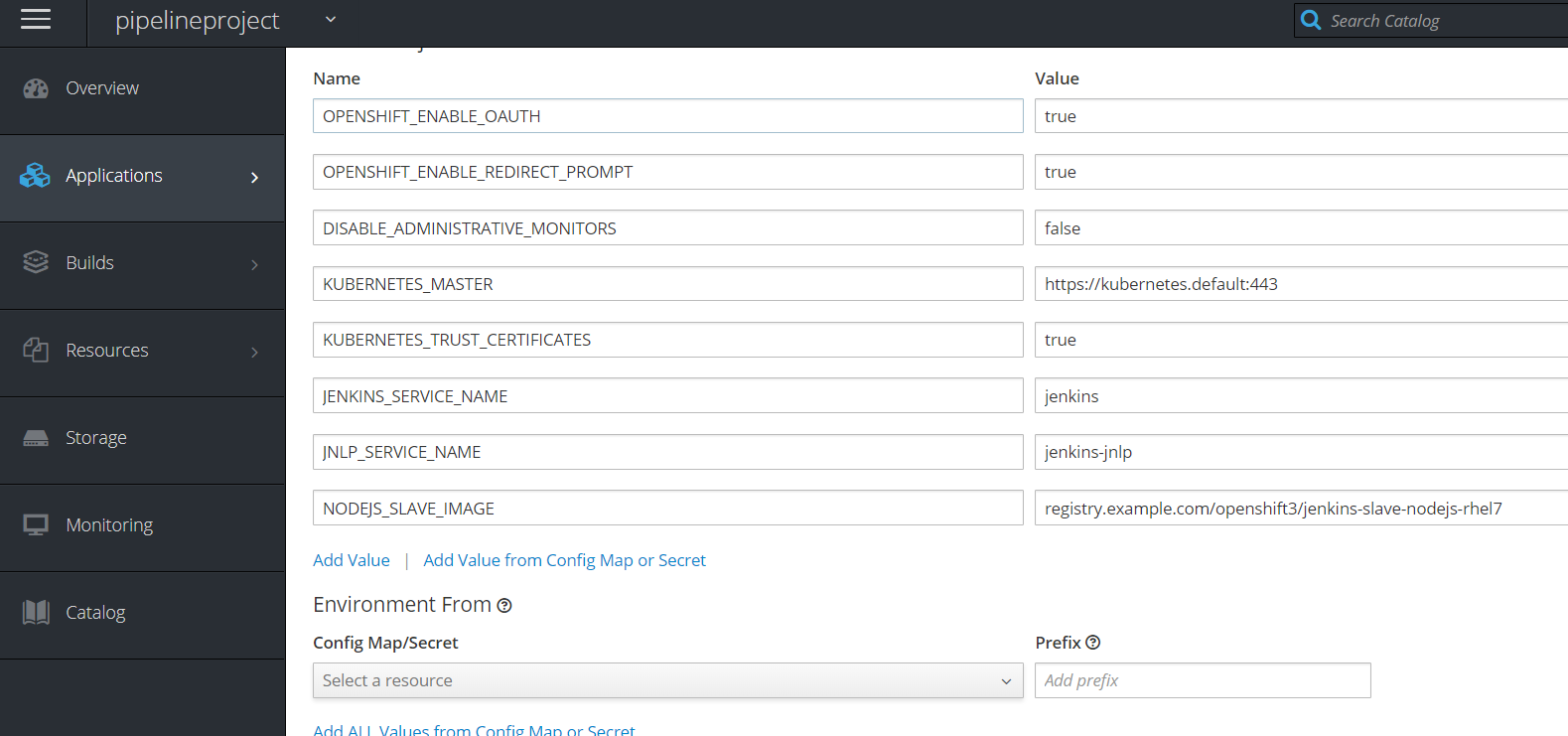
在jenkins的deployment下环境变量中加入 NODEJS_SLAVE_IMAGE=registry.example.com/openshift3/jenkins-slave-nodejs-rhel7,保存生效
如果不加入环境变量,slave的镜像就会从redhat官网上拉取了。
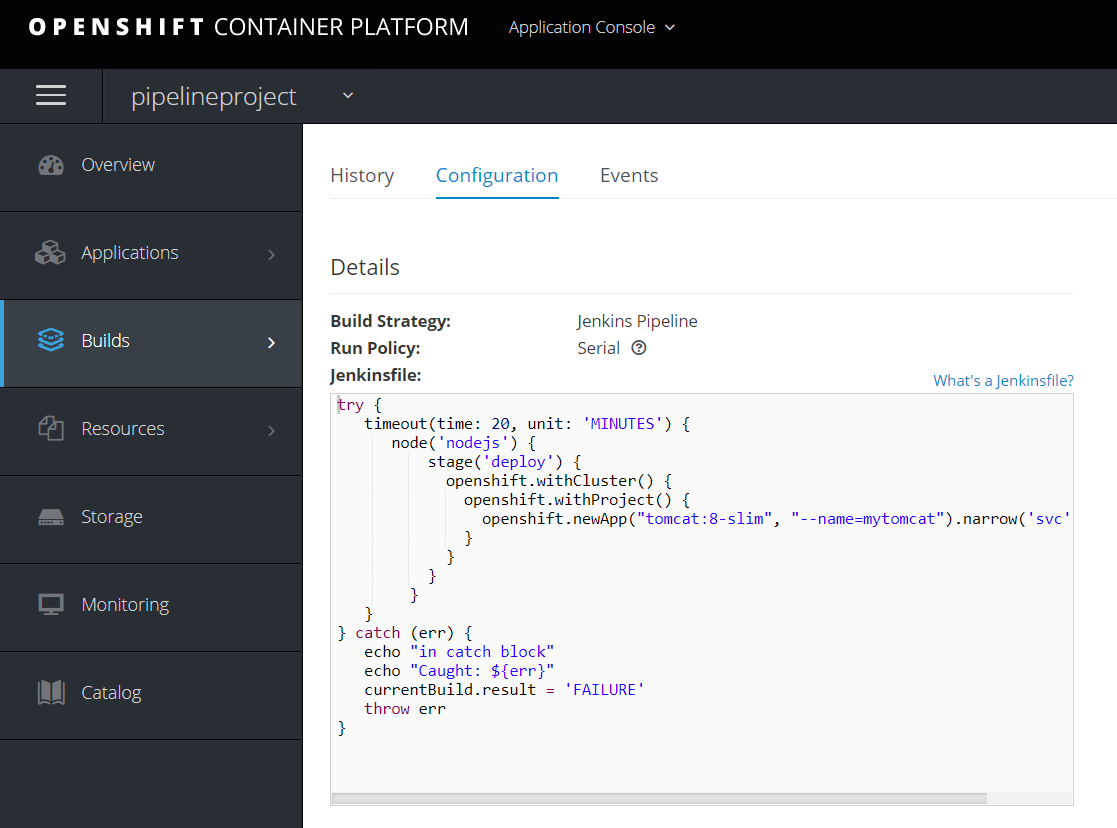
进入pipeline页面,看configuration
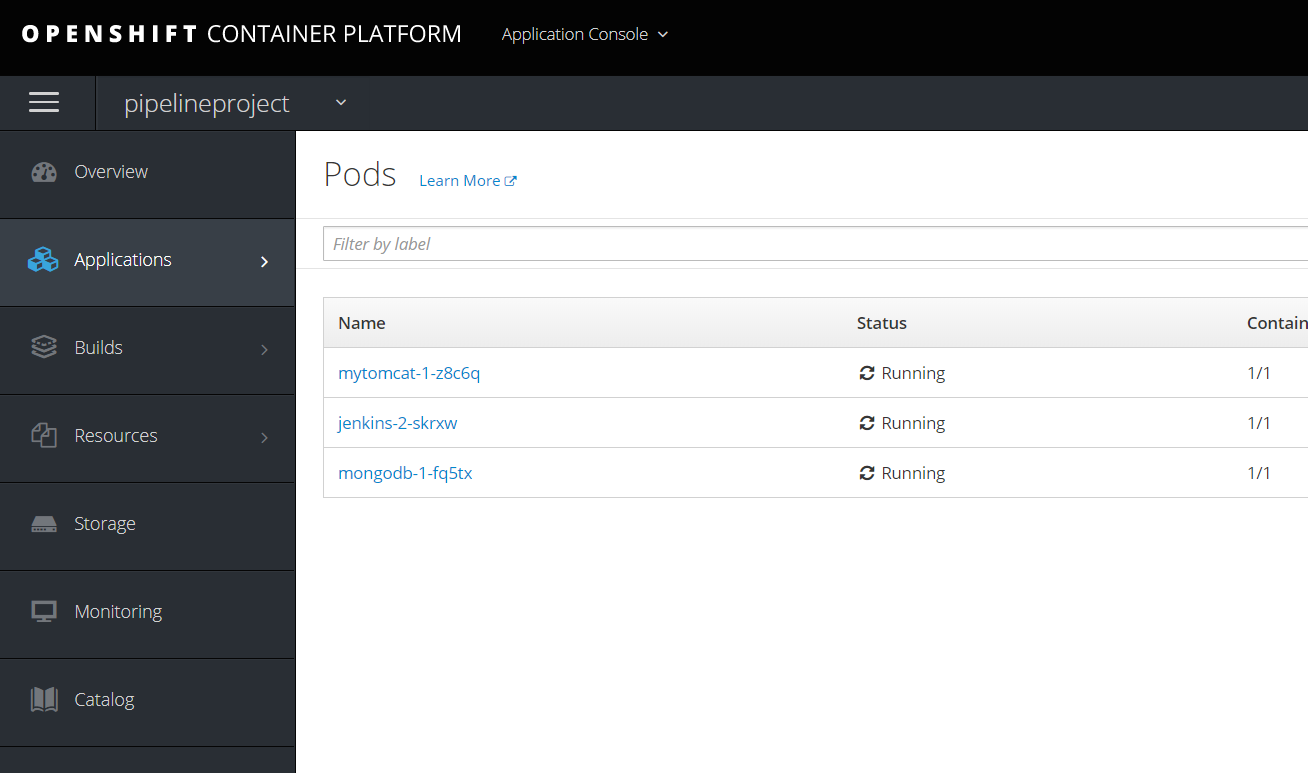
然后运行,发现会启动一个jenkins slave,然后创建一个mytomcat的应用和服务。

修改pipeline里面的内容为,也就是说prepare阶段输出project名,Approval阶段需要用户输入意见,deploy阶段会在myproject项目中部署一个应用。
try {

   timeout(time: , unit: 'MINUTES') {

      node('nodejs') {

          stage('prepare') {

                openshift.withCluster() {

                    openshift.withProject() {

                        echo "Using project: ${openshift.project()}"

                    }

                }

            }

          stage('Approval') {

                timeout(time: , unit: 'HOURS') {

                    input message: 'Approve Deploy?', ok: 'Yes'

                }

            }

          stage('deploy') {

            openshift.withCluster() {

              openshift.withProject("myproject") {

                openshift.newApp("tomcat:8-slim", "--name=mytomcatcicd").narrow('svc').expose()

              }

            }

          }

        }

   }

} catch (err) {

   echo "in catch block"

   echo "Caught: ${err}"

   currentBuild.result = 'FAILURE'

   throw err

}
需要把jenkins加入myproject的admin权限。
oc adm policy add-role-to-user admin system:serviceaccount:pipelineproject:jenkins -n myproject
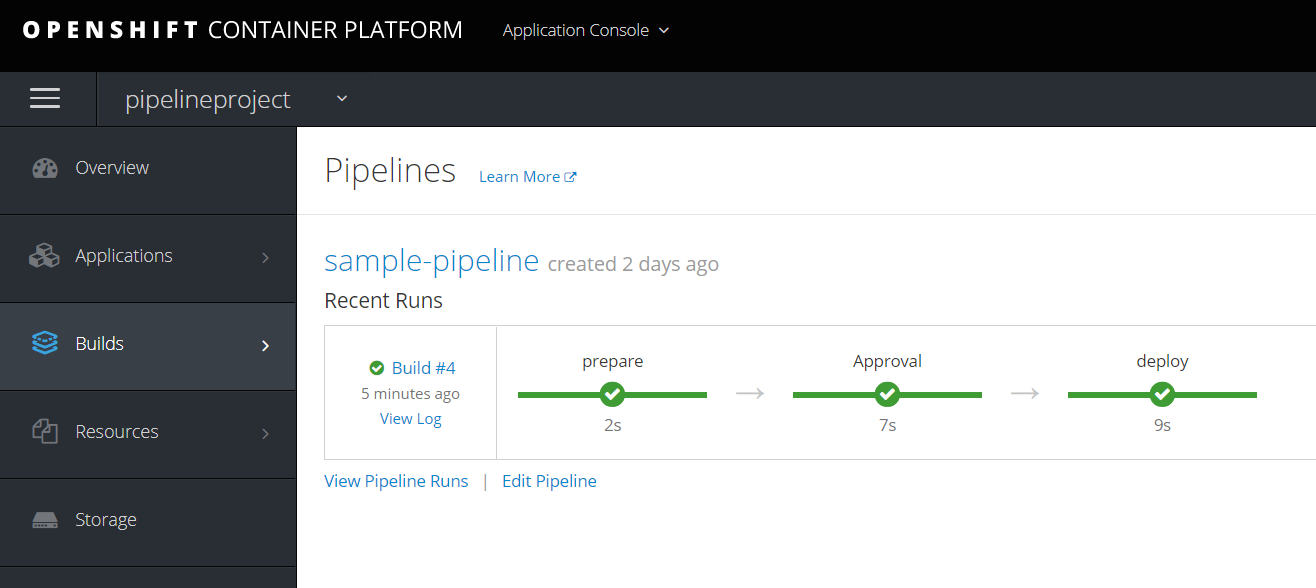
多集群支持详见
https://github.com/openshift/jenkins-client-plugin/
https://docs.openshift.com/container-platform/3.9/dev_guide/dev_tutorials/openshift_pipeline.html
OpenShift 3.11离线环境的jenkins演示的更多相关文章
- 离线环境下安装ansible,借助有网环境下pip工具
环境 有网的机器(192.168.19.222):rhe65,python2.7.13,pip9.0.1 离线机器(192.168.19.203):rhe65,python2.6 FTP(192.16 ...
- ofbiz16.11.04(环境搭建)
ofbiz16.11.04(环境搭建) 版本说明: ofbiz 16.11.04 下载地址:http://ofbiz.apache.org/download.html gradle 4.9 下载地址: ...
- Linux系统如何在离线环境或内网环境安装部署Docker服务和其他服务
如何在离线环境或纯内网环境的Linux机器上安装部署Docker服务或其他服务.本次我们以Docker服务和Ansible服务为例. 获取指定服务的所有rpm包 保证要获取rpm包的机器能够上网. 本 ...
- openshift 3.11安装部署
openshift 3.11 安装部署 openshift安装部署 1 环境准备(所有节点) openshift 版本 v3.11 1.1 机器环境 ip cpu mem hostname OSsys ...
- openshift 3.11 安装部署
openshift 3.11 安装部署 openshift安装部署 1 环境准备(所有节点) openshift 版本 v3.11 1.1 机器环境 ip cpu mem hostname OSsys ...
- 在离线环境中发布.NET Core至Windows Server 2008
在离线环境中发布.NET Core至Windows Server 2008 0x00 写在开始 之前一篇博客中写了在离线环境中使用.NET Core,之后一边学习一边写了一些页面作为测试,现在打算发布 ...
- 在离线环境中使用.NET Core
在离线环境中使用.NET Core 0x00 写在开始 很早开始就对.NET Core比较关注,一改微软之前给人的印象,变得轻量.开源.跨平台.最近打算试着在工作中使用.但工作是在与互联网完全隔离的网 ...
- 在离线环境中安装Visual Stuido 2017
在离线环境中安装Visual Stuido 2017 0x00 写在前面的废话 因为工作上大多数都是在离线环境中进行的,进出离线环境很麻烦,所以之前很长一段时间都在使用VS2010.后来尝试换了VS2 ...
- Window离线环境下如何安装pyhanlp
Hanlp在离线环境下的安装我是没有尝试过的,分享SunJW_2017的这篇文章就是关于如何在离线环境下安装hanlp的.我们可以一起来学习一下! HanLP是一款优秀的中文自然语言处理工具,可以实现 ...
随机推荐
- PAT甲级1013题解——并查集+路径压缩
题目分析: 本题初步浏览题目就知道是并查集的模板题,数据输入范围N为1~1000,则M的范围为0~1000^2,通过结构体记录每一对连线的关系,p[]数组记录每个节点的跟,对于k次查询,每次都要重新维 ...
- DT下重新定义设置发布发布条数后的跳转页面
destoon系统有些地方还是做得不够细致,今天给大家分享一个重新定义发布条数满了以后的页面跳转 正常逻辑跳转应该是会员升级页面而不是会员中心首页,修改方法如下:(感谢DT朋友提供的修改方案) 打 ...
- linux定时任务(转)
转自:https://www.cnblogs.com/intval/p/5763929.html linux 系统则是由 cron (crond) 这个系统服务来控制的.Linux 系统上面原本就有非 ...
- mysql免安装版本测试(mysql-5.7.18-winx64)
最近在某大学代课要安装mysql,由于他们的电脑机器不能用installer安装(具体原因我也不清楚,一点击就显示要结束进程),在查阅了资料之后在我的小笔记本上做了一把实验,下面记录过程 参考博客为: ...
- SpringBoot整合Spring Data Elasticsearch
Spring Data Elasticsearch提供了ElasticsearchTemplate工具类,实现了POJO与elasticsearch文档之间的映射 elasticsearch本质也是存 ...
- 数据库plsql配置
https://jingyan.baidu.com/article/d8072ac4957b28ec95cefd9f.html
- base64编码与解码
var base64EncodeChars = "ABCDEFGHIJKLMNOPQRSTUVWXYZabcdefghijklmnopqrstuvwxyz0123456789+/" ...
- PHP 判断时间段 至今过了多长时间
/** * * @param timestamp $time 输入时间 * @return str $str 输入时间与现在时间差的中文 */ function wordTime($time) { / ...
- fitnesse生成的FitNesseRoot路径问题
运行fitnesse命令的时候,会生成FitNesseRoot这个文件夹. 但是需要注意的是你在哪个路径下开启服务,就在当前路径下生成FitNesseRoot这个文件夹,而不是说你的fitnesse- ...
- 论文编写工具使用(1)latex软件
1什么是LaTeX 能用编写程序的模式写论文,将你从格式编辑解脱出来,套用现成的论文程序模板,直接生成.LaTEX(/ˈlɑːtɛx/,常被读作/ˈlɑːtɛk/或/ˈleɪtɛk/),文字形式写作L ...