
CentOS7系列--10.1CentOS7中的GNOME桌面环境
CentOS7中的桌面环境
1. 安装GNOME桌面环境
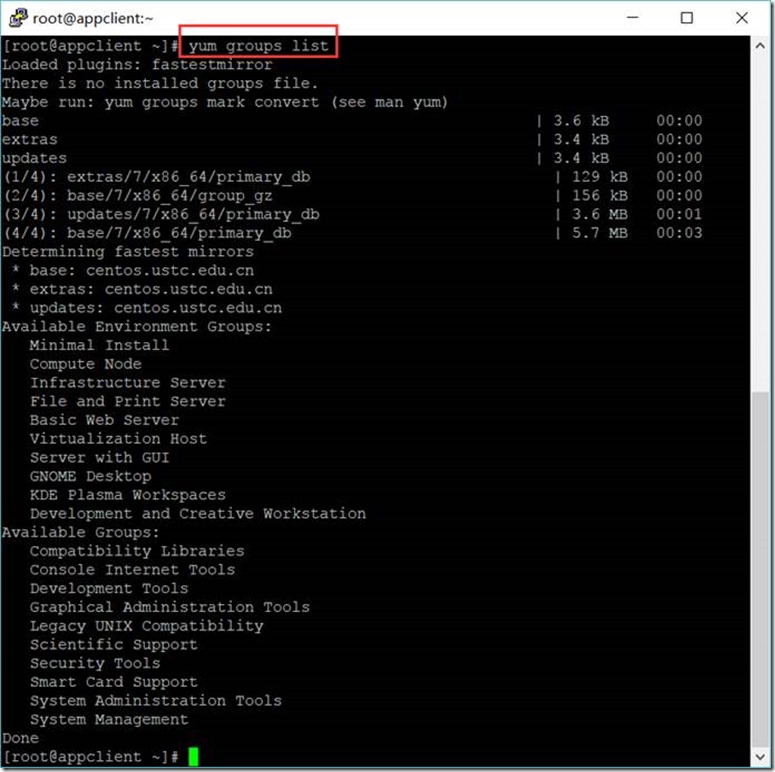
1.1. 列出所有安装套件
[root@appclient ~]# yum groups list
Loaded plugins: fastestmirror
There is no installed groups file.
Maybe run: yum groups mark convert (see man yum)
base | 3.6 kB 00:00
extras | 3.4 kB 00:00
updates | 3.4 kB 00:00
(1/4): extras/7/x86_64/primary_db | 129 kB 00:00
(2/4): base/7/x86_64/group_gz | 156 kB 00:00
(3/4): updates/7/x86_64/primary_db | 3.6 MB 00:01
(4/4): base/7/x86_64/primary_db | 5.7 MB 00:03
Determining fastest mirrors
* base: centos.ustc.edu.cn
* extras: centos.ustc.edu.cn
* updates: centos.ustc.edu.cn
Available Environment Groups:
Minimal Install
Compute Node
Infrastructure Server
File and Print Server
Basic Web Server
Virtualization Host
Server with GUI
GNOME Desktop
KDE Plasma Workspaces
Development and Creative Workstation
Available Groups:
Compatibility Libraries
Console Internet Tools
Development Tools
Graphical Administration Tools
Legacy UNIX Compatibility
Scientific Support
Security Tools
Smart Card Support
System Administration Tools
System Management
Done
1.2. 安装GNOME套件
[root@appclient ~]# yum -y groups install "GNOME Desktop"
[root@appclient ~]# startx
2. 安装VNC服务
2.1. 安装VNC服务软件
[root@appclient ~]# yum install -y tigervnc-server
Loaded plugins: fastestmirror, langpacks
Loading mirror speeds from cached hostfile
* base: centos.ustc.edu.cn
* extras: centos.ustc.edu.cn
* updates: centos.ustc.edu.cn
Resolving Dependencies
2.2. 设置防火墙
[root@appclient ~]# firewall-cmd --add-service=vnc-server --permanent
success
[root@appclient ~]# firewall-cmd --reload
success
2.3. 配置VNC
2.3.1. 设置密码
[root@appclient ~]# vncpasswd
Password:
Password must be at least 6 characters - try again
Password:
Password must be at least 6 characters - try again
Password:
Verify:
Would you like to enter a view-only password (y/n)? n
2.3.2. 设置用户
[root@appclient ~]# vi /lib/systemd/system/vncserver@.service
[Unit]
Description=Remote desktop service (VNC)
After=syslog.target network.target
[Service]
Type=forking
User=root
# Clean any existing files in /tmp/.X11-unix environment
ExecStartPre=-/usr/bin/vncserver -kill %i
ExecStart=/usr/bin/vncserver %i
PIDFile=/home/root/.vnc/%H%i.pid
ExecStop=-/usr/bin/vncserver -kill %i
[Install]
WantedBy=multi-user.target
2.3.3. 开启VNC服务
[root@appclient ~]# vncserver :1 -geometry 1024x768 -depth 24
New 'appclient.smartmap:1 (root)' desktop is appclient.smartmap:1
Creating default startup script /root/.vnc/xstartup
Creating default config /root/.vnc/config
Starting applications specified in /root/.vnc/xstartup
Log file is /root/.vnc/appclient.smartmap:1.log
2.3.4. 关闭VNC服务
[root@appclient ~]# vncserver -kill :1
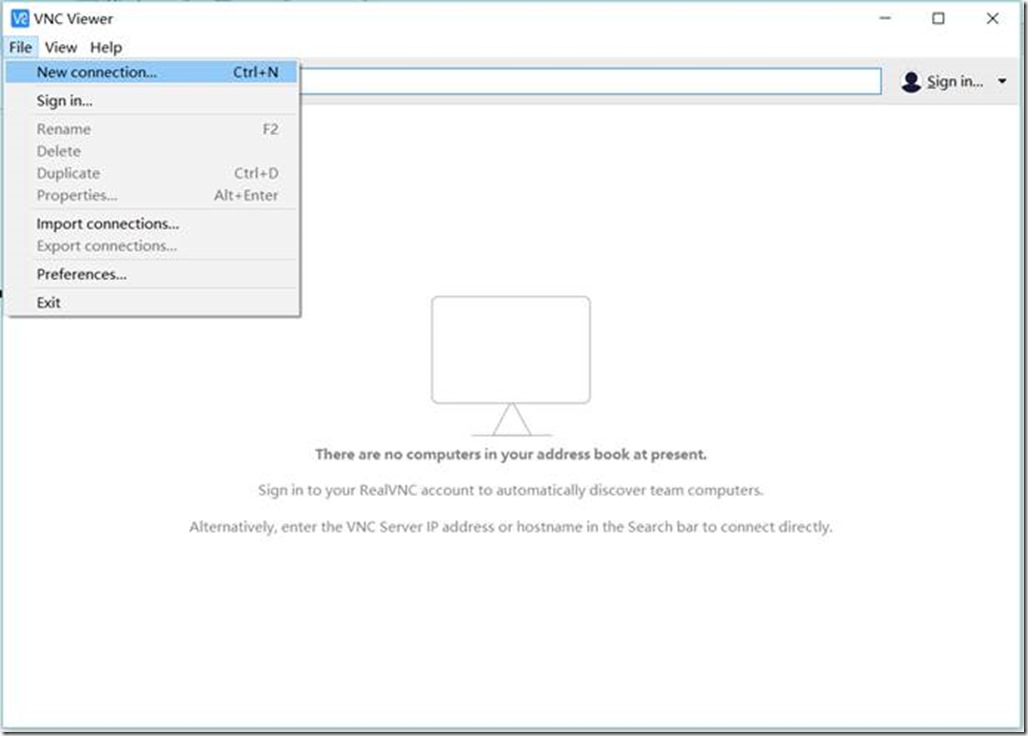
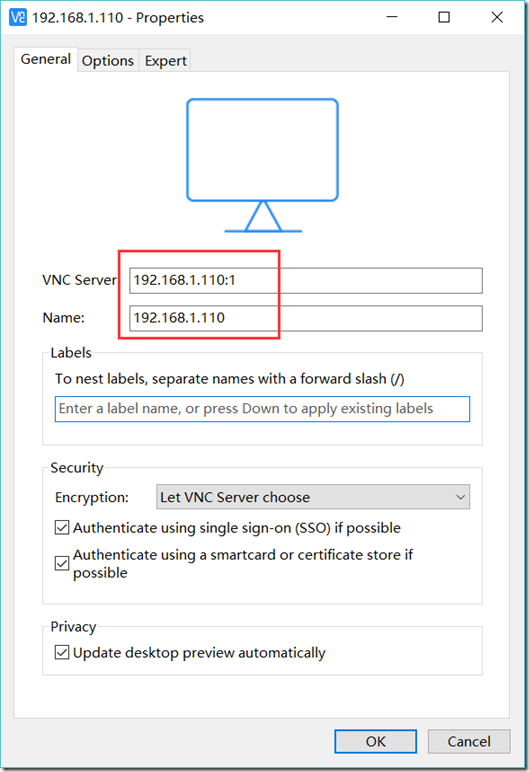
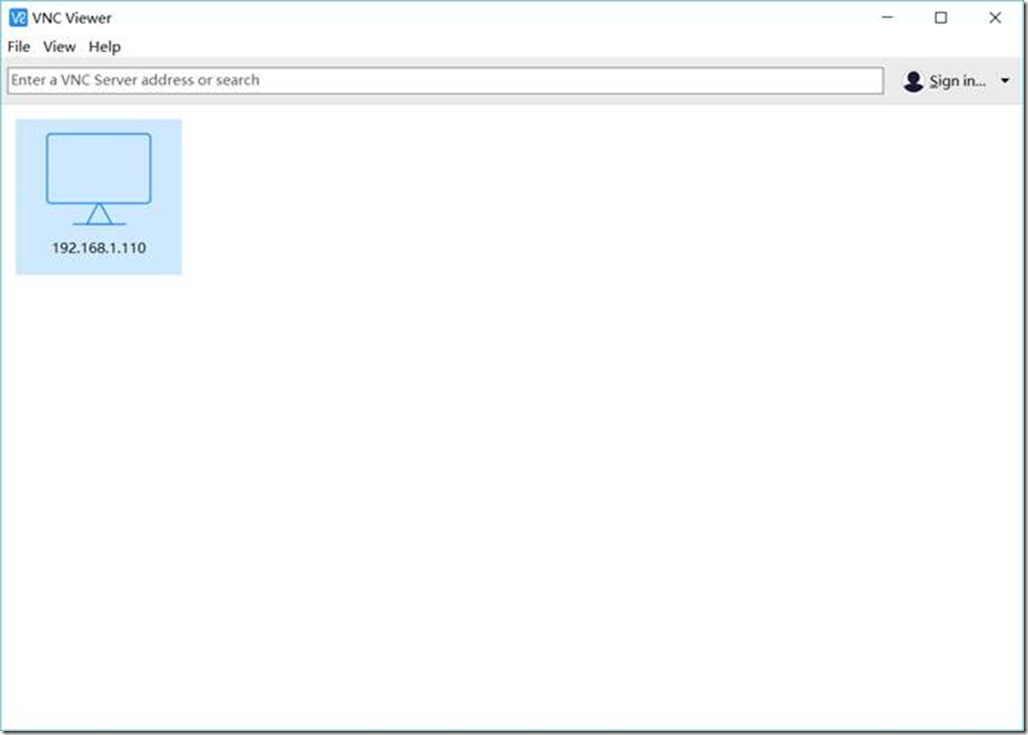
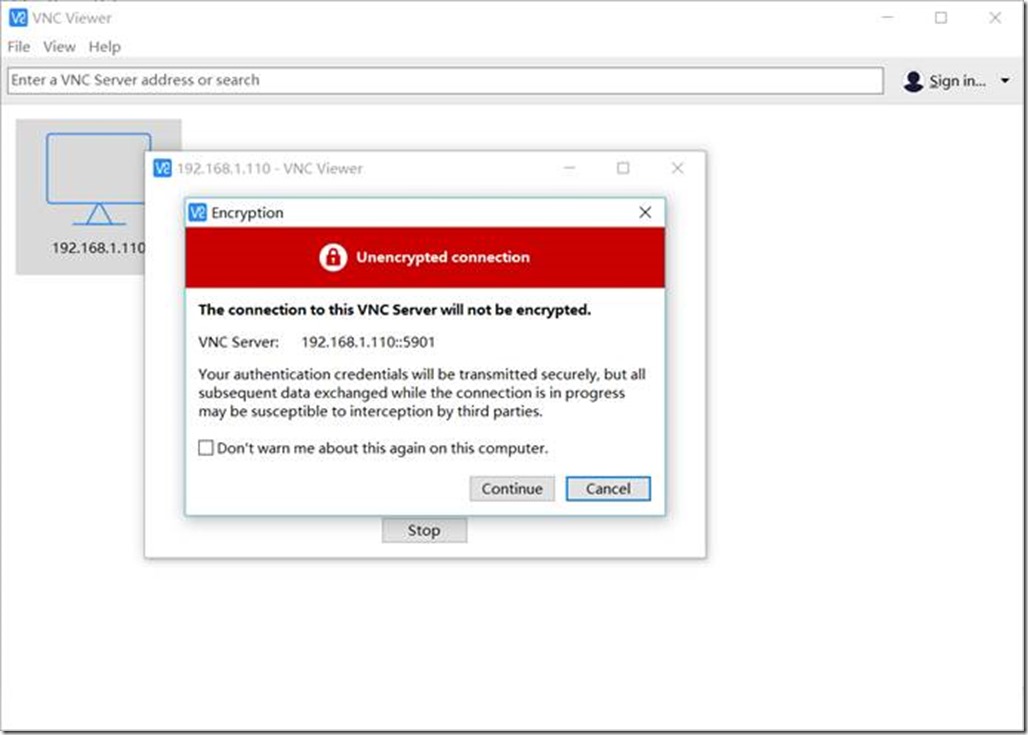
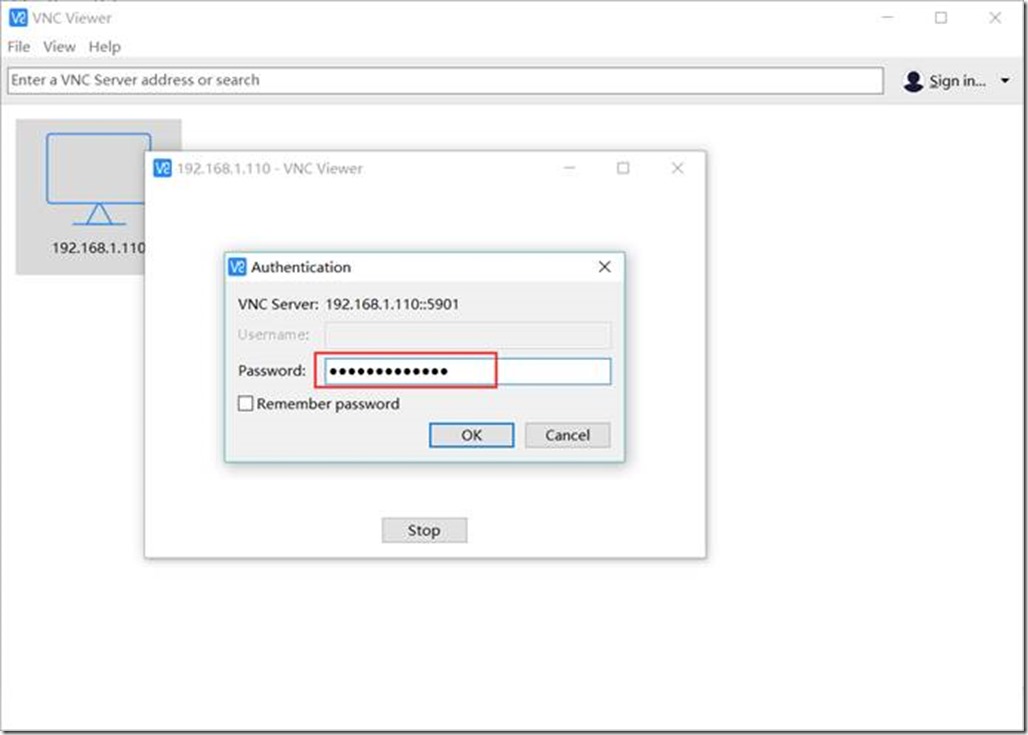
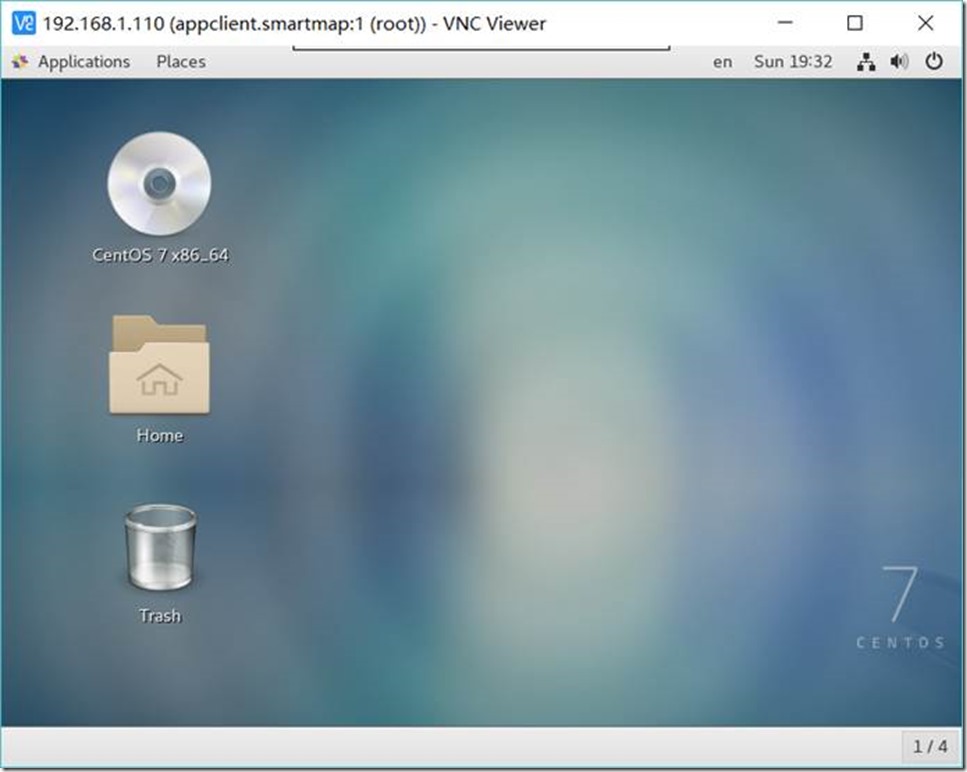
2.4. 连接到VNC服务器
3. 安装其它软件
3.1. 安装Chrome浏览器
[root@appclient ~]# yum install https://dl.google.com/linux/direct/google-chrome-stable_current_x86_64.rpm
Loaded plugins: fastestmirror, langpacks, versionlock
google-chrome-stable_current_x86_64.rpm | 47 MB 00:00:10
Examining /var/tmp/yum-root-zNgl0v/google-chrome-stable_current_x86_64.rpm: google-chrome-stable-62.0.3202.89-1.x86_64
Marking /var/tmp/yum-root-zNgl0v/google-chrome-stable_current_x86_64.rpm to be installed
Resolving Dependencies
CentOS7系列--10.1CentOS7中的GNOME桌面环境的更多相关文章
- 2018.4.21 如何正确快速安装/卸载云服务器Centos7安装GUI图形化界面GNOME桌面环境
为云服务哦Centos安装图形化界面GNOME .KDE 1.开始前先验证一下能不能上网 ping www.baidu.com 2.接下来开始安装X(X Window System),命令为 yum ...
- CentOS7系列--5.1CentOS7中配置和管理KVM
CentOS7配置和管理KVM 安装与配置虚拟化软件KVM ( Kernel-based Virtual Machine ) + QEMU,它要求计算机的CPU支持Intel VT or AMD-V功 ...
- CentOS7系列--3.1CentOS7中配置NFS服务
CentOS7配置NFS服务 1. 配置NFS服务器端 1.1. 安装nfs-utils软件 [root@server1 ~]# yum install -y nfs-utils Loaded plu ...
- CentOS7系列--2.1CentOS7中安装配置NTP服务
CentOS7安装配置NTP服务 NTP服务是时间同步服务 1. 安装NTPd [root@centos7 ~]# yum install -y ntp [jack@centos7 ~]$ vi /e ...
- linux -- ubuntu14.10安装gnome桌面环境和dock工具
ubuntu14.10系统自带Unity桌面环境,但是还是习惯于gnome桌面环境,再加上dock用着就很顺手了. 方法/步骤 首先,按Ctrl+Alt+T,调出终端.在其中输入:sudo apt ...
- CentOS 中 YUM 安装桌面环境(转)
使用 yum groupinstall 指令很容易就能安装上图形界面的桌面系统. 1. yum 的 group 指令 yum 可以以程序组的模式来安装成套的软件包.支持的软件包可以通过, # yum ...
- CentOS 中 YUM 安装桌面环境
CentOS 作为服务器的操作系统是很常见的,但是因为需要稳定而没有很时髦的更新,所以很少做为桌面环境.在服务器上通常不需要安装桌面环境,最小化地安装 CentOS(也就是 minimal CentO ...
- Debian 6配置GNOME桌面环境
1.安装xorgroot@debian:~# apt-get install xorg 2.安装gdm(GNOME Display Manager)root@debian:~# apt-get i ...
- Ubuntu 16.04 安装 Gnome 桌面环境
个人博客链接:Ubuntu 16.04 安装 Gnome 桌面环境
随机推荐
- D08——C语言基础学PYTHON
C语言基础学习PYTHON——基础学习D08 20180829内容纲要: socket网络编程 1 socket基础概念 2 socketserver 3 socket实现简单的SSH服务器端和 ...
- Linux CentOS7系统中ssh的用法
大家都知道,公司买上服务器,不可能实时在线操作虚拟机,也没有那个时间和精力登录到公司的云服务商官网进行操作,一来不安全,二来也效率不高. 如果是购买的虚拟主机,你可以使用ftp进行本地程序文件传输和从 ...
- CentOS 安装Scrapy
本文python版本是python3.5.3,关于升级python和安装pip请到:http://www.cnblogs.com/technologylife/p/6242115.html 安装相关包 ...
- SpringBoot学习之自动装配
在前面使用SSM集成时,我们可以使用注解实现无配置化注入,但是这种依赖被进行“人工干预了的”,换句话就是说我们手动进行装配,那么此时还没有达到SpringBoot这种自动装配的效果,那么究竟Sprin ...
- 怎么将一张100KB以上大小的电子图片压缩成30KB以内
不多说,直接上干货! 方法一: 怎么将一张100KB以上大小的电子照片压缩成30KB以内. 先将这张100KB以上大小的电子照片,新建一个word,放入.选中照片,右击,另存为,格式依然还是选择.jp ...
- Nginx的几个常用配置和技巧
文章列举了几个Nginx常见的,实用的,有趣的配置,希望看过之后能说一句:学到了! 一个站点配置多个域名 server { listen 80; server_name ops-coffee.cn b ...
- springcloud-05-ribbon中不使用eureka
ribbon在有eureka的情况下, 可以不使用eureka, 挺简单, 直接上代码 application.xml server: port: spring: # 设置eureka中注册的名称, ...
- springboot-13-junitTest
junitTest, 提喜欢用的一个方法, 在测试代码时非常好用 1, 添加maven依赖 <!-- 加入spring-test依赖 --> <dependency> < ...
- spring整合mongodb
使用spring整合mongodb maven 依赖 <dependency> <groupId>org.mongodb</groupId> <artifac ...
- 自动换行的两种代码(C#)
最近有个需求,需要将C# winform中的listBox中的内容自动换行, 其实在用listBox前,已经用textBox实现了大部分功能,可惜最后还是有个焦点的问题, 就是textBox中的文字会 ...