
SprngBoot对静态资源的映射
$.对前端js类库和框架的引用
使用webjars打包成jar的形式进行引用
webjars地址:https://www.webjars.org/;
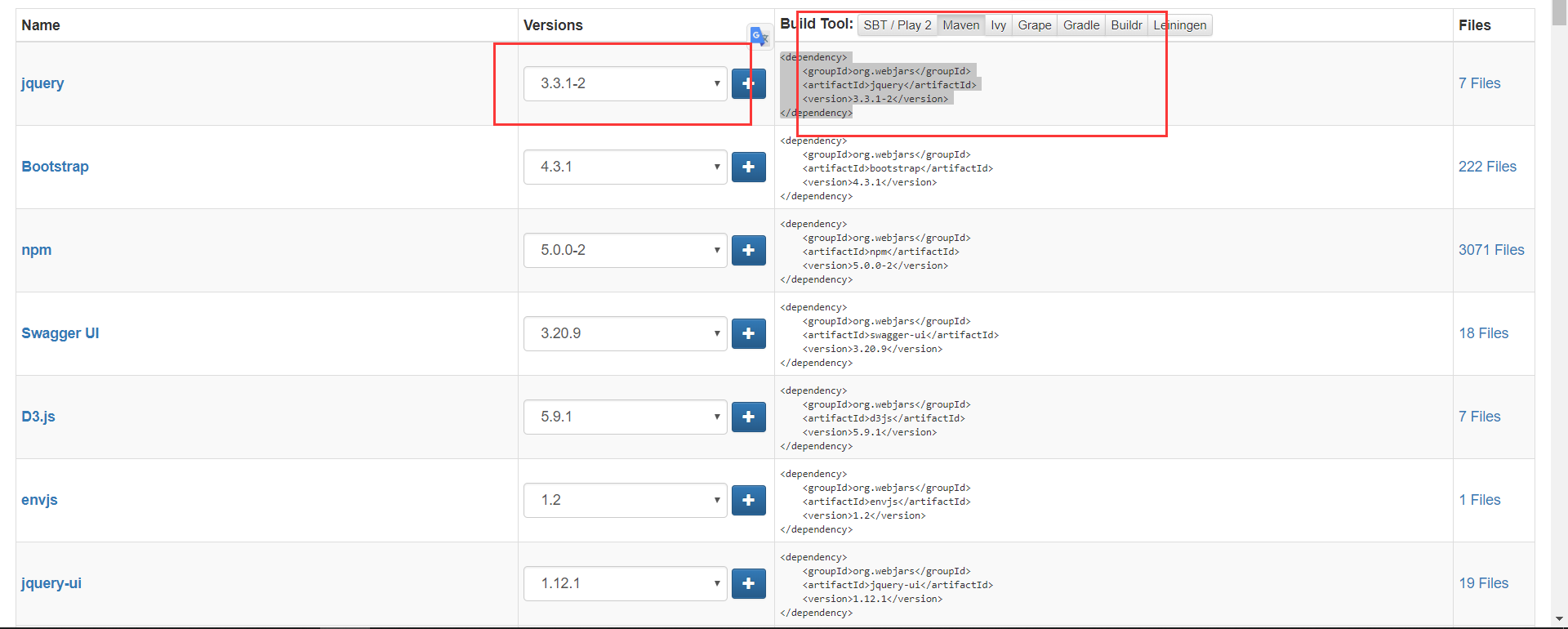
选择使用版本-- > 选择管理方式--> 复制依赖到项目的pom。xml中 。
等到依赖的加载完成 ,查看是否存在当前环境中
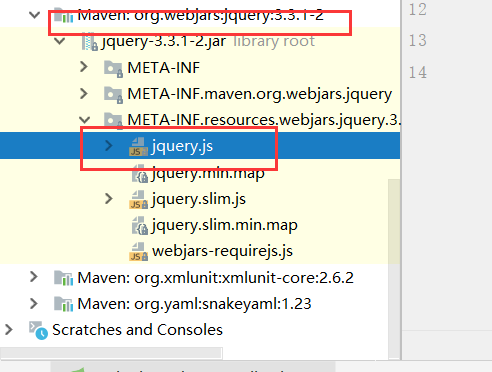
运行jquery包 ,测试是否可用。
浏览器url输入相关url地址:例如:
http://localhost:5200/webjars/jquery/3.3.1-2/jquery.js
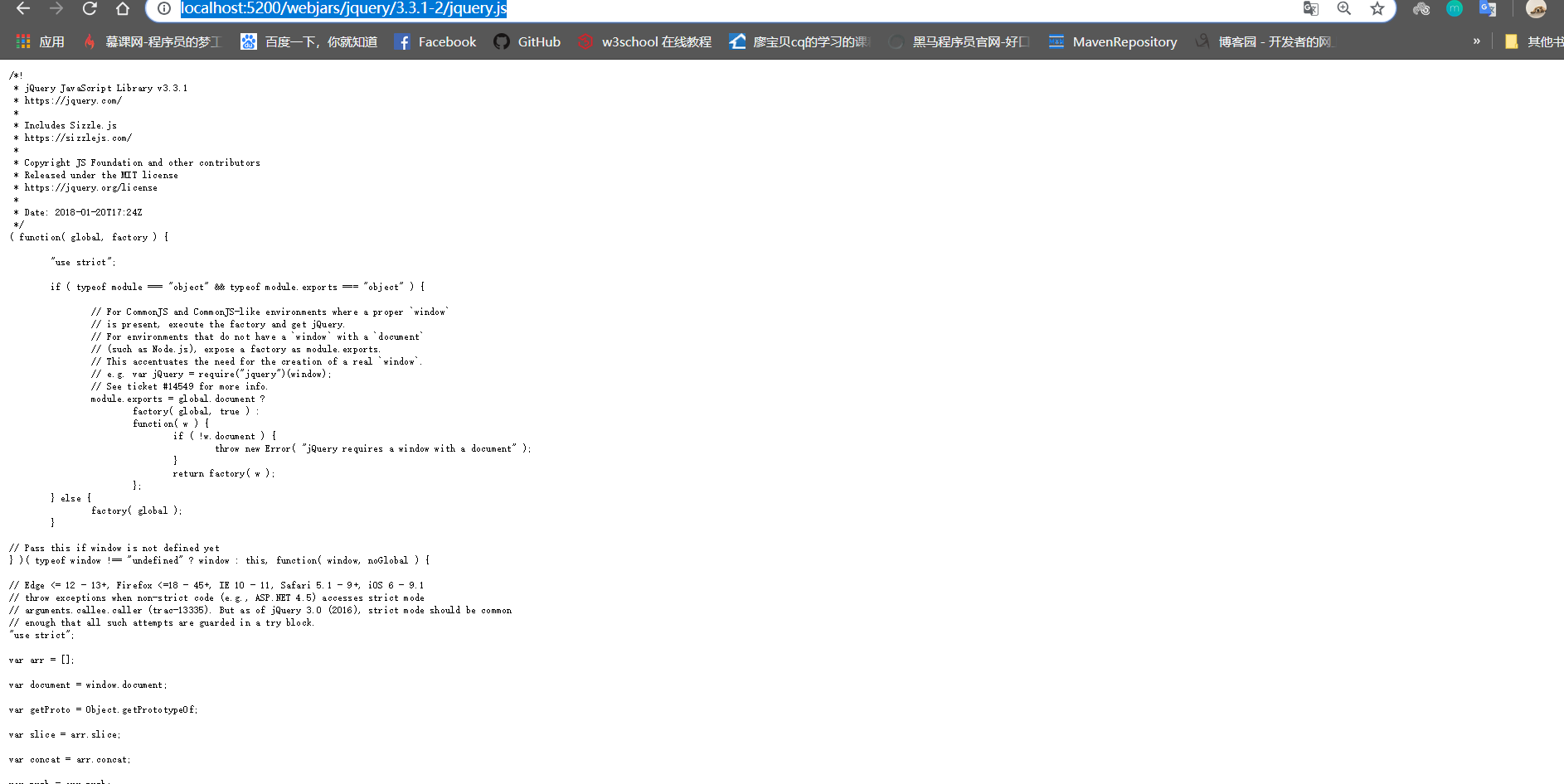
添加成功!
2.直接饮用
在对相关web的自动装配 类的查看中,发现有很多中对静态资源映射的方法,
截取部分ResourseProperties.class类中的部分代码
@ConfigurationProperties(prefix = "spring.resources", ignoreUnknownFields = false)

public class ResourceProperties {

//资源根路径

    private static final String[] CLASSPATH_RESOURCE_LOCATIONS = {

            "classpath:/META-INF/resources/", "classpath:/resources/",

            "classpath:/static/", "classpath:/public/" };

    /**

     * Locations of static resources. Defaults to classpath:[/META-INF/resources/,

     * /resources/, /static/, /public/].
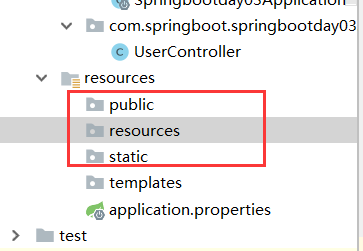
综合源码的定义 ,推荐有以下几种静态资源的映射方法: /根路径。
3.index.html
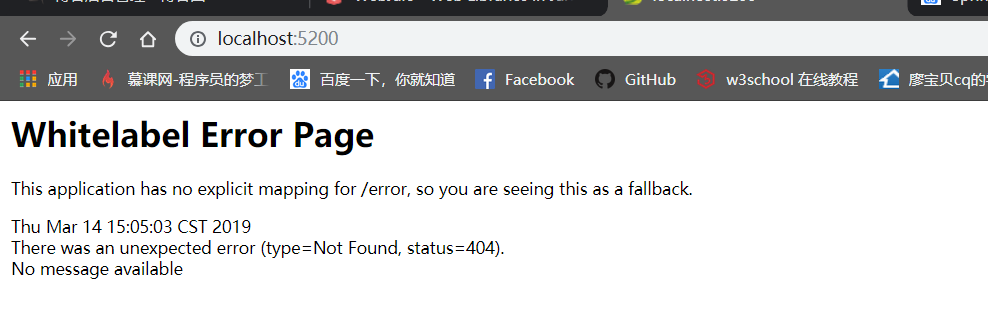
对于大部分学习SpringBoot的都会经历一个坎,使用localhost:8080/会显示一个错误页面 并且报(status=404)。
解决springboot因启动项是否在controller等其他类之上的问题。
实际上在不存在index.html 发起一个空的url地址会报404,因为Springboot会自动去寻找index.html 并去优先加载。
@Bean

//配置欢迎页index.html

        public WelcomePageHandlerMapping welcomePageHandlerMapping(

                ApplicationContext applicationContext) {

            return new WelcomePageHandlerMapping(

                    new TemplateAvailabilityProviders(applicationContext),

                    applicationContext, getWelcomePage(),

                    this.mvcProperties.getStaticPathPattern());

        }
Ctrl 进
getWelcomePage()方法 。
static String[] getResourceLocations(String[] staticLocations) {

            String[] locations = new String[staticLocations.length

                    + SERVLET_LOCATIONS.length];

            System.arraycopy(staticLocations, 0, locations, 0, staticLocations.length);

            System.arraycopy(SERVLET_LOCATIONS, 0, locations, staticLocations.length,

                    SERVLET_LOCATIONS.length);

            return locations;

        }

        private Optional<Resource> getWelcomePage() {

            String[] locations = getResourceLocations(

                    this.resourceProperties.getStaticLocations());

            return Arrays.stream(locations).map(this::getIndexHtml)

                    .filter(this::isReadable).findFirst();

        }

//获取首页html

        private Resource getIndexHtml(String location) {

            return this.resourceLoader.getResource(location + "index.html");

        }
public void setStaticLocations(String[] staticLocations) {

        this.staticLocations = appendSlashIfNecessary(staticLocations);

    }

    private String[] appendSlashIfNecessary(String[] staticLocations) {

        String[] normalized = new String[staticLocations.length];

        for (int i = 0; i < staticLocations.length; i++) {

            String location = staticLocations[i];

            normalized[i] = location.endsWith("/") ? location : location + "/";

        }

        return normalized;

    }
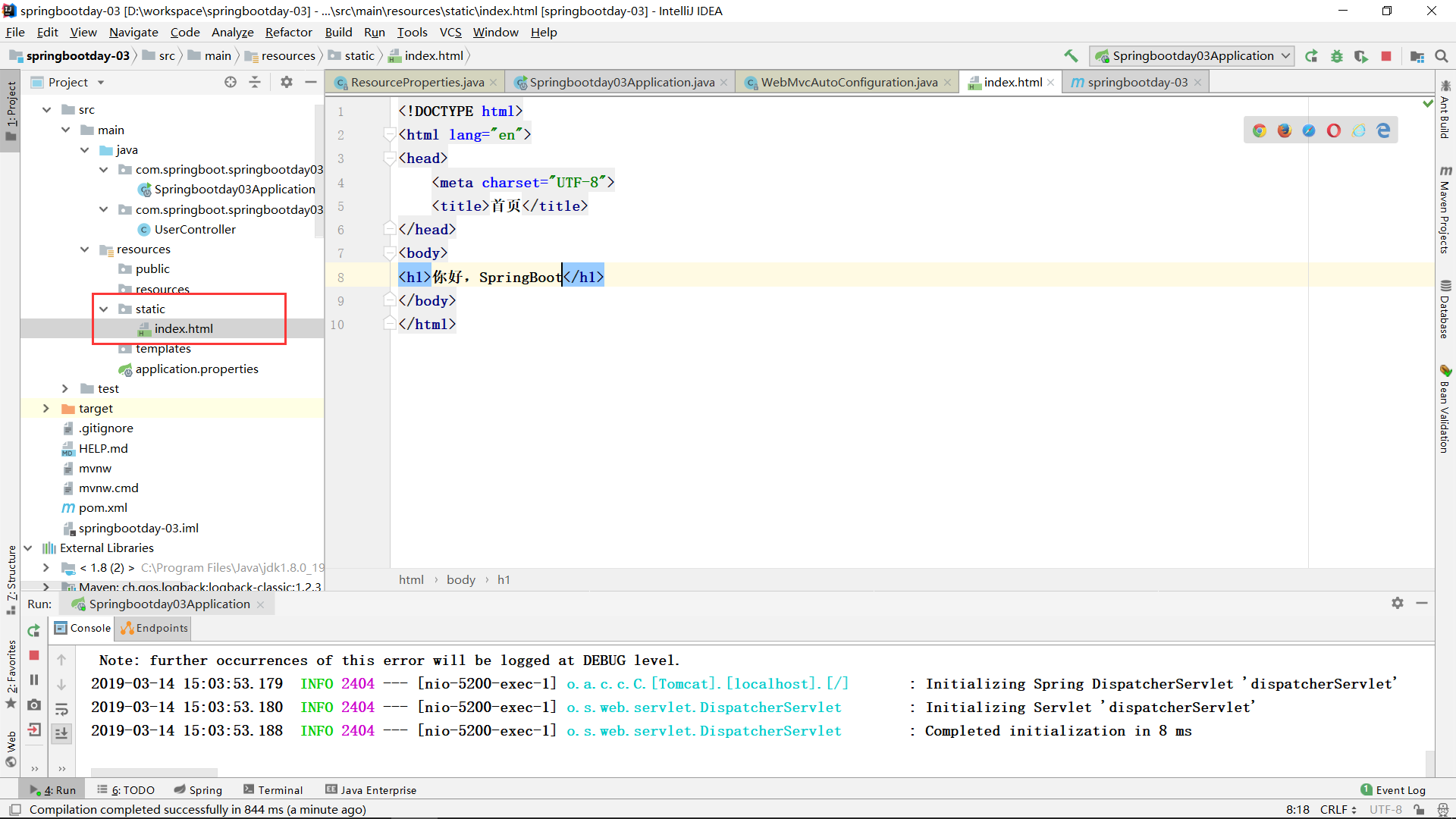
获取到首页资源并和路径拼接形成欢迎页自动映射index.html
所以将自动进入index.html 如果查询不到index.html的存在将会(status=404)。
查不到index.html。
成功界面!
4.
我注意到下面还有个方法
@Bean

            public SimpleUrlHandlerMapping faviconHandlerMapping() {

                SimpleUrlHandlerMapping mapping = new SimpleUrlHandlerMapping();

                mapping.setOrder(Ordered.HIGHEST_PRECEDENCE + 1);

                mapping.setUrlMap(Collections.singletonMap("**/favicon.ico",

                        faviconRequestHandler()));

                return mapping;

            }

更改这些小图标的。
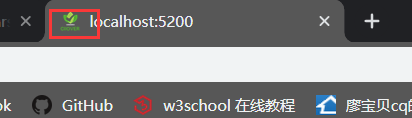
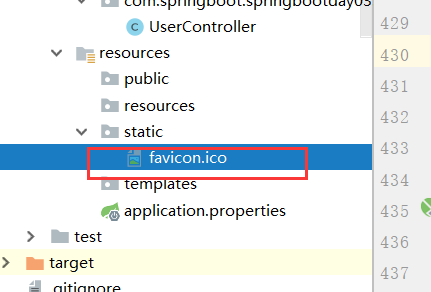
添加一个以此命名的图片当做小图标,

SprngBoot对静态资源的映射的更多相关文章
- SpringBoot对静态资源的映射规则
在WebMvcAutoConfiguration类中有相对应的方法addResourceHandlers public void addResourceHandlers(ResourceHandler ...
- SpringBoot 对静态资源的映射规则
一.所有 /webjars/** ,都去 classpath:/META-INF/resources/webjars/ 找资源 webjars:以jar包的方式引入静态资源,如下:引入 jquery ...
- 【串线篇】spring boot对静态资源的映射规则
WebMvcAutoConfiguration的内部类 WebMvcAutoConfigurationAdapter 其中ResourceProperties点进去 其中addResourceHand ...
- SpringBoot中的五种对静态资源的映射规则
目录 1. webjars:以jar包的方式引入静态资源 2./** 访问当前项目的任何资源 3.首页index.html,被" /** "映射 4.自定义图标 / favico ...
- Spring Boot对静态资源的映射规则
规则一:所有 " /webjars/** " 请求都去classpath:/META-INF/resources/webjars/找资源 webjars:以jar包的方式引入静态资 ...
- JavaEE开发之SpringMVC中的静态资源映射及服务器推送技术
在上篇博客中,我们聊了<JavaEE开发之SpringMVC中的自定义拦截器及异常处理>.本篇博客我们继续的来聊SpringMVC的东西,下方我们将会聊到js.css这些静态文件的加载配置 ...
- springboot06(静态资源映射)
xxxxAutoConfiguration xxxxproperties 对静态资源的映射规则 webjars @ConfigurationProperties(prefix = "spri ...
- 零基础学习java------39---------json格式交互,Restful(不懂),静态资源映射,SSM整合(ssm整合思想,application.xml文件详解(声明式事务管理),)
一. json格式交互(知道) 1 . 回顾ajax基本语法 $.ajax({ url:"", // 请求的后台路径 data:{"":"" ...
- Spring Boot 静态资源处理
spring Boot 默认的处理方式就已经足够了,默认情况下Spring Boot 使用WebMvcAutoConfiguration中配置的各种属性. 建议使用Spring Boot 默认处理方式 ...
随机推荐
- Cookie&Session会话跟踪技术
今日内容学习目标 可以响应给浏览器Cookie信息[response.addCookie()] 可以接受浏览器Cookie信息[request.getCookies()] [创建cookie,设置pa ...
- pip / conda 导出和安装环境组件 requirements.txt
pip 批量导出包含环境中所有组件的requirements.txt文件 pip freeze > requirements.txt pip 批量安装requirements.txt文件中包含的 ...
- 【原】Coursera—Andrew Ng机器学习—课程笔记 Lecture 14—Dimensionality Reduction 降维
Lecture 14 Dimensionality Reduction 降维 14.1 降维的动机一:数据压缩 Data Compression 现在讨论第二种无监督学习问题:降维. 降维的一个作用是 ...
- Spring3开发(一)
1 Ioc是什么? Ioc:Inversion of Control,控制反转,控制权从应用程序转移到框架(如Ioc容器),是框架的共有特性. 1.1 为什么需要IoC容器?IoC容器是如何演变的? ...
- MYSQL的随机查询的实现方法
的确是那么回事. MYSQL的随机抽取实现方法.举个例子,要从tablename表中随机提取一条记录,大家一般的写法就是:SELECT * FROM tablename ORDER BY RAND() ...
- 数组和集合(三):Set集合的使用总结
一.概述 · 继承collection接口 · 无序(不记录添加顺序).不允许元素重复.只允许存在一个null元素 二.实现类 1. HashSet · 底层其实是包装了一个HashMap实现的 · ...
- IDEA快捷键【收藏】
Ctrl+Alt+L 格式化代码Ctrl+Shift+J 两行合成一行,删去不必要的空格匹配代码格式其他快捷键:[常规]Ctrl+Shift + Enter,语句完成“!”,否定完成,输入表达式时按 ...
- Kafka存储机制(转)
转自:https://www.cnblogs.com/jun1019/p/6256514.html Kafka存储机制 同一个topic下有多个不同的partition,每个partition为一个目 ...
- css实现栅格的方法
1. 方法一 1.1. 效果 2. 方法二 2.1. 效果 3. 代码 3.1. Html <!DOCTYPE html PUBLIC "-//W3C//DTD XHTML 1.0 T ...
- 刷题向》关于一道尺取法的神题目(BZOJ4653)(HARD-)(BZOJ 30题纪念)
不得不说,这也许会是一道长期在我的博客里作为“HARD”难度存在的题 这道题能很好的考验选手的思考能力,但本蒟蒻最后还是听了省队爷讲了之后才会...(默默面壁) 题目里,说对于每一个点,是用当前选出的 ...