
windows安装Jupyter Notebook
这是我自定义的Python 的安装目录 (D:\SoftWare\Python\Python36\Scripts)
1、Jupyter Notebook 和 pip
为了更加方便地写 Python 代码,还需要安装 Jupyter notebook。 利用 pip 安装 Jupyter notebook。
为什么要使用 Jupyter?参考: https://www.zhihu.com/question/37490497
pip: Python 的包管理工具,安装 Python 的同时已经安装好了。
Jupyter notebook: 一个交互式笔记本,支持运行 40 多种编程语言。 利用她来写 Python,代码和运行结果都可以保存下载,十分方便。
2、Jupyter notebook 安装
命令行窗口输入: pip install jupyter
切换到 D:\SoftWare\Python\Python36\Scripts目录下,
当然,若大家是默认安装的话,则在C:\Users\Administrator\AppData\Local\Programs\Python\Python36\Scripts 目录下 。
或者将该目录添加到 path,就不用切换了。
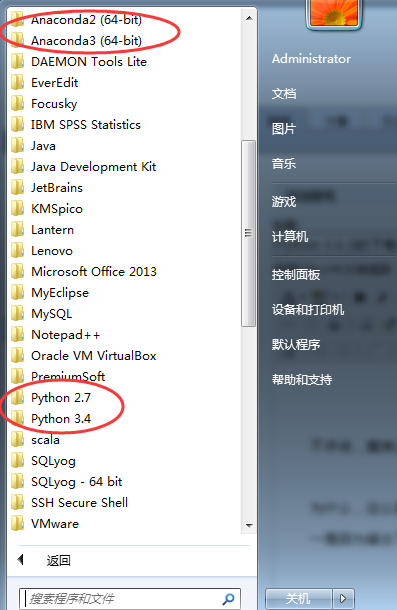
我这里,因为考虑到机器学习深度学习那边,已经安装了Anaconda2和Anaconda3,所以这边的数据分析所用的python3.6.1就不添加到path了。每次去切换到这个目录来,也不麻烦。
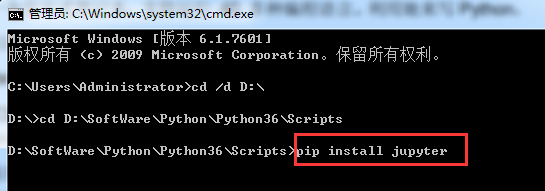

Microsoft Windows [版本 6.1.7601]

版权所有 (c) 2009 Microsoft Corporation。保留所有权利。

C:\Users\Administrator>cd /d D:\

D:\>cd D:\SoftWare\Python\Python36\Scripts

D:\SoftWare\Python\Python36\Scripts>pip install jupyter

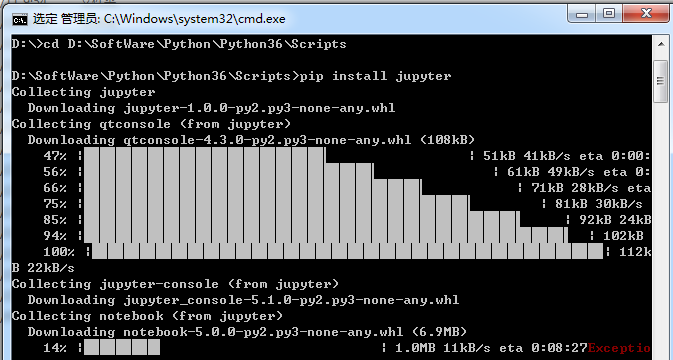
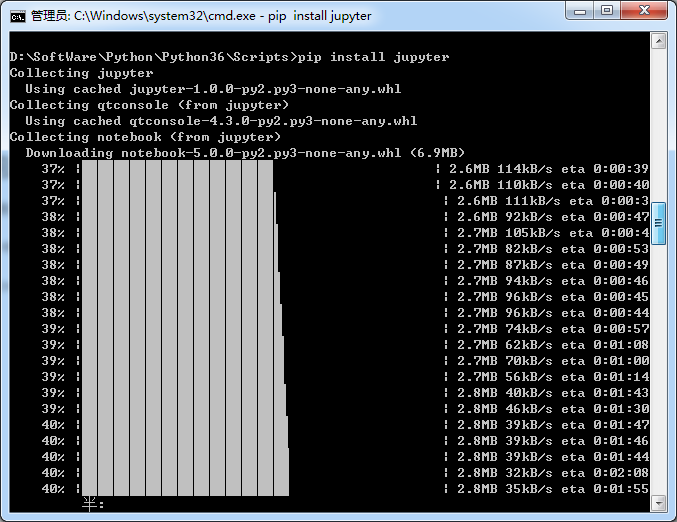

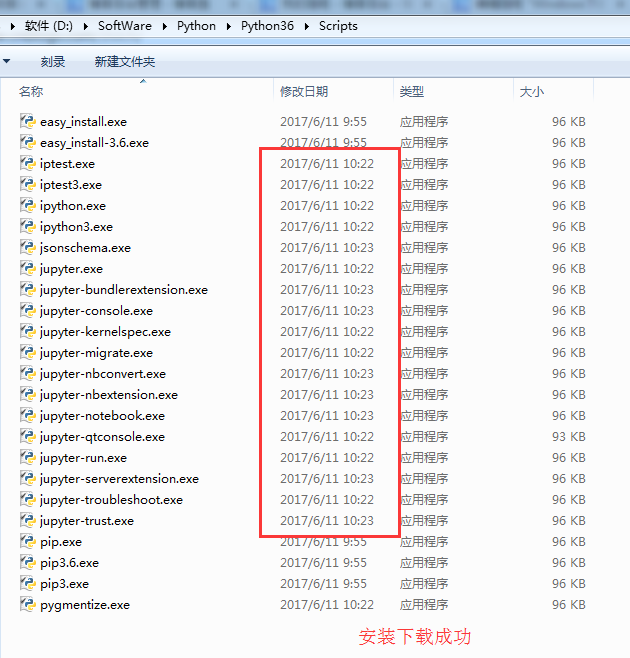
安装成功。
3、 jupyter notebook的启动
命令行窗口输入: jupyter notebook
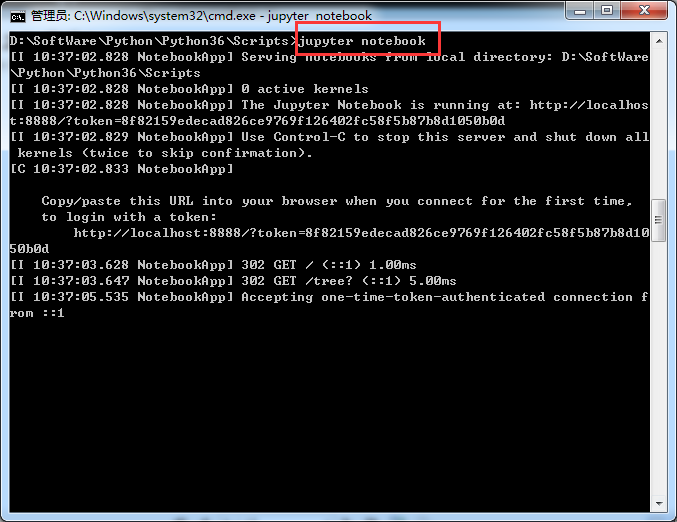
D:\SoftWare\Python\Python36\Scripts>jupyter notebook

[I 10:37:02.828 NotebookApp] Serving notebooks from local directory: D:\SoftWare

\Python\Python36\Scripts

[I 10:37:02.828 NotebookApp] 0 active kernels

[I 10:37:02.828 NotebookApp] The Jupyter Notebook is running at: http://localhos

t:8888/?token=8f82159edecad826ce9769f126402fc58f5b87b8d1050b0d

[I 10:37:02.829 NotebookApp] Use Control-C to stop this server and shut down all

 kernels (twice to skip confirmation).

[C 10:37:02.833 NotebookApp]

    Copy/paste this URL into your browser when you connect for the first time,

    to login with a token:

        http://localhost:8888/?token=8f82159edecad826ce9769f126402fc58f5b87b8d10

50b0d

[I 10:37:03.628 NotebookApp] 302 GET / (::1) 1.00ms

[I 10:37:03.647 NotebookApp] 302 GET /tree? (::1) 5.00ms

[I 10:37:05.535 NotebookApp] Accepting one-time-token-authenticated connection f

rom ::1
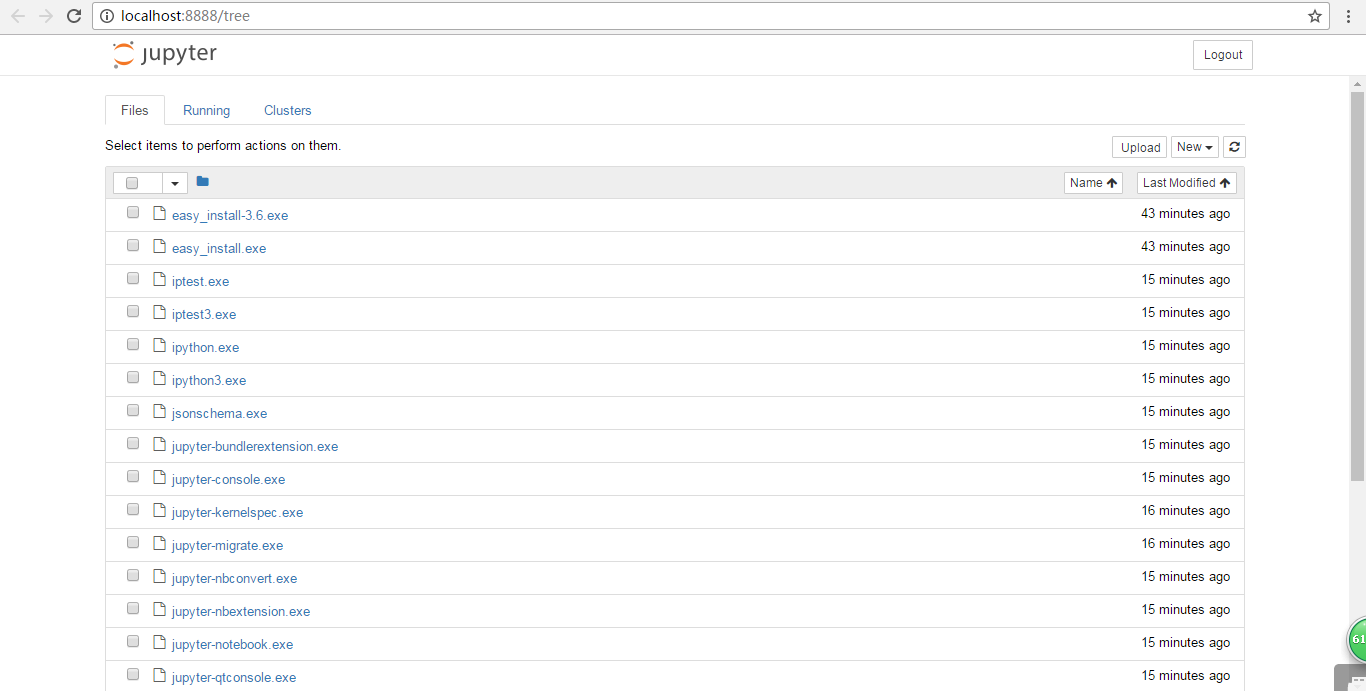
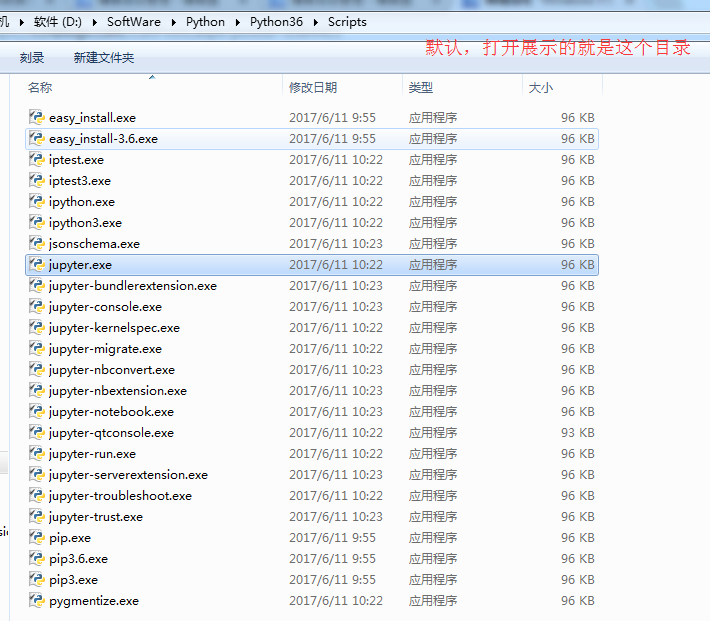
同时,默认浏览器会打开 Jupyter notebook 窗口。 说明 Jupyter notebook 安装成功了。
4、配置 Jupyter notebook
jupyter notebook --generate-config
运行之前
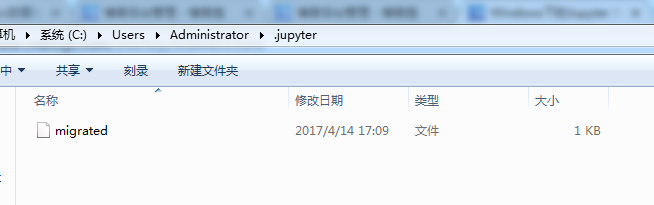
打开“.jupyter”文件夹,可以看到里面有个配置文件。
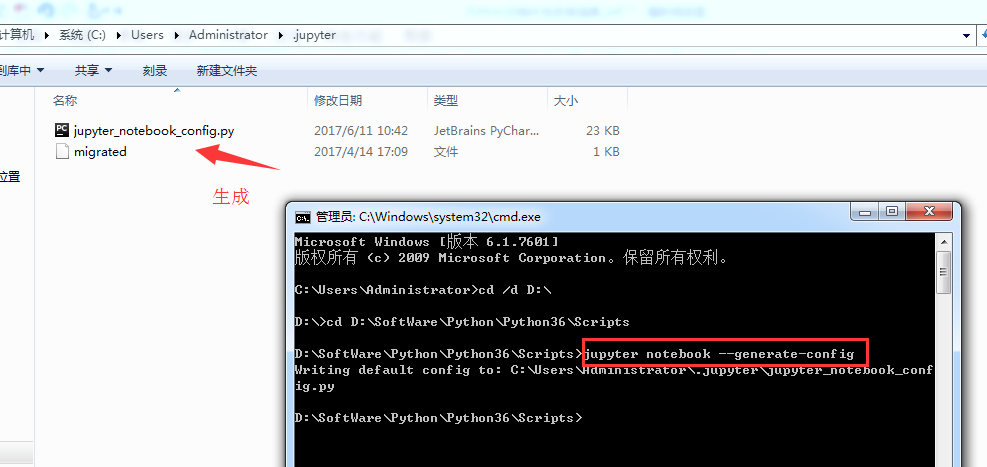
Microsoft Windows [版本 6.1.7601]

版权所有 (c) 2009 Microsoft Corporation。保留所有权利。

C:\Users\Administrator>cd /d D:\

D:\>cd D:\SoftWare\Python\Python36\Scripts

D:\SoftWare\Python\Python36\Scripts>jupyter notebook --generate-config

Writing default config to: C:\Users\Administrator\.jupyter\jupyter_notebook_conf

ig.py

D:\SoftWare\Python\Python36\Scripts>
修改jupyter_notebook_config.py配置文件
打开这个配置文件,找到“c.NotebookApp.notebook_dir=……”,把路径改成自己的工作目录。

比如,这里要变更为
## The directory to use for notebooks and kernels.
c.NotebookApp.notebook_dir = 'D:\Code\jupyter-notebook'
,当然,文件夹 jupyter-notebook 需要自己创建好。

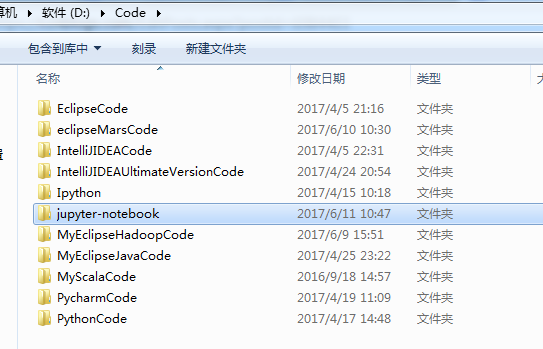
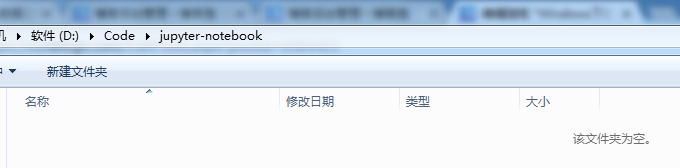
配置文件修改完成后, 以后在 jupyter notebook 中写的代码等都会保存在自己创建的目录中。
jupyter notebook的自定义启动(变了)
配置文件修改成后,就可以启动 jupyter notebook 了,命令行窗口中输入 jupyter notebook,
默认浏览器就会打开一个页面
jupyter notebook的启动
命令行窗口输入: jupyter notebook
以前是
D:\SoftWare\Python\Python36\Scripts>jupyter notebook

[I 10:37:02.828 NotebookApp] Serving notebooks from local directory: D:\SoftWare

\Python\Python36\Scripts

[I 10:37:02.828 NotebookApp] 0 active kernels

[I 10:37:02.828 NotebookApp] The Jupyter Notebook is running at: http://localhos

t:8888/?token=8f82159edecad826ce9769f126402fc58f5b87b8d1050b0d

[I 10:37:02.829 NotebookApp] Use Control-C to stop this server and shut down all

 kernels (twice to skip confirmation).

[C 10:37:02.833 NotebookApp]

    Copy/paste this URL into your browser when you connect for the first time,

    to login with a token:

        http://localhost:8888/?token=8f82159edecad826ce9769f126402fc58f5b87b8d10

50b0d

[I 10:37:03.628 NotebookApp] 302 GET / (::1) 1.00ms

[I 10:37:03.647 NotebookApp] 302 GET /tree? (::1) 5.00ms

[I 10:37:05.535 NotebookApp] Accepting one-time-token-authenticated connection f

rom ::1
现在是
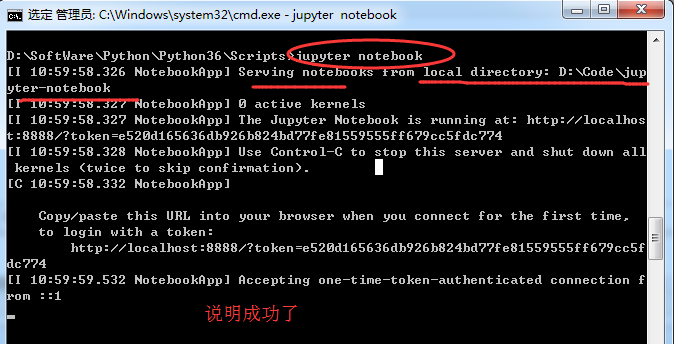
Microsoft Windows [版本 6.1.7601]

版权所有 (c) 2009 Microsoft Corporation。保留所有权利。

C:\Users\Administrator>cd /d D:\

D:\>cd D:\SoftWare\Python\Python36\Scripts


D:\SoftWare\Python\Python36\Scripts>jupyter notebook

[I 10:59:58.326 NotebookApp] Serving notebooks from local directory: D:\Code\jup

yter-notebook

[I 10:59:58.327 NotebookApp] 0 active kernels

[I 10:59:58.327 NotebookApp] The Jupyter Notebook is running at: http://localhos

t:8888/?token=e520d165636db926b824bd77fe81559555ff679cc5fdc774

[I 10:59:58.328 NotebookApp] Use Control-C to stop this server and shut down all

 kernels (twice to skip confirmation).

[C 10:59:58.332 NotebookApp]

    Copy/paste this URL into your browser when you connect for the first time,

    to login with a token:

        http://localhost:8888/?token=e520d165636db926b824bd77fe81559555ff679cc5f

dc774

[I 10:59:59.532 NotebookApp] Accepting one-time-token-authenticated connection f

rom ::1

当然,其实啊,这个玩意非常的简单和方便。关于修改名字、上传等操作,后续关注的我博客。
常见问题及解决方案
如何添加 Path?
计算机-右击-单机“属性”
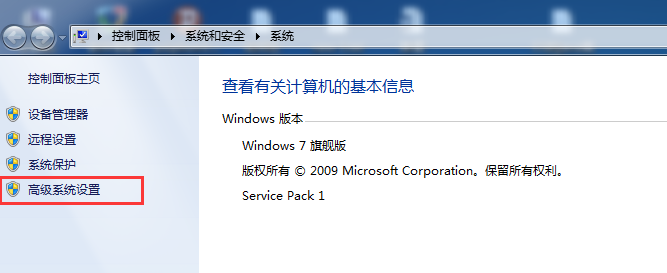
单机“高级系统设置”
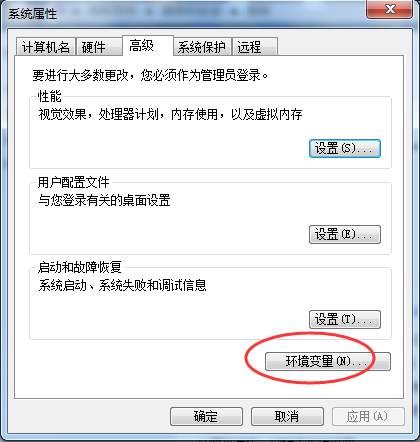
单机“环境变量”
找到系统变量 path,编辑
在最后加上 2 个路径:
C:\Users\Administrator\AppData\Local\Programs\Python\Python36
C:\Users\Administrator\AppData\Local\Programs\Python\Python36\Scripts
说明:以上默认安装路径,每个电脑上是类似的,找到复制这个路径加到 Path 中即可
我的路径是已经改了,在下面的这篇博客里,可以看到
Windows下的Python 3.6.1的下载与安装(适合32bits和64bits)(图文详解)
这是我自定义的Python 的安装目录 (D:\SoftWare\Python\Python36\Scripts)
jupyter notebook 闪退
解决办法:更换默认浏览器。 ,建议用谷歌浏览器或者火狐浏览器
windows安装Jupyter Notebook的更多相关文章
- 全真教程:Windows环境Jupyter Notebook安装、运行和工作文件夹配置
全真教程:Windows环境Jupyter Notebook安装.运行和工作文件夹配置 @ 目录 全真教程:Windows环境Jupyter Notebook安装.运行和工作文件夹配置 一.Jupyt ...
- Windows+anaconda+jupyter notebook+R+python3.6
Windows+anaconda+jupyter notebook+R+python3.6 环境配置 1. 设置国内清华大学镜像 打开 anaconda prompt,输入命令 conda confi ...
- Docker 安装jupyter notebook
1. 利用image运行一个container sudo docker run -it --net=host tingting --net=host:让container可以上网,安装原来的sudo ...
- linux安装python3 ,安装IPython ,安装jupyter notebook
安装python3 下载到 /opt/中 1.下载python3源码,选择3.6.7因为ipython依赖于>3.6的python环境wget https://www.python.org ...
- ubuntu14.04安装jupyter notebook
1.使用pip安装Jupyter notebook: pip install jupyter notebook 2.创建Jupyter默认配置文件: jupyter notebook --genera ...
- Python---virtualenv + Tensorflow + 安装jupyter notebook
一.ubuntu系统下安装完caffe后,安装 jupyter notebook. 在终端中执行,安装指令: sudo pip install jupyter 安装完成后运行 notebook : j ...
- python如何安装Jupyter notebook
一,安装Jupyter notebook 环境:win10,python3.7 两种安装方式,这里只讲pip安装 pip install jupyter notebook 二,启动Jupyter no ...
- 环境配置 | 安装Jupyter Notebook及jupyter_contrib_nbextensions库实现代码自动补全
一.Jupyter Notebook的安装与启动 安装Jupyter Notebook pip3 install jupyter 启动 jupyter notebook 输入命令后会自动弹出浏览器窗口 ...
- Centos7安装jupyter notebook
安装python3 查看当前python版本 [root@iz1i4qd6oynml0z /]# python -V Python 2.7.5 安装python3以及检查python3的版本 yum ...
随机推荐
- Python全栈开发之8、装饰器详解
一文让你彻底明白Python装饰器原理,从此面试工作再也不怕了.转载请注明出处http://www.cnblogs.com/Wxtrkbc/p/5486253.html 一.装饰器 装饰器可以使函数执 ...
- Lr中脚本的迭代次数和场景运行时间的关系
Loadrunner中脚本的迭代次数和场景运行时间的关系 LR 的Vugen和controller中迭代是这样的: 当场景的持续时间为“运行至结束”时,以Vugen中设置的迭代次数为准 当场景的持续时 ...
- Windows 10家庭版远程桌面连接错误
由于需要操作远程服务器,经常使用“远程桌面连接”工具,一直很正常.今天突然提示 出现身份验证错误,可能是由于 CredSSP加密Oracle修正.什么情况!! 根据提示的地址https://go.mi ...
- bzoj 1898 矩阵快速幂
思路:因为鱼的周期为2, 3, 4, 所以以12个为周期,我们拿走12步得到的矩阵进行快速幂,余下的再进行一次矩阵乘法. #include<bits/stdc++.h> #define L ...
- 微软企业库5.0 学习之路——第十步、使用Unity解耦你的系统—PART2——了解Unity的使用方法(3)
今天继续介绍Unity,在上一篇的文章中,我介绍了使用UnityContainer来注册对象之间的关系.注册已存在的对象之间的关系,同时着重介绍 了Unity内置的各种生命周期管理器的使用方法,今天则 ...
- java 用maven 构建项目时@Override错误的解决办法
把工程编译时使用JDK1.6以上版本可以解决. eclipse中 Preferences-->Java-->Compiler-->Configure Project Specific ...
- [Codeforces166B]Polygons 凸包
大致题意: 给你一个凸多边形A,和一个任意多边形B,判断B是否在A的内部 先对A的点集建凸包,然后枚举B中的点,二分判断是否在A的内部. 二分时可用叉积判断,详细见代码 #include<cst ...
- The dd command of linux
The dd command stands for "data duplicator" and used for copying and converting data. It i ...
- React Native 系列(三)
前言 本系列是基于React Native版本号0.44.3写的,相信大家看了本系列前面两篇文章之后,对于React Native的代码应该能看懂一点点了吧.本篇文章将带着大家来认识一下React N ...
- 在MySQL字段中使用逗号分隔符
大多数开发者应该都遇到过在mysql字段中存储逗号分割字符串的经历,无论这些被分割的字段代表的是id还是tag,这个字段都应该具有如下几个共性. 被分割的字段一定是有限而且数量较少的,我们不可能在一个 ...