
Simple WPF: WPF 实现按钮的长按,短按功能
最新内容优先发布于个人博客:小虎技术分享站,随后逐步搬运到博客园。
实现了一个支持长短按得按钮组件,单击可以触发Click事件,长按可以触发LongPressed事件,长按松开时触发LongClick事件。源码请自取:Github
长按阈值属性的建立
为了方便在xaml中使用,我们先配置一个DependencyProperty叫做LongPressTime来作为界定长按的阈值
public class LongPressButtonEx : Button

{

        public static readonly DependencyProperty LongPressTimeProperty

            = DependencyProperty.Register("LongPressTime", typeof(int),

                typeof(LongPressButtonEx), new PropertyMetadata(500));

        public int LongPressTime

        {

            set => SetValue(LongPressTimeProperty, value);

            get => (int)GetValue(LongPressTimeProperty);

        }

}
定义完成后可以在Xaml设计器中使用LongPressTime这个拓展属性
<Window x:Class="LongPressButton.MainWindow"

        xmlns="http://schemas.microsoft.com/winfx/2006/xaml/presentation"

        xmlns:x="http://schemas.microsoft.com/winfx/2006/xaml"

        xmlns:d="http://schemas.microsoft.com/expression/blend/2008"

        xmlns:mc="http://schemas.openxmlformats.org/markup-compatibility/2006"

        xmlns:local="clr-namespace:LongPressButton"

        mc:Ignorable="d"

        Title="MainWindow" Height="450" Width="800">

    <Grid>

        <local:LongPressButtonEx Width="96" Height="48" LongPressTime="200">

            Button

        </local:LongPressButtonEx>

    </Grid>

</Window>
长按的定时器判定方法
C#中的4种定时器,在WPF中需要使用Dispater Timer
定义一个DispatcherTimer来监控是否按下达到了长按
private DispatcherTimer _pressDispatcherTimer;

private void OnDispatcherTimeOut(object sender, EventArgs e)

{

    _pressDispatcherTimer?.Stop();

    Debug.WriteLine($"Timeout {LongPressTime}");

}

protected override void OnMouseLeftButtonDown(MouseButtonEventArgs e)

{

    base.OnMouseLeftButtonDown(e);

    Debug.WriteLine("Button: Mouse down.");

    if (_pressDispatcherTimer == null)

    {

        _pressDispatcherTimer = new DispatcherTimer();

        _pressDispatcherTimer.Tick += OnDispatcherTimeOut;

        _pressDispatcherTimer.Interval = new TimeSpan(0, 0, 0, 0, LongPressTime);

        _pressDispatcherTimer.Start();

        Debug.WriteLine("Button: Timer started");

    }

}

protected override void OnMouseLeftButtonUp(MouseButtonEventArgs e)

{

    base.OnMouseLeftButtonUp(e);

    Debug.WriteLine("Button: Mouse up.");

    _pressDispatcherTimer?.Stop();

    _pressDispatcherTimer = null;

}
现在分别点击和长按按钮可以看到调试输出
...

# 点击

Button: Mouse down.

Button: Timer started

Button: Mouse up.

# 长按

Button: Mouse down.

Button: Timer started

Timeout 200

Button: Mouse up.
实现长按事件的定义
现在作为一个自定义控件,我们需要在长按后发出一个RoutedEvent,并修改部分之前的代码抛出事件
/// <summary>

/// LongPress Routed Event

/// </summary>

public static readonly RoutedEvent LongPressEvent

    = EventManager.RegisterRoutedEvent("LongPress",

        RoutingStrategy.Bubble,

        typeof(RoutedEventHandler),

        typeof(LongPressButtonEx));

public event RoutedEventHandler LongPress

{

    add => AddHandler(LongPressEvent, value);

    remove => RemoveHandler(LongPressEvent, value);

}

private void OnDispatcherTimeOut(object sender, EventArgs e)

{

    _pressDispatcherTimer?.Stop();

    Debug.WriteLine($"Timeout {LongPressTime}");

    RaiseEvent(new RoutedEventArgs(LongPressEvent));    // raise the long press event

}
回到窗体的代码中,添加事件的响应
<local:LongPressButtonEx Height="48" Width="256" LongPressTime="200"

        LongPress="LongPressButtonEx_LongPress"

        Click="LongPressButtonEx_Click">

    Click or Long Press Me!

</local:LongPressButtonEx>
C#代码如下,长按按钮会显示Long Pressed,单击会是Click
private void LongPressButtonEx_LongPress(object sender, RoutedEventArgs e)

{

    if (sender is LongPressButtonEx btn)

    {

        btn.Content = "Long Pressed";

    }

}

private void LongPressButtonEx_Click(object sender, RoutedEventArgs e)

{

    if (sender is LongPressButtonEx btn)

    {

        btn.Content = "Clicked";

    }

}
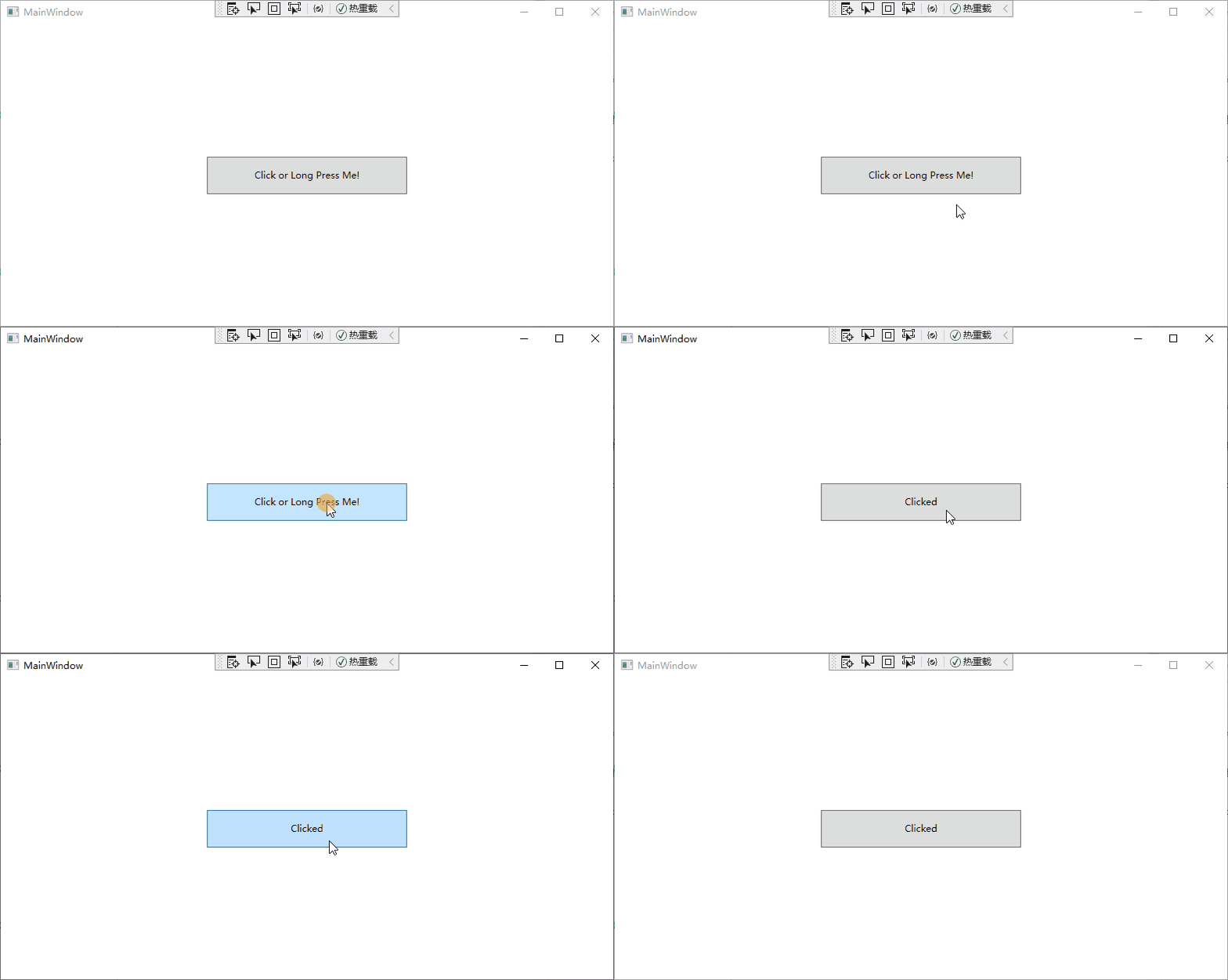
发现Click和LongPress都可以响应,但是当松开按钮时又变成了Click,原因是鼠标松开时响应了默认的Click事件
现在对按钮控件默认的OnClick函数稍作修改,可以让Click也不出问题
/// <summary>

/// DependencyProperty for IsLongPress

/// </summary>

public static readonly DependencyProperty IsLongPressProperty

    = DependencyProperty.Register("IsLongPress", typeof(bool),

        typeof(LongPressButtonEx), new PropertyMetadata(false));

public bool IsLongPress

{

    set => SetValue(IsLongPressProperty, value);

    get => (bool)GetValue(IsLongPressProperty);

}

private void OnDispatcherTimeOut(object sender, EventArgs e)

{

    IsLongPress = true;

    _pressDispatcherTimer?.Stop();

    Debug.WriteLine($"Timeout {LongPressTime}");

    RaiseEvent(new RoutedEventArgs(LongPressEvent));    // raise the long press event

}

protected override void OnClick()

{

    if (!IsLongPress)

    {

        base.OnClick();

    }

    else

    {

        RaiseEvent(new RoutedEventArgs(LongPressReleaseEvent));    // raise the long press event

        IsLongPress = false;

    }

}
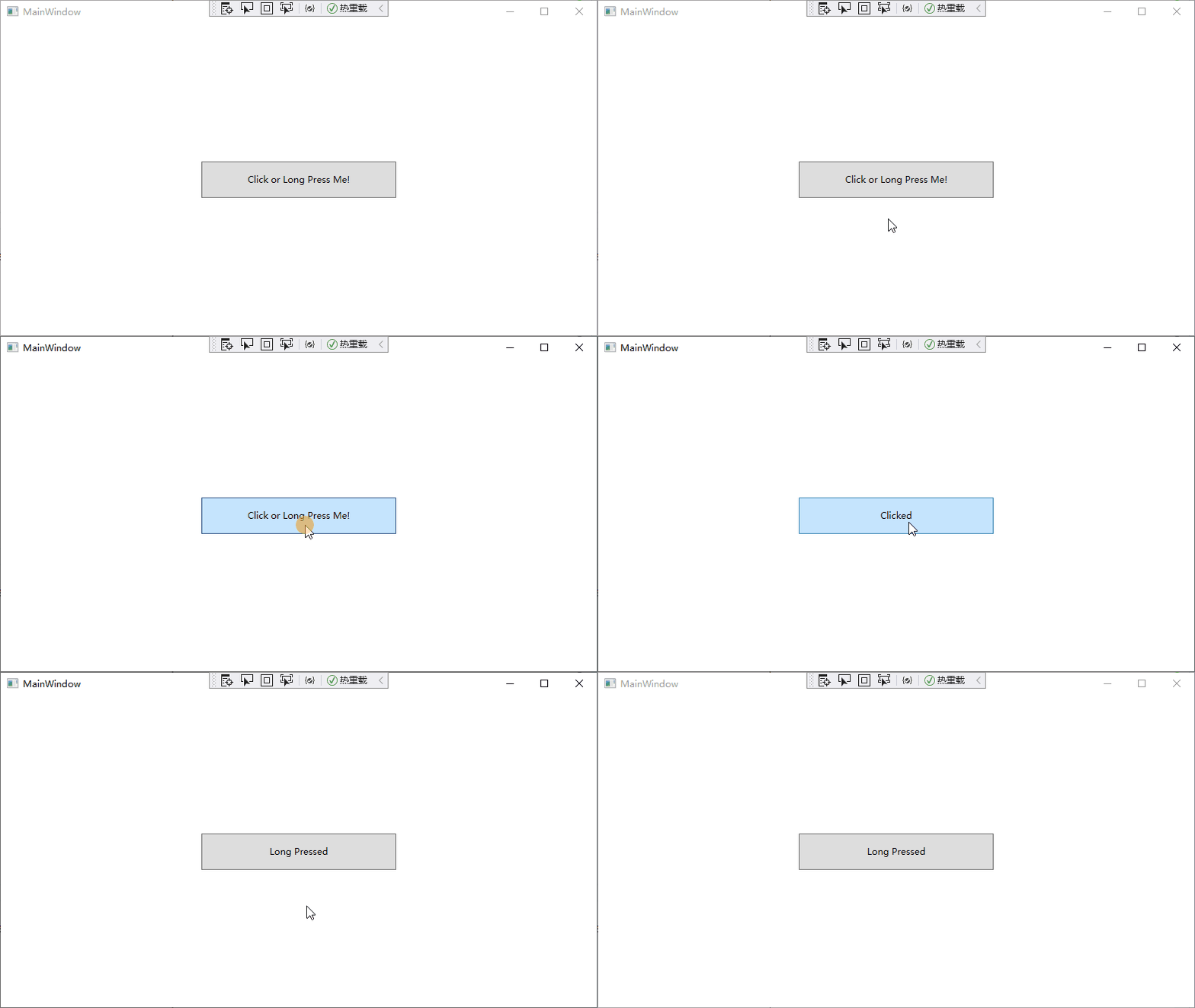
之后再进行点击操作,我们就可以看到符合预期的结果
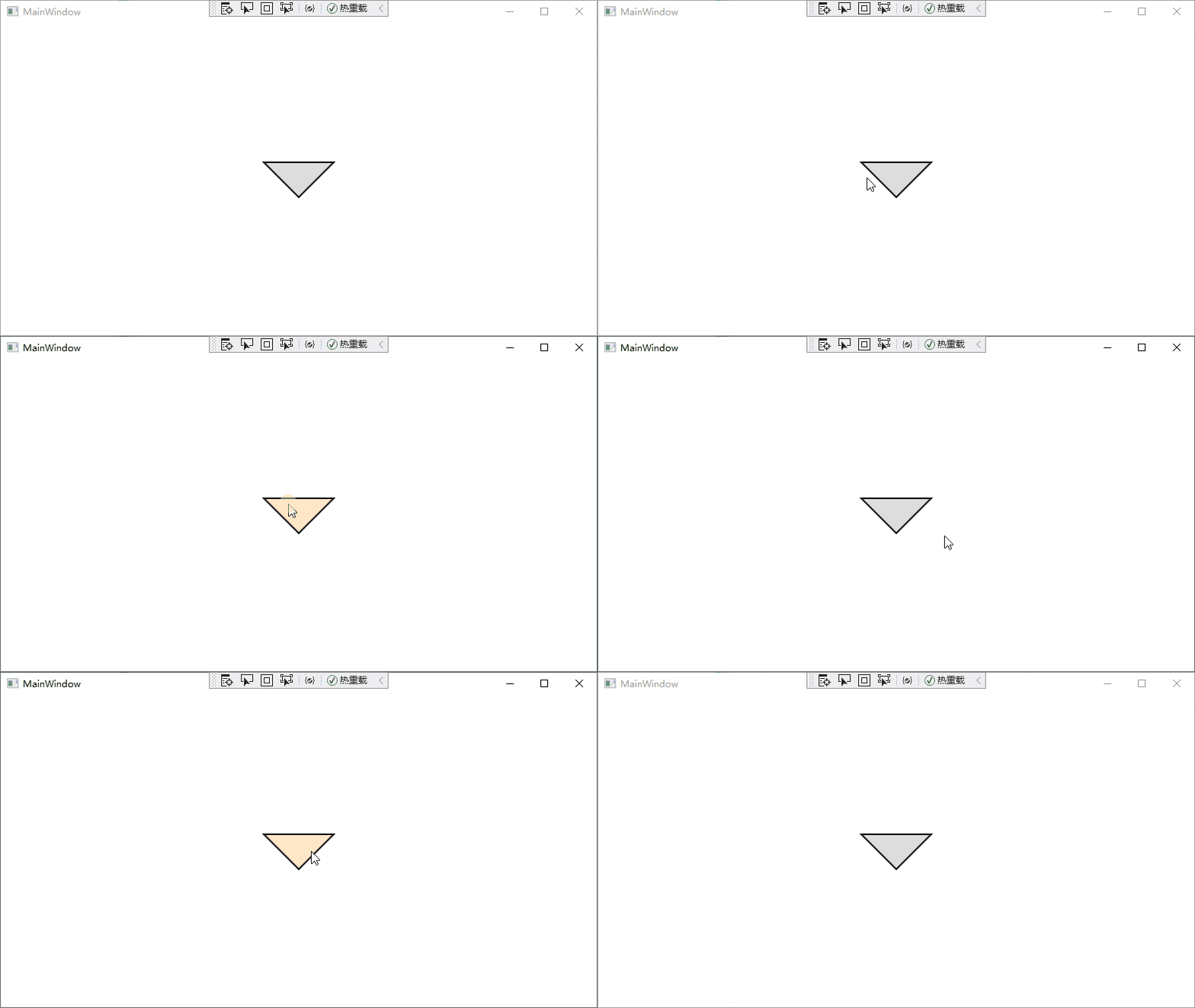
长按+Style按钮的展示效果
外观Style自定义见这篇文章:WPF自定义按钮外形
参考链接
UIElement.MouseLeftButtonDown Event
用户控件自定义 DependencyProperty 属性使用教程
WPF 中 DispatcherTimer 计时器
如何:创建自定义路由事件
WPF 自定义带自定义参数路由事件
Use WPF Style in another assemble
Simple WPF: WPF 实现按钮的长按,短按功能的更多相关文章
- WPF实现Twitter按钮效果
最近上网看到这个CSS3实现的Twitter按钮,感觉很漂亮,于是想用WPF来实现下. 实现这个效果,参考了CSS3 原文地址:http://www.html5tricks.com/css3-twit ...
- WPF 带清除按钮的文字框SearchTextBox
原文:WPF 带清除按钮的文字框SearchTextBox 基于TextBox的带清除按钮的搜索框 样式部分: <!--带清除按钮文字框--> <Style TargetType=& ...
- WPF实现Twitter按钮效果(转)
最近上网看到这个CSS3实现的Twitter按钮,感觉很漂亮,于是想用WPF来实现下. 实现这个效果,参考了CSS3 原文地址:http://www.html5tricks.com/css3-twit ...
- 在VS2005中设置WPF中自定义按钮的事件
原文:在VS2005中设置WPF中自定义按钮的事件 上篇讲了如何在Blend中绘制圆角矩形(http://blog.csdn.net/johnsuna/archive/2007/08/13/17407 ...
- [原译]一步步教你制作WPF圆形玻璃按钮
原文:[原译]一步步教你制作WPF圆形玻璃按钮 图1 1.介绍 从我开始使用vista的时候,我就非常喜欢它的圆形玻璃按钮.WPF最好的一个方面就是允许自定义任何控件的样式.用了一段时间的Micros ...
- WPF中使用AxisAngleRotation3D实现CAD的2D旋转功能
原文:WPF中使用AxisAngleRotation3D实现CAD的2D旋转功能 对于CAD图形来说,3D旋转比较常用,具体实现方法在上篇文章<WPF中3D旋转的实现 >中做了 ...
- nginx 代理tcp长连接短连接配置
https://blog.csdn.net/tayinyinyueyue/article/details/78932697 nginx使用ngx_stream_core_module模块代理tcp长连 ...
- 长连接 短连接 RST报文
https://baike.baidu.com/item/短连接 短连接(short connnection)是相对于长连接而言的概念,指的是在数据传送过程中,只在需要发送数据时,才去建立一个连接,数 ...
- WPF学习笔记(2)——动画效果按钮变长
说明(2017-6-12 11:26:48): 1. 视频教程里是把一个按钮点击一下,慢慢变长: 注意几个方面: (1)RoutedEvent="Button.Click",这里面 ...
- WPF datagrid 列按钮使用
原文:WPF中使用DataGrid时操作列按钮问题 <DataGrid x:Name="datagrid" AutoGenerateColumns="Fal ...
随机推荐
- linux sftp连接报错:JSchException: Algorithm negotiation fail解决方案
问题描述 我们用jsch包进行ssh登录的时候会报这个错误: com.jcraft.jsch.JSchException: Algorithm negotiation fail at com.jcra ...
- NumPy 数组迭代与合并详解
NumPy 数组迭代 NumPy 数组迭代是访问和处理数组元素的重要方法.它允许您逐个或成组地遍历数组元素. 基本迭代 我们可以使用 Python 的基本 for 循环来迭代 NumPy 数组. 一维 ...
- 4G EPS 的网络协议栈
目录 文章目录 目录 前文列表 LTE/EPC 协议栈 E-UTRAN 空中接口协议栈 用户平面协议 PHY 层 MAC 层 RLC 层 PDCP 层 控制平面协议 RRC 层 NAS 层 EPC 核 ...
- pageoffice 6 Vue+Springboot磁盘路径打开文档
本示例关键代码的编写位置 Vue+Springboot 注意 本文中展示的代码均为关键代码,复制粘贴到您的项目中,按照实际的情况,例如文档路径,用户名等做适当修改即可使用. 在正式的项目开发中,用户文 ...
- keycloak~正确让api接口支持跨域
相关参考 https://leejjon.medium.com/how-to-allow-cross-origin-requests-in-a-jax-rs-microservice-d2a6aa2d ...
- 史上最全shell脚本编程语法上册
1. shell 脚本语言的基本用法 1.1 shell 脚本的用途 将简单的命令组合完成复杂的工作,自动化执行命令,提高工作效率: 减少手工命令的输入,一定程度上避免人为错误: 将软件或应用的安装及 ...
- jsonp原理详解——终于弄明白了JSONP
什么是JSONP? 其实网上关于JSONP的讲解有很多,但却千篇一律,而且云里雾里,对于很多刚接触的人来讲理解起来有些困难,着用自己的方式来阐释一下这个问题,看看是否有帮助. 1.一个众所周知的问题, ...
- 鸿蒙极速入门(五)-路由管理(Router)
页面路由指在应用程序中实现不同页面之间的跳转和数据传递.HarmonyOS提供了Router模块,通过不同的url地址,可以方便地进行页面路由,轻松地访问不同的页面. 一.基础使用 Router模块提 ...
- TypeScript keyof
keyof 是 TypeScript 中的一个关键字,用于获取一个类型的所有键(属性名)构成的联合类型.它主要用于在类型系统中引用对象类型的键. 以下是一些 keyof 的用法和示例: 1. 获取对象 ...
- kettle从入门到精通 第十课 kettle switch/case、过滤记录、数值范围
1.java代码里面有if else .switch-case等流程控制,kettle也有相应控件.下图便用到switch/case.过滤记录.数值范围控件. 2. switch/case步骤 1)步 ...