
ObjectAnimator属性动画应用demo
感谢慕课网--eclipse_xu
布局文件:activity_main.xml
 <FrameLayout xmlns:android="http://schemas.android.com/apk/res/android"

     xmlns:tools="http://schemas.android.com/tools"

     android:layout_width="match_parent"

     android:layout_height="match_parent"

     tools:context="com.example.animationapp.MainActivity" >

     <ImageView

         android:id="@+id/im0"

         android:layout_width="wrap_content"

         android:layout_height="wrap_content"

         android:paddingLeft="3dp"

         android:paddingTop="3dp"

         android:src="@drawable/b" />

     <ImageView

         android:id="@+id/im1"

         android:layout_width="wrap_content"

         android:layout_height="wrap_content"

         android:paddingLeft="3dp"

         android:paddingTop="3dp"

         android:src="@drawable/c" />

     <ImageView

         android:id="@+id/im2"

         android:layout_width="wrap_content"

         android:layout_height="wrap_content"

         android:paddingLeft="3dp"

         android:paddingTop="3dp"

         android:src="@drawable/d" />

     <ImageView

         android:id="@+id/im3"

         android:layout_width="wrap_content"

         android:layout_height="wrap_content"

         android:paddingLeft="3dp"

         android:paddingTop="3dp"

         android:src="@drawable/e" />

     <ImageView

         android:id="@+id/im4"

         android:layout_width="wrap_content"

         android:layout_height="wrap_content"

         android:paddingLeft="3dp"

         android:paddingTop="3dp"

         android:src="@drawable/f" />

     <ImageView

         android:id="@+id/im5"

         android:layout_width="wrap_content"

         android:layout_height="wrap_content"

         android:paddingLeft="3dp"

         android:paddingTop="3dp"

         android:src="@drawable/g" />

     <ImageView

         android:id="@+id/im6"

         android:layout_width="wrap_content"

         android:layout_height="wrap_content"

         android:paddingLeft="3dp"

         android:paddingTop="3dp"

         android:src="@drawable/h" />

     <ImageView

         android:id="@+id/im7"

         android:layout_width="wrap_content"

         android:layout_height="wrap_content"

         android:src="@drawable/a" />

 </FrameLayout>
图片资源
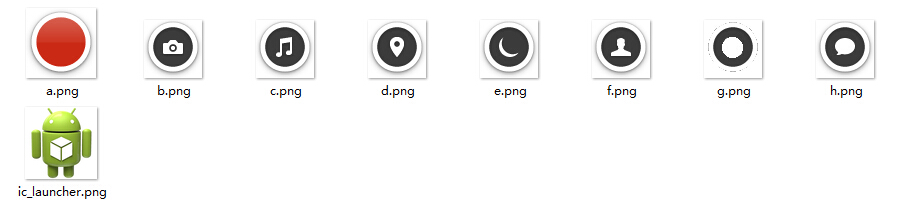
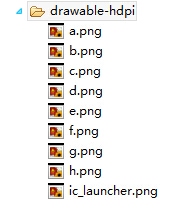
MainActivity.java
 package com.example.animationapp;

 import java.util.ArrayList;

 import java.util.List;

 import android.support.v7.app.ActionBarActivity;

 import android.animation.ObjectAnimator;

 import android.os.Bundle;

 import android.view.Menu;

 import android.view.MenuItem;

 import android.view.View;

 import android.view.View.OnClickListener;

 import android.view.animation.BounceInterpolator;

 import android.widget.ImageView;

 import android.widget.Toast;

 public class MainActivity extends ActionBarActivity implements OnClickListener {

     private int[] res = {R.id.im0, R.id.im1,R.id.im2,

             R.id.im3,R.id.im4,R.id.im5,R.id.im6,R.id.im7};

     private List<ImageView>  list = new ArrayList<ImageView>();

     private boolean flag = true;

     @Override

     protected void onCreate(Bundle savedInstanceState) {

         super.onCreate(savedInstanceState);

         setContentView(R.layout.activity_main);

         initView();

     }

     private void initView() {

         for(int i = 0; i < res.length; i++){

             ImageView im = (ImageView) findViewById(res[i]);

             im.setOnClickListener(this);

             list.add(im);

         }

     }

     @Override

     public void onClick(View v) {

         switch(v.getId()){

         //im7最后布局,叠加在最上面

         case R.id.im7:{

             if(flag){

                 startAnimation();

                 flag = false;

             }else{

                 closeAnimation();

                 flag = true;

             }

             break;

         }

         default:

             Toast.makeText(MainActivity.this, v.getId()+"OK", Toast.LENGTH_SHORT).show();

             break;

         }

     }

     private void closeAnimation() {

         for(int i = 0 ;i<res.length-1; i++){

             ObjectAnimator oa = ObjectAnimator.ofFloat(list.get(i),

                     "translationY",i*200F, 0F );

             oa.setDuration(100);

             //oa.setStartDelay(50*i);

             oa.start();

         }

     }

     private void startAnimation() {

         //此处只需要弹出其余7个图标,最上边的图标im7不动

         for(int i = 0 ;i<res.length-1; i++){

             //属性动画操作类

             ObjectAnimator oa = ObjectAnimator.ofFloat(list.get(i),

                     "translationY", 0F, i*200F);

             oa.setDuration(200);

             //oa.setInterpolator(new BounceInterpolator());

             //oa.setStartDelay(200*i);

             oa.start();

         }

     }

 }
ObjectAnimator属性动画应用demo的更多相关文章
- ObjectAnimator属性动画示例代码
import android.animation.AnimatorSet; import android.animation.ObjectAnimator; import android.app.Ac ...
- Android属性动画之第一重修炼总结
经过这两天对ObjectAnimator属性动画的学习,基本对Android提供的属性动画有了一定的认识,现在就为大家以一个类似扇形打开的效果做总结. 效果图: 下面就让我们用刚刚学到的属性动画效果, ...
- Android 属性动画框架 ObjectAnimator、ValueAnimator ,这一篇就够了
前言 我们都知道 Android 自带了 Roate Scale Translate Alpha 多种框架动画,我们可以通过她们实现丰富的动画效果,但是这些宽家动画却有一个致命的弱点,它们只是改变了 ...
- Android基础夯实--重温动画(五)之属性动画 ObjectAnimator详解
只有一种真正的英雄主义 一.摘要 ObjectAnimator是ValueAnimator的子类,它和ValueAnimator一样,同样具有计算属性值的功能,但对比ValueAnimator,它会更 ...
- 【转】android 属性动画之 ObjectAnimator
原文网址:http://blog.csdn.net/feiduclear_up/article/details/39255083 前面一篇博客讲解了 android 简单动画之 animtion,这里 ...
- Android属性动画之ObjectAnimator
相信对于Android初学者,对于Android中的动画效果一定很感兴趣,今天为大家总结一下刚刚学到的属性动画案例. 首先和一般的Android应用一样,我们先建一个工程,为了方便,我们的布局文件中就 ...
- Android属性动画完全解析(中),ValueAnimator和ObjectAnimator的高级用法
转载请注明出处:http://blog.csdn.net/guolin_blog/article/details/43536355 大家好,在上一篇文章当中,我们学习了Android属性动画的基本用法 ...
- android 开发 View _2_ View的属性动画ObjectAnimator ,动画效果一览
支持:https://www.cnblogs.com/whoislcj/p/5738478.html translationX的效果: protected void onCreate(Bundle s ...
- Android 属性动画ObjectAnimator和ValueAnimator讲解
区别: ObjectAnimator 是直接对某个view进行更改. ValueAnimator 根据 TimeInterpolator 在不断产生相应的数据,来传进view ,view自己做改变. ...
随机推荐
- JDBC常用API小结
建立数据库链接的三种方式: package com.victor_01; import java.sql.Connection; import java.sql.Driver; import java ...
- PHP环境配置-从Apache官网下载windows版apache服务器
由于个人有强迫倾向,下载软件都喜欢从官网下载,摸索了好久终于摸清楚怎么从Apache官网下载windows安装版的Apache服务器了,现在分享给大家. 进入apache服务器官网http://htt ...
- 把《c++ primer》读薄(3-3 标准库bitset类型)
督促读书,总结精华,提炼笔记,抛砖引玉,有不合适的地方,欢迎留言指正. //开头 #include <bitset> using std::bitset; 问题1.标准库bitset类型( ...
- 走进vue.js(一)
走进vue.js(一) vue.js作为目前最具前景的前端框架之一,既然如此,博主贯彻以往的作风,肯定要捣鼓一番,经过为期半个多月的研究,算是对vue有了深刻的理解与认识,下面分三个章节解开vue.j ...
- nodejs 代理 解决开发环境跨域问题
前后端分离项目中,会遇到跨域问题.解决方法无非就是jsonp cors等. 本次项目前端不搭node服务,线上用nginx搭站点,nginx转发ajax请求server. 本地开发环境的跨域问题用no ...
- DotNet程序集解析
在.NET Framework框架中,程序集是重用.安全性以及版本控制的最小单元.程序集的定义为:程序集是一个或多个类型定义文件及资源文件的集合.程序集主要包含:PE/COFF,CLR头,元数据,清单 ...
- CSS表格溢出省略号代替及其他标签
box-shadow: 20px 20px 55px #777; // div阴影效果 filter:alpha(opacity=60) //设置透明度为60 opacity:0.6 //非IE浏览器 ...
- iOS 商品倒计时 限时特价 限时优惠 功能的封装
最近项目中多个页面用到了 商品特价倒计时的功能 为了偷懒 于是自己封装了一个限时抢购 倒计时的view 代码实现如下: 定向价 限时特价 模型代码实现: #pragma mark 商品定向价模型 @ ...
- Windows下80端口被pid为4的System进程占用解决方法
前言 之前是Windows 7系统,前段时间装了Windows 10,php环境还没来得及搭建.今天折腾了一下,是用nginx+php,端口是80(已经停止了iis服务),nginx就是起不来,十之八 ...
- WPF语音播放MediaPlayer
private MediaPlayer player; public MainWindow() { InitializeComponent(); player = new MediaPlayer(); ...