
ObjectAnimator属性动画应用demo
感谢慕课网--eclipse_xu
布局文件:activity_main.xml
 <FrameLayout xmlns:android="http://schemas.android.com/apk/res/android"

     xmlns:tools="http://schemas.android.com/tools"

     android:layout_width="match_parent"

     android:layout_height="match_parent"

     tools:context="com.example.animationapp.MainActivity" >

     <ImageView

         android:id="@+id/im0"

         android:layout_width="wrap_content"

         android:layout_height="wrap_content"

         android:paddingLeft="3dp"

         android:paddingTop="3dp"

         android:src="@drawable/b" />

     <ImageView

         android:id="@+id/im1"

         android:layout_width="wrap_content"

         android:layout_height="wrap_content"

         android:paddingLeft="3dp"

         android:paddingTop="3dp"

         android:src="@drawable/c" />

     <ImageView

         android:id="@+id/im2"

         android:layout_width="wrap_content"

         android:layout_height="wrap_content"

         android:paddingLeft="3dp"

         android:paddingTop="3dp"

         android:src="@drawable/d" />

     <ImageView

         android:id="@+id/im3"

         android:layout_width="wrap_content"

         android:layout_height="wrap_content"

         android:paddingLeft="3dp"

         android:paddingTop="3dp"

         android:src="@drawable/e" />

     <ImageView

         android:id="@+id/im4"

         android:layout_width="wrap_content"

         android:layout_height="wrap_content"

         android:paddingLeft="3dp"

         android:paddingTop="3dp"

         android:src="@drawable/f" />

     <ImageView

         android:id="@+id/im5"

         android:layout_width="wrap_content"

         android:layout_height="wrap_content"

         android:paddingLeft="3dp"

         android:paddingTop="3dp"

         android:src="@drawable/g" />

     <ImageView

         android:id="@+id/im6"

         android:layout_width="wrap_content"

         android:layout_height="wrap_content"

         android:paddingLeft="3dp"

         android:paddingTop="3dp"

         android:src="@drawable/h" />

     <ImageView

         android:id="@+id/im7"

         android:layout_width="wrap_content"

         android:layout_height="wrap_content"

         android:src="@drawable/a" />

 </FrameLayout>
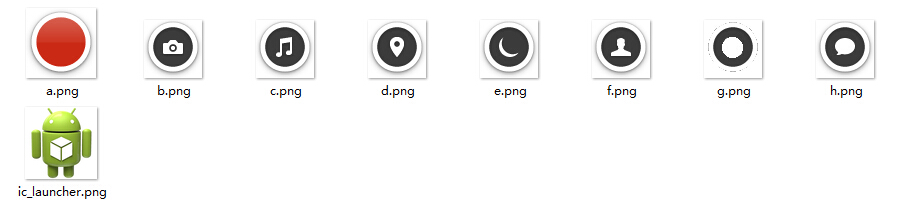
图片资源
MainActivity.java
 package com.example.animationapp;

 import java.util.ArrayList;

 import java.util.List;

 import android.support.v7.app.ActionBarActivity;

 import android.animation.ObjectAnimator;

 import android.os.Bundle;

 import android.view.Menu;

 import android.view.MenuItem;

 import android.view.View;

 import android.view.View.OnClickListener;

 import android.view.animation.BounceInterpolator;

 import android.widget.ImageView;

 import android.widget.Toast;

 public class MainActivity extends ActionBarActivity implements OnClickListener {

     private int[] res = {R.id.im0, R.id.im1,R.id.im2,

             R.id.im3,R.id.im4,R.id.im5,R.id.im6,R.id.im7};

     private List<ImageView>  list = new ArrayList<ImageView>();

     private boolean flag = true;

     @Override

     protected void onCreate(Bundle savedInstanceState) {

         super.onCreate(savedInstanceState);

         setContentView(R.layout.activity_main);

         initView();

     }

     private void initView() {

         for(int i = 0; i < res.length; i++){

             ImageView im = (ImageView) findViewById(res[i]);

             im.setOnClickListener(this);

             list.add(im);

         }

     }

     @Override

     public void onClick(View v) {

         switch(v.getId()){

         //im7最后布局,叠加在最上面

         case R.id.im7:{

             if(flag){

                 startAnimation();

                 flag = false;

             }else{

                 closeAnimation();

                 flag = true;

             }

             break;

         }

         default:

             Toast.makeText(MainActivity.this, v.getId()+"OK", Toast.LENGTH_SHORT).show();

             break;

         }

     }

     private void closeAnimation() {

         for(int i = 0 ;i<res.length-1; i++){

             ObjectAnimator oa = ObjectAnimator.ofFloat(list.get(i),

                     "translationY",i*200F, 0F );

             oa.setDuration(100);

             //oa.setStartDelay(50*i);

             oa.start();

         }

     }

     private void startAnimation() {

         //此处只需要弹出其余7个图标,最上边的图标im7不动

         for(int i = 0 ;i<res.length-1; i++){

             //属性动画操作类

             ObjectAnimator oa = ObjectAnimator.ofFloat(list.get(i),

                     "translationY", 0F, i*200F);

             oa.setDuration(200);

             //oa.setInterpolator(new BounceInterpolator());

             //oa.setStartDelay(200*i);

             oa.start();

         }

     }

 }
ObjectAnimator属性动画应用demo的更多相关文章
- ObjectAnimator属性动画示例代码
import android.animation.AnimatorSet; import android.animation.ObjectAnimator; import android.app.Ac ...
- Android属性动画之第一重修炼总结
经过这两天对ObjectAnimator属性动画的学习,基本对Android提供的属性动画有了一定的认识,现在就为大家以一个类似扇形打开的效果做总结. 效果图: 下面就让我们用刚刚学到的属性动画效果, ...
- Android 属性动画框架 ObjectAnimator、ValueAnimator ,这一篇就够了
前言 我们都知道 Android 自带了 Roate Scale Translate Alpha 多种框架动画,我们可以通过她们实现丰富的动画效果,但是这些宽家动画却有一个致命的弱点,它们只是改变了 ...
- Android基础夯实--重温动画(五)之属性动画 ObjectAnimator详解
只有一种真正的英雄主义 一.摘要 ObjectAnimator是ValueAnimator的子类,它和ValueAnimator一样,同样具有计算属性值的功能,但对比ValueAnimator,它会更 ...
- 【转】android 属性动画之 ObjectAnimator
原文网址:http://blog.csdn.net/feiduclear_up/article/details/39255083 前面一篇博客讲解了 android 简单动画之 animtion,这里 ...
- Android属性动画之ObjectAnimator
相信对于Android初学者,对于Android中的动画效果一定很感兴趣,今天为大家总结一下刚刚学到的属性动画案例. 首先和一般的Android应用一样,我们先建一个工程,为了方便,我们的布局文件中就 ...
- Android属性动画完全解析(中),ValueAnimator和ObjectAnimator的高级用法
转载请注明出处:http://blog.csdn.net/guolin_blog/article/details/43536355 大家好,在上一篇文章当中,我们学习了Android属性动画的基本用法 ...
- android 开发 View _2_ View的属性动画ObjectAnimator ,动画效果一览
支持:https://www.cnblogs.com/whoislcj/p/5738478.html translationX的效果: protected void onCreate(Bundle s ...
- Android 属性动画ObjectAnimator和ValueAnimator讲解
区别: ObjectAnimator 是直接对某个view进行更改. ValueAnimator 根据 TimeInterpolator 在不断产生相应的数据,来传进view ,view自己做改变. ...
随机推荐
- java泛型上下限
前言: java的泛型上下限不是很好理解,尤其像我这种菜鸡.反反复复看了好几遍了...,真是... 一.简单的继承体系 class Person{} class Student extends Per ...
- ASP.NET WebAPi之断点续传下载(中)
前言 前情回顾:上一篇我们遗留了两个问题,一个是未完全实现断点续传,另外则是在响应时是返回StreamContent还是PushStreamContent呢?这一节我们重点来解决这两个问题,同时就在此 ...
- 【前端性能】必须要掌握的原生JS实现JQuery
很多时候,我们经常听见有人说jquery有多快多快.在这个各种类库满天飞的时候,不得不说的是,能有原生JS快吗? 是的,明显原生JS要更快,因为诸如JQuery这样的库必须要兼容各种浏览器和低版本和许 ...
- IO通道
本文原创,转载需标明原处. 通道,主要负责传输数据,相当于流,但流只能是输入或输出类型中的其一,而通道则可以兼并二者. 通道的基类是:Channel boolean isOpen() void clo ...
- spring源码分析之定时任务Scheduled注解
1. @Scheduled 可以将一个方法标识为可定时执行的.但必须指明cron(),fixedDelay(),或者fixedRate()属性. 注解的方法必须是无输入参数并返回空类型void的. @ ...
- swift 新特性
switch支持任意类型的数据以及各种比较操作——不仅仅是整数以及测试相等. 运行switch中匹配到的子句之后,程序会退出switch语句,并不会继续向下运行,所以不需要在每个子句结尾写break. ...
- ubuntu super daemon设置
super daemon是一个在Linux下面全面管理自己服务设置的东东,他可以接管很多服务的设定,只需要在/etc/xinetd.d/下面放置好自己的配置文件就可以了,那么,具体应该怎么配置呢? ...
- DOM 节点的克隆与删除
无奈的开头 关于DOM节点操作,如果仅仅是根据标准API来操作,那是最简单不过的了.但是现实中却哪有这么容易的问题让我们解决,其实不仅仅是节点的克隆与删除,节点的添加也是如此,而且添加节点需要考虑的情 ...
- Google数据中心B4网络具体实现
① 背景介绍 Google的网络有两种,一种是数据中心内部网络,另外一种是WAN网,其中WAN网又分为两种:一是数据中心之间的互联网络,属于内部网络(G-Scale Network),另外一种是面向I ...
- 【JUC】JDK1.8源码分析之CopyOnWriteArraySet(七)
一.前言 分析完了CopyOnWriteArrayList后,下面接着分析CopyOnWriteArraySet,CopyOnWriteArraySet与CopyOnWriteArrayList有莫大 ...