
pygame.error: Couldn't open images/ship.bmp
在《python编程:从入门到实践》这本书中的《外星人入侵》的项目里有如下代码:
|
1
2 3 4 5 6 7 8 9 10 11 12 13 14 15 |
import pygame
class Ship(): def __init__(self, screen): """初始化飞船并设置其初始位置""" self.screen = screen # 加载飞船图像并获取其外接矩形 self.image = pygame.image.load('images/ship.bmp') self.rect = self.image.get_rect() self.screen_rect = screen.get_rect() # 将每艘新飞船放在屏幕底部中央 self.rect.centerx = self.screen_rect.centerx self.rect.bottom = self.screen_rect.bottom def blitme(self): """在指定位置绘制飞船""" self.screen.blit(self.image, self.rect) |
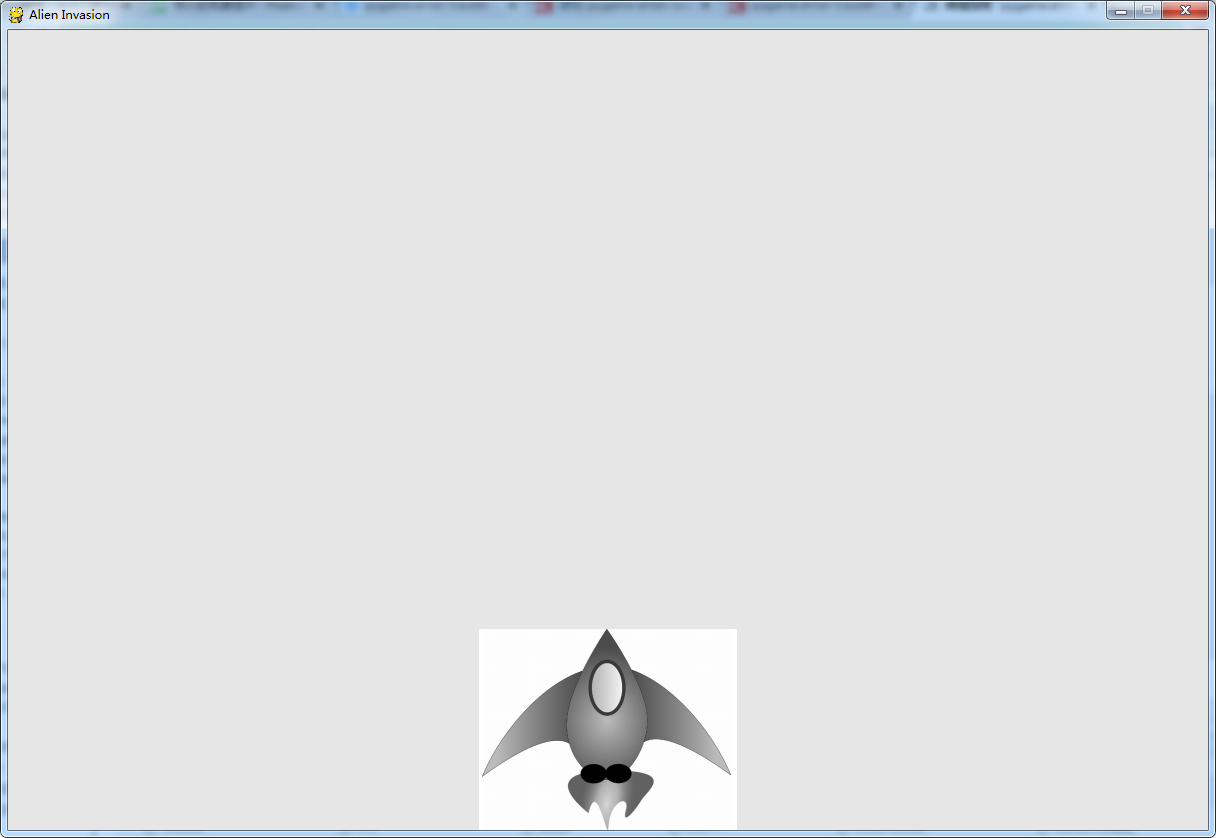
运行时可能会出现错误:pygame.error: Couldn’t open images/ship.bmp
将self.image = pygame.image.load(‘images/ship.bmp’)中的图片路径补全。(因为是Windows系统所以用反斜杠“\”)
然后在路径前加一个 r 读取图片文件。具体代码如下:
|
1
2 3 4 5 6 7 8 9 10 11 12 13 14 15 16 |
import pygame
class Ship(): def __init__(self, screen): """初始化飞船并设置其初始位置""" self.screen = screen # 加载飞船图像并获取其外接矩形 # self.image = pygame.image.load('images\ship.bmp') self.image = pygame.image.load(r'D:\ship.bmp') self.rect = self.image.get_rect() self.screen_rect = screen.get_rect() # 将每艘新飞船放在屏幕底部中央 self.rect.centerx = self.screen_rect.centerx self.rect.bottom = self.screen_rect.bottom def blitme(self): """在指定位置绘制飞船""" self.screen.blit(self.image, self.rect) |
pygame.error: Couldn't open images/ship.bmp的更多相关文章
- pygame.error: video system not initialized
在pygame写游戏出现pygame.error: video system not initialized 源代码 import sysimport pygamedef run_game(): py ...
- pygame加载中文名mp3文件出现error
好一阵子没有写东西了,最近几天在做一个基于Python pygame的音乐播放器,本来想做完了,再来发篇文章的,可越做越深,框架大致出来了,考虑周期比较长,也可能是我个人问题,做得比较慢,最近.下面来 ...
- pygame模块参数汇总(python游戏编程)
一.HelloWorld pygame.init() #初始函数,使用pygame的第一步: pygame.display.set_mod((600,500),0,32) #生成主屏幕screen:第 ...
- Python pygame库的应用
今天想用pygame库写一个击打外星人飞船的python程序 这个游戏的效果是操纵一个位于屏幕底端的飞船,通过上下左右控制飞船移动方向,按空格发射子弹.游戏中击杀一批飞船后进入下一关卡.每一关卡击打飞 ...
- Pygame小游戏练习二
@Python编程从入门到实践 Python项目练习 四.创建Ship类 建立ship.py,创建Ship类,管理飞船行为. # ship.py import pygame class Ship(): ...
- Python小游戏——外星人入侵(保姆级教程)第一章 03设置飞船图片 04创建Ship类
系列文章目录 第一章:武装飞船 03:设置飞船图片 04:创建Ship类--管理飞船行为的类 一.设置飞船图片 1.注意事项 A.将图片设置为位图bmp格式最简单,因为pygame默认加载位图 B.飞 ...
- Some User Can Not Execute "Ship Confirm"(Doc ID 473312.1)
APPLIES TO: Oracle Shipping Execution - Version 11.5.10.2 and later Information in this document app ...
- pygame系列_箭刺Elephant游戏
这个游戏原名为:Chimp,我们可以到: http://www.pygame.org/docs/tut/chimp/ChimpLineByLine.html 获取到源码和详细的源码讲解 下面是我对游戏 ...
- 基于pygame实现飞机大战【面向过程】
一.简介 pygame 顶级pygame包 pygame.init - 初始化所有导入的pygame模块 pygame.quit - uninitialize所有pygame模块 pygame.err ...
随机推荐
- [Issue]git做rebase时,弹出编辑器为nano,不会使用
今天在做一个branch的rebase, 执行git rebase -i master的时候,自动弹出了nano 编译器,捣鼓了很久,还是不会编译,保存退出,执行Ctrl+X就自动结束了,查了下,需要 ...
- oozie 客户端常用命令
1.提交作业,作业进入PREP状态 oozie job -oozie http://localhost:11000/oozie -config job.properties -submit job: ...
- Django添加防跨站请求伪造中间件
第一步: 在全局设置中打开此中间件: MIDDLEWARE_CLASSES = [ ... 'django.middleware.csrf.CsrfViewMiddleware', ... ] ...
- 再谈git的http服务-权限控制hooks版
通过git-http-backend方法提供的http服务基本上可以做到认证用户才能使用,但只能控制到服务器路径访问,而且无法区分读写.经过不懈努力,找到了方法,相关脚本及配置见后. 基本思路就是利用 ...
- etl的表输入时精度问题
SELECT RecipeID, IngredientID as ingre_id, ROUND(Quantity, 5) Quantity, Preparation, RecipeIngredien ...
- 关于Unity中的世界坐标和局部坐标
1.物体的局部坐标的方向(物体自身的方向) transform.forward. transform.right. transform.up 2.物体的世界坐标的方向 Vector3.forward. ...
- selenium(java)处理HTML5的视频播放
大多数浏览器使用控件(如 Flash) 来播放规频,但是,不同的浏览器需要使用不同的插件.HTML5 定义了一个新的元素<video>,,指定了一个标准的方式来嵌入电影片段.IE9+.Fi ...
- 【吉比特】G-bits2018校园春季招聘技术类岗位笔试经验
笔试公司:厦门吉比特网络技术股份有限公司 笔试岗位:游戏研发工程师 笔试时间:2018年3月30日19:00-20:30 笔试形式:牛客网在线做题 笔试回忆: 笔试总共时长1小时半,共52道题.其中选 ...
- 2015年第六届蓝桥杯C/C++B组省赛题目解析
一.奖券数目 有些人很迷信数字,比如带“4”的数字,认为和“死”谐音,就觉得不吉利.虽然这些说法纯属无稽之谈,但有时还要迎合大众的需求.某抽奖活动的奖券号码是5位数(10000-99999),要求其中 ...
- iPhone开发中,关于视图跳转的总结(转)
iPhone开发中,关于视图跳转的总结 iPhone开发中从一个视图跳到另一个视图有三种方法: 1. self.view addSubView:view .self.window addSubView ...