
Packetbeat简介
Packetbeat简介
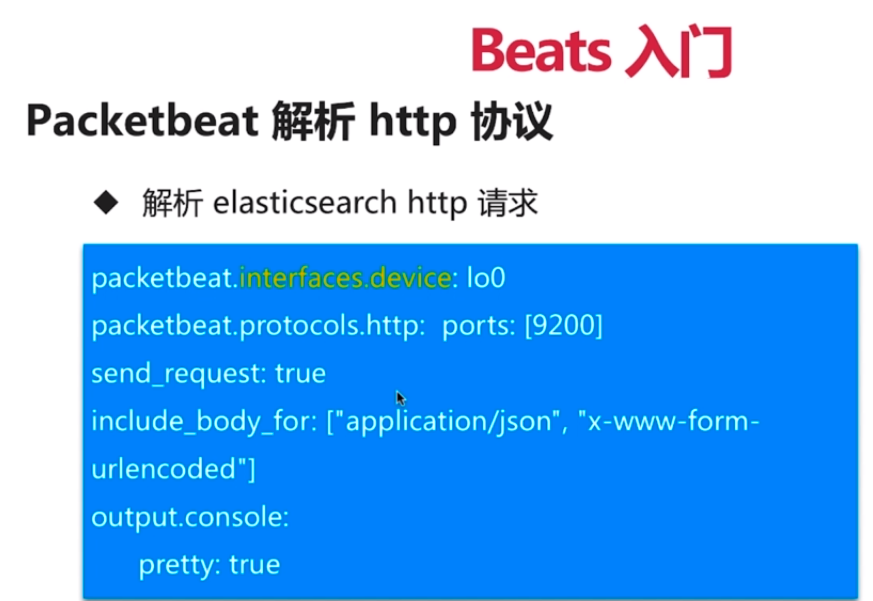
抓包示例
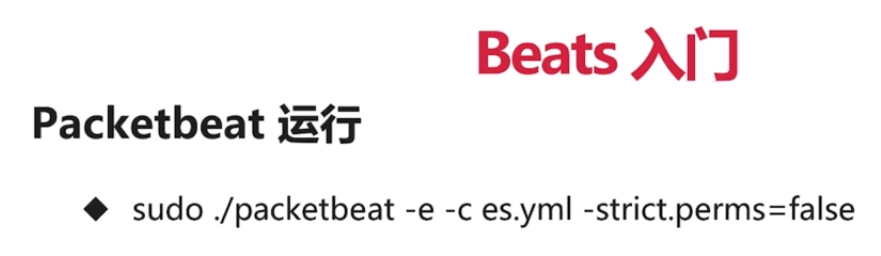
下载packetbeat
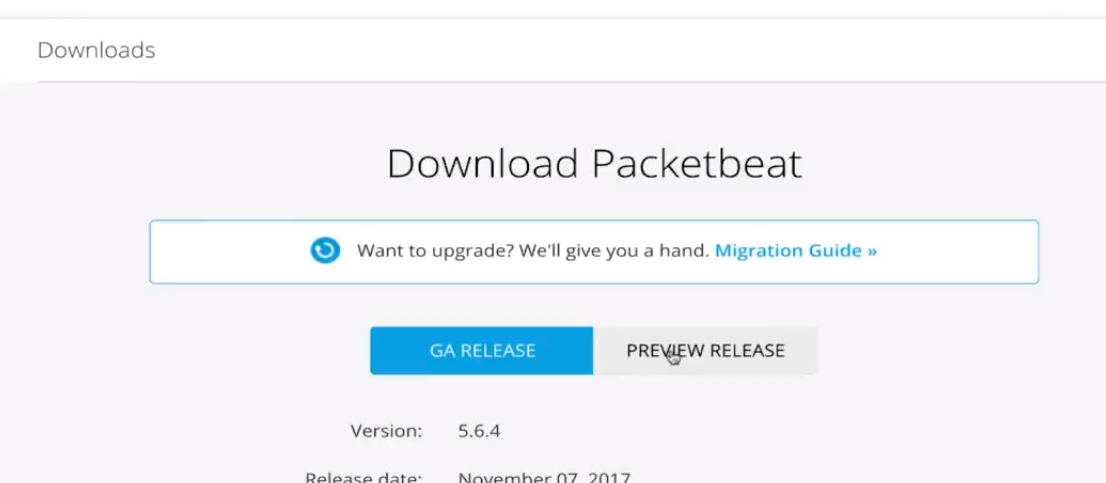
抓取elasticsearch的包
①启动elasticsearch

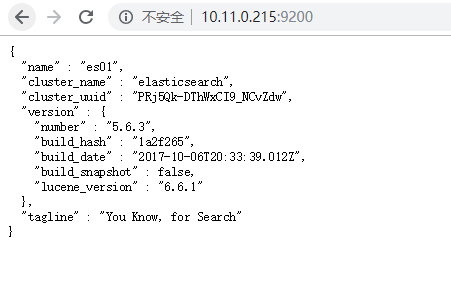
启动packetbeat
配置es.yml
#################### Packetbeat Configuration Example #########################
# This file is an example configuration file highlighting only the most common
# options. The packetbeat.full.yml file from the same directory contains all the
# supported options with more comments. You can use it as a reference.
#
# You can find the full configuration reference here:
# https://www.elastic.co/guide/en/beats/packetbeat/index.html
#============================== Network device ================================
# Select the network interface to sniff the data. On Linux, you can use the
# "any" keyword to sniff on all connected interfaces.
packetbeat.interfaces.device: lo0
packetbeat.protocols.http:
# Configure the ports where to listen for HTTP traffic. You can disable
# the HTTP protocol by commenting out the list of ports.
ports: [9200]
send_request: true
include_body_for: ["application/json", "x-www-form-urlencoded"]
#================================ Outputs =====================================
# Configure what outputs to use when sending the data collected by the beat.
# Multiple outputs may be used.
#-------------------------- Elasticsearch output ------------------------------
#output.elasticsearch:
# Array of hosts to connect to.
# hosts: ["localhost:9200"]
# Optional protocol and basic auth credentials.
#protocol: "https"
#username: "elastic"
#password: "changeme"
output.console:
pretty: true
#================================ Logging =====================================
# Sets log level. The default log level is info.
# Available log levels are: critical, error, warning, info, debug
#logging.level: debug
# At debug level, you can selectively enable logging only for some components.
# To enable all selectors use ["*"]. Examples of other selectors are "beat",
# "publish", "service".
#logging.selectors: ["*"]


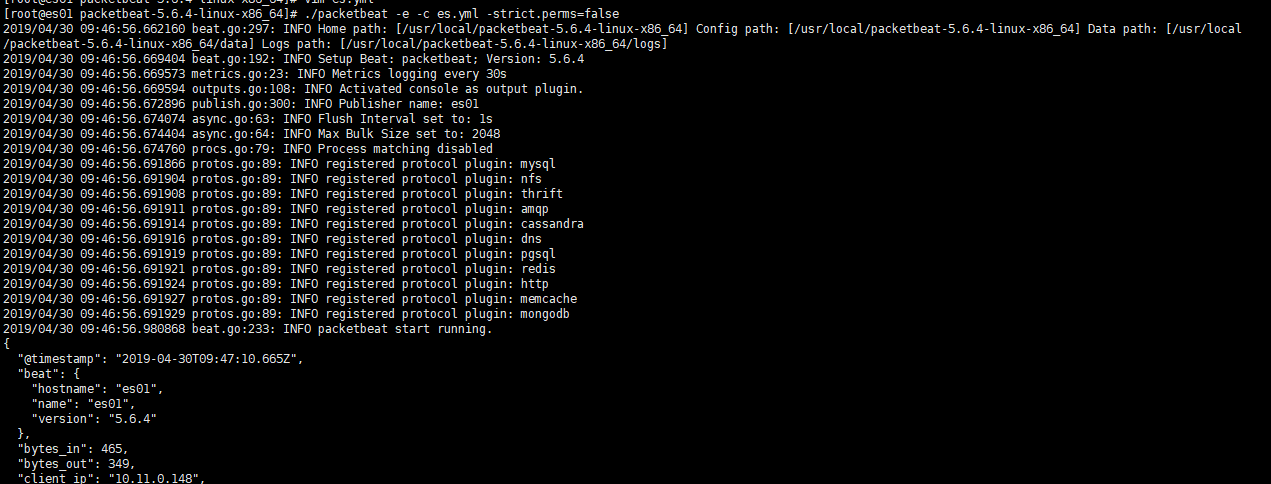
启动
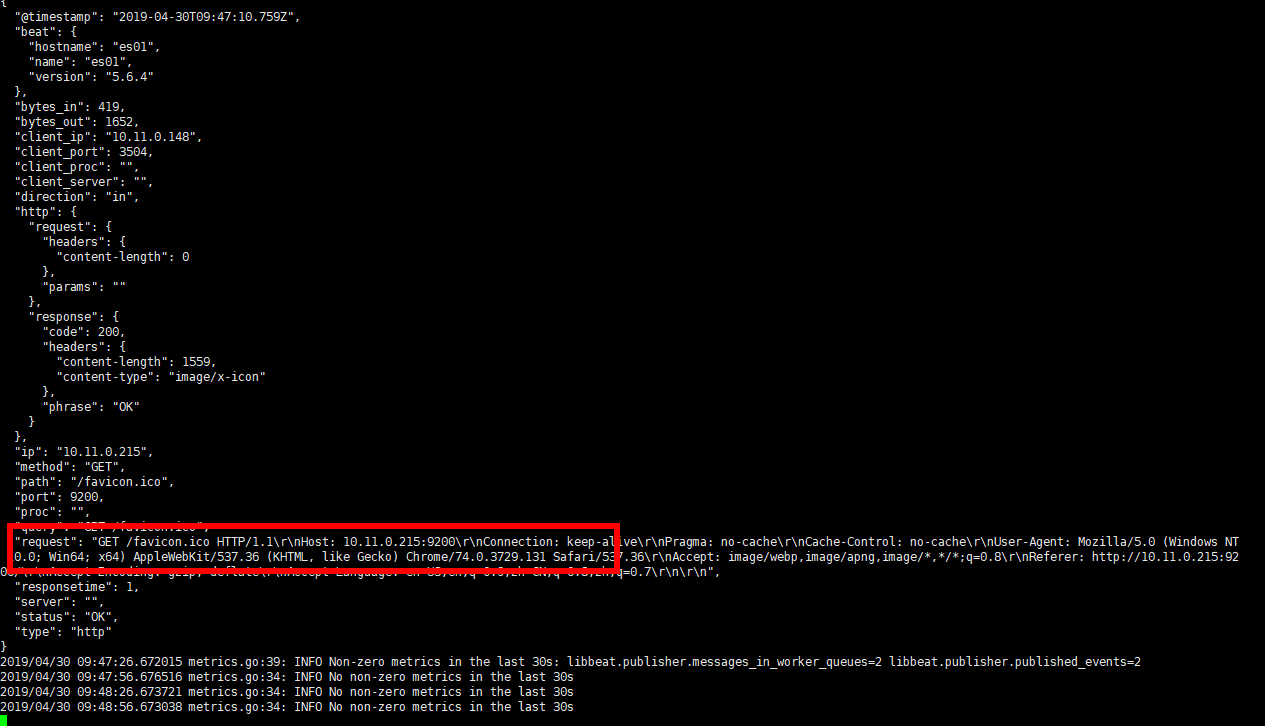
请求elasticsearch

可以看到packetbeat有内容输出
Packetbeat简介的更多相关文章
- Beats、Filebea入门
1. Filebeat配置简介 2. Filebeat收集nginx日志 3. packetbeat简介与演示
- ELK原理与简介
为什么用到ELK: 一般我们需要进行日志分析场景:直接在日志文件中 grep.awk 就可以获得自己想要的信息.但在规模较大的场景中,此方法效率低下,面临问题包括日志量太大如何归档.文本搜索太慢怎么办 ...
- 开源网络抓包与分析框架学习-Packetbeat篇
开源简介packbeat是一个开源的实时网络抓包与分析框架,内置了很多常见的协议捕获及解析,如HTTP.MySQL.Redis等.在实际使用中,通常和Elasticsearch以及kibana联合使用 ...
- 01 . ELK Stack简介原理及部署应用
简介 ELK并不是一款软件,是一整套解决方案,是由ElasticSearch,Logstash和Kibana三个开源工具组成:通常是配合使用,而且先后归于Elastic.co公司名下,简称ELK协议栈 ...
- ASP.NET Core 1.1 简介
ASP.NET Core 1.1 于2016年11月16日发布.这个版本包括许多伟大的新功能以及许多错误修复和一般的增强.这个版本包含了多个新的中间件组件.针对Windows的WebListener服 ...
- MVVM模式和在WPF中的实现(一)MVVM模式简介
MVVM模式解析和在WPF中的实现(一) MVVM模式简介 系列目录: MVVM模式解析和在WPF中的实现(一)MVVM模式简介 MVVM模式解析和在WPF中的实现(二)数据绑定 MVVM模式解析和在 ...
- Cassandra简介
在前面的一篇文章<图形数据库Neo4J简介>中,我们介绍了一种非常流行的图形数据库Neo4J的使用方法.而在本文中,我们将对另外一种类型的NoSQL数据库——Cassandra进行简单地介 ...
- REST简介
一说到REST,我想大家的第一反应就是“啊,就是那种前后台通信方式.”但是在要求详细讲述它所提出的各个约束,以及如何开始搭建REST服务时,却很少有人能够清晰地说出它到底是什么,需要遵守什么样的准则. ...
- Microservice架构模式简介
在2014年,Sam Newman,Martin Fowler在ThoughtWorks的一位同事,出版了一本新书<Building Microservices>.该书描述了如何按照Mic ...
随机推荐
- 常用实验报告LaTex 模板
目录 模板1-无首页有表格头 模板2-有首页 模板1-无首页有表格头 % -*- coding: utf-8 -*- \documentclass{article} \usepackage{listi ...
- charles 手机证书下载安装
本文参考:charles 手机证书下载安装 本文的Charles,适应windows/MAC/IOS/Android,避免抓包HTTPS失败和乱码: 用的版本是V4.1.2,其它版本原理类似: cha ...
- 请求类型 GET 和 POST 的区别
一.GET 一个简单的 GET 请求: xmlhttp.open("GET","demo_get.asp",true); xmlhttp.send(); 在上面 ...
- java kafka
https://blog.csdn.net/panchang199266/article/details/82113453 安装部署 scala语言开发 + java
- DateTime函数
一.初始化: DateTime dt = , , ); DateTime dt1 = DateTime.Now; DateTime dt2 = DateTime.Today; DateTime dt3 ...
- __str__()方法
只要定义了__str__(self)方法,那么就会打印从这个方法中return的数据 class Car: def __init__(self, newWheelNum, newColor): sel ...
- 01_Request和Response
参考文档 http://www.iamnancy.top/djangorestframework/Responses/ https://q1mi.github.io/Django-REST-frame ...
- vuex的使用介绍
1.vuex是什么? vuex是一个专为vue.js应用程序开发的状态管理模式(它采用集中式存贮管理应用的所有组件的状态,并以相应的规则保证状态以一种可预测的方式发生变化). 2.vuex的核心概念? ...
- Laravel $request 常用方法
request的方法 描述 input('key','default-value') 此方法可以获取get请求所带来的特定参数的值,如果没有该参数可以提供默认值 all() 此方法获取get请求的所有 ...
- mysql数据库中锁机制的详细介绍
悲观锁与乐观锁: 悲观锁:顾名思义,就是很悲观,每次去拿数据的时候都认为别人会修改,所以每次在拿数据的时候都会上锁,这样别人想拿这个数据就会block直到它拿到锁.传统的关系型数据库里边就用到了很多这 ...