
Emmet Documentation ( Actions+Filters+Customization )
Emmet Documentation
Actions
Expand Abbreviation
Balance
选择范围

Go to Matching Pair
匹配对应标签
在sublime text 3中似乎被覆盖了。
Wrap with Abbreviation
Wrapping individual lines
    About

    News

    Products

    Contacts
shift+ctrl+A
nav>ul.nav>li.nav-item$*>a
<nav>

        <ul class="nav">

            <li class="nav-item1"><a href="">About</a></li>

            <li class="nav-item2"><a href="">News</a></li>

            <li class="nav-item3"><a href="">Products</a></li>

            <li class="nav-item4"><a href="">Contacts</a></li>

        </ul>

    </nav>
Note you don’t need to add multiplier number for wrapping lines (e.g. li*5), you have to use * operator withoutnumber, like this: li*.
Removing list markers
You can let Emmet do this for you: simply add “trim“ (|t, pipe-t) filter to abbreviation to automatically remove list markers from wrapped content:
1. Ordered item 1

2. Ordered item 2

3. Ordered item 3
shift+ctrl+A
nav>ul.nav>li.item$*>a|t
<nav>

        <ul class="nav">

            <li class="item1"><a href="">Ordered item 1</a></li>

            <li class="item2"><a href="">Ordered item 2</a></li>

            <li class="item3"><a href="">Ordered item 3</a></li>

        </ul>

    </nav>
Controlling output position
You can control the output position with $# placeholder. Note that $# is not part of the abbreviation syntax, so you have to put it inside the attribute value or text node, like this: ul>li[title=$#]*>{$#}+img[alt=$#].
<ul>

        <li title="About">About<img src="" alt="About"></li>

        <li title="News">News<img src="" alt="News"></li>

        <li title="Products">Products<img src="" alt="Products"></li>

        <li title="Contacts">Contacts<img src="" alt="Contacts"></li>

    </ul>
Go to Edit Point
Select Item

Toggle Comment
Split/Join Tag
This action splits and joins tag definition, e.g. converts from <tag/> to <tag></tag> and vice versa. Very useful for XML/XSL developers.

Remove Tag
Merge Lines
文字合并成一行
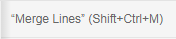
在sublime text 3中似乎被覆盖了。
Update Image Size
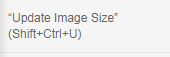
This action helps you to automate this process: simply place caret inside <img> tag and run this action to add/update width and height attributes.
In CSS, place caret inside property value with url() function to add/update width and height properties for current rule.
Evaluate Math Expression

3*4
12
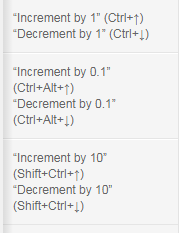
Increment/Decrement Number
Reflect CSS Value
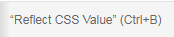
    -webkit-transform: rotate(60deg);

    -moz-transform: rotate(45deg);

    -ms-transform: rotate(45deg);

    -o-transform: rotate(45deg);

    transform: rotate(45deg);
ctrl+B
    -webkit-transform: rotate(60deg);

    -moz-transform: rotate(60deg);

    -ms-transform: rotate(60deg);

    -o-transform: rotate(60deg);

    transform: rotate(60deg);
Encode/Decode Image to data:URL

body {

    background: url(data:image/png;base64,iVBORw0KGgoAAAANSUhEUgAAABQAAAARCAYAAADdRIy+AAAB0UlEQVQ4y2P4z8DAQCoGgjwgVsIqR46BwoJMt7i5GPeBmFQxUFWR5R6IycHOuB5Ii6C5niENiDORcAVID5ICDSCOB+IGIO4G4lwBPqY3MDOAhq5DNhTDkYL8TE+jArgcgGwWIC5iZ2O8TsjRnByMa4G0ENhARkaGf6JCTJ/rCviOg/DeFaKdz85IibCyMM4lJSSALl0Ld6GCDMszoCEaUMzFwszQSmrQ8nIzfgDqFQcbKC3B/BQpDFT4+Zieo2vg4mT8KSLE9AUYuz+BvkKRk5Vi/jC7S2gp0EApsIEykszPYLJaaqwZbGyMv0BckOYwH64r2xeJrrm0S2IGEPcC8TQ1JZZXMMM0VVhfbVsk2g80TAKIGTEM1NdinQliApPGmyWThJcDFXkDMQ+yk+SkmB+AmBZGbI9ObBKvAcpzo8QysoHGemwbgAofn9sGViiGLcCALrzrYMl+7+EJyRSgGmb0dIhiYGsZf+XRdWL5QIVMuGKgvpBvzp3DkvFQA3zwGggKWCBmxRelQHkVqOZ2YPL6iGGgvDTzYzILif+SYszvUcSYmRj+AnPDdyBzM6kYlHzERZnfYLiQEgwsed6hGAgMj/lADEqUK8jAS4C4A9lAAFHbei84vFYeAAAAAElFTkSuQmCC);

}
Filters
Now, try to expand this abbreviation: #content>p.title|e. You’ll have a slightly different result:
<div id="content">

    <p class="title"></p>

</div>
#content>p.title|e|e
&lt;div id="content"&gt;
&lt;p class="title"&gt;&lt;/p&gt;
&lt;/div&gt;
#content>p.title|haml
#content

    %p.title
Implicit filter call
Default filters are defined in snippets.json file in filters section of each syntax:
{

    ...

    "html": {

        ...

        "filters": "html"

    }

}
Available filters
HAML syntax: haml
HTML syntax: html
Escape: e
Comment tags: c
div>div#page>p.title+p|c
...will be expanded into
<div>

    <div id="page">

        <p class="title"></p>

        <!-- /.title -->

        <p></p>

    </div>

    <!-- /#page -->

</div>
XSL tuning: xsl
Single line: s
ul>li*4|s
...will be expanded into
<ul><li></li><li></li><li></li><li></li></ul>
Trim line markers: t
Yandex BEM/OOCSS
Customization
Add your own or update existing snippets
Change behavior of some Emmet filters and actions
Define how generated HTML/XML should look.
Cheat Sheet
Emmet Documentation ( Actions+Filters+Customization )的更多相关文章
- Emmet Documentation
src:http://docs.emmet.io/cheat-sheet/ Emmet Documentation Syntax Child: > nav>ul>li <n ...
- Filters in ASP.NET Core (转自MSDN)
Filters in ASP.NET Core MVC allow you to run code before or after specific stages in the request pro ...
- 一些参考网站 - Reference Documentation - Website Address
Reference Documentation - Website Address MSDN Visual Studio 2015官方文档 https://msdn.microsoft.com/zh- ...
- emmet高级技巧
编写好HTML和CSS代码时,我们也需要修改或添加一些内容,Emmet提供了很多非常独特的工具,可以大大提高编辑体验,下面我们挑选几个常用的功能来介绍. 萨龙龙发现在sublime text中安装的E ...
- http://www.zhihu.com/question/24896283
http://www.zhihu.com/question/24896283 Rix Tox,太不專業了 三百.知乎用户.raintorr 等人赞同 1. 更改变量名的几种方法这种情况下该如何快速选中 ...
- WEB/HTTP 调试利器 Fiddler 的一些技巧分享
1.原理简介: Fiddler 是目前最强大最好用的 Web 调试工具之一,它能记录所有客户端和服务器的http和https请求, 允许你监视,设置 CGI 请求的断点,甚至修改输入输出数据.同类的工 ...
- Sublime Text生成html标签快捷键
Emmet Documentation Syntax Child: > nav>ul>li <nav> <ul> <li></li> ...
- javaScript hook
今天在网上搜索了不少资料,基本概念如下: 钩子(Hook),是Windows消息处理机制的一个平台,应用程序可以在上面设置子程以监视指定窗口的某种消息,而且所监视的窗口可以是其他进程所创建的.当消息到 ...
- Sublime Text 有哪些使用技巧
1. 更改变量名的几种方法<img src="https://pic4.zhimg.com/d93cf0e8987e0117f3a3187cfe8e53fb_b.jpg&quo ...
- Asp.net mvc 知多少(四)
本系列主要翻译自<ASP.NET MVC Interview Questions and Answers >- By Shailendra Chauhan,想看英文原版的可访问http:/ ...
随机推荐
- Android使用SurfaceView实现签名板
SurfaceView使用 首先创建一个SurfaceViewSign类,继承SurfaceView类,继承 SurfaceHolder.Callback和Runnable接口,代码如下: impor ...
- ASCII编码的影响与作用:数字化时代的不可或缺之物
一.ASCII编码的起源 ASCII(American Standard Code for Information Interchange)编码是一种最早用于将字符转换为数字的编码系统.它诞生于20世 ...
- 用Taro写一个微信小程序——版本升级
一.升级 1.升级Taro CLI至最新版本 taro update self npm i -g @tarojs/cli 2.更新项目中 Taro 相关的依赖 taro update project ...
- 硬件开发笔记(十): 硬件开发基本流程,制作一个USB转RS232的模块(九):创建CH340G/MAX232封装库sop-16并关联原理图元器件
前言 有了原理图,可以设计硬件PCB,在设计PCB之间还有一个协同优先动作,就是映射封装,原理图库的元器件我们是自己设计的.为了更好的表述封装设计过程,本文描述了CH340G和MAX232芯片封装 ...
- 重点:递归函数,数学模块,随机模块---day14
1.递归函数 自己调用自己的函数是递归函数 递:去 归:回 一去一回叫作递归 简单递归 def digui(n): print(n,'<==1==>') if n > 0: digu ...
- React 组件之样式
无论你的梦想有多么高远,记住,一切皆有可能. 我们从前面的学习知道一个 React 组件不仅仅只包含 DOM 结构的,还应该样式和 Javascript 逻辑的.这里我们学习下如何构建 CSS 样式. ...
- 合并区间(区间排序,vector的动态扩容的应用)
以数组 intervals 表示若干个区间的集合,其中单个区间为 intervals[i] = [starti, endi] .请你合并所有重叠的区间,并返回一个不重叠的区间数组,该数组需恰好覆盖输入 ...
- 【Azure Developer】在Azure Storage Account的两个Blob可以同步吗?可以跨订阅拷贝吗?
问题描述 不同订阅下的Azure Storage Account中Blob资源可以同步吗? 解决方案 可以.通过Azure 官方推荐的Storage Account工具来完成 Copy/Paste 操 ...
- 【Azure Redis 缓存】Redis连接无法建立问题的排查(注:Azure Redis集成在VNET中)
问题描述 在Azure App Service中部署的应用,需要连接到Redis中,目标Redis已经集成了虚拟网络(VNET)并且在Redis的网络防火墙中已经添加App Service的出站IP地 ...
- C++ 模板的笔记1
C++模板的笔记1 C++ 函数模板 函数模板的定义 函数模板是一种可以生成不同类型函数的函数声明.函数模板的参数类型不是固定的,而是在调用时由实参类型推导出来. 语法: template <t ...