
SHINY-SERVER R(sparkR)语言web解决方案 架设shiny服务器
1. shiny server简介
shiny-server是一种可用把R 语言以web形式展示的服务,其实RStudio公司自己构建了R Shiny Application运行的平台(http://www.shinyapps.io/ ), 用户可以通过RStudio上面的工具把自己编写调试好的Shiny Application上传到shinyapps.io上去(这里需要先注册和设置些东西)。这样构建了一个云端的服务器。但是有时还是有必要自己去构建一个自己的Shiny 服务器,这样操作起来还是方便些。下面就讲讲如何在自己的服务器上构建Shiny Server。
环境:ubuntu14.04
下载:shiny-server的地址
2. 安装步骤
2.1 安装libpng,x11相关支持包
由于ubuntu默认是不支持png 以及X11(redhat,centos也会有同样的问题)
所以安装R语言前需要安装libpng,x11相关包,命令如下
bonnie@bonnie0:~$ sudo apt-get install build-essential gcc g++ autoconf libiconv-hook-dev libmcrypt-dev libxml2-dev libmysqlclient-dev libcurl4-openssl-dev libjpeg8-dev libpng12-dev libfreetype6-dev
bonnie@bonnie0:~$ sudo apt-get install libX11-dev libXext-dev libXtst-dev libXrender-dev libxmu-dev libxmuu-dev
2.2 安装R语言 验证X11 ,libpng支持
bonnie@bonnie0:~$ sudo apt-get install r-base
在命令行输入R进入R语言shell
bonnie@bonnie0: R
R version 3.0.2 (2013-09-25) -- "Frisbee Sailing"
Copyright (C) 2013 The R Foundation for Statistical Computing
Platform: x86_64-pc-linux-gnu (64-bit)
R is free software and comes with ABSOLUTELY NO WARRANTY.
You are welcome to redistribute it under certain conditions.
Type 'license()' or 'licence()' for distribution details.
Natural language support but running in an English locale
R is a collaborative project with many contributors.
Type 'contributors()' for more information and
'citation()' on how to cite R or R packages in publications.
Type 'demo()' for some demos, 'help()' for on-line help, or
'help.start()' for an HTML browser interface to help.
Type 'q()' to quit R.
> capabilities()
jpeg png tiff tcltk X11 aqua http/ftp sockets
TRUE TRUE TRUE TRUE TRUE FALSE TRUE TRUE
libxml fifo cledit iconv NLS profmem cairo
TRUE TRUE TRUE TRUE TRUE TRUE TRUE
PS:如果你不是在ubuntu本机操作登陆,而是远程通过ssh登录时,ssh username@ip地址 要加 -X, 否则X11会显示FALSE
2.2 在R中安装shiny模块
在R命令行中运行 install.packages("shiny")
> install.packages("shiny")
运行成功后(ctl + C)退出R界面
2.3 安装shiny-server
bonnie@bonnie0:~$ sudo apt-get install gdebi-core


bonnie@bonnie0:~$ wget https://download2.rstudio.org/rstudio-server-1.0.44-amd64.deb


bonnie@bonnie0:~$ sudo gdebi rstudio-server-1.0.44-amd64.deb
2.4 启动与关闭 shiny-server
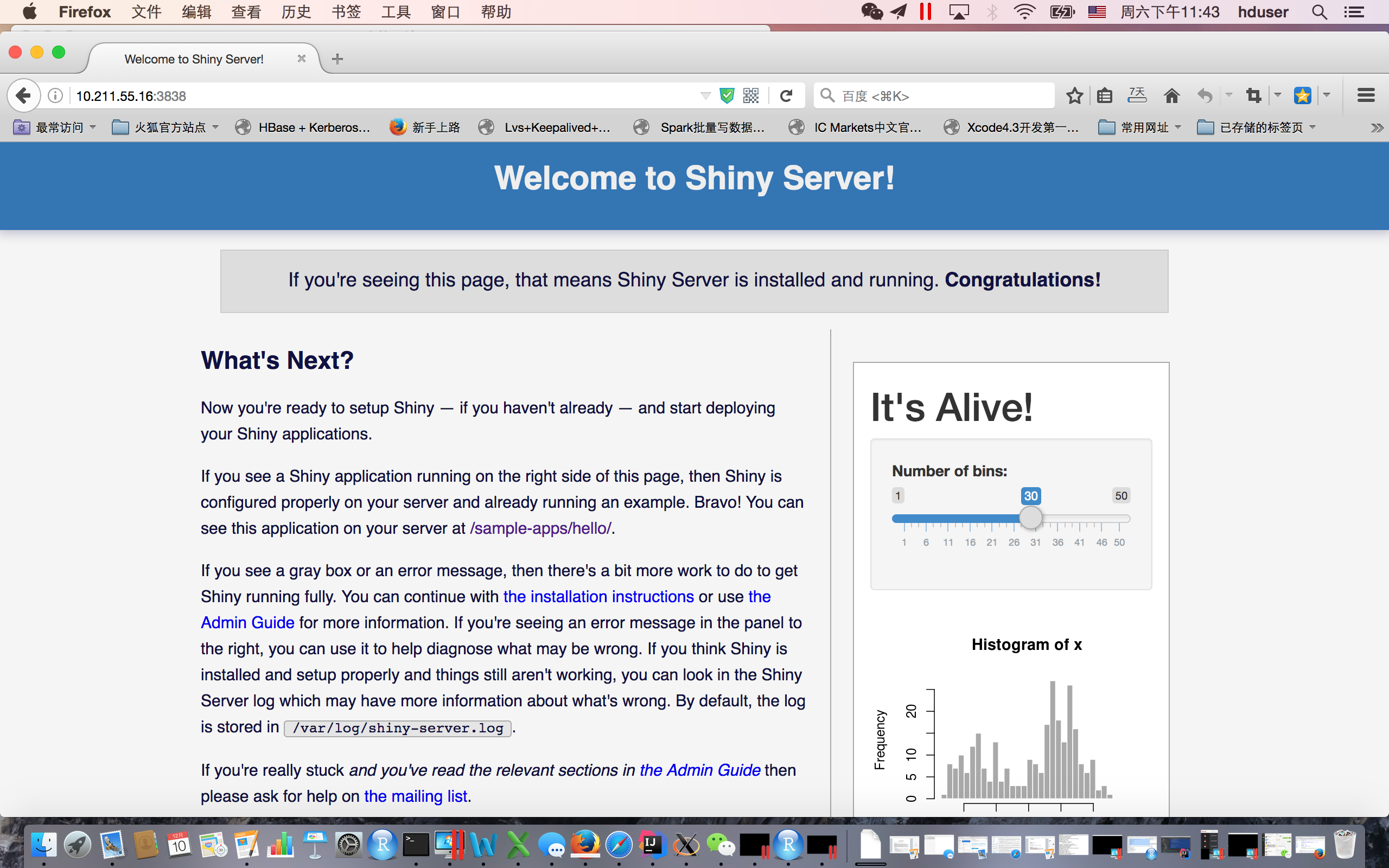
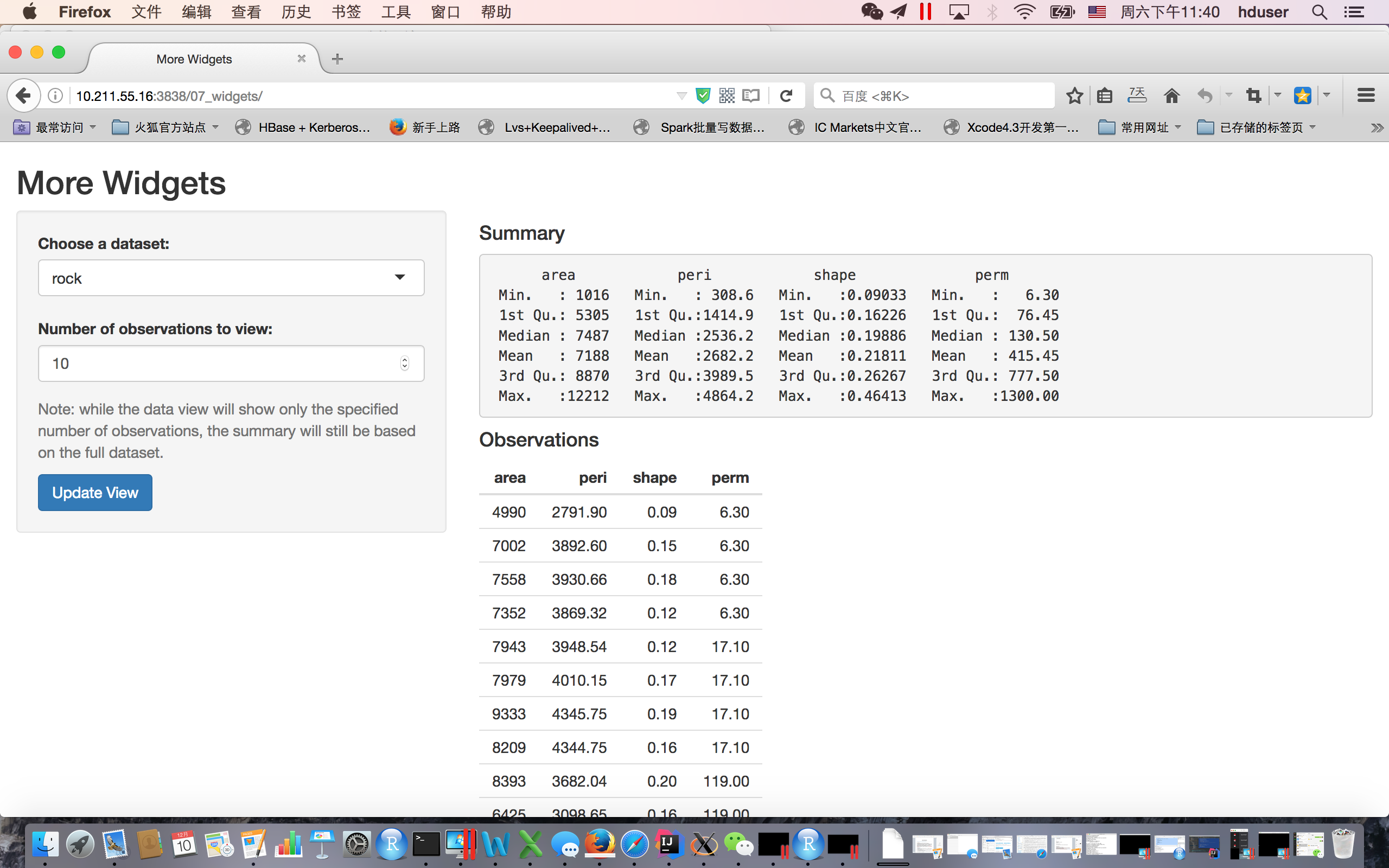
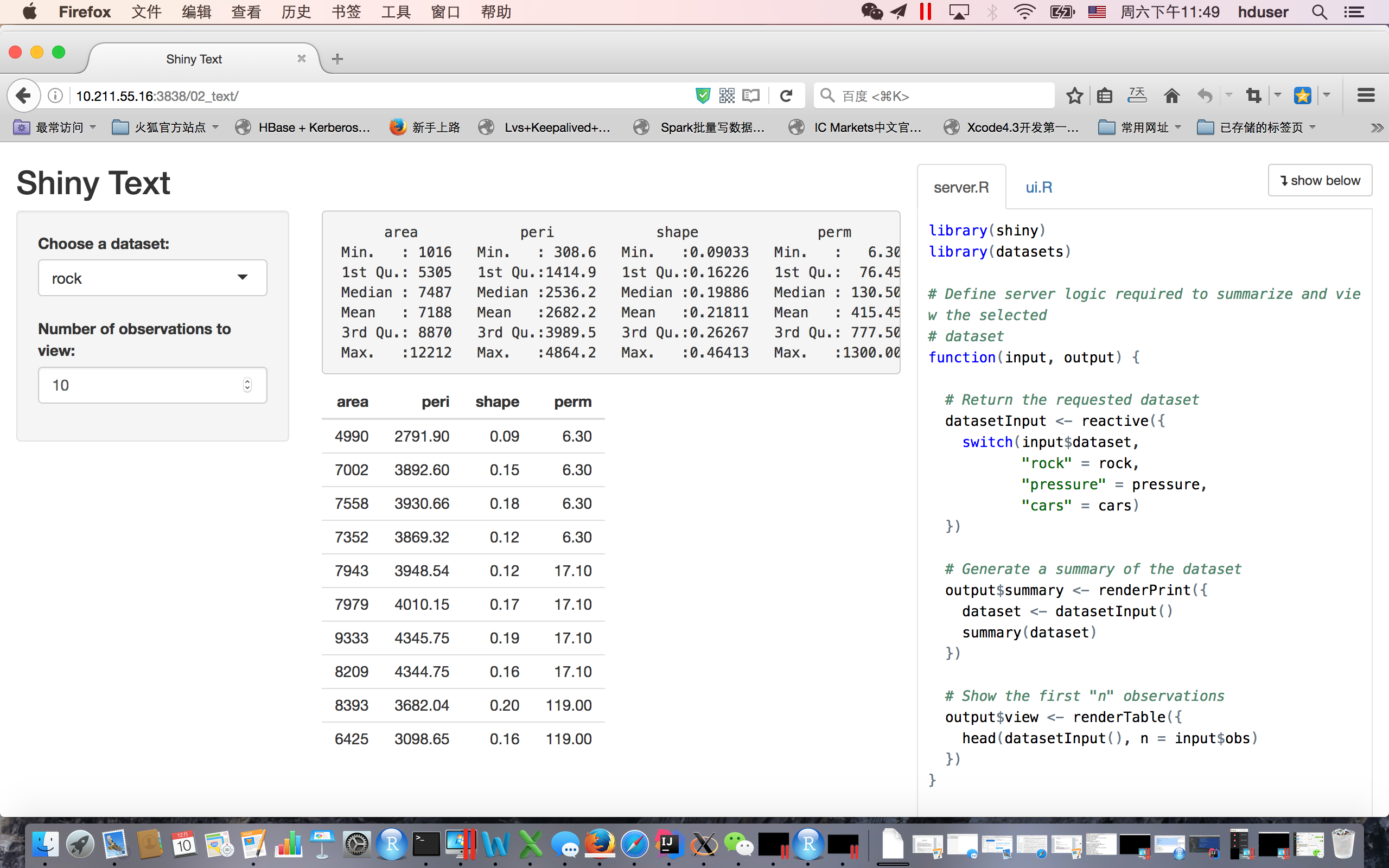
2.5 登陆web界面查看运行情况
http://10.211.55.16:3838/ 默认端口时3838,可以在配置文件(/etc/shiny-server/shiny-server.conf)中修改
SHINY-SERVER R(sparkR)语言web解决方案 架设shiny服务器的更多相关文章
- shiny server SparkR web展示界面(二)
1. 需要先在Mac OS中安装好R,Rstudio中,这个比较简单,掠过 2. 下载编译好的spark(spark-2.0.0-bin-hadoop2.6.tgz)可以在Spark官网下载到你所需 ...
- shiny server SparkR web展示界面(一)
1. shiny server简介 shiny-server是一种可用把R 语言以web形式展示的服务,下面就讲讲如何在自己的服务器上构建Shiny Server.下一篇主要介绍如何集成sparkR后 ...
- 大数据平台R语言web UI应用架构 设计与开发
1. 系统拓扑图 在日常业务分析中,R是非常常用的分析工具,而当数据量较大时,用R语言需要需用更多的时间来完成训练模型,spark作为大规模数据处理框架,采用内存计算,可以短时间内完成大量的数据的处理 ...
- 编程语言 : Java的动态Web解决方案泛谈
文章概述 最近发现很久前一股脑地学习框架,发觉越发迷糊.知道了框架只是暂时的,重点是基础的技术.该文大篇幅回顾Servlet技术栈和简要的MVC框架. 至于为什么学J2EE,额,大家都用框架,可框架也 ...
- Go语言Web框架gwk介绍 1
Go语言Web框架gwk介绍 (一) 今天看到Golang排名到前30名了,看来关注的人越来越多了,接下来几天详细介绍Golang一个web开发框架GWK. 现在博客园支持markdown格式发布 ...
- 在CentOS上安装和部署Shiny Server
1.安装R: sudo yum install R 2.安装Shiny的R包: sudo su - \ -c "R -e \"install.packages('shiny', r ...
- Go语言Web框架gwk介绍4
Go语言Web框架gwk介绍 (四) 事件 gwk支持事件系统,但并没有硬编码有哪些事件,而是采用了比较松散的定义方式. 订阅事件有两种方式: 调用On函数或者OnFunc函数 func On(m ...
- Go语言Web框架gwk介绍 3
Go语言Web框架gwk介绍 (三) 上一篇忘了ChanResult ChanResult 可以用来模拟BigPipe,定义如下 type ChanResult struct { Wait syn ...
- Go语言Web框架gwk介绍2
Go语言Web框架gwk介绍 (二) HttpResult 凡是实现了HttpResult接口的对象,都可以作为gwk返回Web客户端的内容.HttpResult接口定义非常简单,只有一个方法: ty ...
随机推荐
- stm32串口之存储与解析
最近在做一个小项目,需要用stm32串口接受Arduino发送的一个不定长的数据,并且解析数据,执行其中的命令:秉着不在中断中做过多任务的思想,我们将从串口中接受到的字符放到一个数组当中. 定义数组 ...
- 【Android UI设计与开发】第05期:引导界面(五)实现应用程序只启动一次引导界面
[Android UI设计与开发]第05期:引导界面(五)实现应用程序只启动一次引导界面 jingqing 发表于 2013-7-11 14:42:02 浏览(229501) 这篇文章算是对整个引导界 ...
- PHP 四种基本排序算法的代码实现
前提:分别用冒泡排序法,快速排序法,选择排序法,插入排序法将下面数组中的值按照从小到大的顺序进行排序. $arr(1,43,54,62,21,66,32,78,36,76,39); 1. 冒泡排序 思 ...
- WebStorm常用设置和常用快捷键
今天下载了最新版本的WebStorm 7.反正又要重新设置一番了,干脆写下来记录到博客里面,免得以后每次忘了还要到处搜索比较麻烦. 加速 禁用多余的插件,关掉没必要的代码检查项.webstorm慢的原 ...
- 第一个Spring demo
参考Spring3.x企业实战 1.新建web工程chapter5,导入jar包.注意:cglib和commons-dbcp这两个包 2.设计数据库 t_login_log表结构(存放日志信息),主键 ...
- 管道导致的while循环体变量失效
#!/bin/sh num= cat /etc/passwd | while read line do num=$(($num+)) done echo $num linux:~ # sh a.sh ...
- oracle 用户的管理<二>
oracle 用户的管理 创建用户 概述:在 oracle 中要创建一个新的用户使用 create user 语句,一般是具有 dba(数据库管理员)的权限才能使用. create user 用户名 ...
- mysql 全文搜索的FULLTEXT
FULLTEXT索引 创建FULLTEXT索引语法 创建table的时候创建fullText索引 CREATE TABLE table_name( column1 data_type, column2 ...
- Android相机使用(系统相机、自定义相机、大图片处理)
本博文主要是介绍了android上使用相机进行拍照并显示的两种方式,并且由于涉及到要把拍到的照片显示出来,该例子也会涉及到Android加载大图片时候的处理(避免OOM),还有简要提一下有些人Surf ...
- jquery_easyui 相关问题
1. datagrid点击title,无法进行客户端排序. 增加属性 data-options="singleSelect:true,collapsible:true,url:'/ViewS ...