
C# Form 实现桌面弹幕
使用C# Form 简单的实现了弹幕效果
0. 源代码 : https://github.com/ping9719/-desktop-barrage-
1.创建一个Form 设置 
2.添加一个计时器
3. 代码
using System;

using System.Collections.Generic;

using System.ComponentModel;

using System.Data;

using System.Drawing;

using System.Drawing.Text;

using System.Linq;

using System.Text;

using System.Threading;

using System.Threading.Tasks;

using System.Windows.Forms;

namespace DanMu

{

    public partial class Form1 : Form

    {

        public Form1()

        {

            InitializeComponent();

        }

        private void Form1_Load(object sender, EventArgs e)

        {

            Rectangle rec = Screen.GetWorkingArea(this);

            this.Height = rec.Height / 3 * 2; // 3分之2

            this.Width = rec.Width;

            this.Location = new Point(0, 0);

            this.BackColor = Color.White;

            this.TransparencyKey = Color.White;

            this.Opacity = 1;

            AddTanMu("你开启了弹幕");

            //测试运行

            Thread th1 = new Thread(new ThreadStart(test));

            th1.Start();

        }

        private void test()

        {

            while (true)

            {

                AddTanMu(Guid.NewGuid().ToString());

                Thread.Sleep(new Random().Next(2000, 3500));

            }

        }

        public void AddTanMu(String word)

        {

            Label label = new Label();

            label.Text = word;

            label.AutoSize = true;

            label.ForeColor = Color.Red;

            label.BackColor = Color.Transparent;

            label.Font = new Font("宋体", 20);

            label.Location = new Point(this.Width, new Random().Next(this.Height - label.Height));

            this.Invoke(new Action(() =>

            {

                this.Controls.Add(label);

            }));

        }

        private void Timer_Tick(object sender, EventArgs e)

        {

            //方法1:

            //foreach (Label label in this.Controls)

            //{

            //    Task.Run(() =>

            //    {

            //        //单独执行的委托,防止卡顿

            //        label.Invoke(new Action(() =>

            //        {

            //            //步数、速度

            //            for (int v = 0; v < 3; v++)

            //            {

            //                label.Left -= 2;

            //            }

            //        }));

            //        //超出移除

            //        if (label.Left + label.Width < 0)

            //        {

            //            this.Invoke(new Action(() =>

            //            {

            //                this.Controls.Remove(label);

            //                label.Dispose();

            //            }));

            //        }

            //    });

            //}

            //方法2:

            foreach (Label label in this.Controls)

            {

                label.Invoke(new Action(() =>

                {

                    //步数、速度

                    //【3(次数)*2(步数)=6(速度)】

                    for (int v = 0; v < 3; v++)

                    {

                        label.Left -= 2;

                    }

                }));

                //超出移除

                if (label.Left + label.Width < 0)

                {

                    label.Visible = false;

                    this.Controls.Remove(label);

                }

            }

        }

    }

}
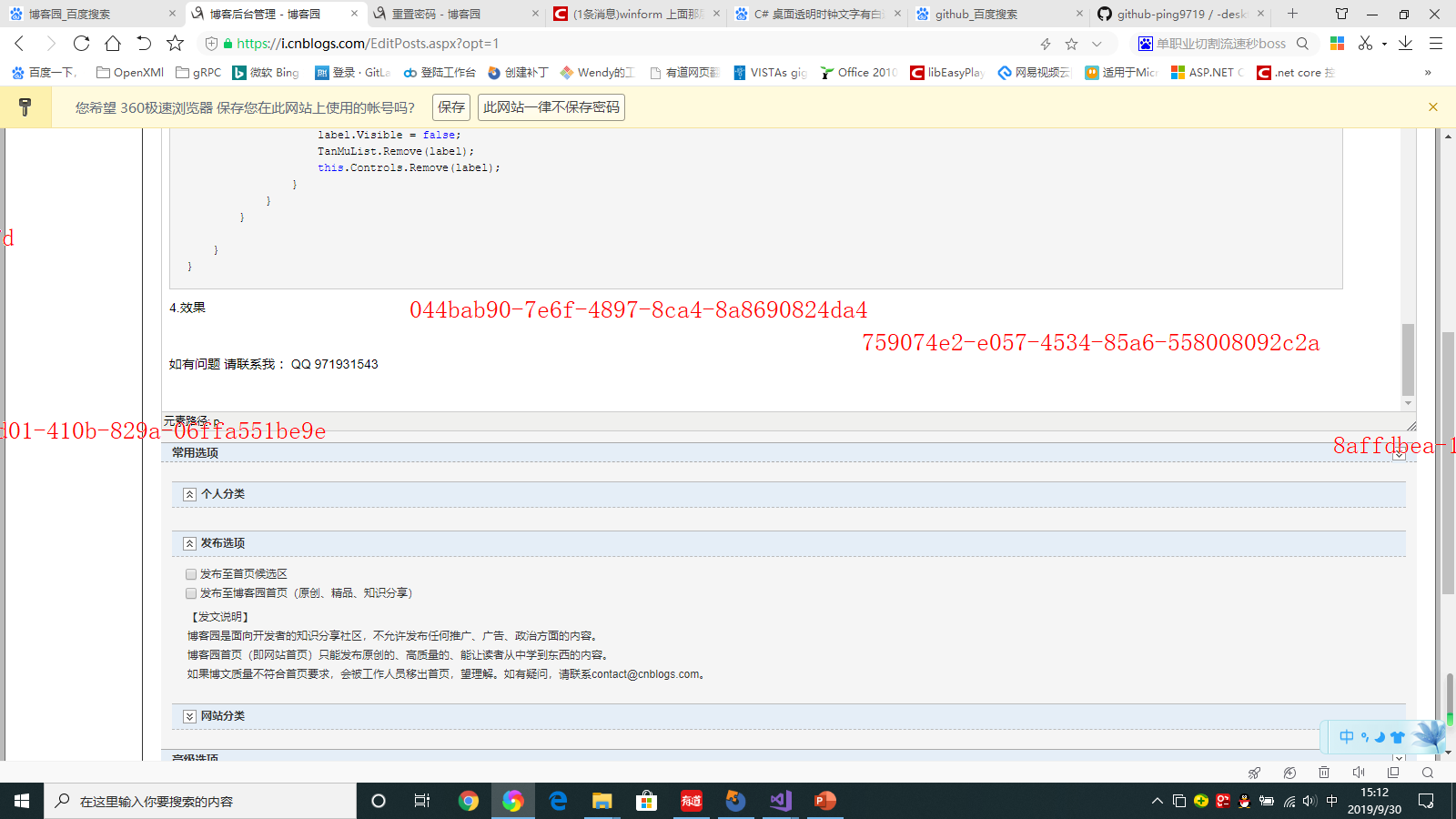
4.效果
如有问题 请联系我 :QQ 971931543
C# Form 实现桌面弹幕的更多相关文章
- .NET斗鱼直播弹幕客户端(下)
.NET斗鱼直播弹幕客户端(下) 在上篇文章中,我们提到了如何使用.NET连接斗鱼TV直播弹幕的基本操作.然而想要做得好,做得容易扩展,就需要做进一步的代码整理. 本文将涉及以下内容: 介绍如何使用R ...
- C#中无边框窗体移动
拖动无边框窗体Form至桌面任何位置 首先建一个Windows应用程序将Form1的 FormBorderStyle属性设置为Noe Point mouseOff;//鼠标移动位置变量 bool le ...
- Vs2010中水晶报表引用及打包
原文:Vs2010中水晶报表引用及打包 转自:http://yunhaifeiwu.iteye.com/blog/1172283 Vs2010中水晶报表引用 在sap官网中下载支持vs 2010中的水 ...
- c#实现Form窗体始终在桌面最前端显示
方法一 //调用API [System.Runtime.InteropServices.DllImport("user32", CharSet = System.Runtime.I ...
- Linux 桌面系统字体配置要略
字体显示效果测试 这一段是为了测试宋体字的显示效果,包括宋体里面自带的英文字体,“This is english,how does it look like?”.这一行是小字.后面几个字是加粗的宋体. ...
- CloudNotes之桌面客户端篇:插件系统的实现
[CloudNotes版本更新历史与各版本下载地址请点击此处] [CloudNotes中文系列文章汇总列表请点击此处] [查看CloudNotes源代码请点击此处] 有时候,同一个名词,针对不同的人群 ...
- 用react的ReactCSSTransitionGroup插件实现简单的弹幕动画
1,开始的思路 公司想做直播方面的项目,并想加入弹幕的功能,直播的页面已经作为一个组件放在了用react+redux写好的一个网站项目上.所以技术老大让我研究下如何用react实现弹幕的功能.下面我就 ...
- Form 详细属性--2016年12月4日
属性 名称 说明 AcceptButton 获取或设置当用户按 Enter 键时所单击的窗体上的按钮. AccessibilityObject 获取分配给该控件的 Accessib ...
- WinCE\Window Mobile程序桌面化总结
1.系统API处理 将桌面.移动API分开处理 2.一份代码,两个工程,分别编译 添加已有文件时,使用添加链接,而不是添加附本 3.桌面窗体出现位置不规律,样式不统一问题 首先,在窗体类成员加入两个成 ...
随机推荐
- 动态规划 | DAG最长路
1.矩形嵌套 查了很久的错,最后发现是ans在每次测试样例输入的时候没有初始化为0 . AC代码: #include <stdio.h> #include <memory.h> ...
- [LeetCode] 877. Stone Game 石子游戏
Alex and Lee play a game with piles of stones. There are an even number of piles arranged in a row, ...
- [LeetCode] 454. 4Sum II 四数之和之二
Given four lists A, B, C, D of integer values, compute how many tuples (i, j, k, l) there are such t ...
- Chrome操作技巧
好用的插件: 如果你用 Chrome 浏览器,这8款插件一定要用! - 知乎 沙拉查词: 集合各大翻译,详细好用权威 Simple Allow Copy: 开启被网页屏蔽的自由复制功能 Qui ...
- ORACLE--10G安装问题( error while loading shared libraries)
01,问题描述 问题一: WARNING: directory '/u01/app/oracle/product/10.2.0' is not owned by root WARNING: direc ...
- NOI 2010 海拔(最小割转最短路)
题意 https://www.lydsy.com/JudgeOnline/problem.php?id=2007 思路 首先可以发现一个结论,每个位置的海拔只有能是 \(0\) 和 \(1\) ,然后 ...
- android 自定义gridview(导航)
最近又重新做回安卓,做了个小项目.下绝心使用android studio,通过这一回实战,终于用上了.综合了前人的经验,搞了个自己满意的导航界面,用的是gridview. 代码: package co ...
- POI打印Excel
一.POI概述 Apache POI是Apache软件基金会的开放源码函式库,POI提供API给Java程序对Microsoft Office格式档案读和写的功能. 结构:HSSF - 提供读写Mic ...
- 百度编辑器ueditor批量上传图片或者批量上传文件时,文件名称和内容不符合,错位问题
百度编辑器ueditor批量上传附件时,上传后的文件和实际文件名称错误,比如实际是文件名“dongcoder.xls”,上传后可能就成了“懂客.xls”.原因就是,上传文件时是异步上传,同时进行,导致 ...
- Ansible17:Playbook之tags
目录 简介 为task打tag 使用tag 执行指定tag的task 排除指定tag的task 查看playbook中的所有tag 打tag的几种方式 ansible内置tag 简介 在大型项目当中, ...